This chapter provides a practical on-ramp to using Python, surveying the many ways to obtain and run it and then recommending a simple, consistent path for working through the book. It outlines Python’s evolving release cadence and support window, the variety of sources and distributions, and the broad range of devices, platforms, and tools you can use—from shells and IDEs to Jupyter-based environments. The authors favor using Google Colaboratory and the book’s companion notebooks in the GitHub repository as the fastest way to experiment, run examples, and complete labs without managing local installations, noting that Colab’s Python may trail the latest release slightly but remains more than adequate for learning.
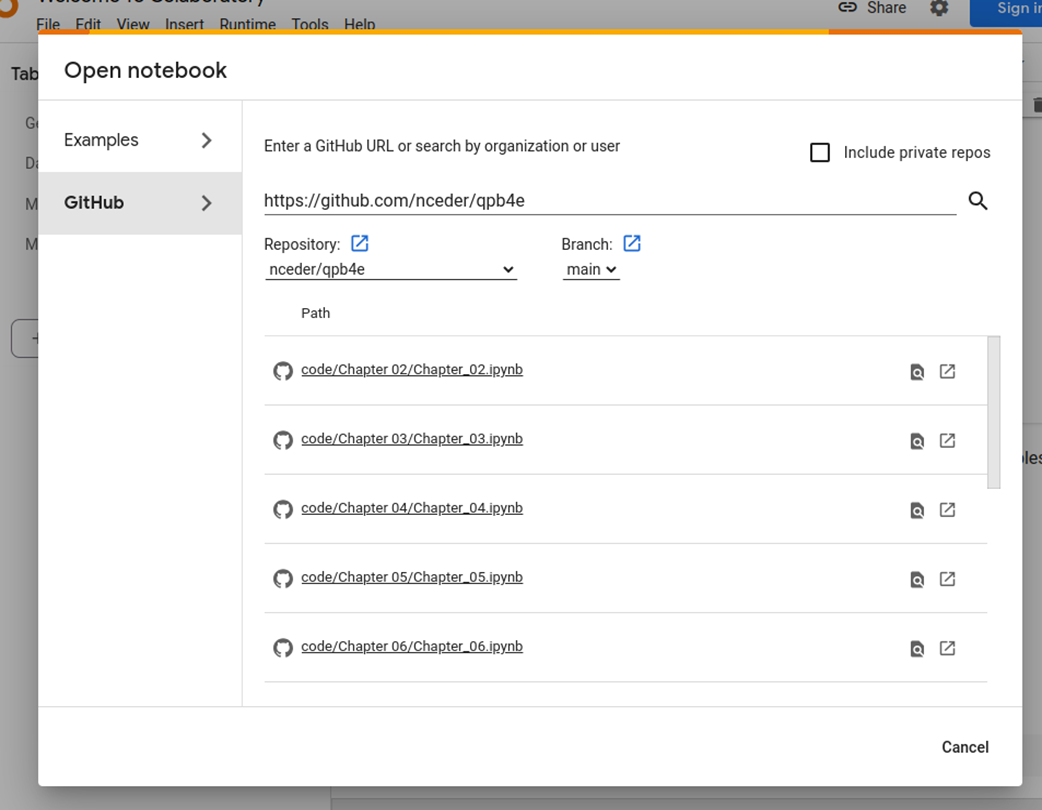
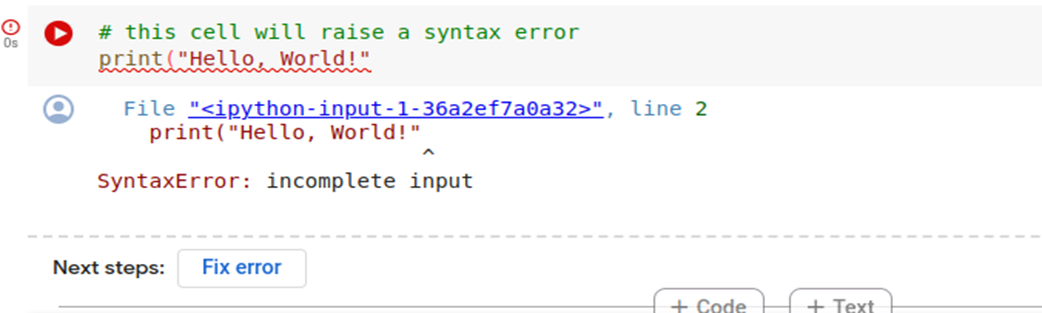
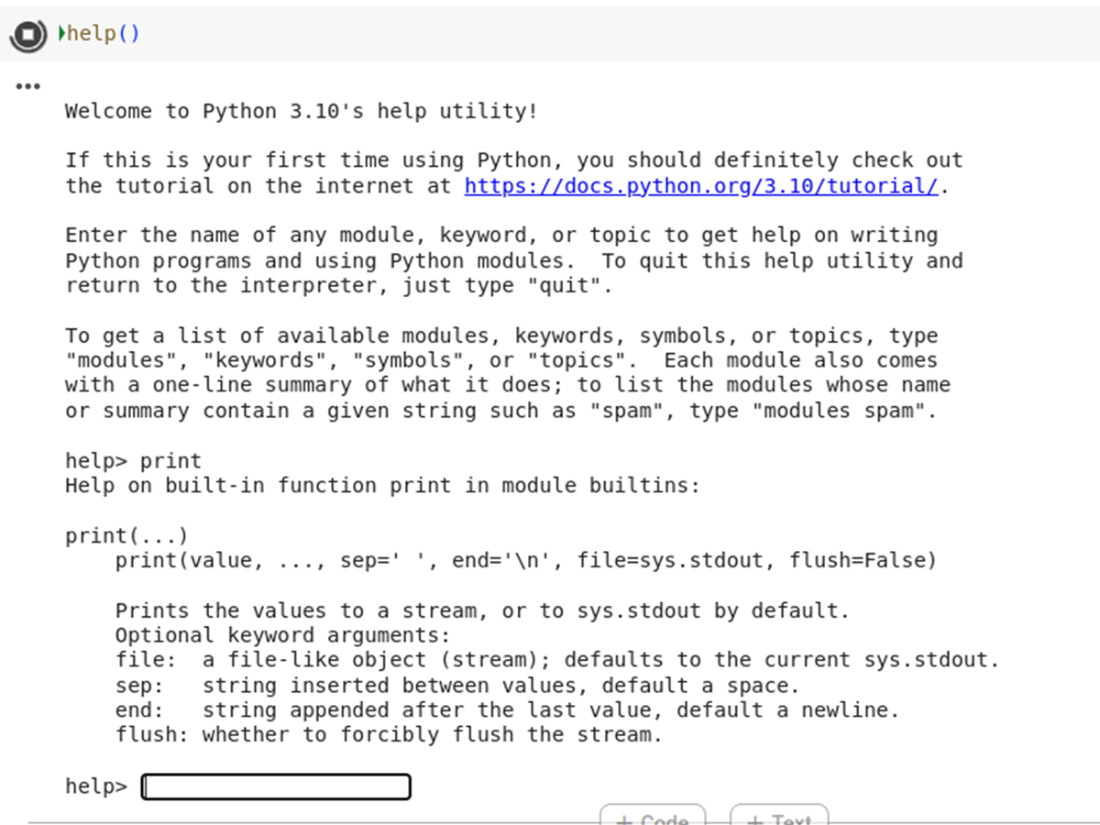
You’re shown how to open the chapter notebooks from the repository directly in Colab or by starting in Colab and pulling notebooks from GitHub, with a reminder that signing in enables saving and full functionality. The chapter explains Jupyter’s two cell types (text and code), how to execute code cells, and what to expect from outputs and warnings when running code loaded from the web. A simple “Hello, World” demonstrates the execution flow, followed by a brief tour of error handling in notebooks: Python’s improved, clearer tracebacks appear directly beneath the cell, and Colab may even propose automatic fixes that you can accept or reject. To explore the language and libraries interactively, the chapter highlights the built-in help() system for quick documentation lookups and dir() for inspecting names in a namespace or on a type.
Rounding out the getting-started guidance, the chapter clarifies how to choose a Python version: any current, supported 3.x release works for the book, balancing access to new features with stability and support. It then addresses the growing role of AI-assisted coding tools. While these tools can produce workable code quickly and with fewer mechanical errors, the authors caution about environmental costs, privacy and IP concerns, potential fees, and the need for expert review due to occasional inaccuracies. The book will use AI-generated solutions for some lab exercises to illustrate prompting strategies and evaluation, noting that Colab’s built-in assistant and alternatives such as dedicated extensions can be helpful but are entirely optional.
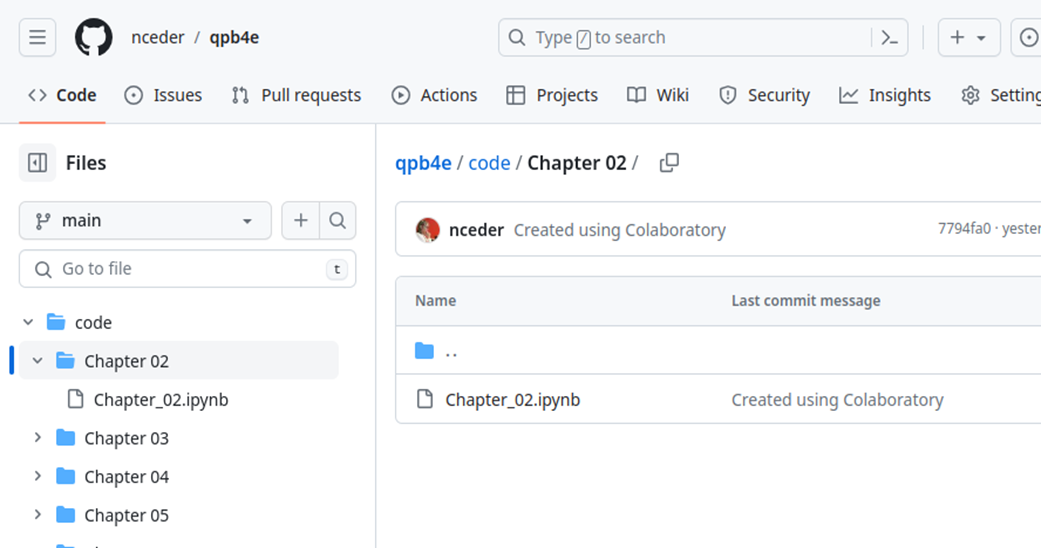
GitHub repository, showing Chapter_02 notebook.
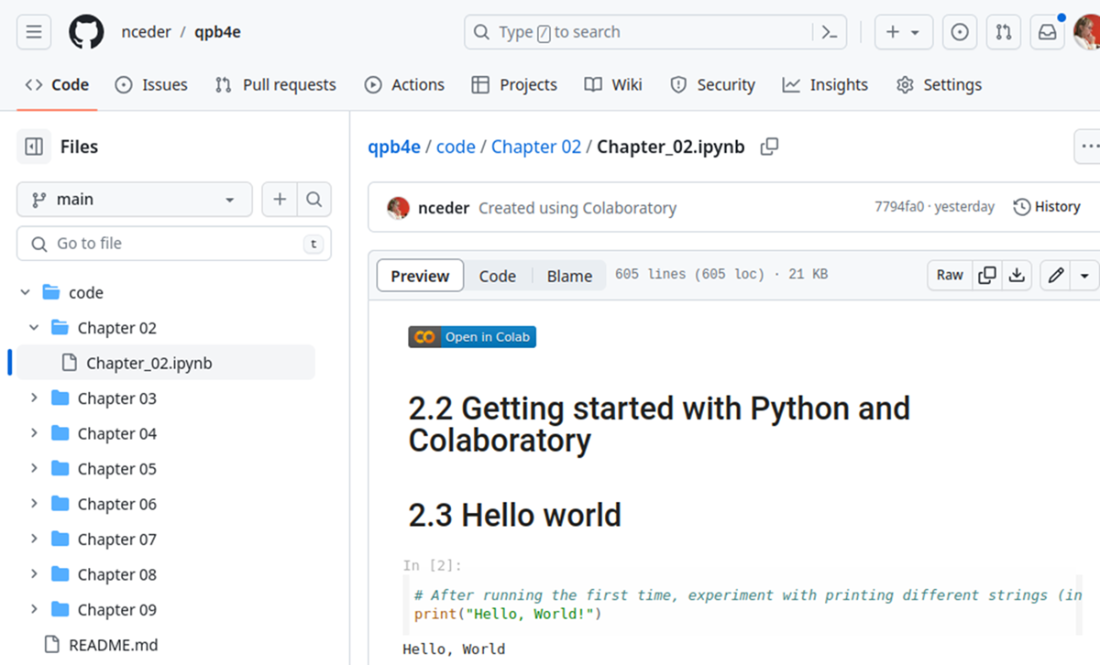
Chapter_02.ipynb notebook viewed in GitHub.
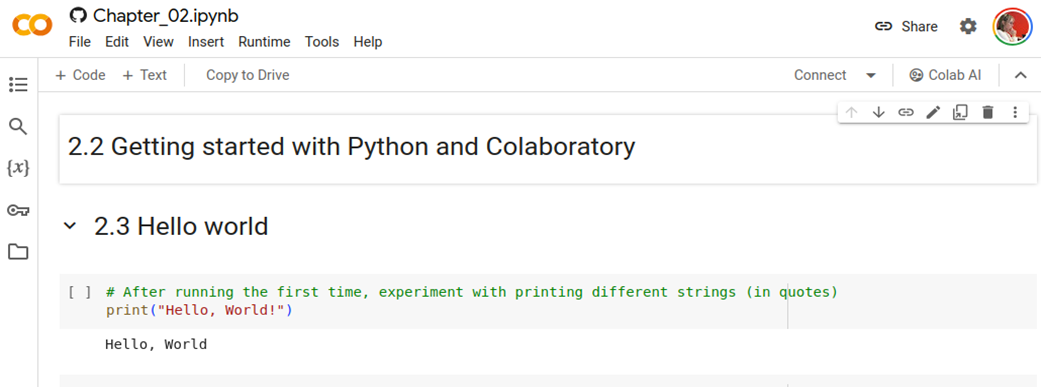
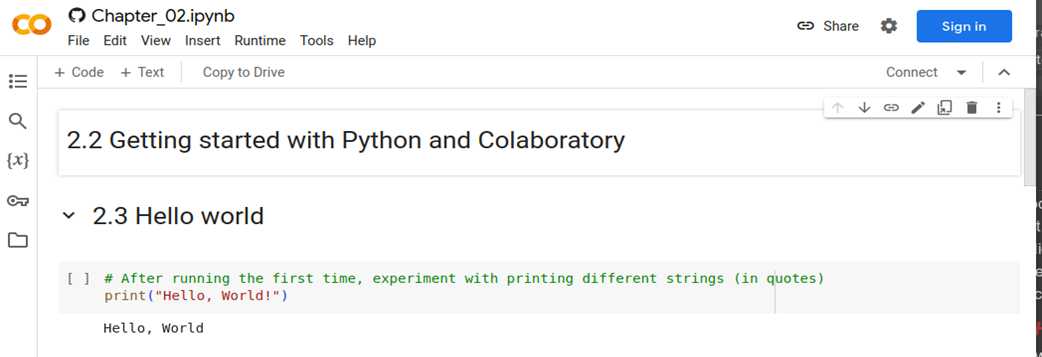
Chapter_02.ipynb notebook open in Colaboratory.
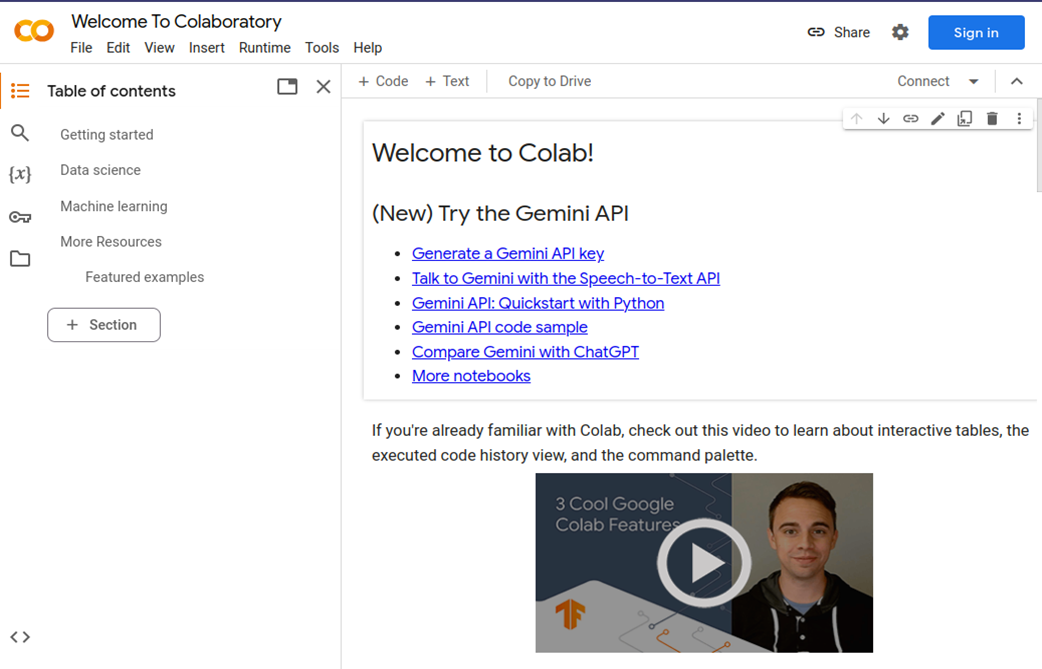
Opening Colaboratory
Opening a notebook from the GitHub repository.
Text cells, code cell, and output.
Error with Fix error option.
Using help() for the print function.
Summary
Python is available across a wide variety of operating systems, hardware platforms, and user interfaces.
For ease of use and maintenance, Google Colaboratory is recommended for use with the Jupyter notebooks of example code for this book.
You can access both the GitHub repository and Colaboratory without an account, but more features may be available with an account.
Jupyter notebooks consist of two types of cells - formattable text cells and cells for executable code.
Errors are usually reported in the same area as output below code cells.
The help() and dir() functions can be useful in learning more about Python.
AI tools can be used to generate Python code, and we will use and critique a couple of those tools when we discuss the solutions to the lab exercises later.
FAQ
Which Python version should I use for this book?Any supported Python 3 version (3.9 or later) works. Having the latest stable release is nice, but not required; a few very new features may be missing on older versions, yet you can still complete the material.How often are new Python versions released, and how long are they supported?Since PEP 602, Python follows an annual October release cadence. Each release gets about 2 years of full support and 3 additional years of security-fix support (roughly 5 years total).Do I need to install Python locally, or can I use Google Colaboratory?You can use Colaboratory and avoid local installs entirely. It runs Jupyter notebooks in the browser, so you can follow along, run examples, and do exercises without managing a local Python setup.If I do install Python, where can I get it?Common options include python.org installers, the Anaconda distribution, your OS package manager or app store, or building from source. Choose based on your needs; you can defer this decision if you’re working in Colab.How do I open the book’s notebooks in Colab from GitHub?Go to the repository at https://github.com/nceder/qpb4e/tree/main, navigate to code/Chapter 02/Chapter_02.ipynb, then click the “Open in Colab” button. Alternatively, open https://colab.research.google.com/, choose File → Open notebook → GitHub, paste https://github.com/nceder/qpb4e, and select the notebook you want.Do I need accounts to view or run the notebooks, and how are changes saved?You can view notebooks on GitHub without any account. To run and save work in Colab, sign in with a Google account; otherwise, changes aren’t saved. You don’t need a GitHub account just to open notebooks via links.How do I run and edit cells in Colab?Text cells use Markdown and switch to edit mode on double-click; press Ctrl+Enter to render. Code cells are always editable; run them with Ctrl+Enter or the play icon. First runs of GitHub-loaded notebooks may show a warning—choose “Run anyway” to execute.What Python version does Colab use, and will I miss the newest features?Colab’s Python may trail the latest release by a few months. Most features you need are available; occasionally the very newest features won’t be. The convenience generally outweighs this minor lag.What happens when code errors occur in a Colab notebook?Python’s error message appears under the cell, indicating the line and location. Colab may also suggest fixes via a “Fix error” button—helpful for simple mistakes, but review suggestions carefully before accepting.How can I explore Python with help() and dir() in notebooks?Use help() to access documentation: either enter help() to get an interactive prompt or call help(obj) for targeted docs (e.g., help(print) or help(x)). Use dir() to list names in the current scope or members of a module/type (e.g., dir(), dir(int)). These are great for quick discovery and reminders.Should I use AI tools (e.g., Colab’s AI, Copilot) to write code for exercises?They can speed up drafting code and reduce typos, but review and test everything—quality varies. Consider trade-offs: resource use, privacy/IP concerns, and potential costs (e.g., Copilot requires a subscription). Using AI is optional; the book provides solutions and discussions either way.
pro $24.99 per month
access to all Manning books, MEAPs, liveVideos, liveProjects, and audiobooks!

 The Quick Python Book, Fourth Edition ebook for free
