1 Introduction to Streamlit
Streamlit is introduced as a fast, approachable way for Python users to build graphical web apps without learning the traditional frontend stack of HTML, CSS, and JavaScript. The chapter explains that web apps are valuable because they run in a browser, require no installation, and make scripts or tools usable by non-technical audiences. Streamlit combines frontend and backend work in pure Python, letting developers turn ideas into interactive apps quickly while relying on sensible defaults and prebuilt interface elements.
The chapter highlights why Streamlit has become popular: it is Python-only, concise, easy to read, attractive by default, and especially useful for data science, visualization, and generative AI applications. It integrates well with libraries such as Pandas, Matplotlib, Plotly, and LLM-related tools, and it includes built-in elements for common interfaces like charts, editable dataframes, sliders, buttons, tabs, and chatbots. Streamlit also supports quick sharing through free public deployment options, benefits from an active community, and can be extended with third-party or custom components when built-in features are not enough.
The chapter also clarifies what Streamlit is best suited for and where it has limits. It works well for dashboards, data exploration tools, machine learning demos, AI apps, internal workplace utilities, prototypes, and creative Python-powered projects. However, it is not ideal for massive production systems, apps needing highly customized interfaces, or native desktop and mobile apps. Compared with Jupyter notebooks, React, Flask, Django, FastAPI, Tkinter, and PyQt, Streamlit occupies a practical middle ground: it helps Python developers create polished, browser-based interactive applications with far less complexity, while trading away some fine-grained control and scalability.
A Google Trends chart showing the popularity of Streamlit over time (note: the periodic dips near the end of each year correspond to the week between Christmas and New Year's Day, when I assume relatively few people are working).

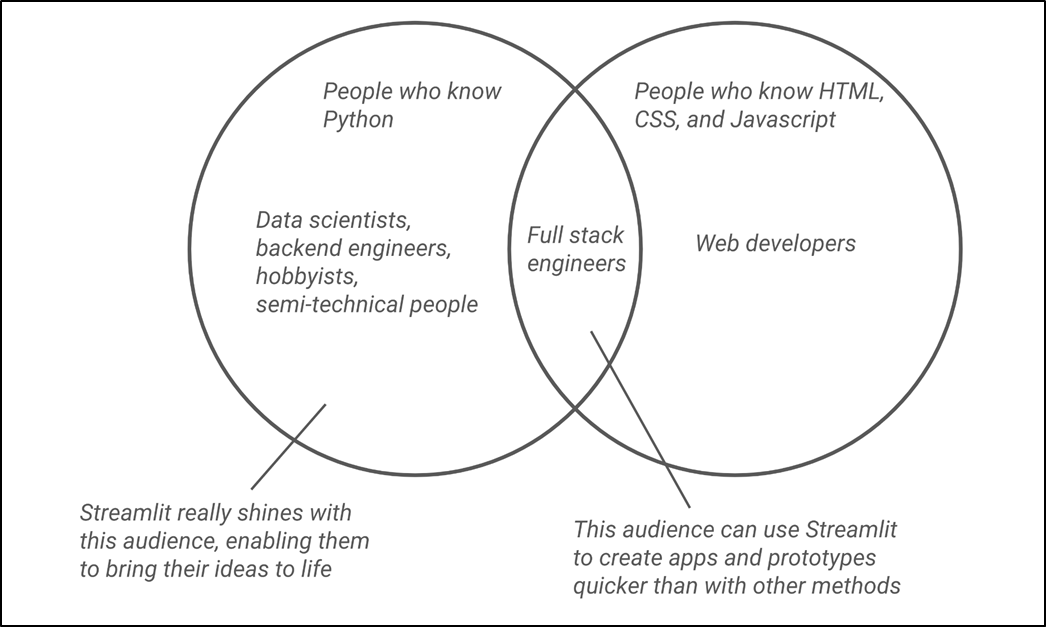
Streamlit unlocks web app development for anyone who knows Python and helps even full-stack developers prototype and build faster.
Tabs in Streamlit, illustrating how Streamlit makes UI choices for you.

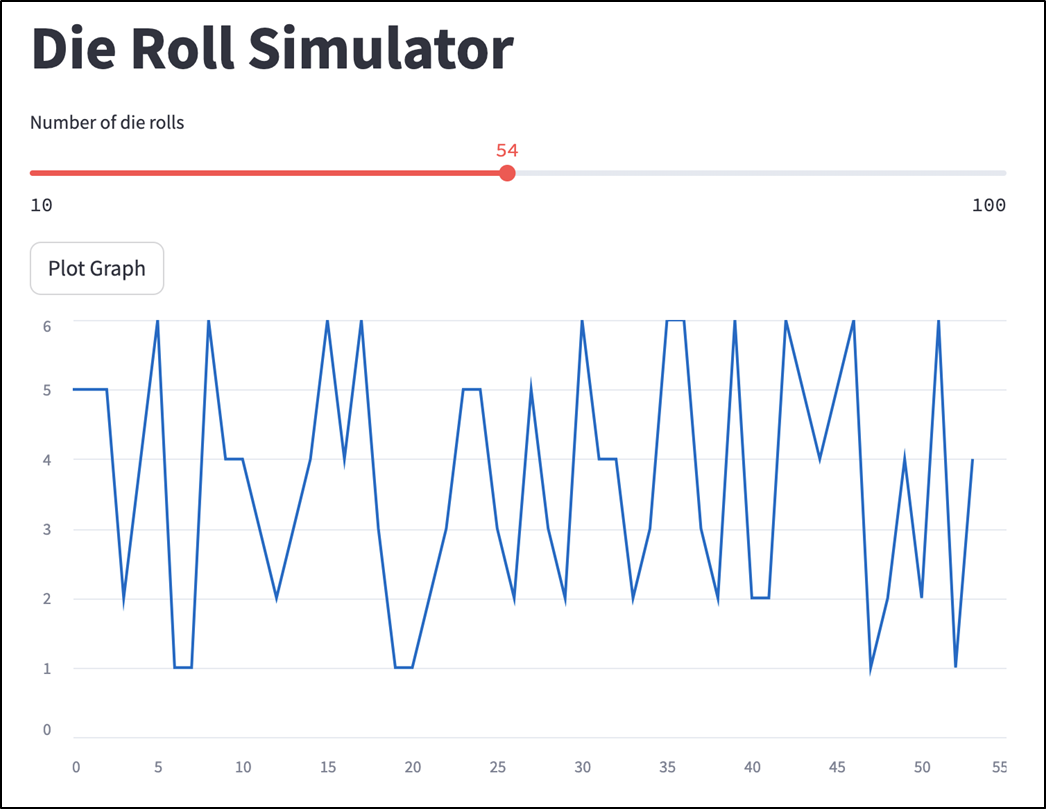
Output of a die roll simulator in Streamlit.
A complete AI chatbot in Streamlit.

A histogram in Streamlit created using the popular Matplotlib library

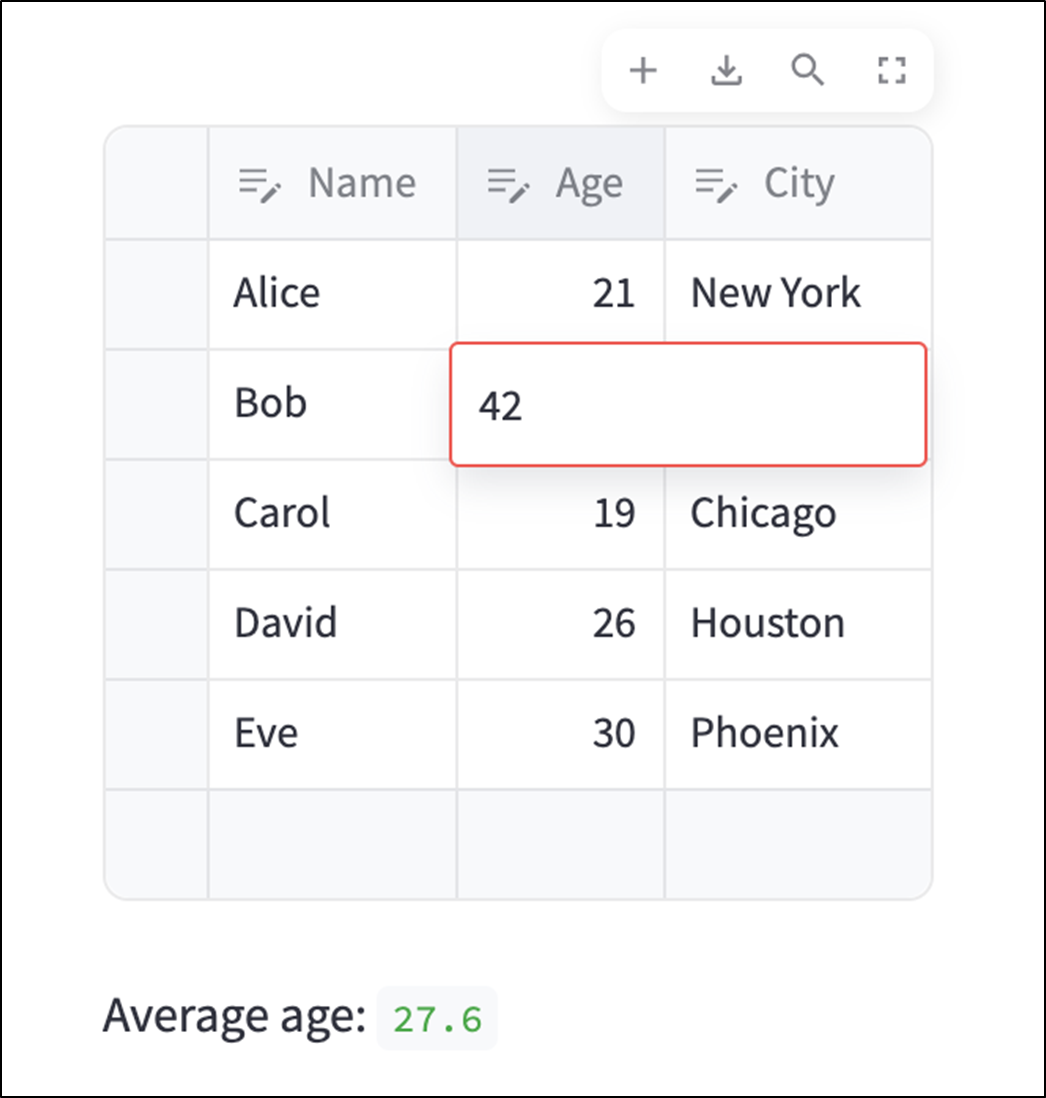
An editable Pandas dataframe as displayed in Streamlit (see chapter_01/data_editor_example.py in the GitHub repo).
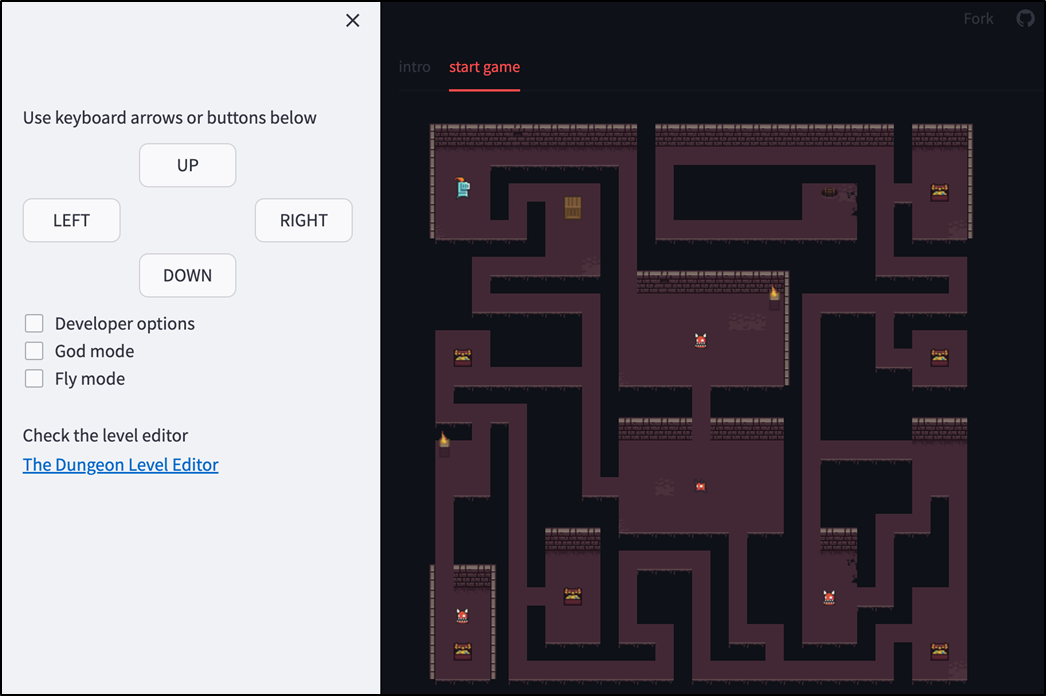
Dungeon, a game created with Streamlit (https://dungeon.streamlit.app/) created by Tomasz Hasiów.
Summary
- Streamlit is a framework for building web apps in pure Python without HTML, CSS, or JavaScript.
- Streamlit has been gaining popularity due to its simplicity, development velocity, LLM support, powerful visualizations, and integration with data science libraries, among other features.
- With Streamlit, you can create many types of applications: data apps, internal workplace tools, LLM apps, prototypes for larger apps, and more.
- You shouldn't use Streamlit for large-scale apps meant for millions of users, or apps that require a high level of UI customization.
FAQ
What is Streamlit?
Streamlit is a pure-Python frontend development framework for quickly creating web apps. It lets Python developers build web-based user interfaces without writing HTML, CSS, or JavaScript. A Streamlit app can be thought of as a Python script with interactive elements like buttons, sliders, tabs, charts, and chat inputs.
Why are web apps useful compared with command-line scripts?
Web apps provide graphical interfaces that users can access in a browser. Unlike command-line programs, they let users click, scroll, type into forms, and interact visually. This makes them much easier to share with non-technical users because they do not require terminal knowledge, installation, or manual updates.
What are the two main parts of a typical web app?
A typical web app has two main parts:
- Backend: where the app’s logic lives, such as calculations, database queries, or API calls.
- Frontend: the visible interface users interact with, such as buttons, text boxes, menus, charts, and forms.
Streamlit helps Python developers create both the app logic and the user interface in Python.
Why is Streamlit popular among Python developers?
Streamlit is popular because it is pure Python, easy to learn, fast for prototyping, and produces attractive apps by default. It also works well with data science tools, visualization libraries, Pandas dataframes, and LLM-based applications such as chatbots. Its simple syntax lets developers go from idea to working app in minutes.
Do I need to know HTML, CSS, or JavaScript to use Streamlit?
No. One of Streamlit’s biggest advantages is that you can build web app interfaces entirely in Python. Streamlit handles much of the underlying web code for you. However, if you want very fine-grained customization or want to build custom Streamlit Components, knowledge of HTML, CSS, and JavaScript can be useful.
What kinds of apps can I build with Streamlit?
You can build many types of interactive apps with Streamlit, including data dashboards, data exploration tools, interactive visualizations, machine learning model demos, generative AI apps, chatbots, internal workplace tools, file converters, project management dashboards, prototypes, and creative personal projects such as games or habit trackers.
Why is Streamlit especially useful for data science?
Streamlit was originally designed with data scientists in mind. It integrates well with popular Python libraries such as Pandas, Matplotlib, Plotly, Altair, NumPy, GraphViz, and PyDeck. It can display charts, render visualizations, show and edit dataframes, and help turn data analysis code into interactive apps for end users.
How does Streamlit support generative AI and LLM apps?
Streamlit is well suited for generative AI apps because Python is widely used in AI development and Streamlit makes it easy to build visual interfaces quickly. It includes chat elements such as chat messages and chat input, making it straightforward to build chatbot-style interfaces that connect to services like OpenAI’s GPT or Anthropic’s Claude.
When should I not use Streamlit?
Streamlit may not be the best choice for complex, large-scale applications serving millions of users, apps requiring highly customized interfaces, or native desktop and mobile apps. Streamlit reruns the script from top to bottom when the app updates, which can affect performance for heavy workloads. For highly customized or enterprise-scale apps, tools like React, Flask, Django, or FastAPI may be more appropriate.
How is Streamlit different from Jupyter notebooks, React, Flask, Django, FastAPI, Tkinter, and PyQt?
Streamlit is designed for building shareable web apps for end users. Jupyter notebooks are better for exploratory analysis and interactive documents. React offers much more frontend flexibility but requires JavaScript. Flask, Django, and FastAPI are mainly backend frameworks and still usually require separate frontend code. Tkinter and PyQt create desktop apps, while Streamlit creates browser-based web apps.

 Build Python Web Apps with Streamlit ebook for free
