15 Passwordless login: WebAuthn and hardware authentication
Passwordless authentication replaces fragile passwords with strong, device‑bound cryptography. Using WebAuthn, applications authenticate users with public‑key credentials backed by either biometrics (something you are) or hardware security keys (something you have). Because the private key never leaves the device and signatures are tied to the origin, this approach blocks common threats like phishing, credential stuffing, and brute force, while offering a faster, more user‑friendly login experience supported across modern browsers and operating systems.
Biometric authentication verifies identity from fingerprints, faces, irises, voices, or even palm vein patterns. During enrollment, devices store mathematical templates—not raw biometrics—in hardware‑backed secure areas such as TEEs or secure enclaves; subsequent logins match against these templates with a tolerance for variation. While biometrics are quick and convenient, they introduce distinct risks: template theft is irreversible, weak enrollment flows can be abused with deepfakes, and improperly protected data paths enable replay or MITM attacks. Presentation and spoofing attacks further threaten sensors without robust liveness checks. Strong implementations pair secure storage with encryption, anti‑replay measures, liveness detection, and clear user prompts to reduce social‑engineering success.
Hardware security keys implement FIDO2/WebAuthn with on‑device keypair generation, challenge‑response signing, and strict origin binding, making them highly resistant to phishing and secret exfiltration. Their main trade‑offs are operational: users may lose a key and services must support them, so backups and recovery processes matter. Implementing WebAuthn centers on two flows: registration (create credentials and store the public key and credential ID server‑side) and authentication (issue a random challenge, have the authenticator sign it, then verify with the stored public key). Production‑grade deployments require secure contexts (HTTPS or localhost), ephemeral challenge storage with timeouts, rpId/origin verification, horizontal scalability considerations, and reliance on well‑vetted libraries rather than custom cryptographic code.
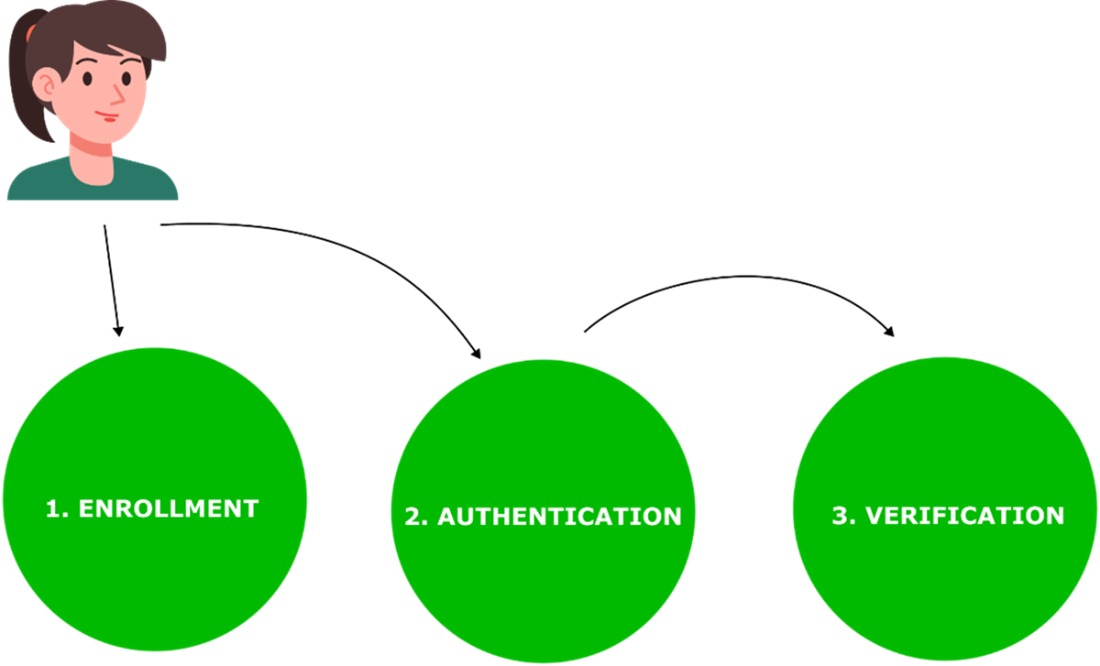
A three-step process. Initially, a sure needs to register their data. Following registration, the user can try to authenticate and get verified by the system.
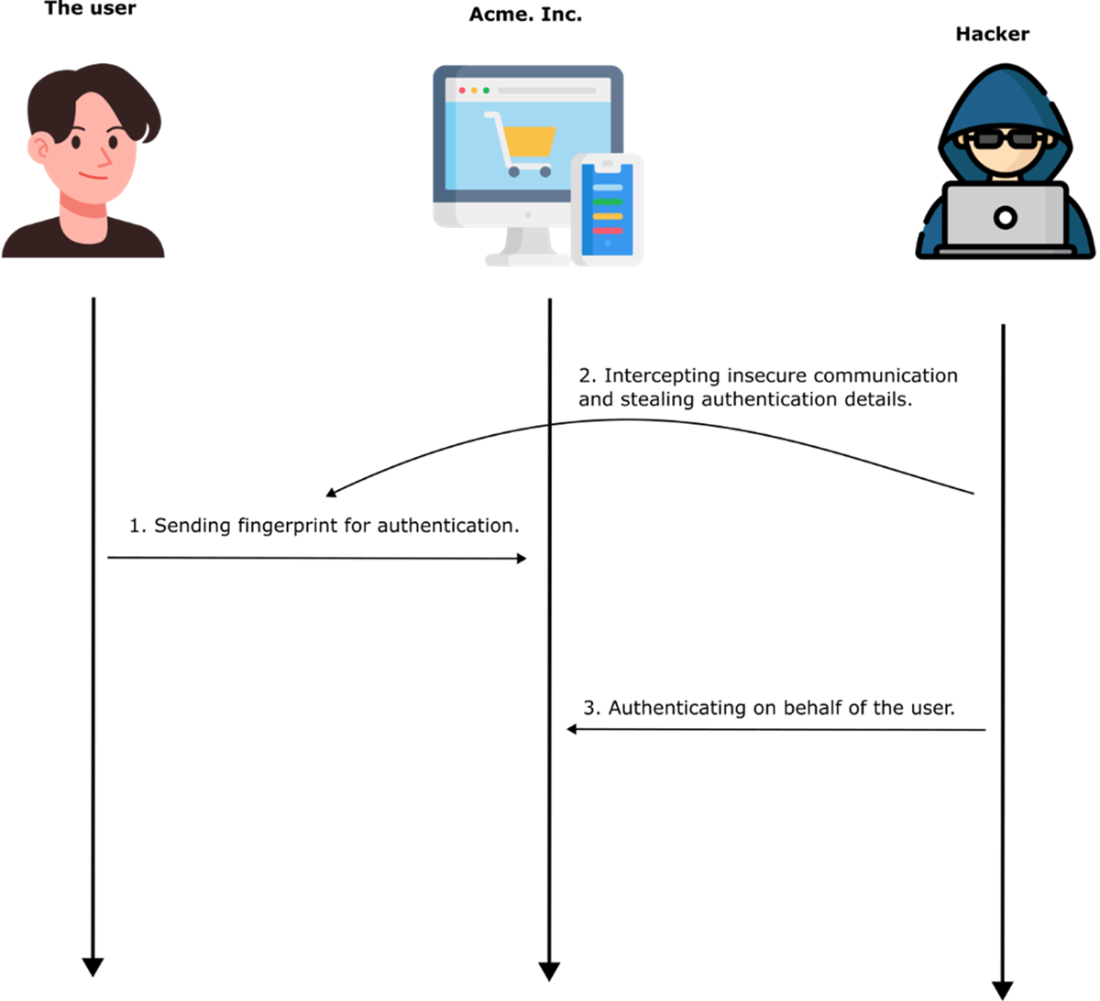
Improperly secured transmission and storage of biometric authentication data can expose it to hackers, who may then exploit it in replay attacks.
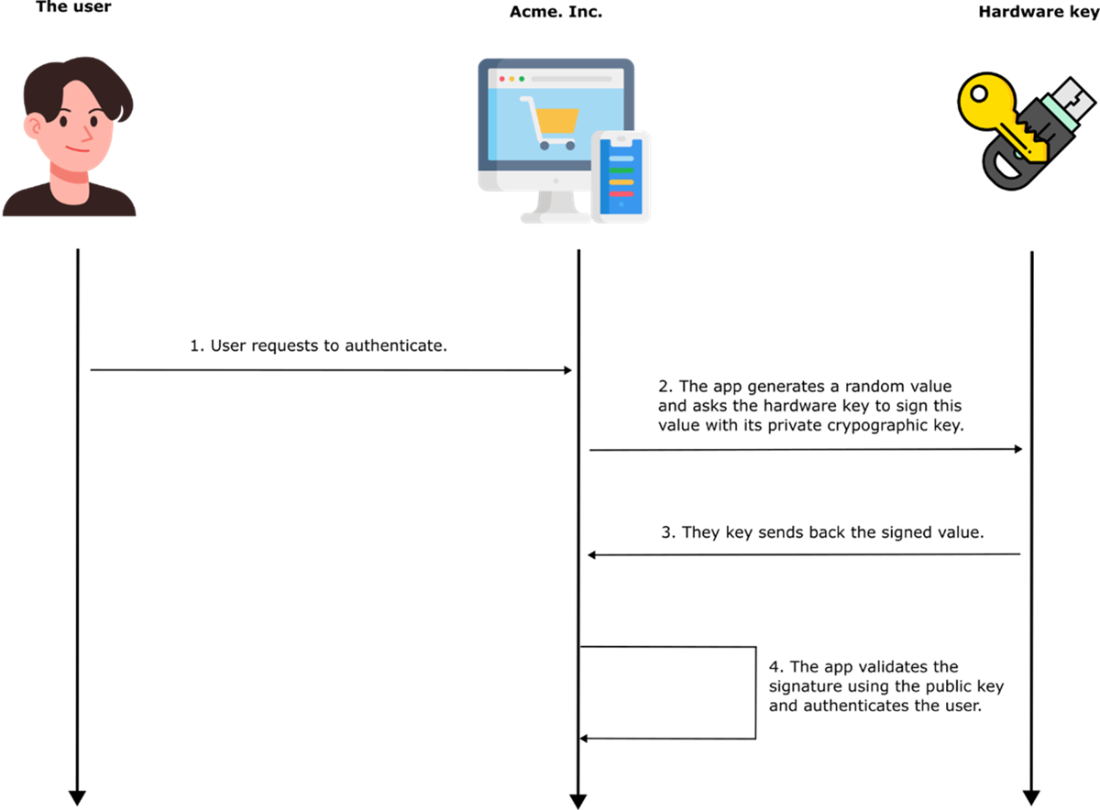
The authentication process using a hardware key. The app generates a random value and asks the key to sign it with its private key. The app then verifies the signature using its public key. The public key from the pair needs to already be configured at the app level. This configuration happens during the registration step.
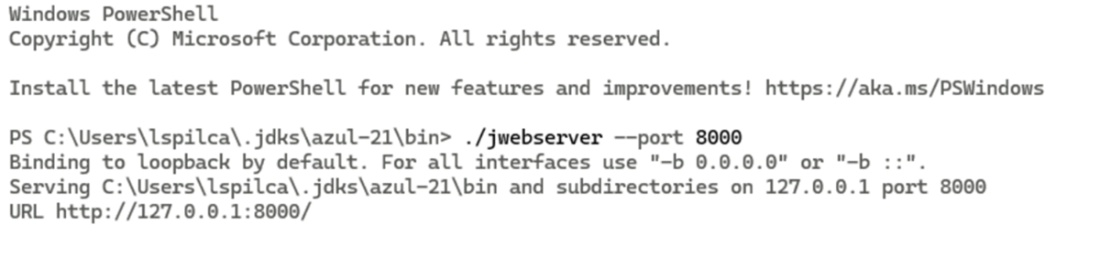
Running a local web server using the jwebserver command from the JDK. The server is started in the bin directory of the JDK installation, binding to 127.0.0.1 on port 8000. This allows the HTML page to be served over a secure context (localhost), which is required for WebAuthn functionality.
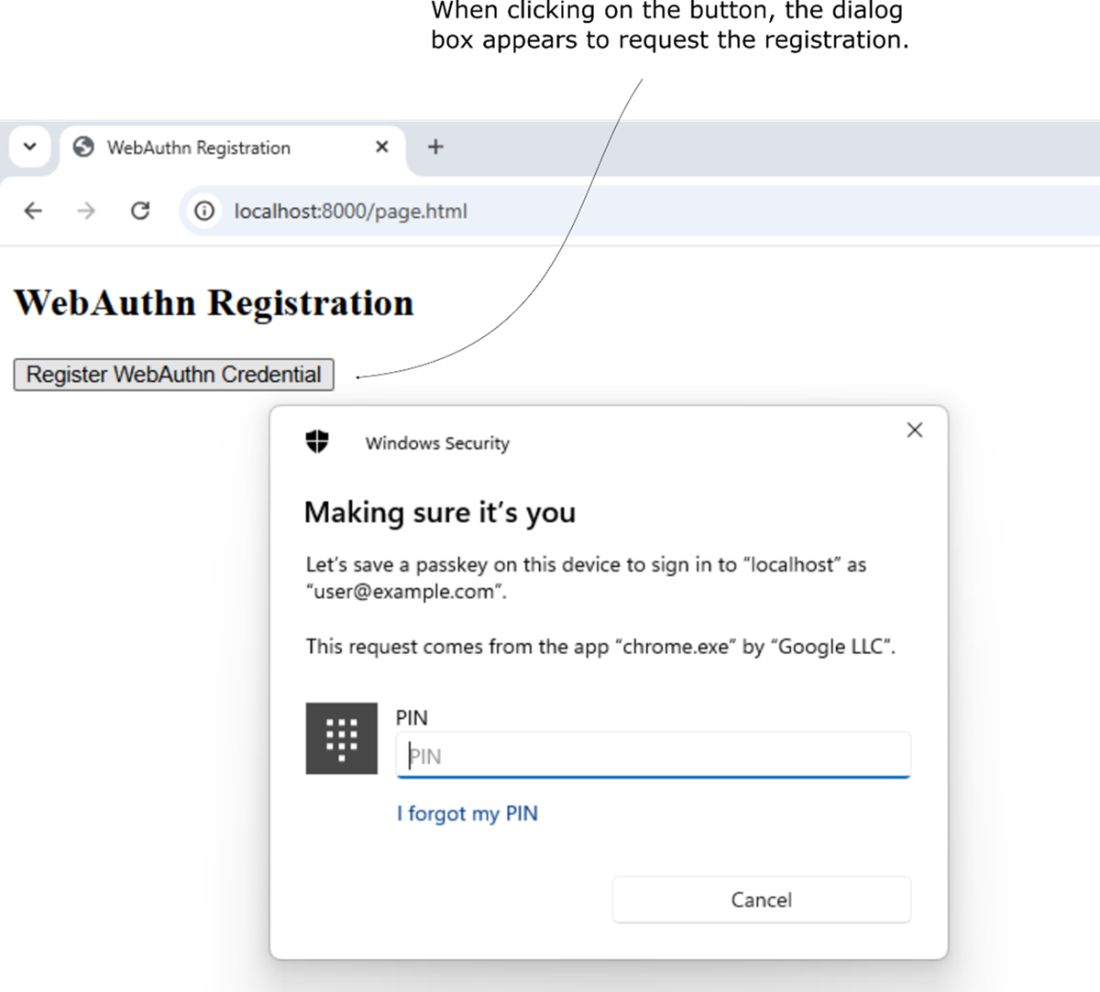
When the "Register WebAuthn Credential" button is clicked, the browser initiates the WebAuthn registration process. The system prompts the user with a Windows Security dialog to confirm their identity and save a passkey for the specified domain (localhost in this case), using platform authentication.
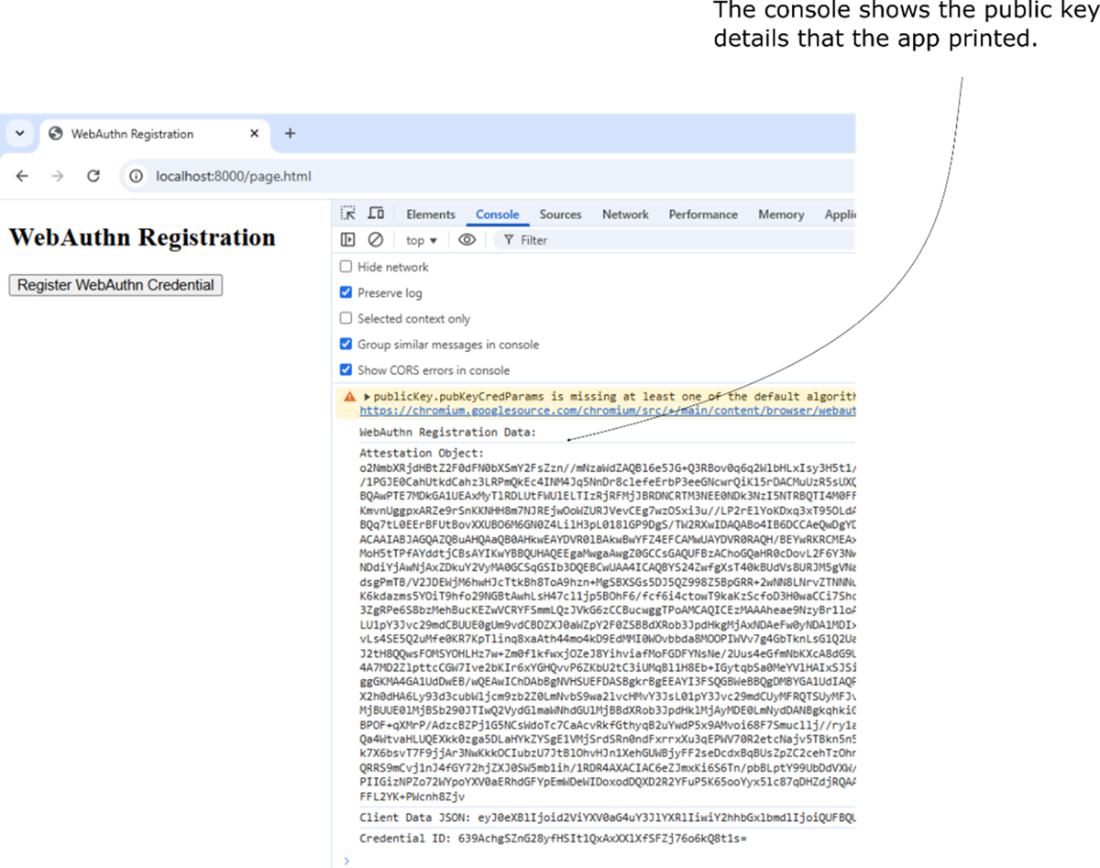
Output in the browser’s developer console after triggering the WebAuthn registration process. The console displays the attestation object and client data in base64-encoded form, representing the public key credential generated by the browser.
Summary
- Passwordless authentication improves security and convenience by eliminating weak or reused passwords.
- Spoofing attacks (deepfakes, fake fingerprints) and stolen biometric templates pose risks, such as unauthorized access to sensitive accounts, bypassing multi-factor authentication, and long-term identity compromise
- Storing biometric data in secure hardware (TPM, Secure Enclave) and implementing anti-spoofing measures improves security.
- Hardware security keys provide the strongest authentication by using public-key cryptography.
- Hardware security keys eliminate phishing risks but require physical possession, making backup keys necessary.
- Using FIDO2/WebAuthn and enforcing domain binding ensures maximum security.
- Passwordless authentication reduces phishing, credential leaks, and login friction.
- No single method fits all use cases. Choosing the right approach depends on security needs, usability, and risk factors.
- Proper implementation is key—even the most secure authentication method can be exploited if configured poorly.
- Following best practices, encryption standards, and secure handling of authentication data ensures a stronger, safer login experience.

 Software Security for Developers ebook for free
