12 Single Sign On (SSO) using OAuth2 and OpenID Connect
Modern enterprises and consumer apps benefit from Single Sign-On, where a user authenticates once and seamlessly accesses multiple applications. The chapter motivates this with employee and customer scenarios, then shows how to decouple authentication from individual apps by delegating it to a dedicated Identity Provider. Centralizing authentication improves usability and reduces credential sprawl, while enabling consistent, stronger controls. Applications rely on the Identity Provider to verify identity and issue tokens that act like access cards, which other services can use to authorize requests.
The chapter frames SSO with OAuth 2 and OpenID Connect, introducing the four main actors: user, client, Identity Provider, and resource server. It explains the authorization code flow: redirect the user to authenticate, return a one-time authorization code, exchange it for an access token, then call the backend with that token. Tokens are commonly JWTs signed with rotating asymmetric keys so resource servers can validate integrity and issuer authenticity via public keys. It contrasts this with token introspection (ask the Identity Provider each time) and notes its coupling, latency, and exposure trade-offs. It also clarifies token types and lifetimes, why the implicit flow is deprecated due to leakage risks, and how OpenID Connect adds an ID token alongside the access token.
Finally, the chapter applies these concepts to an Acme Inc. system using a dedicated Identity Provider and standard client configuration: defining users and clients, allowed grant types, redirect URIs, and scopes. It demonstrates the end-to-end path—discovering endpoints, initiating the authorization request, authenticating, obtaining the authorization code, exchanging it at the token endpoint, and inspecting the resulting JWT claims (such as subject, audience, issuer, and expiration) identified by a key ID for verification. It also covers the client credentials flow for service-to-service calls (for example, payments), where no end user is involved and a service authenticates directly to obtain a token for backend-to-backend requests.
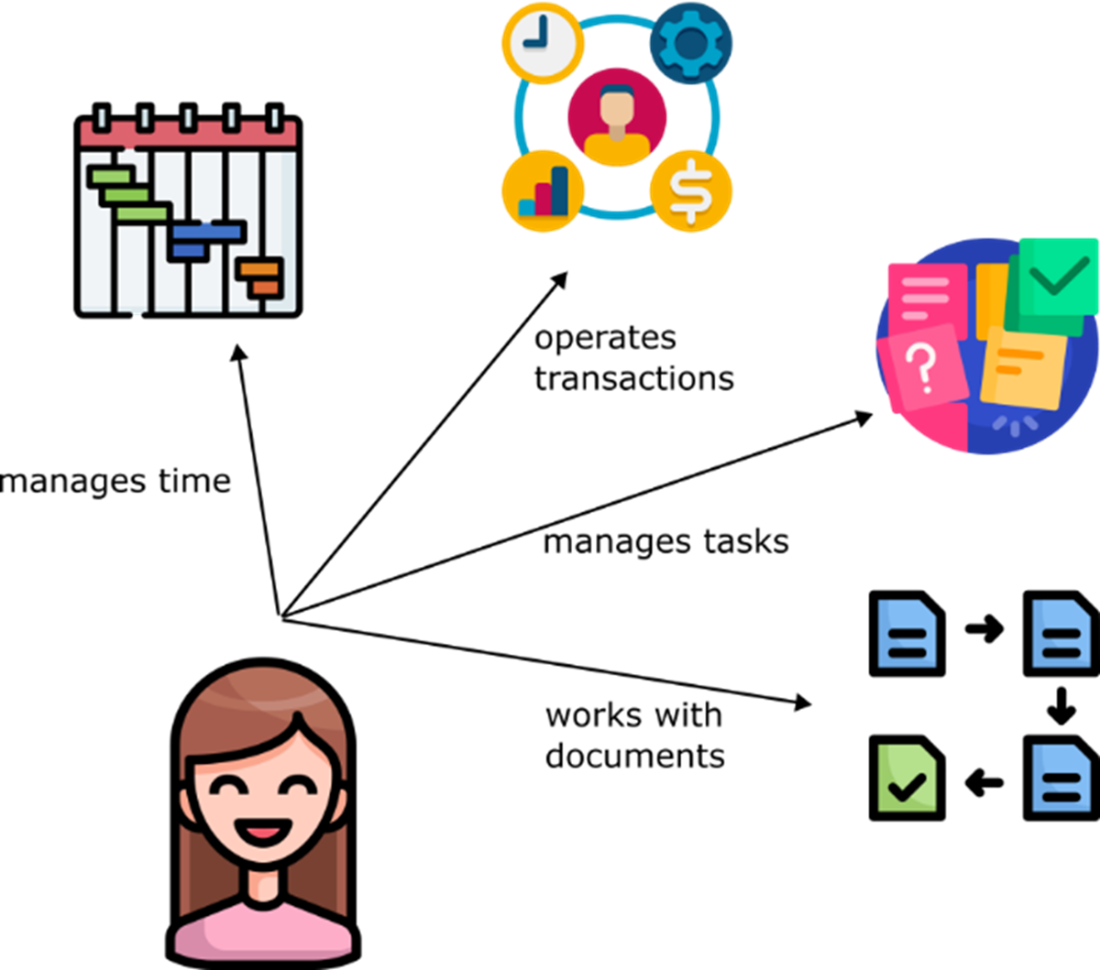
Jeanny uses multiple apps as part of her daily work routine, requiring her to authenticate into each one individually every day.
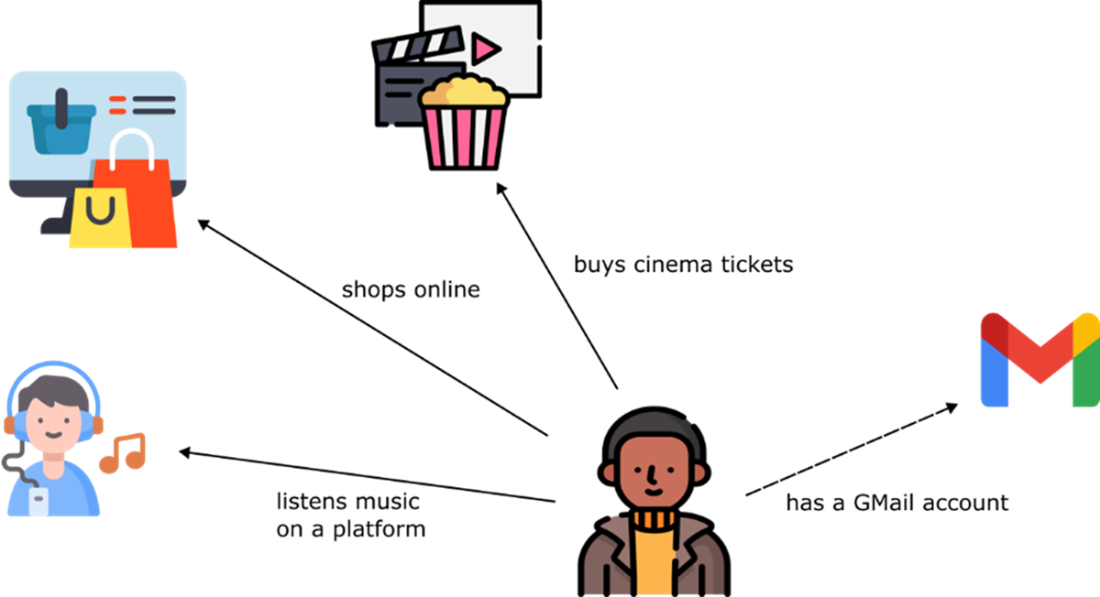
Patrick shops online, listens to music on various platforms, and purchases tickets for shows and movies, all using different apps and websites. Since he already has a Gmail account, he prefers to authenticate across these services using his Gmail credentials.
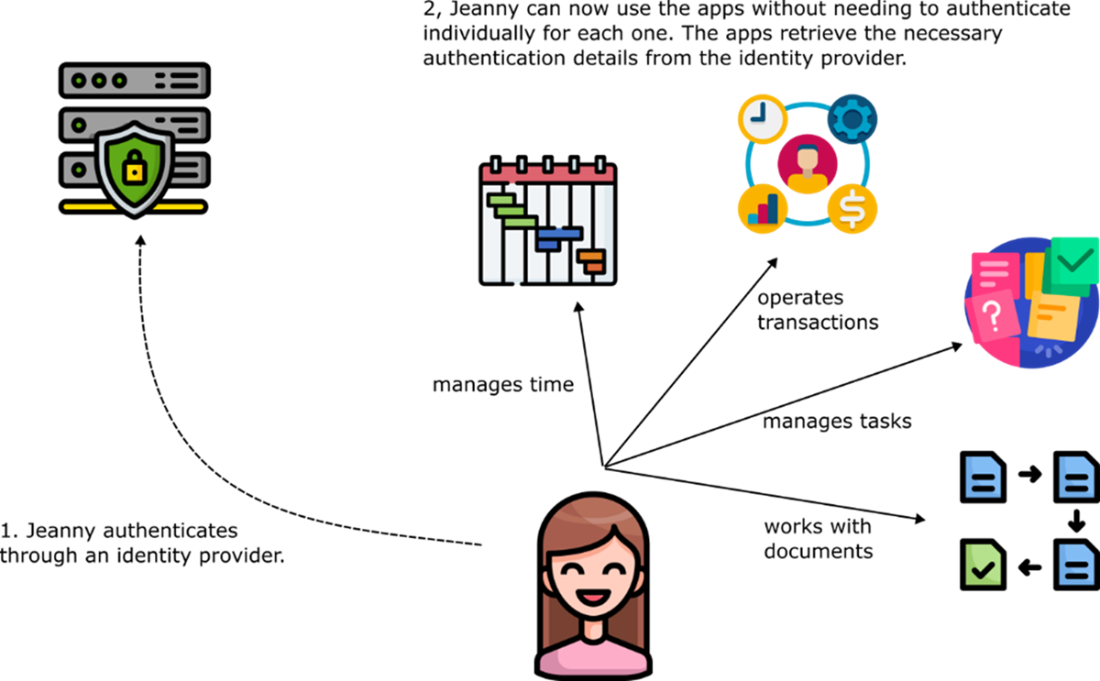
Before accessing an app, the Identity Provider (IdP) authenticates the user. The IdP handles the authentication process, while the other apps rely on it to provide the necessary details for authorizing the user to use the specific features they offer.
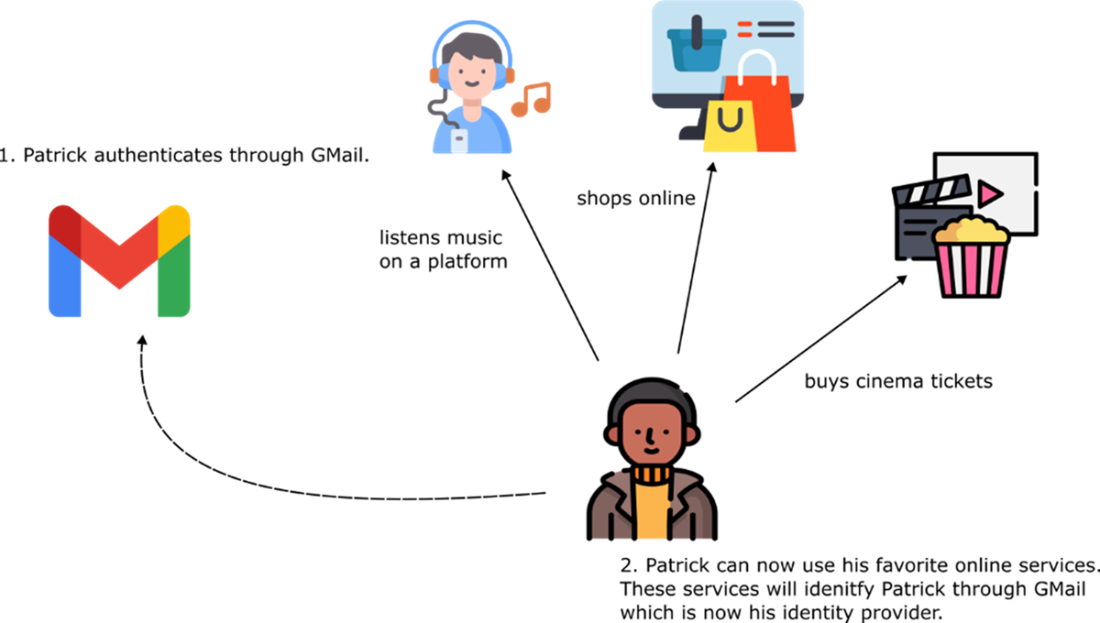
Authenticating using a known social media account. Patrick uses his Google credentials to sign into multiple apps. In this case, Google acts as the IdP. The other apps Patrick uses are designed to let users, like him, authenticate with their Google credentials. Generally, apps offer multiple authentication options, including social media platforms and email services.
The user authenticates with the IdP, which then issues a token. This token serves as proof of the user's identity and successful authentication.
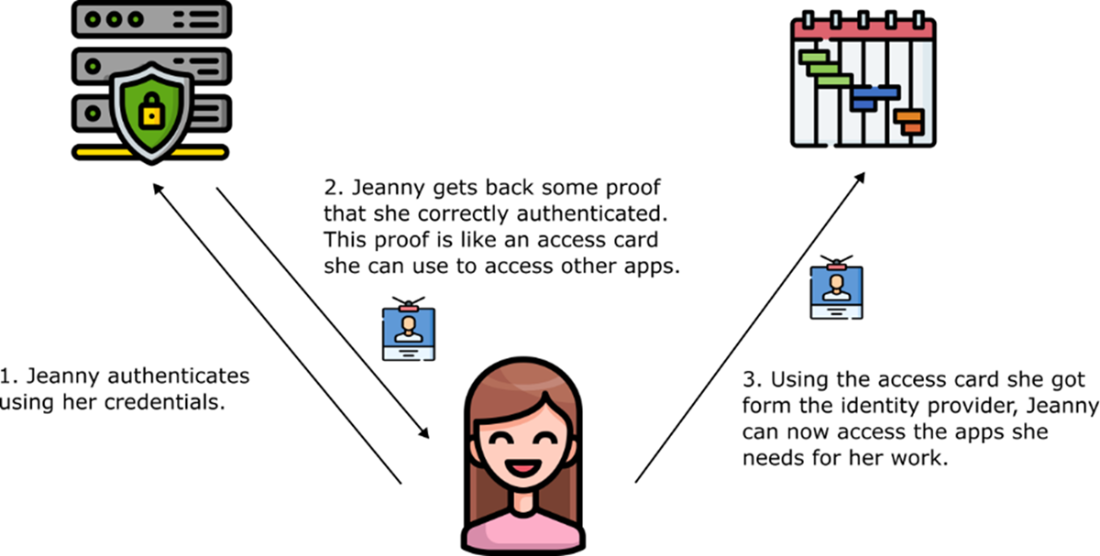
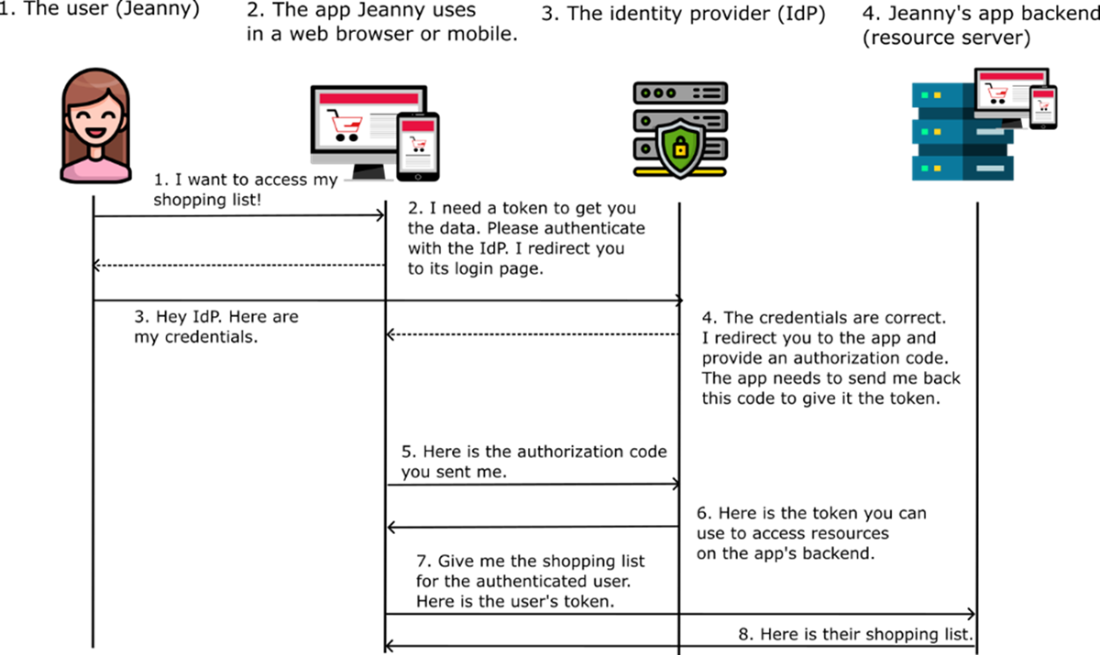
The authorization code grant type. The user verifies their identity to access and work with data managed by the app’s backend.
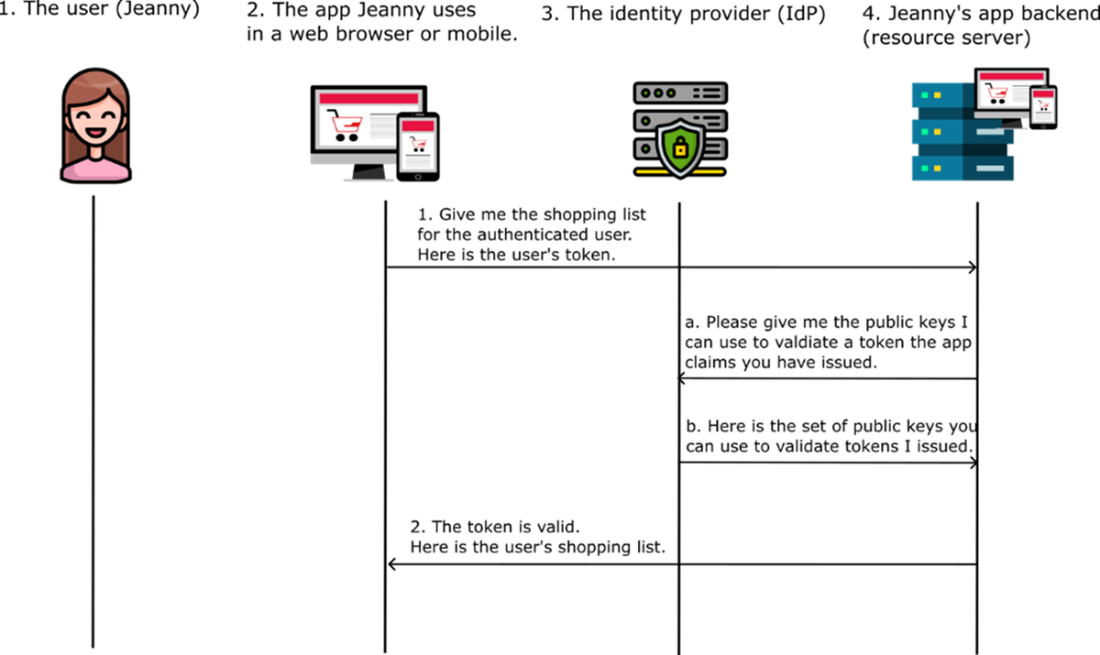
Verifying the authenticity of a signed token. When the resource server receives a signed token, it uses a public key to validate the token. The resource server obtains this public key from the IdP, allowing it to verify that the token is valid.
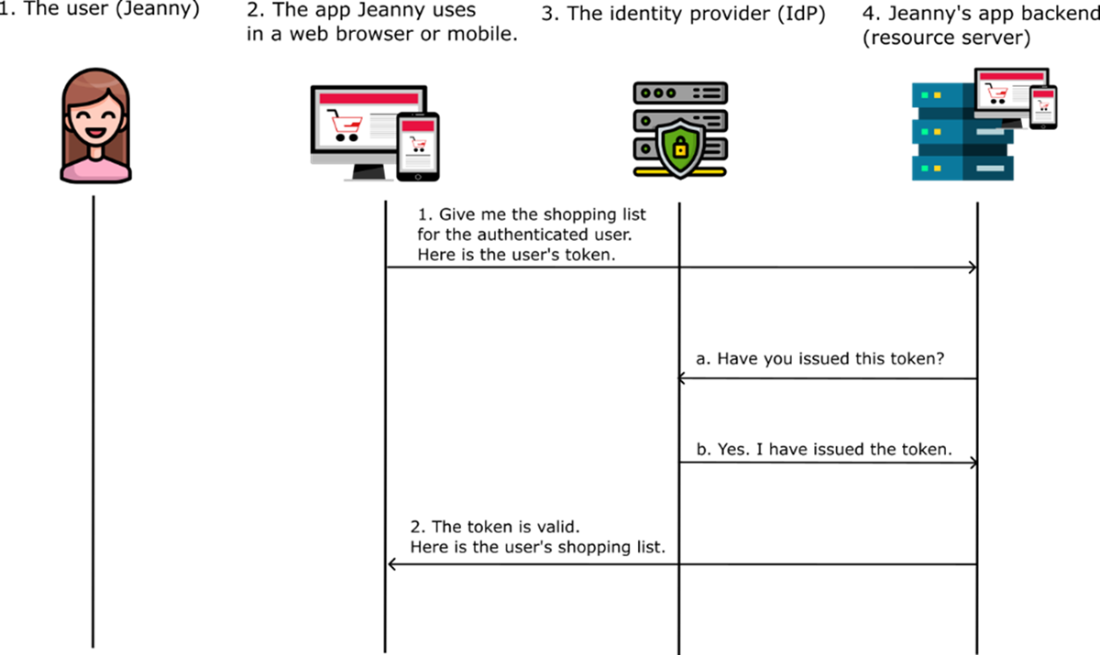
Token Introspection. When a token isn’t cryptographically signed, the resource server must directly query the IdP to validate the token. This process is known as token introspection.
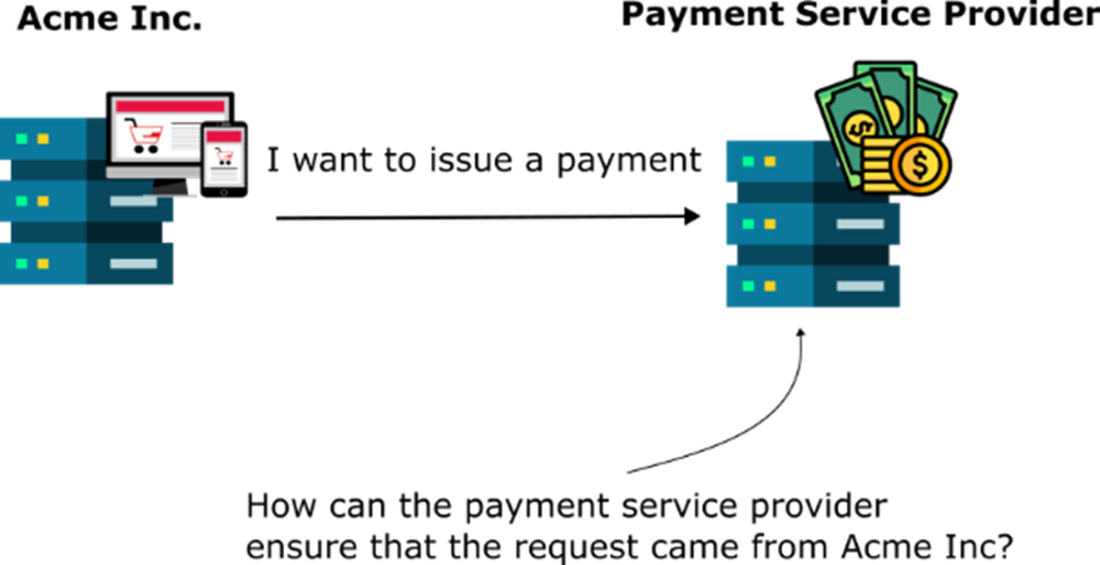
Suppose Acme Inc. needs to issue payments. In this scenario, our app must communicate with a specialized service known as a payment service provider. This provider must verify that the requests are indeed coming from Acme Inc. and not another service. Additionally, it needs to ensure that the data has not been altered during transmission.
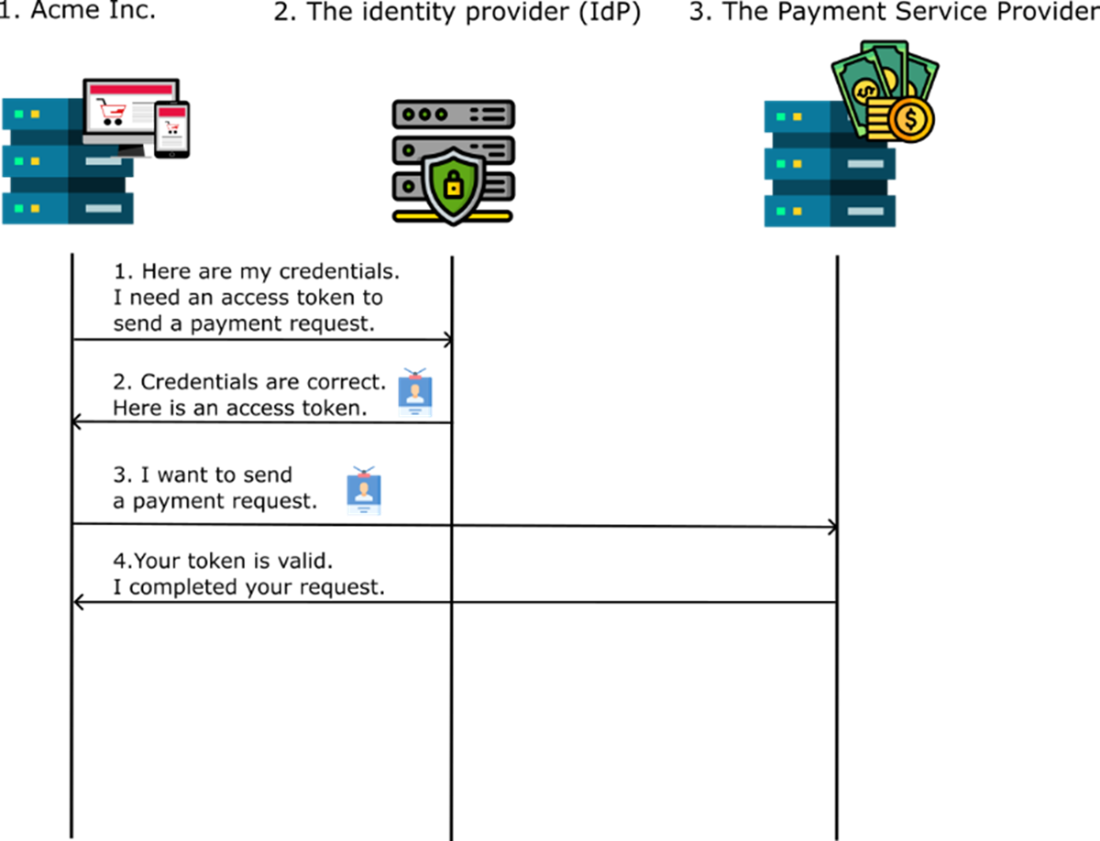
Acme Inc. authenticates against an Identity Provider (IdP) and obtains a token. The app then uses this token to send requests to another service, which authorizes them.
Summary
- Single Sign-On (SSO) simplifies user authentication by allowing employees and customers to use a single set of credentials for multiple applications.
- OAuth2 and OpenID Connect are protocols used to implement SSO by separating authentication responsibilities into an Identity Provider (IdP).
- Among the authentication flows the OAuth 2 specification describes the most used ones are:
- The authorization code grant type is the most common, used when user interaction is required.
- The client credentials grant type is used when one application needs to authenticate another without user involvement.
- Using OAuth 2/OpenID Connect implies multiple actors in the authentication flow:
- The user (e.g., employee or customer)
- The client (app or service used)
- The IdP (also known as authorization server) – a service offering authentication capabilities to multiple clients.
- The resource server - app backend that handles data and authorization
- Tokens are central to OAuth2 and OpenID Connect:
- Access tokens which are used for authorization
- ID tokens which contain user information
- JWTs (JSON Web Tokens) are commonly used for token formatting and include a header (metadata), a payload (user/client details), and a signature for validation.
- Token validation involves cryptographic methods or token introspection, ensuring secure communication between applications.

 Software Security for Developers ebook for free
