10 Dealing with collections
This chapter introduces the main collection types used in JavaScript and TypeScript, beginning with arrays and then moving on to maps, sets, and immutable approaches to working with data. It emphasizes that collections are often best handled with built-in methods rather than manual loops, and that the choice of collection type affects both correctness and performance. Along the way, it highlights how JavaScript’s flexibility can be both powerful and surprising, especially when compared with more rigid languages.
Arrays are treated as the most familiar collection, but also one of the most dynamic: they can hold mixed types, grow or shrink at will, and support a wide range of operations. The chapter walks through creating arrays, adding and removing items at both ends or in the middle, and using methods such as iteration, mapping, filtering, searching, sorting, and reducing. It also points out important differences between mutating and non-mutating methods, explains sparse arrays and holes, and shows how newer tools like flatMap, toSorted, and locale-aware comparison can make array code cleaner and more efficient.
The chapter then explains why maps and sets exist alongside ordinary objects and arrays: maps allow any kind of value to be used as a key, while sets are ideal for unique values and fast membership checks. It also covers weak versions of both collections, which help avoid memory leaks by allowing garbage collection of unused object keys. Finally, the chapter turns to immutability, showing why direct mutation can be problematic in state-driven applications, how TypeScript’s read-only types can help prevent accidental changes, and how Immer can make immutable updates feel almost as convenient as mutation while still producing safe new copies of complex nested data.
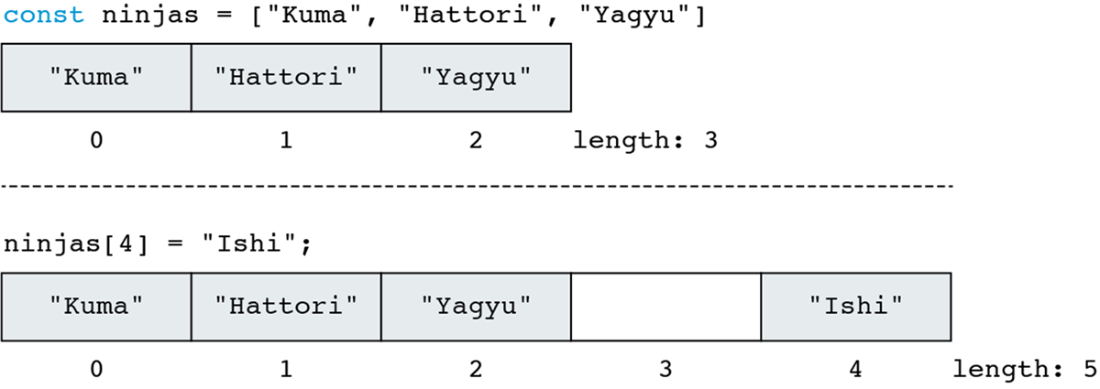
Writing to an array index outside of array bounds expands the array.
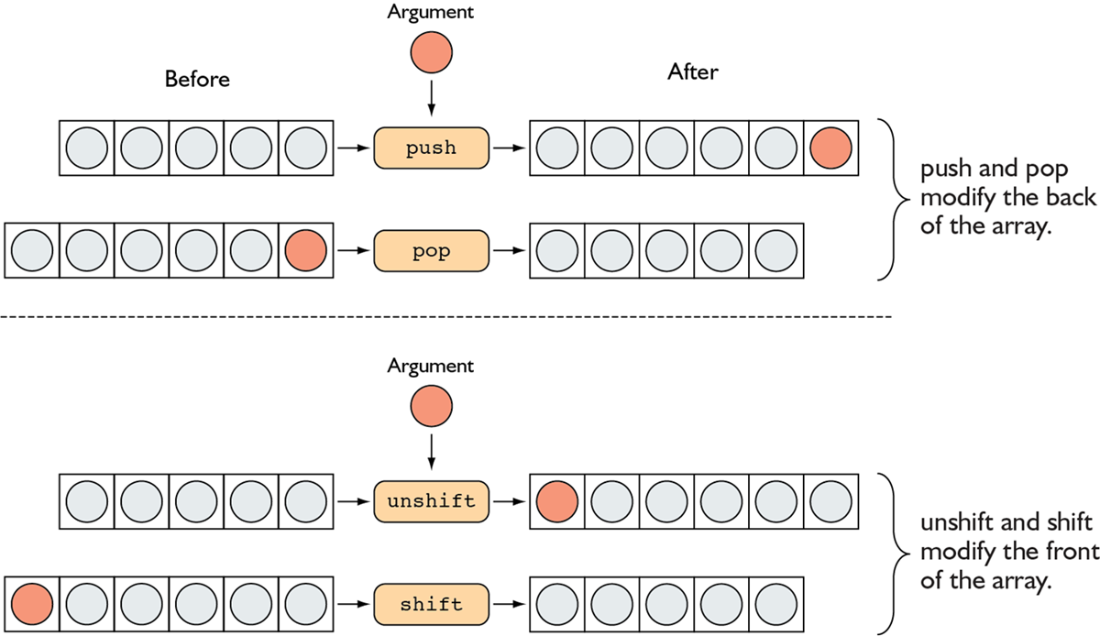
The push and pop methods modify the end of an array, whereas shift and unshift modify the array’s beginning.

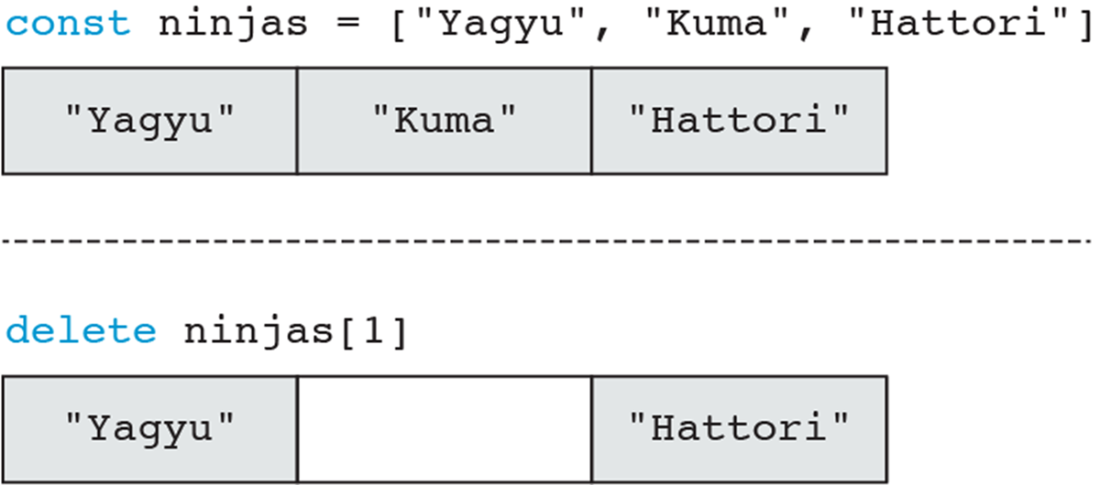
Deleting an item from an array creates a hole in the array.

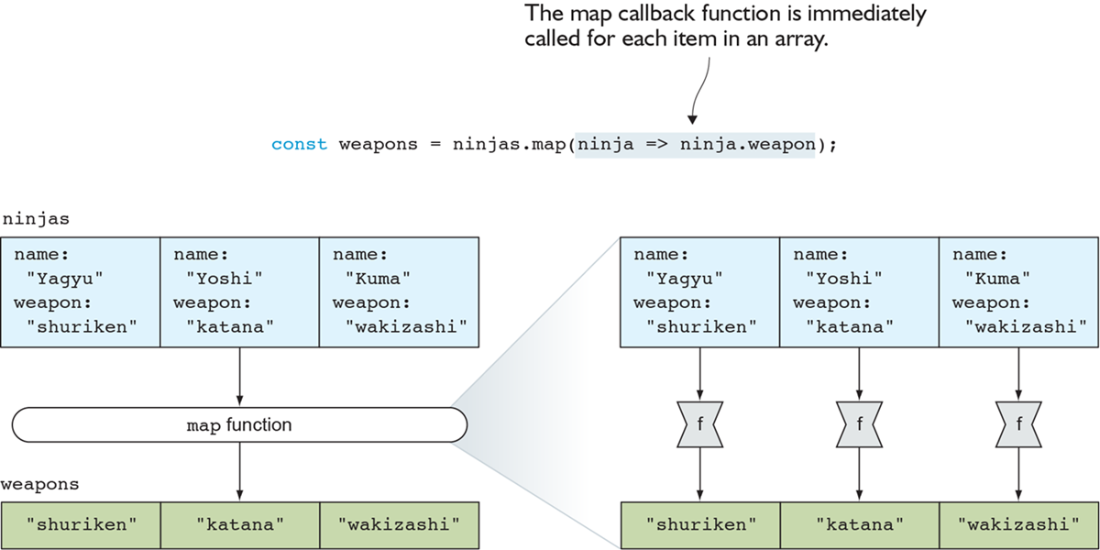
The map function calls the provided callback function (f) on each array item, and creates a new array with callback return values.
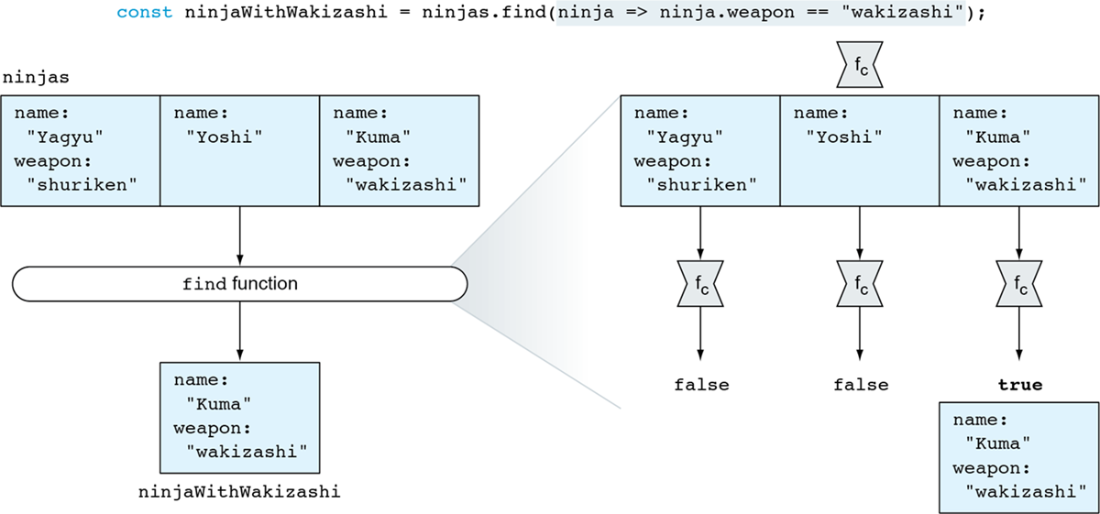
The find function finds one item in an array: the first item for which the find callback returns true.
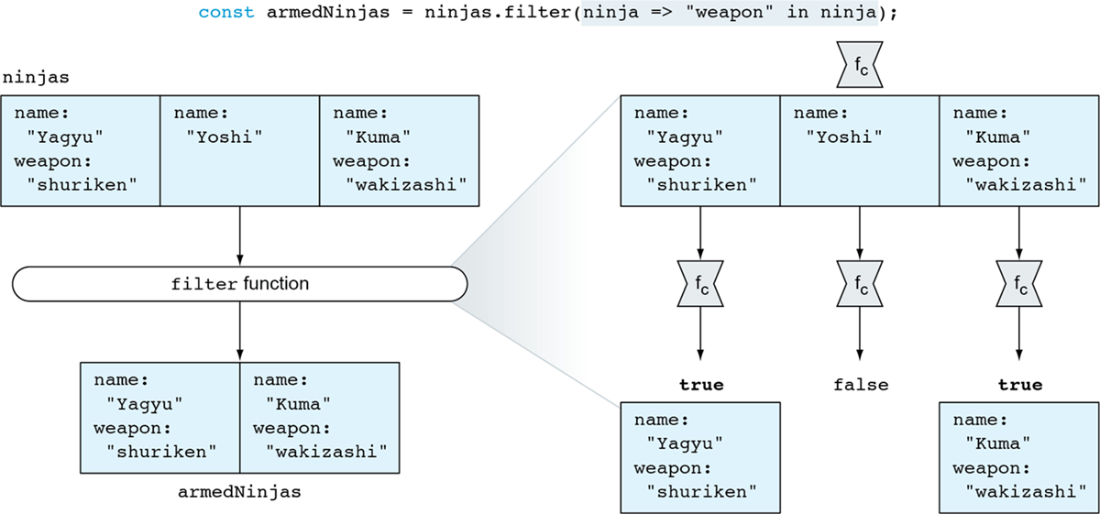
The filter function creates a new array that contains all items for which the callback returns true.
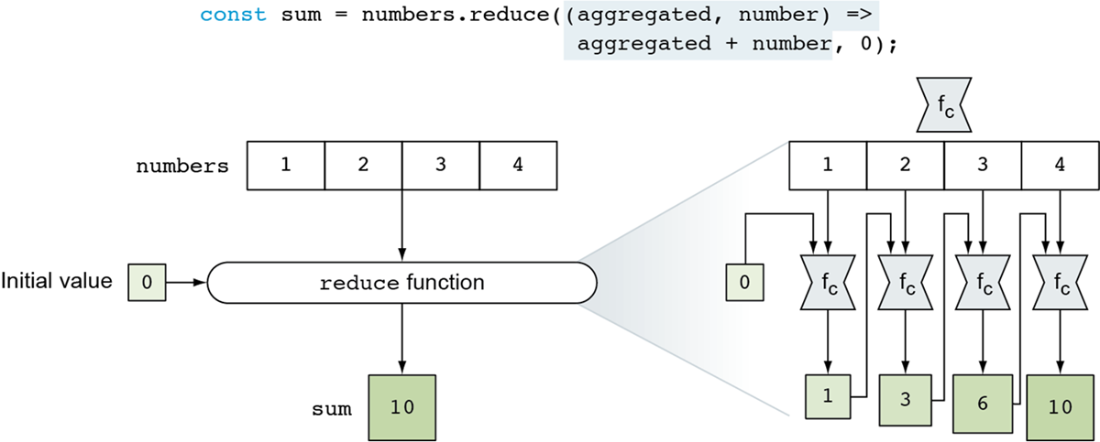
The reduce function applies a callback to an aggregated value and each item in an array to reduce the array to a single value.
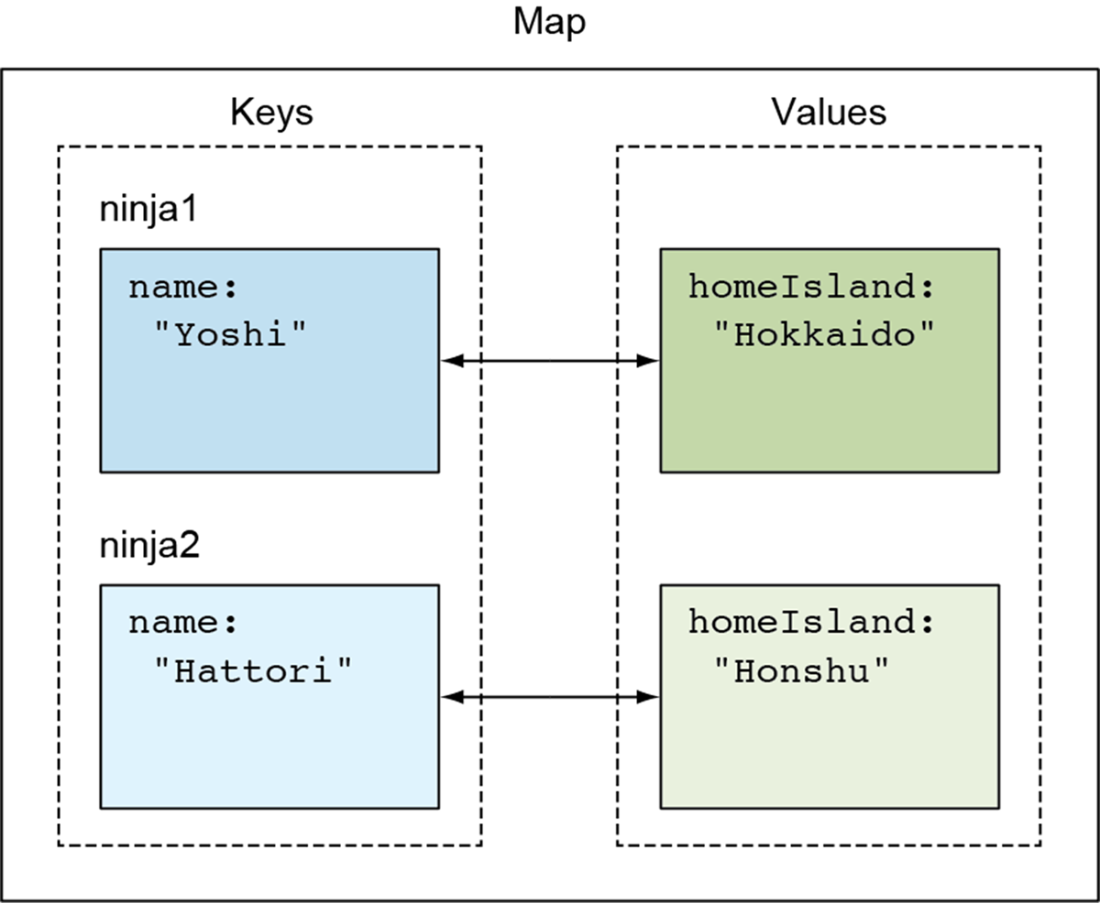
A map is a collection of key-value pairs, where a key can be anything—even another object.
Summary
- Arrays in JavaScript are dynamic and resize automatically when new items are added.
- We can modify the contents of an array using several methods accessible from array objects:
- The built-in push and pop methods add items to and remove items from the end of the array.
- The built-in shift and unshift methods add items to and remove items from the beginning of the array.
- The built-in splice method can be used to remove items from and add items to arbitrary array positions.
- Arrays have several useful methods:
- The map method creates a new array with the results of calling a callback on every element.
- The every and some methods determine whether all or some array items satisfy a certain criterion.
- The find and filter methods find array items that satisfy a certain condition.
- The sort method sorts an array in-place.
- The reduce method aggregates all items in an array into a single value.
- Maps are collections of key-value pairs. Whereas objects can only use strings and symbols as keys, maps can use anything as a key.
- Sets are collections of distinct items. They’re effectively maps with only keys, no values.
- Mutability refers to the ability to modify (“mutate”) a collection. Immutable collections are often preferred to avoid bugs from unexpected mutations.
- Objects, arrays, maps, and sets are all mutable, but you can make them effectively immutable using TypeScript’s read-only types.
- Immer allows you to create a modified copy of an immutable collection by applying your changes to a “draft,” which works like a mutable version of that collection.

 Secrets of the JavaScript Ninja, Third Edition ebook for free
