This chapter shows how an RxJava-based Android app can be expanded by reshaping a reactive graph instead of rewriting large sections of code. Starting from a working tic-tac-toe implementation, the app is transformed into Connect Four by identifying where new requirements diverge and inserting or replacing small, focused stages in the event pipeline. The emphasis is on modular, composable functions, immutable state, and keeping most of the chain intact so new behavior can be introduced with minimal impact.
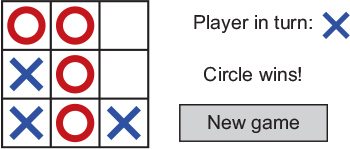
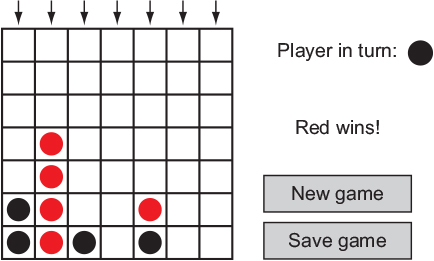
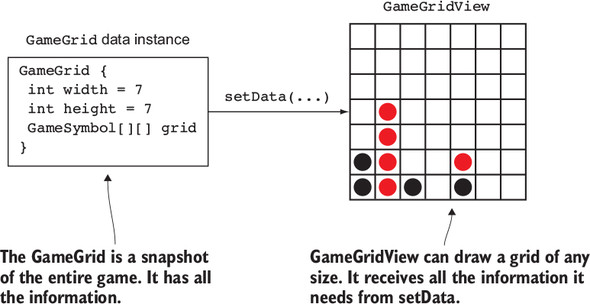
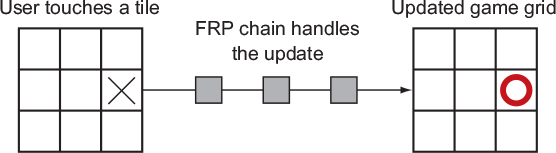
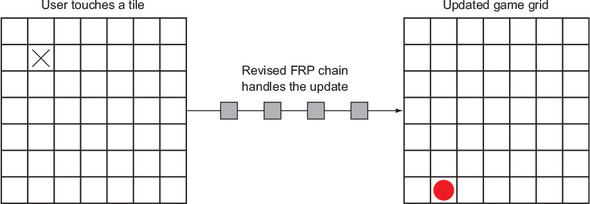
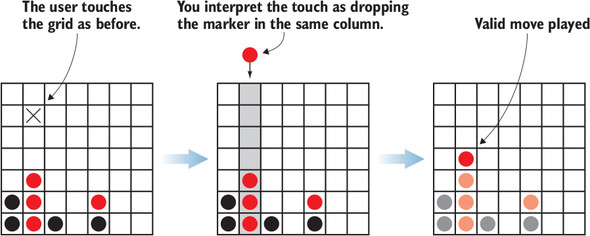
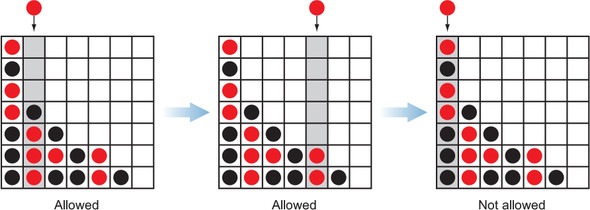
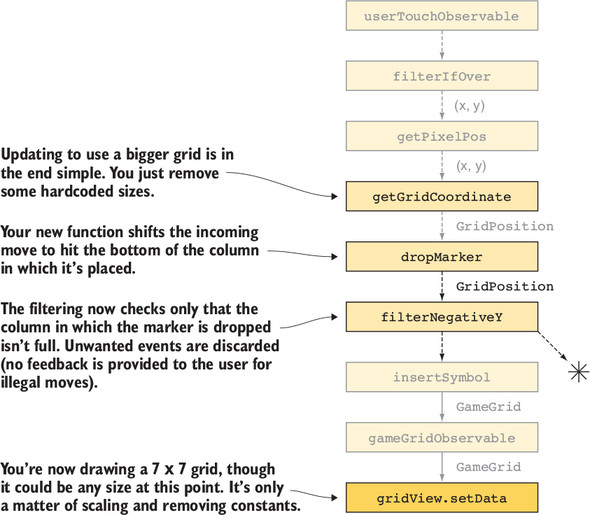
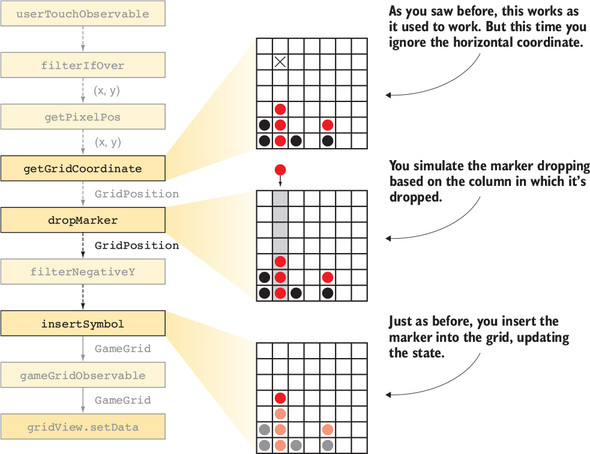
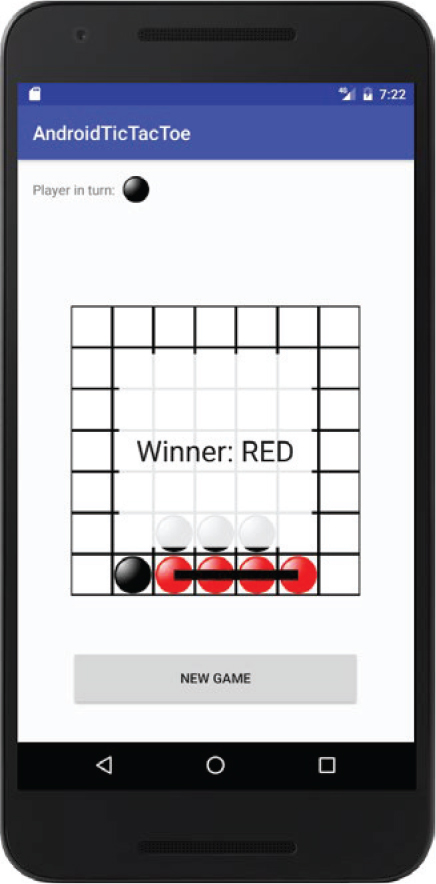
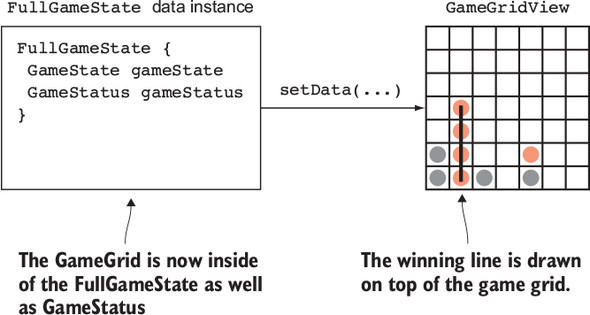
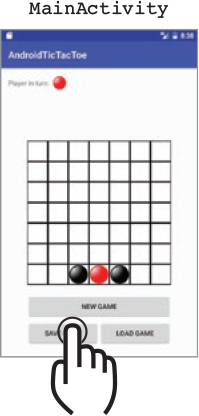
Practically, the UI and rules shift from a 3×3 grid with crosses/circles to a 7×7 grid with red/black markers, and the core mechanic changes to “dropping” a piece to the lowest free cell in a column. This is implemented as a pure function that resolves the final grid position and a simple filter that rejects moves in full columns. Most of the existing reactive chain remains unchanged; only the middle steps are adapted. Winning detection is extended, and the view is updated to consume a richer state object (FullGameState = GameGrid + GameStatus) so it can render both the board and, optionally, the winning line.
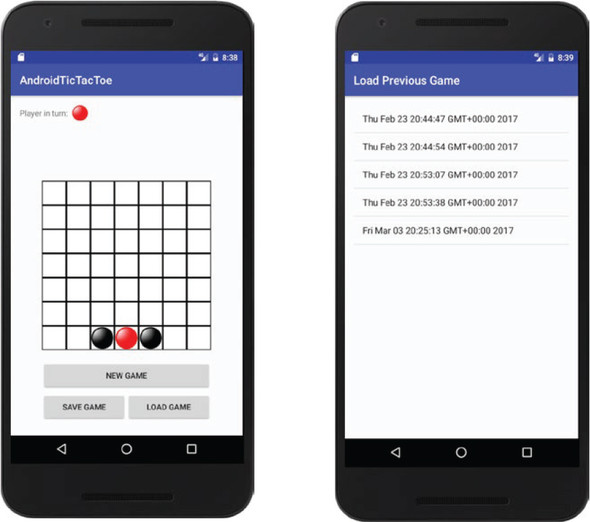
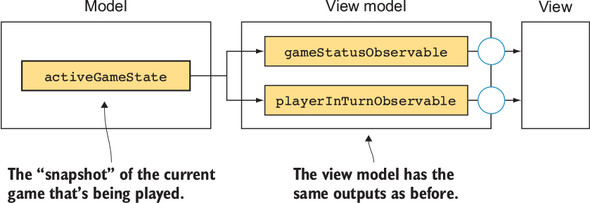
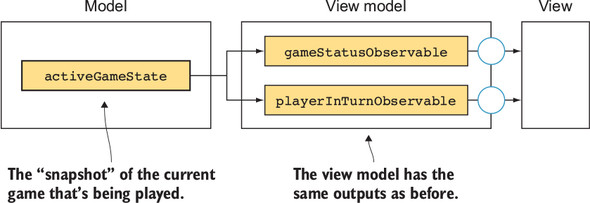
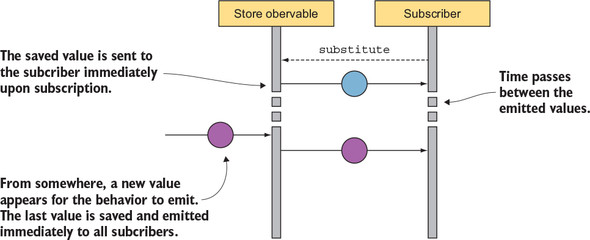
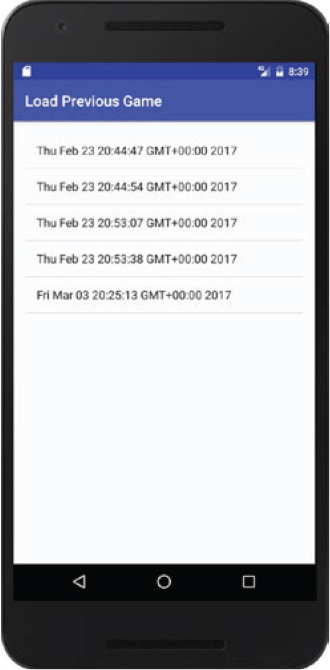
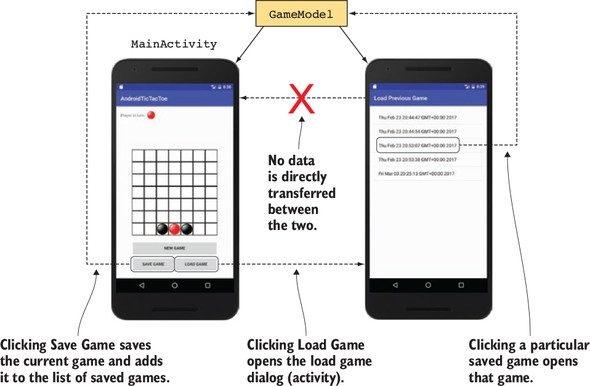
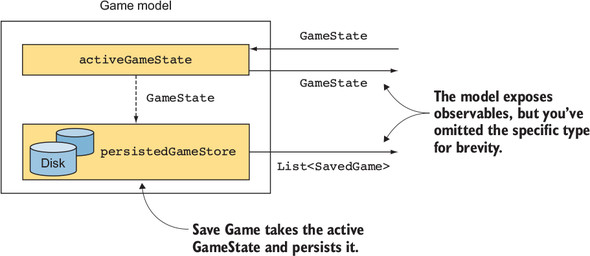
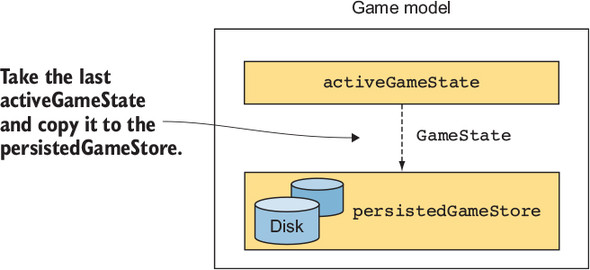
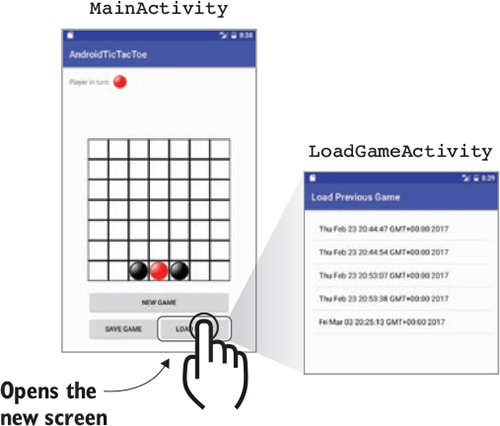
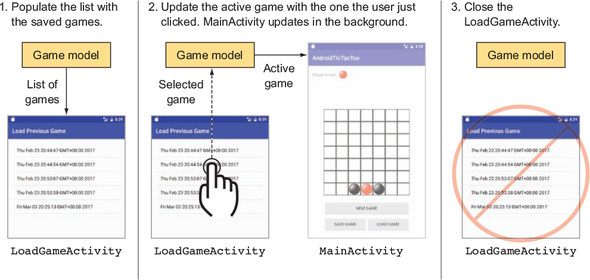
To support persistence and sharing state across screens, the chapter introduces a model layer that holds the atomic GameState (grid plus last-played symbol) and exposes it as observables. A persisted store maintains a list of SavedGame entries, using an in-memory cache and a PublishSubject (with startWith) to deliver the latest value and subsequent updates. A Save action snapshots the current GameState; a separate Load screen lists saved games and, upon selection, updates the active game in the shared model. The result is a decoupled, testable architecture where stores and observables keep UI in sync, and new features—like larger boards, different rules, or persistence—slot into the reactive pipeline with minimal friction.


FAQ
How does RxJava help you expand an existing app without a rewrite?
Because reactive chains are built from small, composable operators, you can swap or insert steps to change behavior while leaving unaffected parts intact. This modularity makes feature additions (or even rule changes) mostly about reshaping the graph, not rewriting the app.What are the essential changes to turn a tic‑tac‑toe app into Connect Four?
- Increase the grid dimensions (for example, 7×7).- Replace assets and symbol names (e.g., BLACK/RED instead of CIRCLE/CROSS).
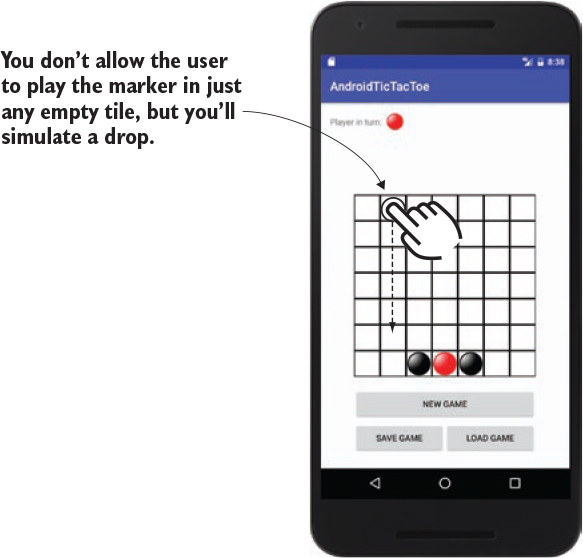
- Change move logic so pieces “drop” to the lowest free cell in a column.
- Update win detection to four in a row.
- Add save/load functionality for game state.
How should grid size changes be handled in a reactive architecture?
Encapsulate the dimensions in the game state (the grid object itself carries width/height), and let the view render whatever state it receives. If magic numbers are centralized, increasing the size typically works by updating those values with minimal or no view changes.How do you implement the “drop marker” behavior in the reactive chain?
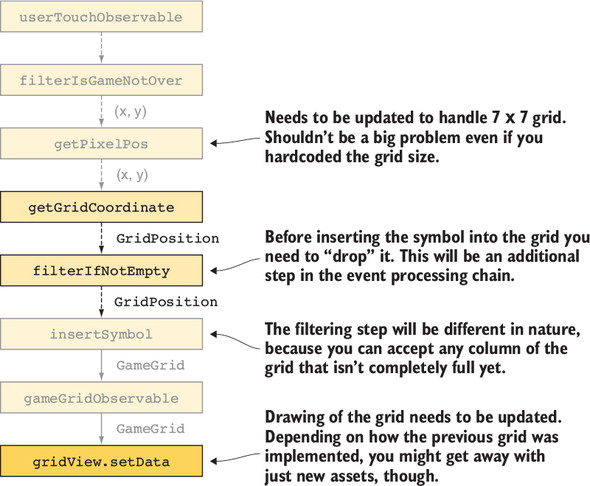
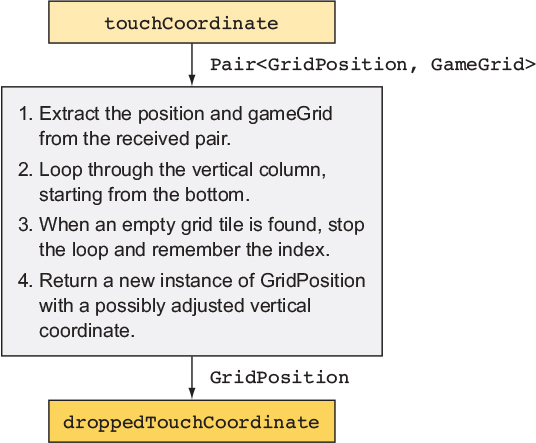
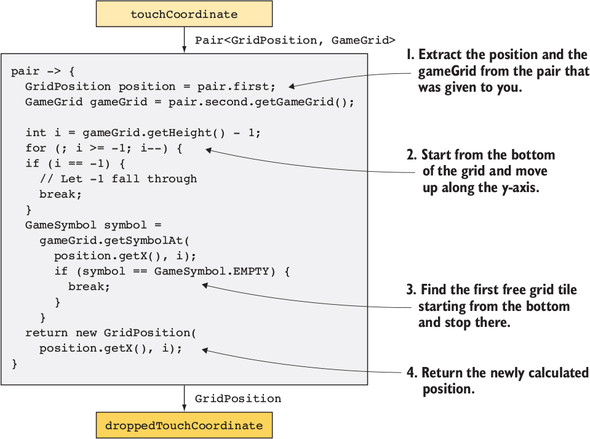
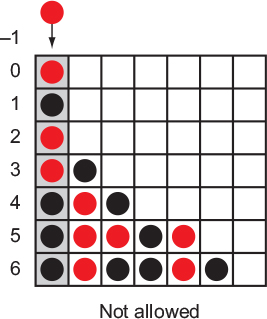
Add a mapping step that converts a tapped grid column into the lowest available row in that column. Scan from the bottom upward to find the first empty cell, return a new position (inputs remain immutable), and let downstream steps place the symbol at that computed position.How are illegal moves filtered when a column is full?
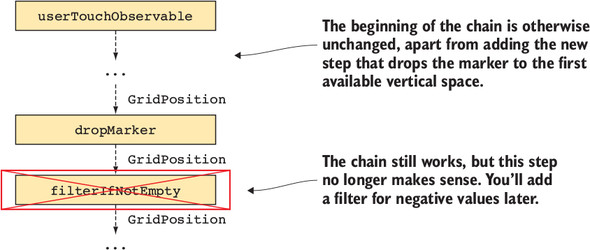
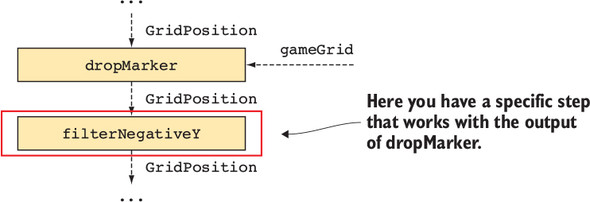
The drop step can signal “no slot” with a sentinel (for example, a negative row index). Immediately follow with a filter that keeps only positions with a valid, non‑negative row. This removes taps on full columns before they reach state‑updating logic.Which parts of the original reactive graph can usually be reused?
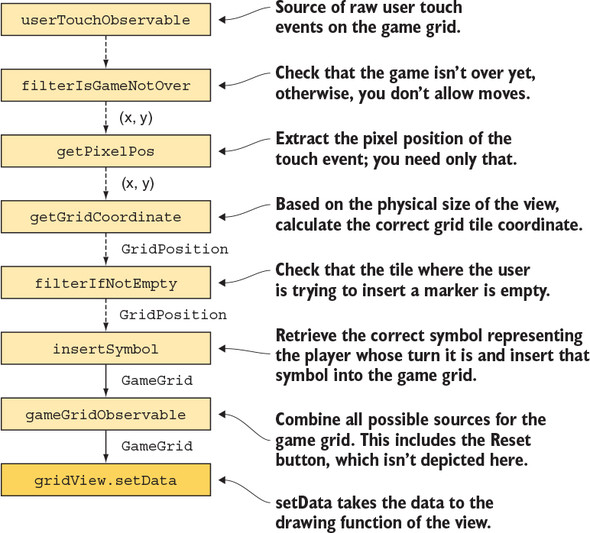
Typically the touch handling, coordinate conversion, rendering, and any derived computations (like “whose turn it is”) remain unchanged. Only the middle segment that interprets a tap as a move (now a falling piece) needs to change. Existing tests for unchanged steps can stay as‑is.How can the view highlight the winning line without breaking separation of concerns?
Provide the view with both the grid and the game status (winner plus winning line start/end). A simple way is to introduce a FullGameState type that bundles these. The view subscribes to one observable and draws the board plus the winning line based on that data.Why move GameState into a shared model/store, and how is it exposed?
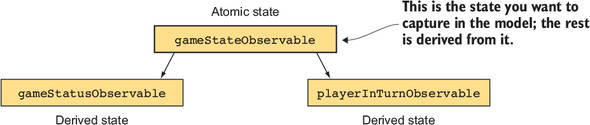
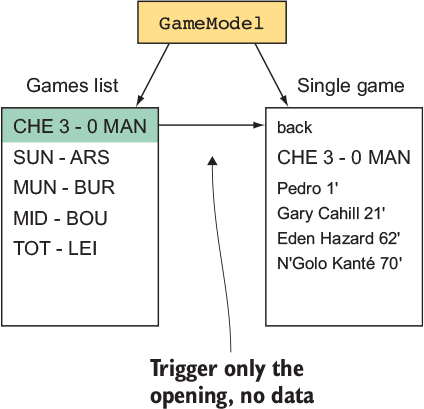
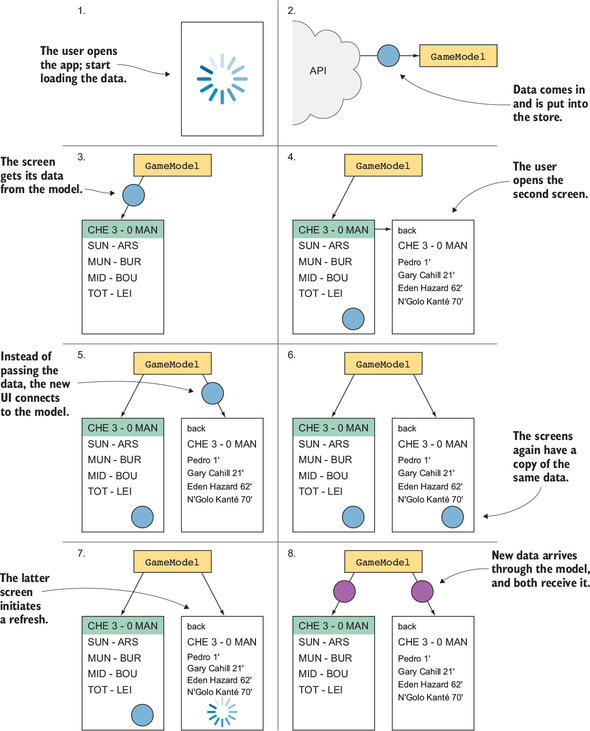
GameState (grid + last played symbol) is atomic and fully describes the game. Moving it to a model centralizes truth, enables persistence, and lets multiple screens observe the same source. Expose it as an observable (often backed by a BehaviorSubject) so subscribers receive the latest state and future updates.How should saved games be represented and streamed to the UI?
Use a SavedGame type that pairs a GameState with metadata (such as a timestamp). Keep an in‑memory cache and a subject to emit updates. The “get saved games” stream should first emit the current cached list (start value) and then push new lists whenever a game is saved.How do saving and loading work across multiple activities with a shared model?
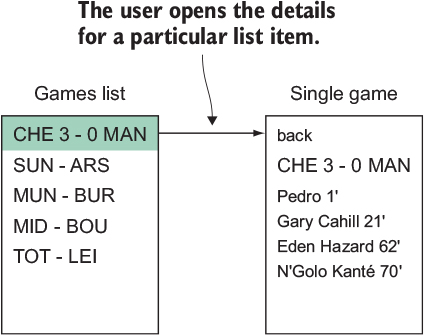
- Save: on “Save” click, read the current GameState from the model and add it to the persistent store; the saved games stream updates immediately.- Load: a Load screen subscribes to the saved games list; when a user selects one, it sets the model’s active GameState and then closes. Because both activities observe the same model, the main screen updates automatically without explicit result passing.

 RxJava for Android Developers ebook for free
