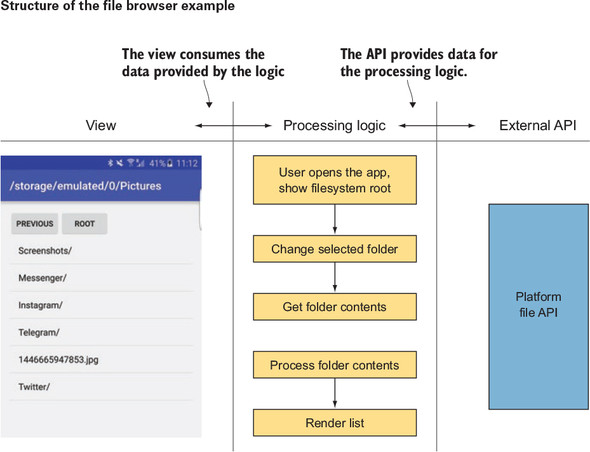
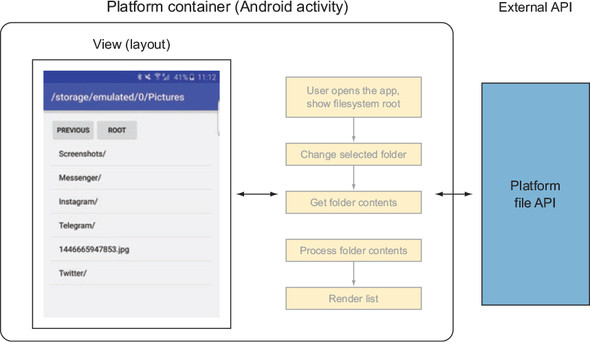
This chapter frames a clean separation between rendering and logic in Android apps, then introduces view models as the place to centralize reactive logic. Views are concerned with drawing pixels and light UI state, while platform containers (Application, Activity, Fragment) “own” lifecycles and initialization. As apps grow, extracting logic into a platform‑agnostic view model makes code shorter, clearer, and easier to unit test, because it encapsulates inputs and outputs behind a reactive interface without holding references to Android UI components.
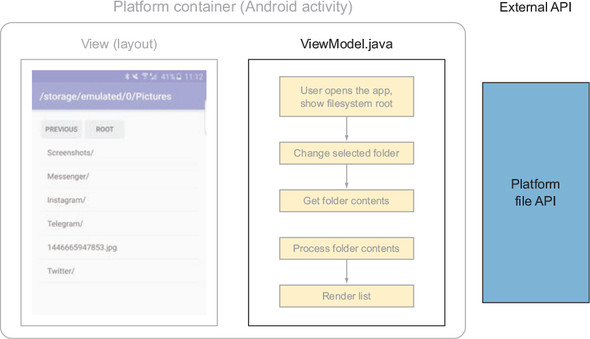
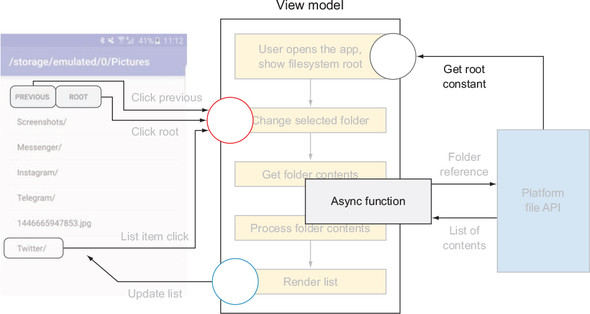
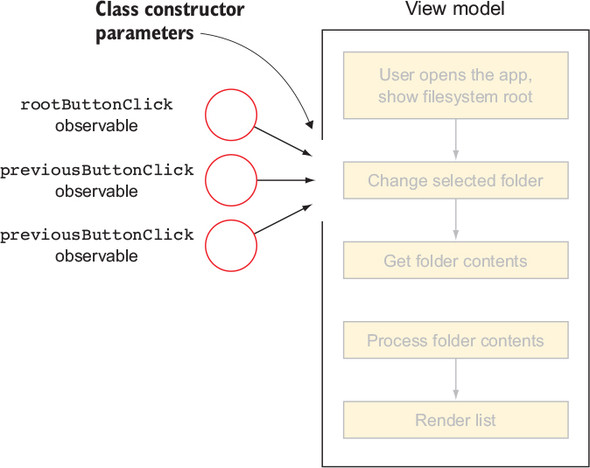
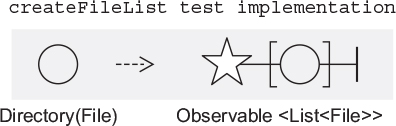
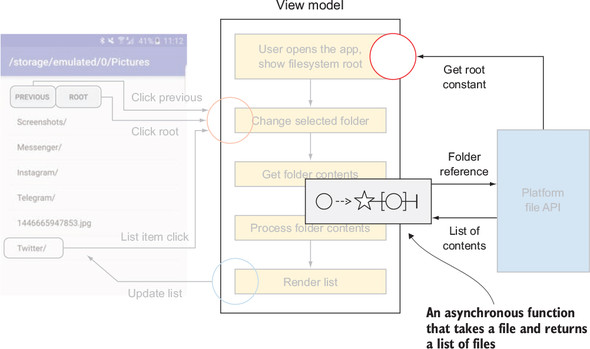
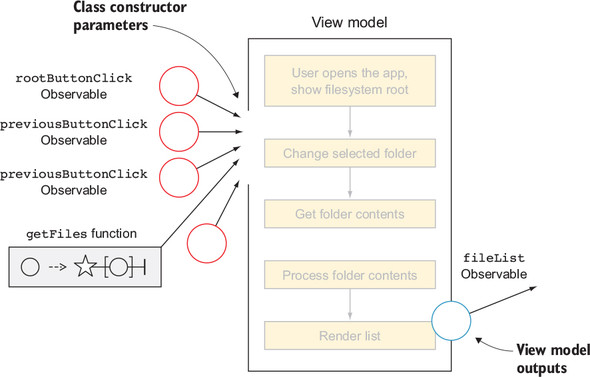
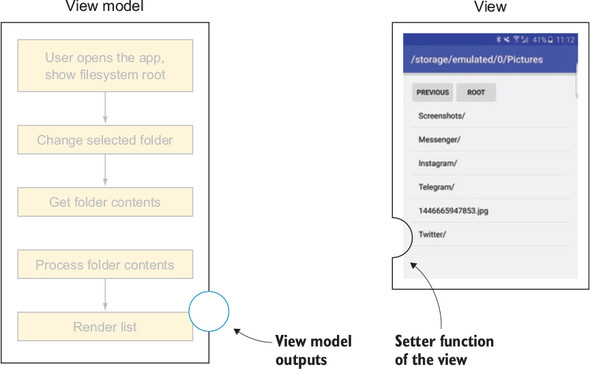
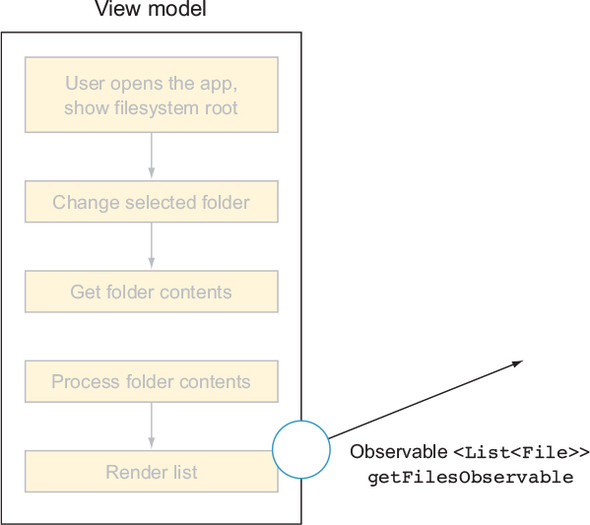
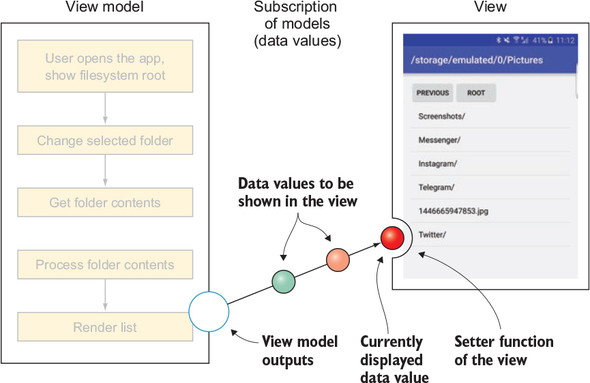
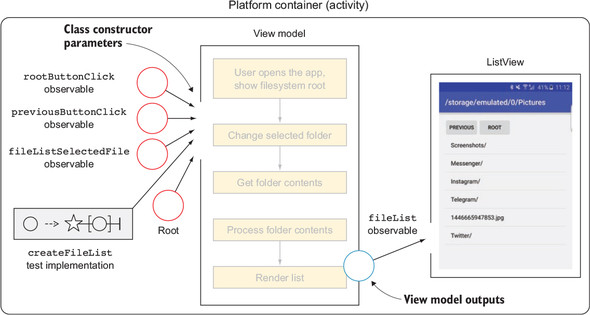
Using a file browser as the running example, the chapter shows how to migrate reactive chains out of an Activity into a ViewModel. Dependencies are passed via the constructor: input observables for user actions, configuration like the filesystem root, and a single asynchronous function (for example, a Func that maps a File to an Observable of its children) to access external APIs. The ViewModel exposes as few outputs as possible—typically as Behavior-style observables so subscribers receive the latest value immediately—and avoids threading concerns internally. The container binds the ViewModel to the view by subscribing to outputs (switching to the main thread) and forwarding them to UI setters, while keeping outputs “final” rather than chaining further transformations on them.
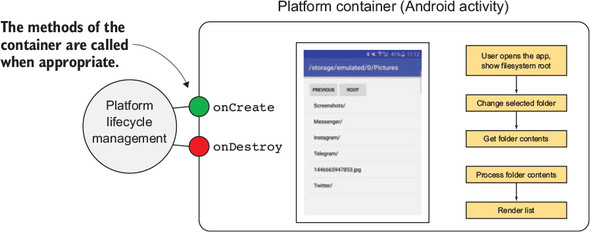
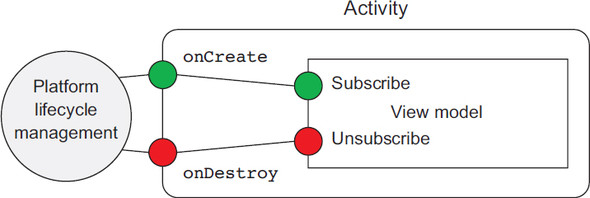
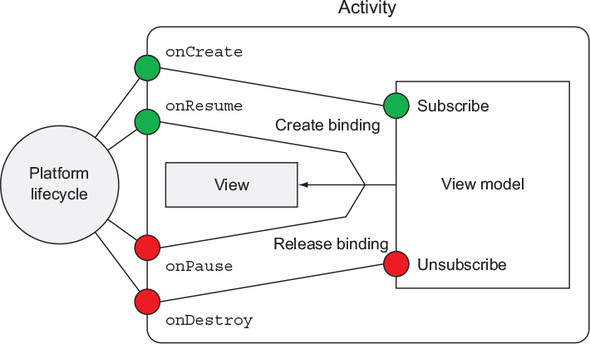
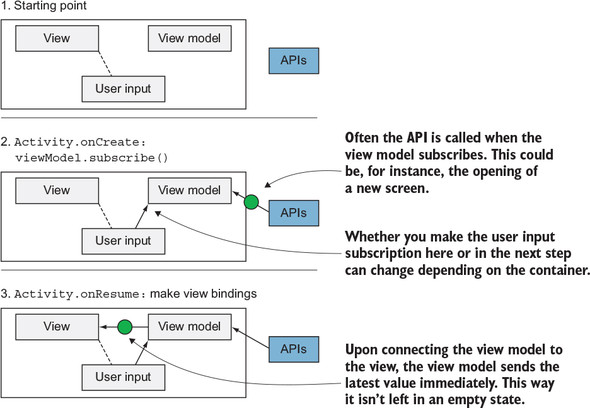
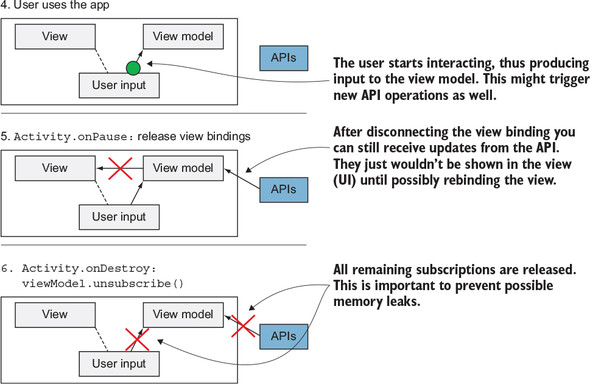
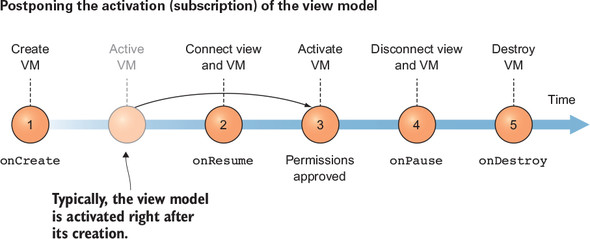
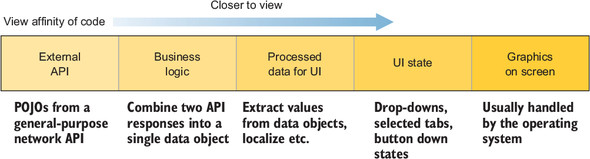
Lifecycle management is split: the ViewModel maintains its own CompositeDisposable and provides subscribe/unsubscribe methods to create and clear internal subscriptions; the container keeps a separate CompositeDisposable for view bindings. A practical mapping is to start/stop the ViewModel in onCreate/onDestroy, and connect/disconnect view bindings in onResume/onPause so the ViewModel can keep processing while the UI is paused and then immediately replay the latest state. Special cases (like permission prompts) can delay activation safely. The chapter closes by positioning view models near the “view” end of a view‑affinity spectrum, reinforcing guidelines to keep modules small, minimize inputs/outputs, avoid platform references, and design for testability, with a brief note on how presenters can overlap with view logic in other architectures.
getFiles function


FAQ
What is the “view” in this chapter, and how is it different from logic?
The view is the rendering layer: UI components that decide how pixels are drawn and display data. Logic is the code that decides what to show and when (for example, fetching data, applying rules). Keep rendering and logic in separate places: the view renders; the logic computes.What are platform containers (owners) on Android?
Platform containers are classes created and managed by the OS that host your code and lifecycle, such as Application, Activity, and Fragment. They expose lifecycle callbacks (for example, onCreate, onDestroy) where you initialize and clean up resources.Why introduce a view model, and how does it help testing?
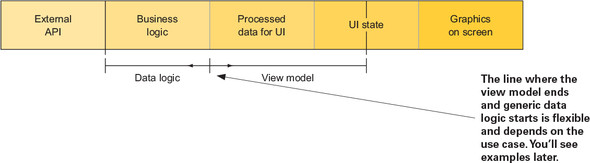
A view model extracts UI-related logic into its own class with a reactive interface (inputs/outputs). By removing logic from Activities/Fragments, you reduce coupling to the platform and make unit testing straightforward because the ViewModel can be instantiated and verified outside Android.What are the key guidelines for a reactive view model?
- Avoid references to platform-specific components (no direct View/Activity dependencies)- Expose as few inputs and outputs as possible
- Don’t directly call external modules; accept them as dependencies
- Prefer testability: avoid hard-coded threading inside; keep logic pure where feasible
How do I pass inputs and external APIs into a view model?
Use constructor parameters. Pass UI events as Observables (for example, clicks) and external APIs as functions. Example: provide a filesystem loader asFunc1<File, Observable<List<File>>> and constants like a root File. This keeps the ViewModel decoupled and easy to mock.How should a view model expose data to the view?
Expose behavior-like streams that immediately emit the latest value and then updates. A common pattern is a privateBehaviorSubject<T> for state and a public getter returning Observable<T> via subject.hide() to prevent external emission.How do I bind a view model to Android views with RxJava?
- Create the ViewModel with its inputs and dependencies- Subscribe the view to the ViewModel’s outputs
- Switch to the main thread with
observeOn(AndroidSchedulers.mainThread())- Store Disposables in a CompositeDisposable and clear them when the view is no longer active
How do I manage subscriptions and lifecycle across Activity and ViewModel?
- ViewModel keeps its own CompositeDisposable for internal chains; exposesubscribe()/unsubscribe()- The Activity/Fragment keeps a separate CompositeDisposable for view bindings
- Typical flow: ViewModel
subscribe() in onCreate (or after permissions), bind outputs in onResume, clear bindings in onPause, and ViewModel unsubscribe() in onDestroyWhere should I change threads (schedulers) for UI updates?
Prefer doing thread switching outside the ViewModel (for example, in the Activity/Fragment when binding) so the ViewModel stays easy to test and deterministic. ApplyobserveOn to switch to the main thread right before updating the UI.
 RxJava for Android Developers ebook for free
