This chapter deepens your RxJava skills by showing how to build custom observables, control threading, and reason about subjects within a functional, reactive mindset. Through a file‑browser example, it emphasizes clean separation between UI and data flow, immutable data with pure functions, and confining side effects (like UI updates) to subscribers. The goal is to design modular, composable chains that react to inputs, stay thread-safe, and remain easy to reason about.
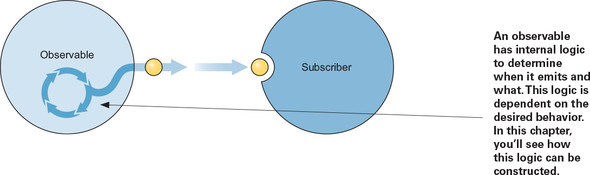
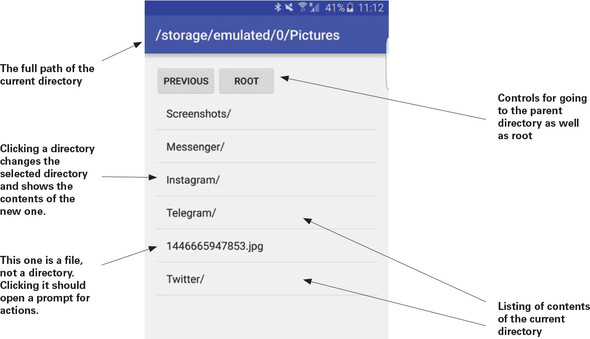
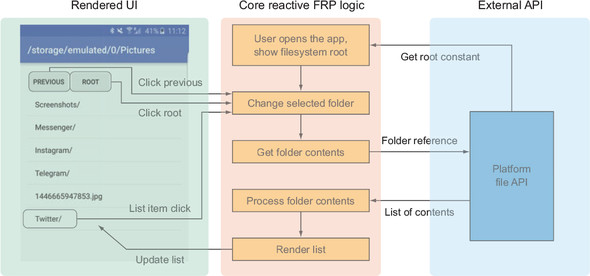
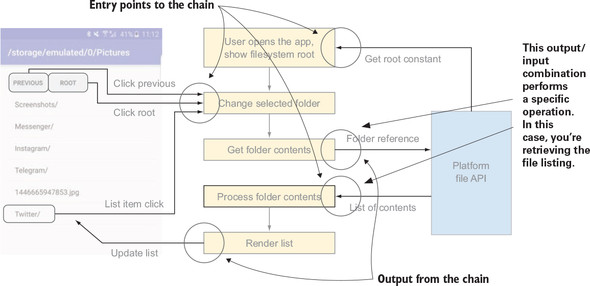
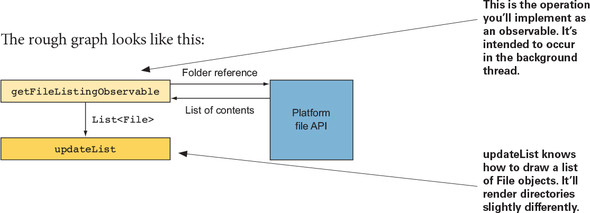
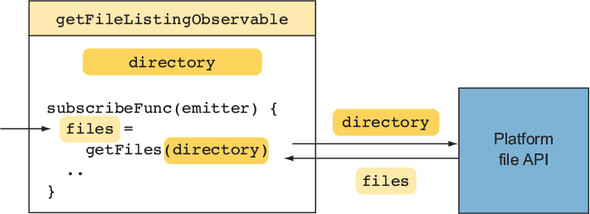
You learn to construct observables with Observable.create and an emitter, wrap platform operations (such as listing directory contents) into reusable sources, and understand the observable lifecycle. Threading is made explicit: use subscribeOn to push work to background schedulers (for I/O or long tasks) and observeOn to return to the main thread for side effects. The file browser evolves from a hardcoded root to a dynamic chain driven by user selections, using switchMap to cancel stale work, doOnNext for logging and inspection, and clear boundaries between data processing and rendering.
The chapter demystifies subjects and their trade-offs: PublishSubject as a transient event pipe and BehaviorSubject as a state holder that replays the latest value. Subjects are shown first as a quick way to drive the selected directory, then refactored away in favor of dedicated input observables for clicks and selections, merged into a single source of truth; a subject remains only where a cyclic graph is required by design. Finally, it covers responsible cleanup with Disposables and CompositeDisposable to avoid leaks and late emissions after lifecycle teardown. The overarching guidance: prefer explicit observable sources over subjects, keep chains modular and side-effect free until the edges, and manage threads deliberately.

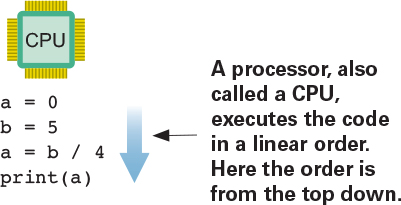
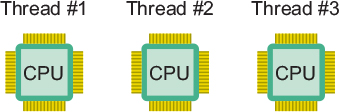
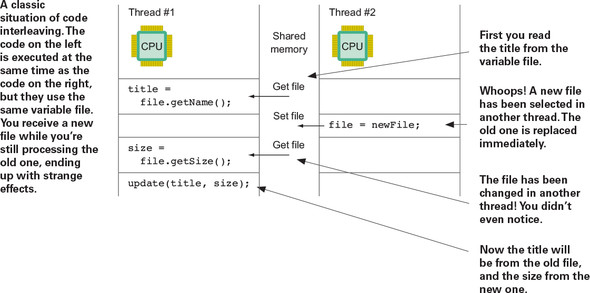
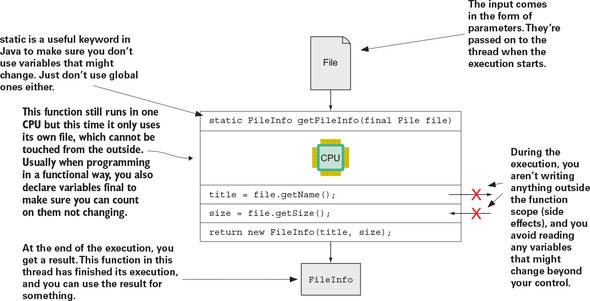
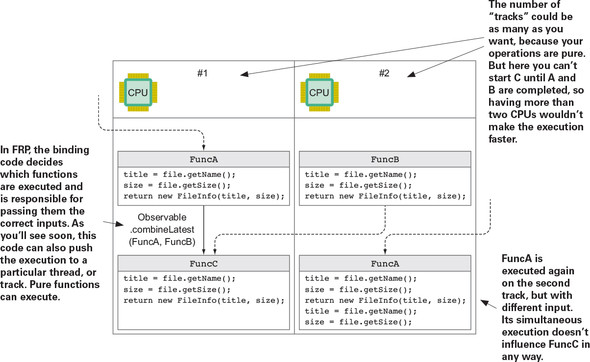
Simultaneous execution



FAQ
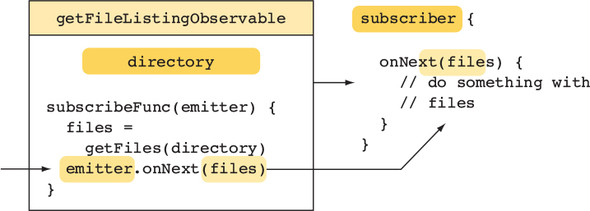
How do I create a custom Observable with Observable.create and what rules must I follow?
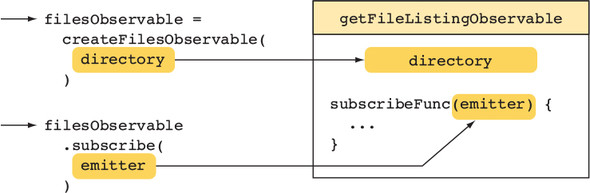
- Use Observable.create(emitter -> { ... }) and emit values via emitter.onNext(...).
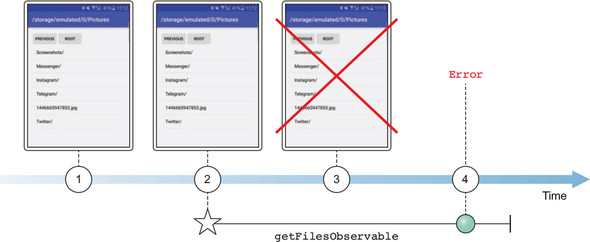
- Respect the contract: emit any number of onNext calls, then exactly one terminal event (onComplete or onError). No events after a terminal event.
- Wrap work in try/catch and call emitter.onError(e) on failures; on success, finish with emitter.onComplete().
- The function you pass to create runs once per subscription.
How do I stop work when a subscriber disposes a custom Observable?
- In RxJava 2+, check emitter.isDisposed() and exit early if true.
- Use emitter.setCancellable(...) or emitter.setDisposable(...) to tie cleanup (closing resources, removing listeners) to disposal.
- Design loops/long-running tasks to periodically check disposal to avoid wasted work.
What’s the difference between subscribeOn and observeOn?
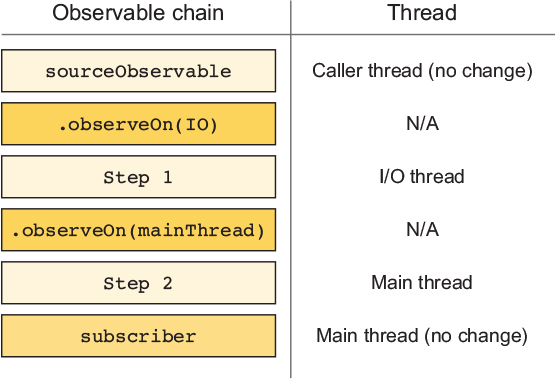
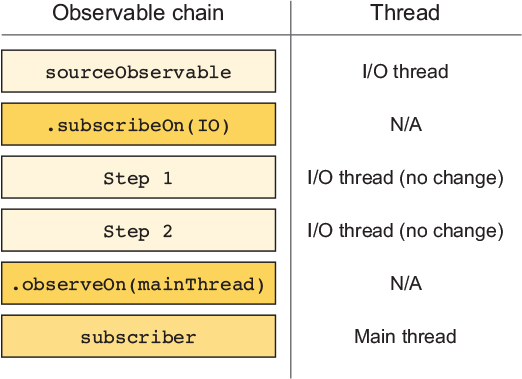
- subscribeOn picks the thread where the source’s subscription and upstream work run. Only the first subscribeOn in the chain takes effect.
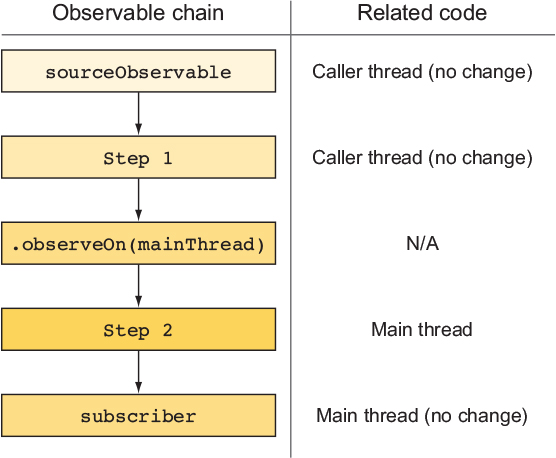
- observeOn switches the thread for all operators downstream from where it appears. You can use it multiple times.
- Rule of thumb: do heavy I/O or CPU work on a background Scheduler, then observeOn the main thread right before UI updates.
How can I run file I/O off the main thread and still update the UI safely?
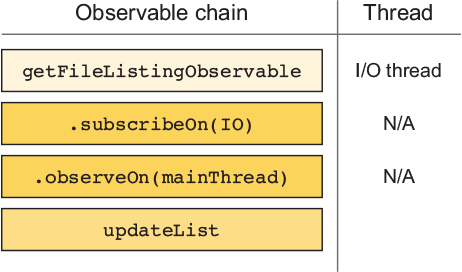
- Place subscribeOn close to the source and observeOn before the subscriber that touches the UI.
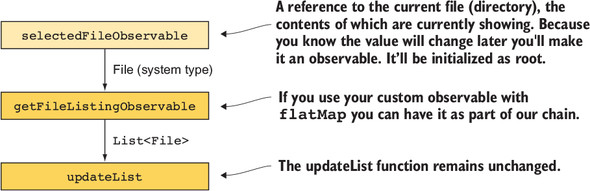
- Example flow: createFilesObservable(file).subscribeOn(Schedulers.io()).observeOn(AndroidSchedulers.mainThread()).subscribe(uiConsumer).
- Inside larger chains, perform the thread hop right where the I/O is created (e.g., inside switchMap).
What are Subjects and when should I prefer not to use them?
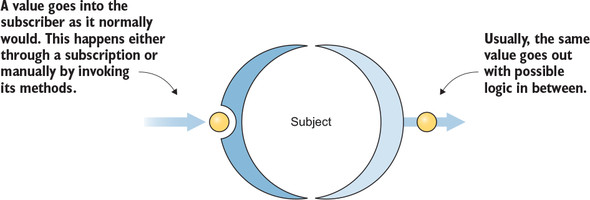
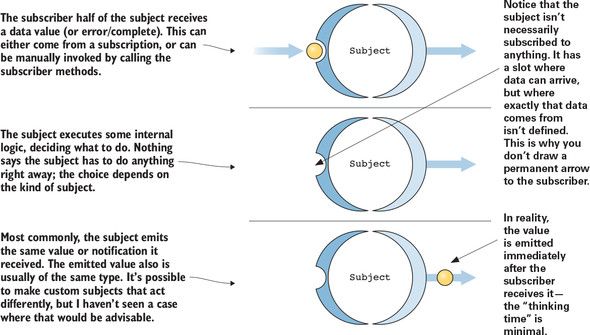
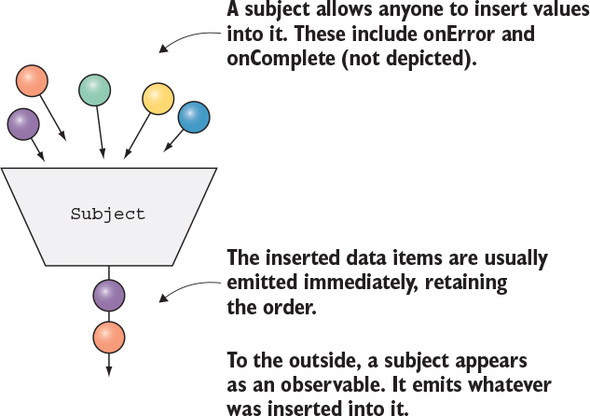
- A Subject is both an Observable and an Observer: you can subscribe to it and also push values into it.
- Pitfalls: any holder can call onNext/onError/onComplete, which obscures data origins and encourages hidden side effects.
- Prefer composing explicit source Observables and operators. Use Subjects mainly for quick prototyping or when you truly need cycles in the graph.
PublishSubject vs BehaviorSubject—what’s the difference and when to use each?
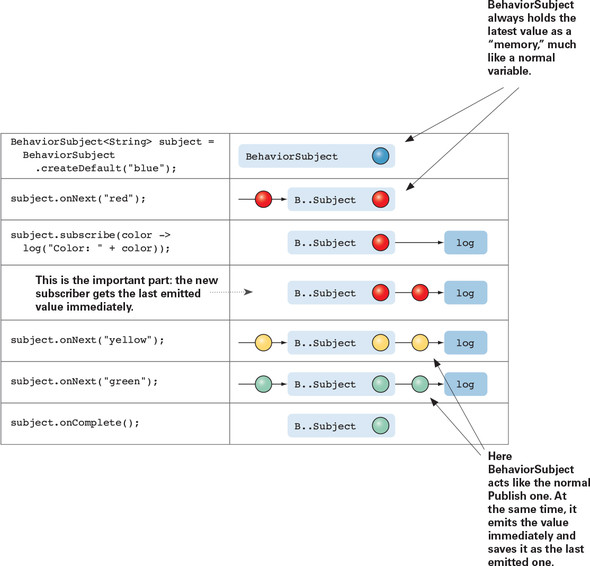
- PublishSubject: emits items to subscribers only after they subscribe; does not replay the last value. Good for transient events (clicks).
- BehaviorSubject: stores the latest item and immediately emits it to new subscribers; can be created with a default value. Good for representing state.
- BehaviorSubject.getValue() exists, but avoid overusing it—prefer staying within the stream.
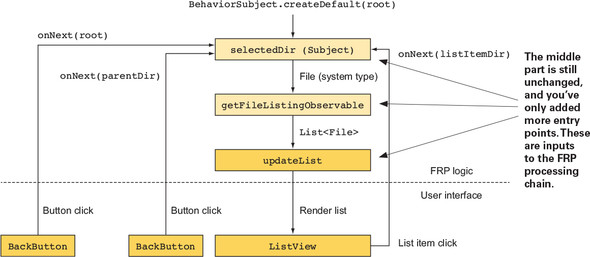
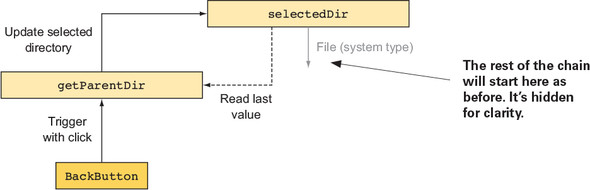
How do I build a cyclic graph (e.g., “selected directory” feeding itself) safely?
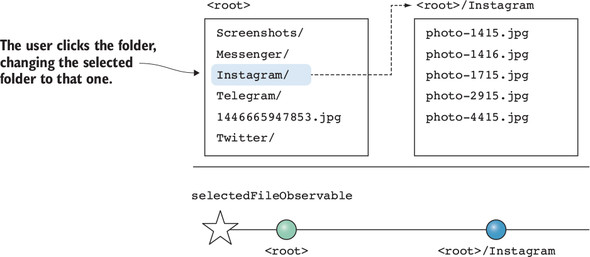
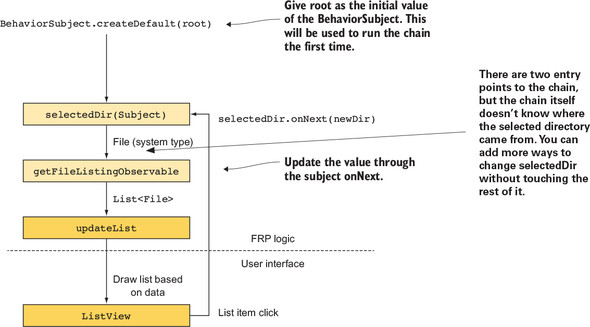
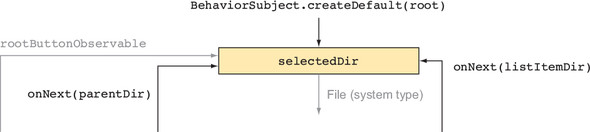
- Declare a BehaviorSubject<File> selectedDir with a default (e.g., root).
- Define Observables that depend on selectedDir (e.g., back button maps selectedDir.getValue() to its parent).
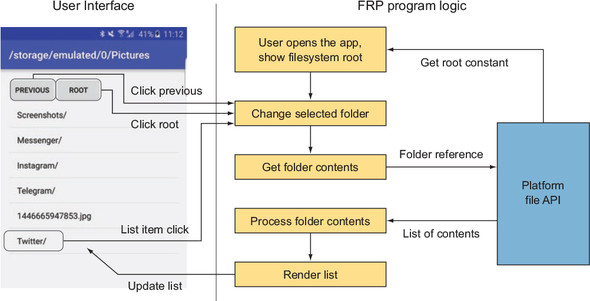
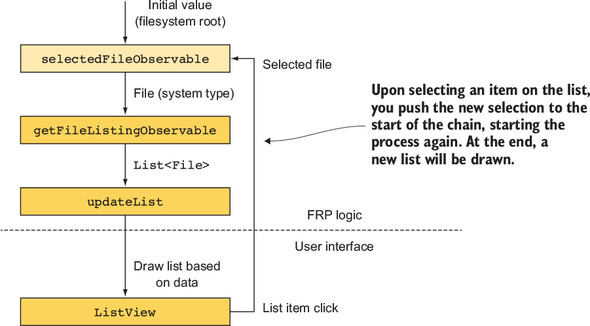
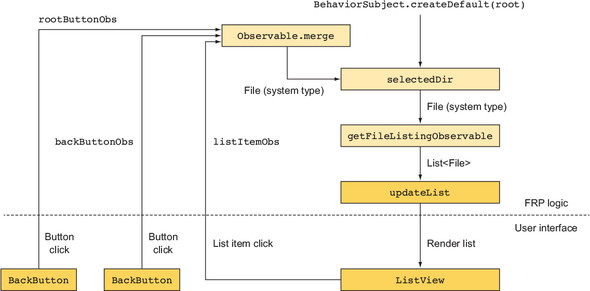
- Merge all input Observables (list clicks, back, root) and subscribe selectedDir to the merged stream.
- Downstream: selectedDir.switchMap(file -> createFilesObservable(file) ... ) to load and render listings.
How can I avoid pushing into a Subject from UI handlers?
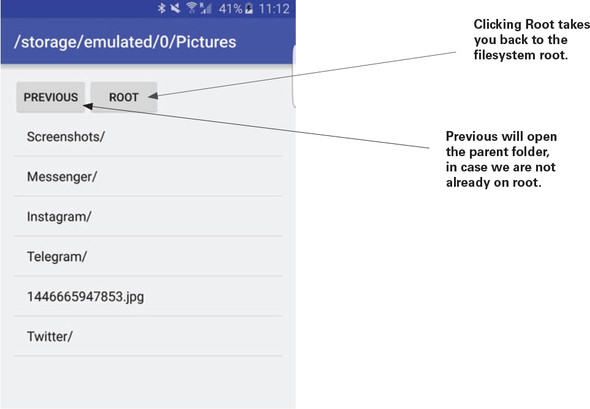
- Create Observables for each input source: list item clicks, “Back” button, “Root” button.
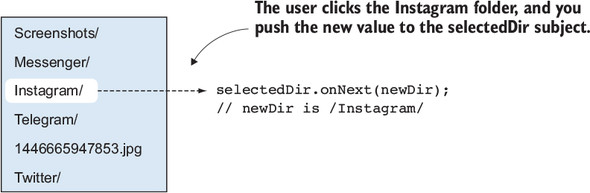
- Map each input to a File value (e.g., root, parent, clicked directory).
- Merge these Observables and wire them into the rest of the chain; keep a single subscription for side effects (UI update).
- This keeps data flow explicit and reduces hidden writes to shared Subjects.
How do I log values and thread hops without changing the stream?
- Use doOnNext(...) to log values at points of interest.
- Log the current thread with Thread.currentThread().getName() to see where work runs.
- doOnNext is for side effects only; it doesn’t modify items or backpressure behavior.
What’s the right way to manage subscriptions in an Android Activity?
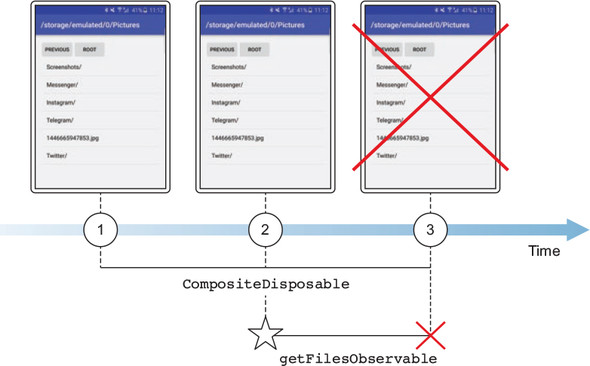
- Keep each subscription’s Disposable and add it to a CompositeDisposable.
- Call compositeDisposable.clear() (or dispose()) in onDestroy() to stop work and prevent UI updates after the Activity is gone.
- This avoids leaks and race conditions when async operations finish after the UI has been destroyed.

 RxJava for Android Developers ebook for free
