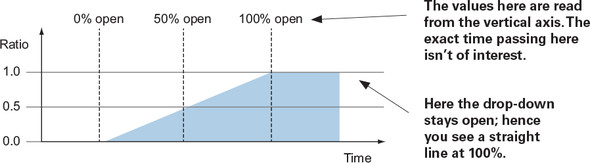
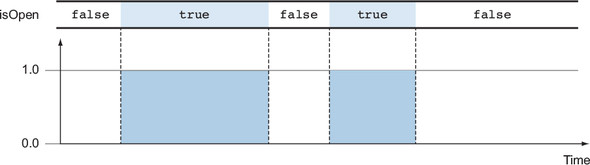
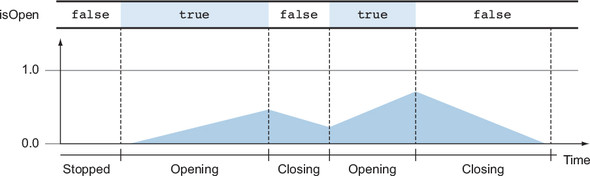
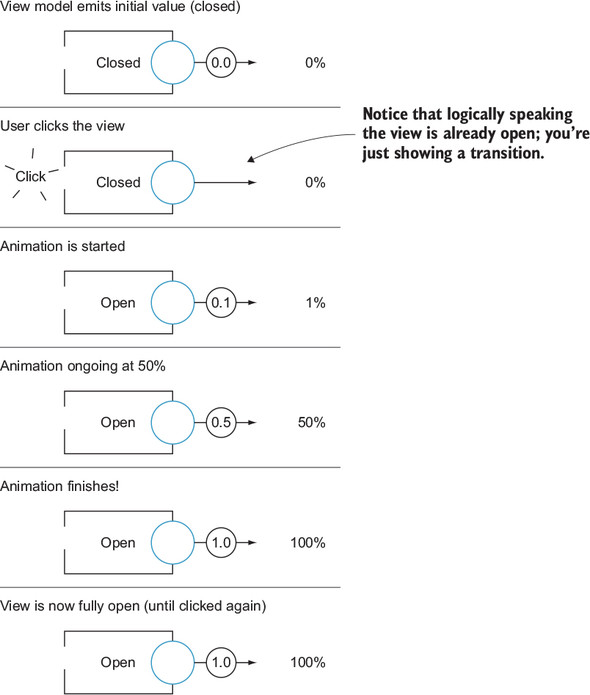
This chapter shows how to model and drive UI transitions with reactive streams so they stay smooth and correct under rapid, unpredictable input. It critiques the common “fire-and-forget” approach that causes visual glitches when animations are interrupted, and argues for representing state as a continuous progress value instead of a Boolean. By tracking an animation’s progress as a ratio from 0.0 to 1.0 and always resuming from the current value, the UI can transition seamlessly between states without jumps.
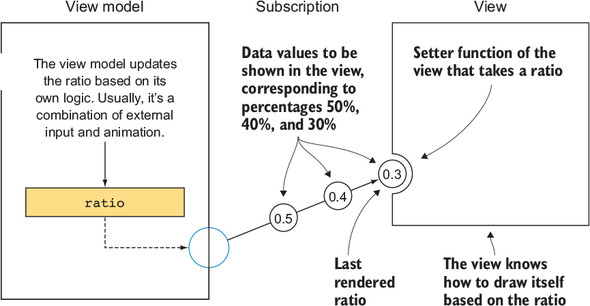
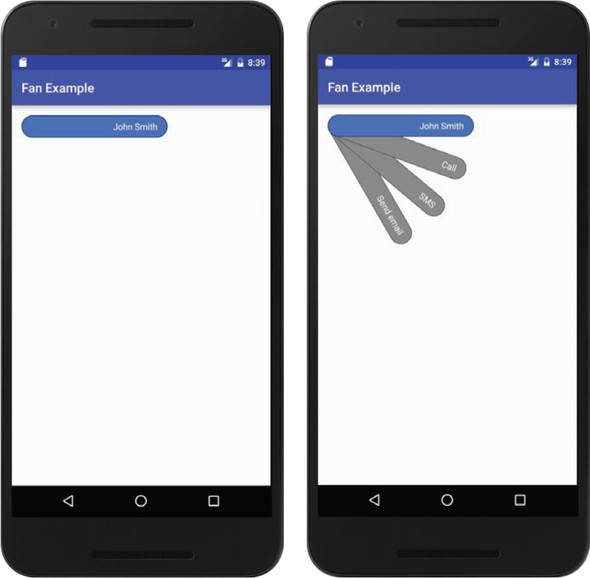
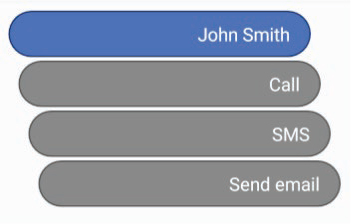
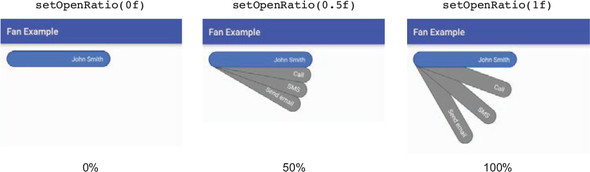
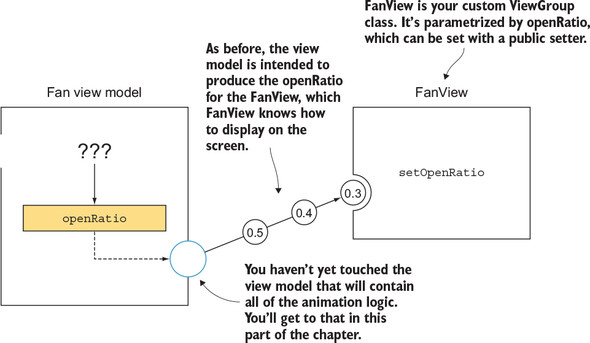
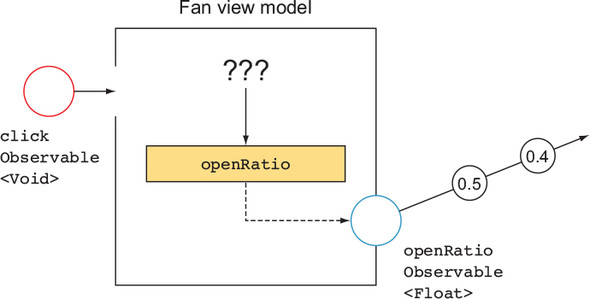
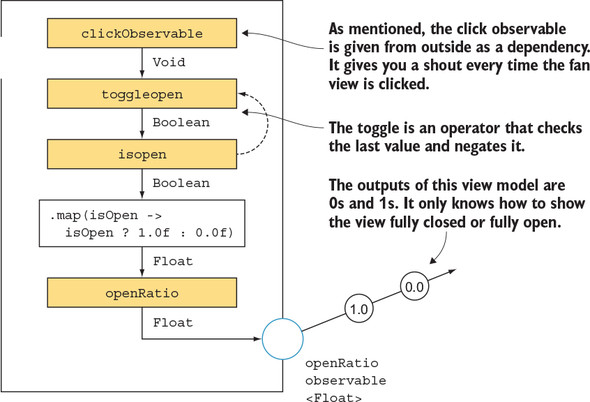
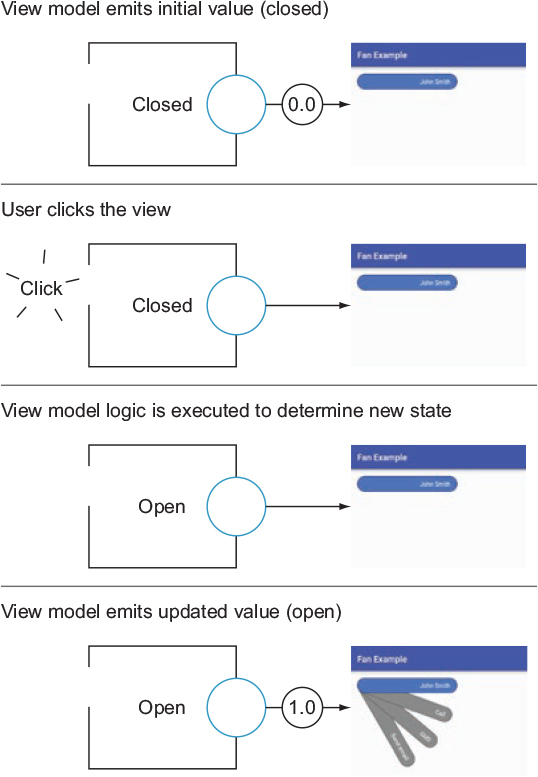
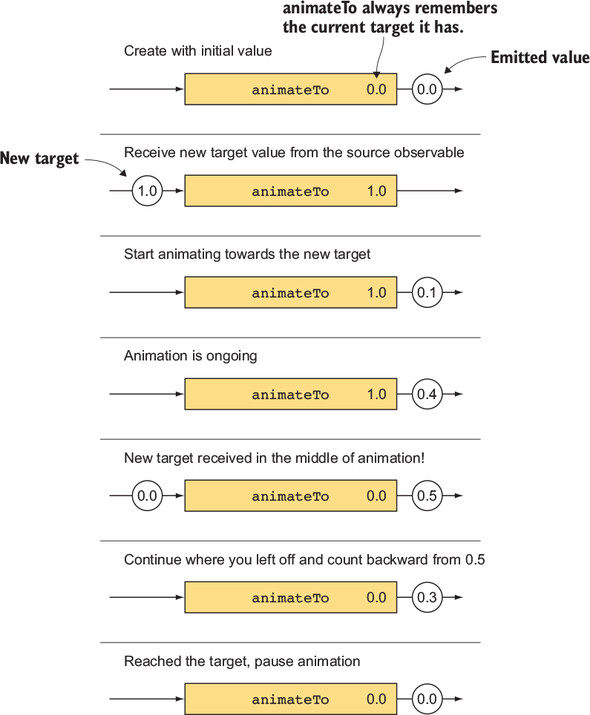
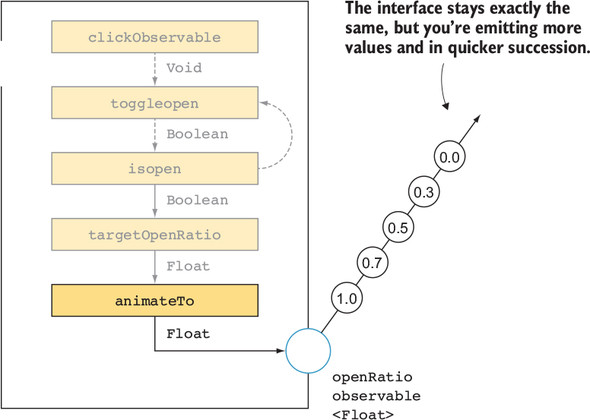
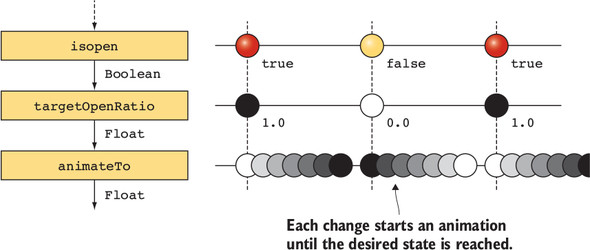
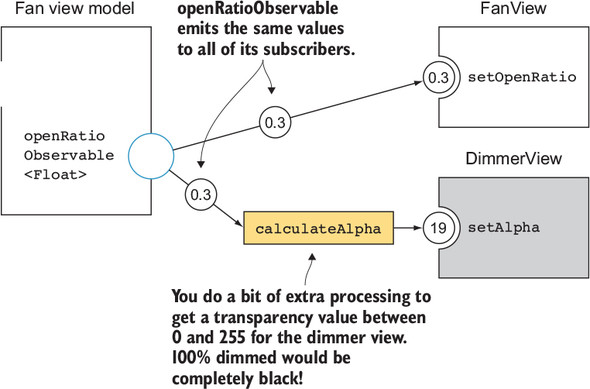
The chapter introduces reactive parametrization: keep the view simple and stateless with respect to timing, and let the view model own and emit the transition ratio. A custom “fan” widget illustrates this approach: the view exposes a setOpenRatio(r) that renders any intermediate geometry, while the view model publishes an Observable openRatio. User clicks toggle a target state, and an animateTo-style operator drives smooth changes from the current ratio to the target, canceling any ongoing animation and avoiding queues. On Android this behavior is implemented with ValueAnimator, and the same ratio can power related effects (for example, mapping it to a background dimmer’s alpha).
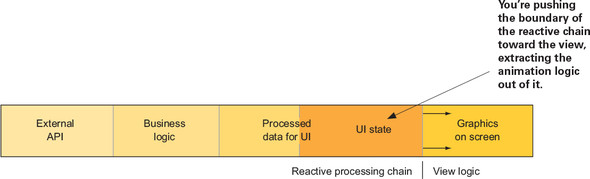
The key takeaways are to model UI transition state as a parameterized continuum, push animation orchestration into the view model when animations are long or shared, and keep views focused on rendering the ratio efficiently each frame. This yields resilient, testable code that handles back-and-forth interactions without glitches. With views designed to accept 0.0–1.0 inputs, the pattern generalizes to many components and effects, and can be refined further with easing functions and other parametrizations.
FAQ
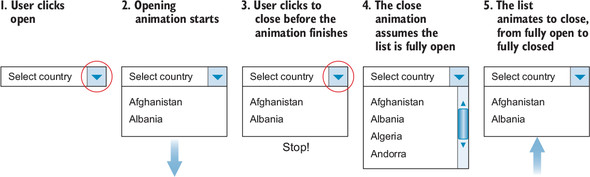
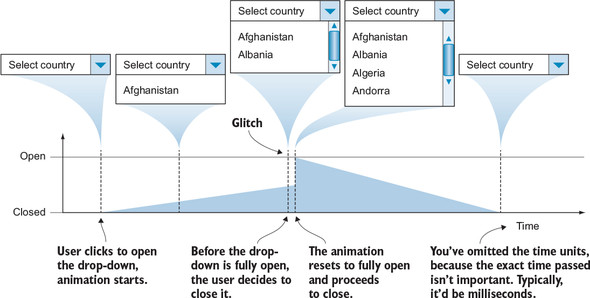
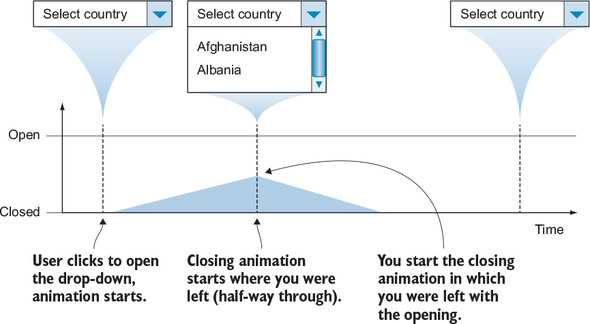
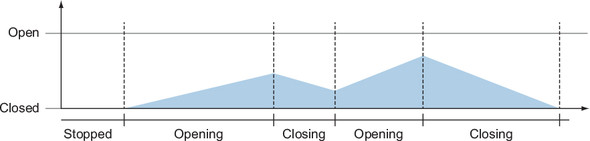
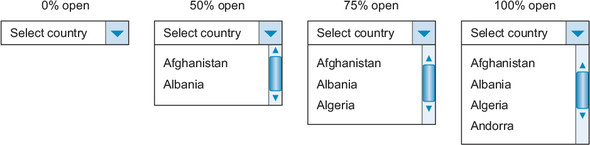
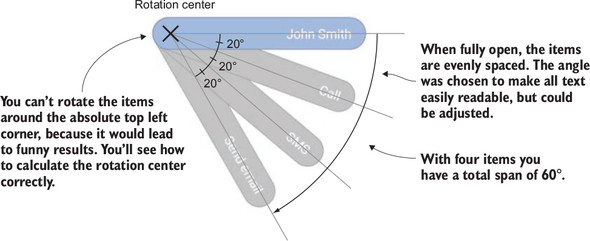
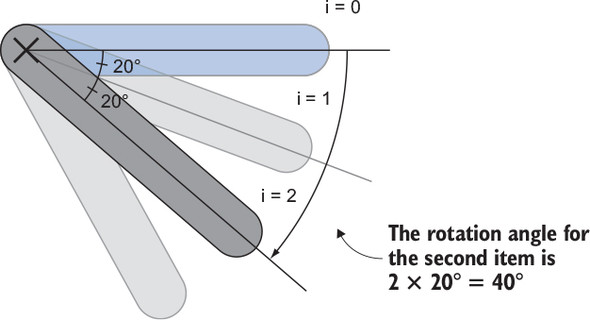
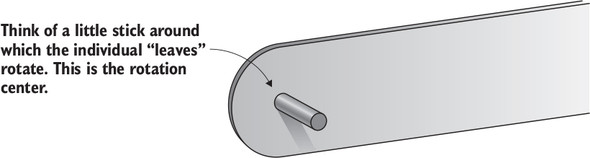
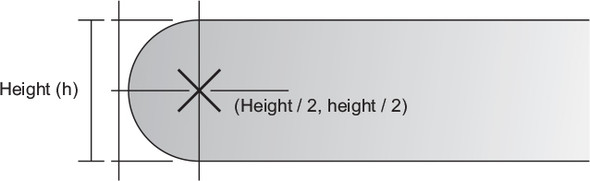
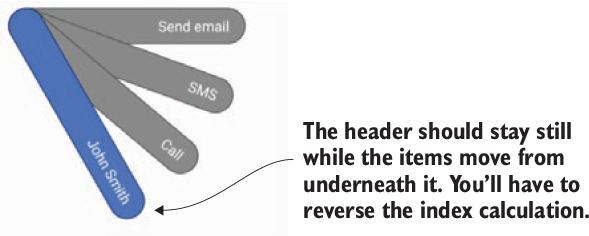
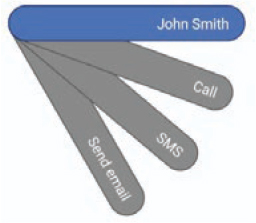
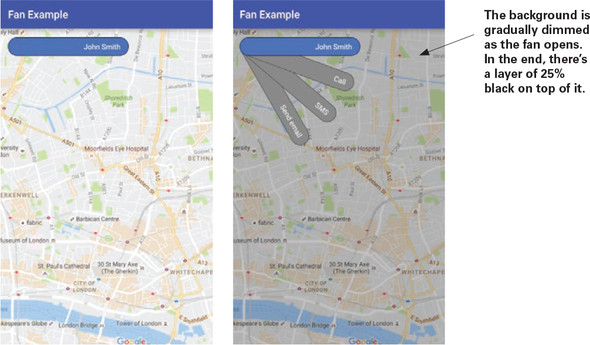
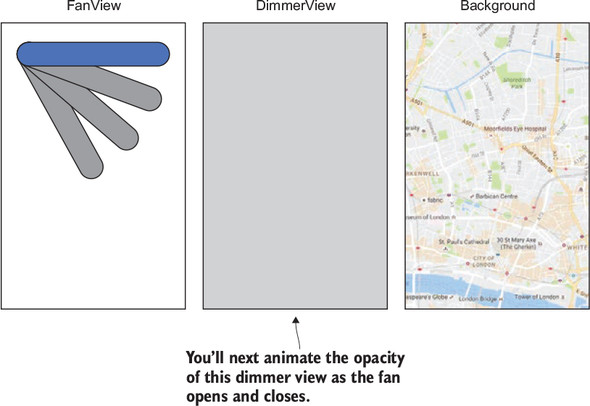
What’s wrong with the “fire-and-forget” animation strategy?Fire-and-forget works for very short animations, but with longer ones rapid user input or external changes force a new animation to start before the old one finishes, causing visible glitches (state jumps). The fix is to continue each transition from the current progress instead of resetting.Why represent transition state as a float ratio (0.0–1.0) instead of a Boolean?Boolean states can’t capture in-between progress. A ratio (0.0 closed … 1.0 open) models partial openness and lets you resume from the current value, eliminating glitches and enabling smooth, interruptible animations.How do view and view model divide responsibilities for animations?- View model: exposes an observable float openRatio (0.0–1.0), handles timing and transitions. - View: renders based on the latest ratio; it “doesn’t know” it’s animated—just redraws when it receives new values.How is the fan widget’s final layout computed (rotation and center)?Each child’s open-state rotation = childIndex × 20°. The rotation center is the middle of the child (height/2, height/2), so items rotate around the semicircle’s center. Reverse the drawing order to keep the header on top.How does FanView apply the openRatio to draw intermediate states?FanView exposes setOpenRatio(float r). It saves r, invalidates children, and in getChildStaticTransformation multiplies each child’s base rotation by r. With r in [0,1], the fan moves smoothly from closed to open.How do you wire FanViewModel to FanView?Create FanViewModel with clickObservable input, then subscribe to fanViewModel.getOpenRatio() on the main thread and call fanView.setOpenRatio(r). The view only consumes the ratio; it never needs a Boolean.What is the animateTo behavior and why not queue animations?animateTo transitions the output toward each new target over time, starting from the current value. It cancels any in-flight animation instead of queuing, so the UI reacts immediately to user intent and avoids “finish-then-start” lag.How do you implement animateTo on Android?Build an operator that uses ValueAnimator. On each new target: end any existing animator, create a new one from lastValue to targetValue, emit intermediate values on each update, and start. This syncs with the platform frame rate.How can you dim the background during the fan’s transition?Bind the same openRatio to a dimmer’s alpha: map ratio to an int alpha (e.g., 0..64) and set it on the dimmer’s background. As the fan opens, the dimmer fades in; as it closes, it fades out.When should animation logic live in the view model?Prefer the view model when transitions are longer, affect multiple views (e.g., a shared dimmer), or need robust state handling/testing. Keep views thin and focused on rendering from parameters.
pro $24.99 per month
access to all Manning books, MEAPs, liveVideos, liveProjects, and audiobooks!



 RxJava for Android Developers ebook for free
