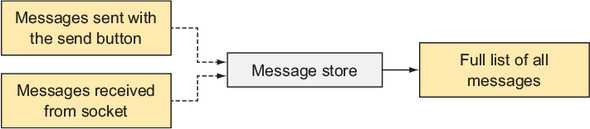
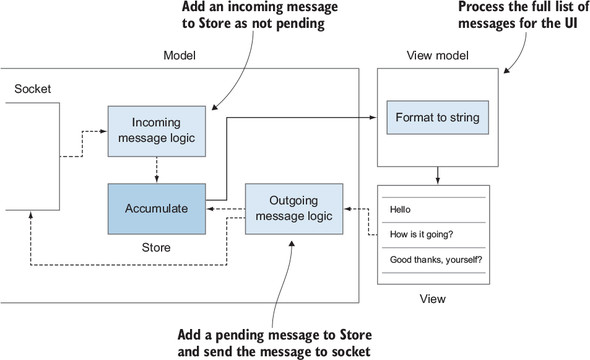
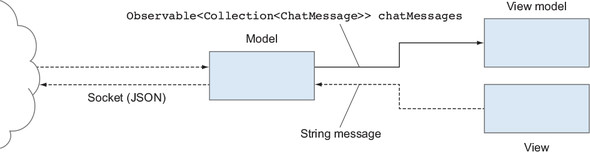
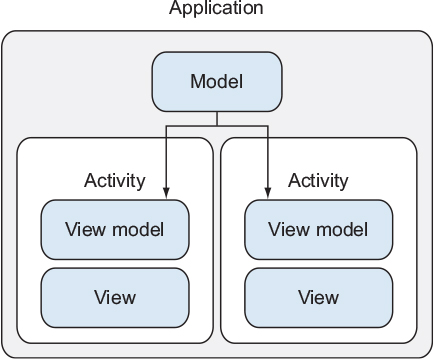
This chapter evolves the simple reactive chat client into a more scalable MVVM setup by introducing a dedicated store and a higher-level model layer around it. Instead of letting a single view model hold and mutate state, the store becomes the authoritative source of truth for chat messages, while the view model focuses on UI-facing transformations such as formatting and filtering. The result is clearer ownership of state, easier sharing across components, and better testability as responsibilities are split: the store aggregates state, the view model adapts it for display, and the model orchestrates I/O and business rules.
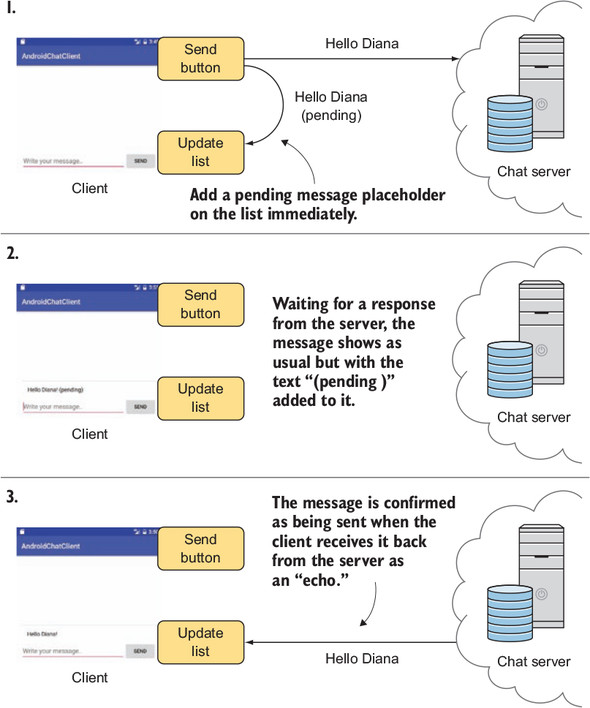
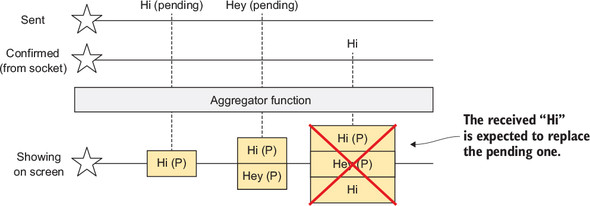
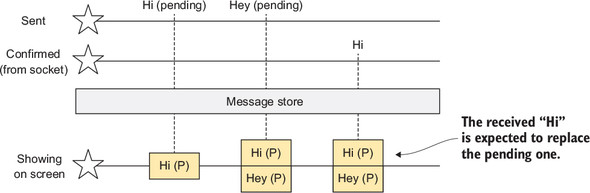
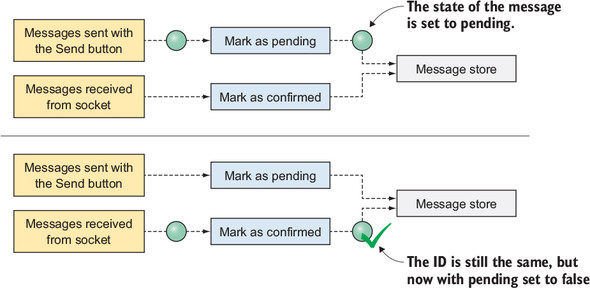
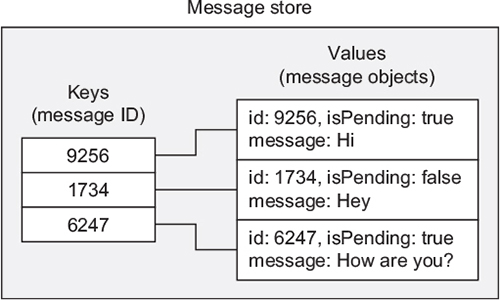
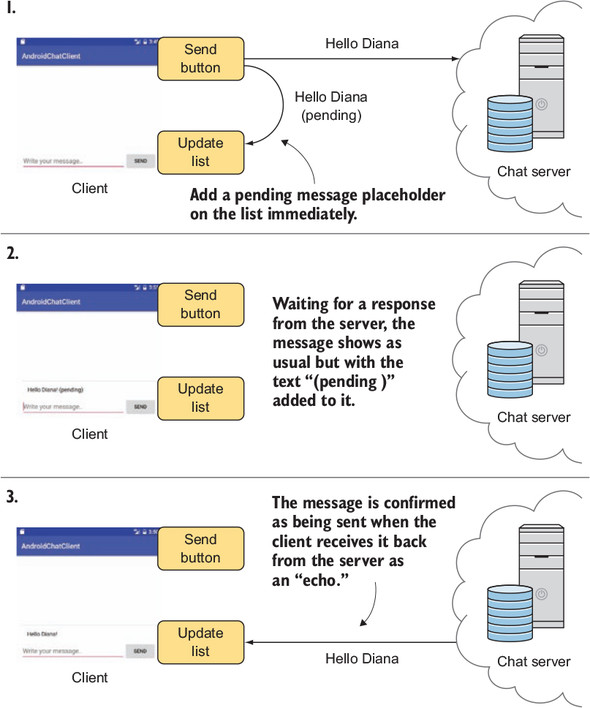
A key feature added is support for “pending” messages. Outgoing messages start with an isPending flag and are shown with a distinct presentation until confirmed by the server. The earlier scan-based aggregator would duplicate messages when confirmations arrived; replacing it with a store keyed by message ID solves this by updating entries in-place (using a map) so pending items are seamlessly replaced with confirmed ones. Because maps are unordered, ordering for display is handled in the view model. The chapter also demonstrates multi-input stores (local sends vs. incoming socket events), immutability-friendly updates, and UI features like client-side search using reactive operators that combine message streams with user input.
Beyond real-time updates, the store is initialized from a REST API to load history at startup, marking those messages as not pending. To prevent MainActivity from ballooning, the chapter extracts messaging logic into a ChatModel that owns the socket, store, parsing, and subscriptions, with explicit lifecycle hooks for creation, connection, and teardown. It also shows how to move the model to an application-wide scope (or inject it) when multiple screens need shared state. Production notes cover error handling in subscriptions, care with subjects and backpressure, logging with thread context, and the general guidance to keep view models lean, use stores/repositories per data type, and wrap application-wide business logic in a well-tested model layer.
FAQ
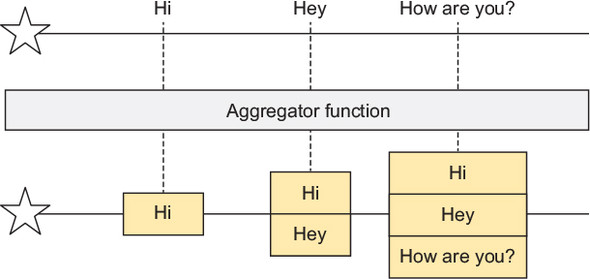
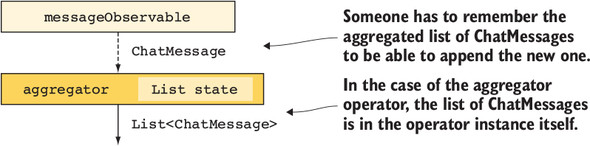
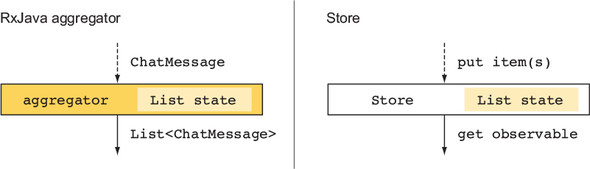
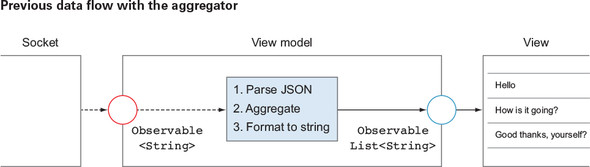
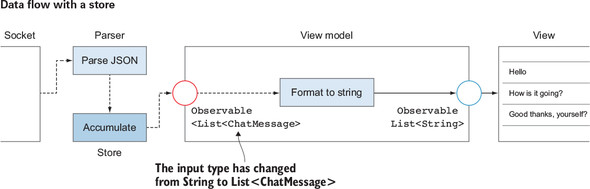
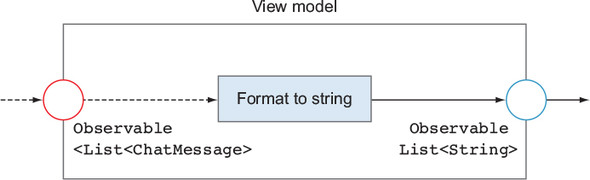
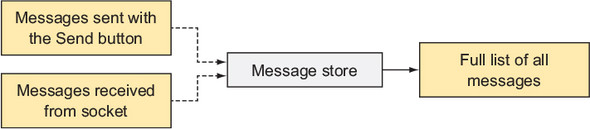
Why switch from an in-chain aggregator to a dedicated Store?The aggregator built with operators like scan keeps hidden state inside a stream, which becomes hard to share, test, or extend. A Store:
- centralizes and isolates state,
- can be reused by multiple modules,
- makes complex updates (replace-by-ID, merges) explicit,
- can more easily persist and expose specialized outputs (all items, by ID, etc.).
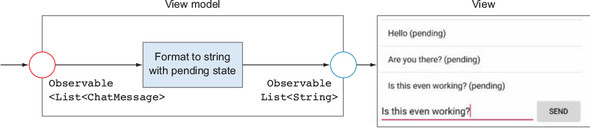
This keeps view models lean and makes stateful logic clearer and more maintainable.How do I implement a pending state for outgoing messages?Give ChatMessage a boolean isPending flag defaulting to true when you create and send a message. Display “(pending)” via the ViewModel’s formatting. When the same message arrives back from the server (via WebSocket), mark it as not pending and put it into the Store, replacing the pending version by ID. The user sees the message immediately, and the UI updates to confirmed when the server echoes it.How does the Store avoid duplicates when confirmations arrive?Key messages by their unique ID in a Map instead of appending to a List:
- put() uses cache.put(message.getId(), message) to replace any existing entry,
- the Store emits cache.values() to observers.
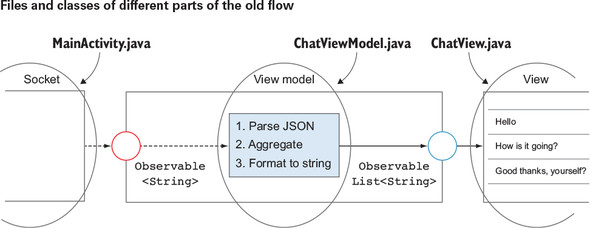
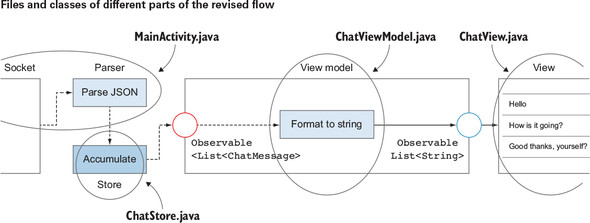
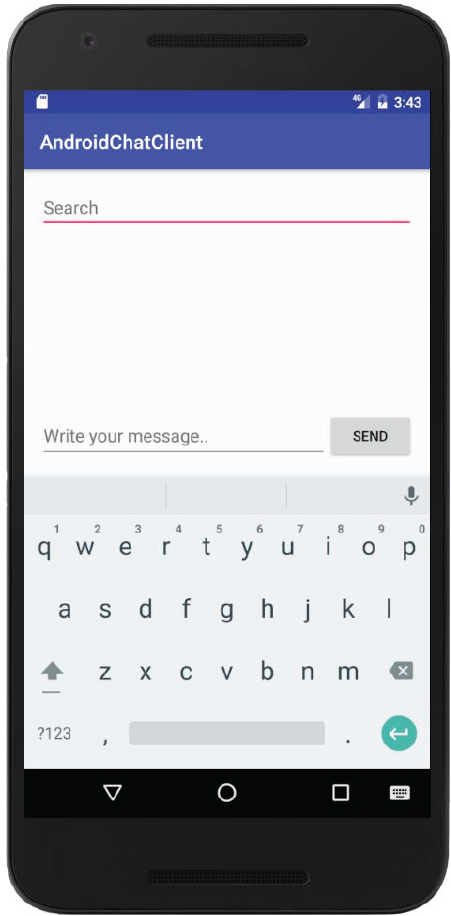
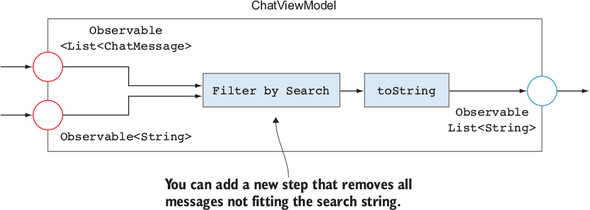
This ensures the confirmed version overwrites the pending one without duplicate list entries.Where should message sorting happen—Store or ViewModel?Keep the Store focused on correctness and identity (by ID). Do UI-driven ordering (for example, sort by timestamp) in the ViewModel before binding to the view. That way, the Store remains a generic repository and the ViewModel handles presentation concerns.Where should I put parsing and business logic?Simple one-liners (for example, Gson.fromJson) can live temporarily in the Activity, but they accumulate quickly. Prefer moving cross-cutting business logic around the Store into a Model layer (for example, ChatModel). The Model orchestrates I/O (sockets, REST), transforms/normalizes domain objects (pending/confirmed), and feeds the Store.How do I add search filtering to the chat list with RxJava?Combine the message stream with a search text stream using combineLatest and filter:
- combineLatest(messages, searchText) to react to either input changing,
- filter each ChatMessage whose text contains the query,
- map to the final list for rendering.
This keeps the list reactive to both new messages and query edits.How do I initialize the Store from a REST API on app start?Call the Retrofit API to fetch history, parse each message, mark it as not pending, and put it into the Store:
- subscribeOn(Schedulers.io()) and observeOn(Android main thread) appropriately,
- iterate through the returned messages, deserialize, set isPending=false, and store,
- don’t block the UI; optionally show a loading state if needed.What should the ViewModel do after moving aggregation into a Store?Keep the ViewModel small and UI-oriented:
- consume the Store’s observable/collection,
- sort if needed and format strings (for example, append “(pending)”),
- expose behavior-style outputs to the view,
- avoid inserting into the Store unless there’s a clear reason; let the Model handle inputs to the Store.How should I manage lifecycles and where can I host the Model?Each stateful module that creates subscriptions should own a CompositeDisposable and release it in its lifecycle:
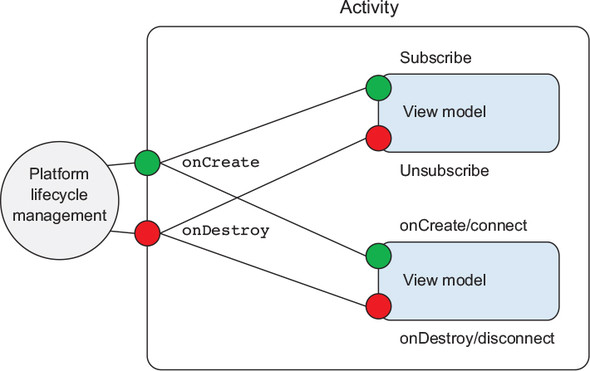
- Activity: creates/destroys ViewModel and Model (simple setup),
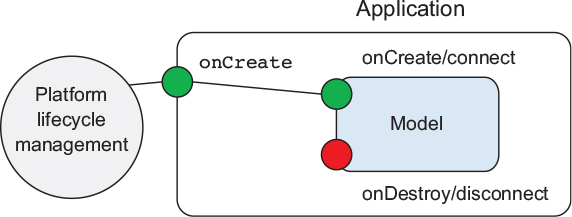
- Model (ChatModel): onCreate/connect and disconnect/onDestroy manage sockets and Store subscriptions,
- For multi-Activity apps, move the Model to Application scope (singleton) to share state, accepting that Application shutdown is not explicit. DI tools can help manage these scopes.What production concerns should I keep in mind (Subjects, errors, DI)?- Subjects/backpressure: In RxJava 1.x, watch for MissingBackpressureException; design backpressure or use RxJava 2.x Observable/Flo wable appropriately.
- Error handling: always provide an onError handler; unexpected errors can terminate streams—consider materialize or custom recovery.
- Logging/threads: log current thread names to debug schedulers.
- Dependency injection: use Dagger to inject Model/Store across scopes cleanly and testably.
pro $24.99 per month
access to all Manning books, MEAPs, liveVideos, liveProjects, and audiobooks!





 RxJava for Android Developers ebook for free
