In this chapter, the application is prepared for real deployment by removing hardcoded settings and making the service adapt to its environment. The code is updated so values like ports, database details, logging levels, and secret keys can come from configuration files, command-line arguments, or environment variables instead of being fixed in the source. This makes the web service easier to run in local development, staging, and production without repeatedly editing code.
The chapter then shows how to build and optimize the Rust binary for production use. Cargo’s build profiles are used to distinguish between development and release builds, with the release profile producing a smaller, faster executable. It also explains cross-compiling for different targets, including Linux binaries built from macOS, and discusses the difference between dynamically and statically linked binaries so the application can be shipped more reliably across systems.
Finally, the chapter expands the build process with a custom build script and Docker-based deployment workflow. A build script generates a version identifier from the current Git commit and exposes it to the program for logging and diagnostics. The application is then packaged into an optimized Docker image, and Docker Compose is used to run the service alongside PostgreSQL in a local multi-container setup, requiring a few environment-driven adjustments such as database credentials and binding the server to all interfaces. By the end, the service is configured to be portable, inspectable, and ready for deployment and maintenance.
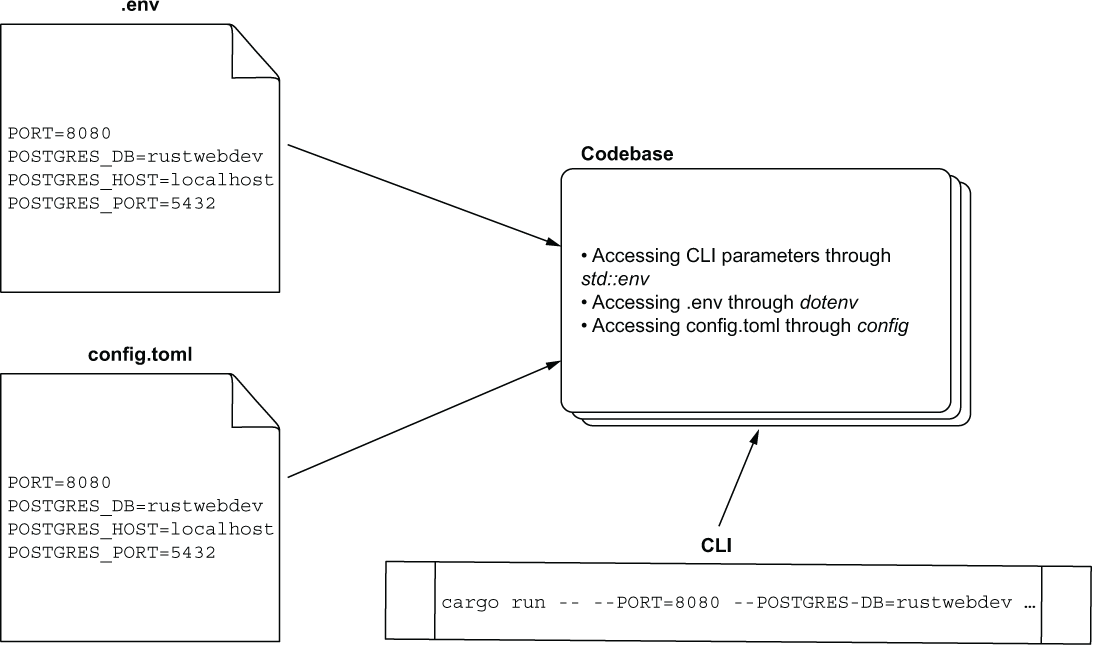
Accessing config files and parameters through crates and the standard library
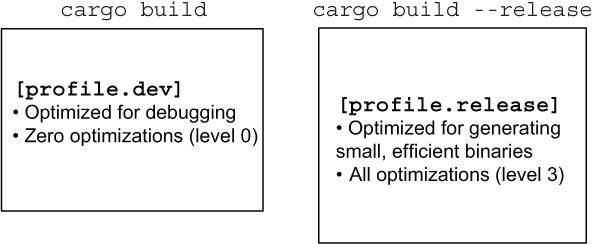
Cargo uses the dev profile by default, and will optimize the binary if the --release flag is attached.
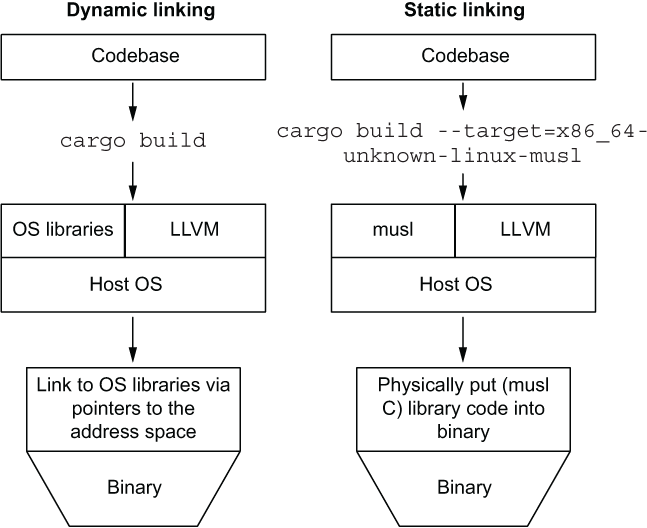
Dynamically vs. statically linking in binaries
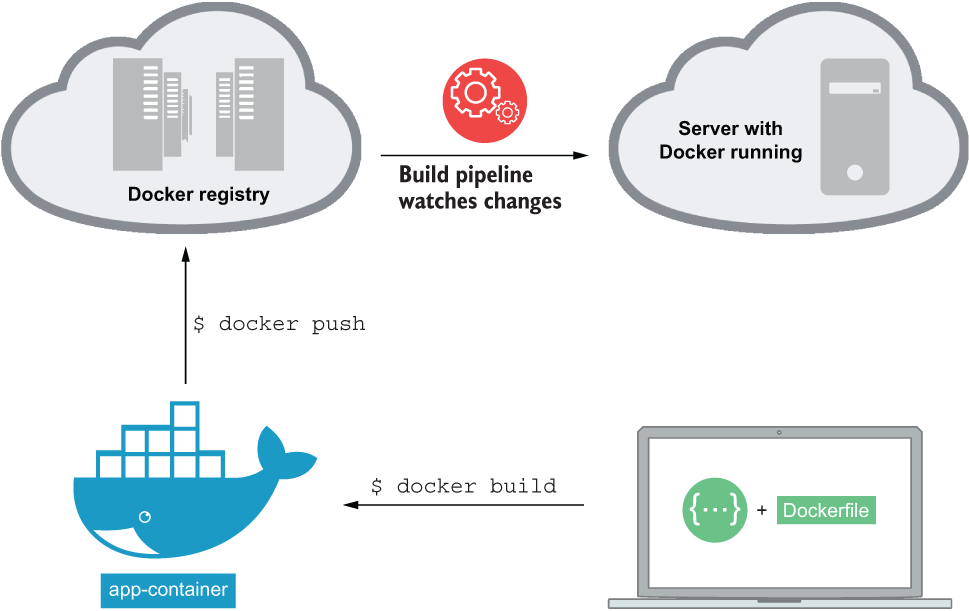
A possible workflow for a Docker deployment
Summary
- When it comes to deployments, nearly endless possibilities exist to package and deliver your code.
- To prepare for different scenarios, we can open up our codebase to dynamic changes via environment variables or CLI parameters.
- We can remove hardcoded strings in our code and read values from config files, .env files, or CLI parameters.
- The server’s IP address and port, the database URL, and API keys are good candidates for replacing hardcoded strings with outside variables.
- Once we can dynamically change key parameters in our codebase, we determine which options to use to compile the binary.
- The package manager Cargo offers various profiles, depending on the goal.
- A common way of building a Rust binary for production is to add a --release flag to the cargo build command, which triggers a more optimized build profile.
- We also have the option of targeting different platforms.
- The Rustup tool supports various targets, which we can add via rustup target add.
- We then can use cargo build --release --target NAME_OF_TARGET to build for a different operating system than the one we are currently operating on.
- With the help of a library called musl, we can package the needed system libraries in our binary and generate a statically linked and therefore portable binary.
- A common way of releasing code is through deploying Docker containers.
- We can use a multistage Docker container to create smaller images.
- If we operate in a more complex setup, Docker Compose helps us generate a network of running Docker containers that are networked together.
- The added config module gives us the chance to remove the reading and parsing of environment variables and config files from the main.rs file and lets us tinker with the logic without interfering with the rest of the code.

 Rust Web Development ebook for free
