8 Managed Kubernetes deployment
This chapter moves from container fundamentals to running real workloads on Kubernetes, with a clear emphasis on using a managed service to simplify operations. It frames Kubernetes as a portable, declarative platform for orchestrating containers across a cluster and argues for managed Kubernetes over self-managed clusters due to speed, simplicity, a maintained control plane, built‑in public IPs, storage integration, and easy Infrastructure‑as‑Code. Everything revolves around manifests (YAML) that describe the desired state, making applications and their infrastructure highly reproducible and portable, while noting that cloud‑specific pieces like load balancers and volumes require extra care during migrations.
Readers provision a managed cluster (using Linode Kubernetes Engine as the example), install and configure kubectl with a kubeconfig, and learn the core resource model: clusters, nodes, pods, deployments, services, namespaces, ConfigMaps, Secrets, volumes, and StatefulSets. The chapter builds up from first principles—running a single pod, labeling it, and exposing it with services (NodePort, LoadBalancer, and ClusterIP)—to practical scaling with deployments and rolling updates. It demonstrates configuration without image rebuilds using ConfigMaps and Secrets (including env and volume mounts), shows internal service discovery via Kubernetes DNS, and uses namespaces to isolate teams and environments. Along the way, it reinforces label/selector patterns, troubleshooting with kubectl, and safe approaches to handling credentials.
Stateful needs are addressed through persistent volumes and claims, plus StatefulSets that provide ordered, named pods and per‑replica storage—illustrated by deploying PostgreSQL and connecting to it from a throwaway pod using port forwarding and in‑cluster DNS; Redis receives a similar treatment in its own namespace. The chapter culminates in “production‑style” deployments of the book’s Python and Node.js apps behind LoadBalancer services on port 80, suitable for pointing custom domains via DNS. Finally, it automates updates with a GitHub Actions workflow that authenticates via kubeconfig, applies manifests, and triggers rollout restarts, while recommending immutable image tags for reliable rollbacks and auditability. The result is a practical, end‑to‑end path from cluster provisioning to repeatable, automated application delivery on managed Kubernetes.
Preprovisioned Kubernetes cluster options
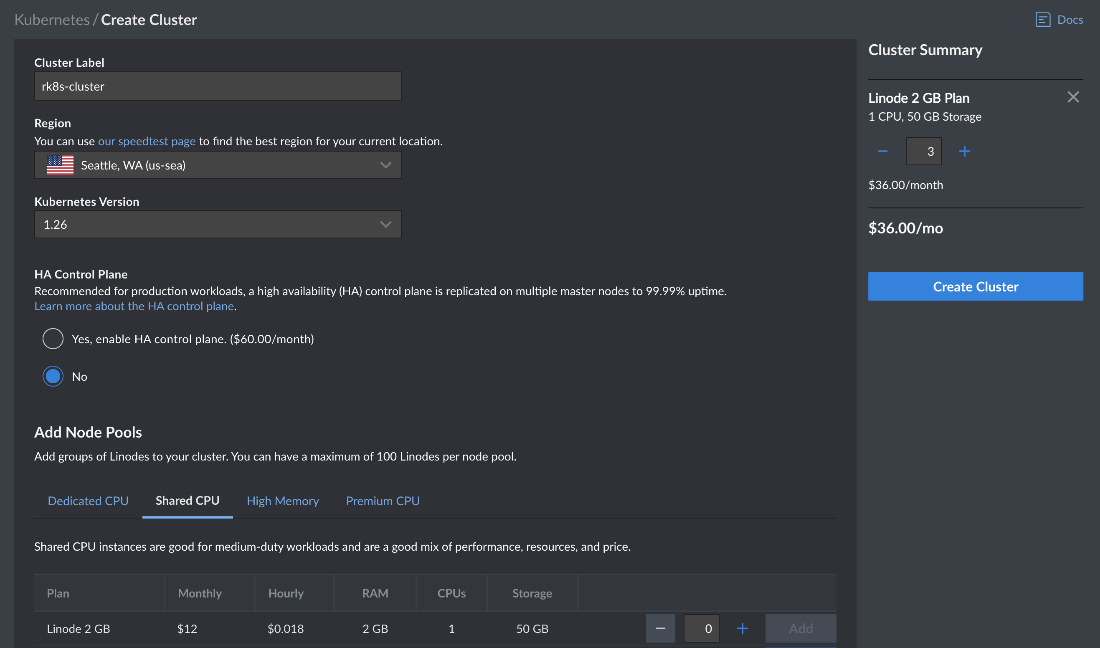
Linode Kubernetes Engine provisioning cluster
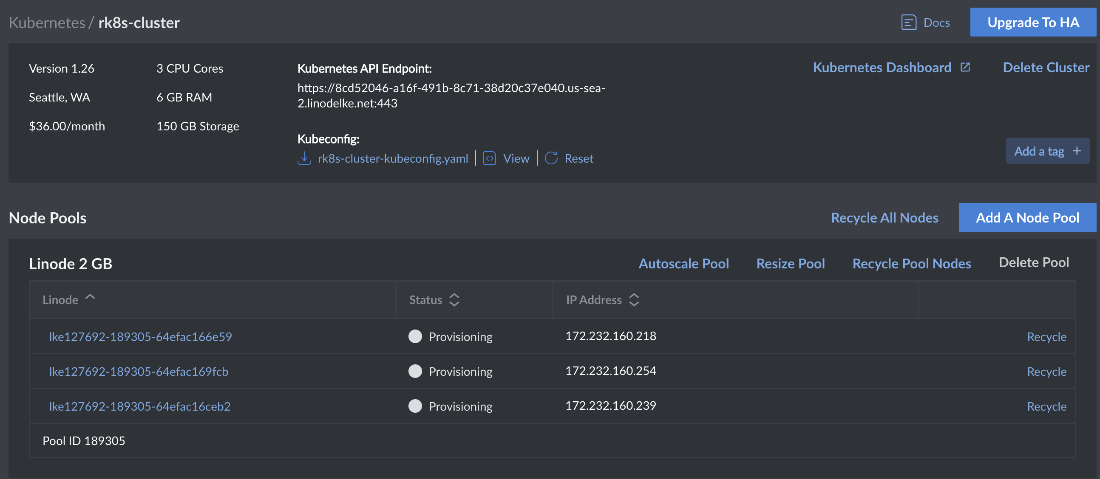
Kubernetes concepts
Kubernetes dashboard
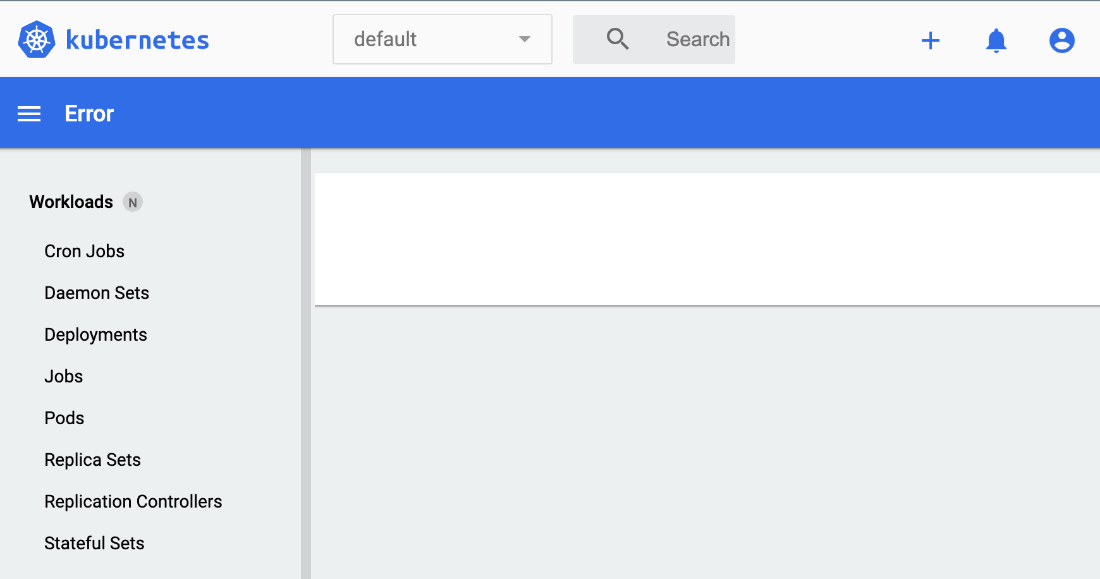
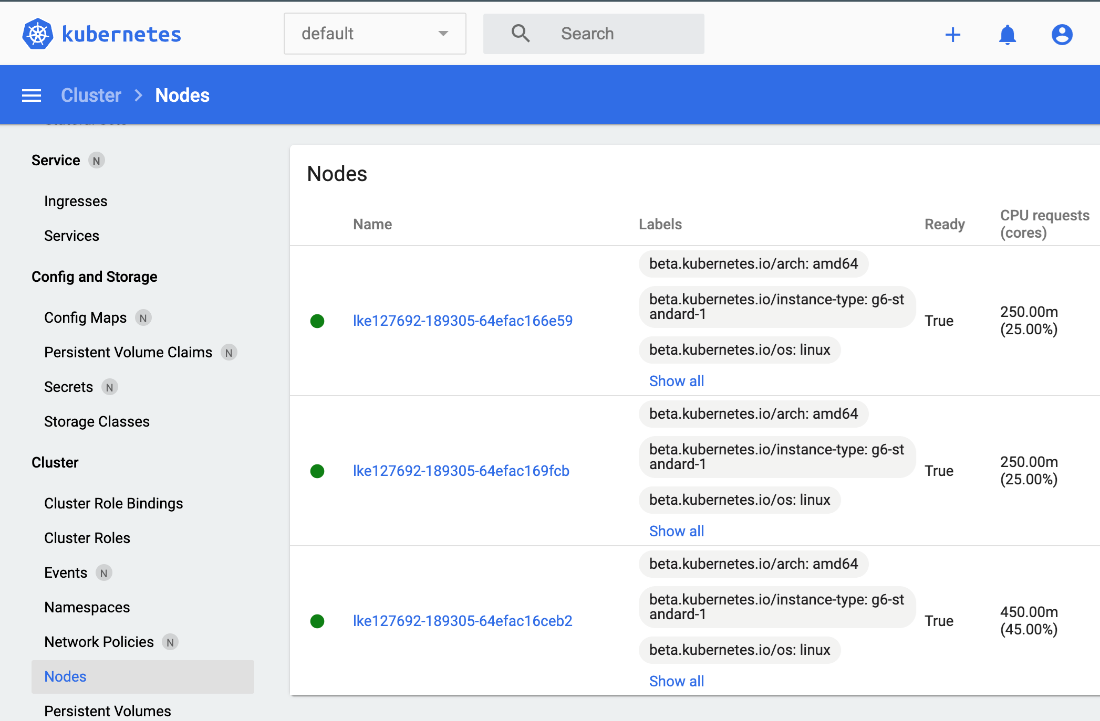
Kubernetes dashboard nodes
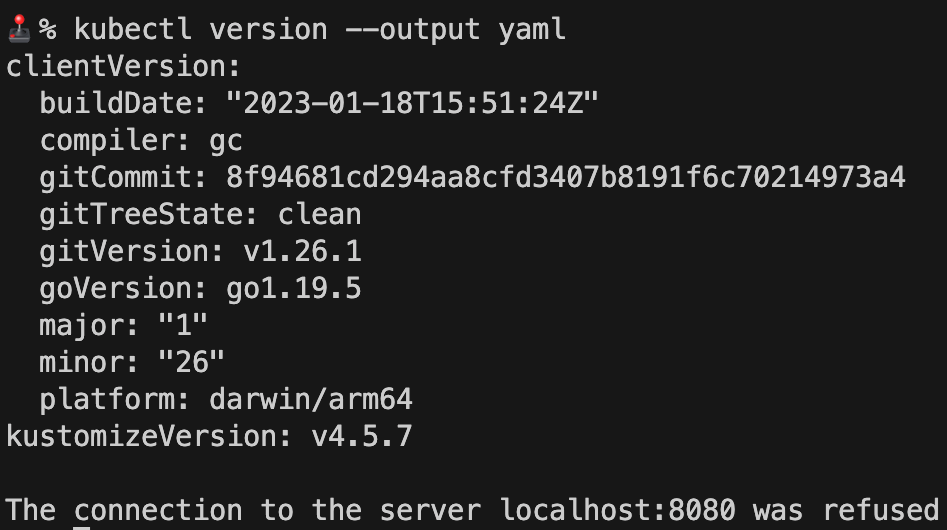
kubectl version
kubectl get nodes

kubectl get pods

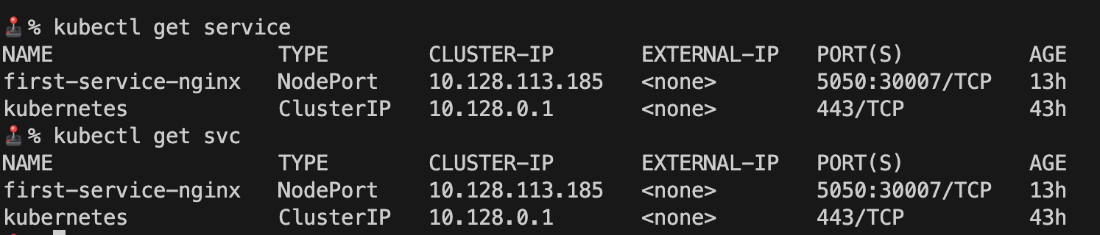
kubectl get service
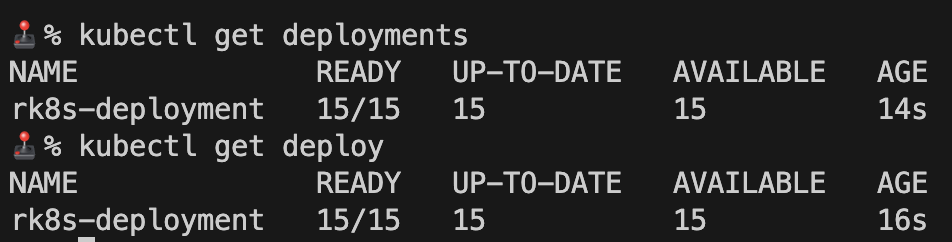
kubectl get deployment
ConfigMap-based NGINX container output
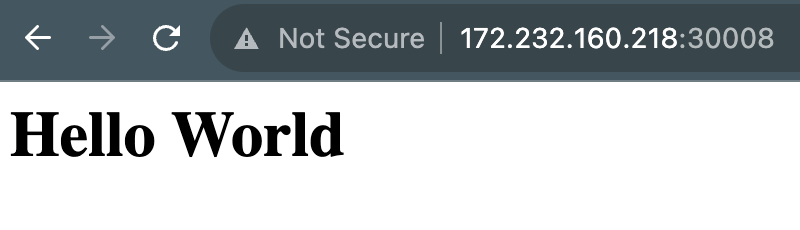
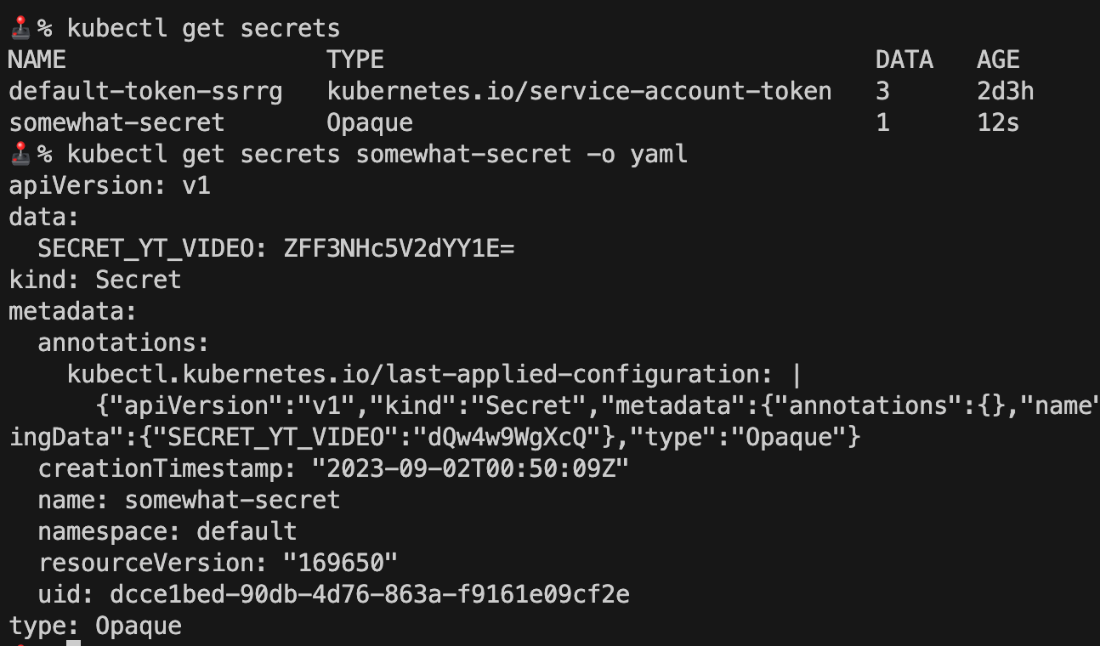
kubectl get secret output.
kubectl get service output

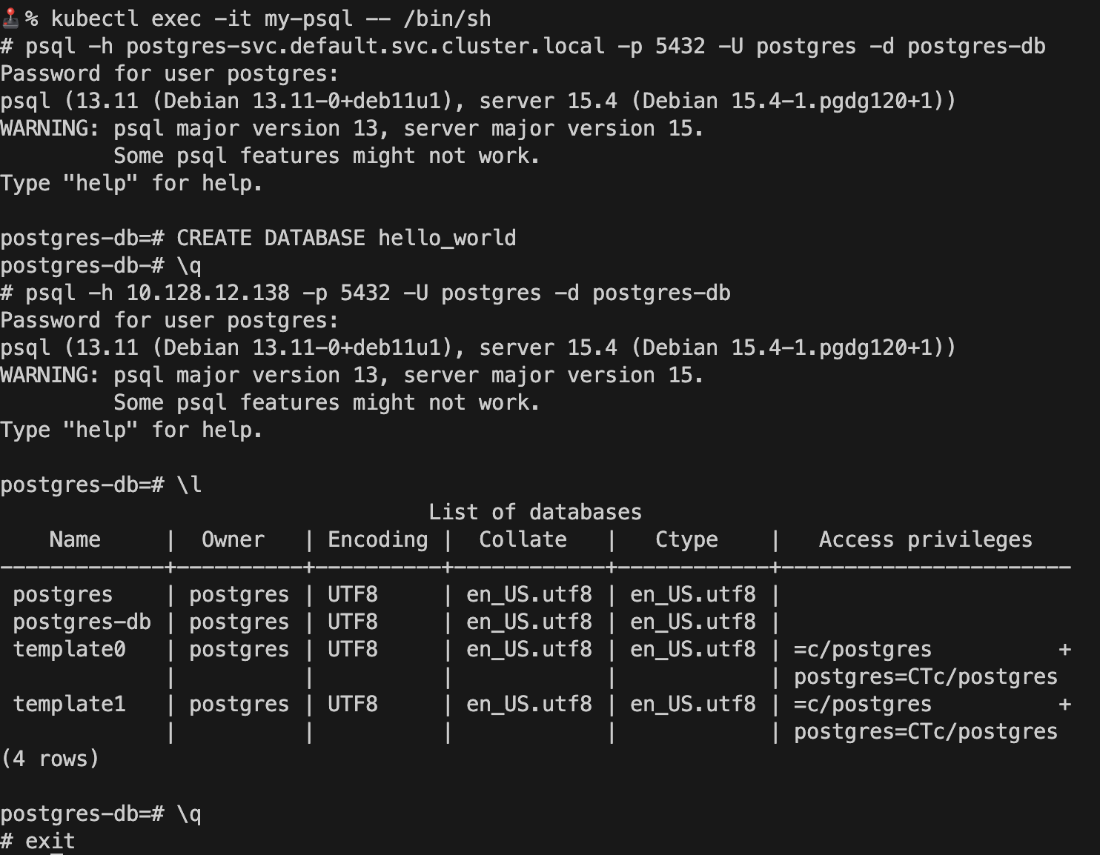
Cross-service communication between services and psql
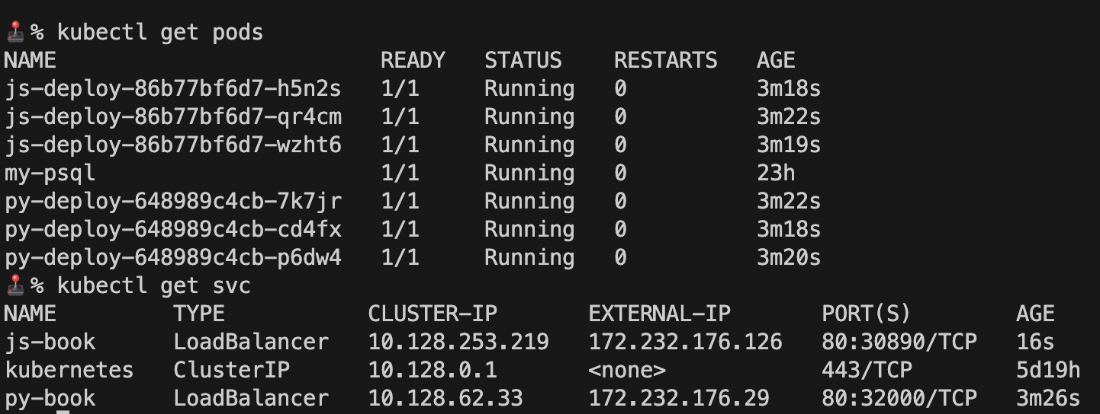
kubectl get pods and services output
Summary
- Kubeconfig files are used to connect to a Kubernetes cluster with the Kubernetes CLI, kubectl.
- The KUBECONFIG environment variable can be used to set the location of the kubeconfig file for use with kubectl.
- Service accounts contain permission to access various resources within a cluster. The default service account is unlimited in what it can do and access in the Kubeconfig file.
- Pods are the smallest Kubernetes resource and can be defined and provisioned for fast and efficient container deployment.
- Deployments are used to manage and scale stateless pods across a cluster of Kubernetes nodes.
- StatefulSets are used to manage a scale stateful pods and include built-in support for scaling and attaching volumes with scaled pods.
- Deployments and StatefulSets are designed to ensure a specific number of pods are running based on the replica count, and if a pod is deleted, failing, or otherwise not running, a new pod will be provisioned to meet the replica count.
- Updating or changing a container image within a deployment or StatefulSet will trigger a pod rollout, which is a no-downtime replacement of pods.
- ConfigMaps are reusable resources that store static key-value stores that can be attached to other resources like pods, deployments, and StatefulSets as environment variables values and read-only volumes.
- Secrets are exactly like ConfigMaps but obscure the value data from the key-value pairs using Base64 encoding. Secrets are designed to be readable when attached to pods, deployments, and StatefulSets as environment variable values and read-only volumes.
- Using third-party services such as HashiCorp Vault, AWS Secrets Manager, or Google Secrets Manager is a good alternative to Kubernetes secrets to obstruct values beyond Base64 encoding.
- Selectors can be used to filter pods and other resources by key-value pairs.
- Namespaces can be used to group resources together and can be used to filter resources.
- Services manage internal and external communication to pods, deployments, and StatefulSets.
- ClusterIP-type service resources only allow internal traffic and are not accessible from outside the cluster.
- NodePort service resources expose a port on each node to route external traffic to pods.
- The LoadBalancer service resource uses a cloud-managed load balancer service to route external traffic to Kubernetes nodes and pods.
- The service types of ClusterIP, NodePort, and LoadBalancer can direct and load balance internal traffic through an internal DNS endpoint or dynamically provisioned IP address called a Cluster IP.
- Container-to-container communication is possible through the use of service resources.
- A records, or address records, are used to configure a custom domain to a static IP address.
- GitHub Actions can automate and provision Kubernetes resources with manifest files by using a valid kubeconfig file with a service account with the correct permissions and kubectl.
FAQ
Why choose a managed Kubernetes service instead of running your own cluster?
Managed Kubernetes simplifies operations and reduces toil. Key benefits highlighted in the chapter: - Public static IPs provisioned in seconds - Easy volumes and storage via a few lines of YAML - Cloud reliability, predictable costs, and no hardware management - Fast, simple cluster creation (minutes on Akamai Connected Cloud LKE) - Managed control plane at little/no extra cost - IaC-friendly (e.g., Terraform) for quick create/destroy cyclesHow do I provision a Kubernetes cluster on Akamai Connected Cloud (LKE)?
High-level steps: - Log in to Akamai Connected Cloud and go to Kubernetes - Create a cluster: choose label, region, version, HA control plane (optional) - Add a node pool (e.g., Shared CPU, 2GB nodes, count ≥ 3) - Create the cluster and wait a few minutes - Download the generated kubeconfig to access the cluster Notes: Node pools can be expanded later; each node has a public IP; the control plane is managed for you.How do I install and verify kubectl on macOS, Windows, and Linux?
Options: - macOS (Homebrew):brew update, then brew install kubectl
- Windows (Chocolatey): choco upgrade chocolatey, then choco install kubernetes-cli
- Linux (binary): download the latest release from https://dl.k8s.io, verify checksum, and sudo install to /usr/local/bin
Verify: kubectl version --client --output=yaml (expect an error for localhost until configured)How do I connect kubectl to my managed cluster?
Use the kubeconfig you downloaded from LKE: - One-off per command:KUBECONFIG=/abs/path/kubeconfig.yaml kubectl get nodes
- Per terminal session: export KUBECONFIG=/abs/path/kubeconfig.yaml (macOS/Linux) or setx KUBECONFIG "C:\path\kubeconfig.yaml" (Windows), then run kubectl get nodes
Tip: In VS Code, set terminal.integrated.env to pre-load KUBECONFIG per workspace.What’s the difference between Pods and Deployments, and when should I use each?
- Pod: smallest runnable unit, can run one or more containers. Good for quick tests, not ideal for scaling or resilience. - Deployment: manages a replica set of pods; supports scaling, rollouts, and self-healing to maintain desired state. Use Deployments for apps you want to scale and update without downtime. Pods created directly don’t auto-recover or scale.How do I expose my app: NodePort vs LoadBalancer vs ClusterIP? How do Services find my Pods?
- ClusterIP (internal): for pod-to-pod traffic inside the cluster - NodePort (external): exposes a port on every node’s public IP (e.g.,http://NODE_IP:30007)
- LoadBalancer (external + cloud LB): provisions a cloud load balancer with a static public IP; ideal for port 80/443 and custom domains
Service-to-Pod matching uses labels/selectors. Ensure your Pods/Deployments have labels (e.g., app: my-nginx) and your Service spec.selector matches them.How do ConfigMaps and Secrets work, and how do I inject them into containers?
- ConfigMaps: non-sensitive key/value config; use as env vars or mount as files/volumes - Secrets: for sensitive values (base64-encoded); inject like ConfigMaps; prefer external secret managers for stronger security Inject patterns: - Single key:env: [{ name: PORT, valueFrom: { configMapKeyRef: { name: my-cm, key: PORT }}}]
- All keys: envFrom: [{ configMapRef: { name: my-cm }}] or { secretRef: { name: my-secret }}
- Volume mount (e.g., override NGINX index.html) via volumes and volumeMounts.How do I persist data with Kubernetes? When should I use PVCs vs StatefulSets?
- PersistentVolumeClaim (PVC): requests a cloud volume; attach to a Pod/Deployment viavolumes/volumeMounts
- AccessModes depend on cloud provider; LKE supports ReadWriteOnce (volume used by a single pod at a time)
- Deployments + PVC: good for single-writer scenarios
- StatefulSet: best for stateful apps (databases); each replica gets its own volume via volumeClaimTemplates, ordered pod names (e.g., postgres-0), and predictable lifecycle
Tip: Some images (e.g., Postgres) may require an initContainer to prep the mounted volume (e.g., remove lost+found).How does service discovery work inside the cluster? What’s the DNS format and when to use port-forward?
Internal DNS lets Pods reach Services by name: - Format:<service-name>.<namespace>.svc.cluster.local
- Example: postgres-svc.default.svc.cluster.local:5432
Use kubectl port-forward to test locally without exposing externally:
- Pod: kubectl port-forward postgres-0 3312:5432
- StatefulSet: kubectl port-forward statefulsets/postgres 3312:5432
- Service: kubectl port-forward service/postgres-svc 3312:5432What are Namespaces and why use them?
Namespaces logically group resources (by team, project, or environment) and can scope access and networking policies. - Default namespace isdefault
- Add to manifests via metadata.namespace or apply with kubectl apply -n <ns>
- DNS includes the namespace (e.g., redis-svc.rk8s-redis.svc.cluster.local)
They help organize, secure, and isolate workloads within a cluster.How can I automate deployments with GitHub Actions?
Requirements: - Service account + kubeconfig (store kubeconfig as a GitHub secret) - Install kubectl in the workflow Typical steps: - Write kubeconfig to~/.kube/config
- kubectl apply -f apps/ to apply manifests
- Trigger updates with kubectl rollout restart deployment <name> (useful when images are tagged :latest)
Best practice: use immutable image tags (versions/commit SHAs) for traceability and safe rollbacks; :latest is fine for learning but not ideal for production.
 Road to Kubernetes ebook for free
