7 Deploying containerized applications
This chapter explains how to take containerized apps from local development to production with a strong emphasis on consistency, simplicity, and repeatability. It replaces language-specific runtimes on servers with a single container runtime (Docker Engine), demonstrates provisioning a fresh VM, installing Docker Engine and Docker Compose, and validating the approach by running NGINX as a first production proof of concept. Along the way it clarifies key operational concepts—running containers in the background, observing and stopping them, publishing ports for external access, and using restart policies so services survive failures or reboots.
The chapter then formalizes staging practices for containers: clear separation of development, staging, and production; disciplined image tagging; and the use of multiple Dockerfiles and Docker Compose files to vary runtimes, configuration, and entrypoints across environments. It shows how Compose can bind images, tags, environment variables, and ports into concise, repeatable definitions, and stresses the importance of valid tags and registries when pushing images. Practical guidance is given on building for the right CPU architecture, organizing production-ready Compose files that reference images (rather than build contexts), and verifying and pruning tags before publishing.
Finally, it implements a CI/CD workflow with GitHub Actions to build, tag, and push images to Docker Hub, then securely deploy them to a remote VM via SSH. The pipeline ensures Docker and Compose are installed, places a dotenv file and production Compose configuration on the host, authenticates to the registry, pulls the specified image tags, and starts services in detached mode—while highlighting good hygiene for managing secrets. The chapter closes by outlining Docker Compose’s production limitations (scaling identical instances, health checks, remote access, multi-host orchestration, ingress, and public IP management) and demonstrates an NGINX-based load-balancing workaround, setting the stage for Kubernetes to address these gaps at scale.
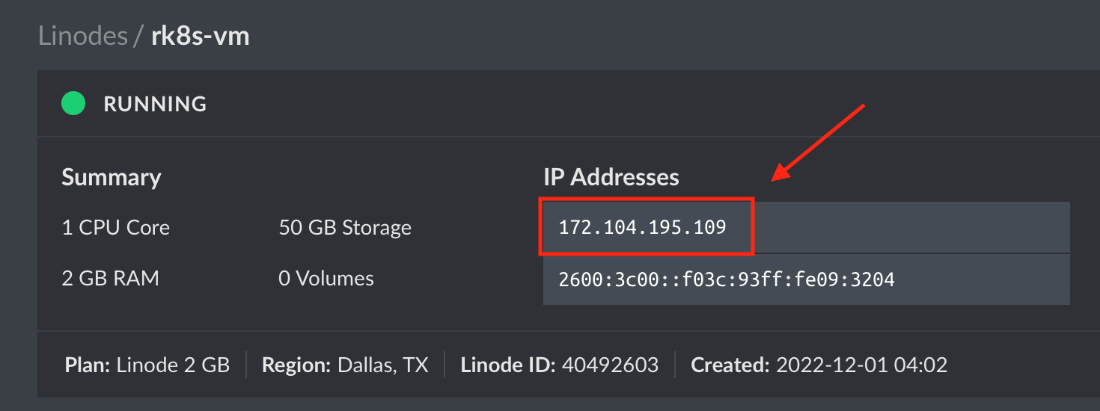
Linode virtual machine provisioned with an IP address
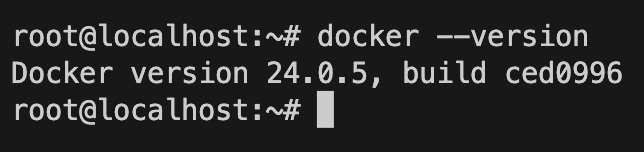
Docker Engine version
Docker process manager

Docker image list

Docker Compose version

Summary
- Installing Docker on virtual machines is generally easier than most programming languages and frameworks.
- Docker Compose is an effective way to run, manage, and update containers in development and production.
- Docker Compose managed volumes can potentially cause major issues, including data deletion, if not configured correctly.
- GitHub Actions provides an effective way to build production-ready containers that work on x86-based virtual machines by default.
- Docker Compose can manage a handful of containers and services, but it starts to fail as we scale.
- Load-balancing with NGINX is an effective way to scale applications, containerized or not, without needing to use more robust orchestration methods.
- Using documents, such as compose.yaml or a GitHub Actions workflow, to manage configurations is an effective way to ensure consistency and repeatability while providing a single source of truth for an application’s configuration.
FAQ
What system-level dependencies do I need on a production VM when using containers?
Primarily a container runtime. Install Docker Engine and Docker Compose on the VM. You no longer install app runtimes like Python, Node, Java, or databases on the host; each container carries its own runtime and dependencies.How do I install Docker Engine and Docker Compose on Ubuntu 22.04?
- Docker Engine:curl -fsSL https://get.docker.com -o get-docker.sh && sudo sh get-docker.sh- Docker Compose (plugin):
sudo apt-get update && sudo apt-get install docker-compose-plugin- Verify:
docker --version and docker compose versionNote: Modern Compose uses
docker compose (plugin), not the older docker-compose Python-based binary.How do I run NGINX as a background container and expose it to the internet?
Use:docker run -d --restart always --name my-nginx -p 80:80 nginx-
-d: run in background-
--restart always: auto-restart on failure/VM reboot-
--name: friendly name for management-
-p 80:80: publish container port 80 to host port 80Why can’t I reach my container after running docker run -d nginx?
Because the container’s port isn’t published to the host. Add a port mapping, e.g., -p 80:80. Without it, the service is only reachable inside the Docker network.How do I list, stop, view logs, or enter a running container?
- List:docker ps- Stop:
docker stop <id-or-name>- Logs:
docker logs <id-or-name>- Shell:
docker exec -it <id-or-name> bash- Stop all:
docker stop $(docker ps -aq)What’s a good approach for staging (dev/stage/prod) containerized apps?
Use variants per environment: different Dockerfiles (e.g.,Dockerfile.prod), different Compose files (e.g., compose.prod.yaml), environment variables, tags, and entrypoints. Build/tag images per stage and use a registry-compatible naming scheme.How do I control image tags with Docker Compose?
In Compose, setimage: myuser/myapp:${TAG:-latest} and, if building, add matching build.tags. Build/run with a tag using TAG=v1.0.1 docker compose -f compose.prod.yaml up --build. List images with docker image ls myuser/myapp, push with docker push myuser/myapp --all-tags, remove with docker rmi myuser/myapp:tag.Why build production images with GitHub Actions instead of locally?
GitHub-hosted runners default to x86, matching common production VMs. If you build on an ARM laptop, you’ll produce ARM images that may not run on x86 hosts. CI builds ensure the correct architecture and add a repeatable, automated process.How can I deploy with GitHub Actions to a VM using Docker Compose?
Typical steps: checkout code; login to Docker Hub; build, tag, and push image; SSH to the VM; install Docker/Compose if missing; login to Docker Hub on the VM; create and copy a.env; copy compose.prod.yaml as compose.yaml to a directory (e.g., /opt/app); then run docker compose pull and docker compose up -d. Store secrets (e.g., Docker Hub creds, VM IP, app secrets) in GitHub Actions secrets.
 Road to Kubernetes ebook for free
