6 Containers in action
This chapter moves from single-container basics to practical, multi-container workflows that mirror real development and delivery. It begins by automating image builds and pushes with GitHub Actions, favoring it over Docker Hub builds to keep secrets and CI/CD logic alongside the code. The chapter introduces official third-party actions for Docker authentication and build tooling, shows how to store credentials as encrypted repository secrets, and standardizes tagging strategies (for example, latest and commit SHA) so the same reusable workflow can build and publish images for multiple projects.
With automated builds in place, the focus shifts to reliable local orchestration using Docker Compose. Compose replaces long, error-prone docker run commands with a clear compose.yaml that captures build context, ports, and environment variables, enabling simple up, down, and build operations for both Python and Node.js apps. The chapter then deepens into state management via volumes: host bind mounts for persistent, inspectable data; Compose-managed named volumes for convenience; and external volumes for data that must outlive stack teardown. It highlights trade-offs and cautions—especially that docker compose down -v will destroy data in Compose-managed volumes—guiding when to let Compose manage storage versus when to keep full control.
Finally, the chapter introduces Docker Compose networking, where service names act as DNS hostnames to enable container-to-container communication without exposing ports to the host. Through examples (adding an NGINX service and a Redis service), it shows how application containers consume internal services by hostname and correct ports, and how client tools inside app images facilitate connectivity checks. It closes by promoting .env files for environment variables (such as REDIS_HOST) to keep sensitive configuration out of code while simplifying local setup, laying a solid foundation for stateful services, multi-container patterns, and an eventual move to Kubernetes.
Building a Python container with Docker Compose
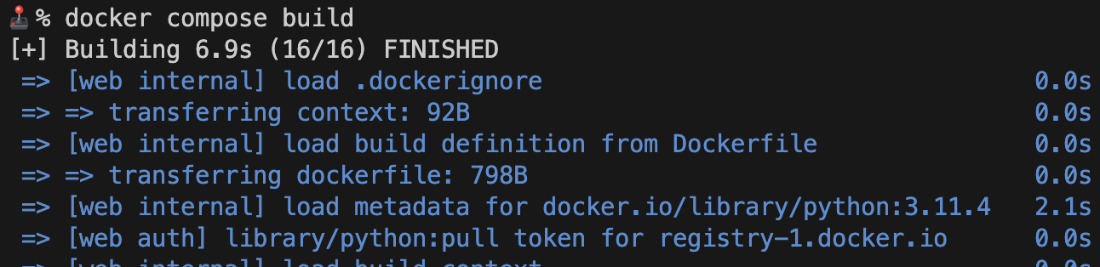
Running a Python container with Docker Compose
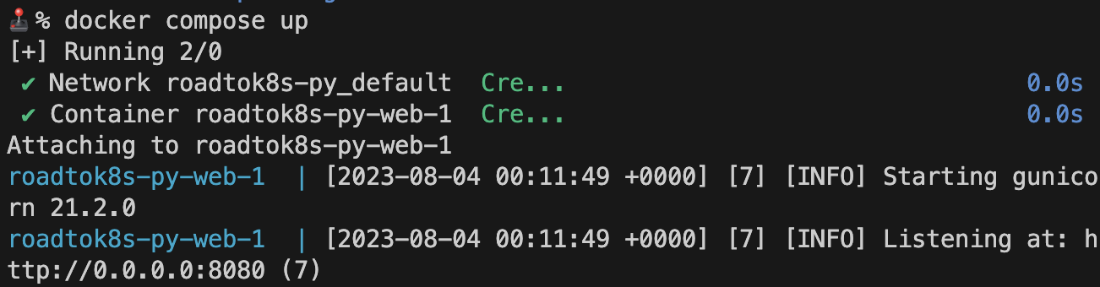
Stopping a Python container with Docker Compose

Volume output samples with Docker and a local machine
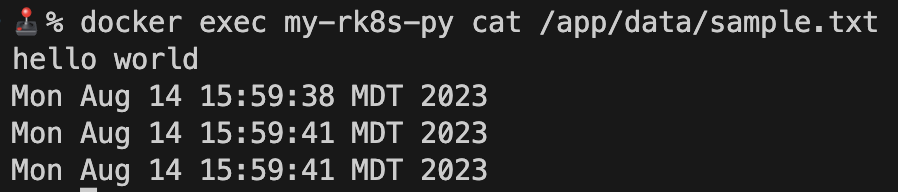
Volume output samples with Docker and a local machine
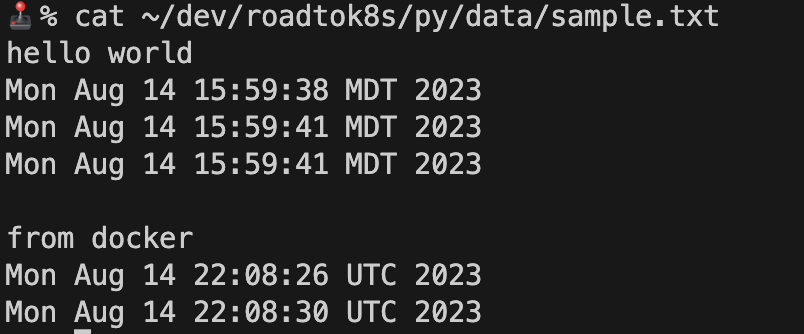
Managing volumes with Docker Compose

NGINX service response in Docker Compose
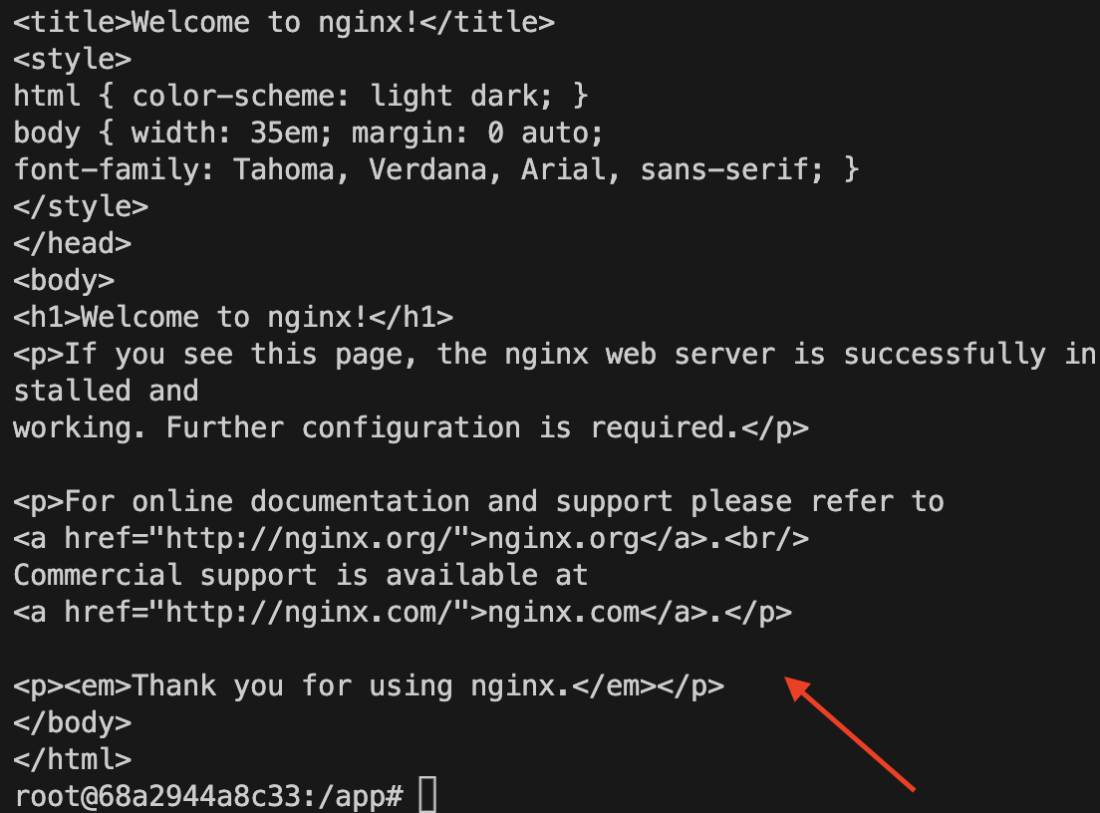
NGINX service response in Docker Compose
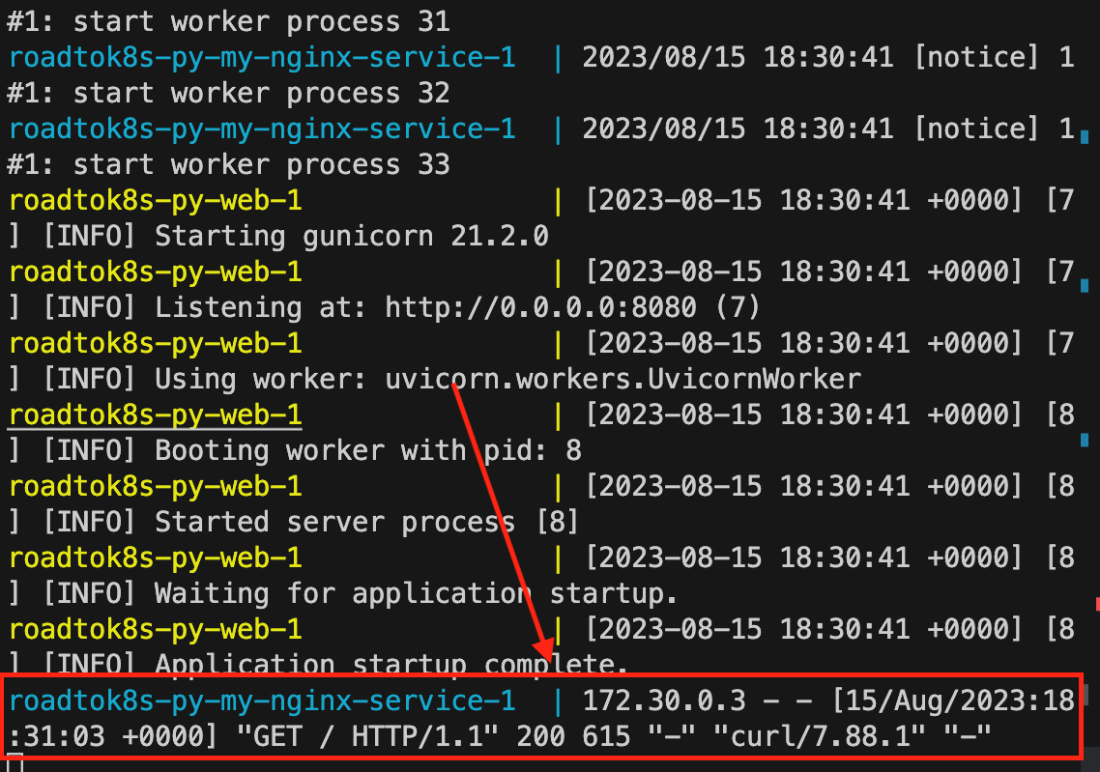
Summary
- Building production-ready containers should happen in a CI/CD pipeline to automate the process and ensure consistency and quality.
- Docker Compose is an effective way to manage various parameters needed to run a single container.
- To make a container remember data, we mount volumes to it, giving it a stateful nature instead of the default ephemeral nature.
- Docker Compose helps reduce the complexity of managing multiple containers at once while providing a number of useful features for managing volumes and container-to-container communication with built-in networking.
- It is never a good idea to hard-code sensitive information; always use environment variables when possible.
- Dotenv (.env) files are a common format to inject various environment variables into a container runtime through the Docker CLI or directly in Docker Compose.
- Docker Compose can manage a container’s lifecycle from build to run to stop and can manage volumes for you if you declare them in the compose.yaml or the docker-compose.yaml file.
FAQ
Why use GitHub Actions instead of Docker Hub automated builds?
- Keeps all CI/CD logic and secrets close to the codebase.
- Simpler to tag, push, and trigger builds in one workflow.
- Avoids storing sensitive credentials in yet another place.
- Can use first- and third‑party Actions to speed setup (with the usual supply‑chain trust considerations).
How do I authenticate to Docker Hub in a GitHub Actions workflow?
- Create a Docker Hub Personal Access Token (read/write) in Account Settings → Security.
- Add repo secrets in GitHub: DOCKERHUB_USERNAME, a secret for the token (e.g., DOCKERHUB_TOKEN), and DOCKERHUB_REPO.
- Use docker/login-action with username and password inputs (pass your token as the password).
- Build and tag with
$DH_USER/$REPO:latestand push.
How should I tag images in CI so they’re both human- and commit-identifiable?
- Use two tags per build:
:latestand:${{ github.sha }}. - Push all tags with a single
docker push "$DH_USER/$REPO" --all-tags.
What problem does Docker Compose solve?
- Removes the need to remember long, error‑prone
docker runcommands. - Centralizes build/run parameters (ports, env vars, volumes) in
compose.yaml. - Provides one‑liners like
docker compose up --buildto bring everything up consistently.
What are the core fields in a basic compose.yaml?
services: the containers to orchestrate.build.contextandbuild.dockerfile: where/how to build the image.ports: host:container mappings (replaces-p).environment: environment variables (replaces-e).
What’s a Docker volume, and why do I need it?
- A mounted directory that persists data beyond a container’s lifecycle.
- Bind mounts:
/host/path:/container/path(lives on your machine). - Named volumes: managed by Docker/Compose and declared under top‑level
volumes:. - Great for databases or any stateful needs.
How do I manage volumes with Docker Compose (and avoid accidental data loss)?
- Attach volumes per service under
services.<name>.volumes. - Declare named volumes under top‑level
volumes:to let Compose manage them. - Use
external: truefor folders you manage yourself; Compose won’t delete them. docker compose down -vremoves Compose‑managed volumes; be cautious.
How does container-to-container networking work in Docker Compose?
- Compose creates a private network; each service is reachable by its service name as the hostname.
- Example:
curl http://my-nginx-service:80from another service. - You don’t need to publish ports for inter‑service communication; ports are only needed to reach a service from your host.
How do I run a database like Redis in Compose and connect from my app?
- Add a Redis service:
image: redis; mount a volume (e.g.,myredisdata:/data) to persist data. - From your app container, connect using the service name and port (e.g.,
redis-cli -h my-redis-service ping→PONG). - Remember:
docker compose downkeeps data in named volumes;down -vdeletes it.
What’s the recommended way to handle environment variables and secrets?
- For local/dev: use a
.envfile and load it viaenv_file:in Compose or--env-filewithdocker run. - Do not commit secrets; keep
.envin.gitignore. - In CI: use GitHub Actions secrets (e.g., credentials for Docker Hub).
- For production secrets, prefer dedicated secret managers.

 Road to Kubernetes ebook for free
