Overview

4 Deploying with GitHub Actions

This chapter introduces a practical path from manual deployments to automated, repeatable delivery using CI/CD pipelines. It frames automation as a way to achieve portability and scalability, moving beyond ad hoc scripts to predictable systems that can be recreated and scaled on demand. The focus is on GitHub Actions for building, testing, and deploying, alongside Ansible for declarative, document-based server configuration—together forming an end-to-end pipeline that centralizes secrets, reduces human error, and accelerates delivery.

First, the chapter establishes CI/CD concepts—continuous integration with automated tests, and continuous delivery/deployment—and then scaffolds a minimal GitHub Actions workflow defined in YAML under .github/workflows. It explains triggers (manual and on push), runners (Ubuntu), and steps (checkout and commands), and shows how to store and consume secrets safely for environment variables and credentials. The workflow evolves from a simple “Hello World” to executing remote commands over SSH using a purpose-built private key and a newly provisioned virtual machine, culminating in an automated installation of NGINX on the server through a secure, repeatable pipeline.

With the foundations in place, the chapter pivots to Ansible for desired-state configuration. A GitHub Actions workflow prepares the runner (Python, Ansible), sets inventory and config, verifies connectivity, and runs playbooks. Playbooks first install and ensure NGINX is running, then expand to full app deployments: for Python, creating a virtual environment, synchronizing source code, installing requirements, and configuring Supervisor and NGINX with handlers; for Node.js, adding the appropriate apt repository, installing Node, updating npm, syncing code, and applying the same Supervisor/NGINX pattern. By externalizing secrets, codifying infrastructure in Ansible, and orchestrating execution via GitHub Actions, the chapter delivers a reproducible, scalable deployment workflow applicable to one or many hosts.

GitHub Actions tab
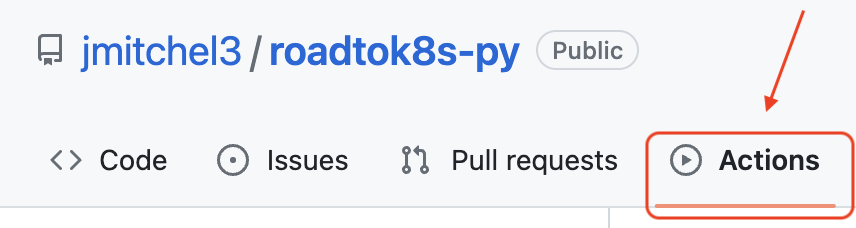
GitHub Actions sidebar
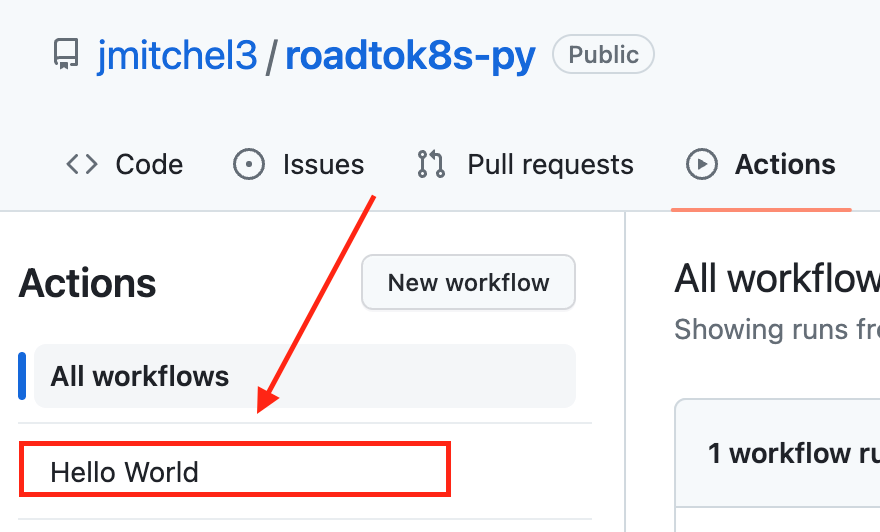
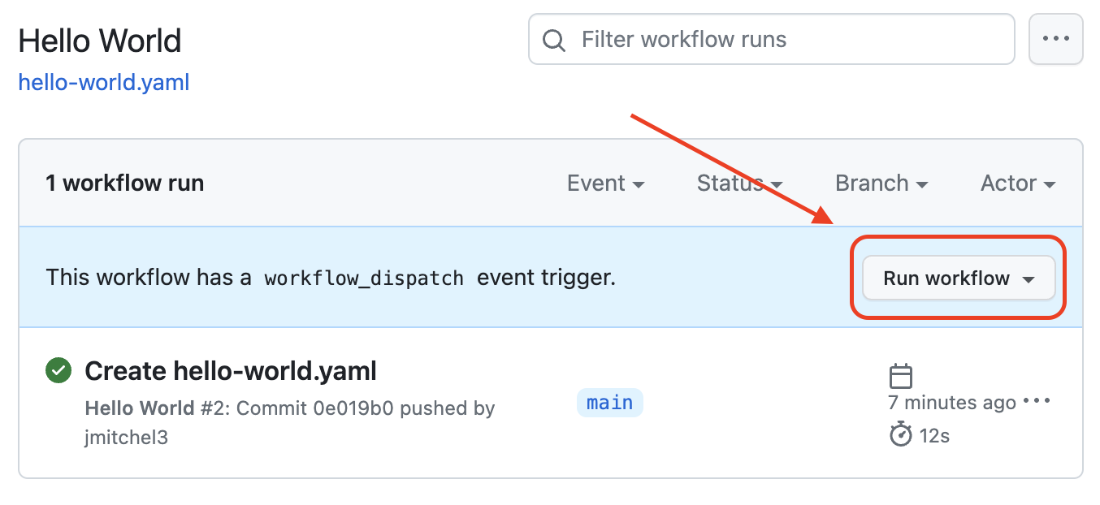
GitHub Actions Run Workflow
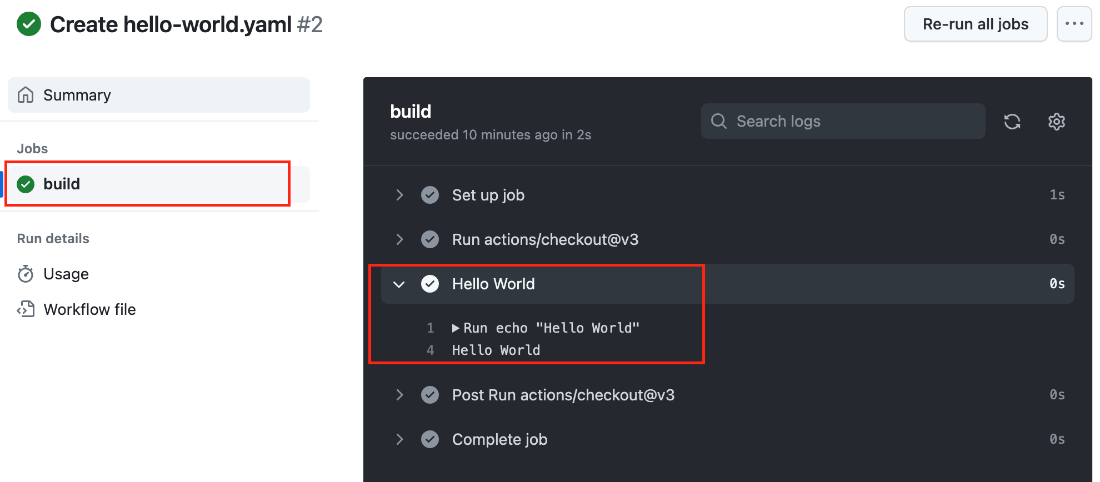
GitHub Actions workflow run result
GitHub Actions secrets link

New GitHub Actions secret
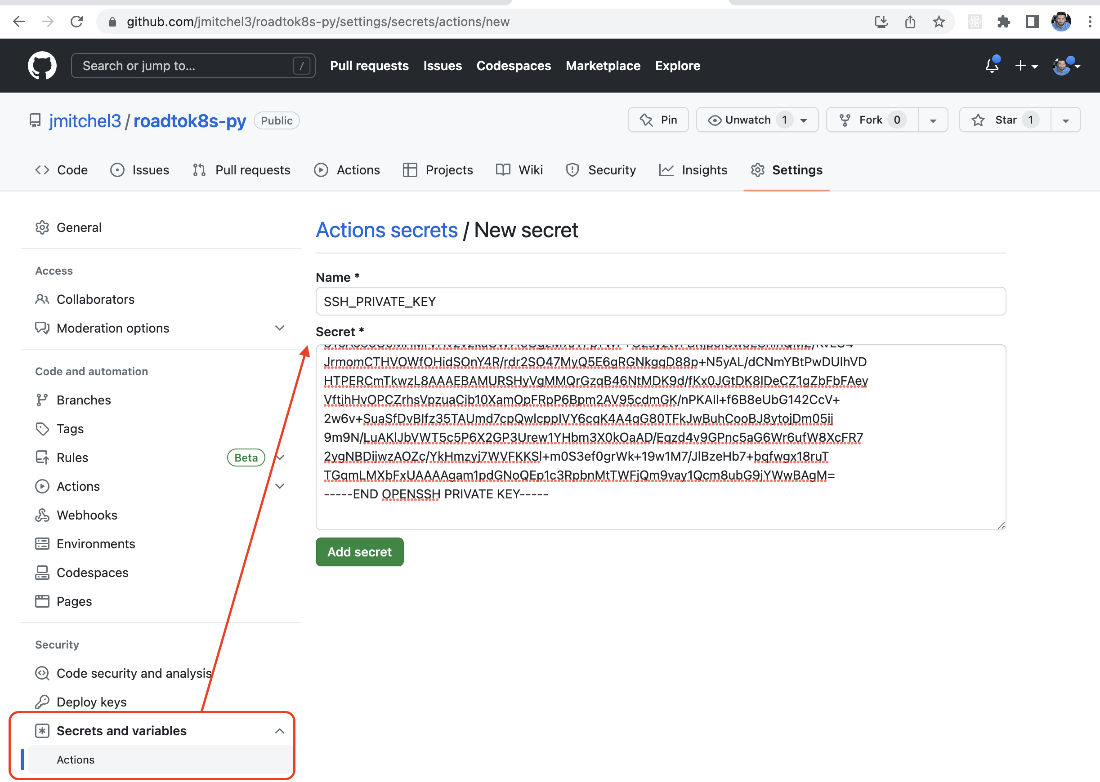
Akamai Linode navigation bar: click SSH Keys.
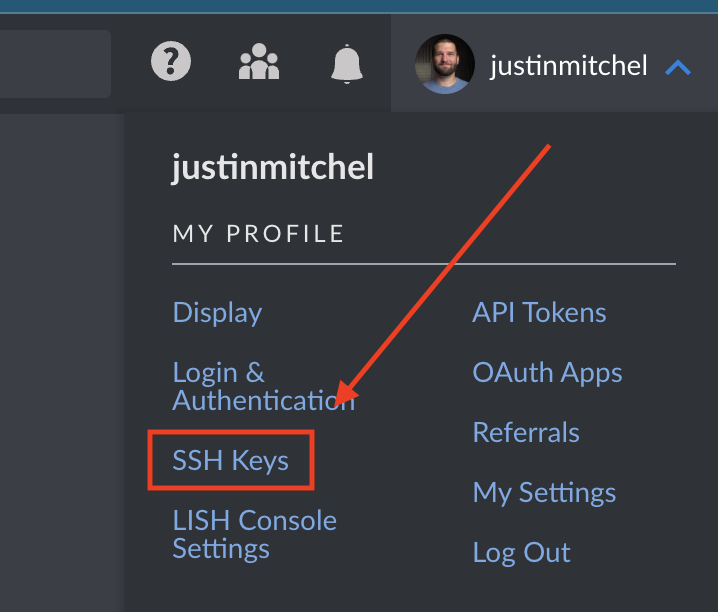
Akamai Linode: paste new SSH key.
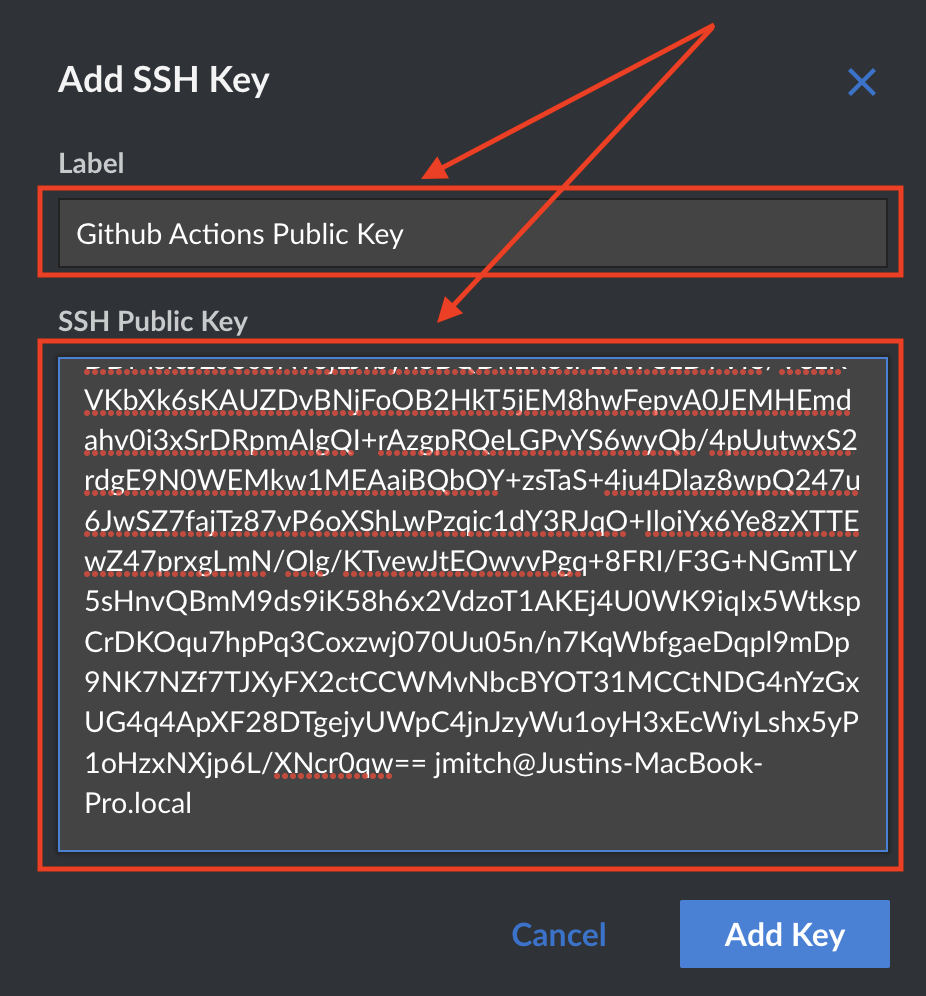
Akamai Linode: create VM GitHub Actions with SSH keys.
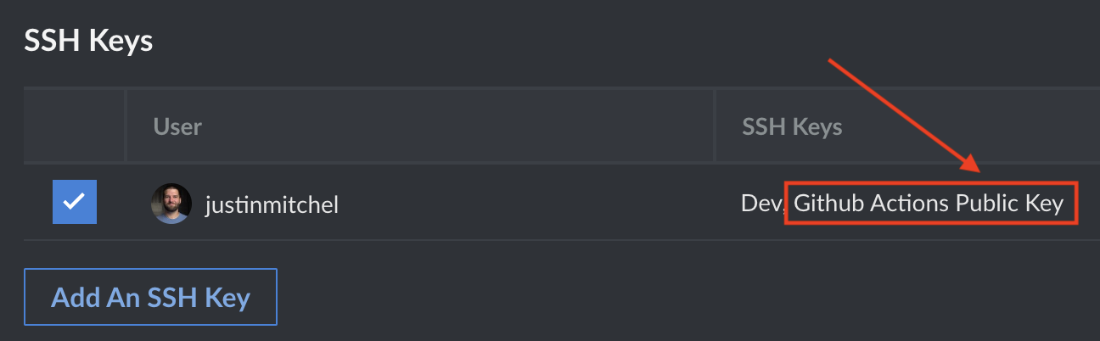
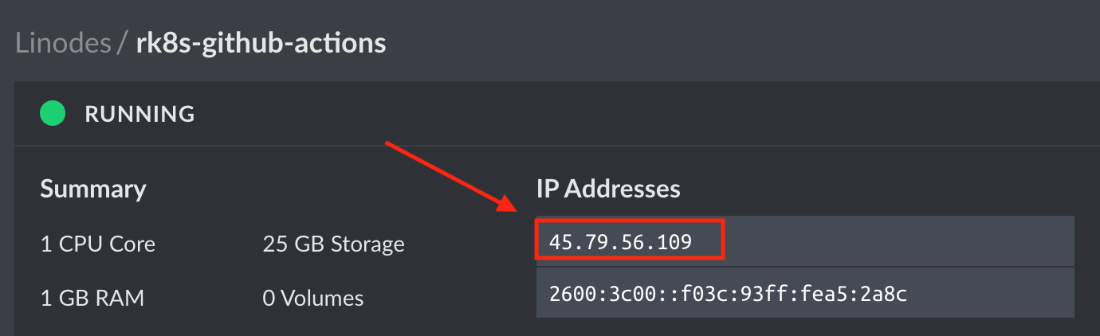
Akamai Linode: IP address assigned to GitHub Actions
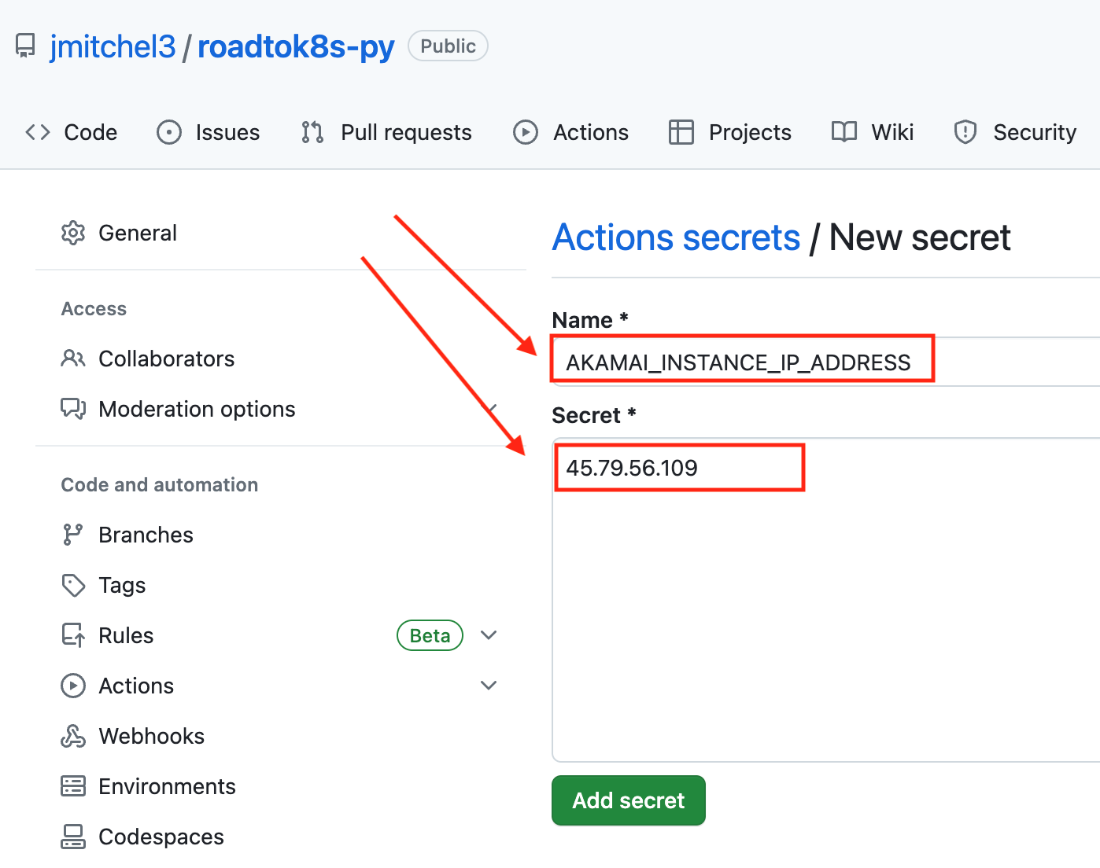
GitHub Actions: add IP address secret.
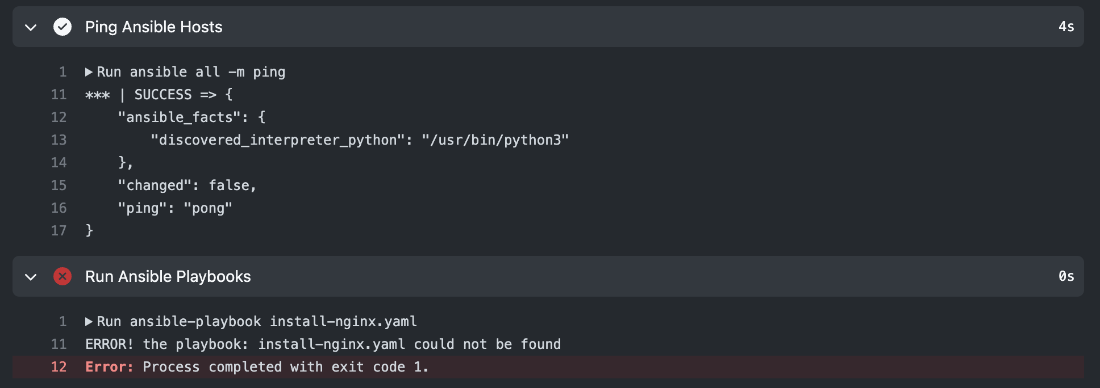
GitHub Actions Ansible setup result
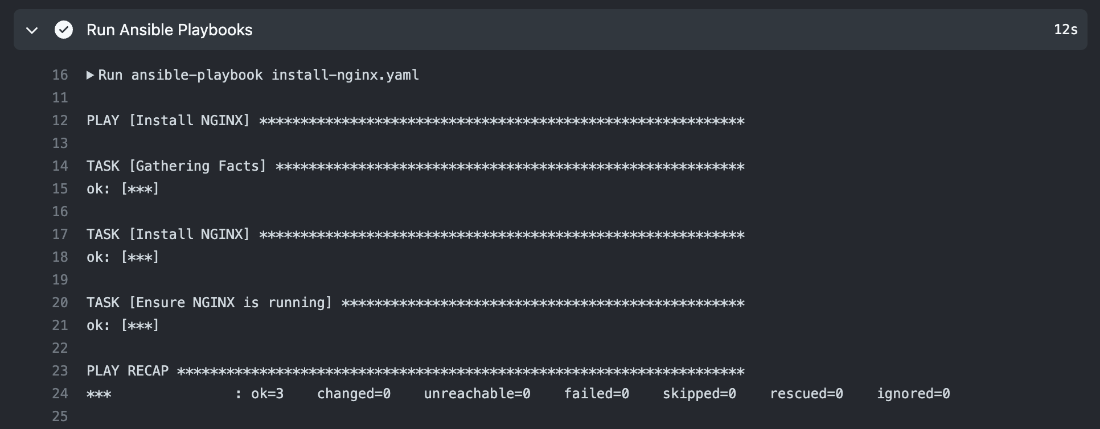
GitHub Actions Ansible install NGINX.
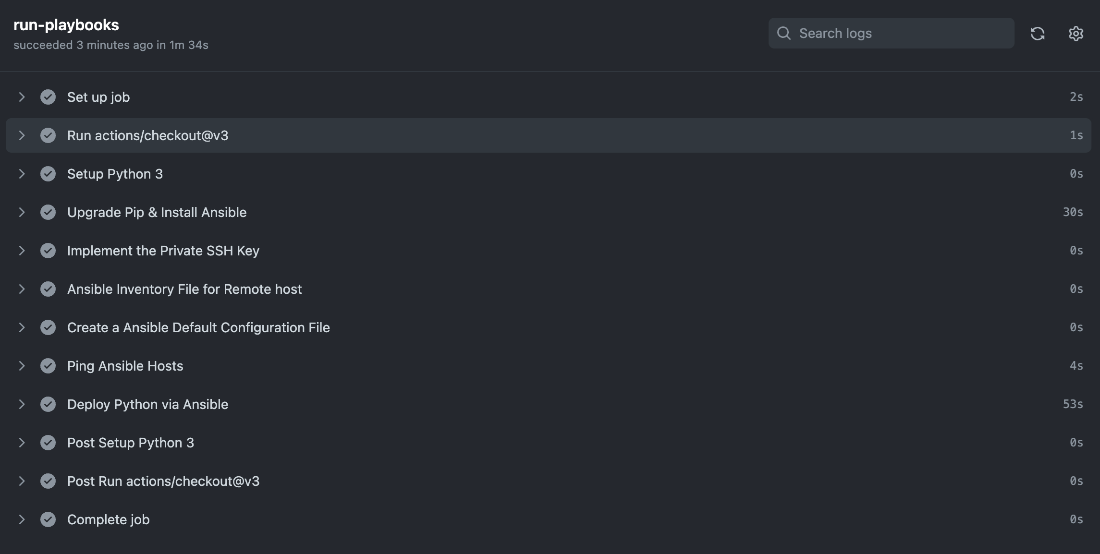
GitHub Actions Ansible deploy Python result
Summary

  • Continuous integration is the process of constantly integrating code changes into a single source of truth, namely a Git repo.
  • Continuous delivery is the process of constantly delivering code changes to a Git repo in preparation for deployment.
  • Continuous deployment is the process of constantly deploying code changes to a production environment.
  • Deploying consistent environments for your applications is essential to ensure your applications will work as intended.
  • GitHub Actions workflows are designed to be easily understood and easy to use while still being incredibly flexible to the various tools we may need to use and automate.
  • Ansible is a powerful tool that can be used to automate the installation and configuration of software on remote machines.
  • NGINX is a powerful web server that sits in front of web applications to provide additional security and performance.
  • Supervisor is a powerful process manager that can be used to ensure that our applications are always running.
  • The YAML format is a staple of automation and deployment regardless of what programming language you write your applications in.
  • Running applications on remote machines requires the systems to be continually updated and monitored to ensure the correct dependencies are installed and configured.
  • Even with simple application design, the process to deploy applications can be complex and error prone.
  • Node.js and Python runtimes can share a number of production dependencies, such as NGINX and Supervisor, but are different enough that they require specific configurations, causing more complexity and more potential for errors.

FAQ

Why use a CI/CD pipeline with GitHub Actions instead of local Git hooks and manual steps?CI/CD gives automated repeatability, portability, and scalability across new and existing servers. It can run tests, execute deployments, and centralize runtime secrets so the process is consistent and auditable. GitHub Actions has a generous free tier; you can also run workflows locally or self-hosted with the open-source nektos/act if needed.
Where do GitHub Actions workflows live, and which branch do they run on?Place workflow YAML files under .github/workflows/ in your repository. Workflows are recognized on the repository’s default branch (for example, main or master), so create and commit them there to see and run them in the Actions tab.
How do I trigger a workflow automatically or manually?Add on: push to run on every push, and on: workflow_dispatch to enable a manual “Run workflow” button in the Actions tab. Manual triggers are great while learning or for ad-hoc runs; push triggers keep deployments automatic and consistent.
What does a minimal GitHub Actions workflow include?At minimum: a name, an on trigger, and one or more jobs with steps. A typical job uses runs-on: ubuntu-latest, checks out code via actions/checkout@v3, and then runs commands in steps. Example steps commonly use run: to execute shell commands.
How do I store and use secrets like SSH keys and server IPs in GitHub Actions?In your repo, go to Settings → Secrets and variables → Actions, then add secrets (for example, SSH_PRIVATE_KEY and AKAMAI_INSTANCE_IP_ADDRESS). Reference them in workflows with ${{ secrets.SECRET_NAME }}. Never commit secrets to Git—they should only live in the Secrets store.
How do I enable passwordless SSH inside a workflow safely?Write the private key from a secret to ~/.ssh/id_rsa and chmod 600 it. Either disable host key checking (StrictHostKeyChecking=no) or populate ~/.ssh/known_hosts using ssh-keyscan. Ensure the corresponding public key is installed on the VM so ssh root@<IP> "your-command" works non-interactively.
How can I install NGINX on a remote VM using GitHub Actions?Configure SSH in the job (write ~/.ssh/id_rsa from ${{ secrets.SSH_PRIVATE_KEY }}), set the host IP from ${{ secrets.AKAMAI_INSTANCE_IP_ADDRESS }}, and run remote commands like apt update and apt install nginx -y via ssh. This turns a basic server setup into a repeatable, pipeline-driven step.
How do I run Ansible from GitHub Actions and target one or many hosts?Install Python and Ansible in the job, create an inventory.ini with a group (for example, [my_host_group]) and IPs from secrets, and add an ansible.cfg pointing to the inventory and SSH key. Validate with ansible all -m ping, then run ansible-playbook your-playbook.yaml. Add more hosts by appending additional IPs to inventory.ini.
How does Ansible ensure desired state, and what are handlers?Ansible modules (apt, service, file, copy, synchronize, pip, npm) declare state (for example, present, started), making runs idempotent. Tasks can use guards like creates: to skip work if already done. Handlers are triggered with notify: and run after tasks—common for restarting services like NGINX or reloading Supervisor when configs change.
What differs when deploying the Python app versus the Node.js app?Python: create a venv (/opt/venv), synchronize code, install requirements with pip, run via Gunicorn/Uvicorn under Supervisor, and reverse proxy with NGINX. Node.js: add NodeSource repo and key, apt install nodejs (for a specific major version), npm install in the app directory, run node main.js under Supervisor, and use NGINX as a reverse proxy. Both reuse the same patterns for SSH, Ansible, synchronize, and handlers.

pro $24.99 per month

  • access to all Manning books, MEAPs, liveVideos, liveProjects, and audiobooks!
  • choose one free eBook per month to keep
  • exclusive 50% discount on all purchases
  • renews monthly, pause or cancel renewal anytime

lite $19.99 per month

  • access to all Manning books, including MEAPs!

team

5, 10 or 20 seats+ for your team - learn more


choose your plan

team

monthly
annual
$49.99
$499.99
only $41.67 per month
  • five seats for your team
  • access to all Manning books, MEAPs, liveVideos, liveProjects, and audiobooks!
  • choose another free product every time you renew
  • choose twelve free products per year
  • exclusive 50% discount on all purchases
  • renews monthly, pause or cancel renewal anytime
  • renews annually, pause or cancel renewal anytime
  • Road to Kubernetes ebook for free
choose your plan

team

monthly
annual
$49.99
$499.99
only $41.67 per month
  • five seats for your team
  • access to all Manning books, MEAPs, liveVideos, liveProjects, and audiobooks!
  • choose another free product every time you renew
  • choose twelve free products per year
  • exclusive 50% discount on all purchases
  • renews monthly, pause or cancel renewal anytime
  • renews annually, pause or cancel renewal anytime
  • Road to Kubernetes ebook for free
