7 Compute Optimization Strategies
This chapter advances the FinOps Optimize phase by focusing on how to align compute supply with real demand to cut waste while protecting performance. Because compute typically dominates cloud spend, the guidance concentrates on practical, high‑impact levers in AWS (applicable across clouds): choosing the right service and pricing constructs, continuously assessing actual usage, and automating optimization so savings persist without manual effort.
It first grounds readers in the major AWS compute options—virtual machines (EC2), containers (ECS/EKS/Fargate), serverless (Lambda), and edge/hybrid (Outposts)—then maps workloads to pricing models such as On‑Demand, Spot, Reserved Instances, Savings Plans, and serverless pay‑for‑use. To expose savings, it emphasizes a disciplined assessment loop: maintain an inventory, use tags, surface idle/orphaned assets, and analyze spend and utilization with Cost Explorer and CUR/Athena (including views for Graviton adoption and Spot savings). Visualization with Cloud Intelligence Dashboards (e.g., CUDOS, CID, KPI) helps non‑technical stakeholders act. Waste‑finding tools—Trusted Advisor (low‑utilization EC2, idle LBs/EIPs, RI/SP guidance, Lambda tuning), Compute Optimizer (rightsizing), and CloudWatch (plus simple scripts)—provide concrete, prioritized recommendations.
The chapter then turns to automation and advanced optimization: schedule non‑prod resources off hours; shift fault‑tolerant CI/CD to Spot (self‑hosted GitHub Actions on EKS with Karpenter/ARC or Jenkins with EC2 Fleet); tune Lambda memory with power‑tuning workflows; and implement rightsizing and autoscaling with ASGs. For Kubernetes, it prescribes cluster and pod autoscaling, Karpenter for flexible provisioning, mixed On‑Demand/Spot node groups with taints/tolerations and termination handling, minimizing cross‑AZ/egress and log verbosity, right‑sizing requests/limits, adopting Graviton, enforcing quotas, cleaning idle objects, and pausing dev clusters. Finally, it outlines multi‑cloud practices—standardized tagging, centralized cost monitoring, IaC for consistency, cost‑aware workload placement, and provider‑native autoscaling—and closes with KPI tracking to institutionalize continuous, measurable compute cost optimization.
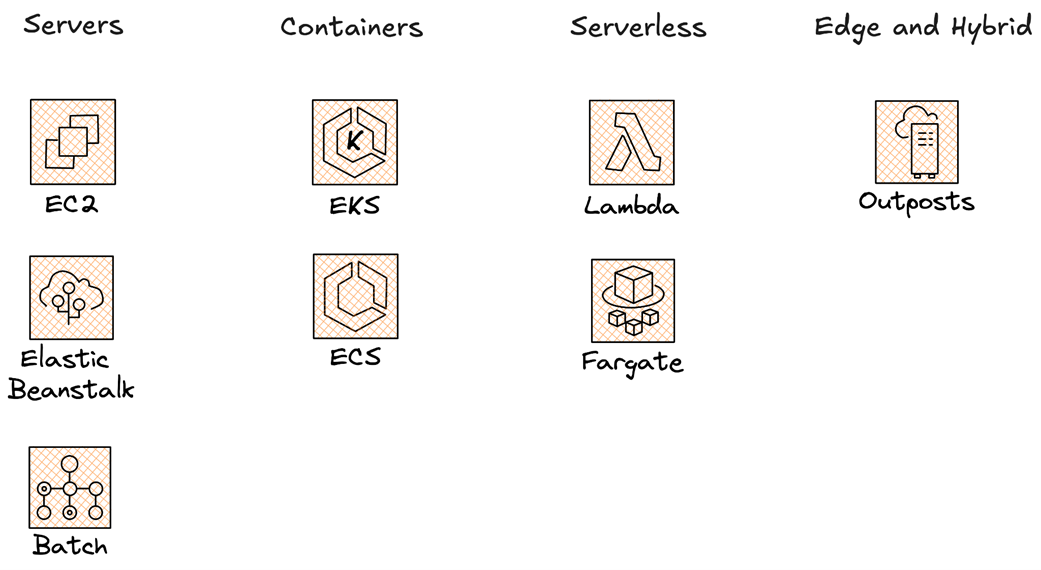
AWS compute services are split to servers, containers, serverless and hybrid options
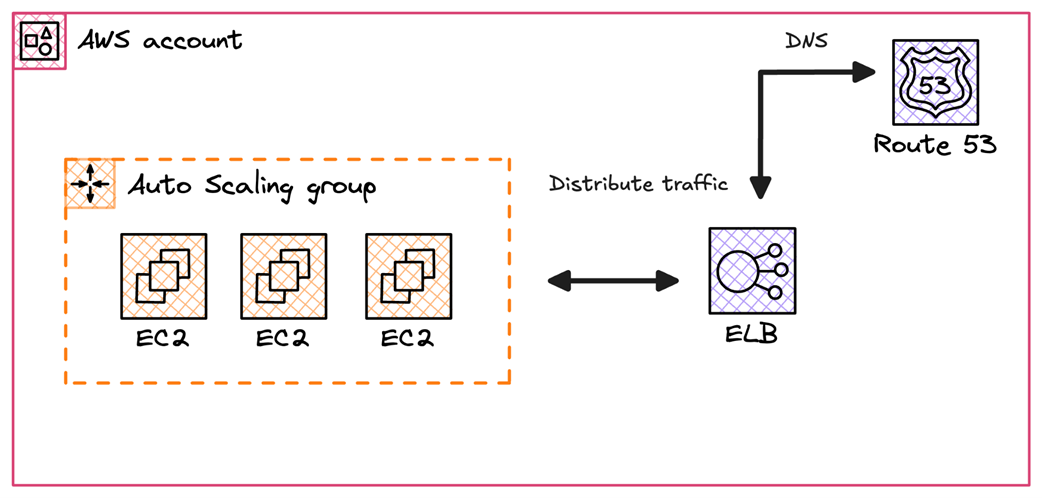
An example of running EC2 instances behind a dynamic autoscaling group
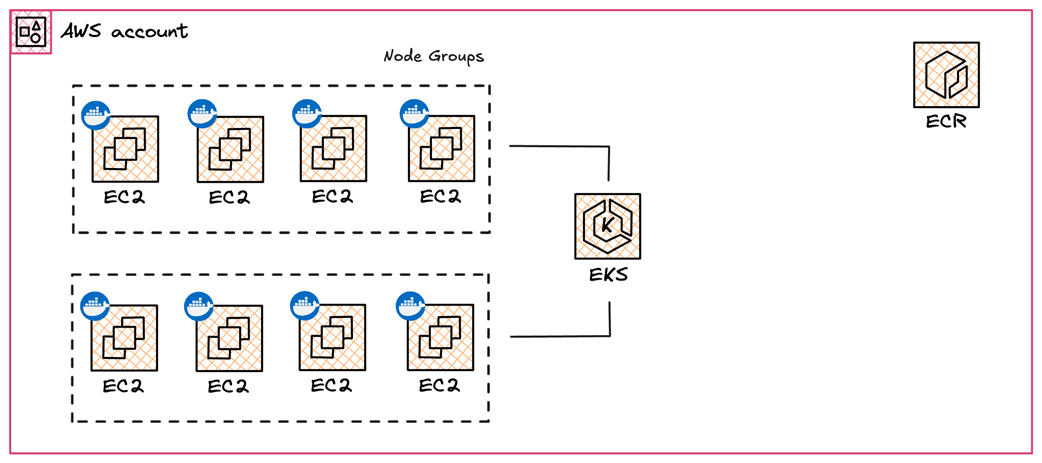
Running Docker based containers on a Kubernetes cluster powered by EKS
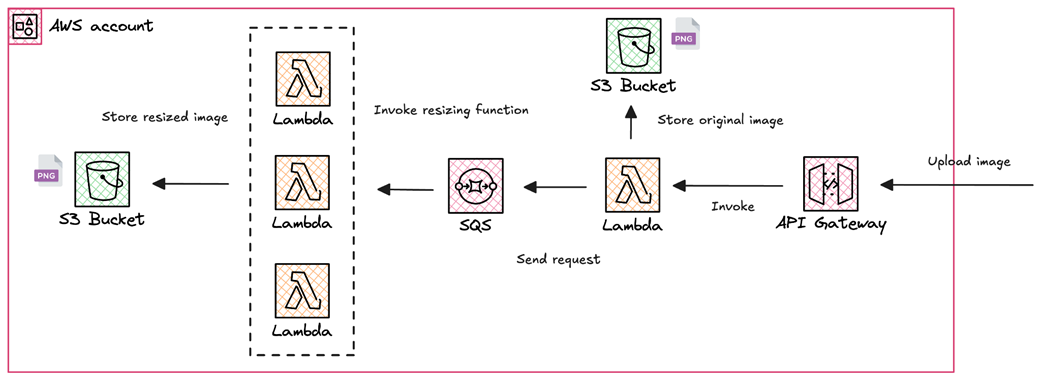
Resizing uploaded images with a Serverless workflow based on SQS, Lambda and S3
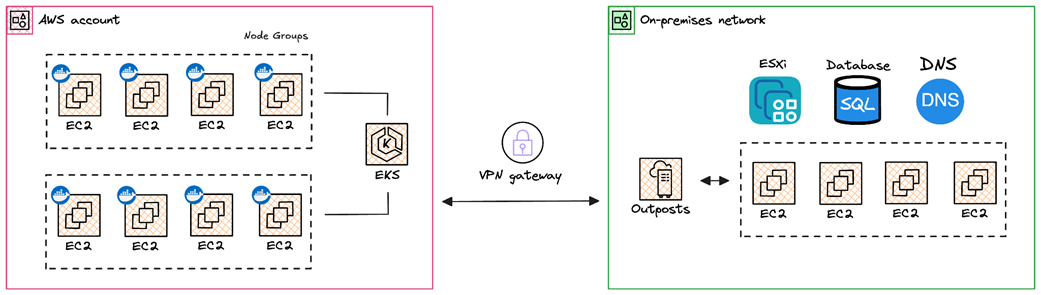
Running EC2 instances within an on-premise infrastructure
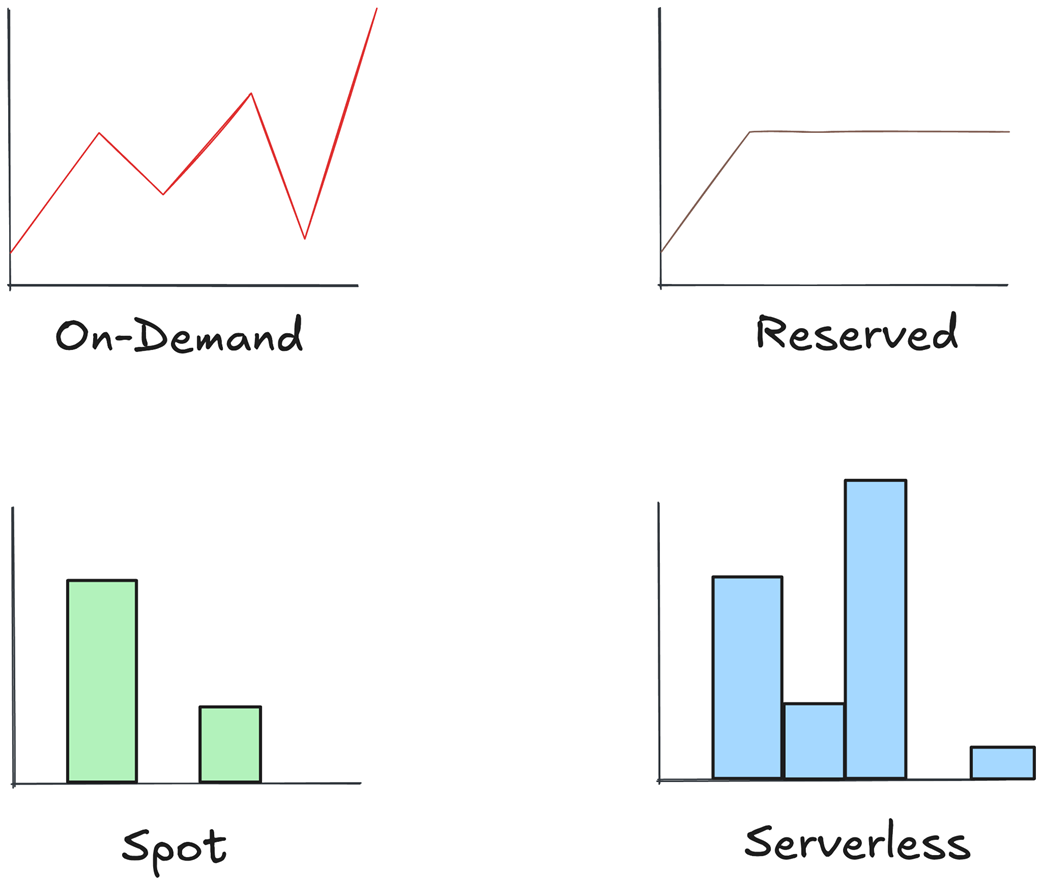
Available pricing models on AWS
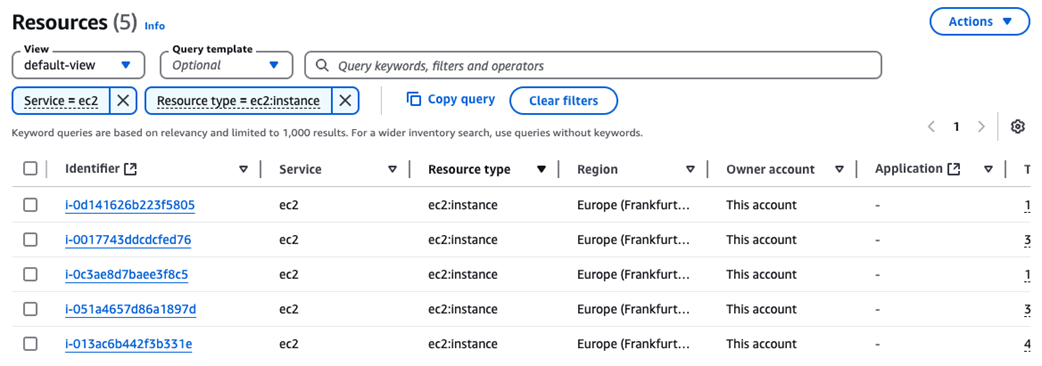
Using Resources Explorer to list active EC2 instances
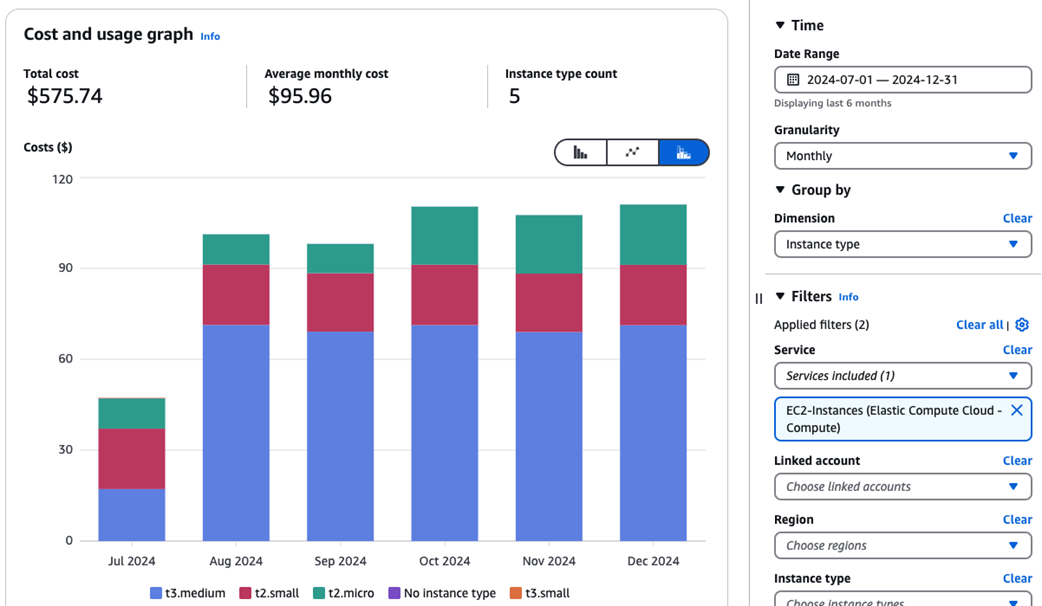
Tracking EC2 cost by instance type
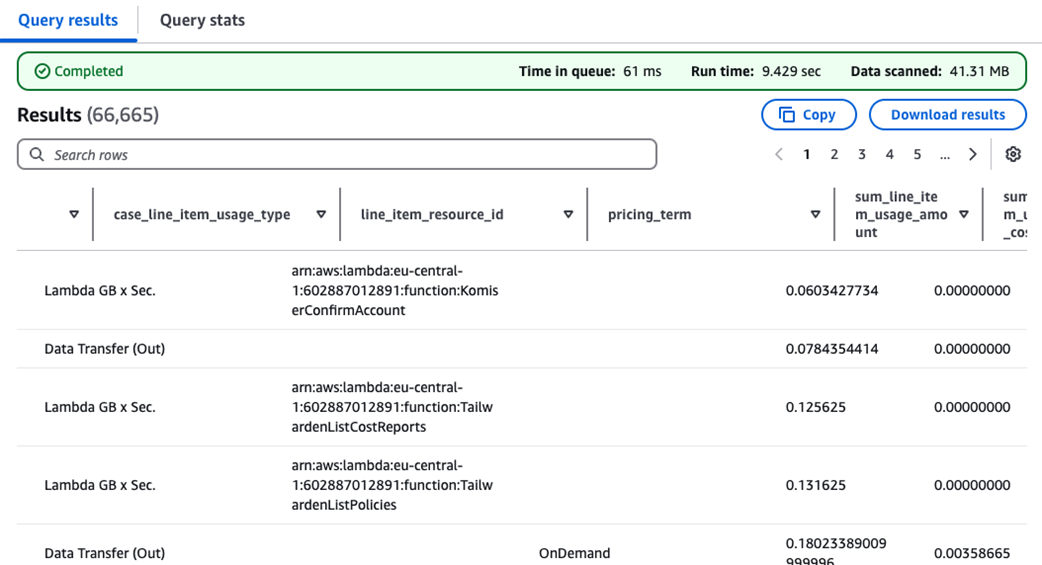
AWS Lambda cost and usage breakdown
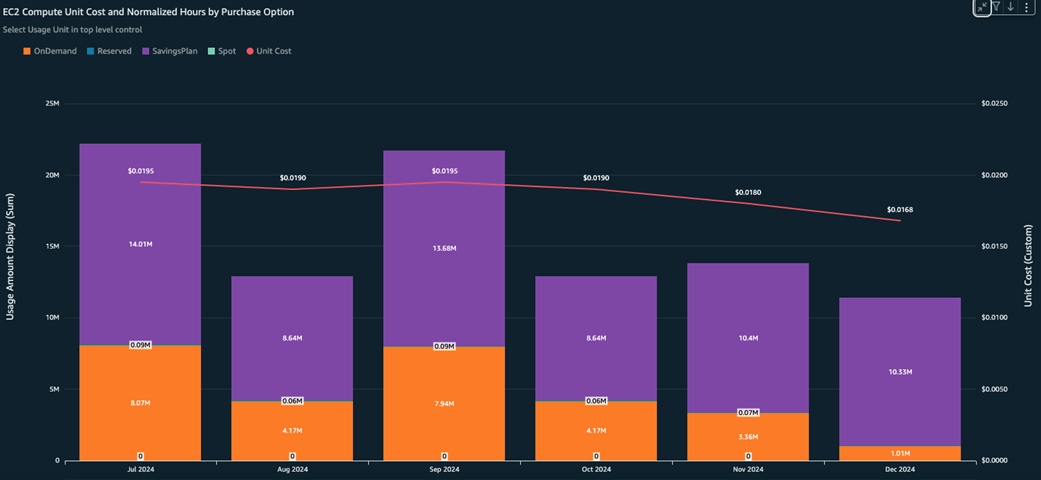
EC2 compute unit cost and normalized hours by purchase option widget
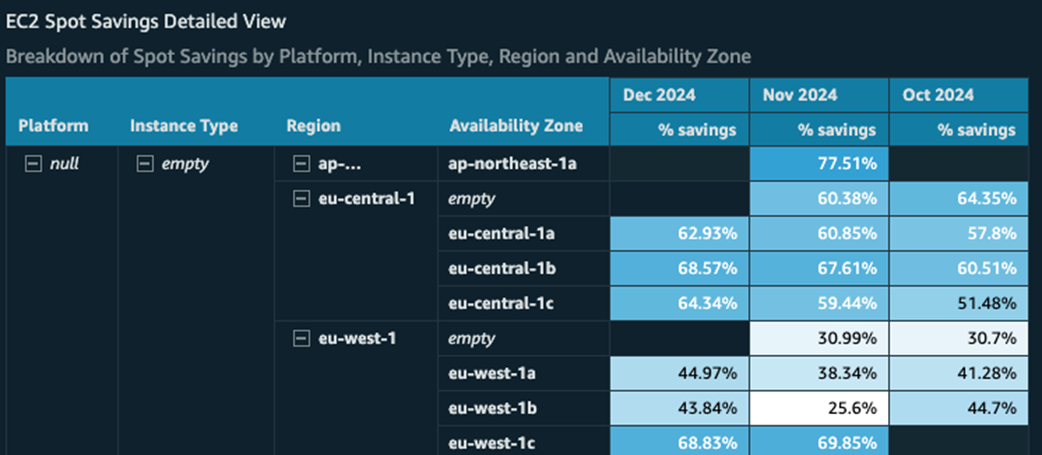
Breakdown of Spot Savings by platform, instance type, region and AZ
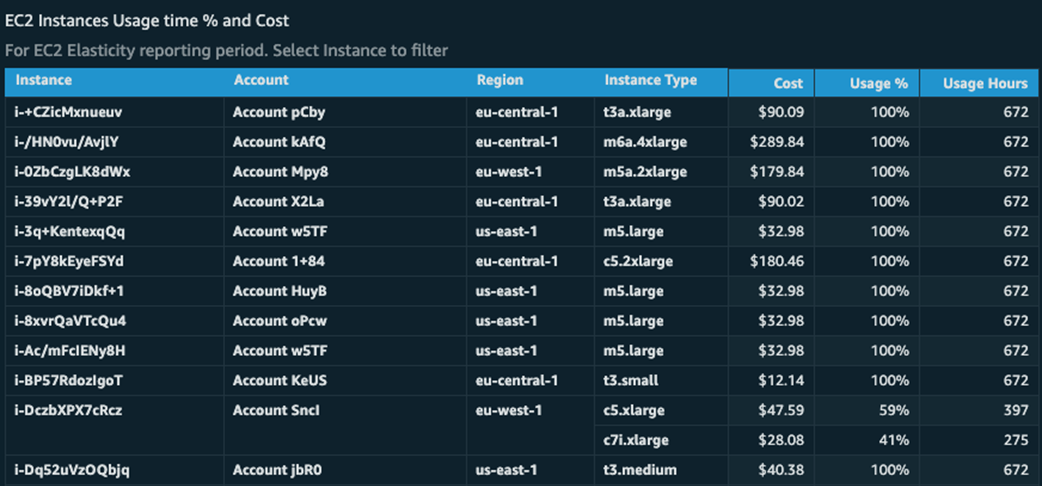
EC2 instances usage time percentage and cost
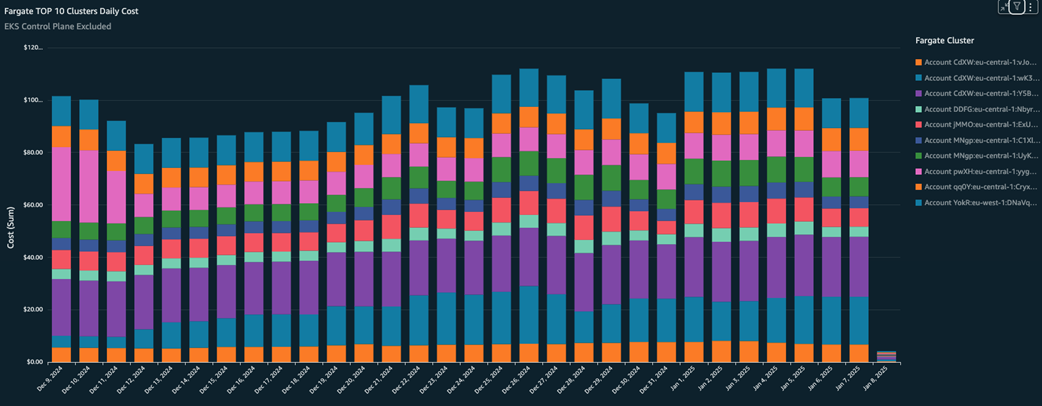
Most expensive Fargate clusters
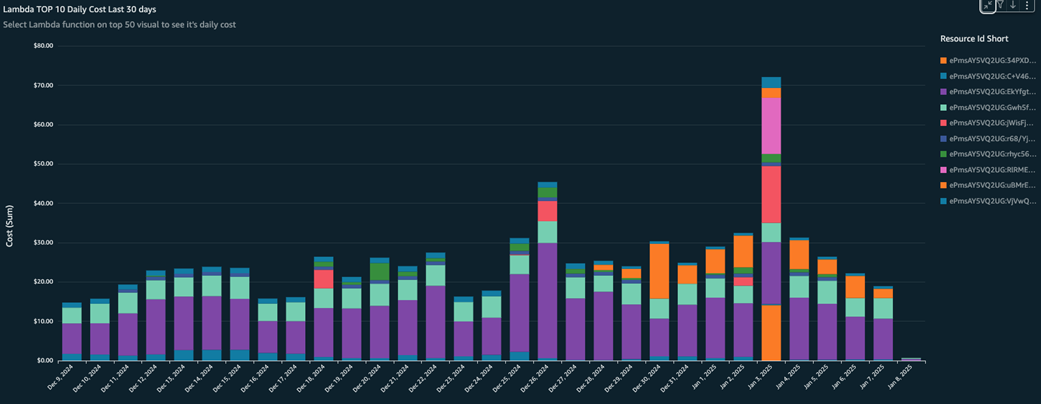
Most expensive Lambda functions
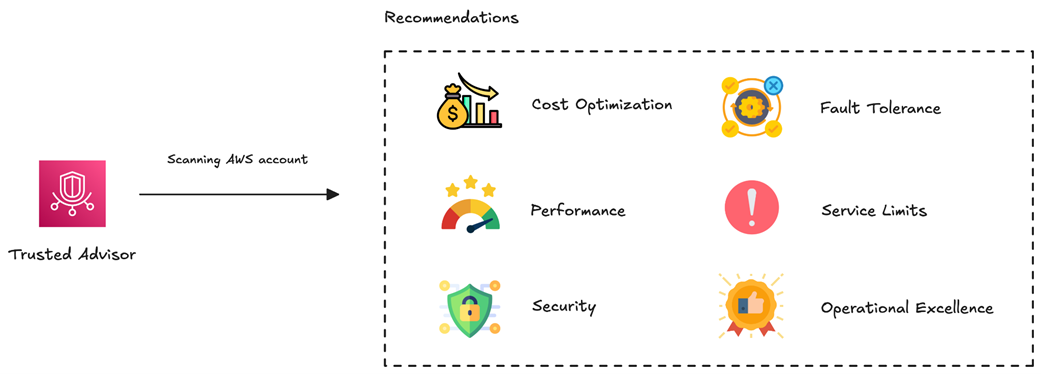
Trusted Advisor works by scanning AWS accounts looking for security, cost and compliance recommendations
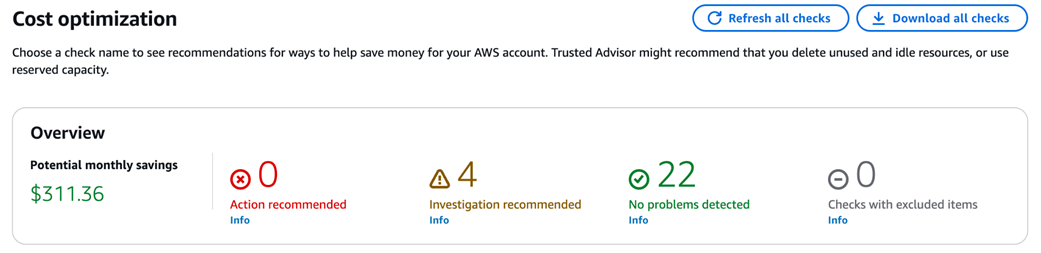
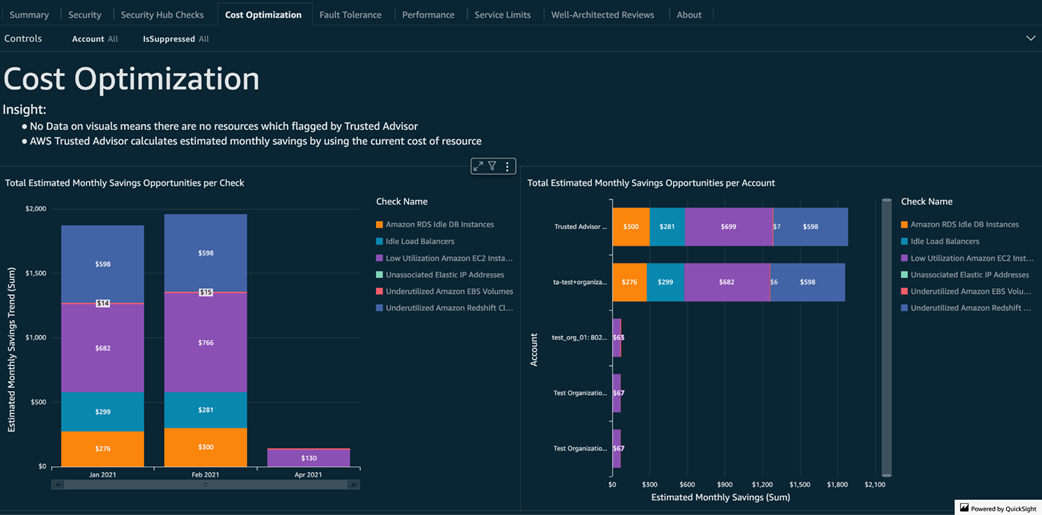
Potential monthly savings identified by Trusted Advisor
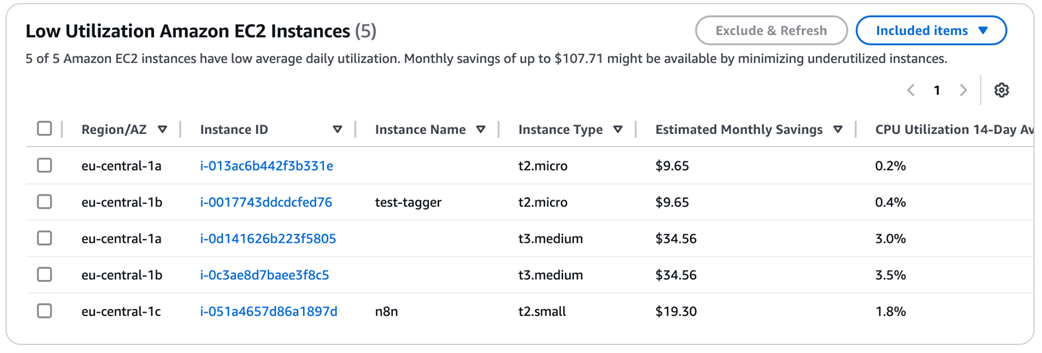
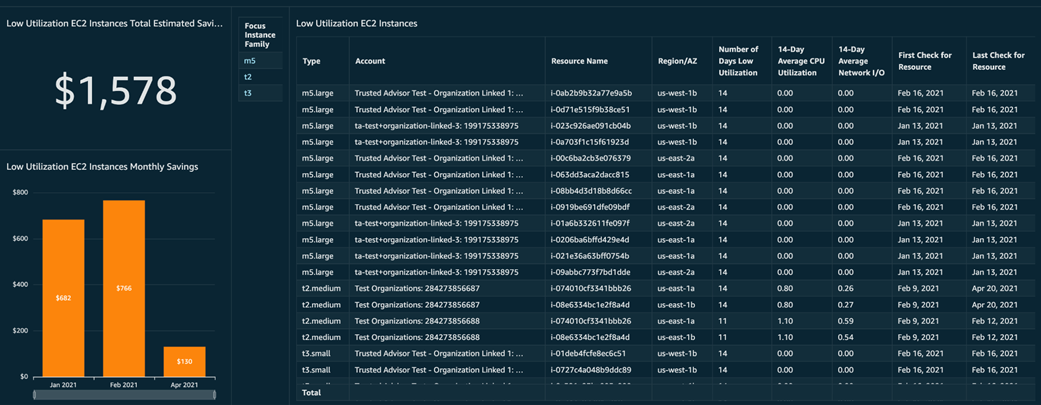
Shows a list of active EC2 instances with low CPU usage, along with estimated monthly savings
Trusted Advisor highlights unattached Elastic IP addresses that can be removed to reduce recurring charges

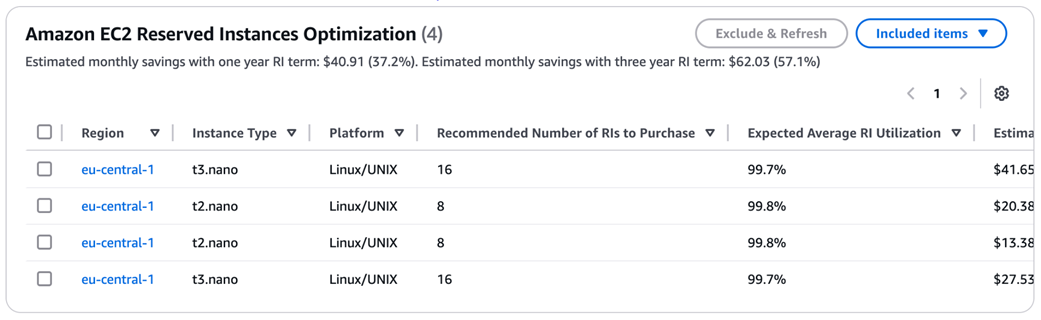
Estimated money saved with one year Reserved Instances term
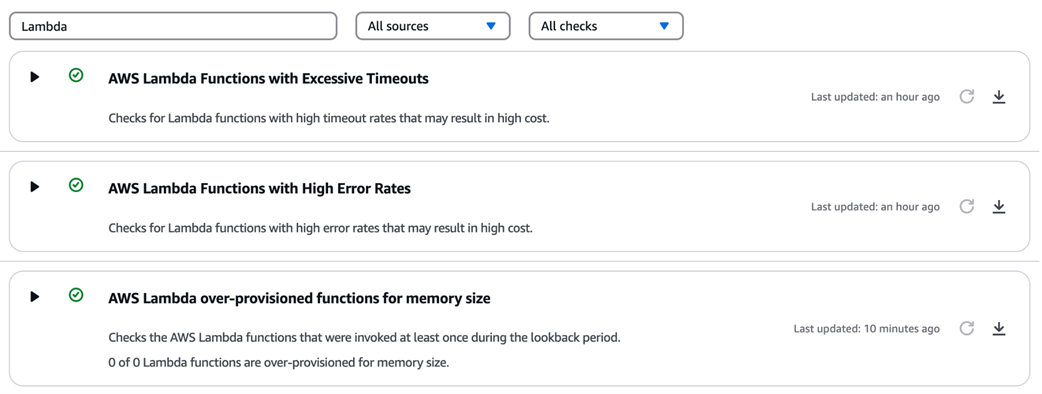
Highlights Lambda functions with over-provisioned memory, along with estimated cost savings
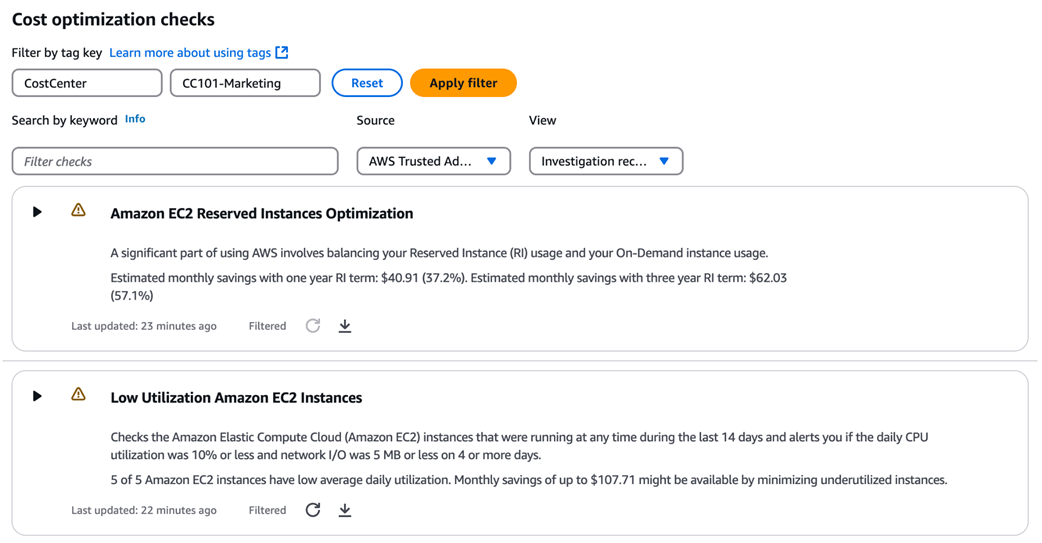
How to filter cost recommendations using tags, providing team-specific insights
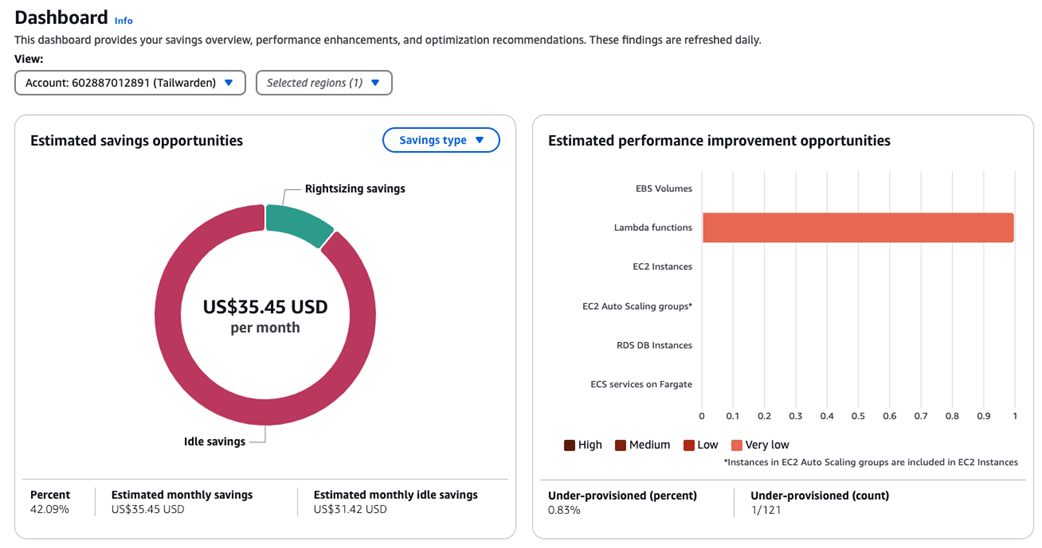
Compute Optimizer main dashboard with overview of monthly savings
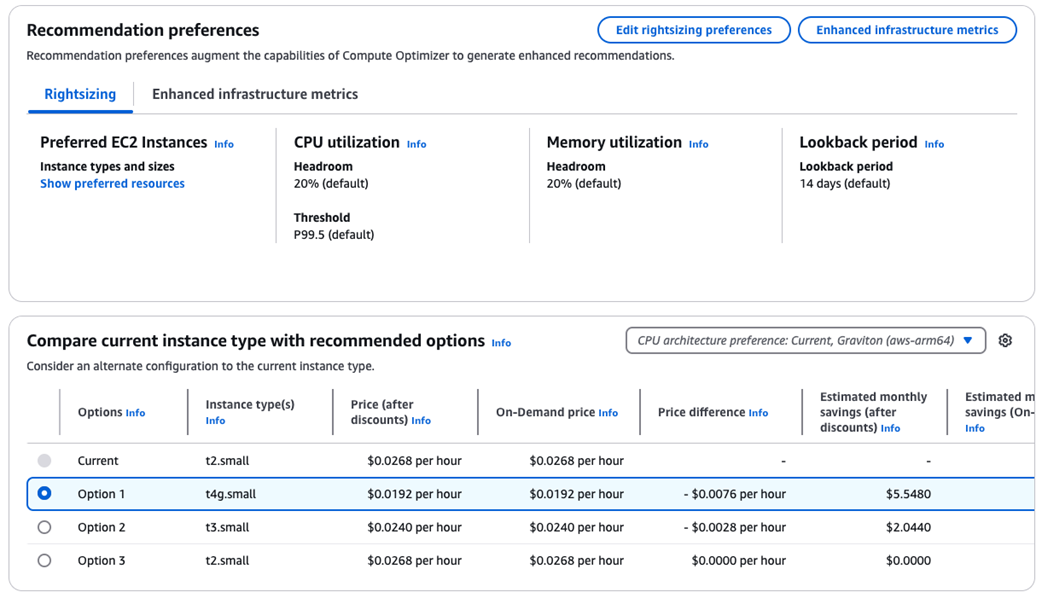
EC2 instance details page with recommended options
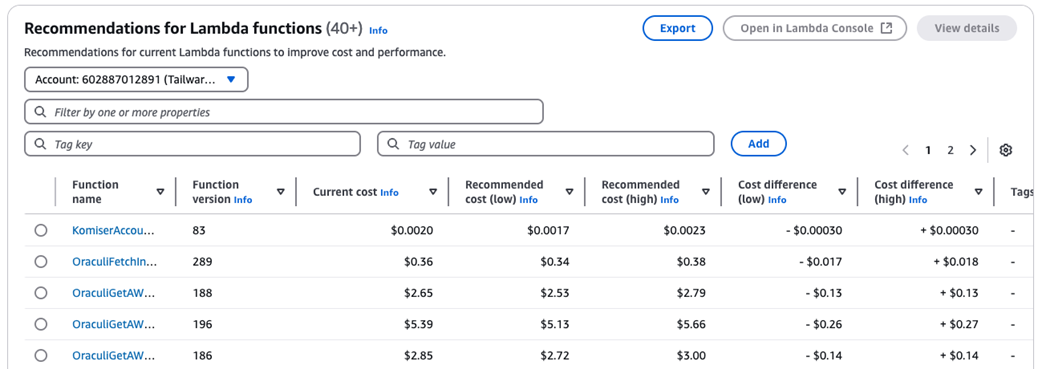
Recommendations for current Lambda functions
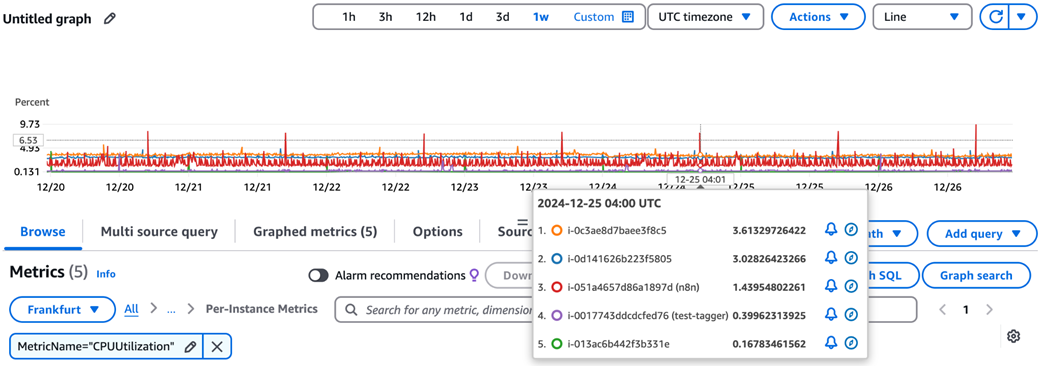
CloudWatch CPU utilization metrics displayed for EC2 instances
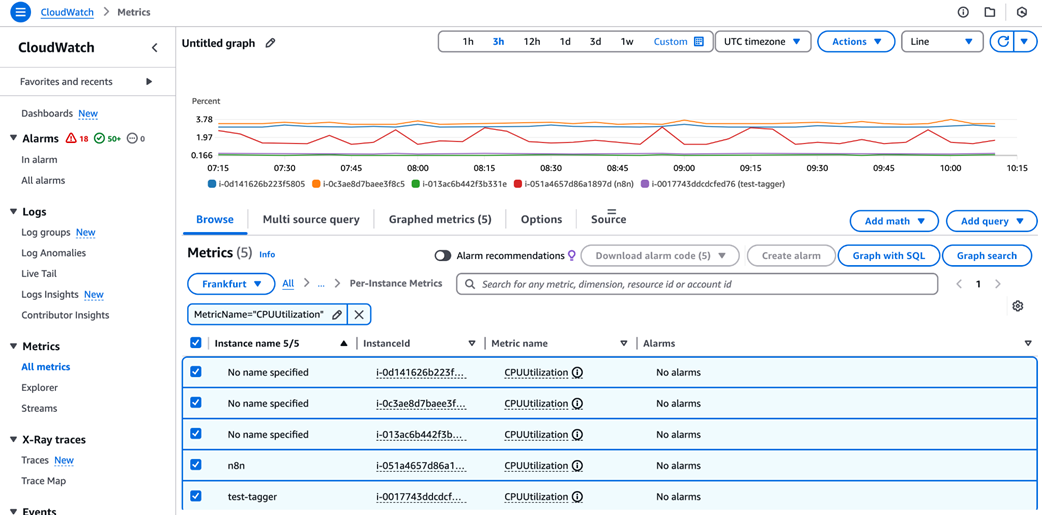
Analyzing CPU utilization for a selected EC2 instances
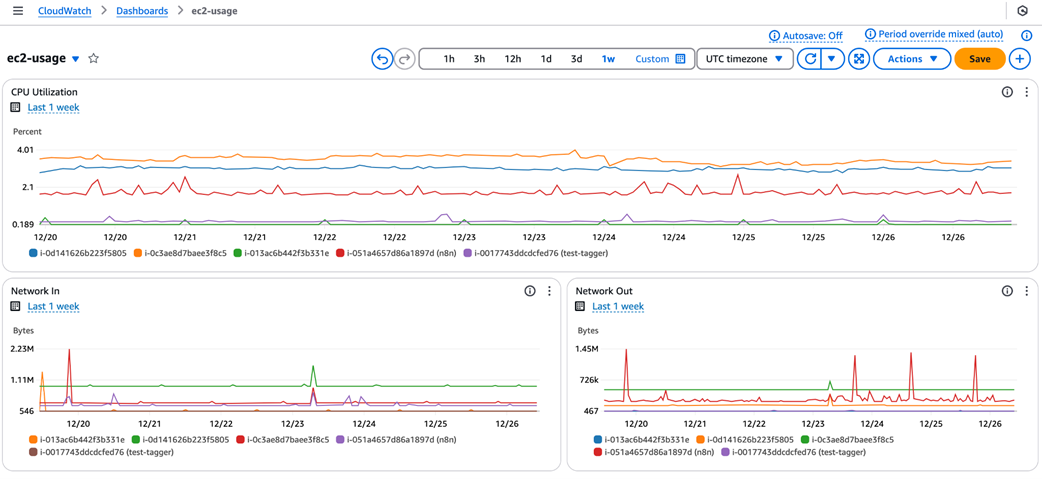
CloudWatch dashboard tracking CPU and network metrics for EC2 instances
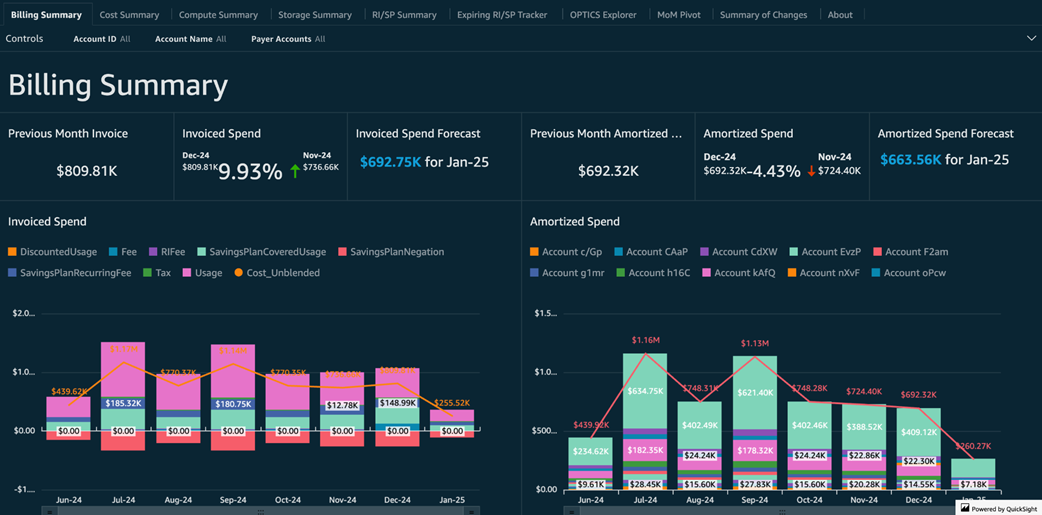
Billing summary tab
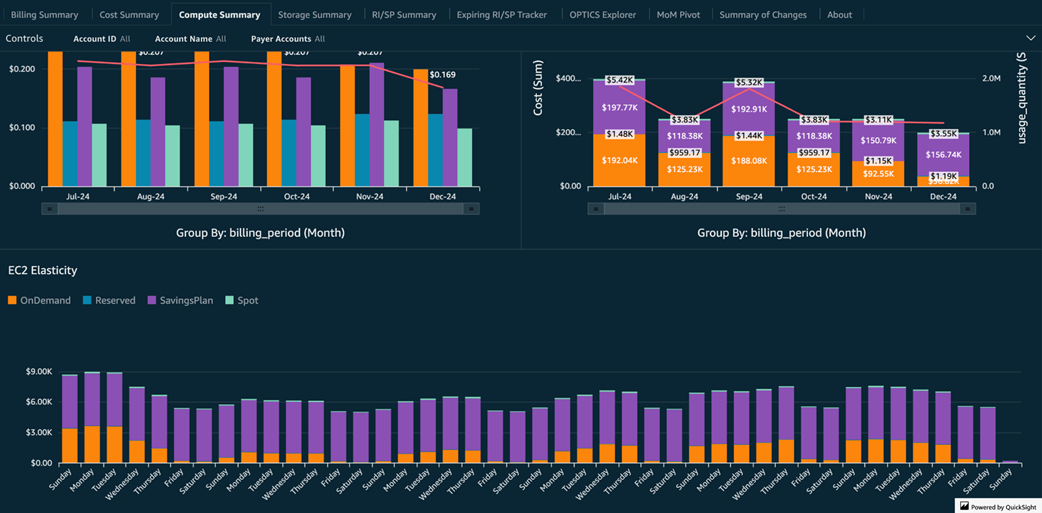
Compute summary tab
Savings plans usage vs unused cost for each compute resource
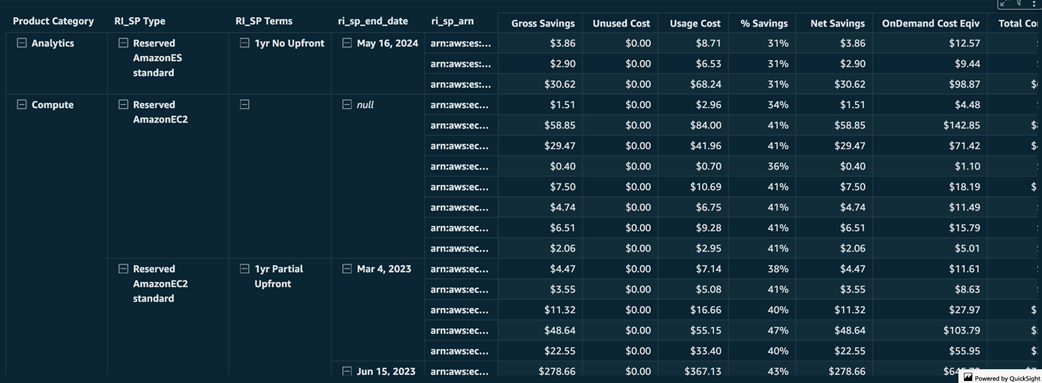
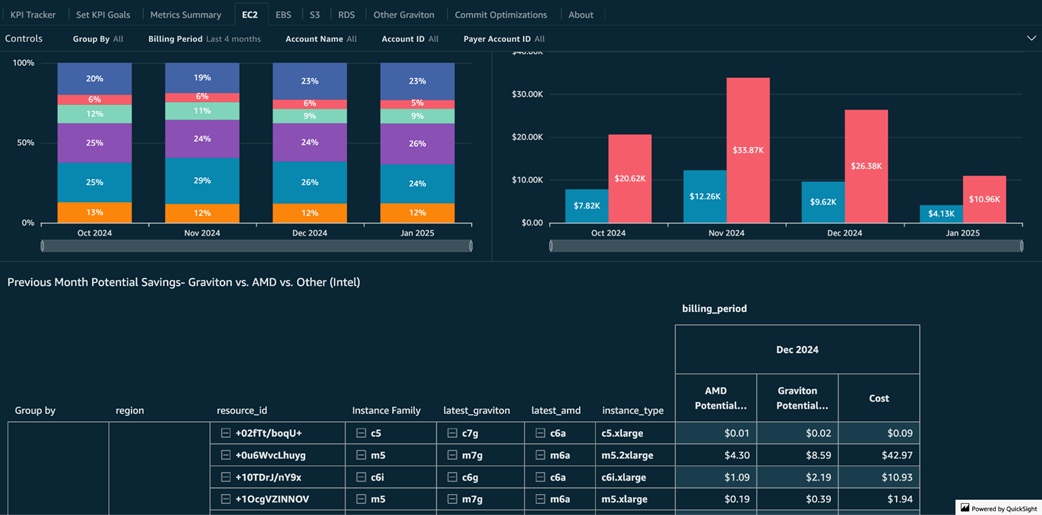
Potential Graviton monthly savings
Cost savings opportunities identified by Trusted Advisor
EC2 instances with low CPU and network utilization
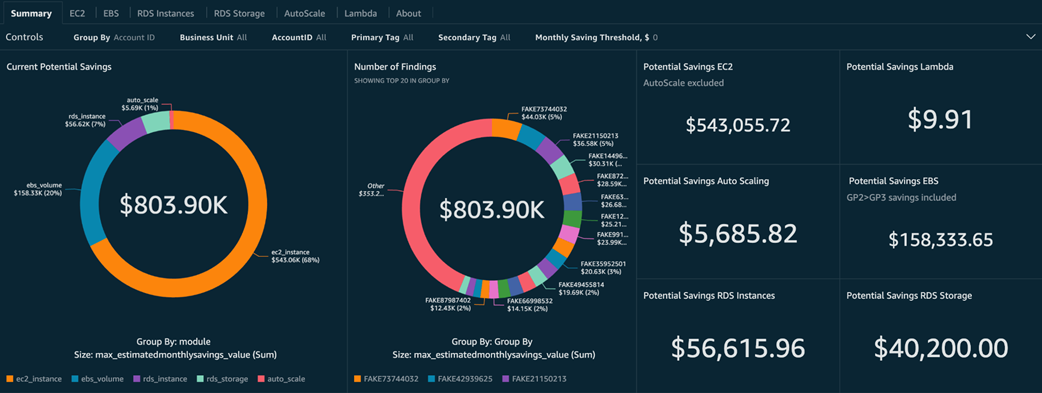
Potential compute savings grouped by compute service
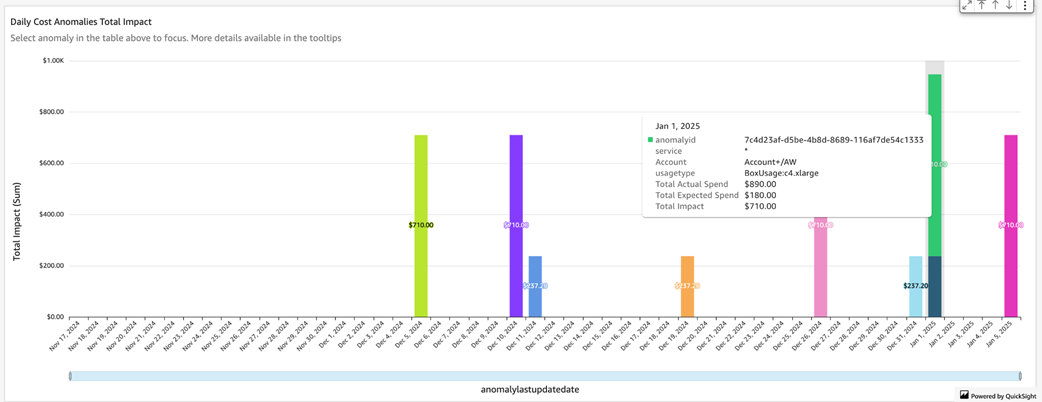
Daily cost anomalies with their impact vs expected spend
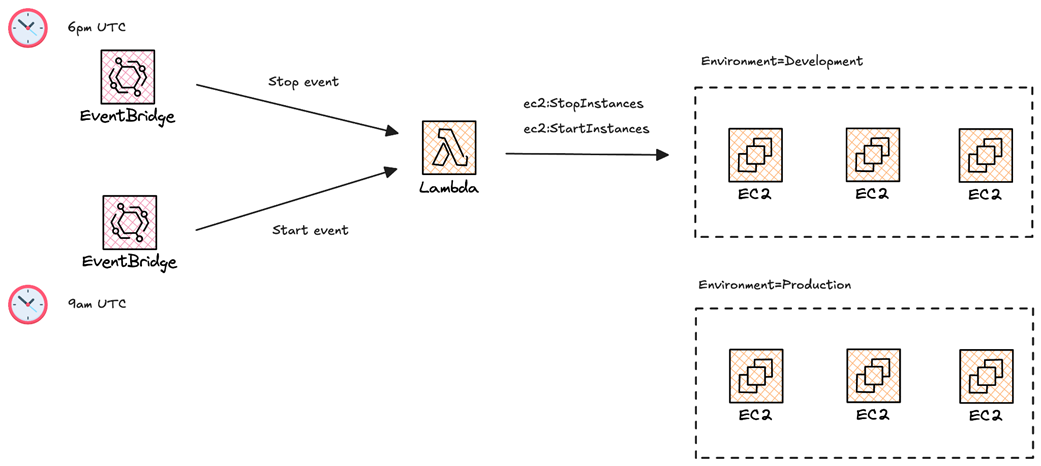
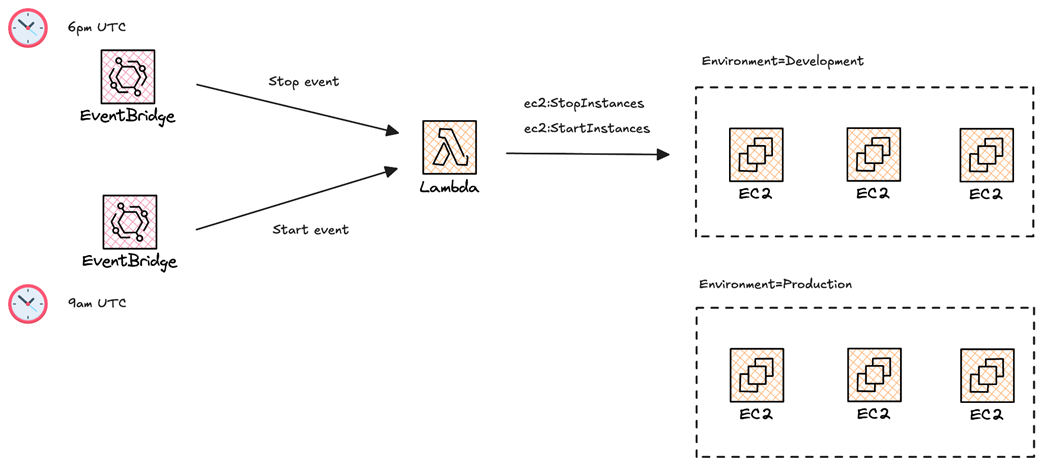
Workflow of the EC2 instance scheduler based on AWS Lambda and Cron Jobs.
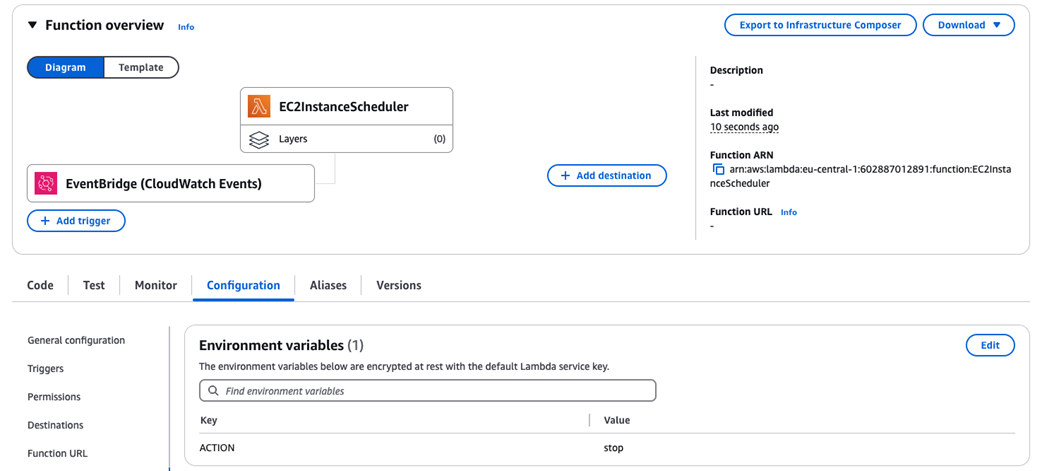
EC2InstanceScheduler function will be triggered by an EventBridge rule
Running self-hosted GitHub runners on EKS
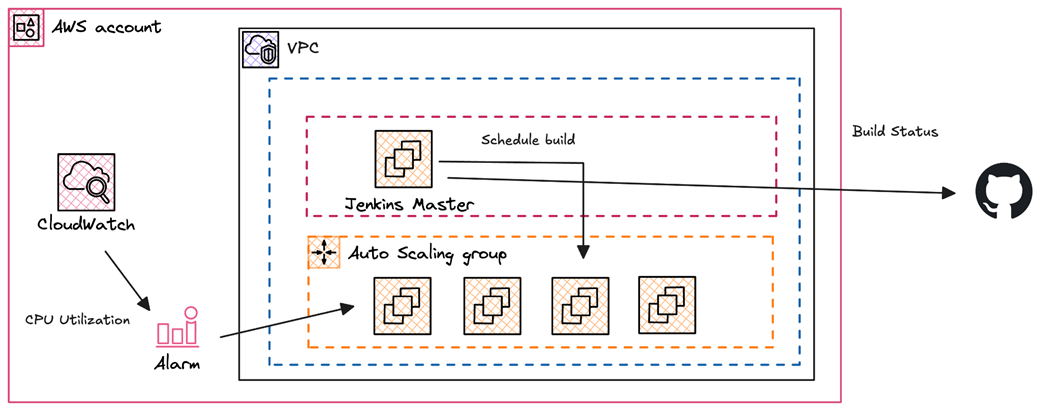
Building a Jenkins clusters with workers based on Spot Instances
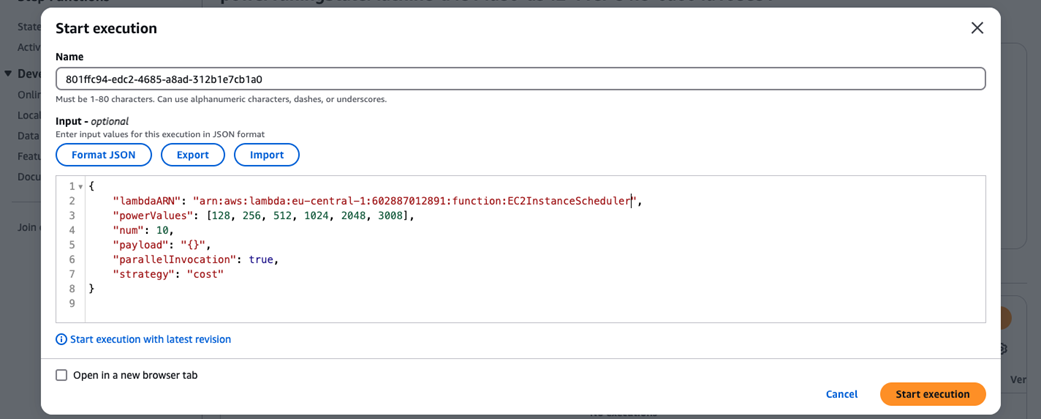
Invoking the step function
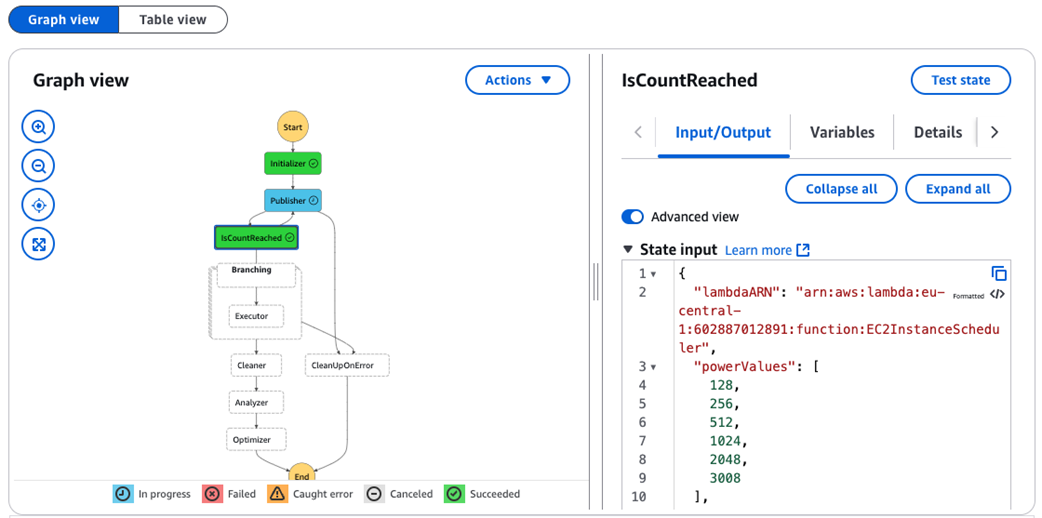
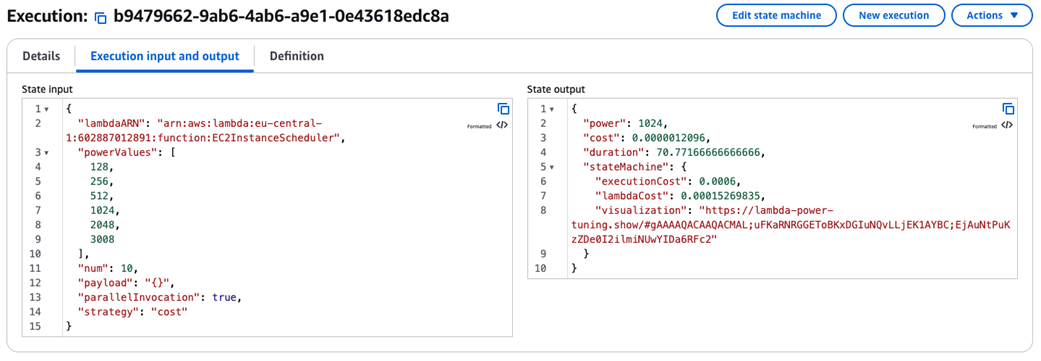
Step function execution steps
Optimal memory configuration and corresponding average cost per execution
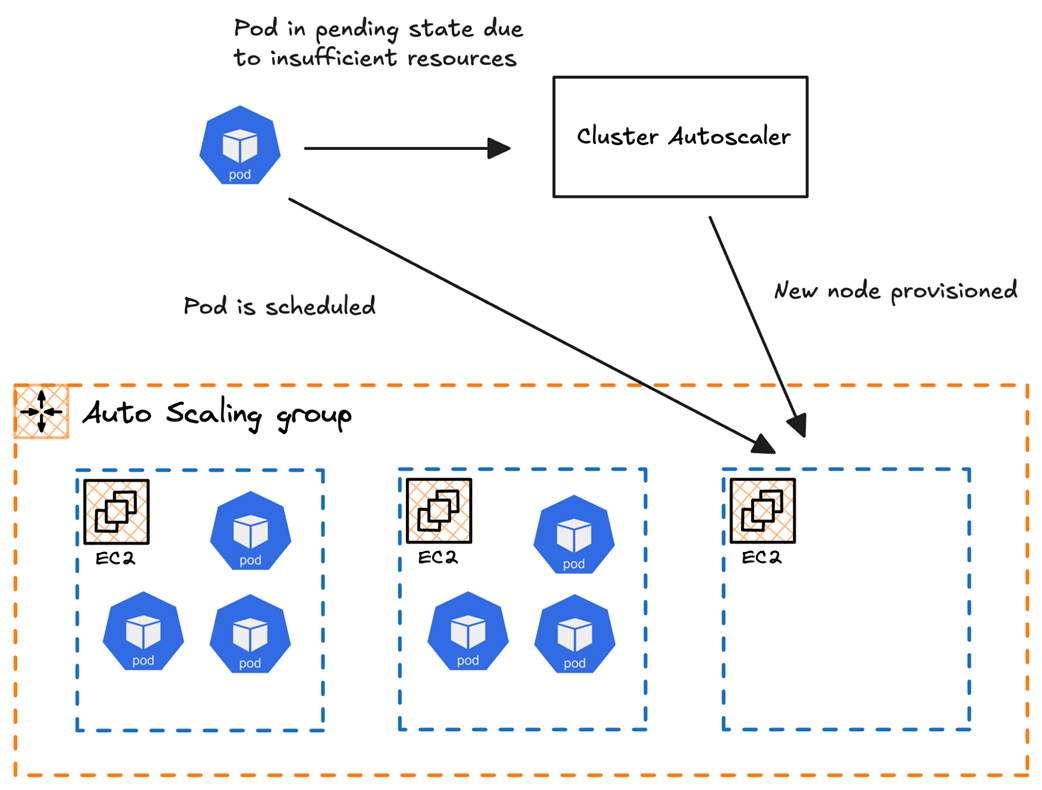
Insufficient resources triggering an autoscaling event via Cluster Autoscaler
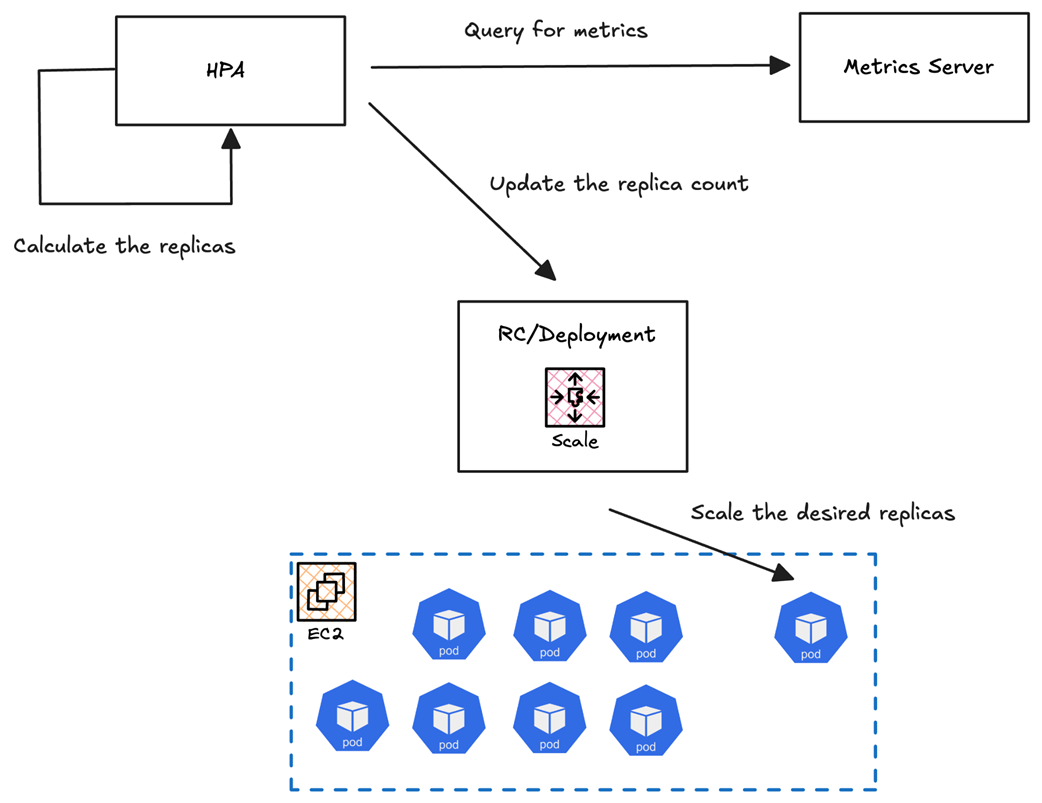
Visual representation of a deployment scaling from 2 pods to 10 pods during traffic spikes using HPA, with metrics driving the scaling decisions
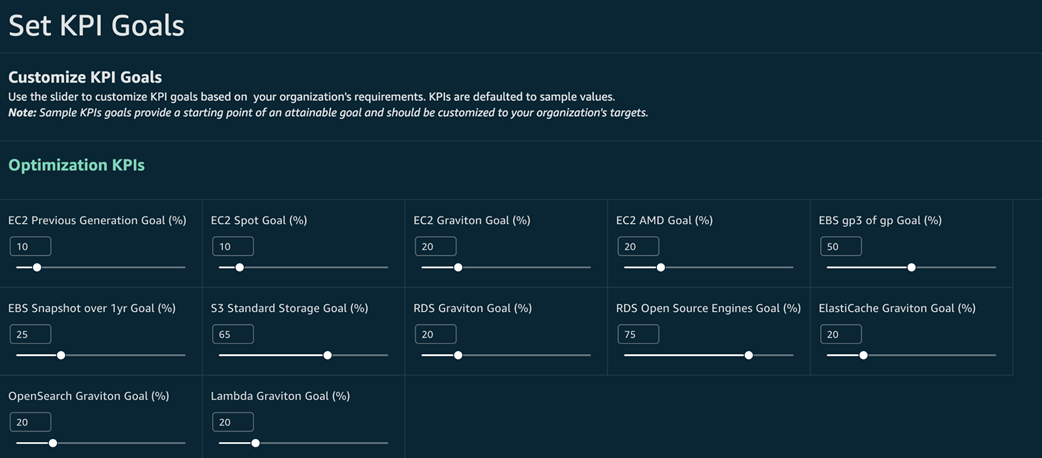
Setting KPI goals to track your cost saving opportunities
Summary
- Explored AWS compute options, including EC2, ECS, EKS, Lambda, and Outposts, categorizing them into servers, containers, serverless, and edge computing, and discussed their practical use cases.
- Compared On-Demand, Spot Instances, Reserved Instances, Savings Plans, and Serverless pricing models, with examples of when to use each based on workload characteristics and cost considerations.
- Used AWS Cost Explorer, CUR, and Amazon Athena queries to analyze compute spending, and explored the CUDOS dashboard for visibility into compute unit cost and utilization trends.
- Leveraged AWS Trusted Advisor and Compute Optimizer to detect underutilized instances and inefficiencies, analyzed CloudWatch metrics to track low CPU utilization and network activity, and implemented an automated detection system for idle EC2 instances using a Go-based script.
- Scheduled EC2 instance shutdown/startup using AWS EventBridge and Lambda, integrated Spot Instances into CI/CD pipelines for GitHub Actions and Jenkins workers, and utilized KPI dashboards to track cost-saving initiatives and measure optimization impacts.
- Implemented Cluster Autoscaler and Karpenter for automatic cluster scaling, configured Horizontal Pod Autoscaler (HPA) for dynamic pod scaling, leveraged Spot Instances in EKS for batch jobs, and reduced inter-AZ and inter-region data transfer costs by configuring AWS endpoints and optimizing pod placement.
- Identified and cleaned up unused Persistent Volume Claims (PVCs), ConfigMaps, and Secrets, scheduled non-essential EKS clusters to shut down during off-peak hours, and implemented KEDA for event-driven autoscaling based on external AWS metrics like SQS queue depth.
- Standardized tagging across AWS, GCP, and Azure for better cost tracking, centralized cost visibility with tools like CloudQuery and AWS Cost Explorer, used Terraform and OpenTofu for multi-cloud infrastructure consistency, and leveraged GCP Preemptible VMs, Azure Spot Virtual Machines, and AWS Lambda based on workload needs.
- Used Kubecost, AWS CUR, and Athena queries to track per-namespace and per-service compute costs, and leveraged AWS QuickSight dashboards and CUDOS widgets to visualize cost breakdowns by service and instance type.
