4 Tags Management
Effective tag management is positioned as a cornerstone of FinOps, turning raw cloud spend into business-aware insights through consistent, contextual metadata on resources. Tags—key-value pairs like Environment, Owner, Project, and CostCenter—enable granular cost allocation, accountability, and reporting across teams, projects, and environments, while also supporting chargeback/showback, governance, security controls, and automation-driven optimization (for example, off-hours shutdowns for non-production). The chapter emphasizes multi-cloud applicability with AWS, Azure, and GCP, showing how a coherent taxonomy clarifies spend by department, environment, and initiative, and links resource usage to business outcomes and budgets.
The chapter explains how tagging works across providers—covering key/value limits, case sensitivity, system versus user-defined tags, and scope (resource, group, project)—and maps these concepts to cloud-native tooling for bulk editing, discovery, and reporting. It details practical techniques in AWS using the Console, CLI, Resource Groups and Tag Editor, and the Resource Groups Tagging API; mirrors the approach in Azure and GCP; and extends consistency at scale with Terraform so tags are applied at provision time. For cross-cloud enforcement and remediation, it introduces Cloud Custodian to detect gaps and auto-apply or correct tags, and shows how tagging integrates with a cloud asset inventory to strengthen financial visibility and optimization.
To sustain quality, the chapter lays out a comprehensive operating model: define a tagging strategy and ownership, mandate core tags, standardize naming, and automate application and enforcement. It demonstrates auditing with scheduled reviews and scripts, enforcement with AWS Config (required-tags), AWS Organizations Tag Policies (allowed values), and Service Control Policies (deny untagged creates), plus auto-tagging at resource creation using Lambda. It further promotes tag hygiene with temporal tags for decommissioning, tag-based access control via IAM, validation and automated correction services to prevent drift, and a version-controlled tagging schema integrated into CI/CD. Combined, these practices maintain clean, trustworthy tags that power accurate cost allocation, continuous optimization, and resilient cloud governance.
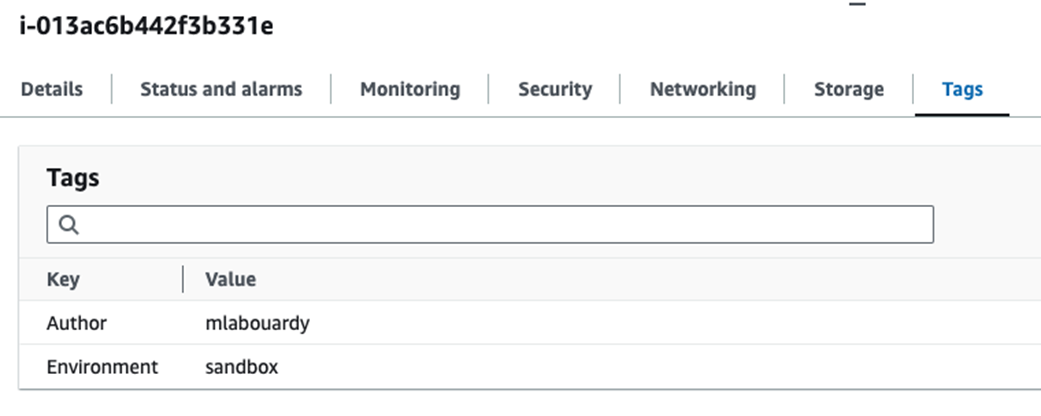
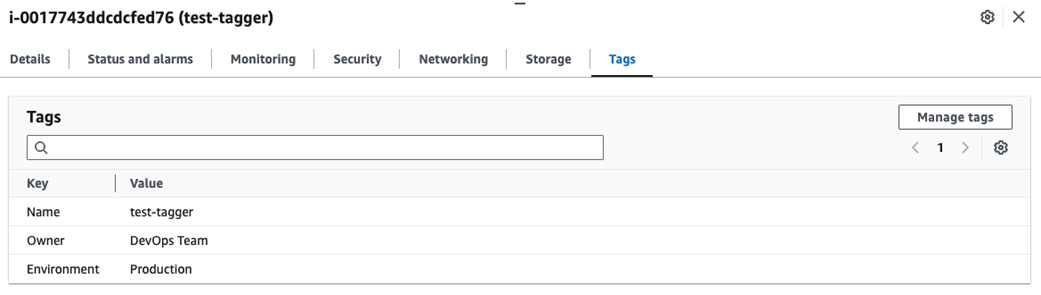
EC2 instance tags
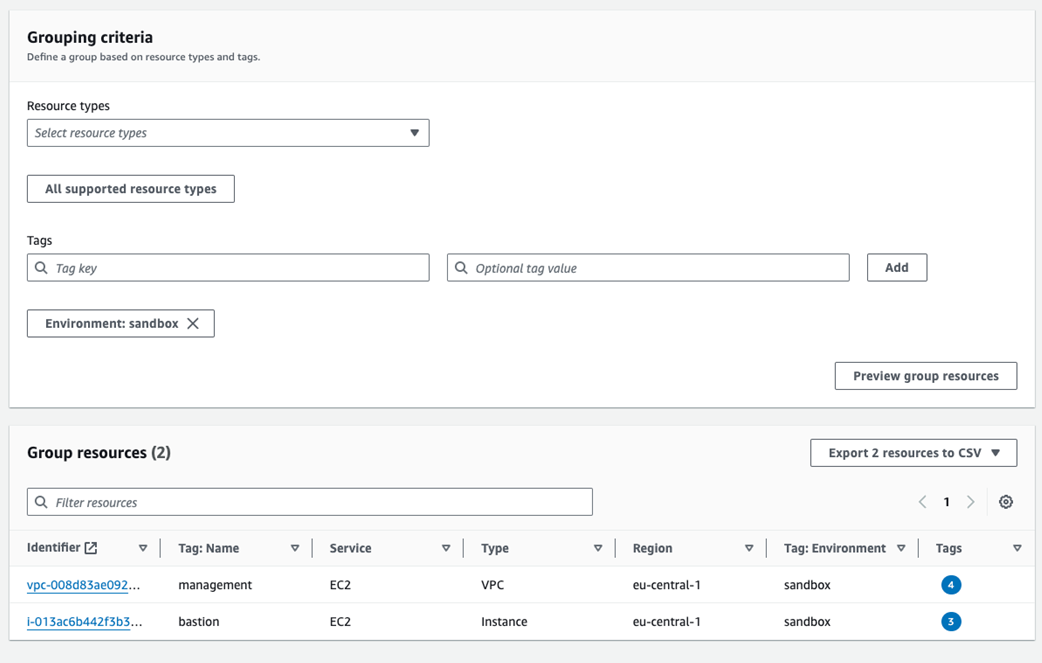
Creating a resource group
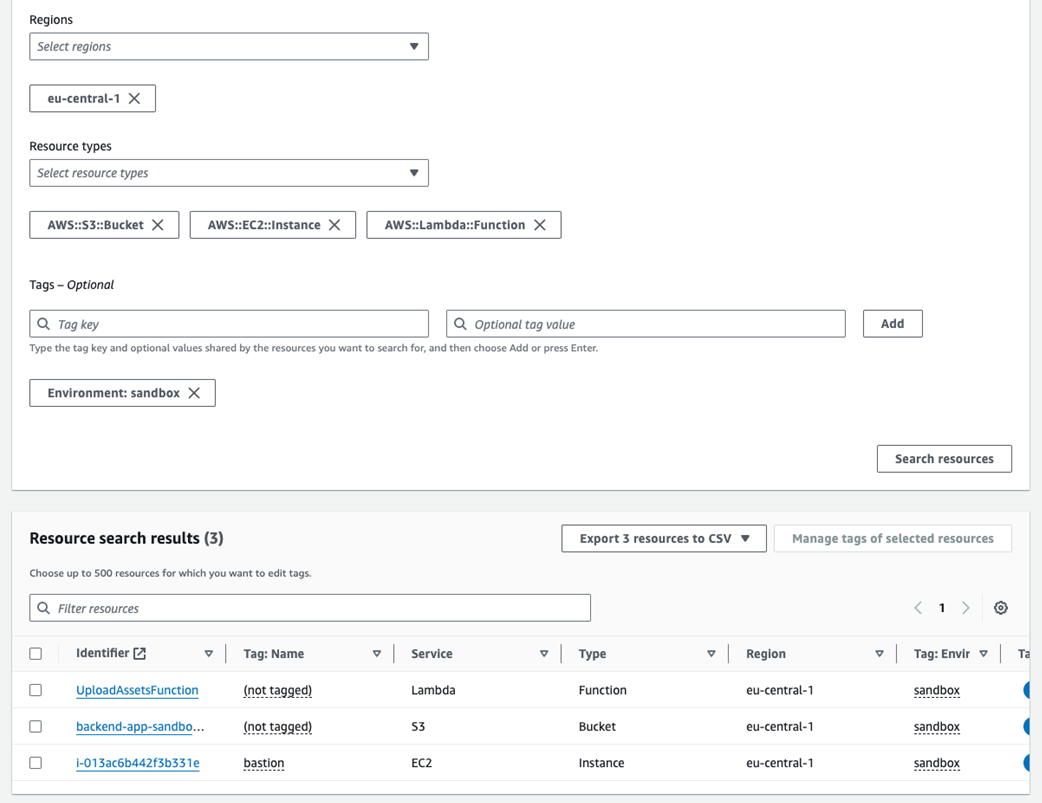
Listing resources based on tag key Environment
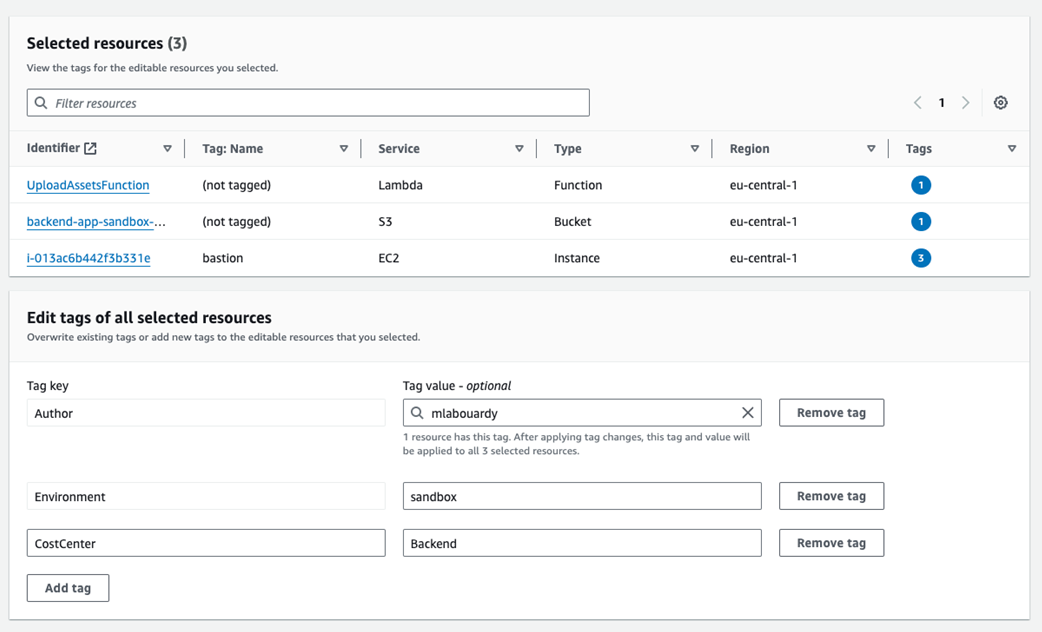
Assigning CostCenter tag key to multiple resources
Tagging an S3 bucket

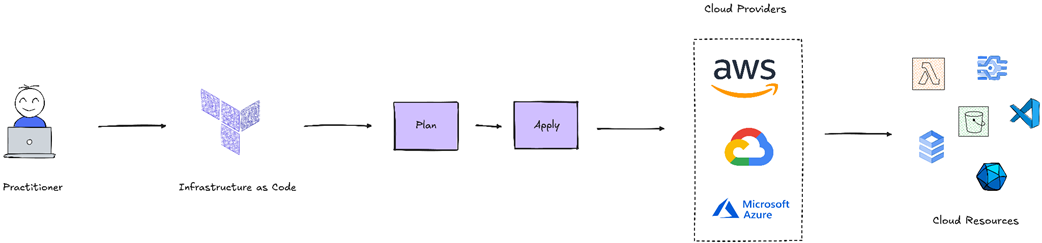
Terraform workflow
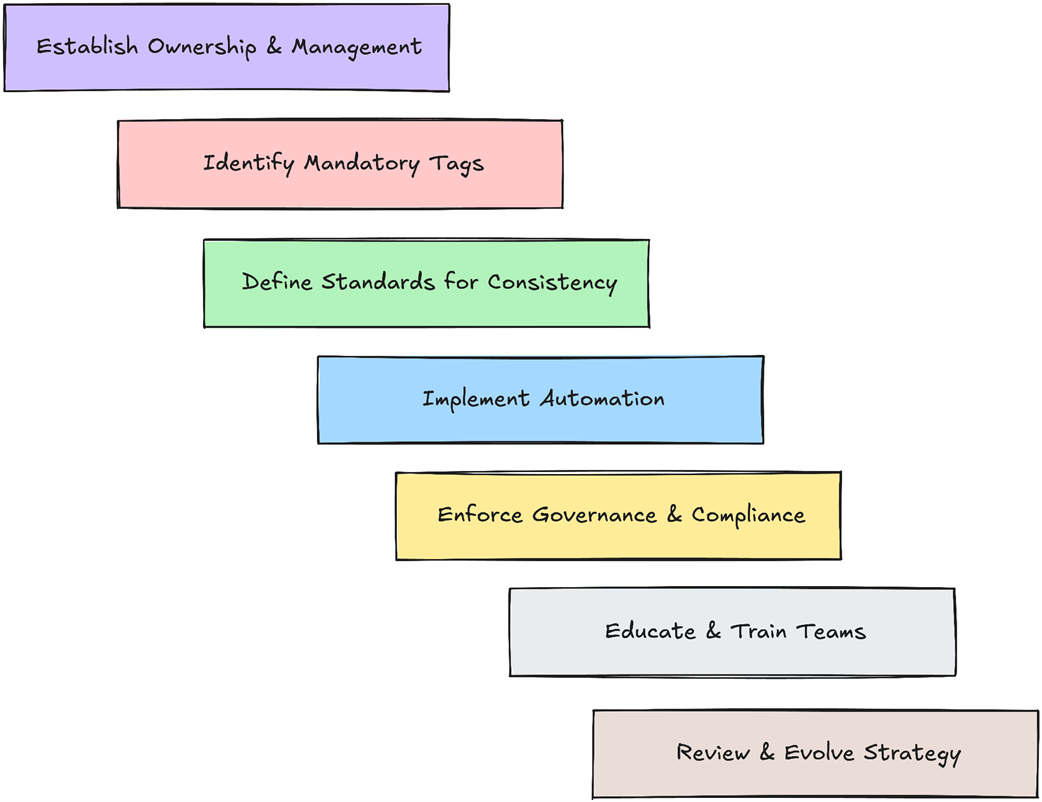
Key steps for effective tagging strategy
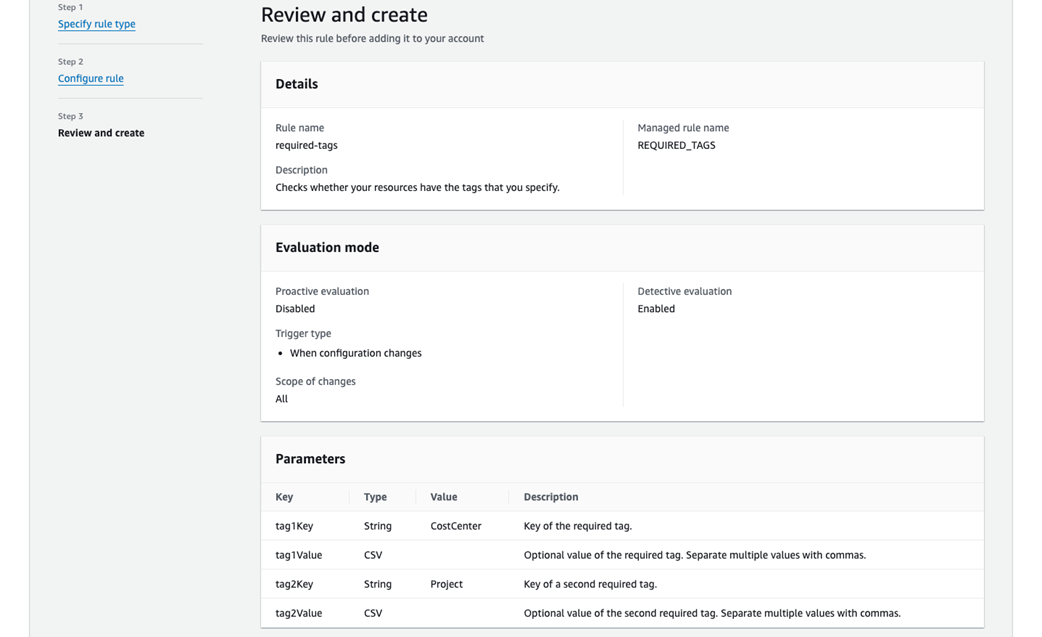
Created a custom rule
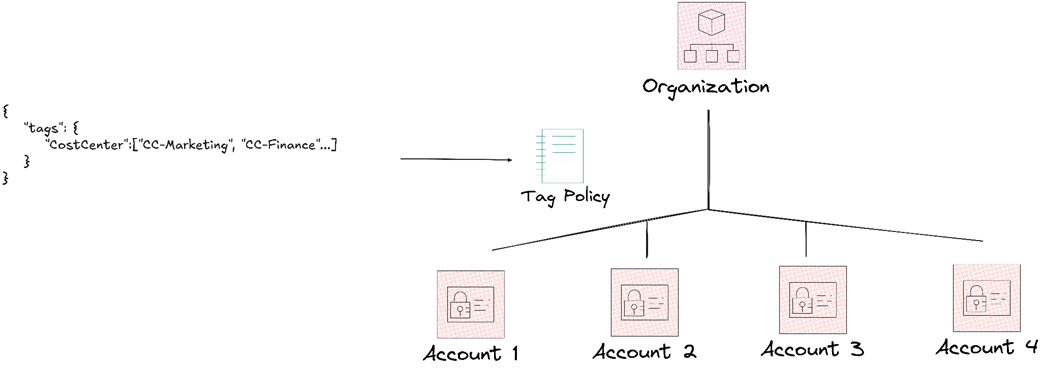
AWS Organization and Tagging Policies
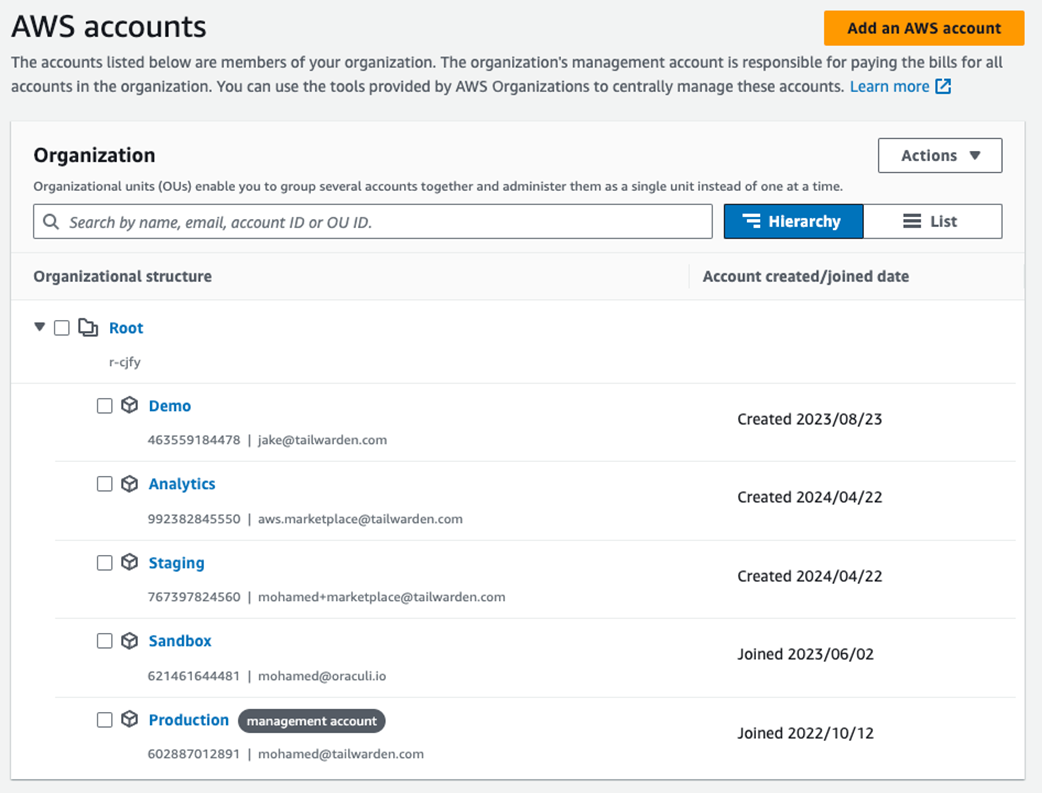
AWS accounts management
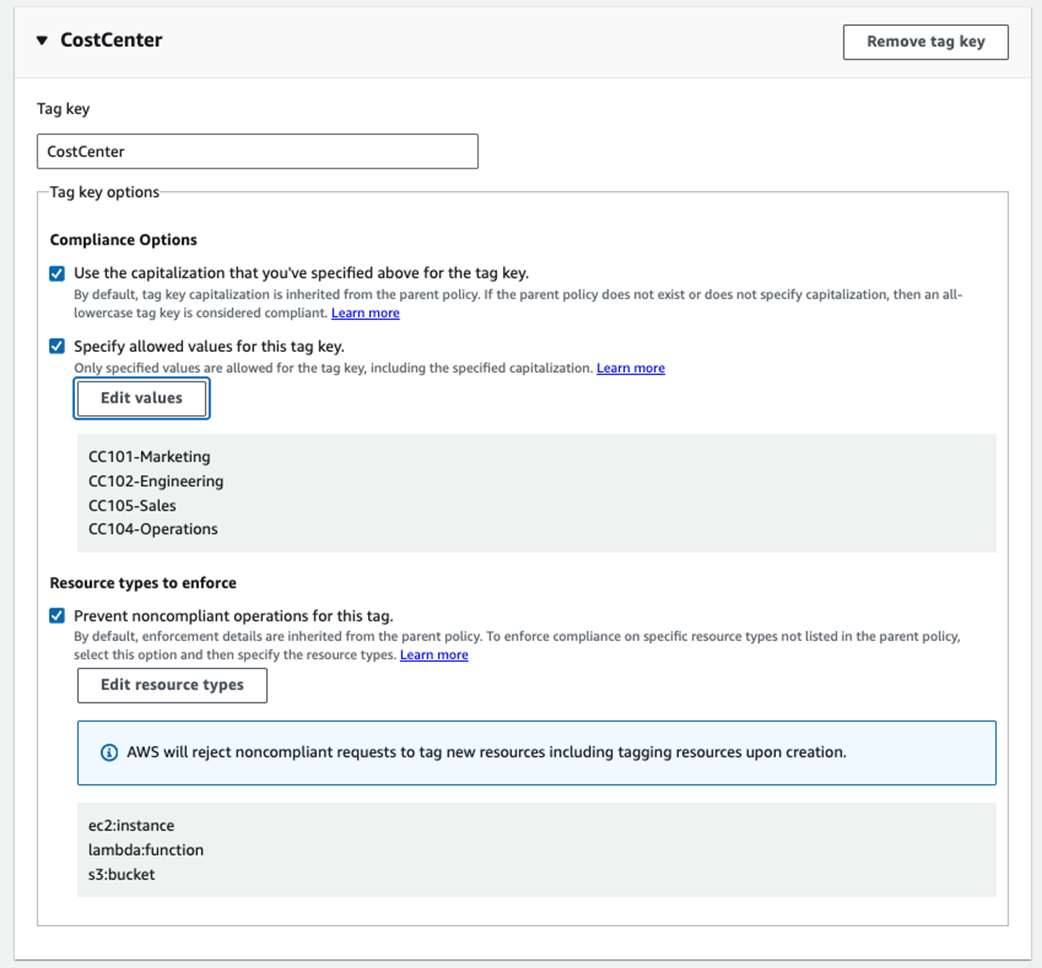
Defining a set of authorized values for CostCenter tag
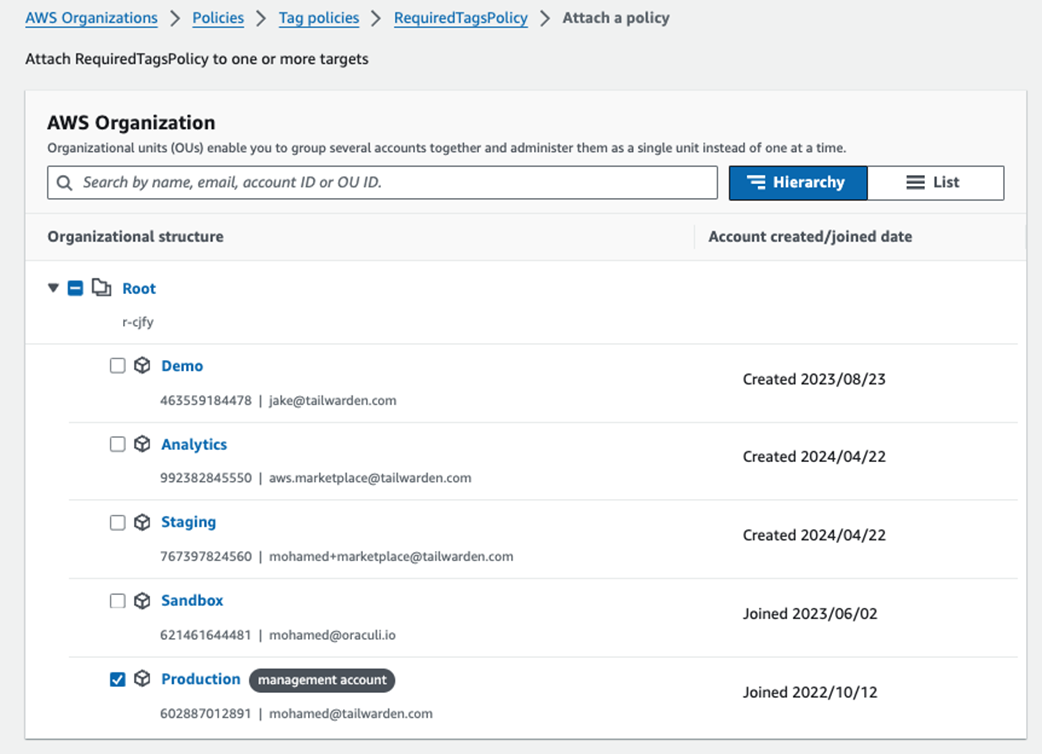
Attaching tagging policy to a production account
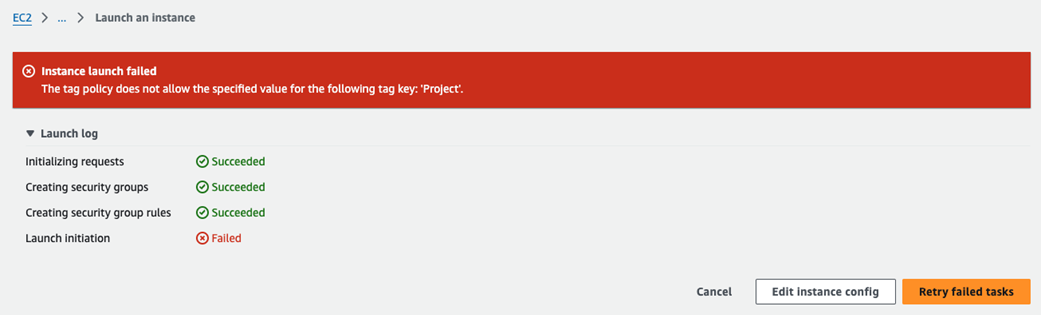
Unable to launch EC2 instance with wrong tag value for CostCenter
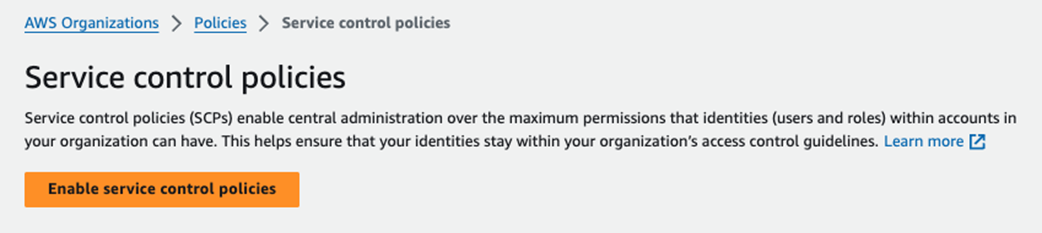
Enabling of Service Control Policies
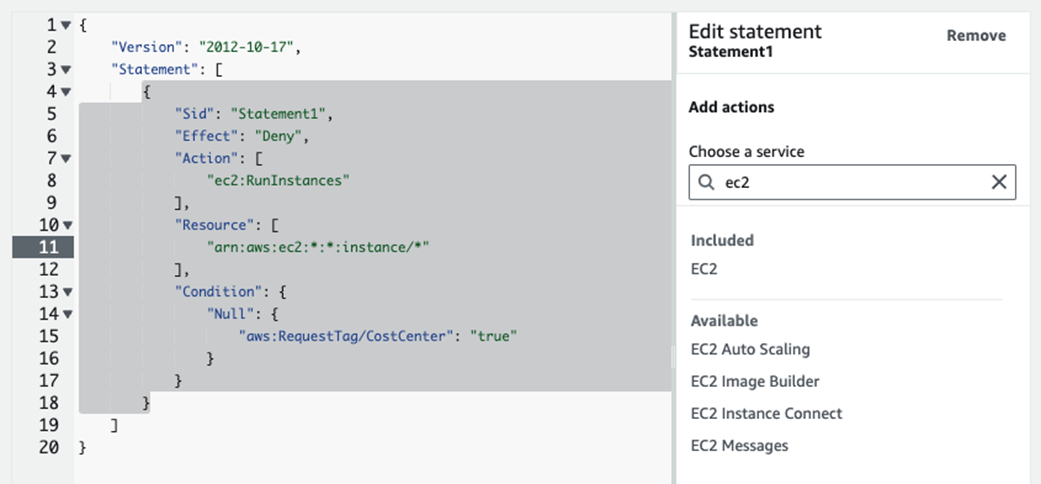
Prevent creation of EC2 without a CostCenter tag key
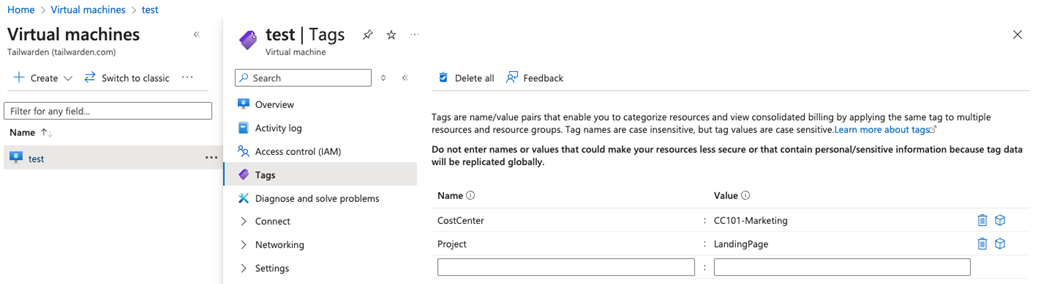
New tags are applied
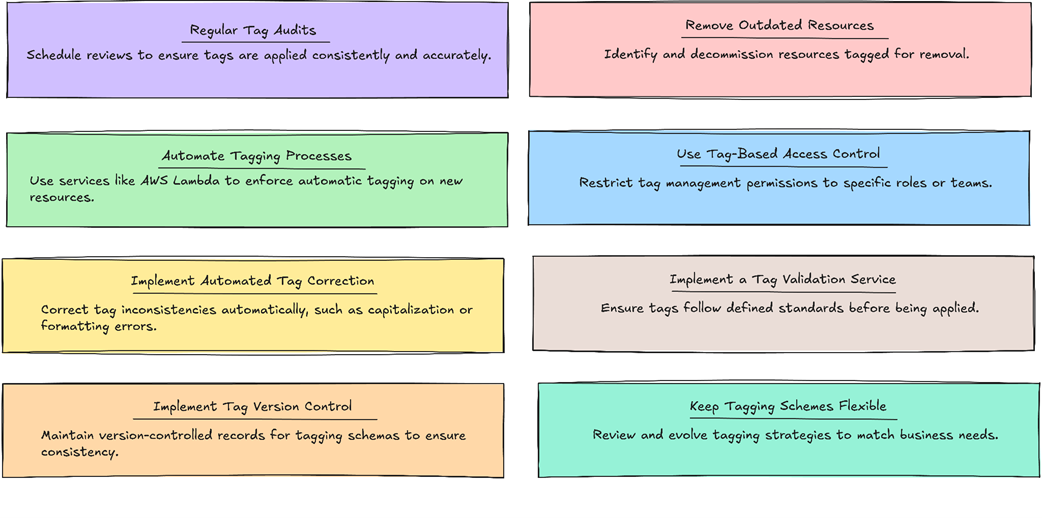
Steps for maintaining effective tag hygiene
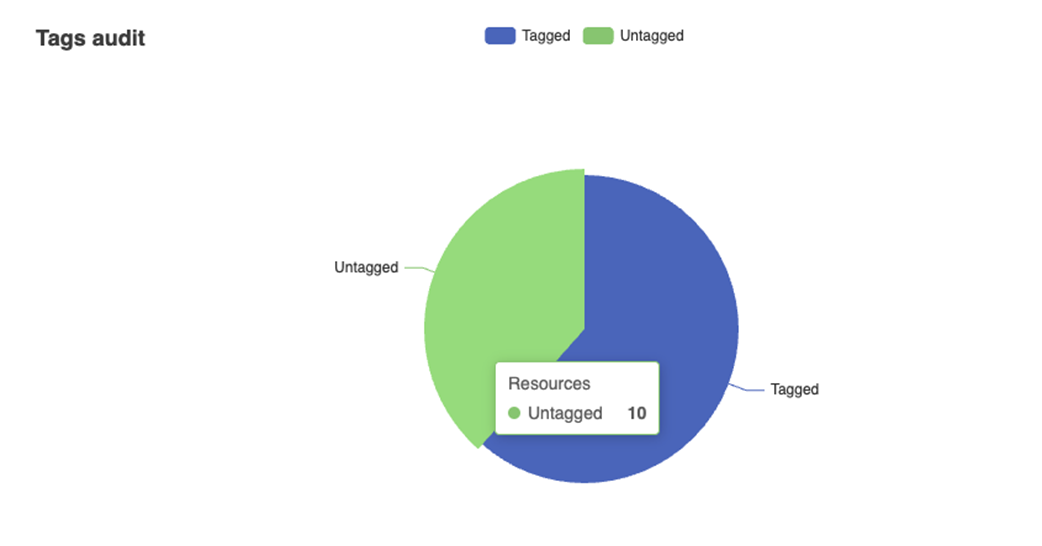
Output of the generated HTML file
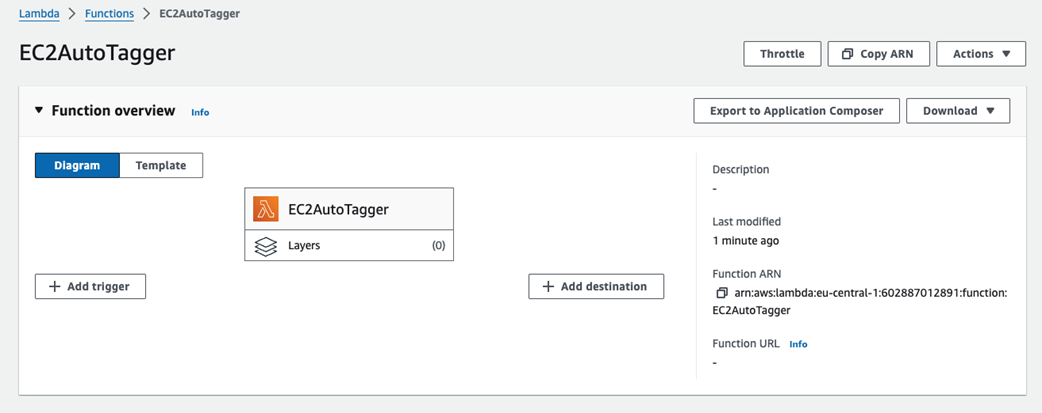
Lambda function configuration
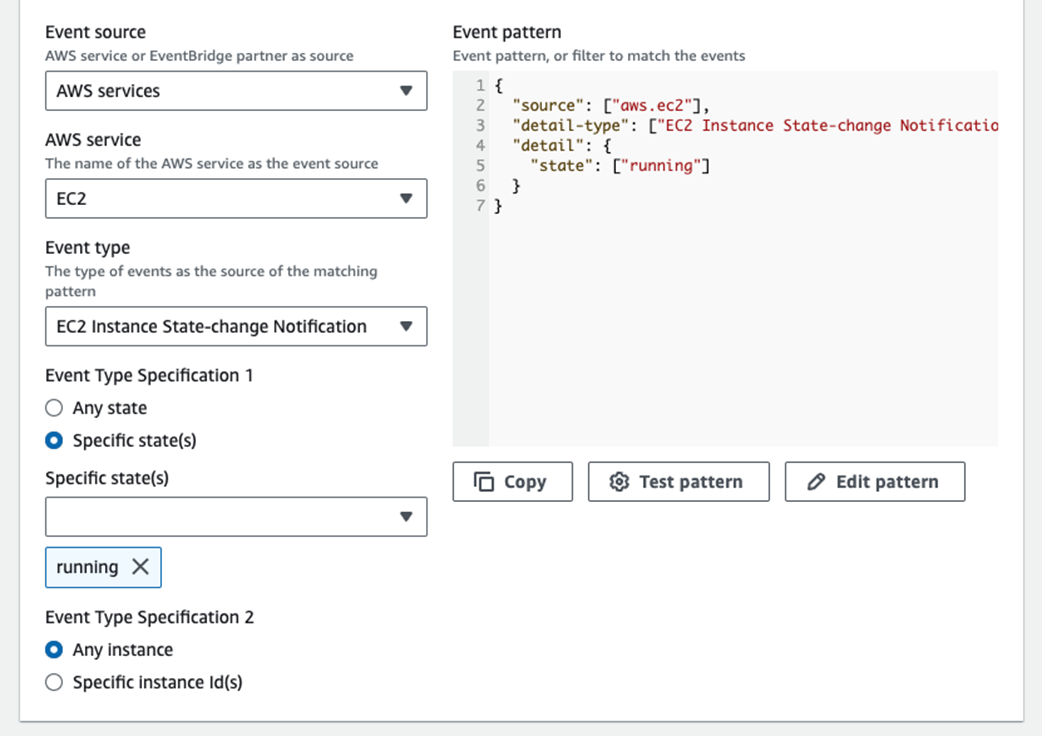
Selecting EC2 instance running state as the triggering event
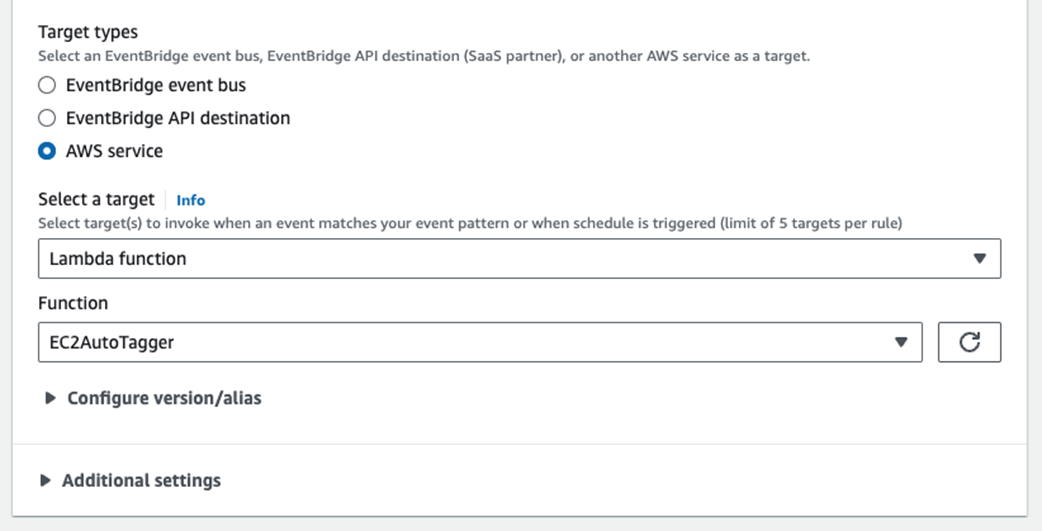
Selecting the Lambda function as the target
Result of Lambda function auto-tagging mechanism
Summary
- Tags management is a critical component of FinOps practices, enabling organizations to organize, track, and optimize their cloud resources effectively.
- AWS provides native tools like AWS Resource Groups and Tag Editor for efficient tag management, while AWS Config and AWS Organizations offer ways to enforce tagging policies.
- Third-party tools like Cloud Custodian offer advanced capabilities for tag management and policy enforcement across multiple cloud environments.
- Terraform can be used to implement IaC practices that include consistent tagging as part of resource provisioning.
- Regular tag audits are key for maintaining tag hygiene. Tools like custom scripts or AWS Config can be used to identify untagged or improperly tagged resources.
- Automating tagging processes using serverless functions (e.g., AWS Lambda, GCP Cloud Functions, Azure Functions) helps ensure consistency and reduces manual errors.
- Implementing tag-based access control enhances security and ensures that only authorized personnel can modify tags.
- A centralized tag validation service can be created to enforce tag standards across the organization.
- Version controlling your tagging schema helps track changes over time and ensures consistency across teams.
- Effective tags management supports key FinOps practices such as accurate cost allocation, resource optimization, and financial accountability across all cloud environments.
FAQ
Why is tagging critical for FinOps and cloud cost management?
Tags add business context to resources (for example, Environment, Owner, CostCenter, Project), enabling precise cost allocation, showback/chargeback, and accountability. They power automation (for example, stop non-critical resources off-hours), support compliance and governance, and surface optimization opportunities by making usage analyzable by department, project, or environment.
How do tagging implementations differ across AWS, Azure, and GCP?
- All use key–value metadata, but limits vary: AWS ~50 tags/resource, Azure ~50 pairs, GCP up to 64 labels.
- Case sensitivity matters; CostCenter and costcenter are distinct.
- System vs user-defined tags exist (for example, AWS system tags prefixed with aws:).
- Scope differs: AWS tags most resources; Azure supports resource, resource group, subscription; GCP labels at project/resource level.
- Provider-specific constraints apply (for example, Azure disallows certain symbols like < and >).
Which tags should be mandatory, and how do we keep them consistent?
Start with a concise core set aligned to FinOps goals: Environment (prod/dev/test), Department, Project, CostCenter, Owner (email or functional address). Standardize naming (for example, CamelCase keys, lowercase values), define allowed values lists (for example, Environment), and document the schema centrally so it’s easy to apply and audit.
How can we enforce tagging at scale across many AWS accounts?
- AWS Config required-tags rules to detect non-compliant resources.
- AWS Organizations Tag Policies to whitelist allowed values and standardize keys across accounts.
- Service Control Policies (SCPs) to deny creation when required tag keys/values are missing.
- Azure equivalents: Azure Policy; multi-cloud: Cloud Custodian policies.
What AWS-native tools help discover, apply, and manage tags efficiently?
- Console per-service tagging for quick edits.
- AWS CLI for bulk and scripted tagging (for example, ec2 create-tags, s3api put-bucket-tagging).
- Resource Groups & Tag Editor to search, edit, and apply tags across resource types.
- resourcegroupstaggingapi to list and tag resources by filters at scale.
How do Terraform and Cloud Custodian support multi-cloud tag management?
Terraform applies tags/labels at provisioning time across AWS, Azure, and GCP from a single codebase, ensuring resources launch compliant. Cloud Custodian enforces and remediates tagging post-provisioning (for example, add missing CostCenter, normalize values) across AWS, Azure, and GCP via lightweight policy YAML.
What does “maintaining tag hygiene” involve?
- Regular audits to find missing, stale, or inconsistent tags; generate reports and charts for coverage and distribution.
- Automated detection/correction of drift (for example, capitalization fixes, value normalization).
- Continuous education, governance checkpoints, and avoiding tag proliferation.
- Version-controlled schema (for example, tags.yaml) to track changes and approvals.
How can we auto-tag resources at creation time?
Use event-driven functions to apply default tags as soon as resources appear. Example: an AWS Lambda triggered by EventBridge on EC2 “running” events that calls CreateTags to add Environment, Owner, CostCenter. Extend similarly for other services or providers.
How do tags enable automation for savings and cleanup?
- Optimization tags (for example, AutoShutdown: 8PM-6AM) trigger off-hours shutdown of non-prod workloads.
- Temporal tags (for example, DecommissionDate, ExpirationDate) drive automated review and safe removal of “zombie” resources via scripts/Lambda + schedules.
How do we control and validate tag changes to protect data quality?
- Tag-based access control (IAM) to restrict who can create/delete/modify critical tags (for example, only TagAdmin/FinOps).
- Validation services (for example, Lambda) to check required keys, allowed values, and formats (for example, Owner as email) before acceptance.
- Integrate validation and schema checks into CI/CD and IaC PR reviews.
