3 Building a Cloud Asset Inventory
This chapter moves from FinOps foundations to the practical work of establishing a comprehensive cloud asset inventory. It defines an inventory as a centralized, up-to-date record of all resources across cloud environments, enriched with metadata such as region, usage, cost, and tags, and surfaced via dashboards for analysis. The chapter explains why inventories are essential to visibility and accountability, highlighting benefits for security monitoring, compliance and auditing, operational efficiency, cost optimization, and disaster recovery—needs that grow in importance as organizations adopt multi-cloud strategies.
The chapter presents multiple implementation paths, starting with do-it-yourself discovery using the AWS CLI and Bash to enumerate resources like EC2, S3, and Lambda into CSVs—an approach that offers full control but has performance, maintenance, and timeliness limitations. It then introduces AWS-native services that automate and scale inventory management: AWS Config for continuous change tracking, multi-account aggregation, compliance rules, and query-based insights; AWS Resource Explorer for fast, metadata-driven search across regions; and AWS Resource Groups for tag-based grouping and event-driven governance, including enforcing and validating cost allocation tags such as Owner and Environment.
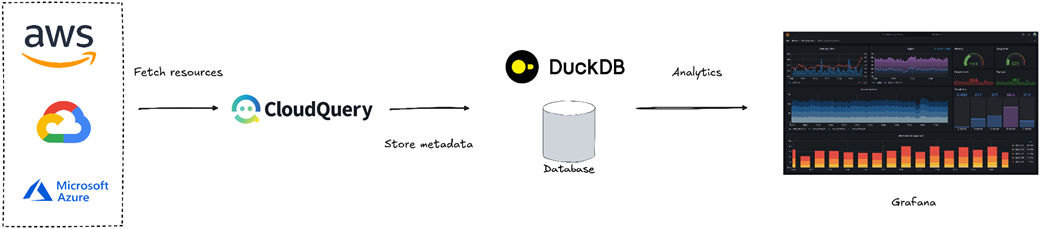
To address multi-cloud visibility, the chapter outlines native options in each provider—GCP Cloud Asset Inventory with scheduled exports to BigQuery, and Azure Resource Graph for KQL-powered cross-subscription queries—and converges on open-source tooling with CloudQuery. CloudQuery unifies assets from AWS, GCP, and Azure into SQL-accessible stores (DuckDB or PostgreSQL), enabling analytics and dashboards. With dbt-based transformations and Grafana for visualization, teams can standardize views, search and segment resources, and derive cost, compliance, and security insights. The chapter closes with best practices: enforce consistent tagging, automate updates, link inventory to cost data, preserve change history, and include rich metadata—laying the groundwork for subsequent tagging and cost optimization efforts.
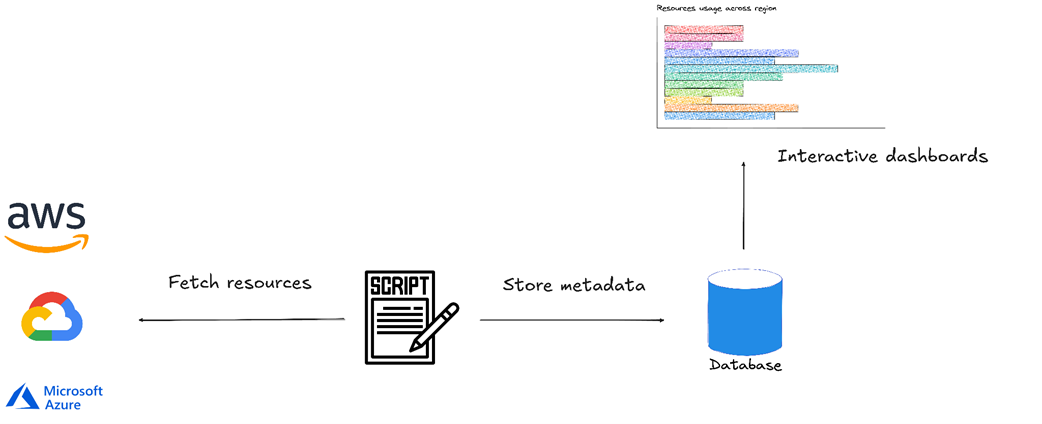
Building a cloud asset inventory dashboard with custom scripts to track cloud resources usage
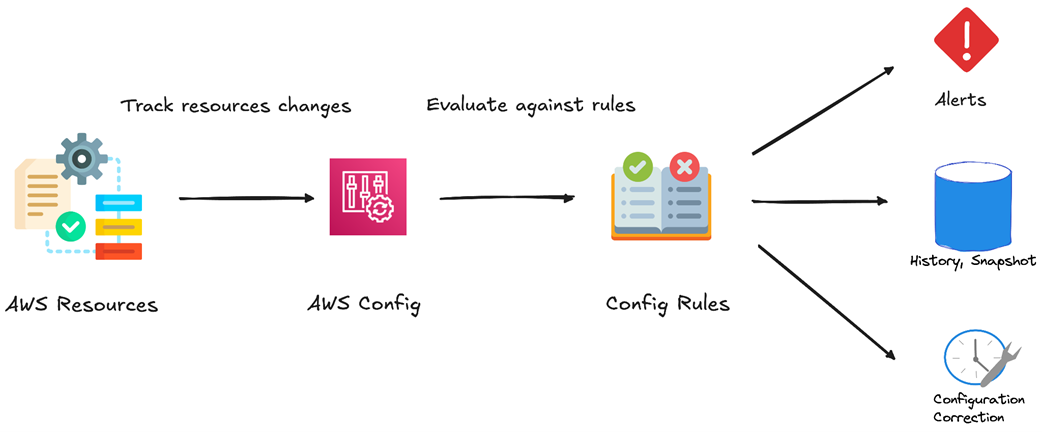
Track resources changes with AWS Config
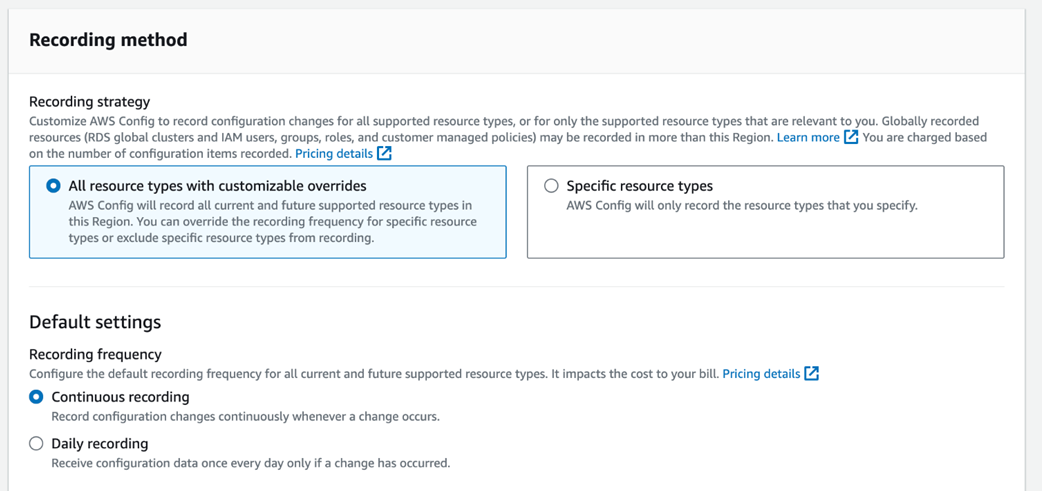
AWS Config’s recording method
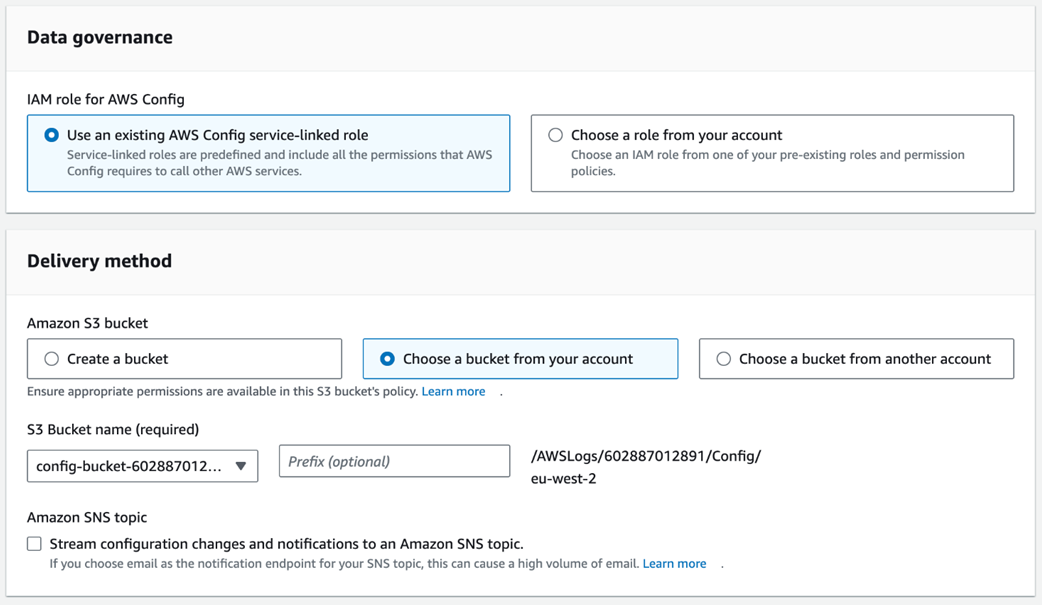
AWS Config’s delivery method
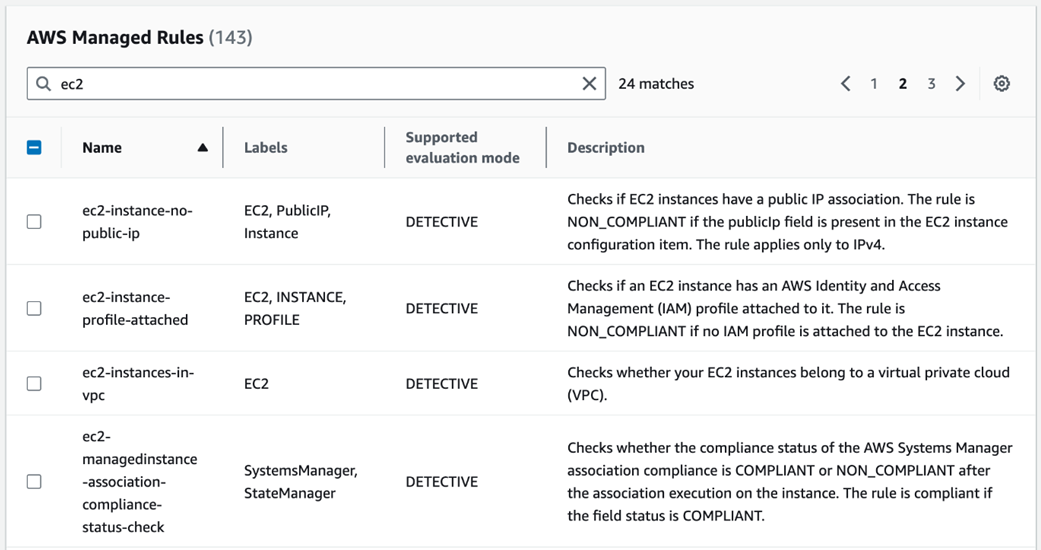
AWS managed rules
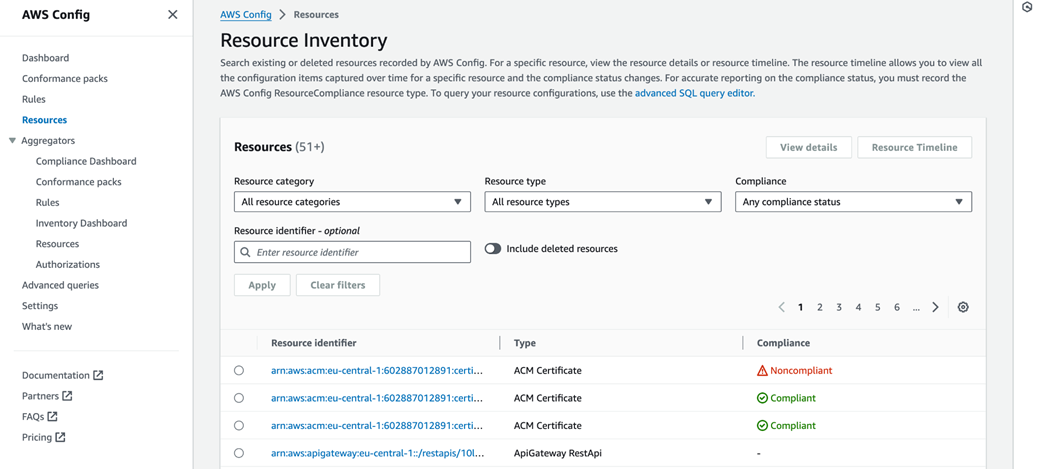
List of active resources
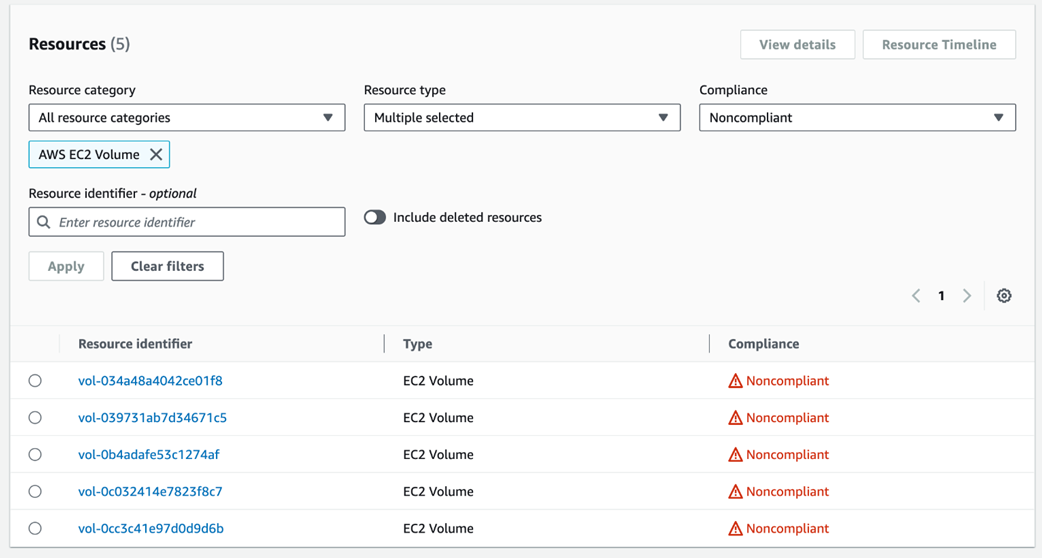
List of noncompliance EBS volumes
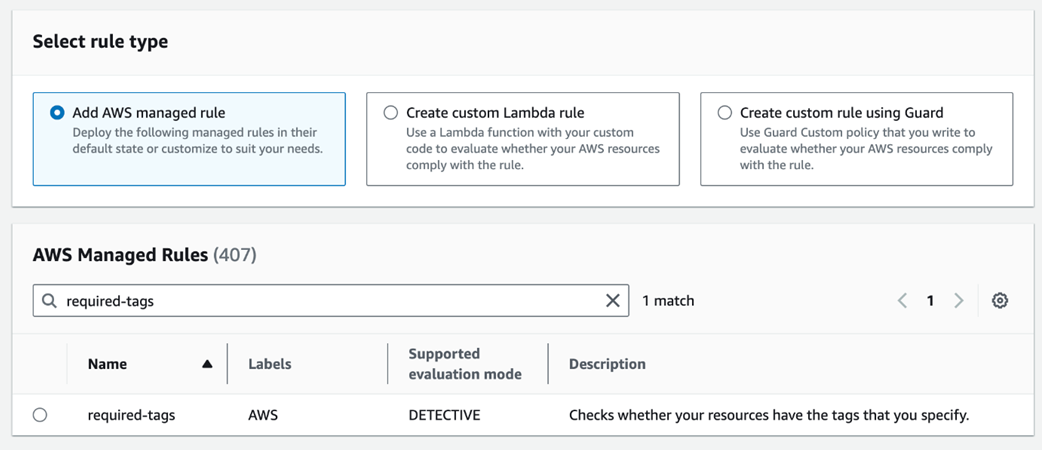
Creating a rule from an AWS-managed rule
Enforcing Owner as a tag key
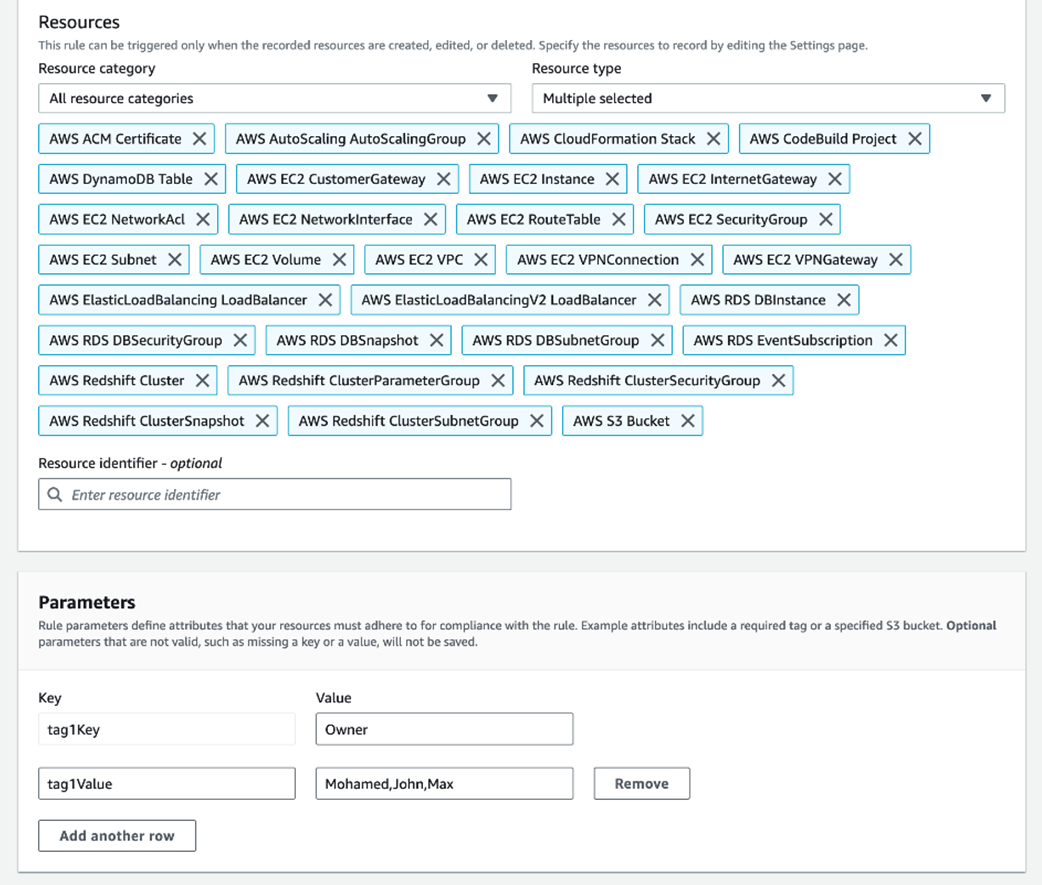
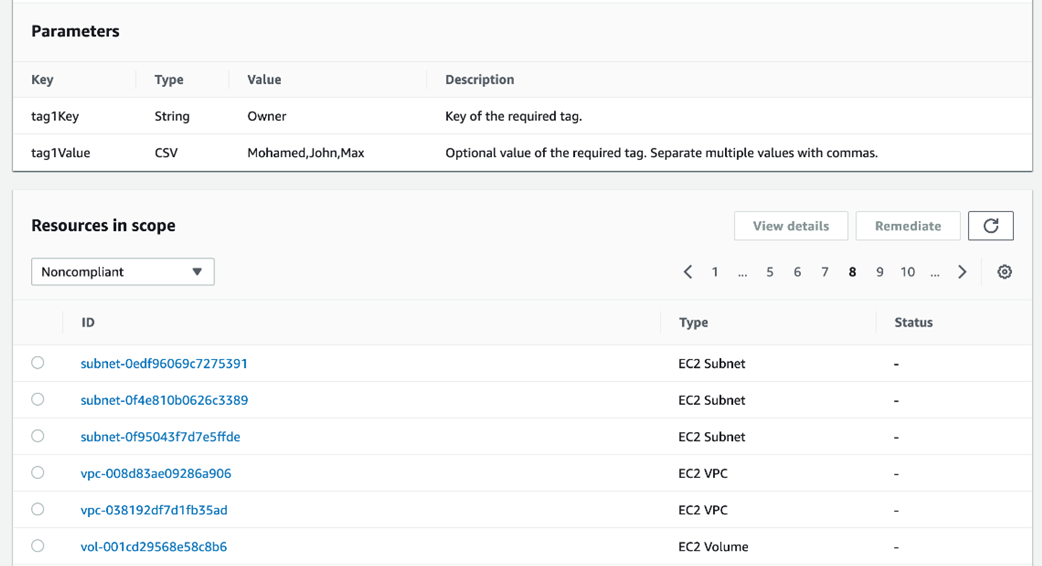
List of resources missing the Owner tag
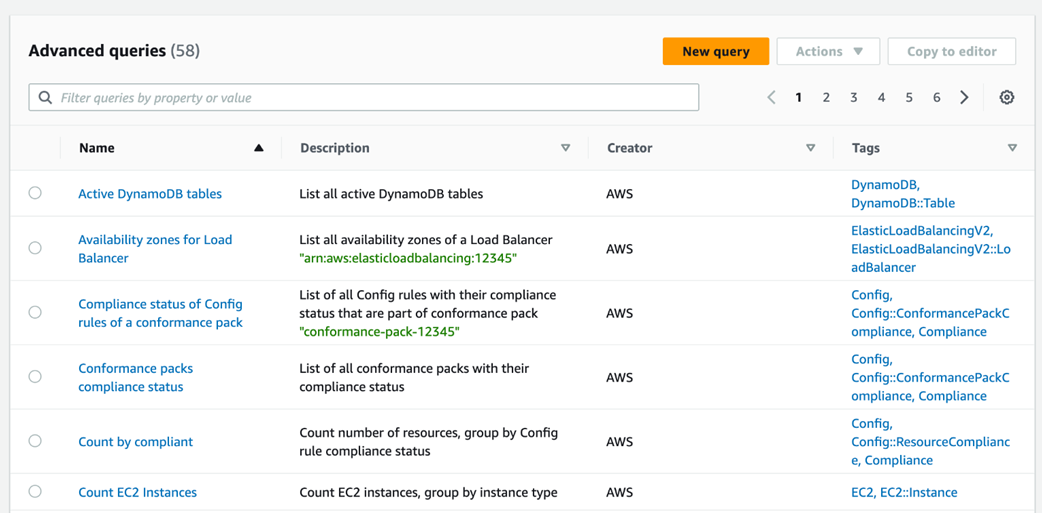
List of AWS Config’s built in queries
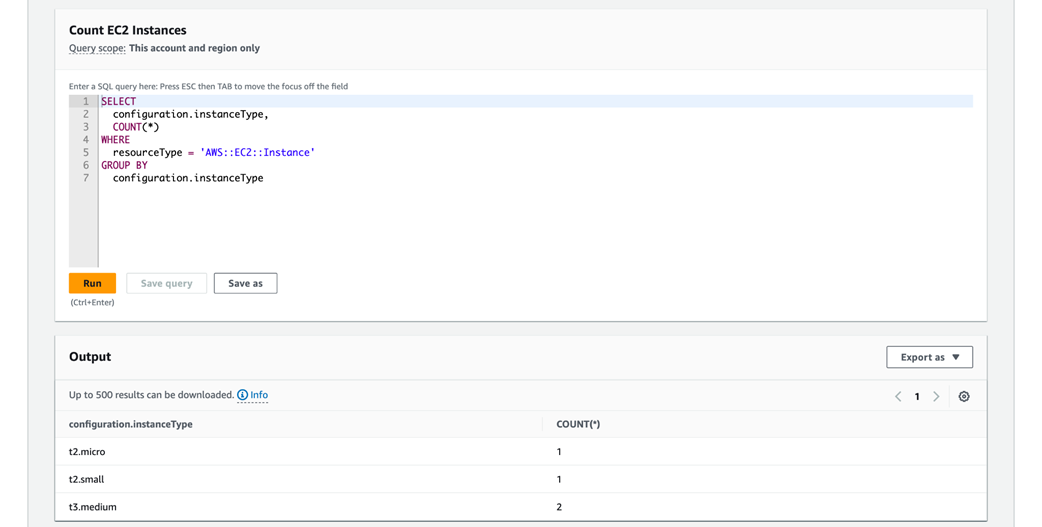
Number of EC2 instances per instance type
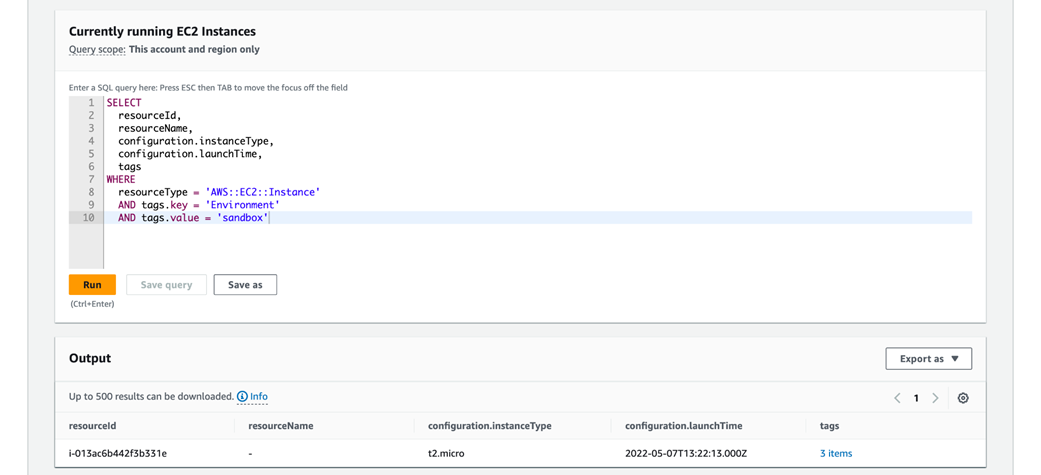
List of EC2 instances with Environment tag key
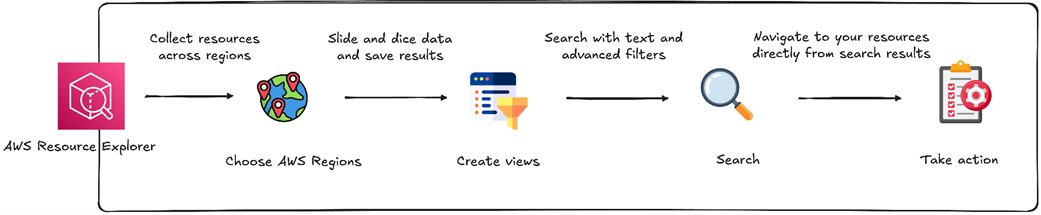
How AWS Resource Explorer works
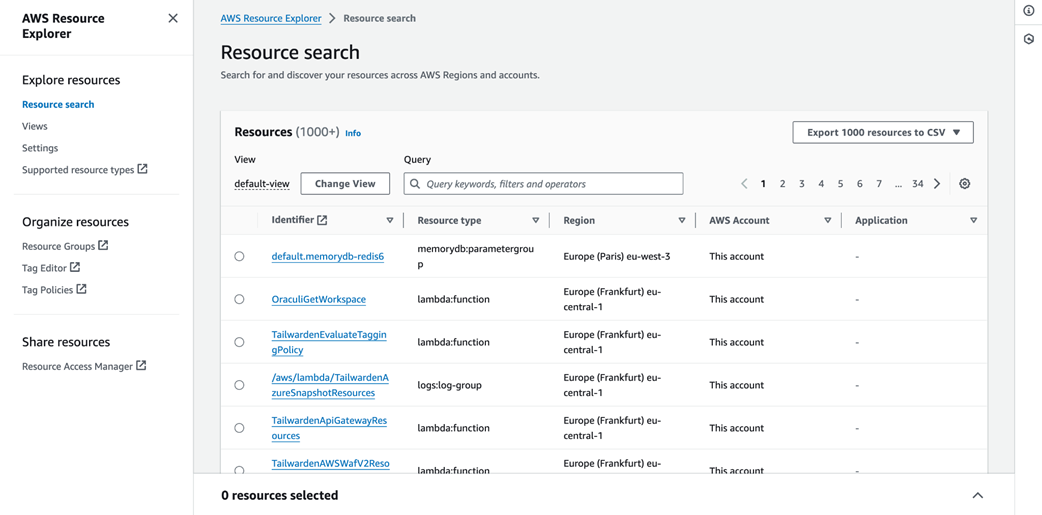
Viewing resources via AWS Resource Explorer
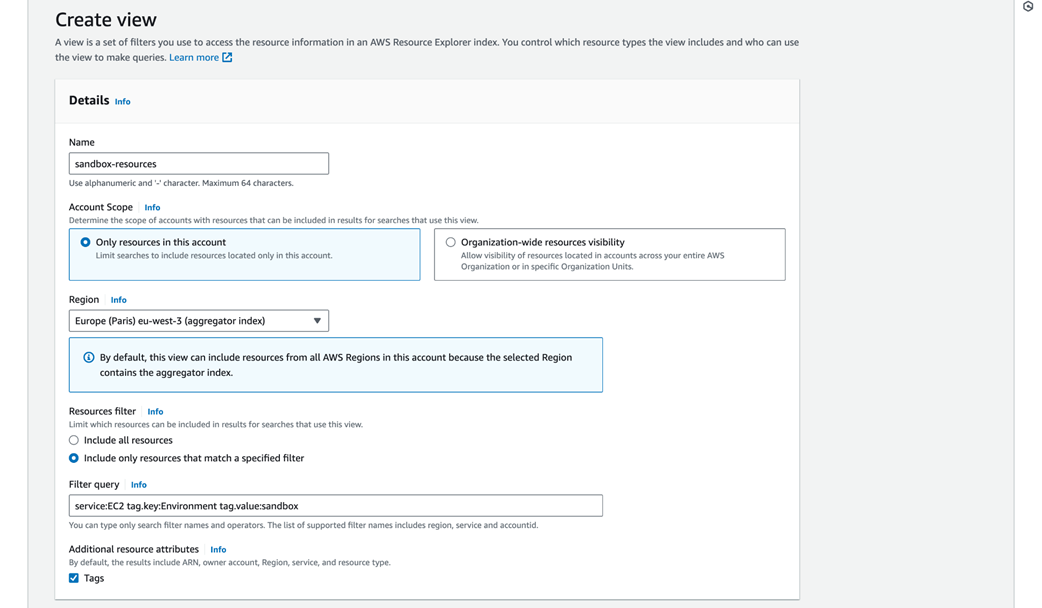
Creating a custom view
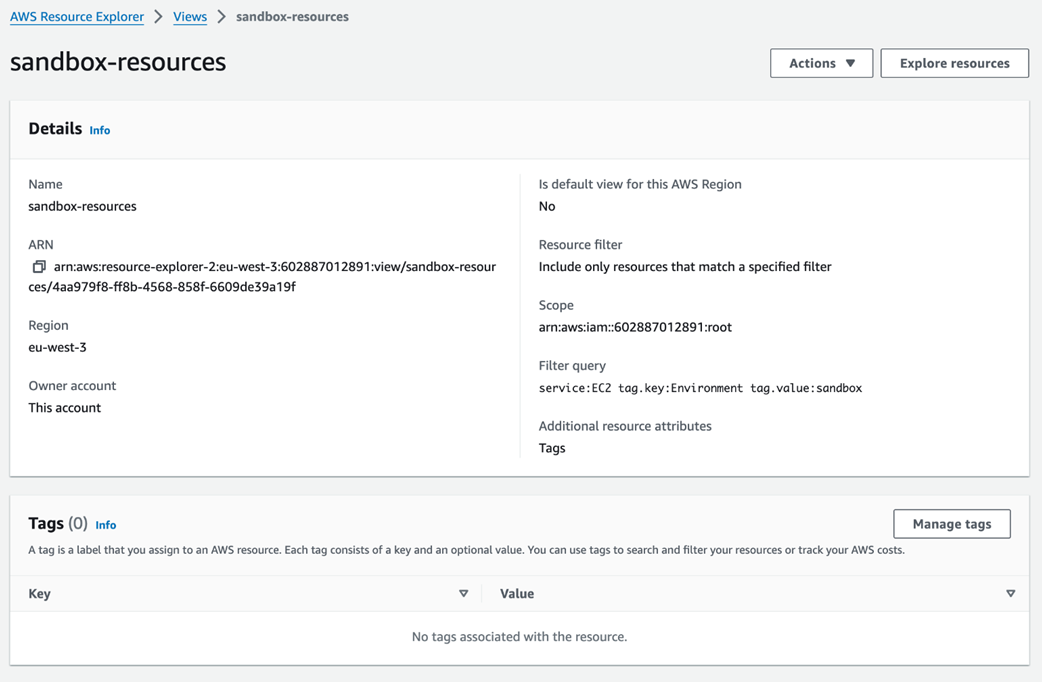
Custom view details page
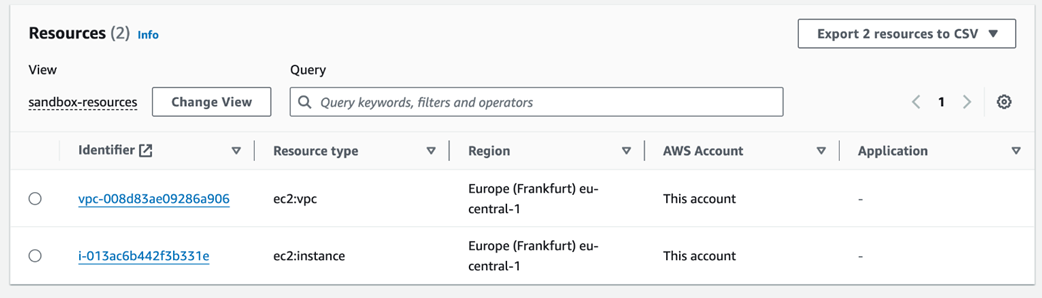
Resources belonging to the sandbox environment
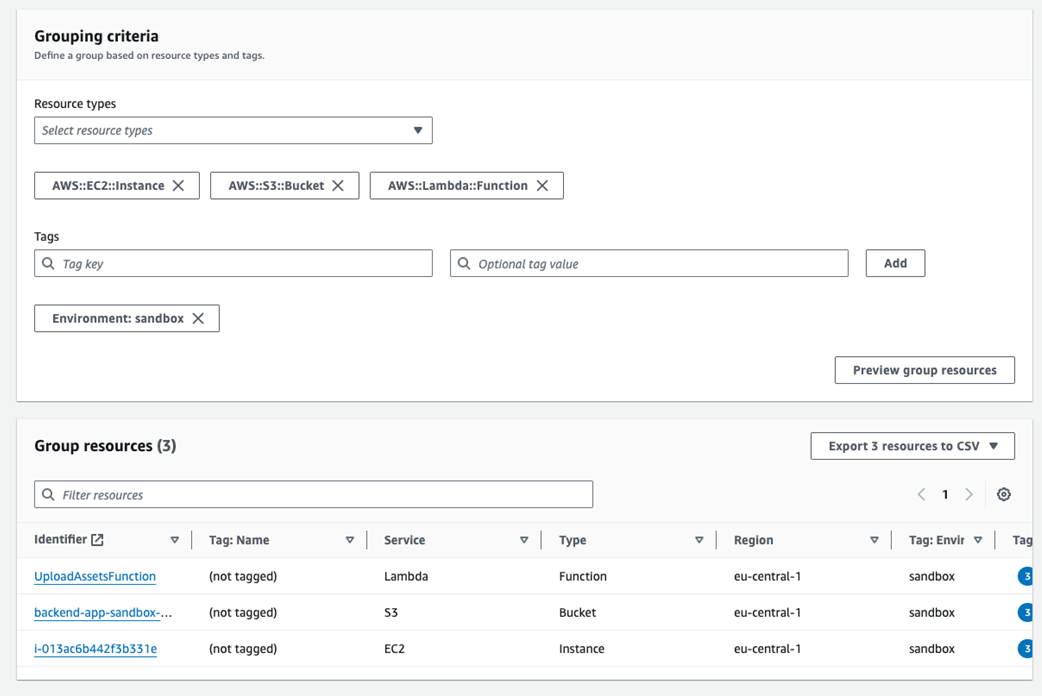
Creating a resource group
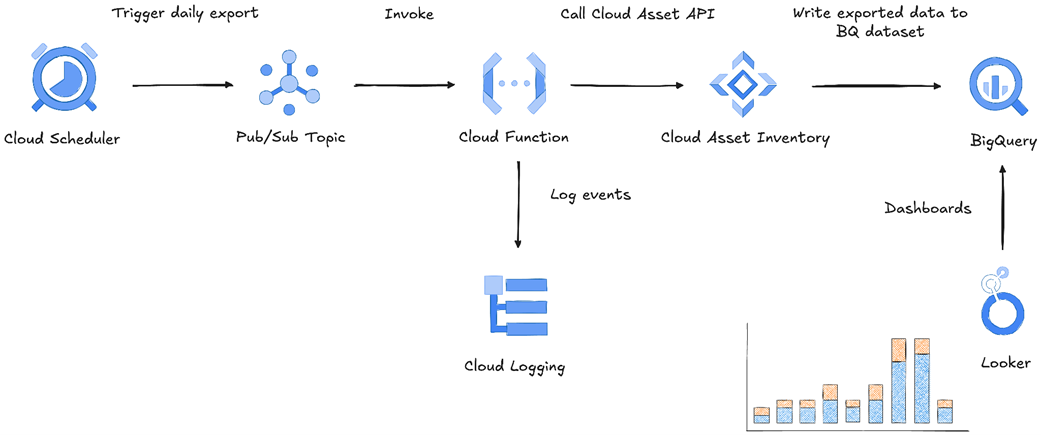
Automating asset inventory export in GCP
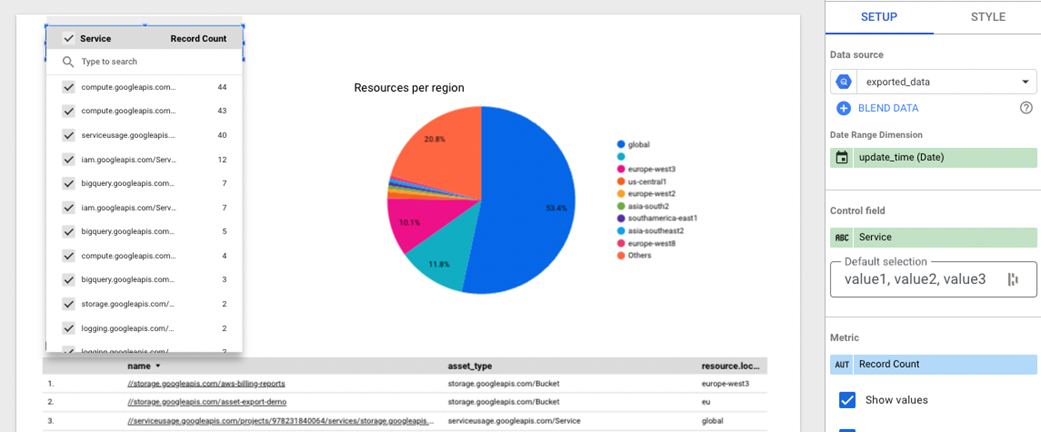
Filtering widgets output by service type
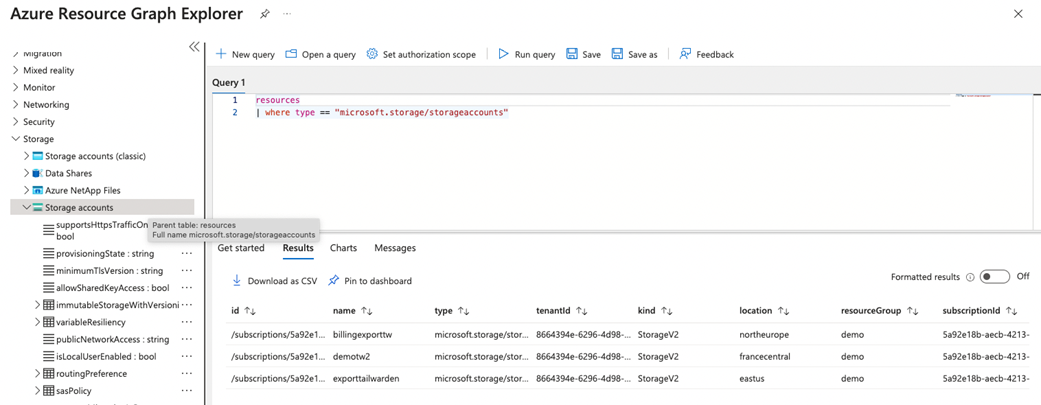
Listing all storage accounts
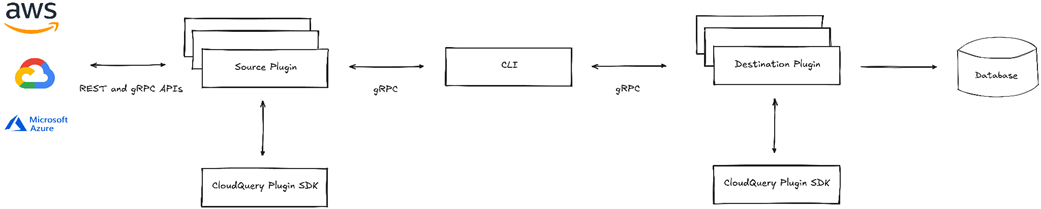
CloudQuery architecture
Synching S3 and EC2 resources

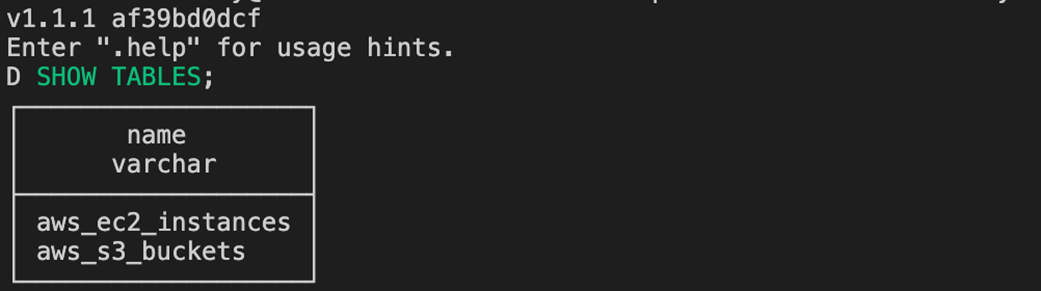
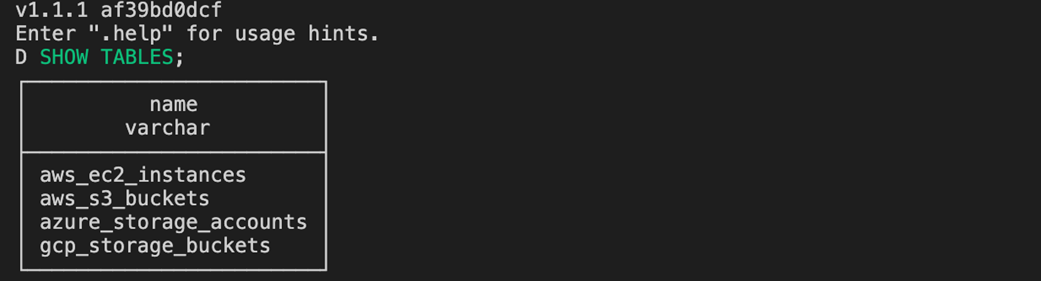
SHOW TABLES query output
List of EC2 resources

Output of synching command

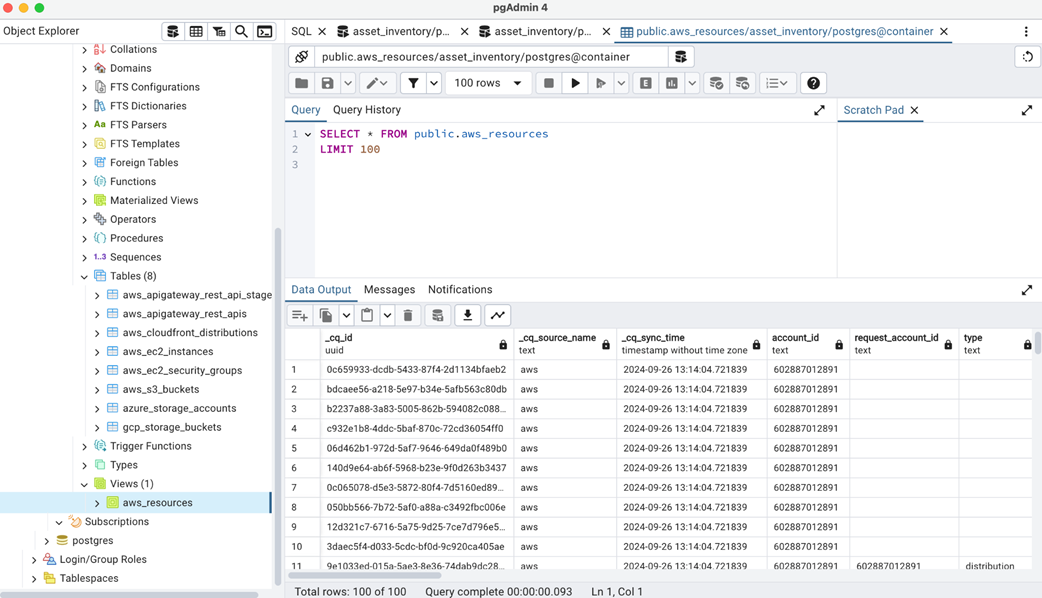
List of tables storing multi-cloud resources
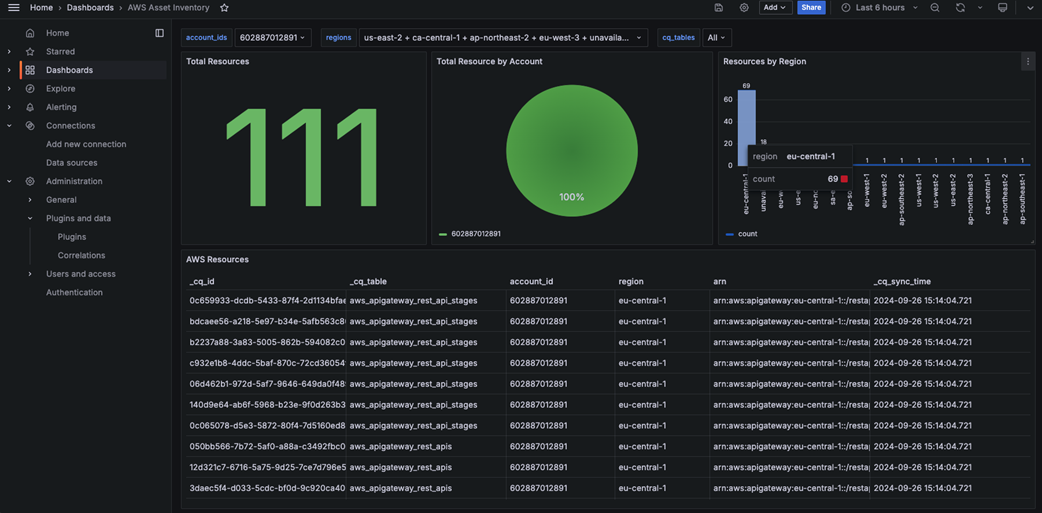
Building a cloud asset inventory dashboard with Grafana
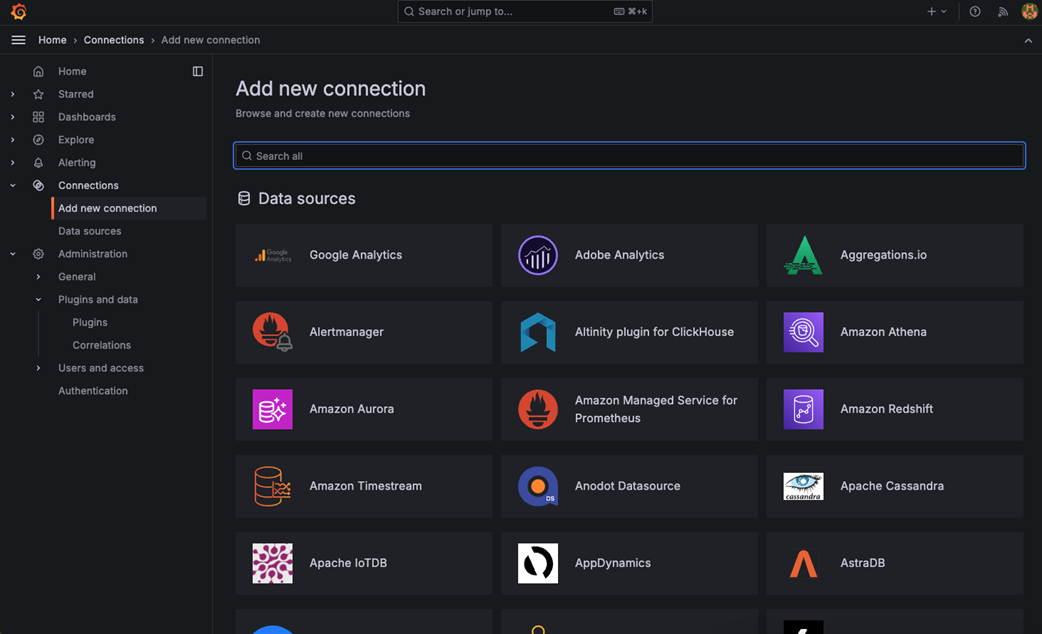
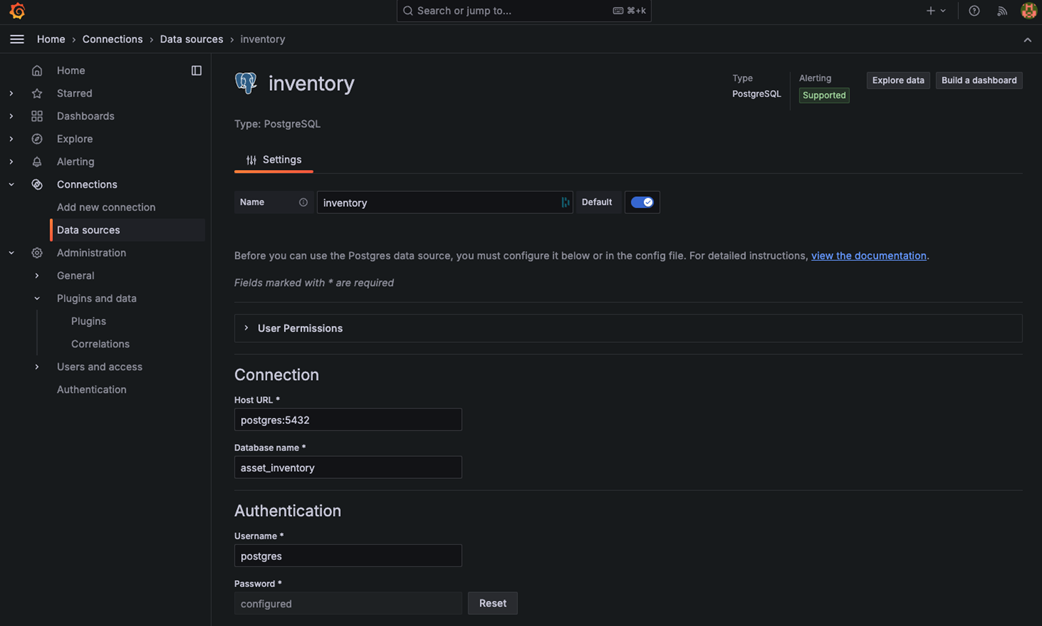
Grafana list of supported data sources
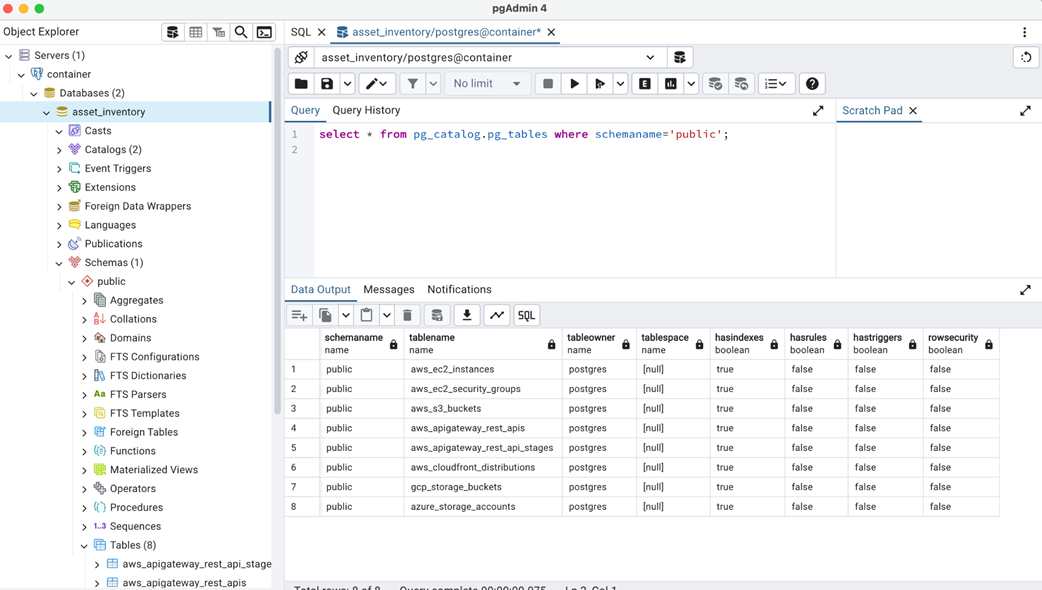
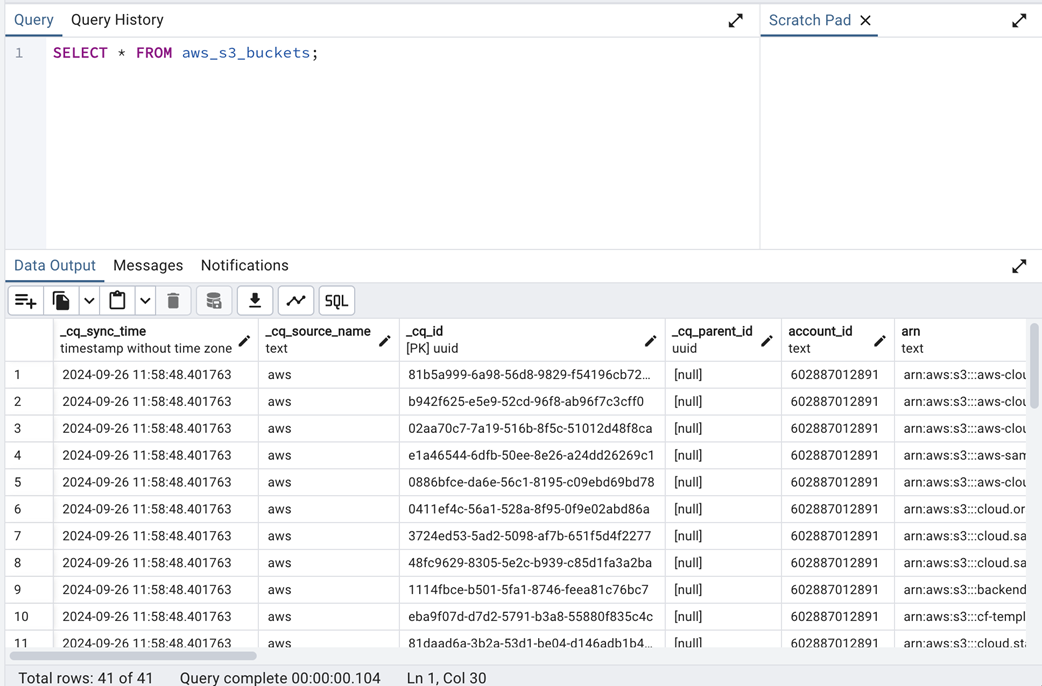
Output of the SELECT query
List of active S3 buckets
View listing all assets
Connecting Postgres to Grafana
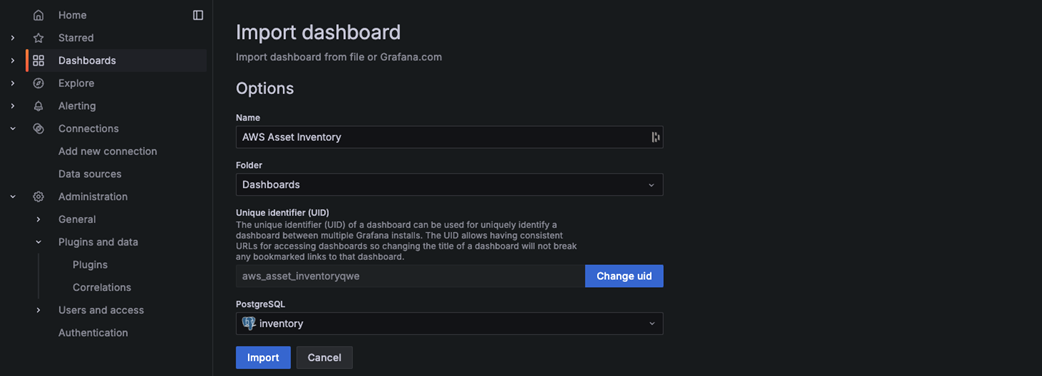
Import a Grafana dashboard via JSON
Asset inventory dashboard
Summary
- Building a comprehensive cloud asset inventory is important for implementing effective FinOps practices and achieving visibility into cloud resources.
- Custom scripts using cloud provider CLIs can be a good starting point for smaller environments or teams beginning their FinOps journey.
- AWS Config tracks configuration changes and resource compliance over time, enabling auditing and security analysis.
- AWS Resource Explorer provides search functionality across AWS resources, helping teams quickly locate and analyze cloud assets.
- AWS Resource Groups organizes resources by tags or attributes, simplifying management and filtering for operational tasks.
- GCP Cloud Asset Inventory offers real-time visibility into GCP resources, allowing exporting of metadata to BigQuery or Cloud Storage for further analysis. Azure Resource Graph enables efficient resource exploration and inventory management across multiple Azure subscriptions.
- Multi-cloud inventory tools like CloudQuery offer unified views of resources across different cloud providers, supporting complex FinOps scenarios.
- Best practices for cloud asset inventory include implementing consistent tagging, automating inventory updates, integrating with existing CMDBs, and regular auditing.
FAQ
What is a cloud asset inventory and why does it matter?
An asset inventory is a centralized, up-to-date list of all cloud resources (compute, storage, networking, etc.) across providers and regions. It underpins visibility, security, compliance, and FinOps by enabling: - Security monitoring and governance/auditing (track changes, ownership, and access) - Compliance validation (e.g., encryption, exposure) - Operational efficiency (faster troubleshooting and discovery) - Cost optimization (find idle/underutilized resources) - Disaster recovery readiness (backup coverage and restore paths)How do I quickly build a basic AWS inventory with Bash and the AWS CLI?
Install and configure the AWS CLI and jq. Loop over regions withaws ec2 describe-regions, list instances via aws ec2 describe-instances, and format to CSV with jq (instance ID, type, region, launch time, state, tags). Extend the script to include S3 (list-buckets) and Lambda (list-functions) and append rows to a unified CSV.What are the limitations of DIY scripts for inventory?
- Slow and brittle at scale; many API calls across regions/services can hit rate limits - Ongoing maintenance when CLIs/APIs change or new services appear - Only a point-in-time snapshot, not real-time - Harder to aggregate across multiple accounts and providersHow does AWS Config help manage inventory and compliance?
AWS Config continuously records resource configurations and history, aggregates across accounts/regions, and evaluates against rules. You can: - Use managed rules (e.g.,ec2-volume-inuse-check, eip-attached) and “required-tags” to enforce tagging
- Query resources with advanced, SQL-like expressions
- Export history to S3 and notify via SNS
This brings governance, auditability, and FinOps guardrails (e.g., tagging compliance) into one place.When should I use AWS Resource Explorer vs. AWS Config?
- Resource Explorer: fast search and discovery across regions using metadata (names, tags, IDs). Create views (e.g., Environment=sandbox) and search via CLI (e.g.,resourcetype:ec2:instance, -tag:Environment). Best for ad-hoc discovery and validation.
- AWS Config: continuous recording, change history, compliance rules, and advanced queries. Best for governance, audits, and policy enforcement.
They complement each other.How can AWS Resource Groups support FinOps?
Resource Groups let you group assets by tags (e.g., Environment=sandbox) and operate on them collectively. You can: - Monitor group events and trigger automation (e.g., Lambda to validate cost-allocation tags) - Use CLI to define groups filtered by tags This improves accountability and simplifies bulk actions on cost-sensitive environments.What native options exist for GCP and Azure inventories?
- GCP: Cloud Asset Inventory provides real-time visibility and export to BigQuery/Cloud Storage. Automate exports with Cloud Scheduler + Pub/Sub + Cloud Functions, then build dashboards on BigQuery. - Azure: Resource Graph enables cross-subscription querying with KQL. Filter by tags, resource type, and properties to find idle or misconfigured assets and support cost and compliance analytics.How do I build a multi-cloud inventory with CloudQuery?
CloudQuery extracts cloud assets via source plugins (AWS/GCP/Azure) and syncs them to a destination (DuckDB/PostgreSQL). Steps: - Install CLI and init a project - Configure sources (tables, regions/projects/subscriptions) and a destination - Runcloudquery sync to populate tables
- Query assets with SQL for unified multi-cloud visibility