This chapter walks through building a simple OAuth 2.0 web client end to end. It covers registering the client with an authorization server, configuring a unique client identifier and secret alongside redirect URIs, and pointing the client at the server’s authorization and token endpoints. Framed as a confidential client, the chapter centers on the authorization code grant to obtain a bearer access token that the client can present to a protected resource.
The implementation assembles the authorization request, redirects the user, and processes the callback by validating a state value to guard against cross-site attacks before exchanging the authorization code for tokens via a back-channel POST authenticated with HTTP Basic. The client parses the JSON response, stores the access token (and any associated scope or refresh token), and emphasizes good hygiene such as consistently using the same redirect URI that initiated the flow and treating tokens as sensitive, while acknowledging simplified choices made for demonstration.
With a token in hand, the client calls the protected resource—preferably sending the bearer token in the Authorization header—handles missing or invalid tokens, and recovers gracefully by using the refresh token grant to obtain a new access token and retry the request. The chapter shows how to replace stored tokens when new values are issued, anticipate expiration, and design robust control flow so the client remains functional without repeatedly prompting the user to reauthorize.
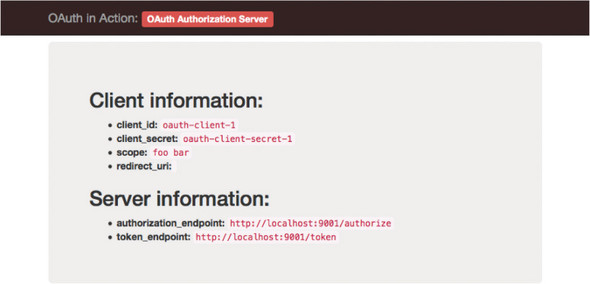
The authorization server’s homepage, showing client and server information
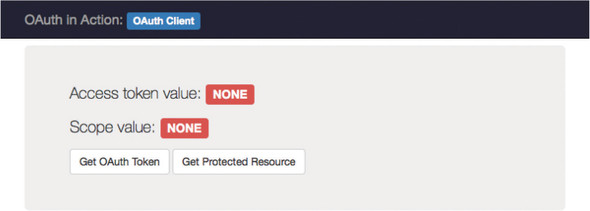
The client’s initial state before getting a token
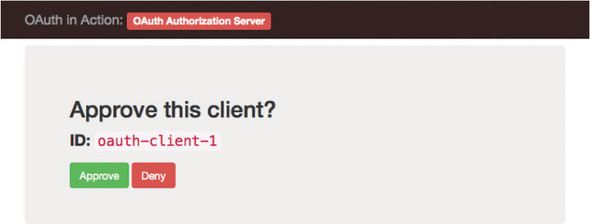
The authorization server’s approval page for our client’s request
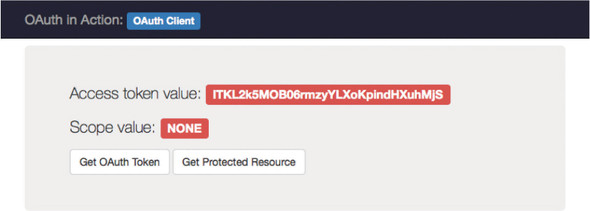
The client’s homepage after retrieving an access token; the access token value will vary each time the program is run
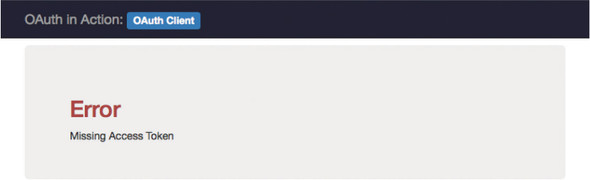
An error page on the client, displayed when the access token is missing
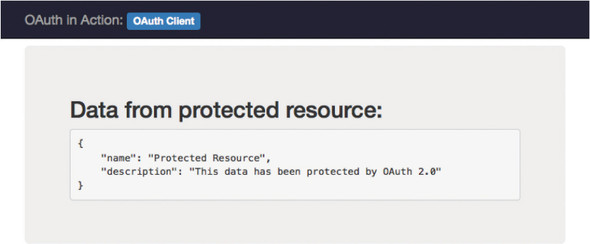
A page displaying data from the protected resource’s API.
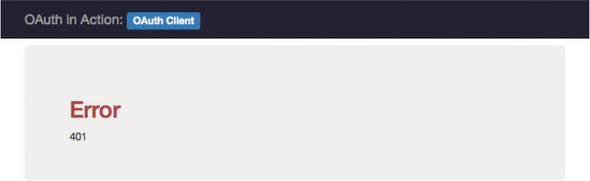
An error page showing the HTTP error code from the protected resource because of an invalid access token
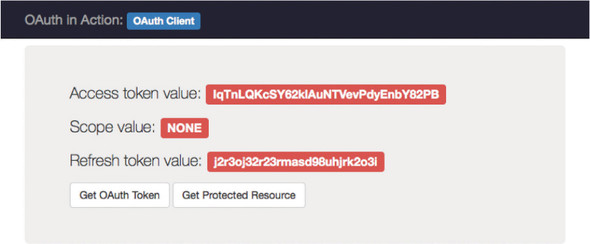
The client’s homepage after refreshing the access token
FAQ
How do I register the OAuth client for the exercises?
Assign the client a unique client_id and (for a confidential client) a client_secret issued by the authorization server. Configure the client with its redirect_uris and the server’s authorizationEndpoint and tokenEndpoint. In the chapter’s code, these live in the client and authServer objects.What steps does the authorization code grant follow in this chapter?
The client redirects the user to the authorization endpoint with response_type=code, client_id, redirect_uri (and optionally state). After approval, the server redirects back to the client’s redirect_uri with a code (and state). The client then POSTs the code (and the same redirect_uri) to the token endpoint with client authentication to obtain an access token (and possibly a refresh token), which it stores.Why must redirect_uri be sent again to the token endpoint?
If a redirect URI was included in the authorization request, the same exact value must be included in the token request. This prevents an attacker from injecting a code from one session into another by mismatching redirect URIs.How does the client authenticate to the token endpoint?
As a confidential client, it uses HTTP Basic auth with the client_id and client_secret (URL-encoded, then base64-encoded as id:secret). The token request body is form-encoded (Content-Type: application/x-www-form-urlencoded).What is the state parameter and how does it protect the flow?
state is a client-generated random string sent on the authorization request and returned by the server unchanged. The client stores it and verifies it on callback; a mismatch indicates possible CSRF or session fixation, so the client should abort and show an error.How do I use the access token with the protected resource?
Send it as an HTTP Authorization header: Authorization: Bearer {token}. Although bearer tokens can also be sent in the form body or as a query parameter, the Authorization header is recommended to avoid leakage and to keep API flexibility.How does the client know if an access token is still valid?
The definitive way is to use it and handle the response. The token response may include expires_in (a hint in seconds), but tokens can be revoked at any time. A robust client expects failures (for example, 401) and reacts accordingly.How does the refresh token flow work in the exercise?
On an invalid/expired token response, the client clears its access token and, if it has a refresh_token, POSTs grant_type=refresh_token and the refresh_token to the token endpoint (with client authentication). It saves the new access_token (and a new refresh_token if returned) and retries the protected resource call. If refresh fails, it discards tokens and shows an error or re-initiates authorization.Why is the client implemented as a web app, and what does “the client is also a server” mean?
The OAuth “client” is the software that obtains and uses tokens; in this chapter it’s a web application that also hosts endpoints (like /authorize and the redirect_uri) to drive the flow. Web apps are OAuth’s classic use case; other app types have additional considerations.What practical and security tips are highlighted for this simple client?
- Don’t expose tokens in the UI in real applications (done here only for learning).- Avoid public trigger endpoints for getting new tokens; use internal state to decide when to obtain/refresh.
- Prefer Authorization headers over query parameters for bearer tokens.
- Always validate state on callback.
- When editing the sample client, restart it to apply changes; keep all three components running on localhost for the exercises.

 OAuth 2 in Action ebook for free
