1 What is Microsoft Azure?
Microsoft Azure is Microsoft’s globally distributed cloud platform that delivers hundreds of services for compute, storage, networking, databases, AI, and more, letting individuals and enterprises build and run applications without owning physical servers. The chapter explains cloud computing as layered abstractions—Infrastructure-, Platform-, and Software-as-a-Service—and positions Azure as a public cloud that can also participate in private and hybrid setups. With data centers across more than 65 regions, Azure enables placing workloads close to users for lower latency and designing resilient, regionally redundant architectures, while offering a consistent management model regardless of geography.
Moving from concepts to practice, the chapter shows how common scenarios benefit from Azure: hosting web apps with managed compute and databases that scale on demand; extending on-premises environments with hybrid identity and synchronized file shares; and designing fault-tolerant, multi-region systems using global traffic routing, load balancing, and data replication. It highlights automation with Azure Resource Manager templates for repeatable, error-resistant deployments, and introduces the main ways to interact with the platform—Azure Portal for visual management, Azure CLI and PowerShell for scripting and automation, and language SDKs for embedding Azure services into applications—all unified through Azure Resource Manager.
The motivations for adopting Azure go beyond upfront cost savings to include elastic scalability, built-in reliability (availability zones, paired regions, resilient storage), rapid infrastructure expansion, strong support options, and extensive compliance coverage. Cost is treated as a first-class concern: you can start with a free account, use pay-as-you-go when appropriate, and significantly reduce spend with reserved instances or spot pricing, with billing typically driven by time, traffic, and storage. The chapter also surveys alternatives—on-premises, other cloud providers, and multi-cloud—emphasizing trade-offs in skills, governance, and cost, and concludes by guiding readers to create an account so they can choose the right services, configure them correctly, integrate them effectively, and operate them efficiently.
A selection of some of the many Azure Regions spanning the globe.

Cloud computing abstraction layers. The responsibility shifts between you and the cloud provider across IaaS, PaaS, and SaaS. As you move up the layers, the provider manages more — from physical infrastructure and virtualization in IaaS, to the OS and runtime in PaaS, and nearly everything in SaaS — leaving you to focus on just your applications and data.

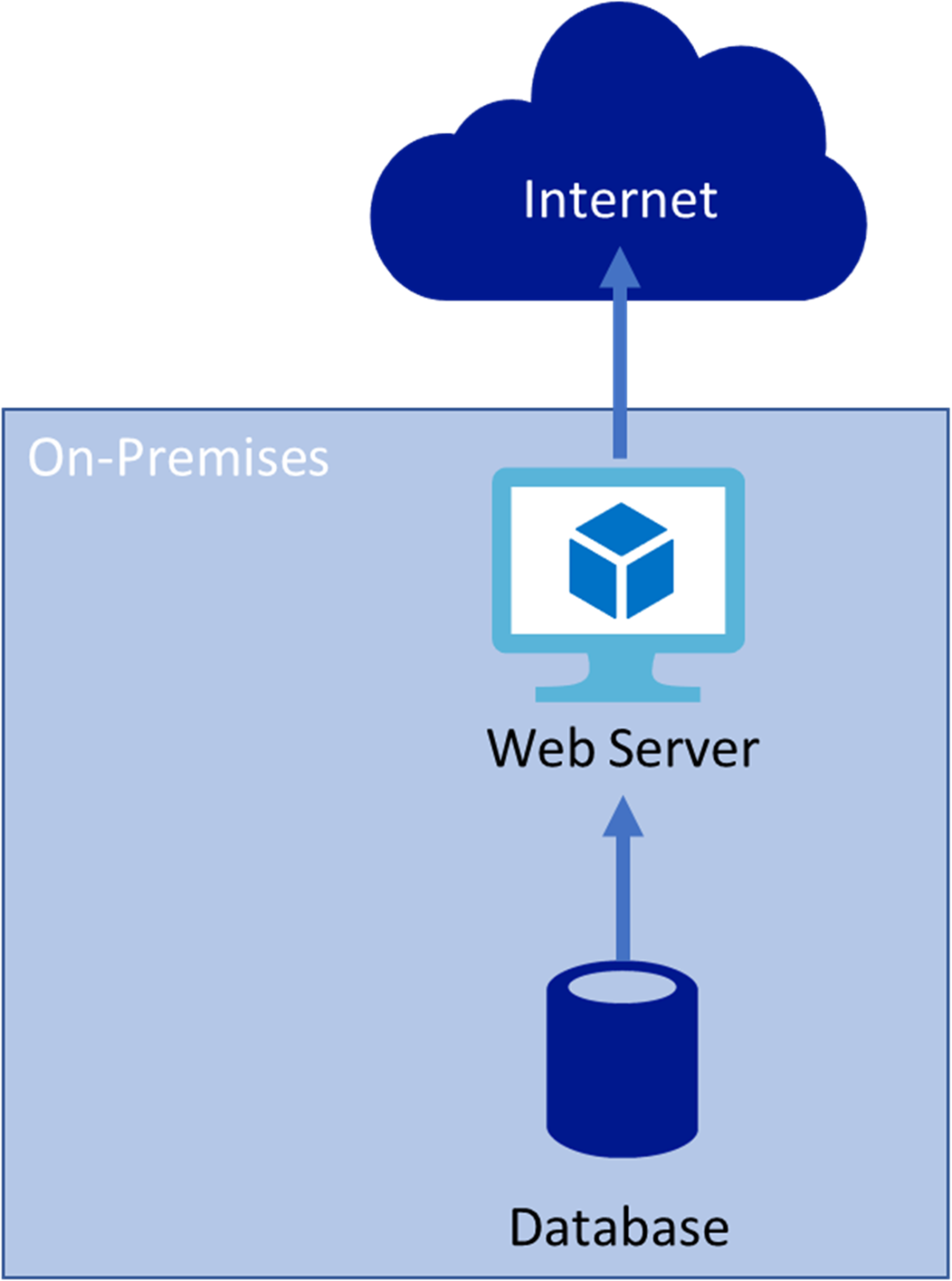
Simple on-premises web hosting. In this setup, both the database and web server are hosted locally, with all public traffic routed through the on-premises server. This works for many small businesses but can struggle with performance, scalability, and maintenance as traffic or demand grows.
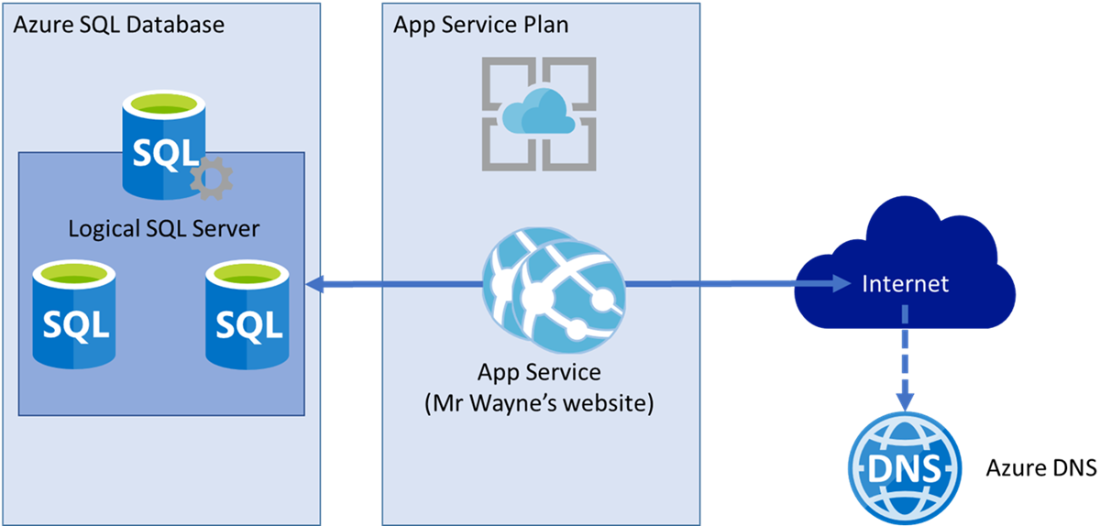
Mr. Wayne’s cloud architecture. Moving the website to Azure places the database in Azure SQL and the web application in an App Service Plan, with Azure DNS providing faster global resolution. This setup reduces latency for distant users, handles traffic spikes through scaling, and eliminates the need for Mr. Wayne to maintain physical hardware.
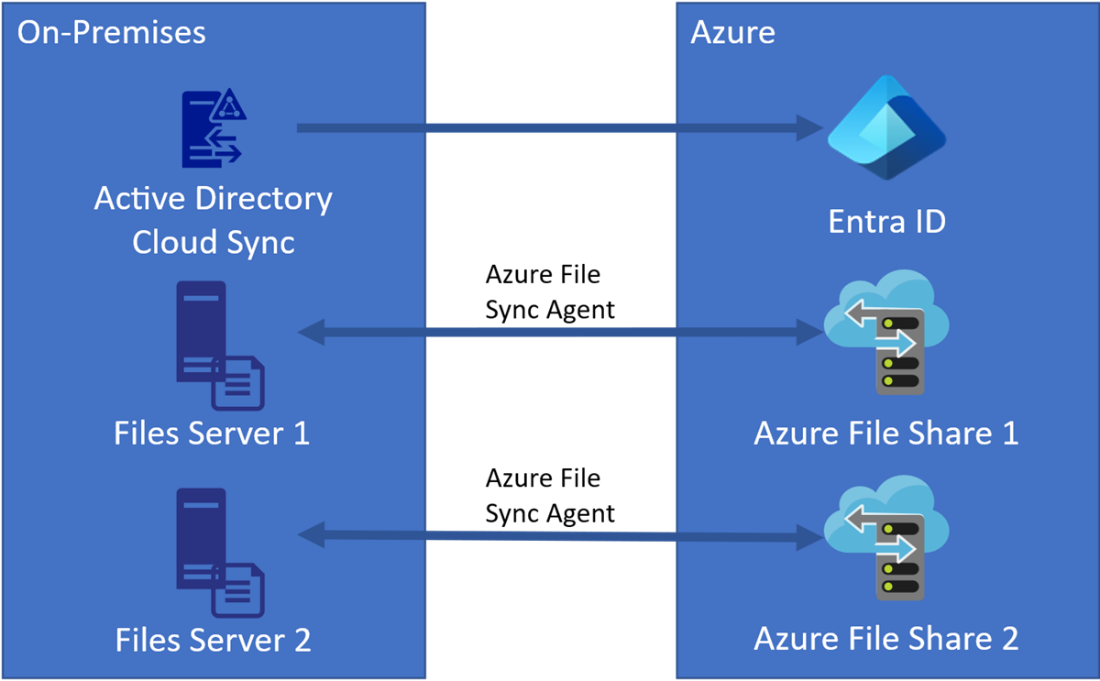
Hybrid file synchronization setup. This architecture connects an on-premises environment to Azure using Entra ID for authentication and Azure File Sync agents for keeping files synchronized between local file servers and Azure File Shares. Users can access files locally or in the cloud, with changes automatically kept in sync. This setup provides built-in backups, easier disaster recovery, and secure remote access, while reducing the need for additional on-premises storage hardware.
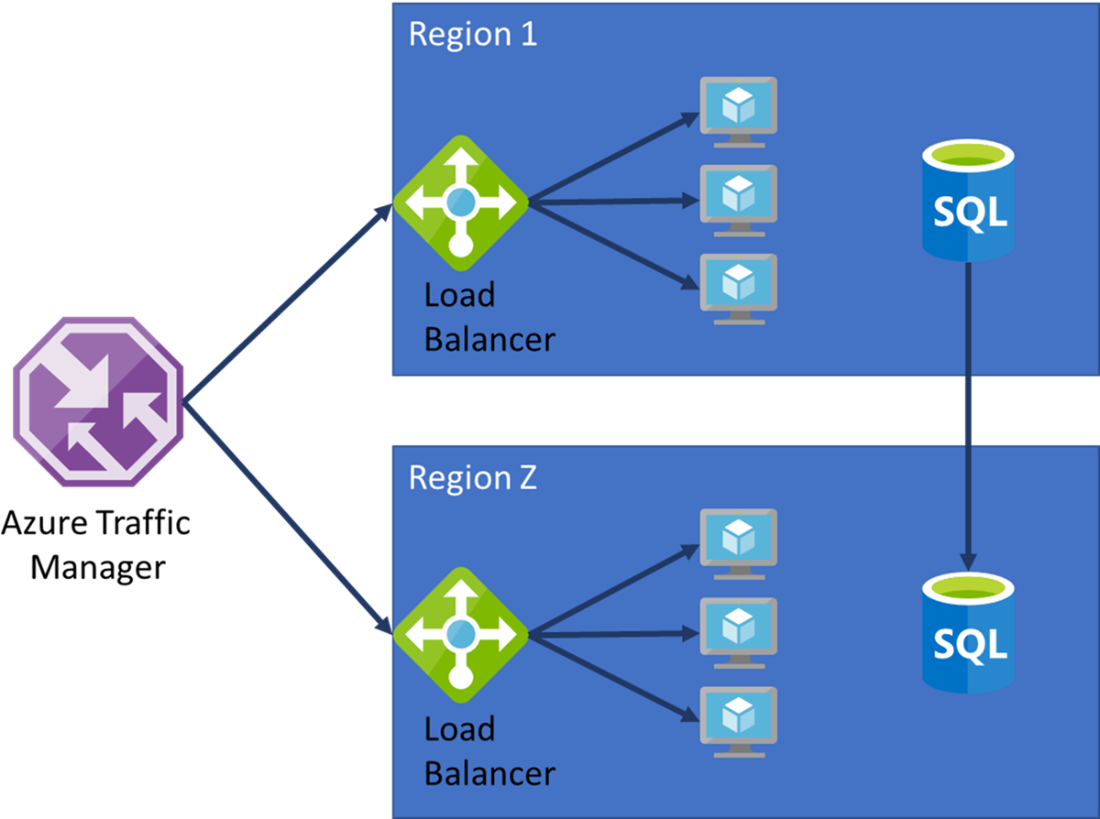
Redundant Azure architecture example. This setup uses Azure Traffic Manager to route requests between regions, ensuring availability if one region goes offline. Within each region, a Load Balancer directs traffic to healthy virtual machines, while multiple VMs prevent single points of failure. Azure SQL Database is replicated between regions to keep data consistent, so the application remains available and up to date even during outages.
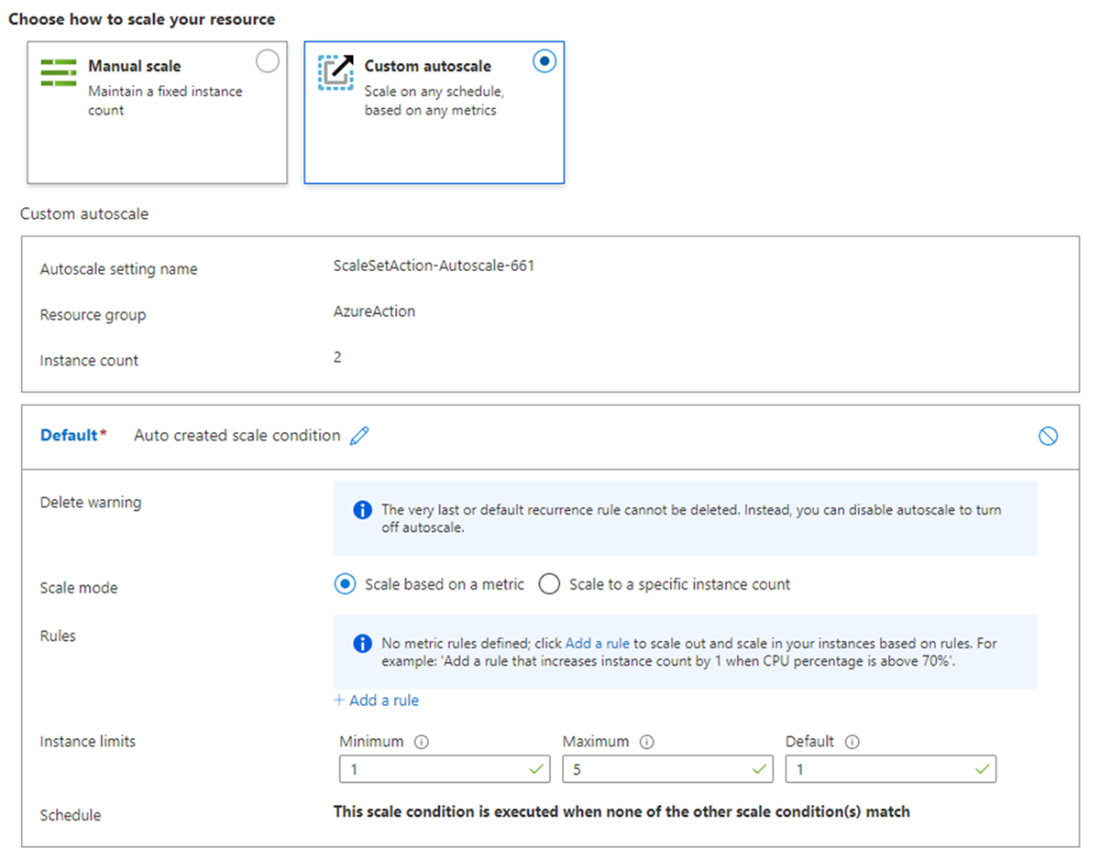
Azure Virtual Machine Scale Set – Autoscaling Settings. You can choose manual or auto-scale and then limits on how many instances you want to scale to.
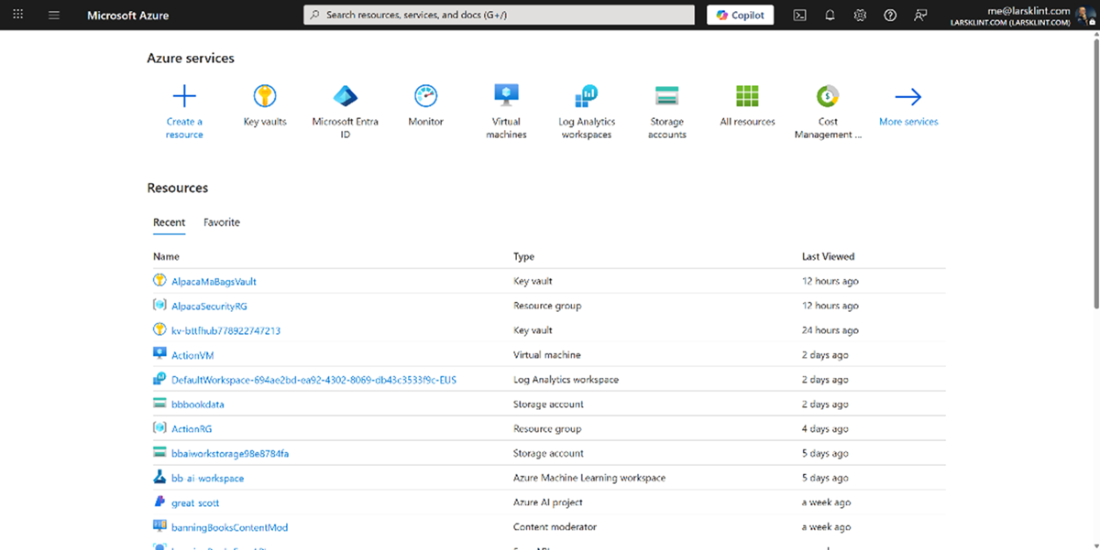
Azure Portal
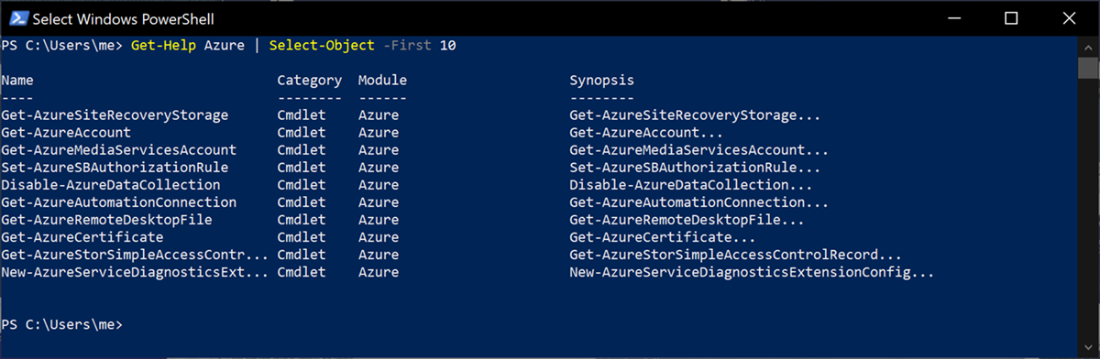
Azure CLI – Listing App Service Plans

PowerShell console showing 10 Azure cmdlets.
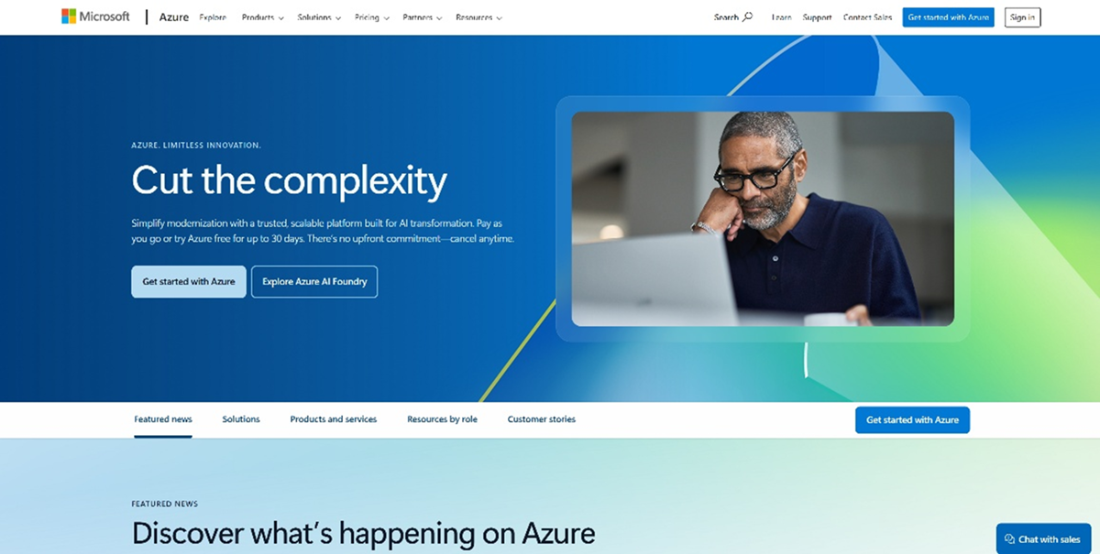
Azure landing page.
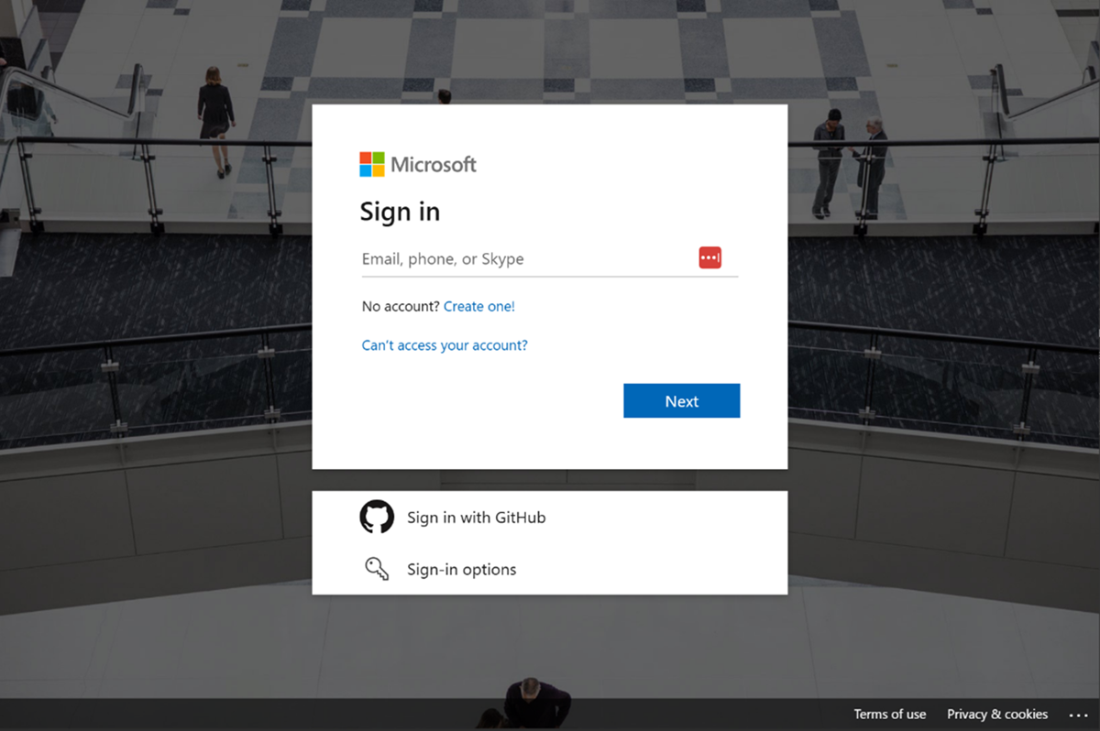
Create a new Microsoft account.
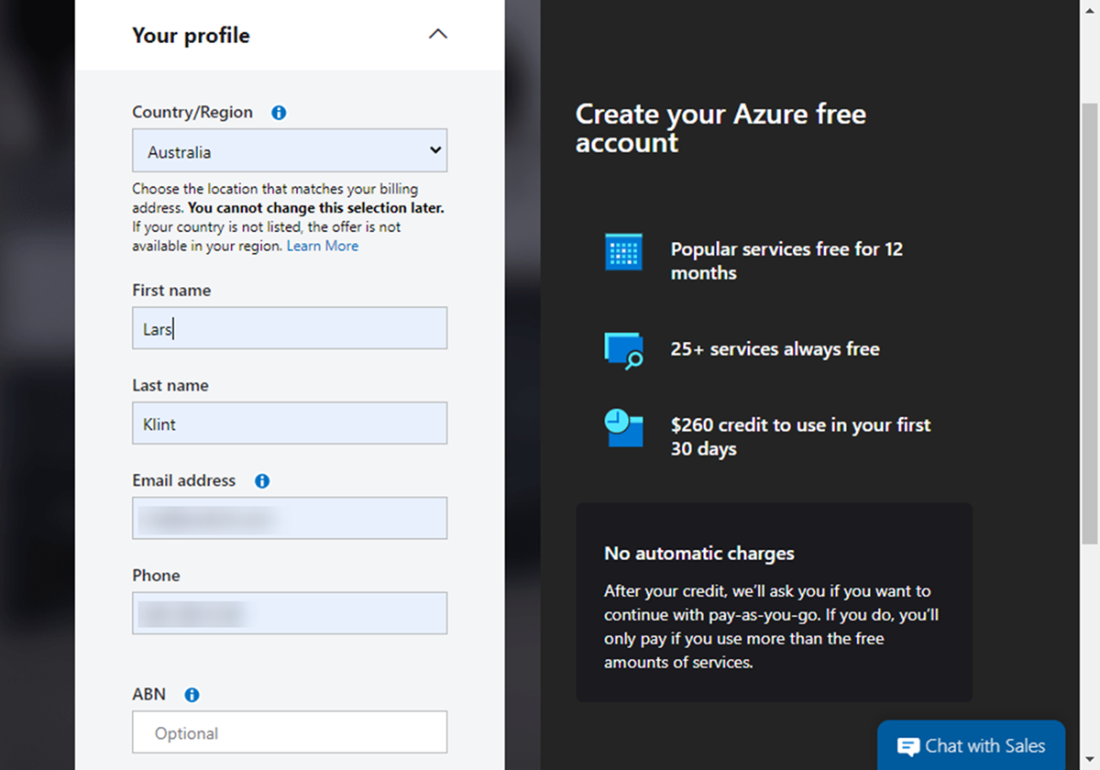
Azure account creation.
Summary
- Azure is applicable to real-world scenarios and can be effective and desirable for a variety of projects and companies.
- Scalability and reliability are two of the main factors that define Azure and cloud computing in general.
- Cost can be managed by using a combination of PAYG services, reserved instances of VMs and spot pricing VMs.
- Azure has services that are always free, such as Cosmos DB free tier, a certain number of Azure Function executions and some Azure App Service Plans.
- The three types of computing relevant to Azure is cloud, on-premises and multi-cloud.
- The main ways to interact with Azure is using the Azure Portal, the Azure CLI, PowerShell, or integrating with an Azure software development kit.
- You can create a free Azure account to get started trying out services and features.
- Azure’s global network of regions allows you to deploy resources close to users, improving performance and meeting compliance requirements.
- The three main cloud service models — IaaS, PaaS, and SaaS — differ in how much infrastructure the provider manages versus what you manage.
- Real-world scenarios such as web hosting, hybrid file synchronization, and risk mitigation highlight how Azure can address common IT challenges.
- Multiple tools — including the Azure Portal, CLI, PowerShell, and SDKs — give you flexibility in how you create, manage, and monitor resources.
- Billing models like PAYG, reserved instances, and spot pricing provide options to balance flexibility and cost savings.
FAQ
What is Microsoft Azure?
Azure is Microsoft’s cloud computing platform: a global collection of services for computing, networking, storage, databases, AI, and more. It lets you build and run applications without owning physical servers, scaling from small prototypes to mission‑critical systems.
How does cloud computing work, and what are IaaS, PaaS, and SaaS?
- IaaS: You rent virtualized compute, network, and storage. You manage OS and apps; the provider manages hardware and virtualization.
- PaaS: The provider also manages the OS, runtime, patches, and much of the platform. You focus on your code and data.
- SaaS: Fully managed software you consume as a service; you just use the app.
What types of cloud models exist, and where does Azure fit?
- Public cloud: Anyone can sign up and use services (Azure, AWS, GCP). Azure is a public cloud.
- Private cloud: Dedicated to a single organization, hosted and managed by that organization.
- Hybrid cloud: Mix of on‑premises and public cloud. Azure supports common hybrid scenarios.
How global is Azure, and why do regions matter?
Azure operates in 65+ regions worldwide with many individual datacenters. You choose regions to reduce latency for users, meet data residency/compliance needs, and design for resilience by distributing workloads across regions. Some regions are government‑only; operating in China has special conditions.
What real‑world problems can Azure solve?
- Host web apps globally with Azure App Service, Azure SQL Database, and Azure DNS for low latency and autoscaling.
- Run hybrid file storage using Azure Files and Azure File Sync, with authentication via Microsoft Entra ID (formerly Azure AD).
- Increase availability with multi‑region traffic routing (Traffic Manager), load balancers, multiple VMs, and database replication.
- Automate infrastructure with Azure Resource Manager (ARM) templates for fast, repeatable deployments.
Why move to Azure? What are the main benefits?
- Scalability: Autoscale with Virtual Machine Scale Sets and App Service.
- Reliability: Paired regions, availability zones, and built‑in replication (e.g., Azure Storage).
- Faster expansion: Built‑in load balancing, managed databases, Kubernetes, and more.
- Support: Microsoft support plans, extensive docs, community Q&A.
- Compliance: 100+ certifications (e.g., FedRAMP, EBA guidelines) to meet regulatory needs.
How does Azure pricing work, and how can I control costs?
- Free account: Start with credit, a set of 12‑month free services, and some always‑free tiers.
- PAYG: Pay only for what you use (most flexible, typically highest unit cost).
- Reserved instances: Commit to 1–3 years for deep VM discounts (up to ~80%).
- Spot VMs: Use spare capacity for up to ~90% off; can be evicted anytime (great for interruptible work).
- Billing dimensions: Time (compute), traffic (egress/executions), and storage (GB stored).
Which tools can I use to interact with Azure?
- Azure Portal: Web UI to create, configure, monitor, and manage resources.
- Azure CLI: Cross‑platform command‑line for fast, scriptable operations.
- Azure PowerShell: Cmdlets plus a rich scripting language for automation.
- SDKs: Language libraries (e.g., .NET, Java, Python, JavaScript) to integrate Azure services into apps.
All tools go through Azure Resource Manager (ARM) for consistent behavior.
What can and can’t Azure do for me?
- Can: Provide on‑demand compute, storage, networking, databases, global scale, automation, and managed services.
- Can’t: Write your application, decide your architecture, or manage your costs for you. You still own your app code, configuration, and responsible usage.
How do I create a free Azure account?
- Go to azure.com and choose “Free account” or “Try Azure for free.”
- Create or sign in with a Microsoft account (you can create a free Outlook.com email).
- Provide personal details, verify by phone, and add a valid credit card for identity verification.
- Sign in to the Azure Portal at https://portal.azure.com and start using your credit and free services.

 Microsoft Azure in Action ebook for free
