15 Building a QA agent with LangGraph
This chapter presents a practical, expert‑emulated question answering system over knowledge graphs that pairs large language models with LangGraph for orchestration and Streamlit for an interactive front end. The approach mirrors how human experts work: understanding schema context, planning steps, and constructing queries, while remaining observable at every stage. Users interact through a chat-like interface and receive real-time feedback as the pipeline progresses, with results rendered in the most suitable form—graphs, maps, tables—and complemented by concise, context-aware summaries.
The solution is structured as a modular, state-driven pipeline in LangGraph, where each node is a specialized agent that reads and writes to a shared state. A Configuration Provider centralizes prompts, examples, and domain notes, while a Schema Provider converts Neo4j’s technical schema into an LLM-friendly conceptual view via filtering and enrichment. The agents implement the end-to-end flow: intent detection, schema extraction, text-to-Cypher generation (enriched by annotations and the user’s current selection), query execution with robust error handling, dynamic routing for retries and summarization, and final summary generation. An integration layer exposes pipeline execution as a typed event stream, enabling frontends to track progress and outcomes cleanly; Streamlit’s MessageHistory manages a persistent conversation while placeholders surface live updates.
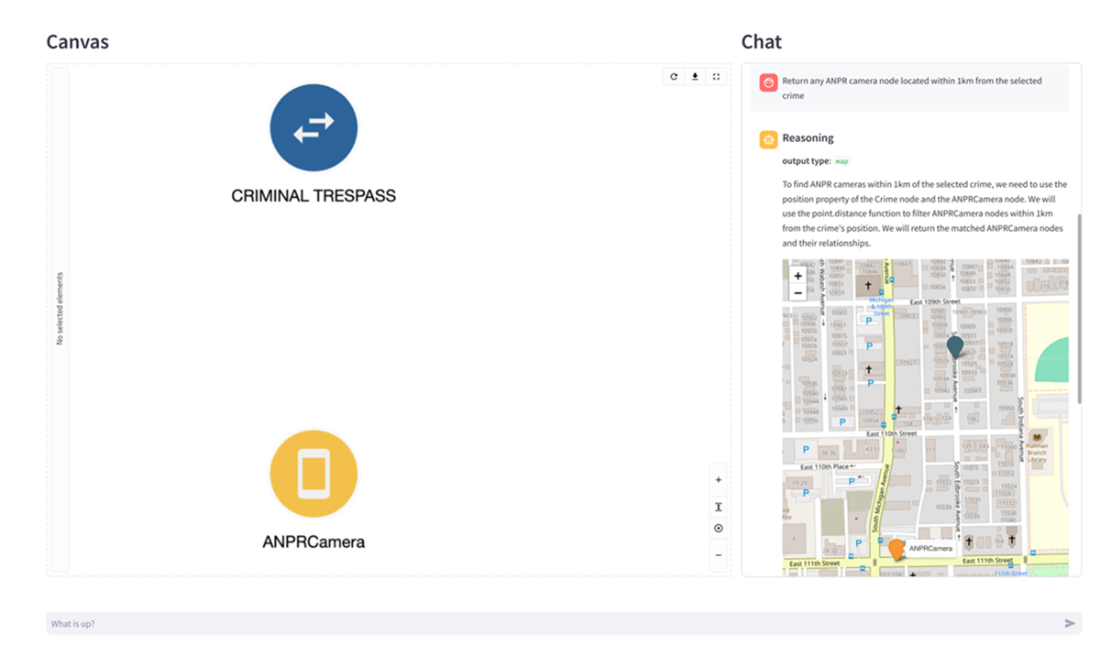
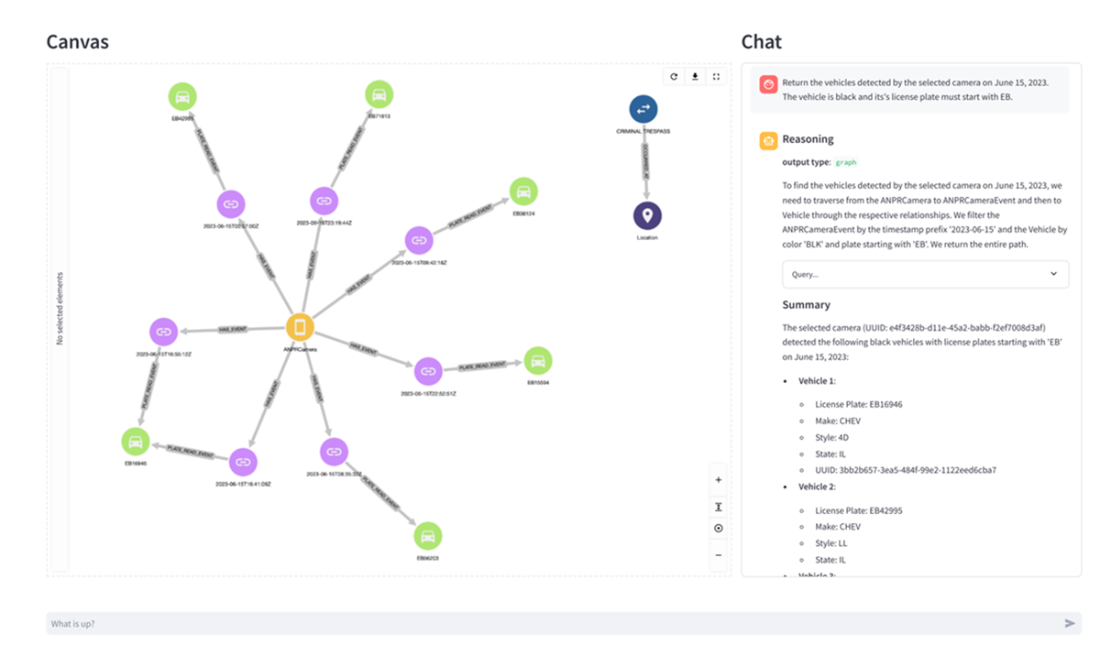
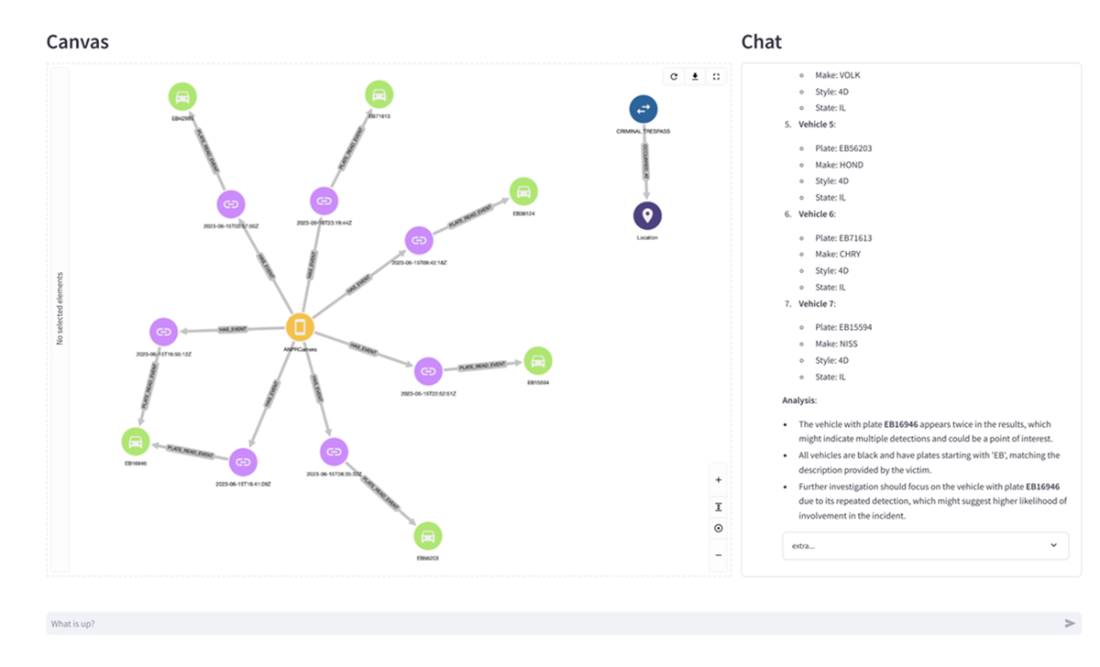
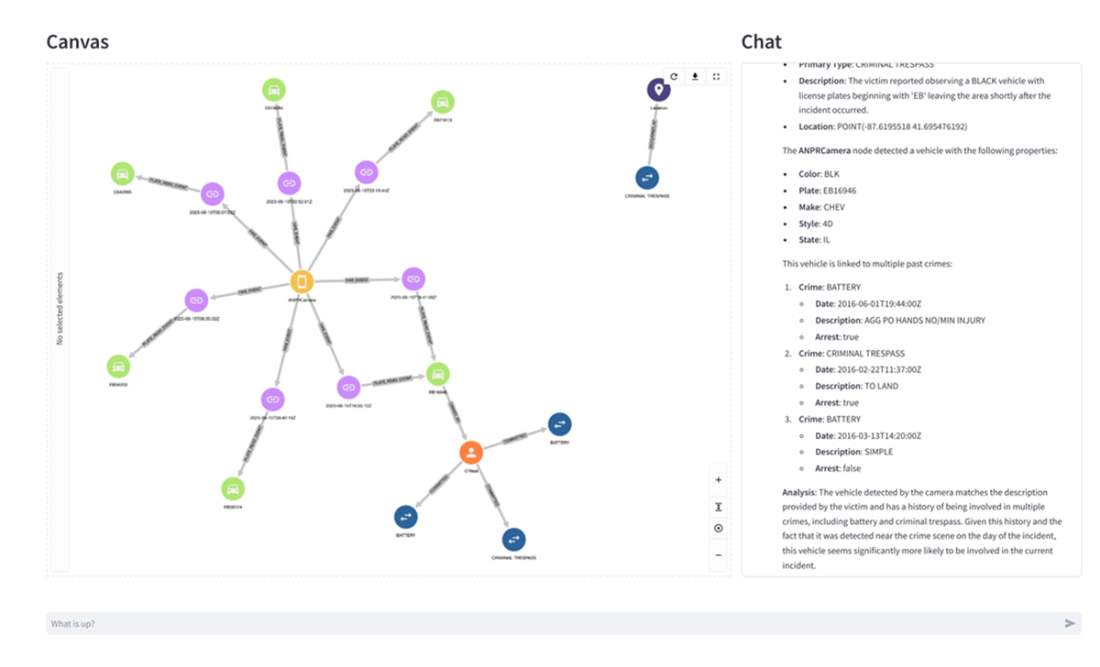
A hands-on investigation illustrates the system’s capabilities: starting from an active crime, the user locates nearby ANPR cameras, retrieves vehicles matching color and partial plate constraints on the incident date, and—with added investigative context—receives deeper summaries that spotlight suspicious temporal patterns. The analysis culminates by linking vehicles to owners with relevant criminal histories, demonstrating how spatial, temporal, and historical signals converge into actionable insights. Looking ahead, the chapter outlines evolution paths powered by observability—mining success and pain points to refine prompts and examples, enriching and layering schemas for scale, sharpening intent detection, and exploring fine‑tuned, knowledge‑graph‑aware components to boost accuracy and efficiency while preserving the transparent, expert‑emulated design.
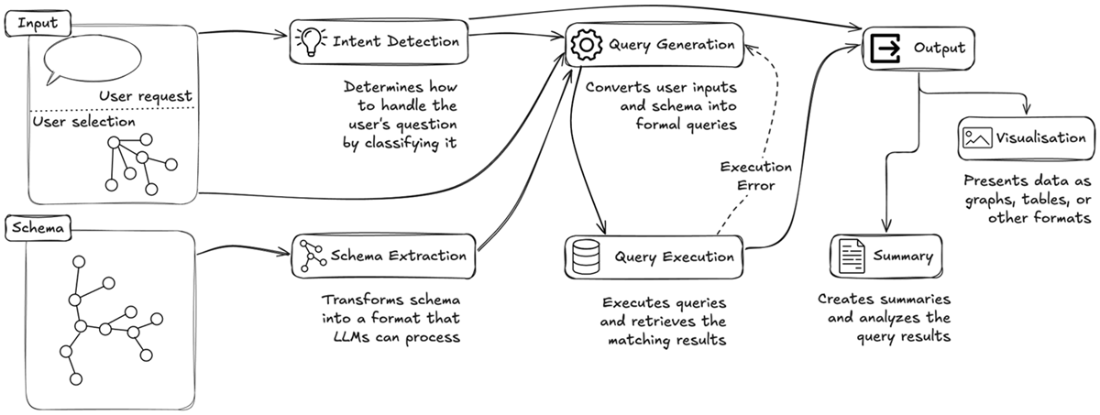
Overview of the system architecture introduced in the previous chapter. We'll implement this using Streamlit to handle user input (questions and user selection) and output (visualization and summaries), while LangGraph will orchestrate the core pipeline.
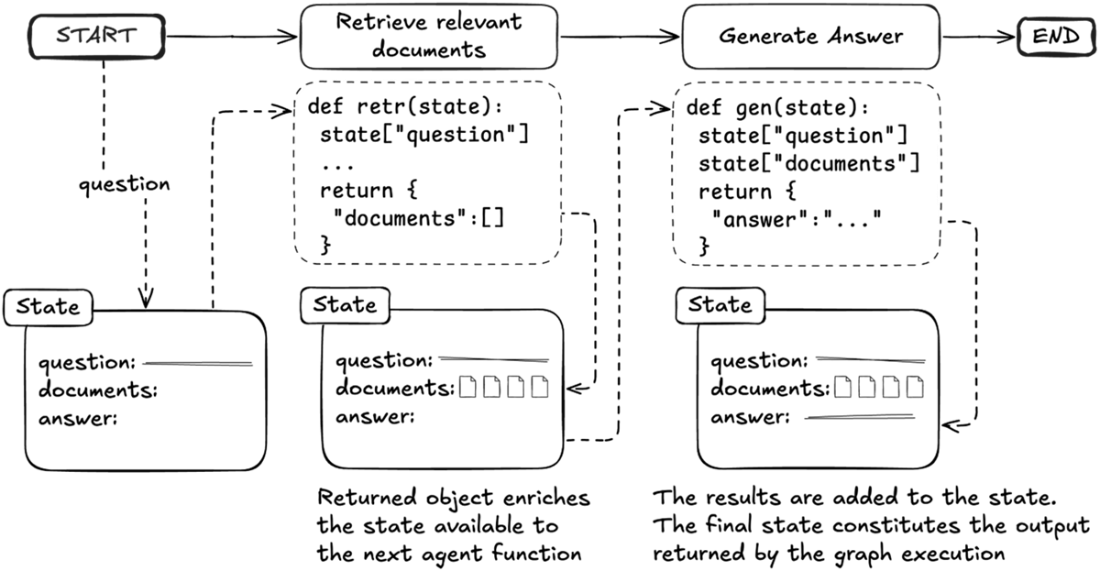
State-based communication between agent functions in LangGraph. The diagram illustrates how agents remain decoupled while communicating through an evolving state object. Each agent function receives and updates the global state independently.
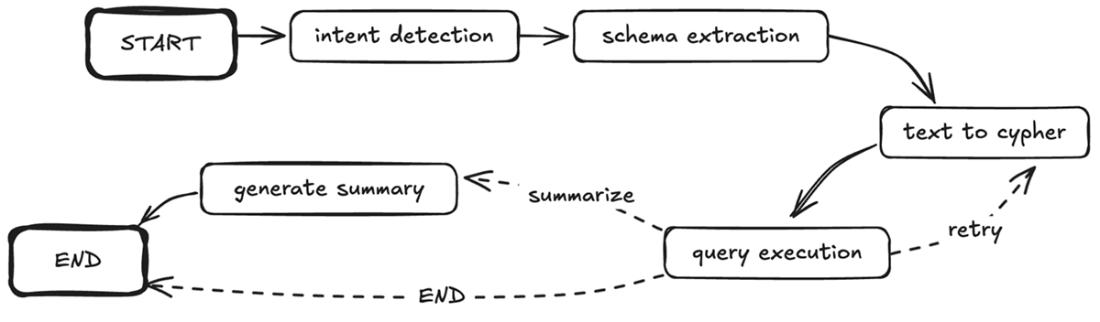
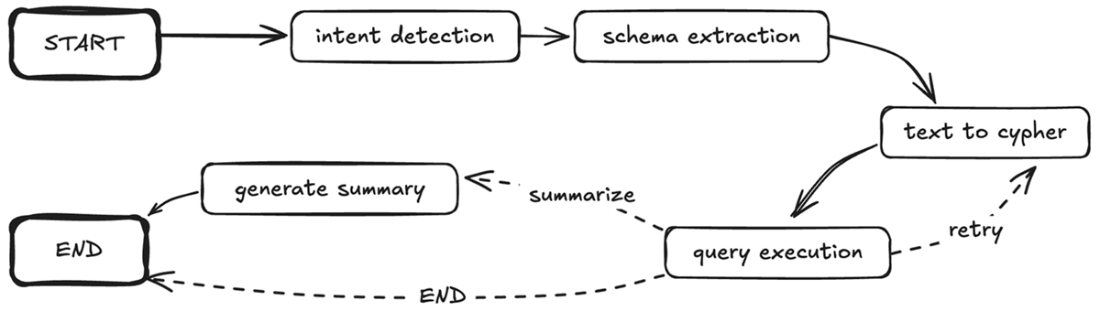
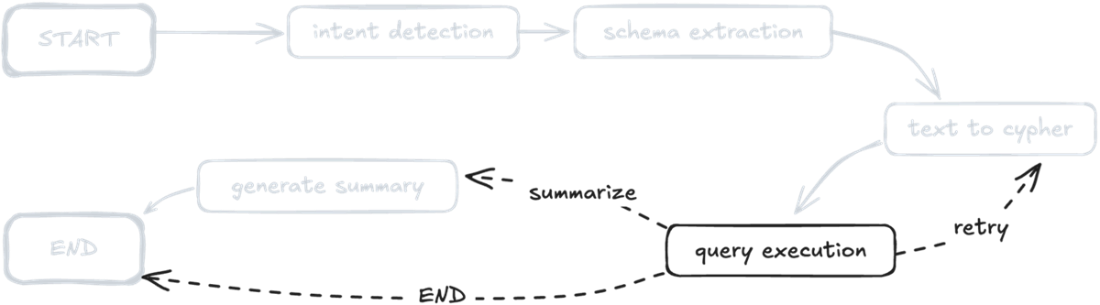
LangGraph implementation of the knowledge graph querying pipeline. The solid arrows show the main flow from intent detection through schema extraction and query execution, while dashed arrows indicate conditional paths based on query execution outcomes. This directed graph structure directly maps each component of our expert-emulated approach to a LangGraph agent function.
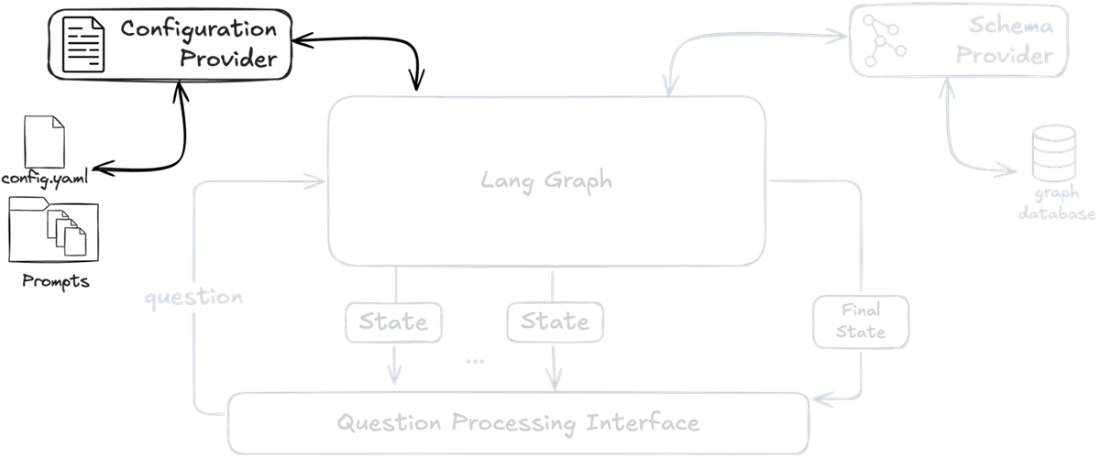
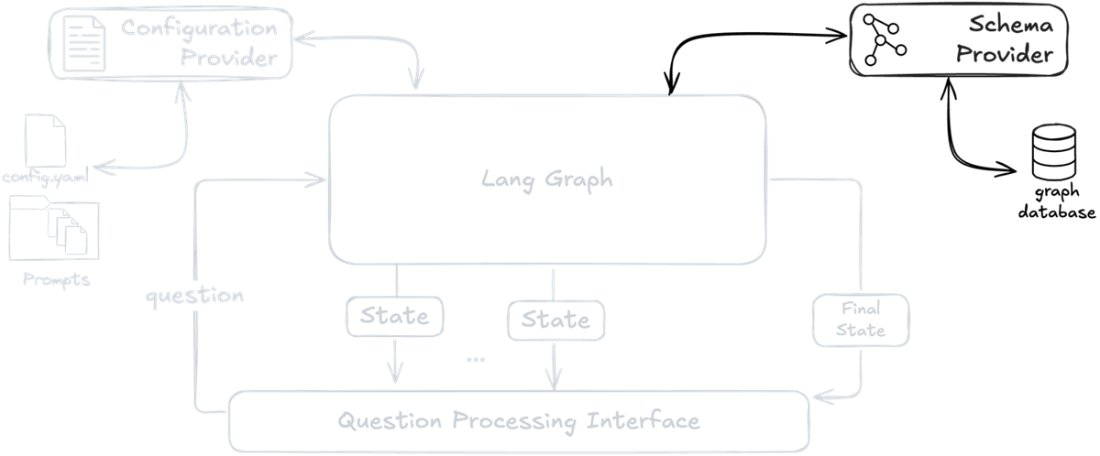
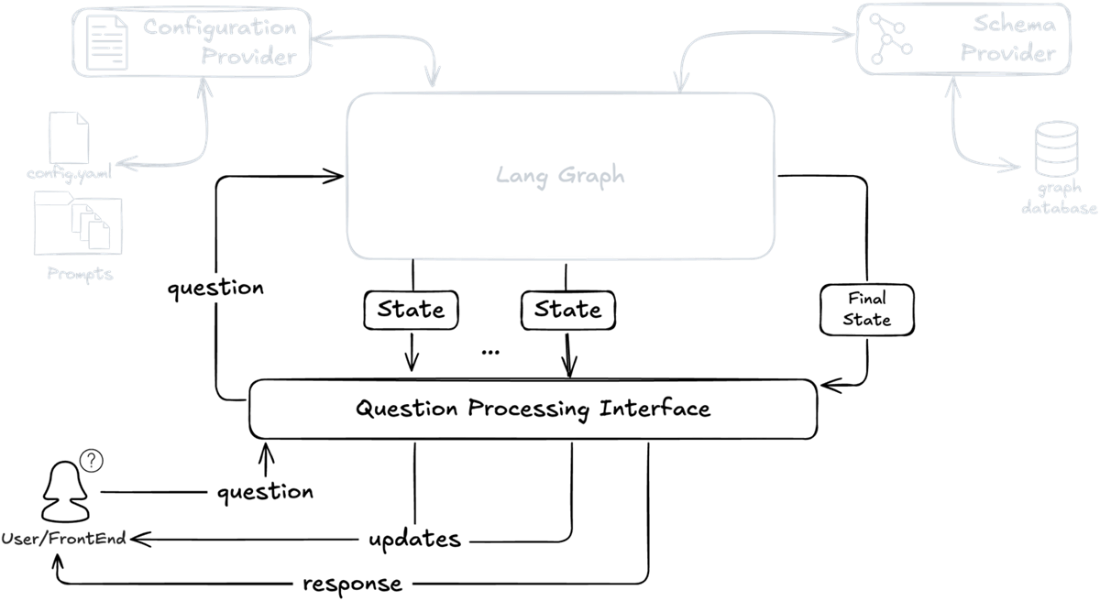
Backend architecture showing how the LangGraph pipeline integrates with supporting components. The Configuration Provider manages prompts and settings, while the Schema Provider handles database schema access. The Question Processing Interface bridges the core pipeline with frontend applications through an event-based API.
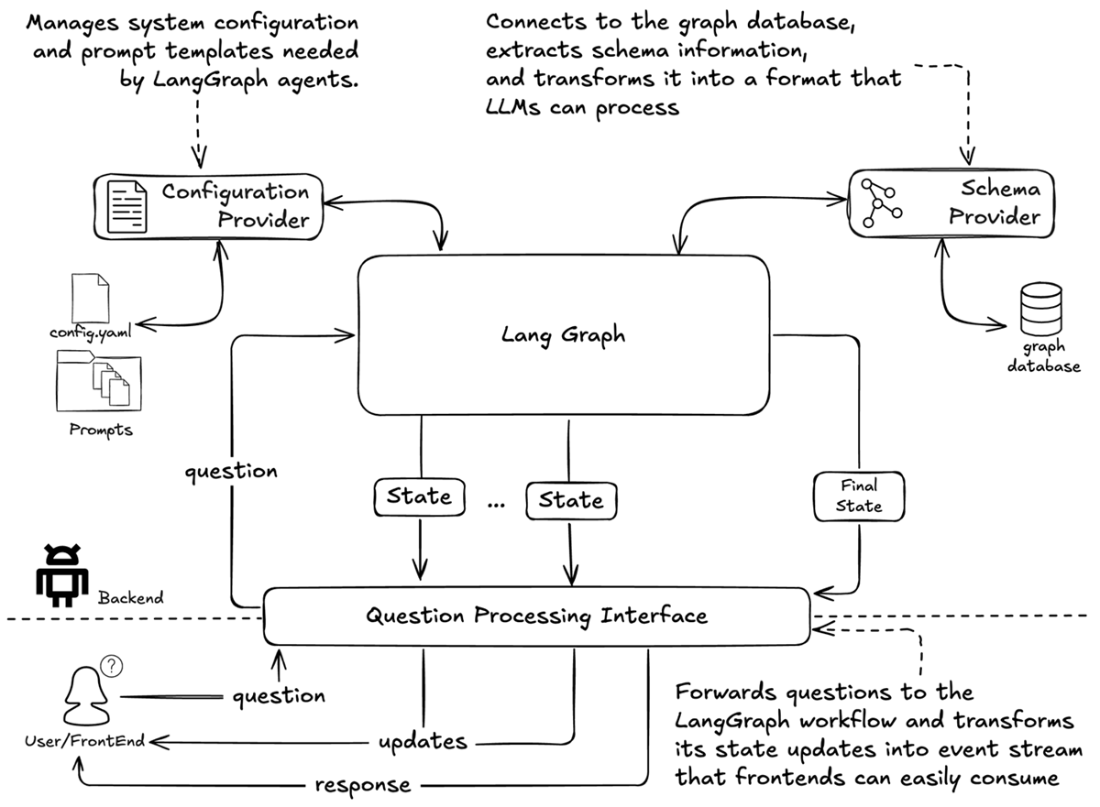
System architecture diagram highlighting the Configuration Provider component. The provider manages system configuration and prompt templates needed by LangGraph agents to process user questions.
System architecture diagram emphasizing the Schema Provider component, which connects to the graph database to extract and transform technical schema information into LLM-friendly formats.
LangGraph implementation of the knowledge expert-emulated graph querying pipeline.
Post-query execution routing logic (highlighted) in the QA pipeline, showing decision paths for retry, summarization, and direct completion
Pipeline integration architecture showing the Question Processing Interface mediating between LangGraph state updates and frontend interactions
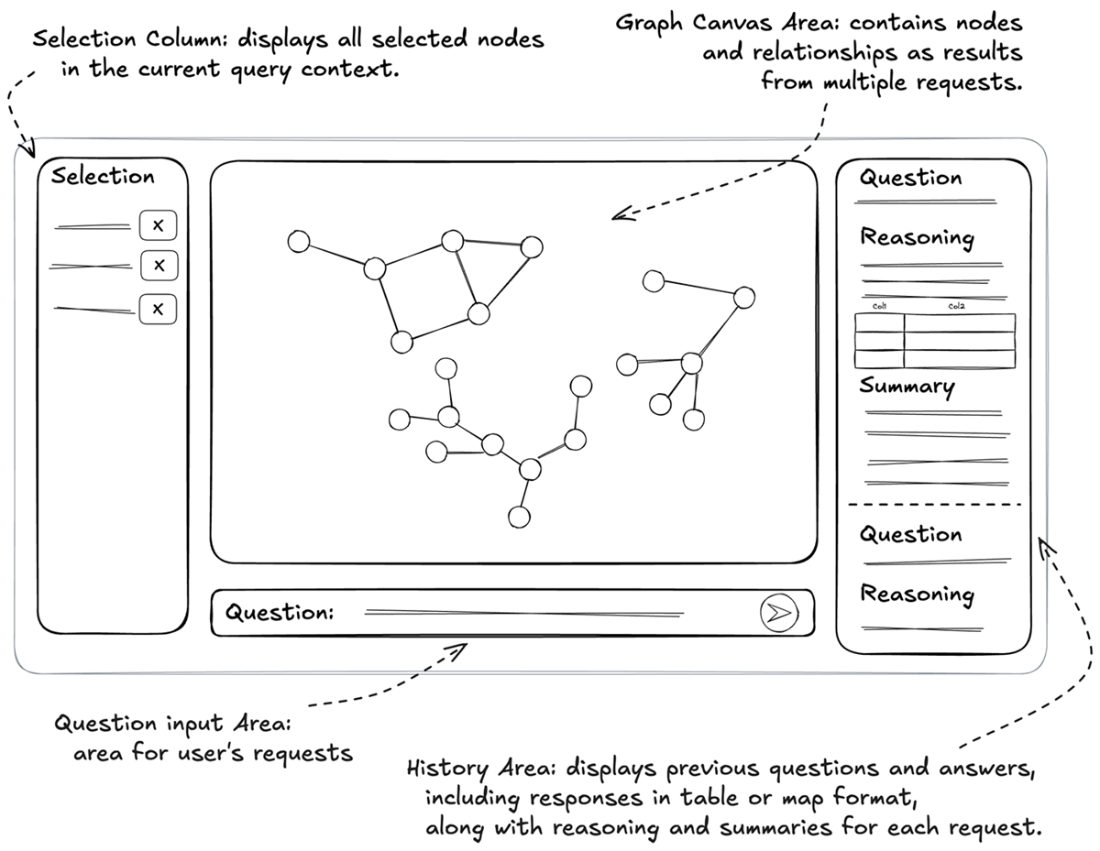
Application interface layout demonstrating a question answering system with selection capabilities, interactive graph visualization, and real-time response tracking
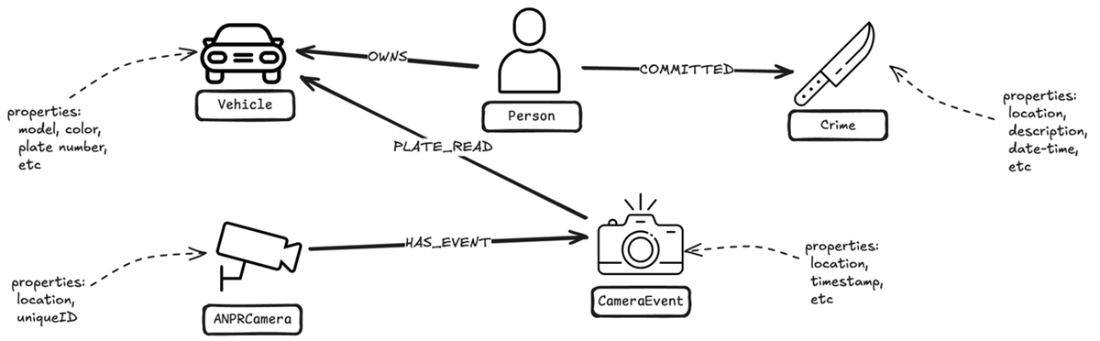
Focused schema visualization showing how Crime, ANPRCamera, CameraEvent, Vehicle, and Person nodes interconnect for investigative queries.
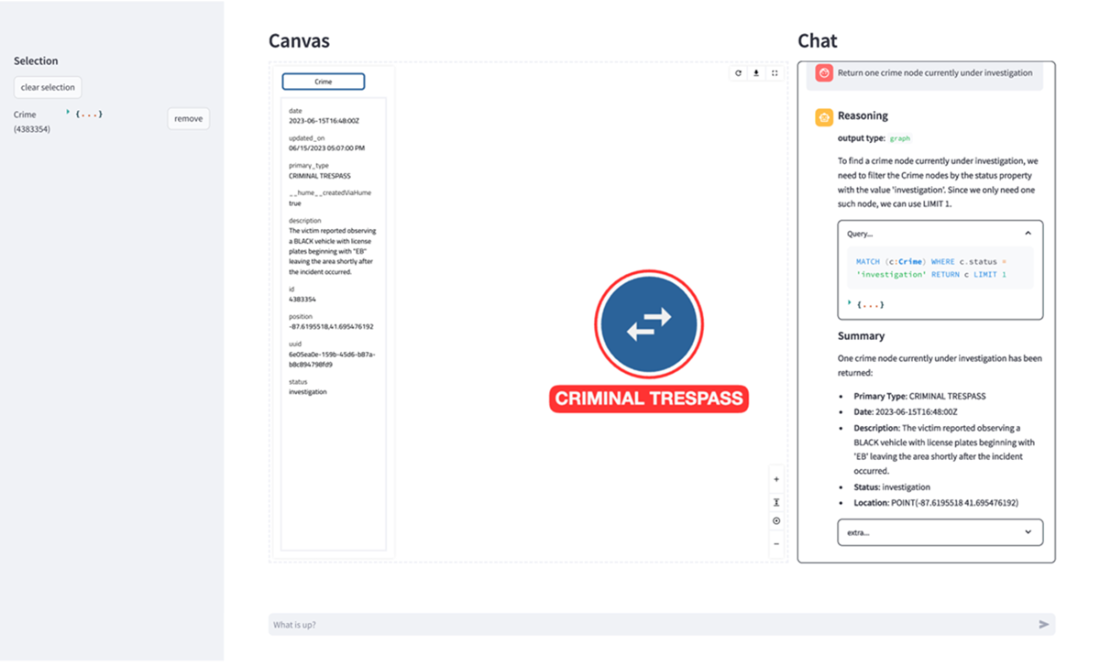
Initial query response showing a crime node currently under investigation. The interface displays the current selection, the node's detailed properties in the selection panel (left), the node visualization in the canvas (center), and the query processing details in the chat interface (right).
Spatial query response showing an ANPR camera near the crime location. The system automatically chose a map visualization to display the spatial relationship between the crime and the nearby ANPR camera
Vehicle query results showing matching vehicles and their detection events. Each path represents a complete vehicle detection record, with timestamps visible on the event nodes. The system's response includes both the graph visualization and a detailed summary of each vehicle's properties.
Enhanced analysis showing the same vehicle data with investigative context. The system augments its response with an analysis section that identifies patterns of interest, demonstrating how additional context leads to more insightful summarization of the same underlying data.
Final investigative insight revealing criminal history. The graph expands to show that a vehicle owner has connections to multiple prior crimes, including a previous criminal trespass. The summary provides a detailed breakdown of the prior offenses, demonstrating the system's ability to integrate temporal, spatial, and historical evidence into a cohesive investigative narrative.
Reference
- Bhatia, K., Narayan, A., De Sa, C., & Ré, C. (2023). TART: A plug-and-play Transformer module for task-agnostic reasoning. arXiv preprint.
- Lester, B., Al-Rfou, R., & Constant, N. (2021). The Power of Scale for Parameter-Efficient Prompt Tuning. In Proceedings of the 2021 Conference on Empirical Methods in Natural Language Processing (pp. 3045-3059). Association for Computational Linguistics.

 Knowledge Graphs and LLMs in Action ebook for free
