5 Kafka in real-world use cases
This chapter turns Kafka’s fundamentals into practical guidance for real-world decisions. It maps high-impact scenarios—notifications, external data integration, real-time analytics, and log aggregation—to Kafka’s strengths, clarifies the guarantees you gain and the operational costs you incur, and outlines antipatterns and edge cases where another tool may fit better. Along the way, it equips architects with a pragmatic checklist and mental model for evaluating Kafka’s applicability, while surveying viable alternatives such as RabbitMQ, Apache Pulsar, and managed cloud services.
In event-driven microservices, producers publish keyed events to preserve per-entity ordering while consumers maintain local read models; topic compaction, extended retention, and tiered storage support different durability and rebuild strategies, but Kafka remains a log, not a database. Data integration leans on snapshot replication and change data capture, with Kafka Connect and its connector ecosystem enabling low-code pipelines that can be enriched downstream by stream processing—balanced against added operational overhead, security concerns around raw data exposure, and fragility under schema drift. For centralized logging, Kafka decouples producers from backends like Elasticsearch, buffering spikes and improving durability and throughput; this adds cost and often warrants a separate cluster, and may be overkill for small estates. Real-time processing with frameworks such as Kafka Streams delivers low-latency insights and microservice-friendly scaling, but introduces a learning curve, state management complexity, operational sprawl, and uneven tooling.
The chapter also delineates where Kafka may not be ideal: it favors publish-subscribe over point-to-point semantics, partitions limit global ordering, brokers don’t perform content-based routing or schema validation, access is sequential (not content-indexed), and large messages require workarounds like externalized payloads. While Kafka excels at high-throughput, fault-tolerant streaming, batch-centric workflows and strict per-message transactions can be awkward. Alternatives fill different niches: RabbitMQ offers queues, request-reply, and smart routing (with a streaming add-on); Pulsar separates stateless brokers from BookKeeper storage and adds multitenancy and geo-replication; cloud services provide managed elasticity with differing semantics. Choosing among them hinges on throughput and latency needs, routing complexity, consistency requirements, ecosystem maturity, team expertise, and whether real-time or batch processing truly delivers the most value.
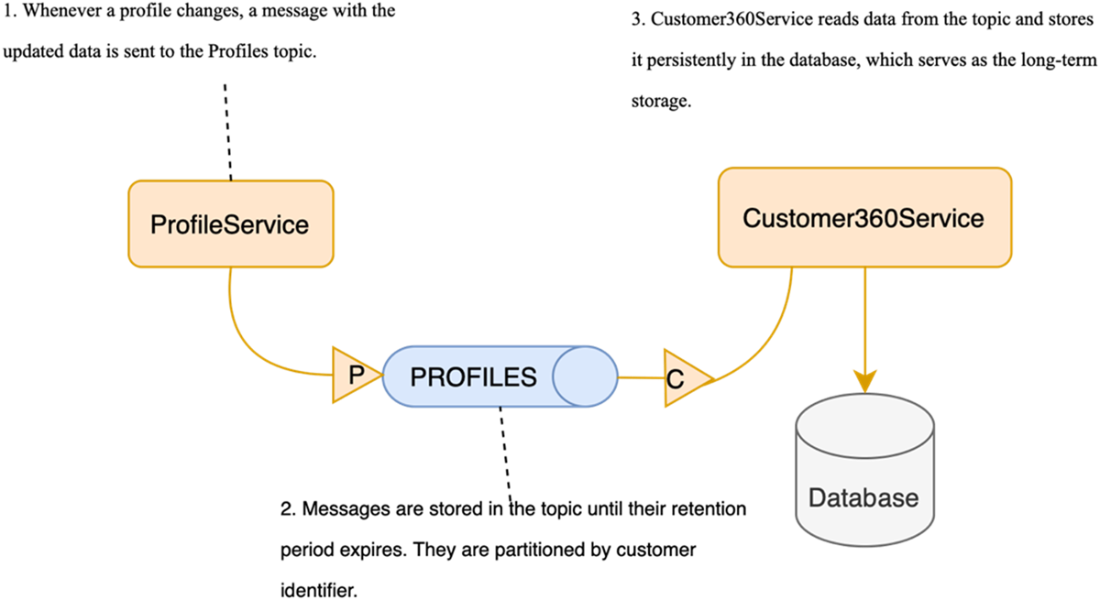
Flow diagram illustrating how ProfileService sends notifications about profile changes to Customer360Service through Kafka
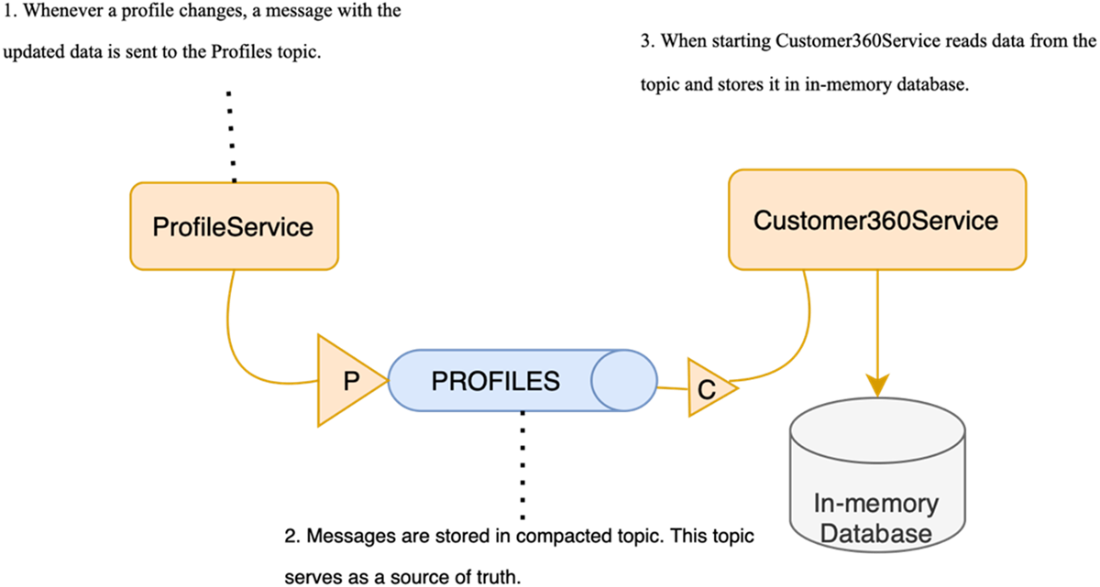
Using compacted topics in Kafka: you always retain the latest version of each event, allowing Kafka to act as a source of truth
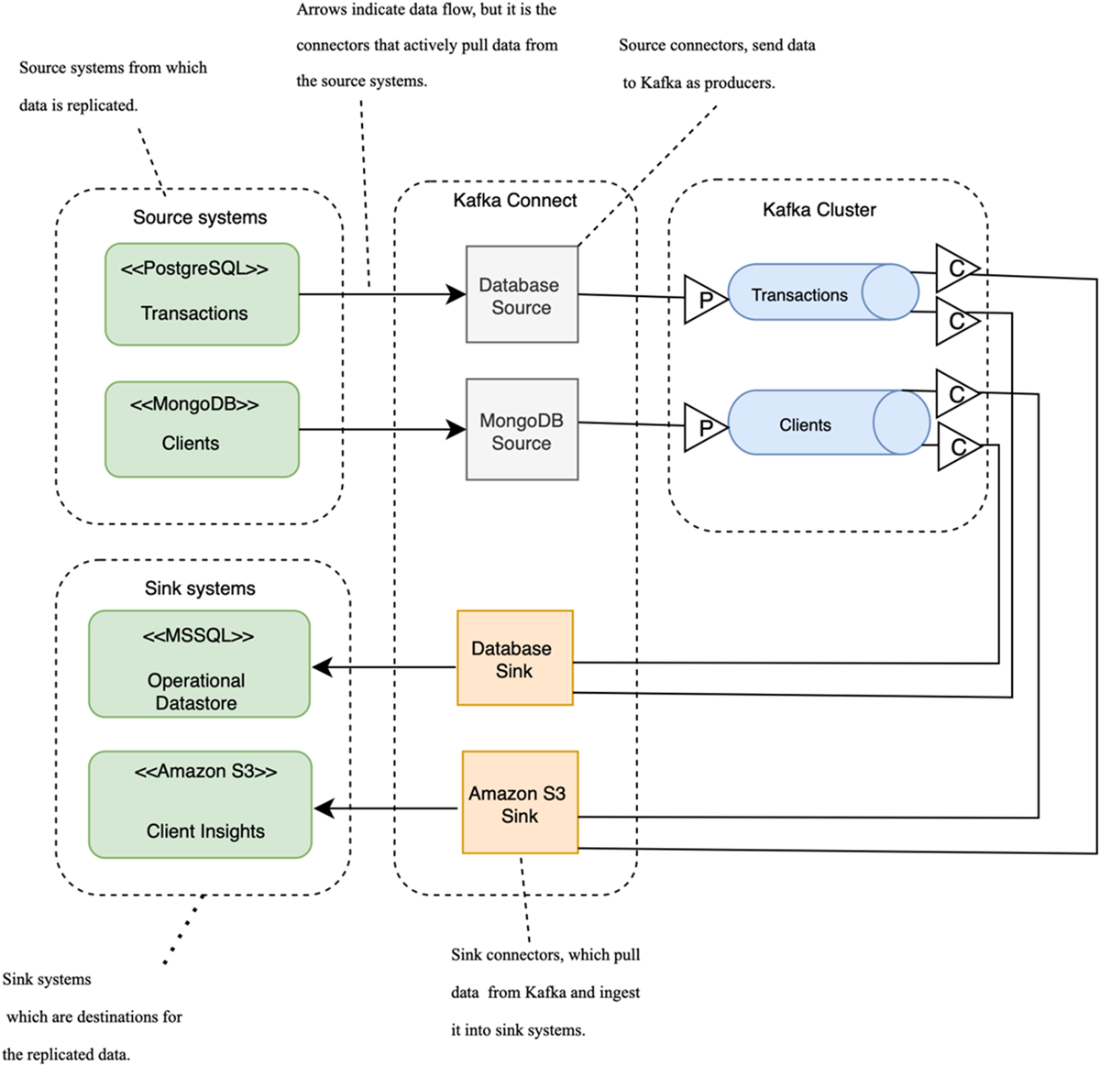
Setting up Kafka Connect for data replication involves using PostgreSQL and MongoDB as source systems. Source connectors are responsible for pulling data from these systems and inserting it into Kafka topics. In turn, sink connectors pull the data from Kafka and insert it into the target systems. In this setup, both sink connectors consume data from the same topics, with one inserting the data into an MS SQL database and the other into Amazon S3.
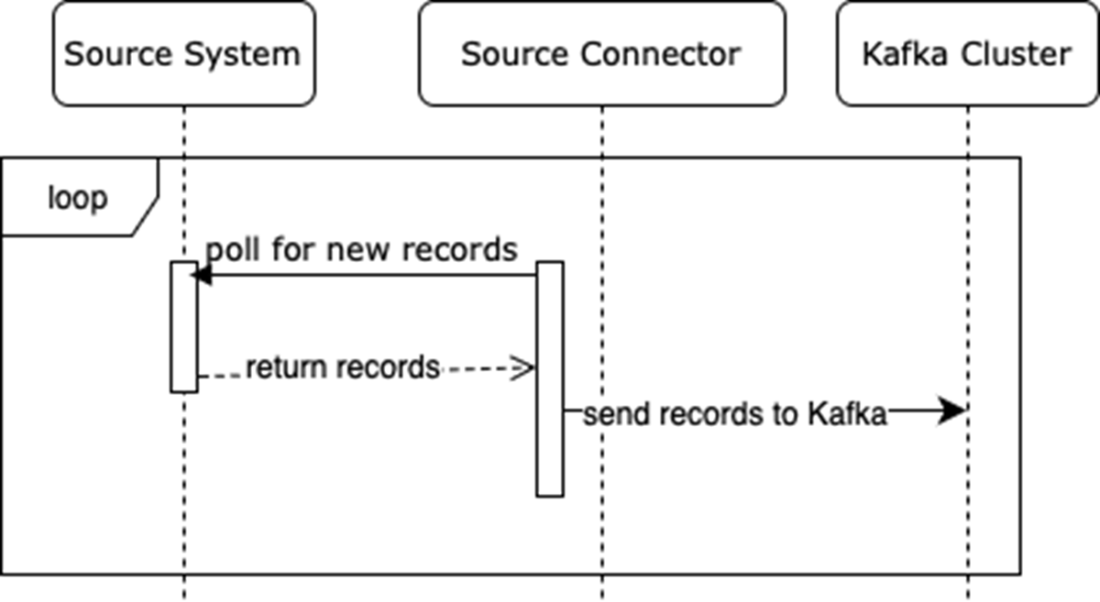
A workflow for source connectors
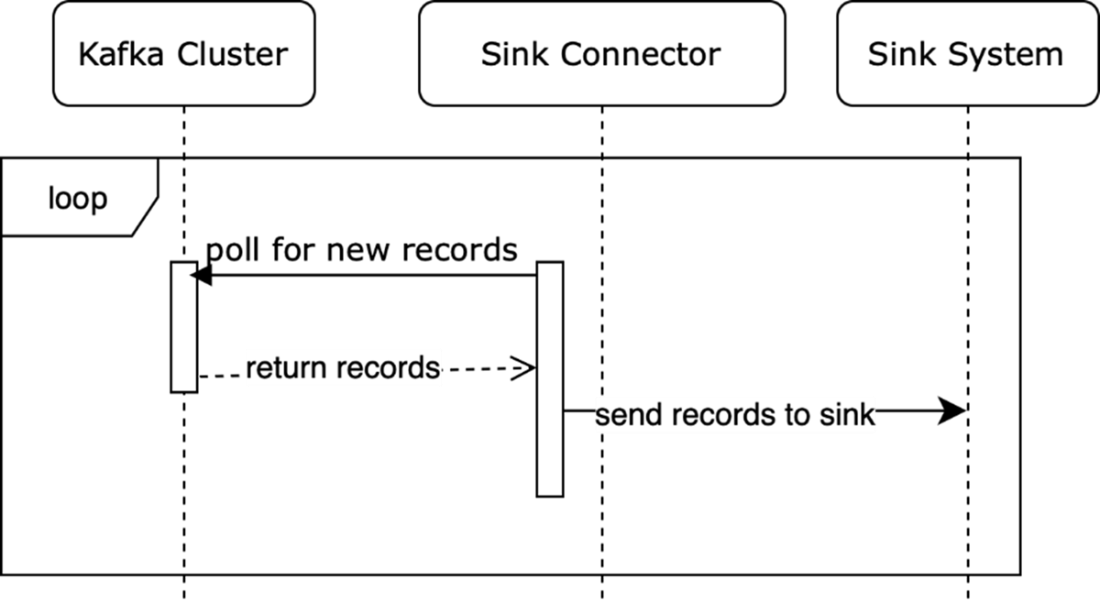
A workflow for sink connectors
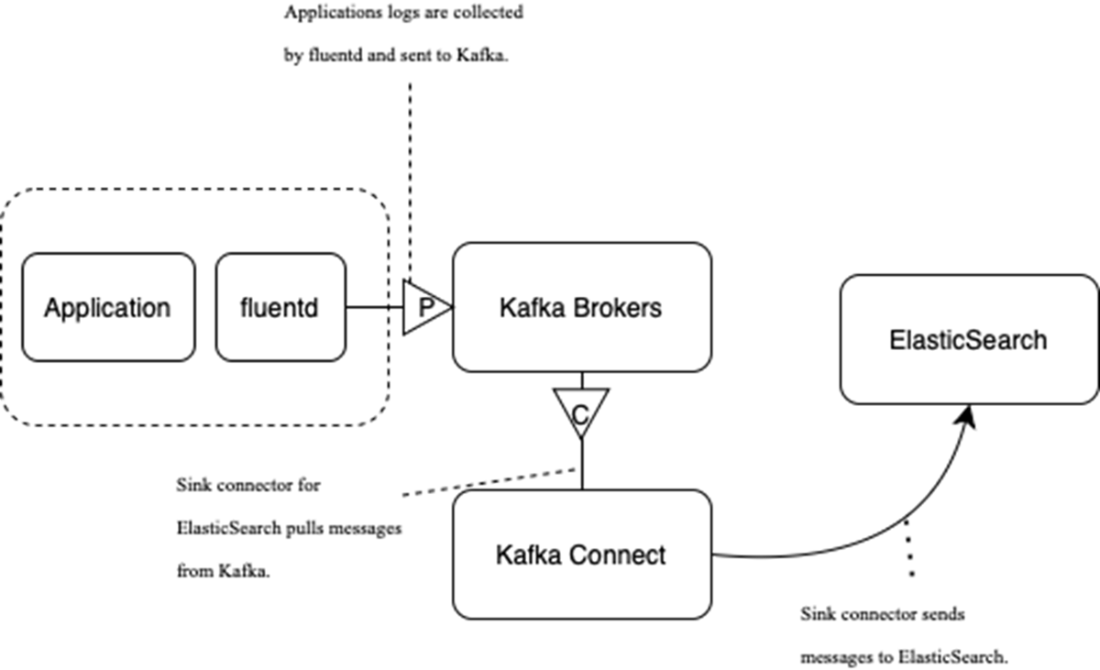
Conceptual flow for log data collection: Log data is sent from the application to Kafka for processing, it’s then indexed in Elasticsearch, and it’s finally visualized in Kibana.

Sending log data via Kafka to Elasticsearch
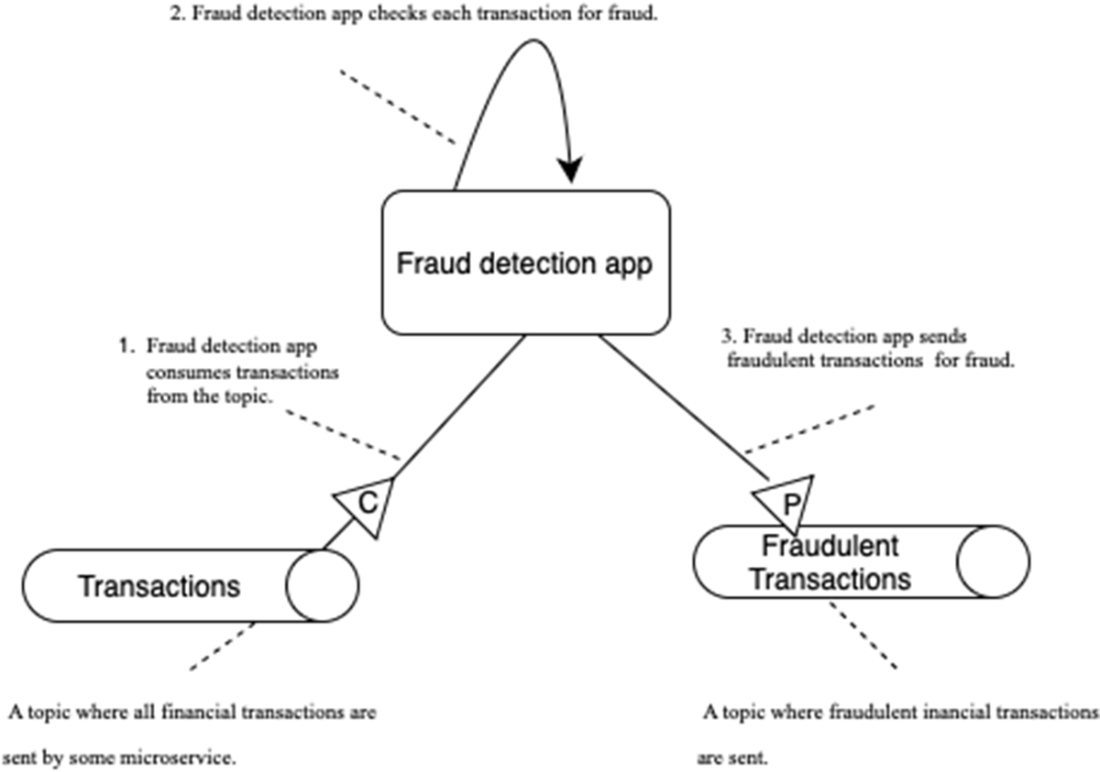
The fraud detection application acts as a producer and a consumer for Kafka topics. It reads messages from the Transactions topic, processes them, and sends the output results to the Fraudulent Transactions topic.
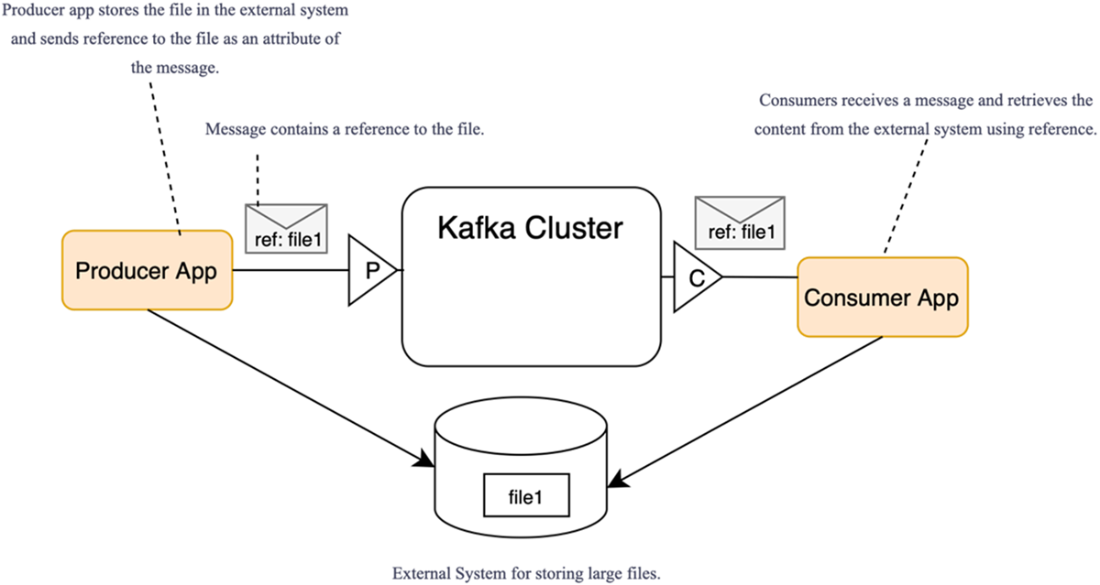
Passing messages with references to content stored externally
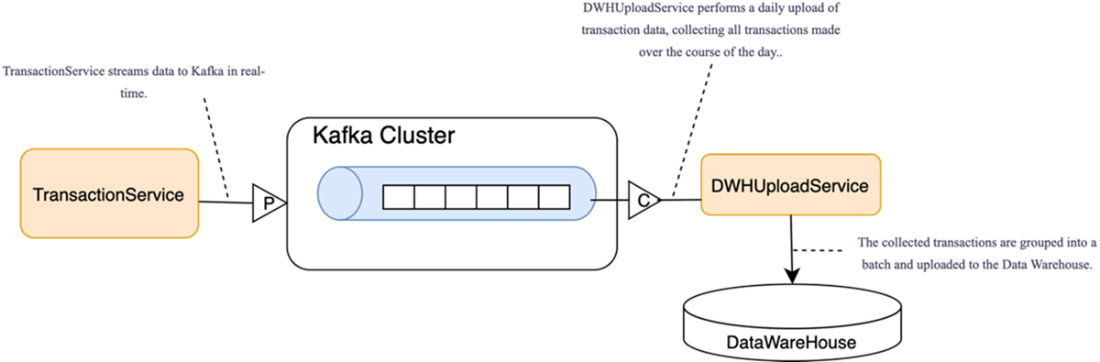
Time-based batch load to the data warehouse: the consumer buffers records and, at fixed intervals, bulk-loads a batch to the data warehouse (rather than per-message processing).
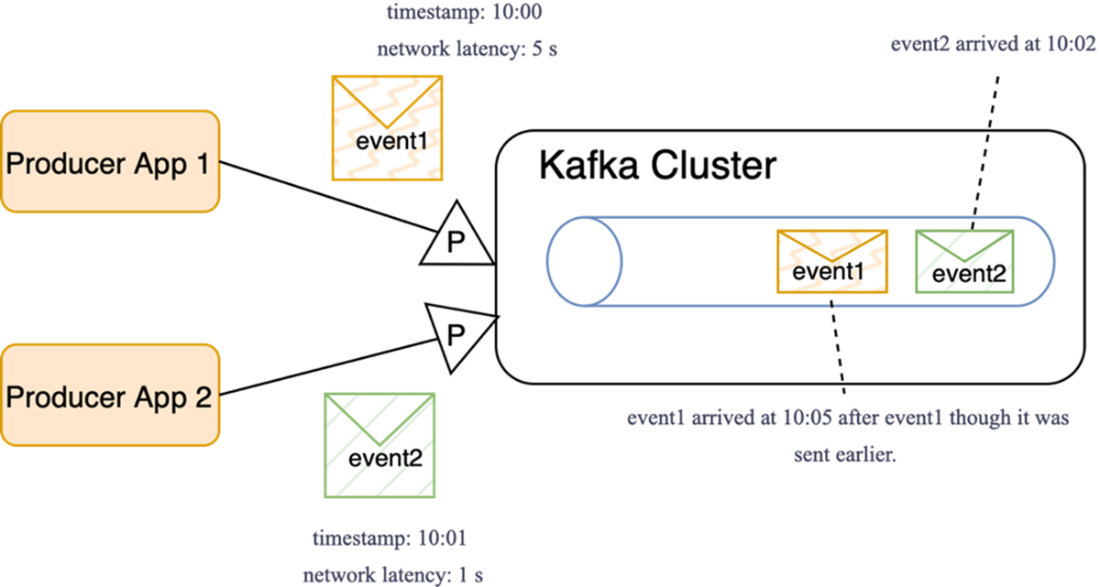
Unexpected ordering. Earlier-timestamped messages can arrive later because of network delays.
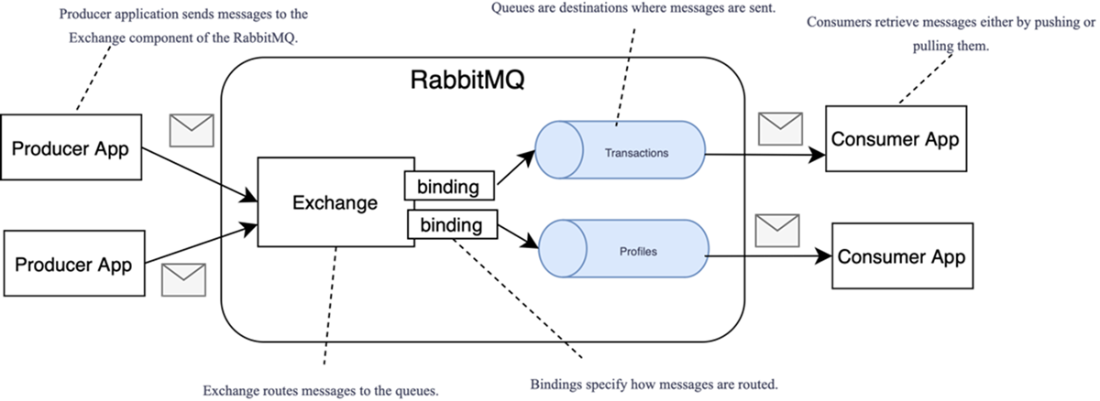
RabbitMQ architecture
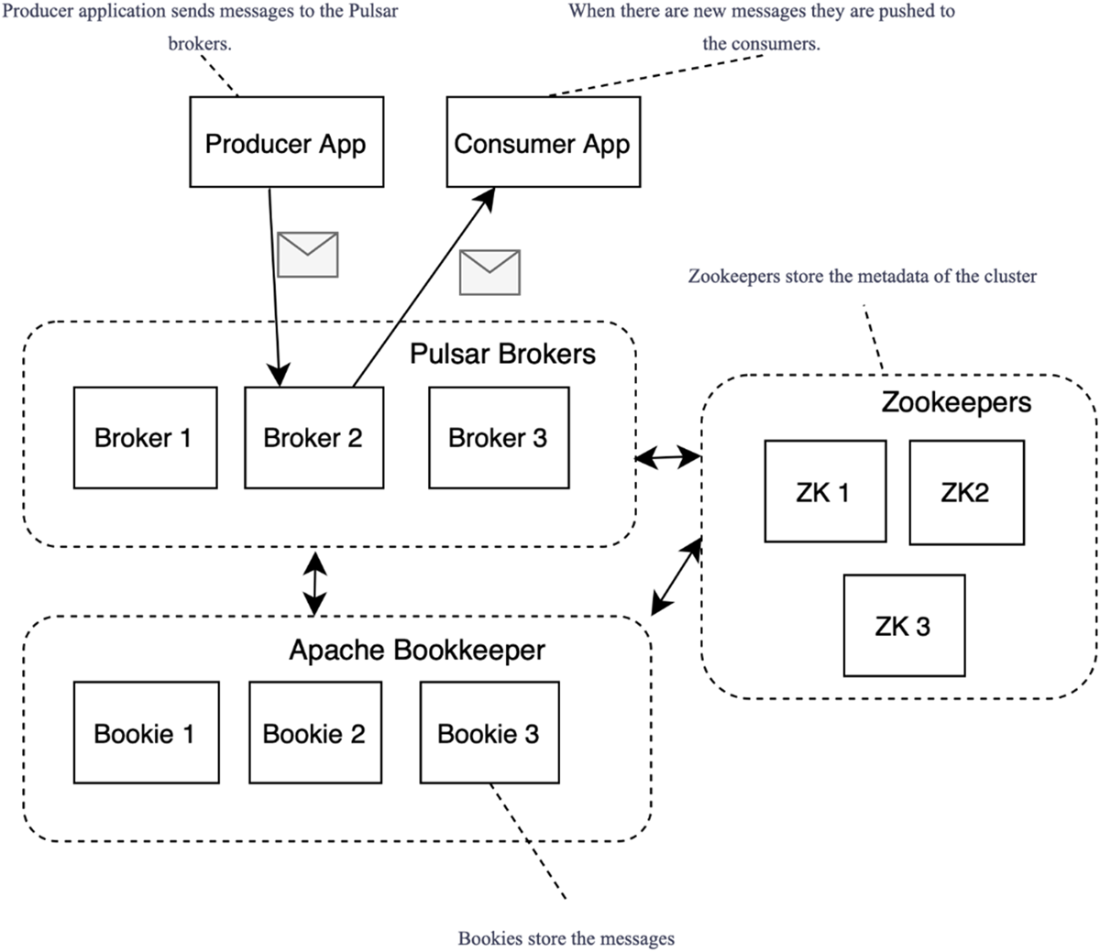
Apache Pulsar architecture
Summary
- Microservices that communicate through events can use Kafka as an underlying integration platform, providing decoupled communication between services, improving scalability and fault tolerance. Kafka offers an efficient and scalable solution for integrating microservices in distributed architectures.
- Kafka’s ability to process events with high throughput makes it ideal for collecting logs and metrics, as Kafka can handle vast amounts of data at a high rate.
- Data replication can be implemented using Kafka Connect, a key component of the Kafka ecosystem. Kafka Connect provides a flexible and scalable way to implement data replication without extensive custom development.
- Various frameworks tightly integrated with Kafka allow building applications that process data in real time, empowering businesses to react to data as it is generated, enabling advanced real-time use cases.
- RabbitMQ and Apache Pulsar are messaging platforms that compete with Kafka, each serving its own niche. RabbitMQ excels in low-latency, transactional messaging, while Pulsar’s architecture with stateless brokers and separate storage makes it more scalable for certain use cases. The choice between Kafka, RabbitMQ, and Pulsar depends on non-functional requirements such as scalability, real-time processing, and transactional guarantees.
- Kafka excels at processing small messages at a high rate with minimal latency, making it a top choice for real-time event-driven systems. Examples include clickstream analytics, fraud scoring on card transactions, IoT telemetry ingestion, and real-time operational alerting.
- Kafka may not be the best choice for use cases requiring strict ordering, batch transfers, or random data access (e.g., a single-sequence financial ledger or nightly bulk file/table transfers for ETL).

 Kafka for Architects ebook for free
