4 Exceptions: Try, Catch, Log
This chapter explains how to think about and work with exceptions so your Java applications fail predictably and your logs stay useful. Exceptions are “exceptional conditions” that interrupt normal control flow and should be defined by clear preconditions and postconditions. If you ignore or mishandle them, programs crash or become unstable—and if you handle them without logging, you lose critical clues. Because exceptions carry messages and stack traces, the goal is to understand when and how they arise so you can try, catch, and log them in a way that preserves context without creating noise.
It distinguishes checked from unchecked exceptions: checked ones must be handled or declared, while unchecked (RuntimeException and its subclasses) can propagate without compiler pressure. Use try/catch to recover and log with meaningful messages, proper severity (e.g., ERROR/FATAL), and the exception object to capture the stack trace; never leave catch blocks empty. Catch the most specific exceptions first, then broader ones, as order matters. Throw defensively to fail fast (IllegalArgumentException for invalid values, NullPointerException for unexpected nulls). Avoid two antipatterns that bloat or mislead logs: logging input before validation (risking log injection and huge entries) and logging an exception only to rethrow it (duplicating messages). When wrapping exceptions, retain the cause (exception chaining) and let the code that ultimately handles the failure do the logging—who handles, logs.
For resource cleanup, prefer try-with-resources over finally to ensure deterministic closing and to prevent misleading “closed” messages; if you must use finally, keep logging minimal and accurate. Modern loggers walk cause chains automatically, so you don’t need to log each layer. Errors (like StackOverflowError and OutOfMemoryError) signal unrecoverable JVM states—don’t throw, catch, or rely on logging them; fix the root cause instead. In development, step through code with a debugger; in production, clear, contextual logs and stack traces are your primary evidence. The chapter’s practices keep exception handling robust and your logs concise, truthful, and actionable.
Normal program flow

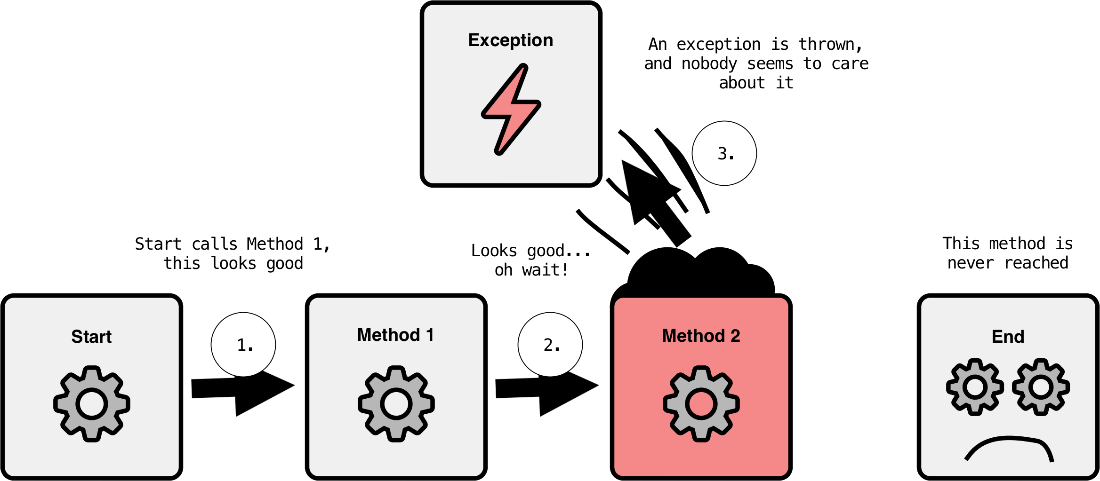
Throwing an exception
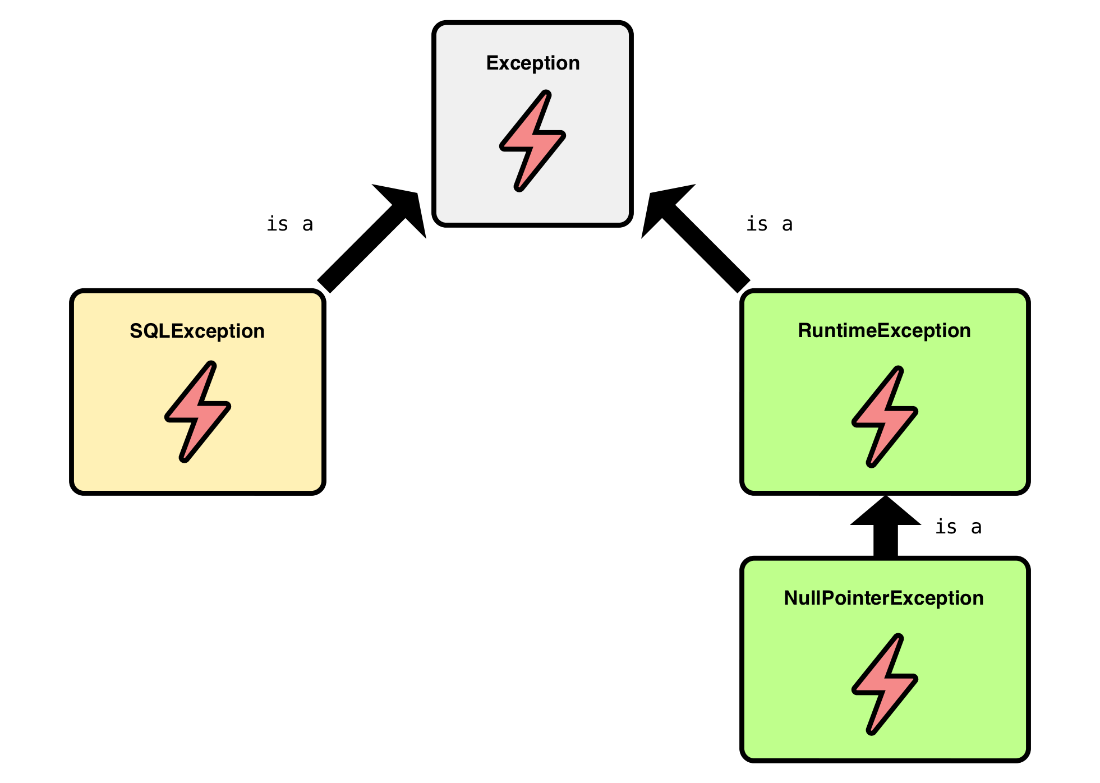
Hierarchy of common Java exceptions
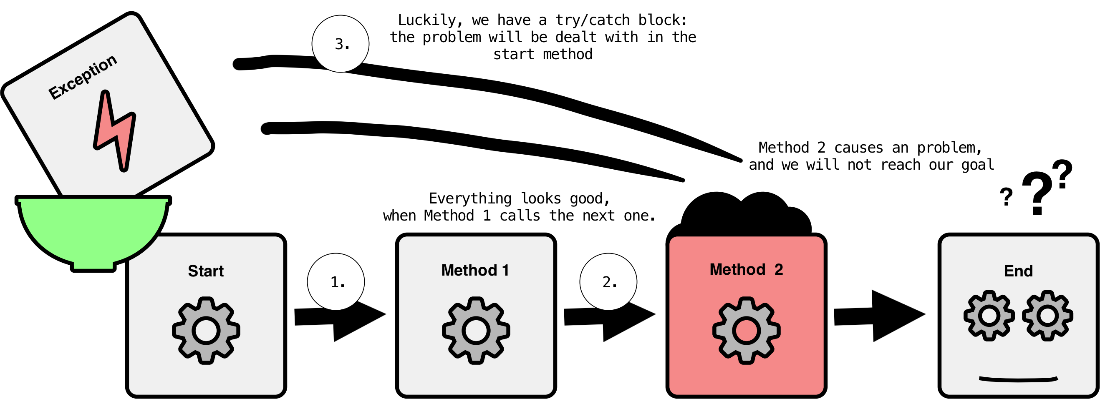
Catching an exception
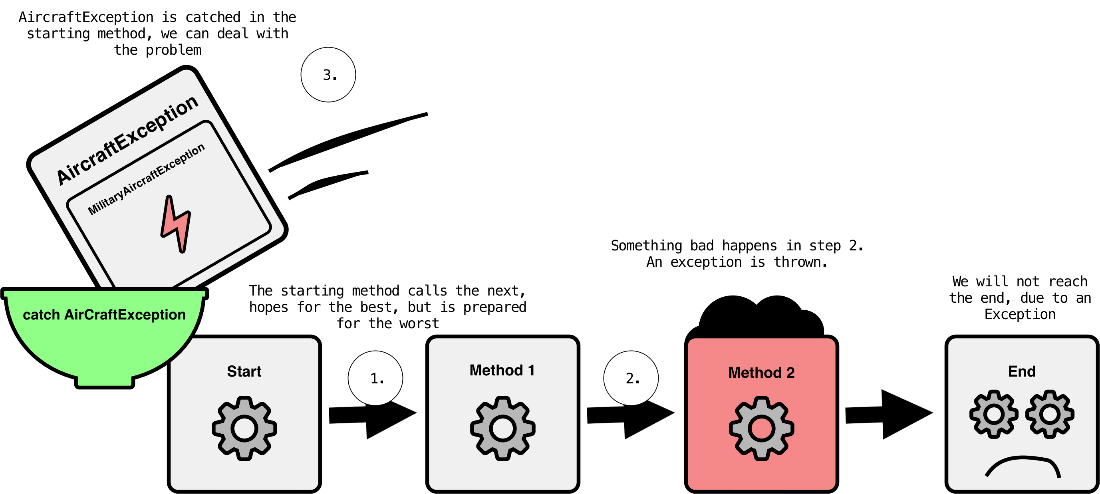
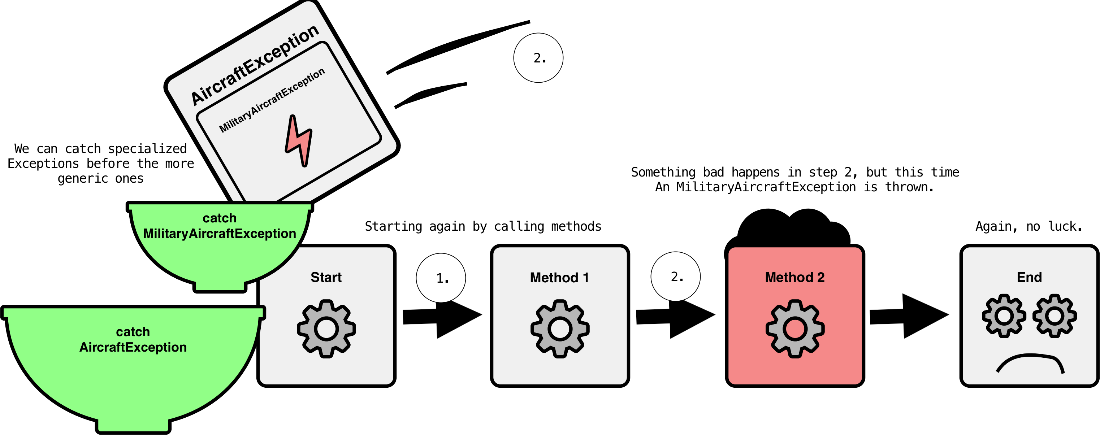
Catching a military aircraft exception
Catching multiple exceptions
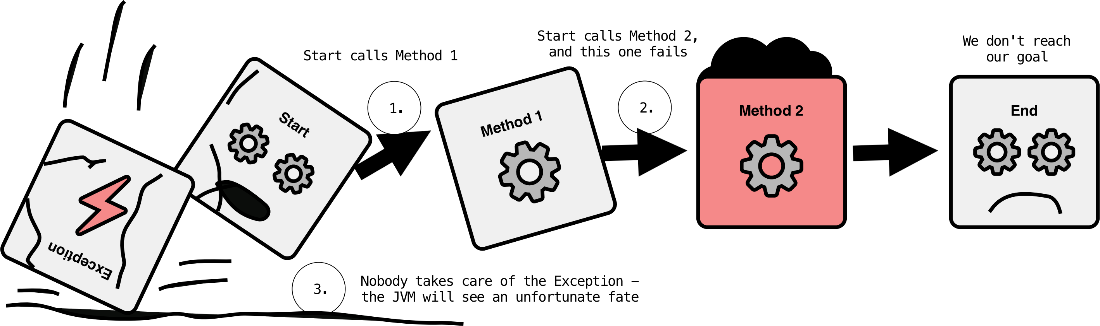
Ignoring an exception
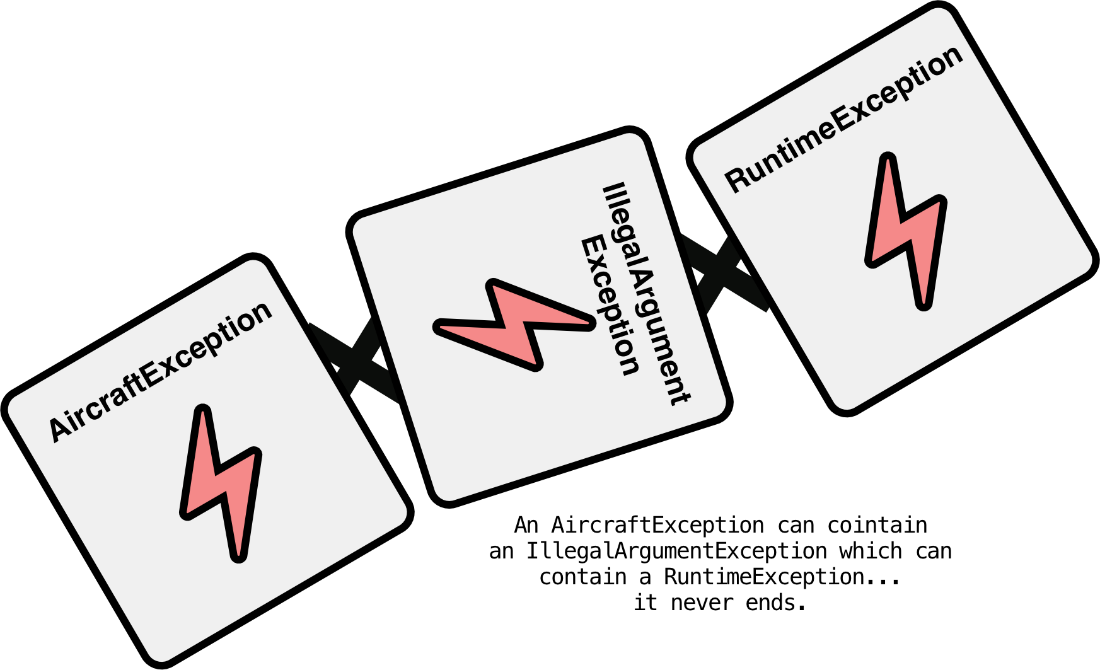
Chaining multiple exceptions
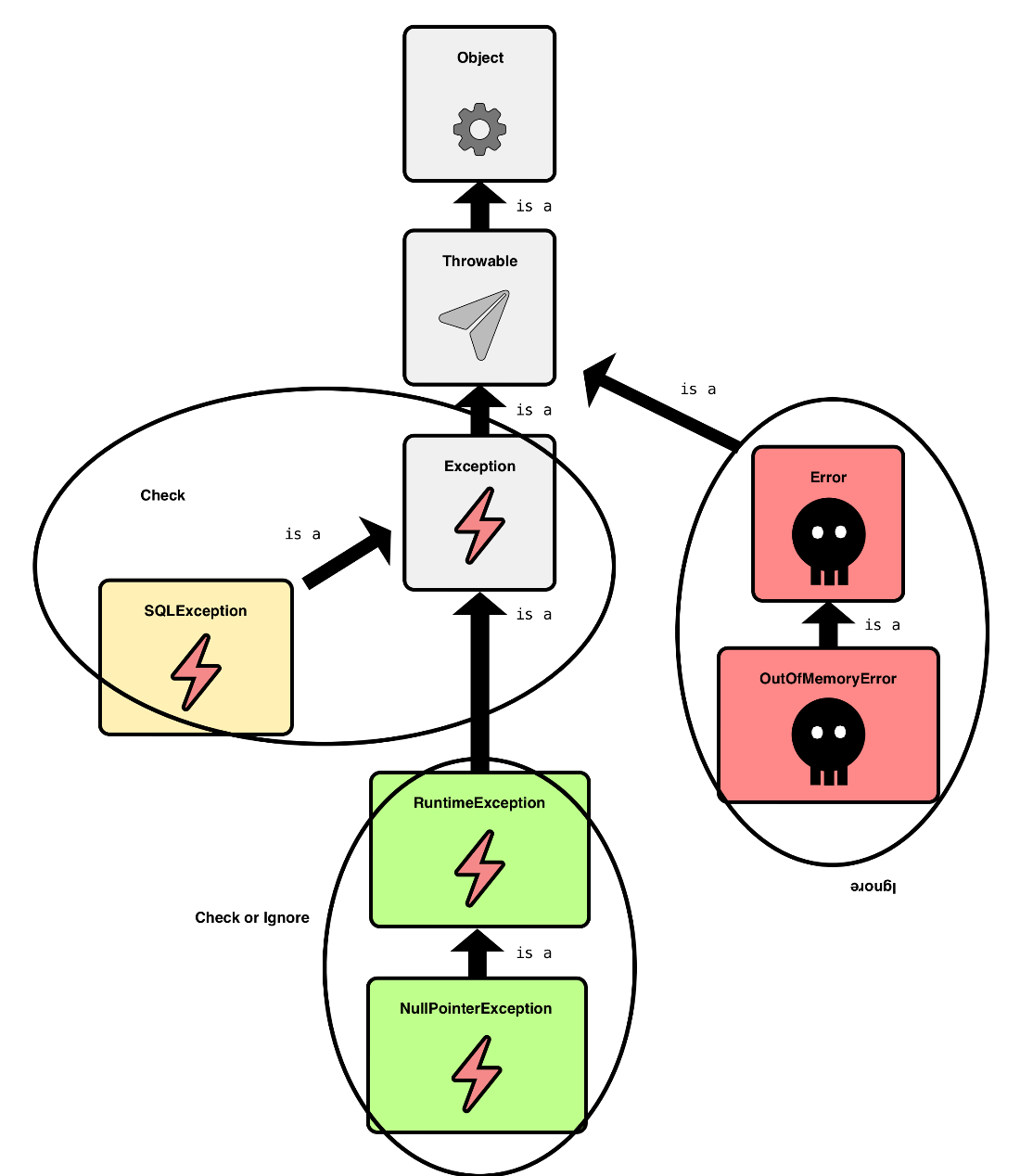
Complete exception and error hierarchy
Summary
In this chapter…
- Checked and unchecked exceptions serve different purposes
- Handling, declaring, or ignoring exceptions are the three options we have
- Avoid the "catch-log-throw" and "log-everything" antipatterns
- Wrapping exceptions is no problem for logging
-
try-with-resourcesoften beatsfinally
FAQ
What is an exception in Java, and what makes a situation “exceptional”?
Exceptions represent unexpected, non-normal situations that disrupt the regular flow of a program. A condition is “exceptional” when it violates a method’s preconditions or prevents its postconditions from being met. Example: a heading calculation receiving a value outside 0–359 violates a precondition and should throw an exception.What’s the difference between checked and unchecked exceptions?
Checked exceptions extendException (but not RuntimeException) and must be handled or declared. Unchecked exceptions extend RuntimeException; they don’t need to be declared or caught, though you may still do so. You can tell which is which by inspecting the inheritance hierarchy.What does “handle or declare” mean for checked exceptions?
If a method calls code that can throw a checked exception (e.g.,SQLException), it must either handle it with try/catch or declare it with throws in the method signature. Callers then face the same choice until some code actually handles the problem.How should I log exceptions correctly inside a catch block?
Log with a meaningful message, use an appropriate level (typicallyERROR or FATAL for critical issues), and pass the exception object so the stack trace and causes are recorded. Avoid vague messages like “Catch”; include relevant context (what operation failed, key identifiers).How do I avoid catching the wrong exception when types form a hierarchy?
Catch specific exceptions first and more general ones afterward. A catch for a superclass also matches all its subclasses, which can hide severity differences and lead to generic messages. Use multiple catch blocks to handle specific cases differently and log at suitable levels.How should I treat unchecked exceptions and errors?
Unchecked exceptions (e.g.,NullPointerException, ArrayIndexOutOfBoundsException) often indicate programming errors. Prefer preventing them with unit tests instead of surrounding everything with try/catch. Errors (e.g., OutOfMemoryError, StackOverflowError) signal an unrecoverable JVM state—don’t throw, catch, or log them; the JVM may terminate before logging occurs.When should I throw IllegalArgumentException vs NullPointerException for invalid input?
Use IllegalArgumentException for invalid but non-null arguments (e.g., out-of-range values). Use NullPointerException when a parameter that must not be null is null—this follows Java convention (as recommended in Effective Java). Fail fast (defensive programming), and don’t log at the throw site; let the handler log.Which logging antipatterns should I avoid?
- Log-everything-before-validation: Logging raw inputs before validating them risks huge log spam and log injection. Validate first; if you throw, let the handler log.- Log-and-throw: Catching, logging, and then rethrowing causes duplicate log entries and noisy, misleading traces. Simple rule: the code that handles the problem should be the code that logs it.
When should I use finally vs try-with-resources for cleanup and logging?
finally always runs (except on System.exit()) and is traditionally used for cleanup, but it’s easy to produce misleading logs (e.g., “Connection closed” when it wasn’t). Prefer try-with-resources for anything AutoCloseable; it closes reliably and reduces the need to log in cleanup blocks, keeping logs truthful and concise.
 Java Logging ebook for free
