Chapter 4. Messaging: communicating to and from scripts in HTML5
HTML5 modernizes web communication by replacing older hacks with clear APIs for moving data between the browser, web servers, and separate script contexts inside the browser. The chapter frames messaging as a foundation for real-time web applications, showing how event-driven communication can make pages feel immediate and collaborative rather than static. It introduces the main tools for this job and explains why each exists in the broader evolution of web development.
First, it explores server-sent events as a simple way for a server to push updates to the browser without repeated polling. Through a chat application example, it shows how the browser opens an event stream, listens for incoming messages, and keeps the connection open while the server sends updates as needed. The discussion emphasizes the low overhead and straightforward event model of this approach, while also noting its one-way limitation and the situations where it is a good fit.
The chapter then turns to WebSockets for full two-way communication and uses Node.js to build a collaborative planning board, highlighting the benefits of shared client and server logic through an event-driven model. Finally, it explains cross-document messaging with postMessage and onmessage, using it to connect the chat and planning apps so data from one can enhance the other in a controlled way. Together, these techniques show how HTML5 enables loosely coupled, interactive applications that communicate efficiently across the network and within the browser.
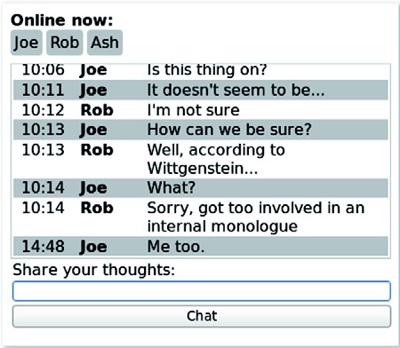
The simple chat application in action
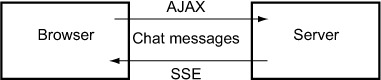
The conceptual flow of chat messages in this section’s application. Messages will be sent back to the server using standard AJAX techniques, but chat messages will be received from the server through serversent events.
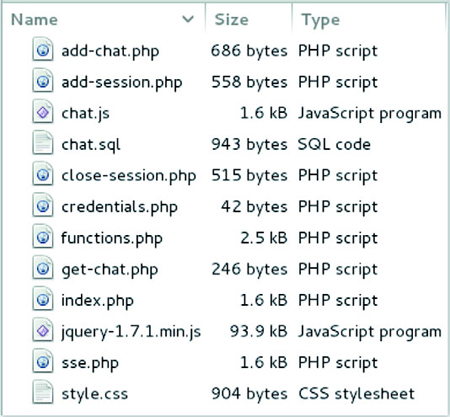
The file layout for the chat application
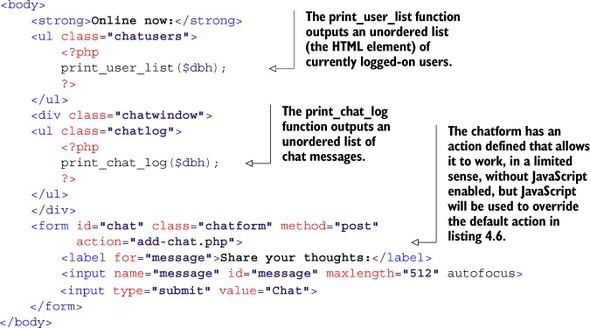
Listing 4.1. index.php body content
Listing 4.2. index.php head

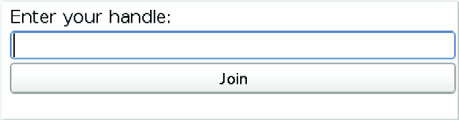
A simple login page for the chat application
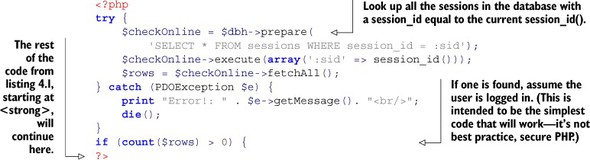
Listing 4.3. Check to see if the user is logged on
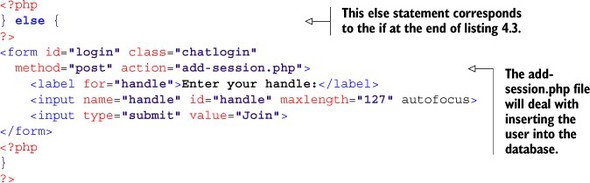
Listing 4.4. Display a login form
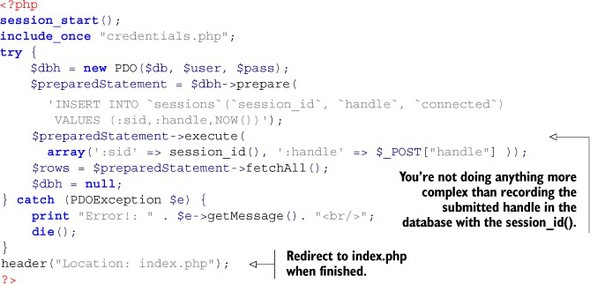
Listing 4.5. The add-session.php file
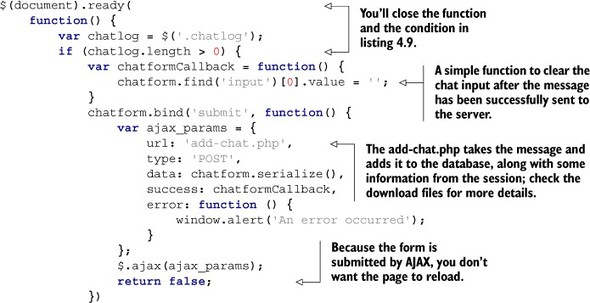
Listing 4.6. Add a chat message (client code)
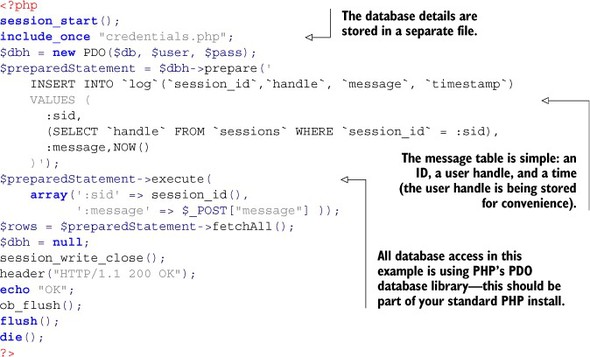
Listing 4.7. Add a chat message (server code)

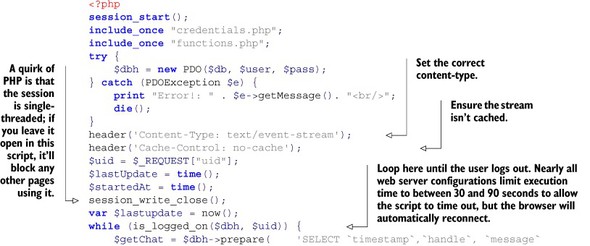
Listing 4.8. sse.php key code loop

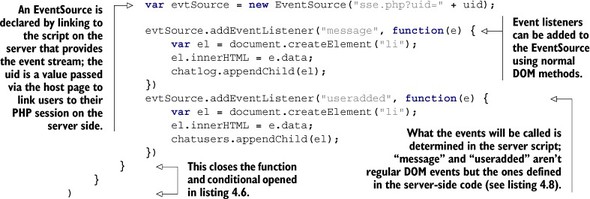
Step 8: Connect to an SSE stream in the browser

Listing 4.9. Client code for connecting to an event stream
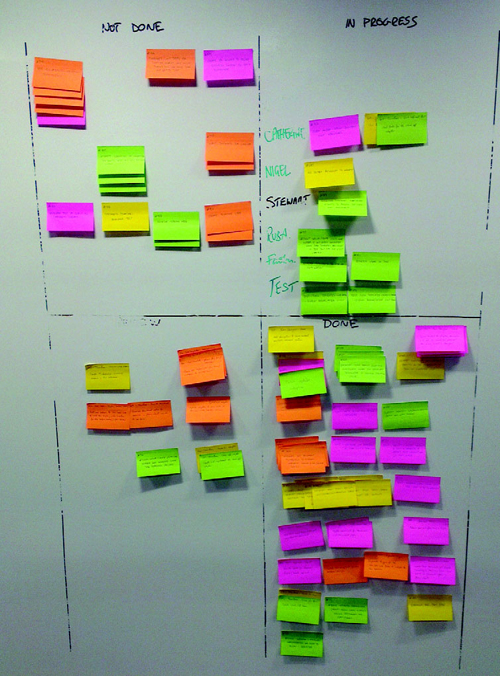
A real-life agile planning board at the TotalMobile offices in Belfast. The sticky notes describe tasks to be done, and the four quadrants are labeled, from top-left clockwise, NOT DONE, IN PROGRESS, DONE, and REVIEW. In this section you’ll develop an electronic version of this board.
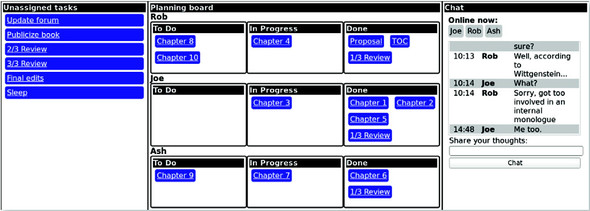
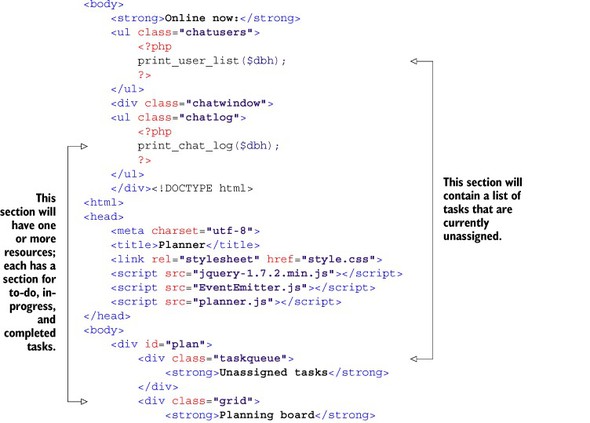
The finished planning application
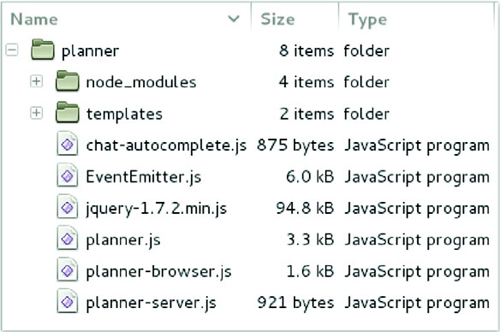
Planner application file layout
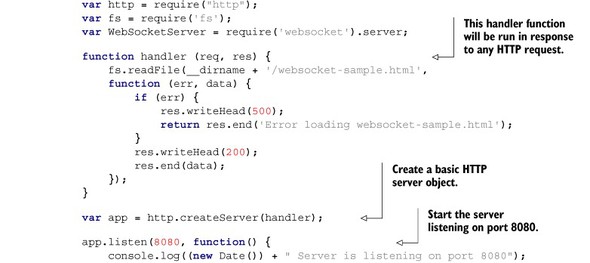
Listing 4.10. Server output for a simple WebSocket test

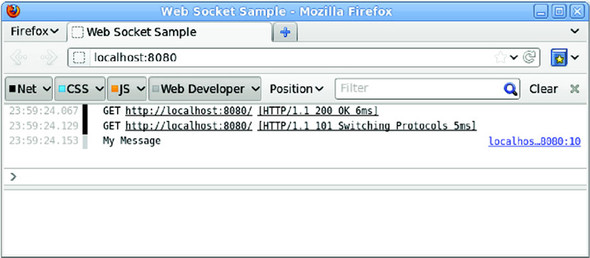
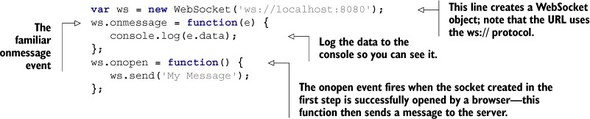
The simple WebSocket client running in the browser
Listing 4.11. A simple JavaScript WebSockets client
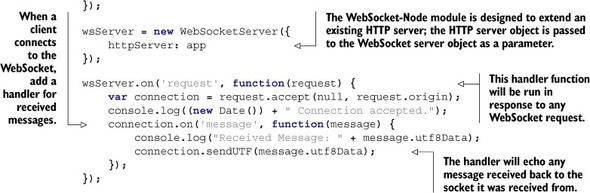
Listing 4.12. A simple Node.js WebSockets server
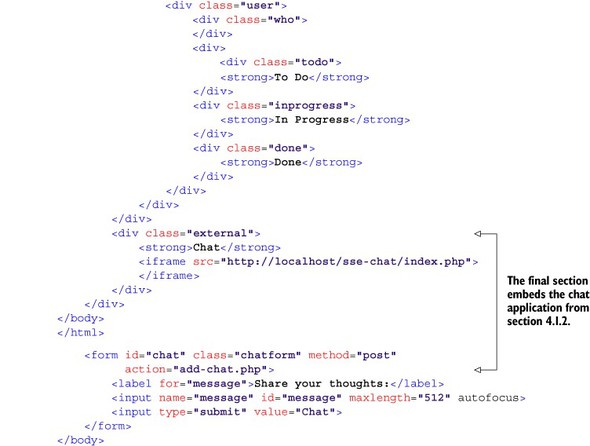
Listing 4.13. The planner index.html file
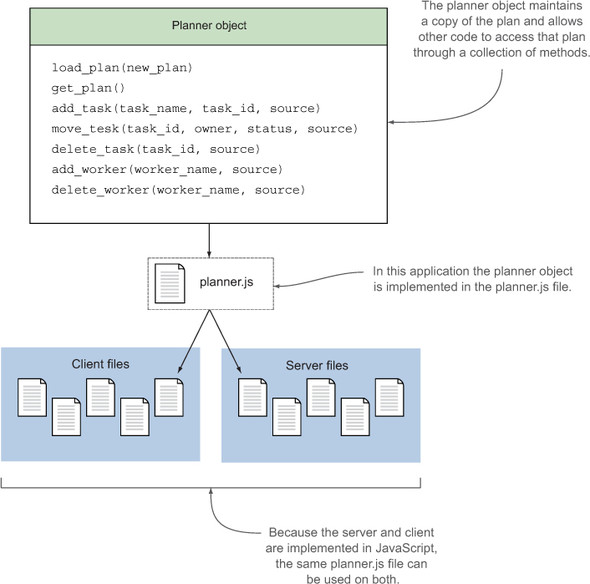
By using the same model (the plan held by the planner object) in the browser and on the server, the business logic (the methods in the planner object) can be the same in both places.
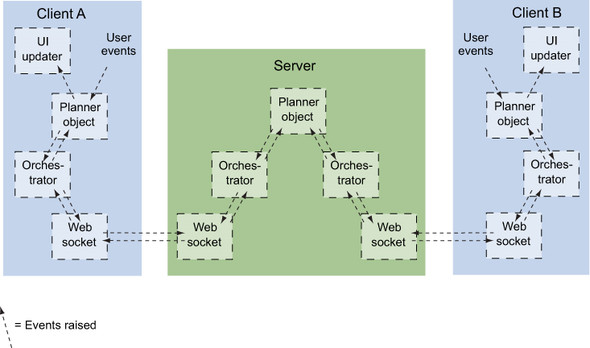
Planner application architecture following through from User events in Client A: Events are generated by the client and update the local plan; an orchestrator monitors the plan and sends those updates through a WebSocket to the server. An orchestrator on the server updates the server planner object; then those updates are sent out via other WebSockets to the other connected clients, culminating in the UI of the other clients being updated.
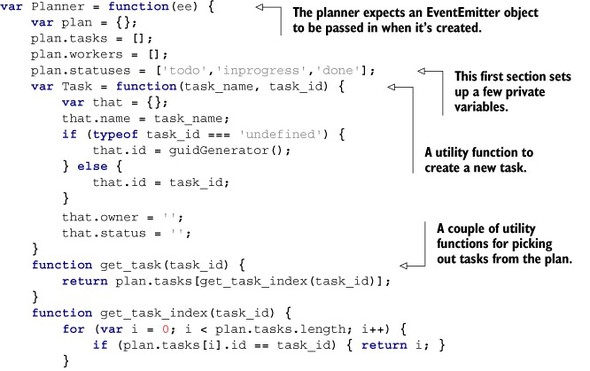
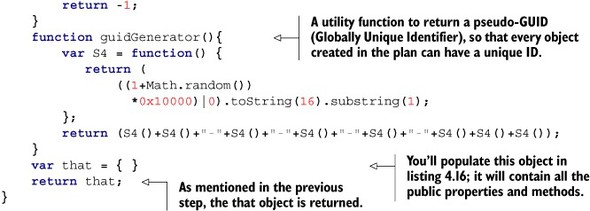
Listing 4.14. Creating the plan object and utility functions in planner.js
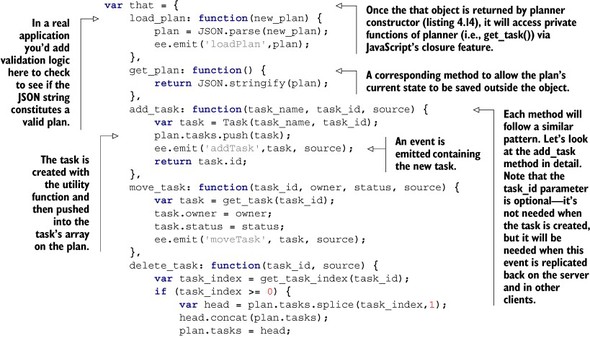
Listing 4.15. More planner.js
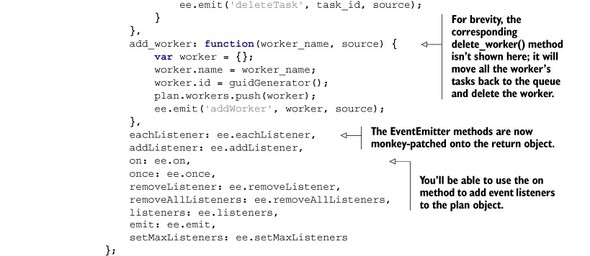
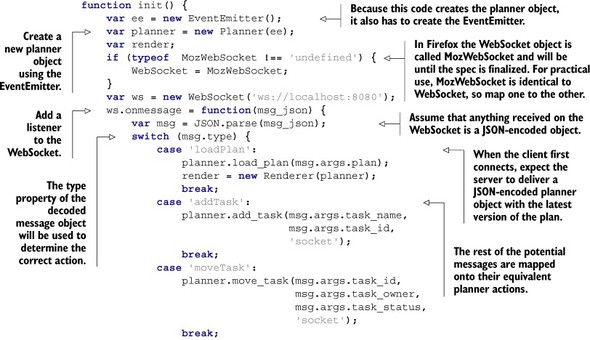
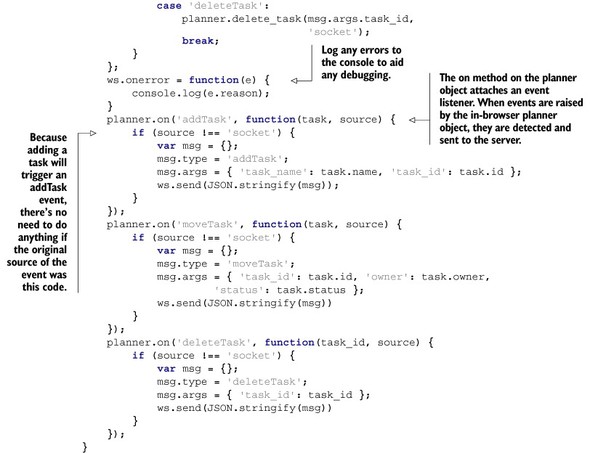
Listing 4.16. The planner-browser.js (partial) browser code
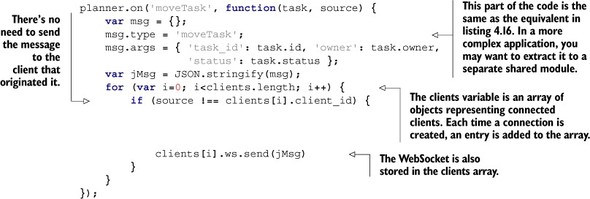
Listing 4.17. planner-server.js server code
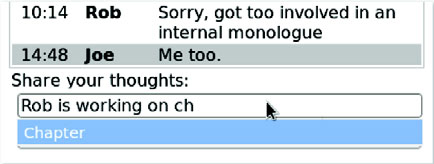
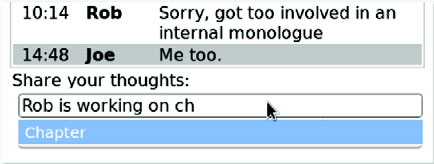
As the user types into the chat, the letters will be compared to words in the plan and matches will be shown in a drop-down list, where they can be selected using the down arrow.
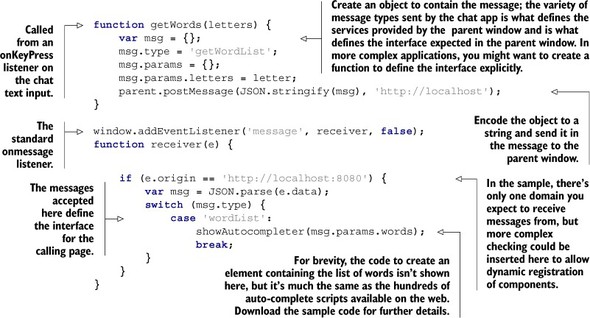
Listing 4.18. Auto-complete interface for the chat application
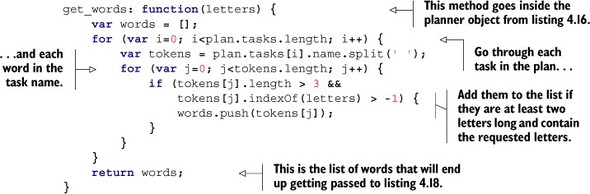
Listing 4.19. Word-completion service in the planner application
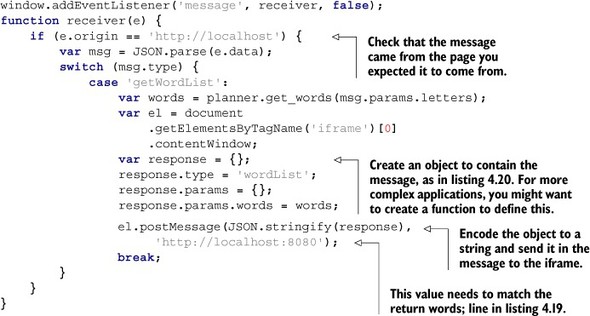
Listing 4.20. Listening to the onmessage event in the planner application
Planner-chat auto-complete one more time
FAQ
What problem does HTML5 messaging solve in Chapter 4?
HTML5 messaging provides well-defined APIs for real-time communication between the browser and servers, and between different scripts or windows in the browser. It replaces older hacks built on top of HTML4 and HTTP with cleaner, standardized approaches.What are the three main topics covered in Chapter 4?
Chapter 4 covers server-sent events for server-to-client communication, WebSockets for bidirectional real-time communication, and cross-document messaging for communication between scripts in different windows or frames.What is server-sent events (SSE) used for?
SSE lets the web server create events in the browser without the browser making a specific request each time. It is useful for one-way updates from server to client, such as notifications, pings, or chat messages.How does the browser connect to an SSE stream?
The browser creates anEventSource object to request an event stream from the server. It then uses familiar event handling methods like addEventListener() to listen for incoming events.What are the main advantages of SSE over AJAX polling?
SSE lets the server drive communication and reduces overhead because the browser does not need to repeatedly create new connections and send request headers for every update.What are the limitations of SSE?
SSE only supports communication from server to client. It also offers little advantage over older techniques such as long-polling or forever frames if you already have those in place.When should you choose SSE instead of WebSockets?
SSE is a good fit for simpler, one-way updates, especially for hobby projects or when cheap hosting and a very simple wire protocol are important. WebSockets are better for high-load, two-way communication.What is the role of WebSockets in Chapter 4?
WebSockets provide two-way, event-driven communication between client and server with much less overhead than HTTP tunneling. The chapter uses them to build a collaborative agile planning board application.How does cross-document messaging work in HTML5?
Cross-document messaging usespostMessage() to send data between windows, iframes, or other script contexts, and the receiving side handles the message event with onmessage or addEventListener().Why is the target origin important when using postMessage()?
The target origin helps ensure that the message is only delivered to the intended domain. Without it, using a wildcard like * could expose user data to an unsafe or unexpected page.
 HTML5 in Action ebook for free
