Chapter 1. HTML5: from documents to applications
HTML5 marks a major shift in the web, moving beyond a language for describing documents and becoming a foundation for building full web applications. The chapter explains that while older HTML versions focused mainly on semantic structure, HTML5 embraces the browser as an application platform and brings together richer markup, native browser behavior, and a wide range of JavaScript-powered capabilities. It emphasizes that the biggest change is not just new tags, but the broader ecosystem of standards that make modern web apps possible.
The chapter surveys the most visible markup improvements first: a simpler document structure, new semantic elements for organizing page regions, and practical additions such as aside content, highlighted text, richer forms, progress indicators, meters, and collapsible sections. It also shows how HTML5 improves accessibility through ARIA roles and how older browsers, especially legacy Internet Explorer versions, can be supported with shivs and other fallbacks. A recurring theme is that HTML5 features should be adopted in a backward-compatible way so existing users are not excluded.
From there, the chapter expands into the wider HTML5 family: microdata for better search and machine-readable meaning, CSS3 for modern styling, and JavaScript APIs that handle drawing, media playback, drag and drop, messaging, editing, storage, offline use, geolocation, files, vector graphics, and 3D graphics. These technologies are presented as the real power behind HTML5’s application model, enabling richer interfaces and more capable web apps. The overall message is that HTML5 is less about replacing HTML4 syntax than about redefining what web pages can do when markup, scripting, and related standards work together.
Listing 1.1. hello.html—The basic structure of an HTML5 document

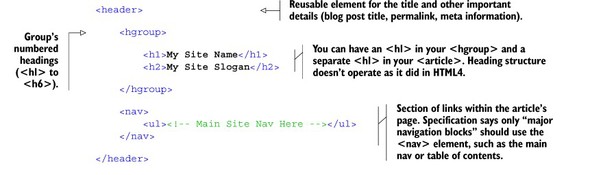
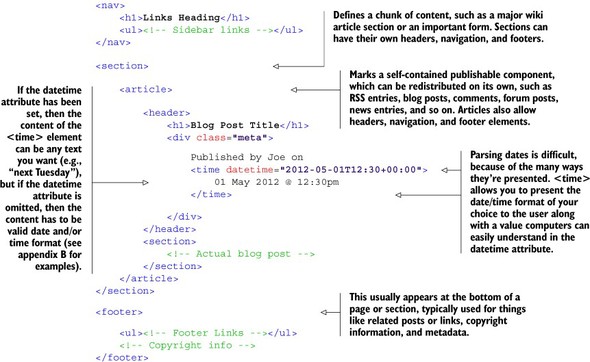
Listing 1.3. html5-blog.html—HTML5 markup for a blog post
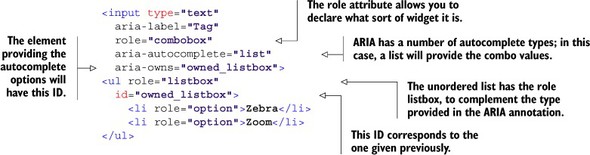
Listing 1.4. ARIA combobox example from www.w3.org/TR/wai-aria/roles#combobox
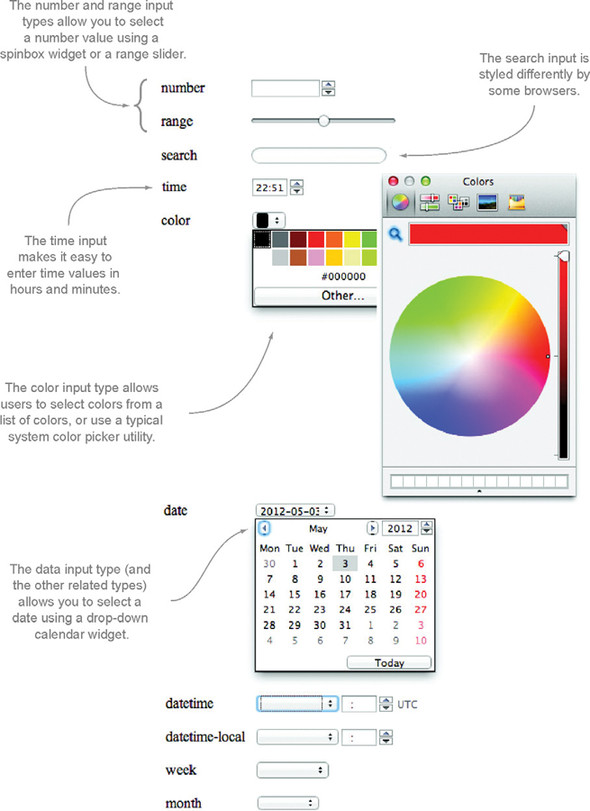
Examples of some of the new form input widgets introduced in HTML5. Note that not all browsers provide support for widgets yet.
You can use the new placeholder attribute to provide a piece of text that should be displayed in a field when it’s empty. This text is typically gray and will be removed when you populate the field with a value.

The left-hand progress bar is an example of a determinate progress bar. In this example, the value of the bar is set to 50 percent, and the appearance of the bar reflects this because it’s half filled. The right-hand progress bar is an indeterminate bar and doesn’t have a value. It displays an animated full bar to indicate that something’s happening, but the percentage complete isn’t known.


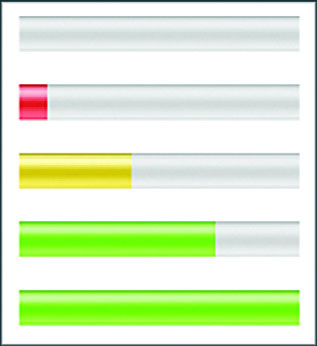
A screenshot of the states in which you can represent a <meter> element: empty, low, medium, high, and full.

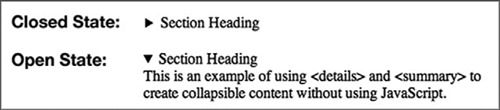
An example of the <details> and <summary> elements in action, first in the closed state, where only the code inside the <summary> element is visible, and second in the open state, where the entire contents of the <details> element are visible.
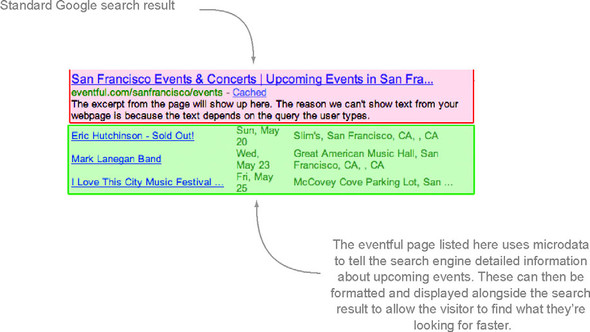
Google reads microdata from HTML documents to provide improved search results to users. By using microdata in your pages, you enable Google to provide similar search result listings for your website or application.
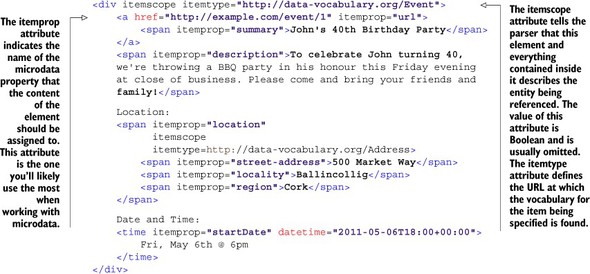
Listing 1.5. html5-microdata.html—Microdata in action
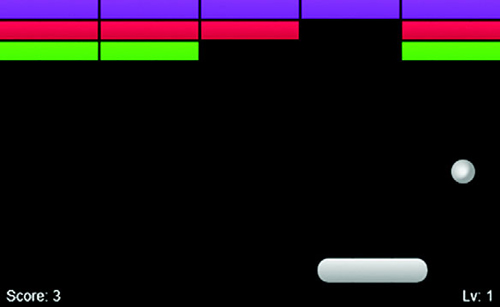
The <canvas> element allows developers to present information in more creative ways. You’ll learn how to build this game in chapter 6.
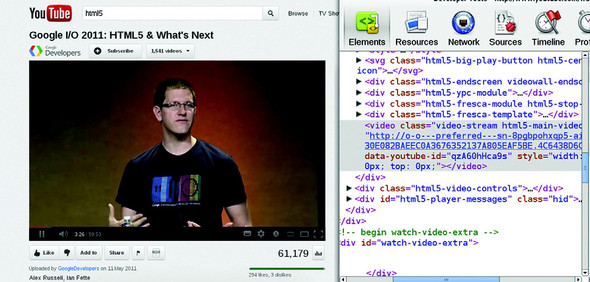
YouTube HTML5 video in action. As you can see from the code in the inspector, the YouTube video in this screenshot doesn’t use the Adobe Flash plug-in but is fully implemented using the HTML5 <video> element and related APIs.
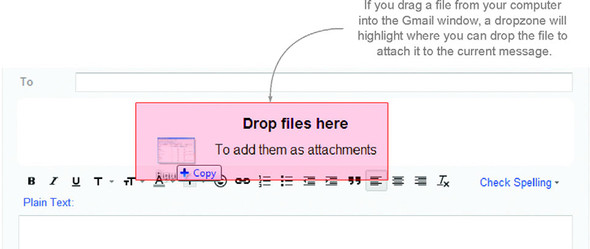
Gmail allows you to drag files into the browser window and drop them into a designated area to add them as attachments to your messages.
A simple application demonstrating channel messaging. You’ll build this in appendix J, one of the companion appendices to chapter 4.

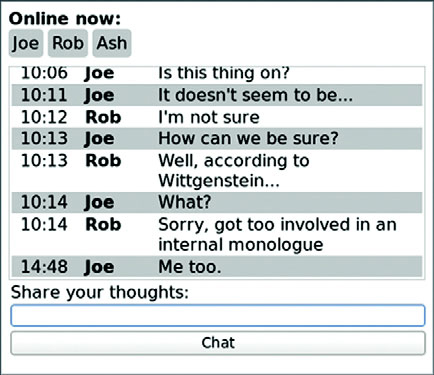
A chat application implemented using server-sent events
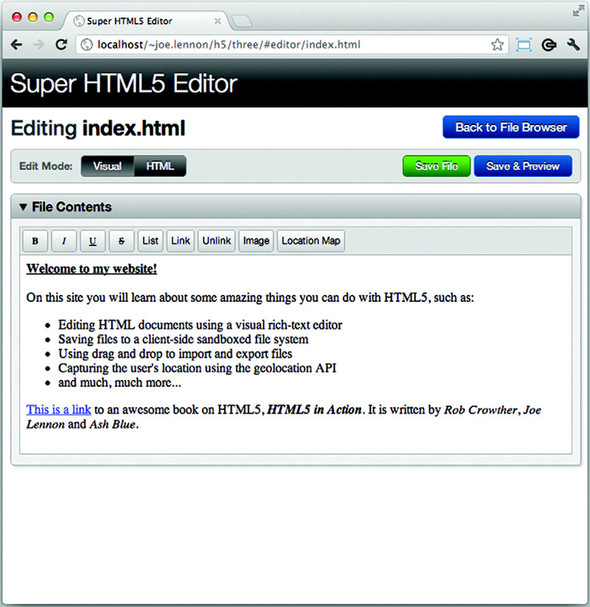
The Super HTML5 Editor application that you’ll learn to build in chapter 3 uses the designMode attribute and the Editing DOM API to allow users to edit HTML markup using a set of rich-text editing controls. The toolbar in this screenshot allows you to use Bold, Italic, Underline, Strikethrough, List, Link, and Image formatting commands on the contents of the area below the toolbar.
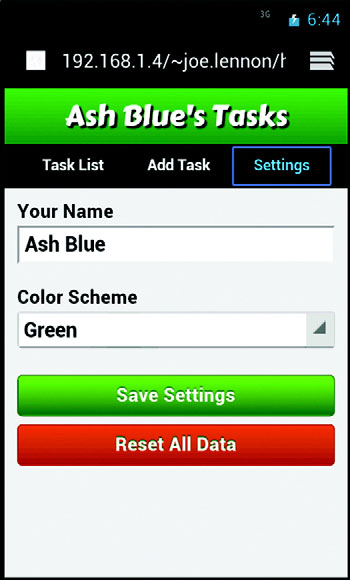
In chapter 5, you’ll learn how to use the localStorage interface to persist user settings in a mobile task-management application.
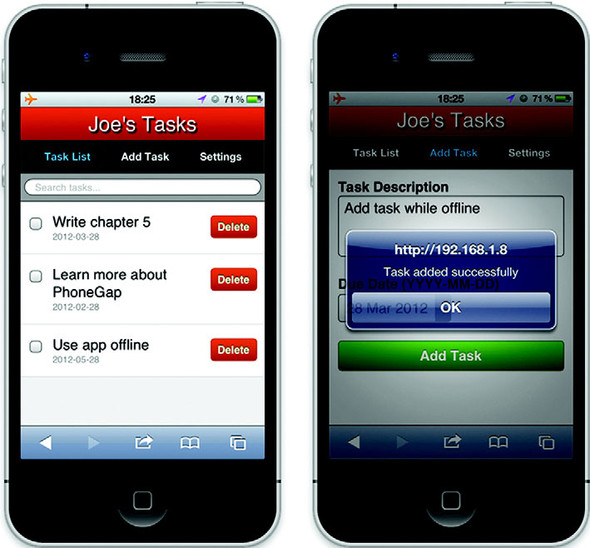
A screenshot of the mobile application with offline capabilities that you’ll create in chapter 5
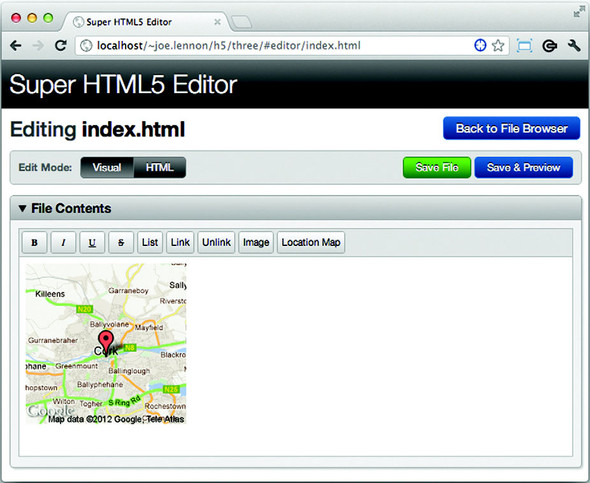
Adding maps showing your current location in the chapter 3 application
The chapter 5 application will use IndexedDB to store a list of tasks and allow fast sorting and searching.

The Super HTML5 Editor you’ll build in chapter 3 will allow you to perform file operations such as creating a new blank file and importing an existing file either by selecting it or dragging it into the application. It’ll store these files in a sandboxed local filesystem, from which you can view, edit, and delete the files or export them to your computer by dragging them out of the application.

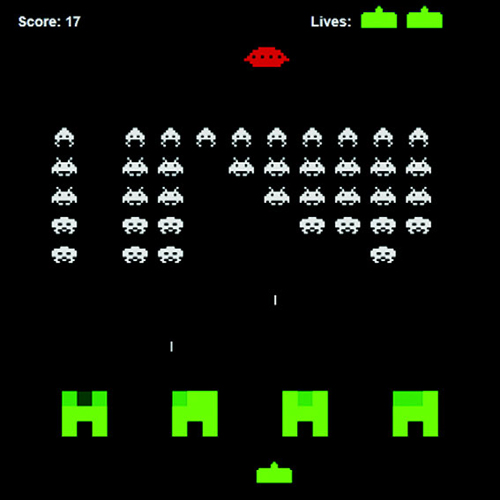
The SVG Aliens game in action. You’ll learn to build this game in its entirety later in this book.
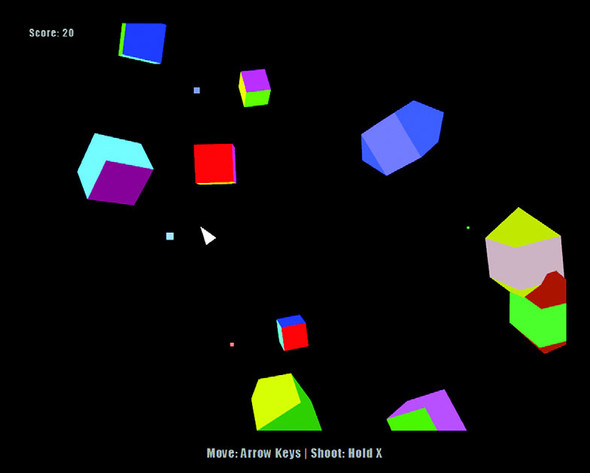
The 3D Geometry Destroyer game in all its glory. Building this game is covered in chapter 9.

 HTML5 in Action ebook for free