Overview

1 Getting started with distributed systems and Aspire

Distributed applications are much harder to run locally than a single-process app because they are made of independently running parts that all need to be started, configured, and kept in sync. The chapter uses an online shop to show how a storefront, API, database, cache, message broker, and background services cooperate as one system, even though each piece is separate and can fail, start slowly, or depend on something else being ready first.

To reduce that complexity, Aspire provides a code-first way to describe the whole application as a model centered on an AppHost project. From that single host, developers can start resources together, pass configuration and connection details, manage dependencies, discover services without hardcoded addresses, and see logs, state, and telemetry in one dashboard. The chapter emphasizes that Aspire does not merge services into one executable; it helps coordinate and observe them while they remain independent.

The first working example introduces a simple storefront and catalog API, then shows how the host application registers those projects, waits for readiness, and connects them through service discovery. It also introduces service defaults, which package shared setup such as health checks, telemetry, and discovery support into reusable code. By the end, the reader has a practical foundation for building, debugging, testing, and eventually evolving a realistic cloud-native system with Aspire.

A shopper’s request crosses the storefront, API, data stores, and background-processing components. Telemetry makes the complete workflow observable.
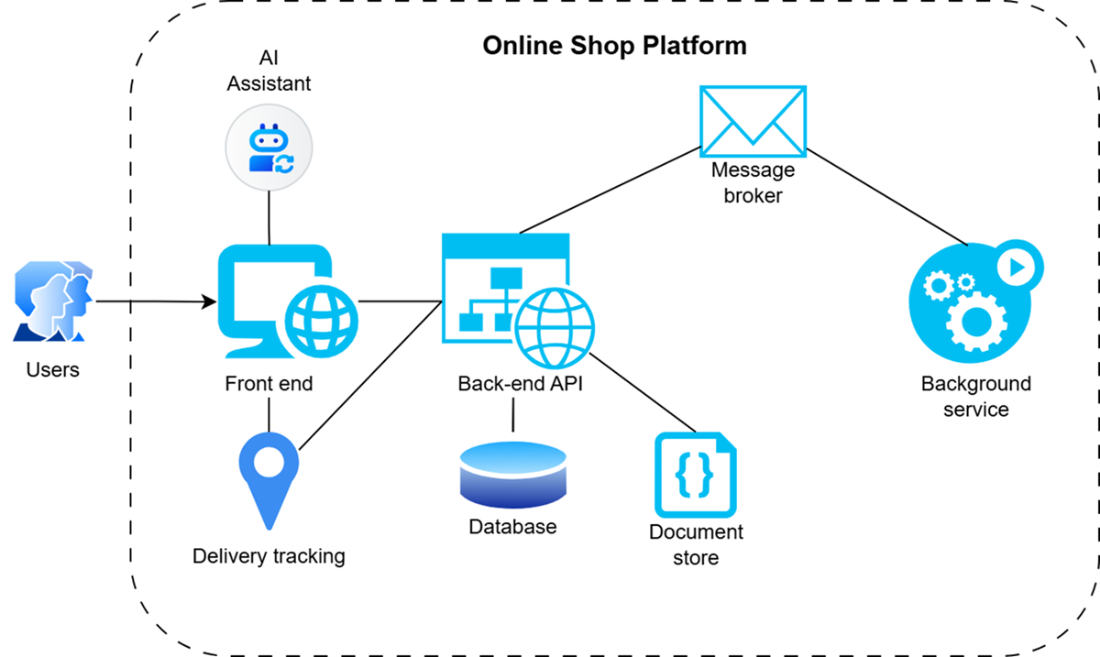
A distributed application consists of several specialist components separated by network connections.
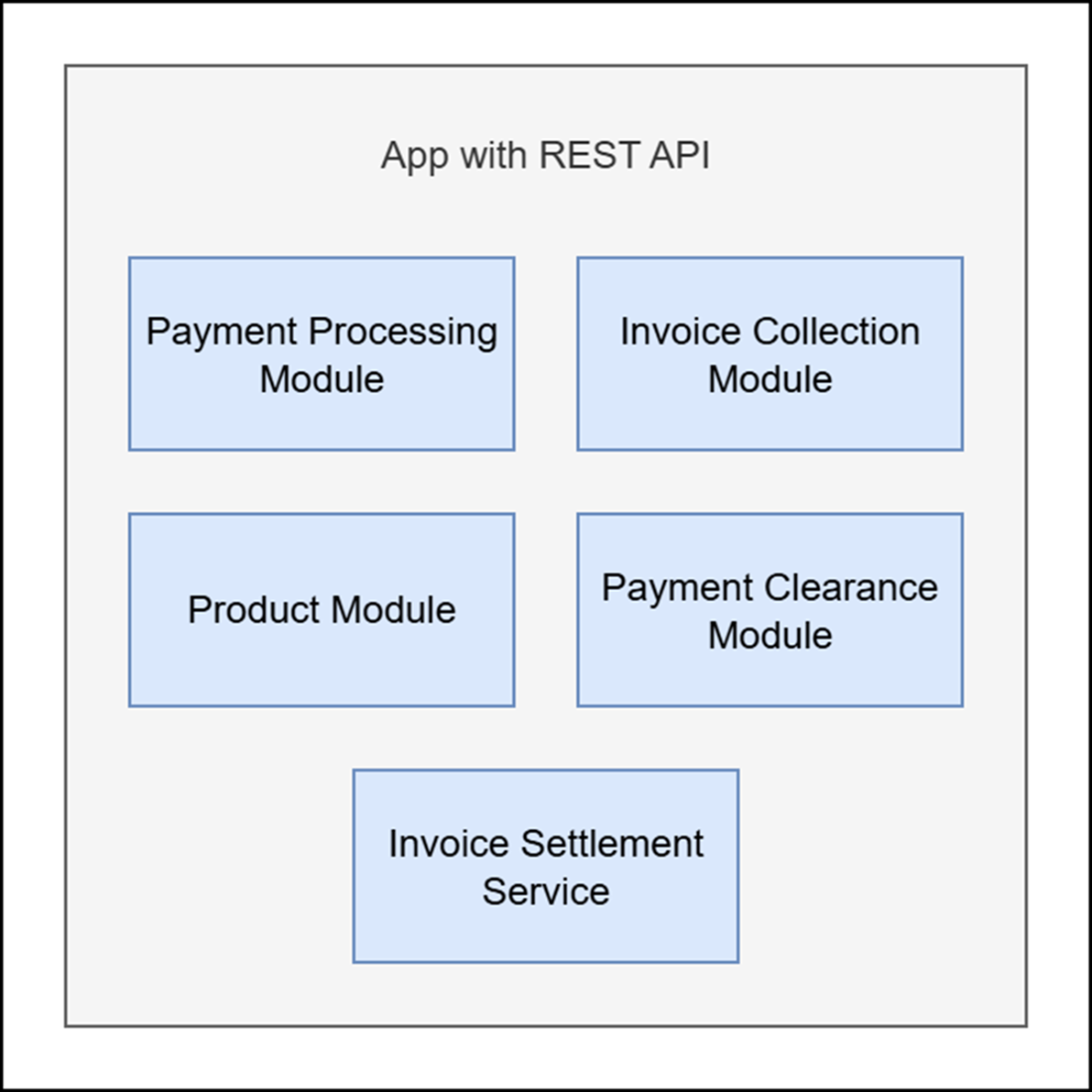
Structure of a modular monolith, in which different functionalities are managed inside the same application but split into distinct modules
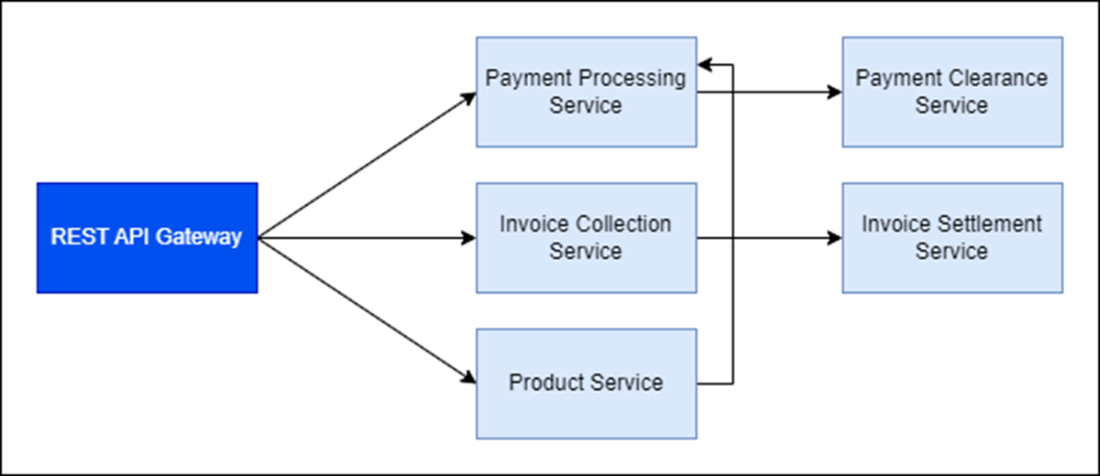
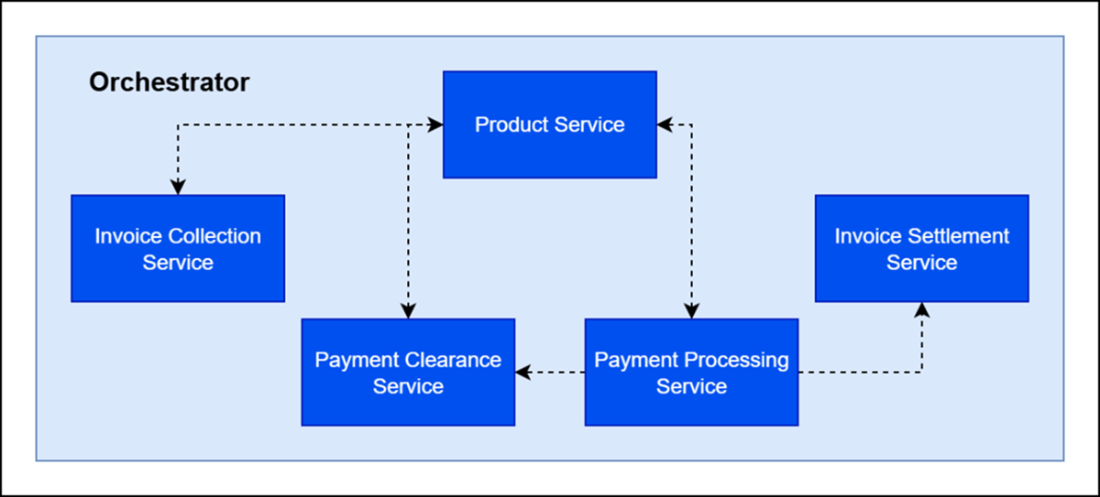
An orchestrator coordinates separate services over the network in a distributed application and ensures that they act as one functioning system.
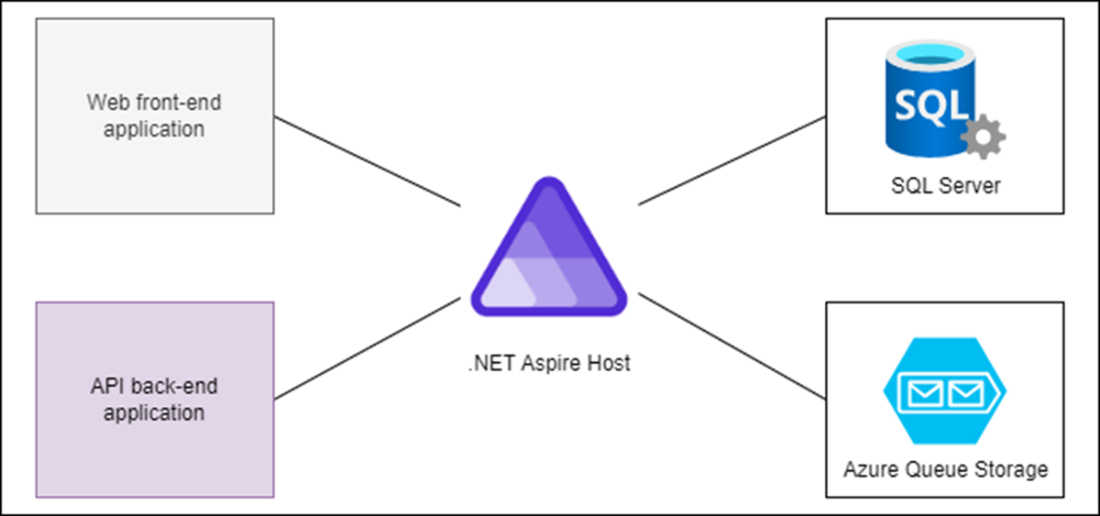
An Aspire host makes separate application services and infrastructure components run as though they're part of a single monolithic application.
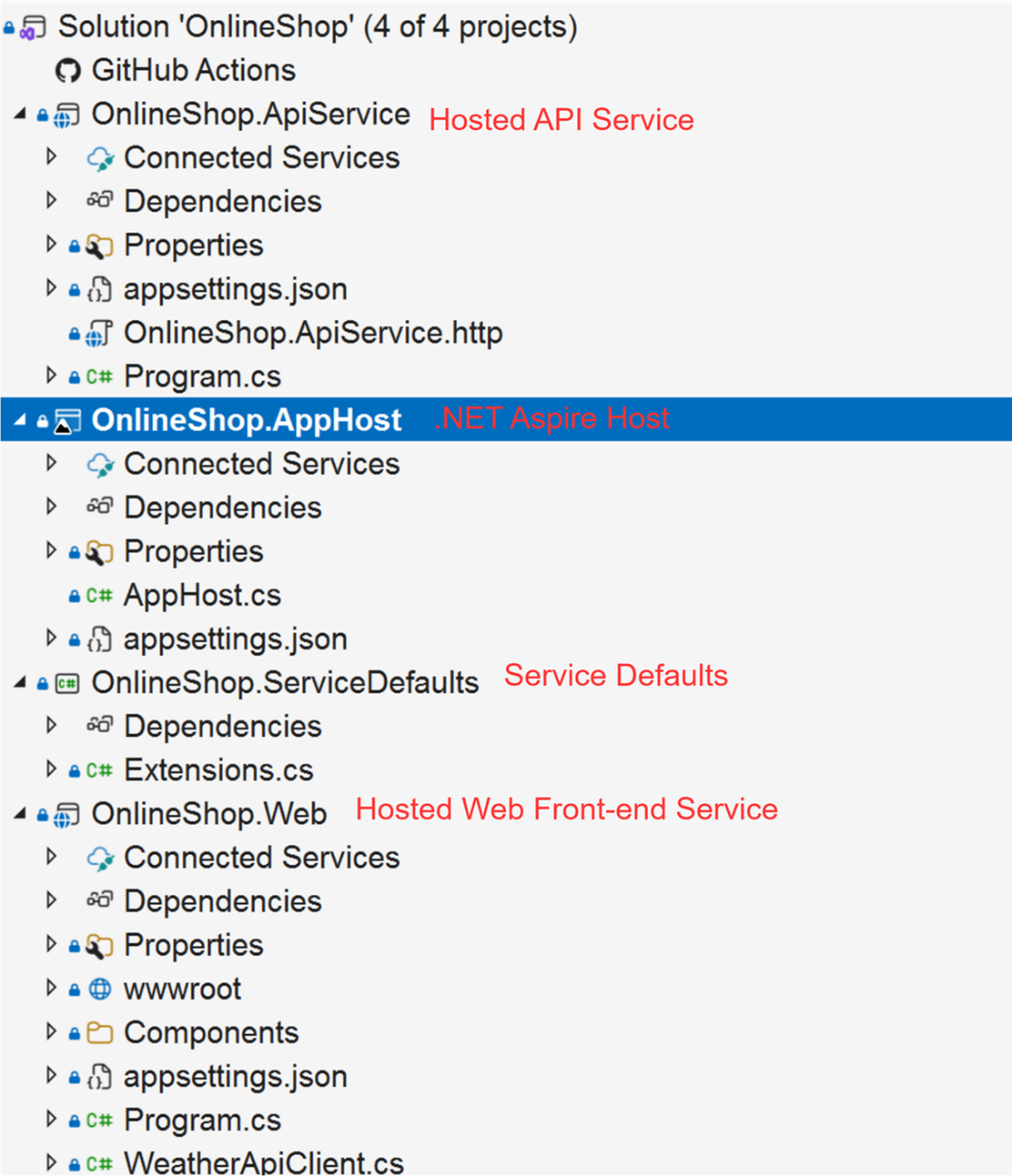
The structure of the Aspire solution
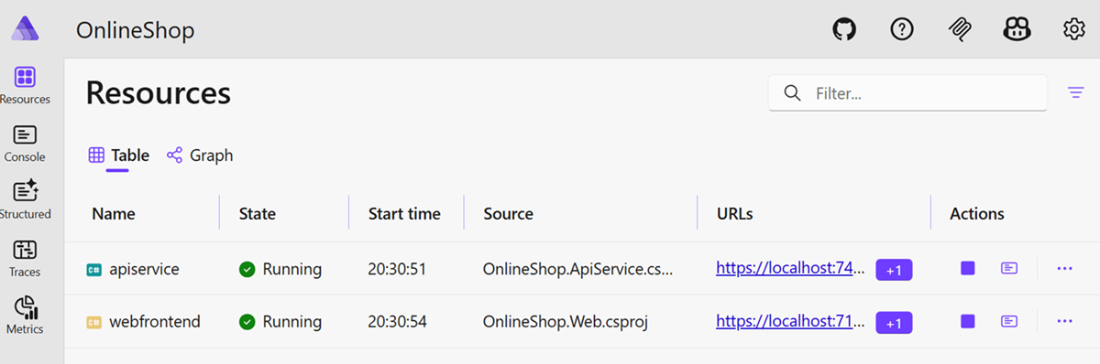
Aspire dashboard
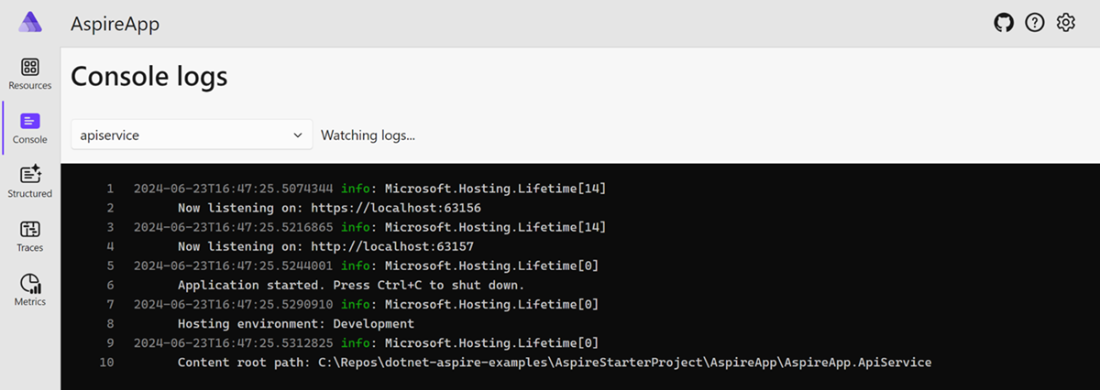
Aspire console log
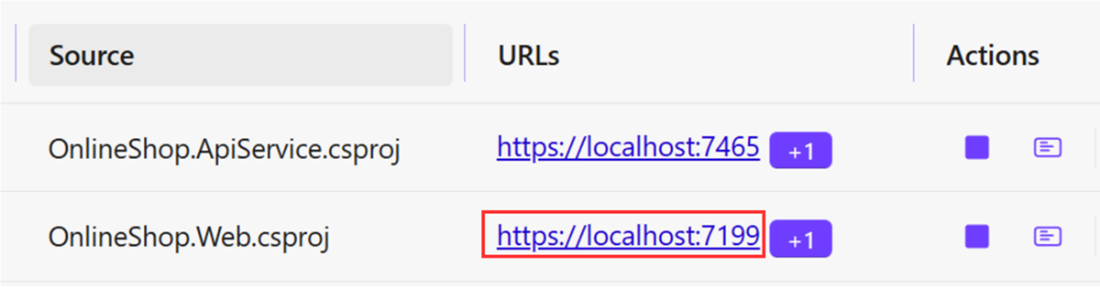
Aspire Resources webfrontend link
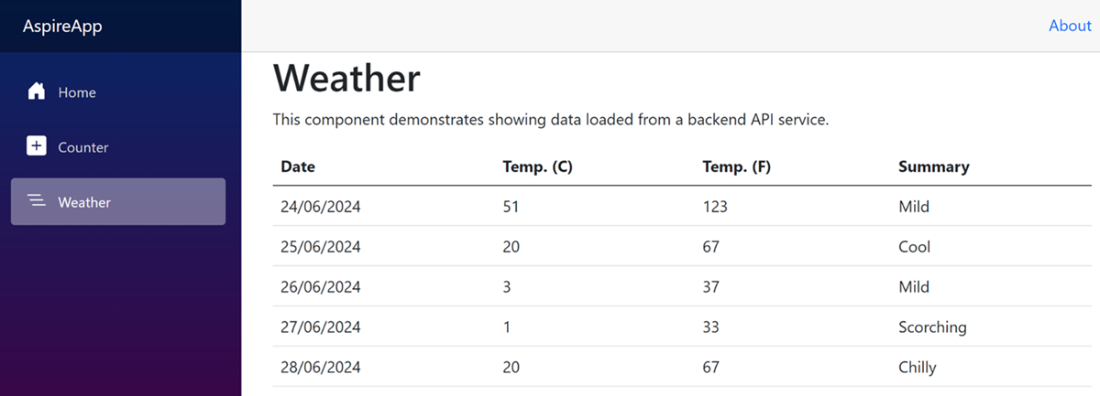
Blazor app hosted in Aspire
Summary

  • Microsoft created Aspire to simplify the process of developing distributed applications.
  • Distributed applications are systems that consist of multiple independent services that interact with one another.
  • Orchestration is the process of coordinating services inside a distributed system.
  • The main benefit of using Aspire is that it lets you run and debug a distributed application in a single process on a development machine, which substantially simplifies development.
  • Aspire consists of the Aspire Host project, to which all other projects can connect.
  • Different applications hosted by Aspire can pass references to one another when they're registered by the orchestrator.
  • The service defaults project is used for shared dependencies that any Aspire-hosted apps can use.
  • Service discovery lets you resolve addresses of Aspire-hosted apps by the names under which they were registered in the orchestrator.
  • The Aspire orchestrator displays a dashboard that shows the status of all running services.

FAQ

What is a distributed application?A distributed application is a system made up of multiple independently running components that communicate over a network. In the online shop example, the storefront, catalog API, databases, caches, brokers, and background services all work together as one application.
Why are distributed systems harder to run locally than monolithic applications?Because each component must be started separately, configured correctly, and connected to its dependencies. You also have to deal with startup order, readiness, port assignments, and logs spread across multiple processes or terminal windows.
What is Aspire and why is it useful?Aspire is a .NET tool designed to make cloud-native distributed application development easier. It helps developers model, run, debug, and observe multiple services and infrastructure resources from one place.
What is the AppHost in Aspire?The AppHost is the central project in an Aspire application. It defines the services and infrastructure resources in code and describes how they relate to each other so Aspire can orchestrate them.
What can Aspire do once the application model is defined in AppHost?Aspire can start resources together, supply configuration and connection information, coordinate dependencies, enable service discovery, and show resource state and telemetry in a shared dashboard.
Why should service addresses and configuration values not be hardcoded?Because addresses and settings can differ across development, testing, containers, and production. Hardcoding makes the application fragile and environment-specific, especially when ports or hosts change.
What problems happen when services cross a network boundary?Network calls can fail for many reasons that do not apply to in-process calls, such as a service not running, not being ready, having the wrong address, timing out, or returning errors. A failure in one service can also affect several others.
What is service discovery in Aspire?Service discovery lets services find one another dynamically without hardcoded addresses. In Aspire, services are registered with unique names, and HTTP clients can use those names instead of explicit network locations.
What are service defaults in Aspire?Service defaults are shared extension methods used by the applications in the solution. They typically set up service discovery, health checks, telemetry, and other common functionality needed by orchestrated apps.
What does the Aspire dashboard show during local development?The dashboard shows the services in the distributed application, including their names, type, health state, source project, endpoints, logs, and details. This helps developers inspect and debug the whole system in one place.

pro $24.99 per month

  • access to all Manning books, MEAPs, liveVideos, liveProjects, and audiobooks!
  • choose one free eBook per month to keep
  • exclusive 50% discount on all purchases
  • renews monthly, pause or cancel renewal anytime

lite $19.99 per month

  • access to all Manning books, including MEAPs!

team

5, 10 or 20 seats+ for your team - learn more


choose your plan

team

monthly
annual
$49.99
$499.99
only $41.67 per month
  • five seats for your team
  • access to all Manning books, MEAPs, liveVideos, liveProjects, and audiobooks!
  • choose another free product every time you renew
  • choose twelve free products per year
  • exclusive 50% discount on all purchases
  • renews monthly, pause or cancel renewal anytime
  • renews annually, pause or cancel renewal anytime
  • How to Ship Distributed Systems with Confidence ebook for free

choose your plan

team

monthly
annual
$49.99
$499.99
only $41.67 per month
  • five seats for your team
  • access to all Manning books, MEAPs, liveVideos, liveProjects, and audiobooks!
  • choose another free product every time you renew
  • choose twelve free products per year
  • exclusive 50% discount on all purchases
  • renews monthly, pause or cancel renewal anytime
  • renews annually, pause or cancel renewal anytime
  • How to Ship Distributed Systems with Confidence ebook for free