1 Understanding data-oriented design
Game development demands complex systems to run smoothly at high frame rates, often on limited hardware and under constant pressure to ship new features. The chapter introduces data-oriented design as a practical way to meet those demands by organizing code around the data a system needs and how that data changes, rather than around object relationships. This shift helps developers think in terms of data flow, making gameplay code more explicit and often easier to reason about.
The chapter emphasizes that performance gains come largely from how modern CPUs access memory. CPUs are extremely fast at calculations, but slow when waiting for data from memory, so arranging related data close together increases cache hits and reduces costly cache misses. By storing data in contiguous arrays and processing many similar items in sequence, data-oriented design helps the CPU make better use of cache lines and spend less time stalled on memory access. The same structure also tends to reduce code complexity because the inputs, outputs, and transformations of each system become clearer.
Beyond performance, the chapter argues that separating data from logic improves extensibility. Instead of building new features by expanding inheritance trees or tangled component relationships, developers can identify the required data and write functions that transform it, which keeps feature growth more predictable as projects get larger. The chapter also clarifies that Unity DOTS, Burst, Jobs, and ECS are useful tools that can support this approach, but they are not the definition of it; data-oriented design can be applied with simple arrays and logic functions, and those Unity technologies can be added later when they solve a specific problem.
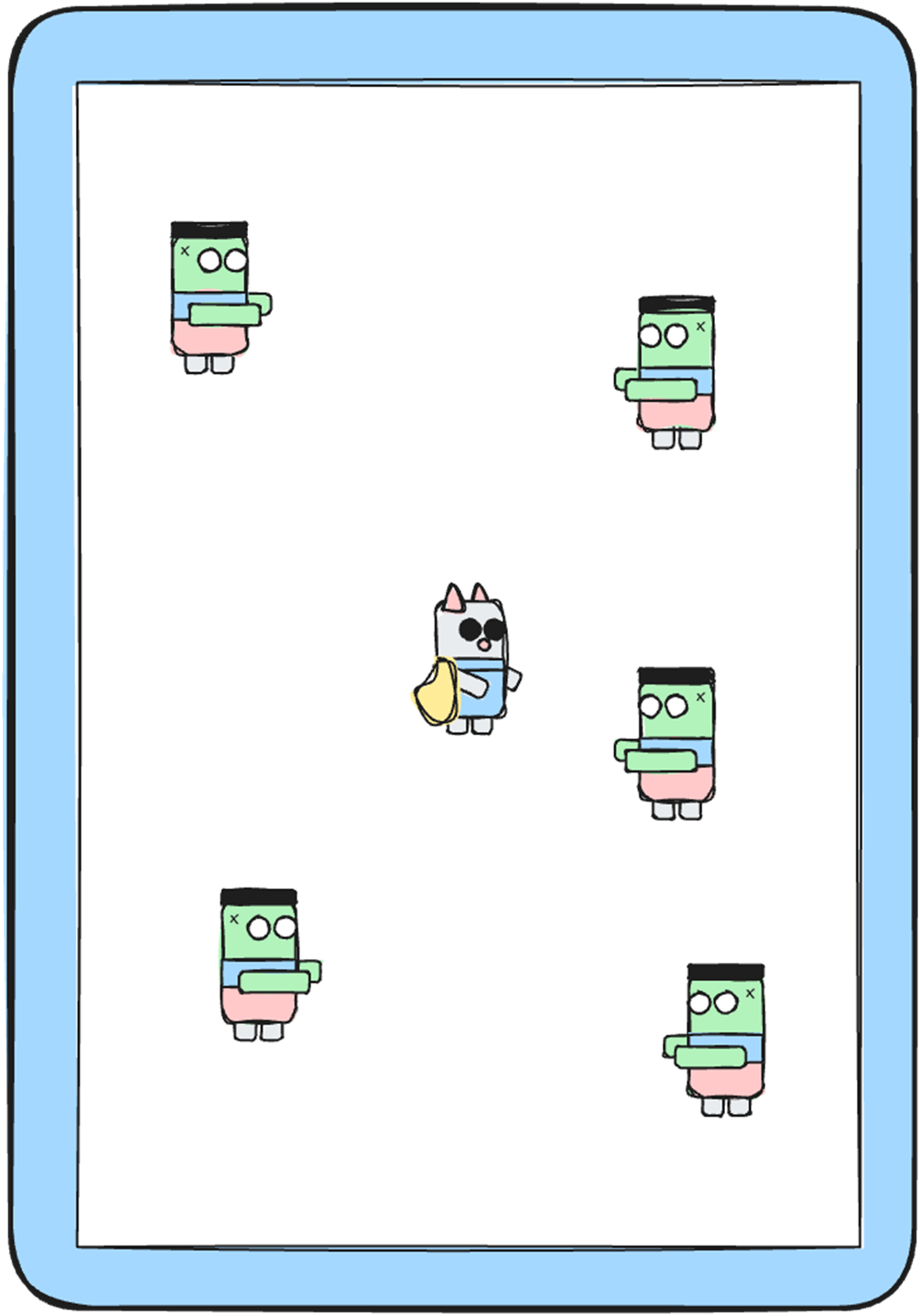
Screenshot from our imaginary survival game, with the player in the middle, and enemies moving around.
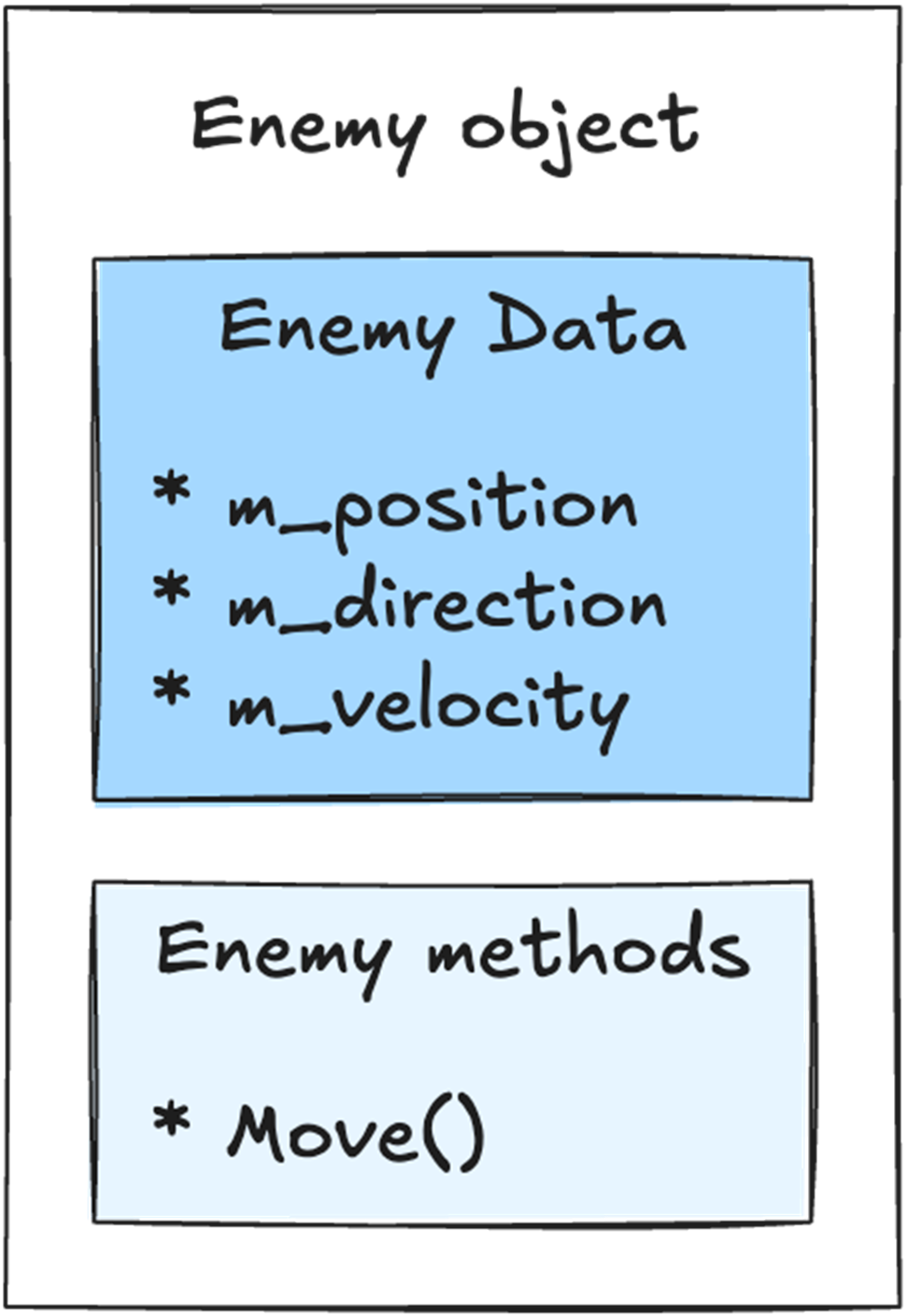
Our Enemy object holds both the data and the logic in a single place. The data is the position, direction, and velocity. The logic is the Move() method that moves this enemy around.
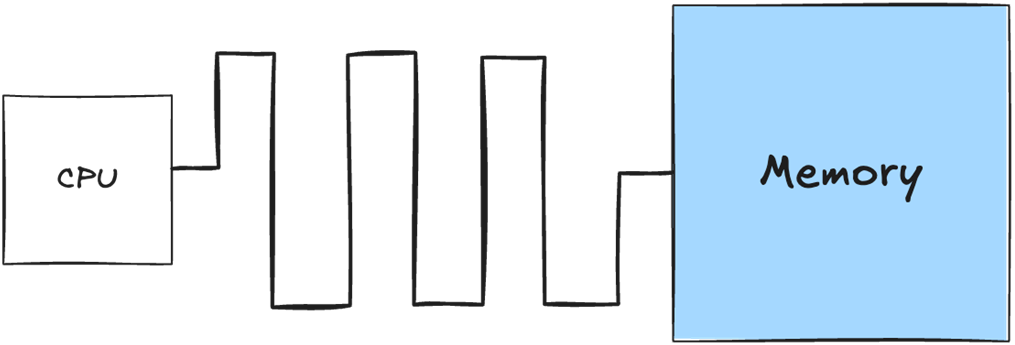
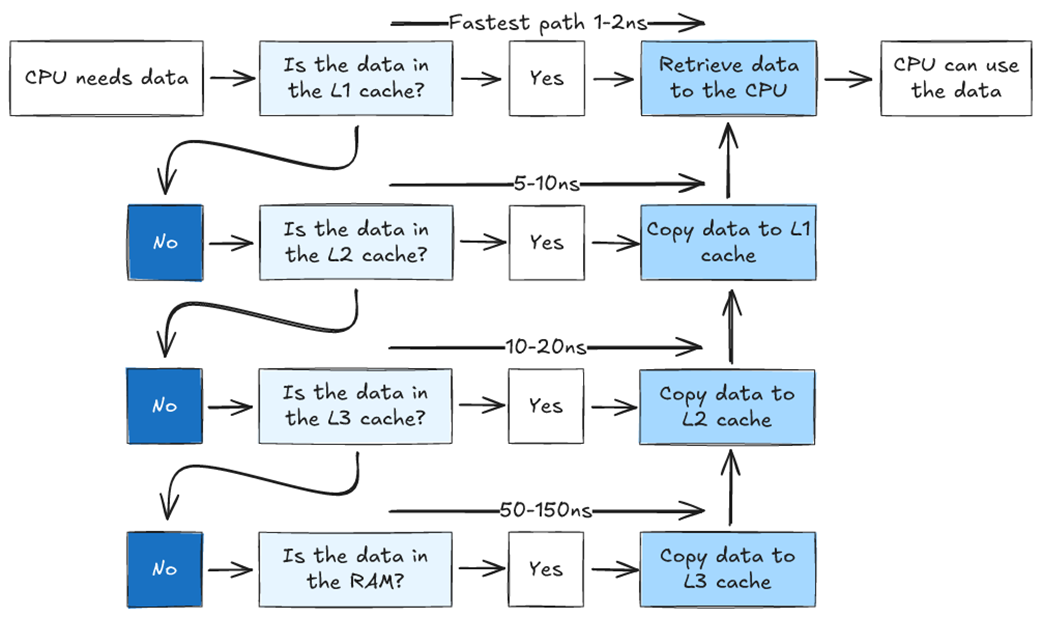
If the data required by the CPU is not present in any available cache, it must be retrieved from main memory, which has much higher access latency.
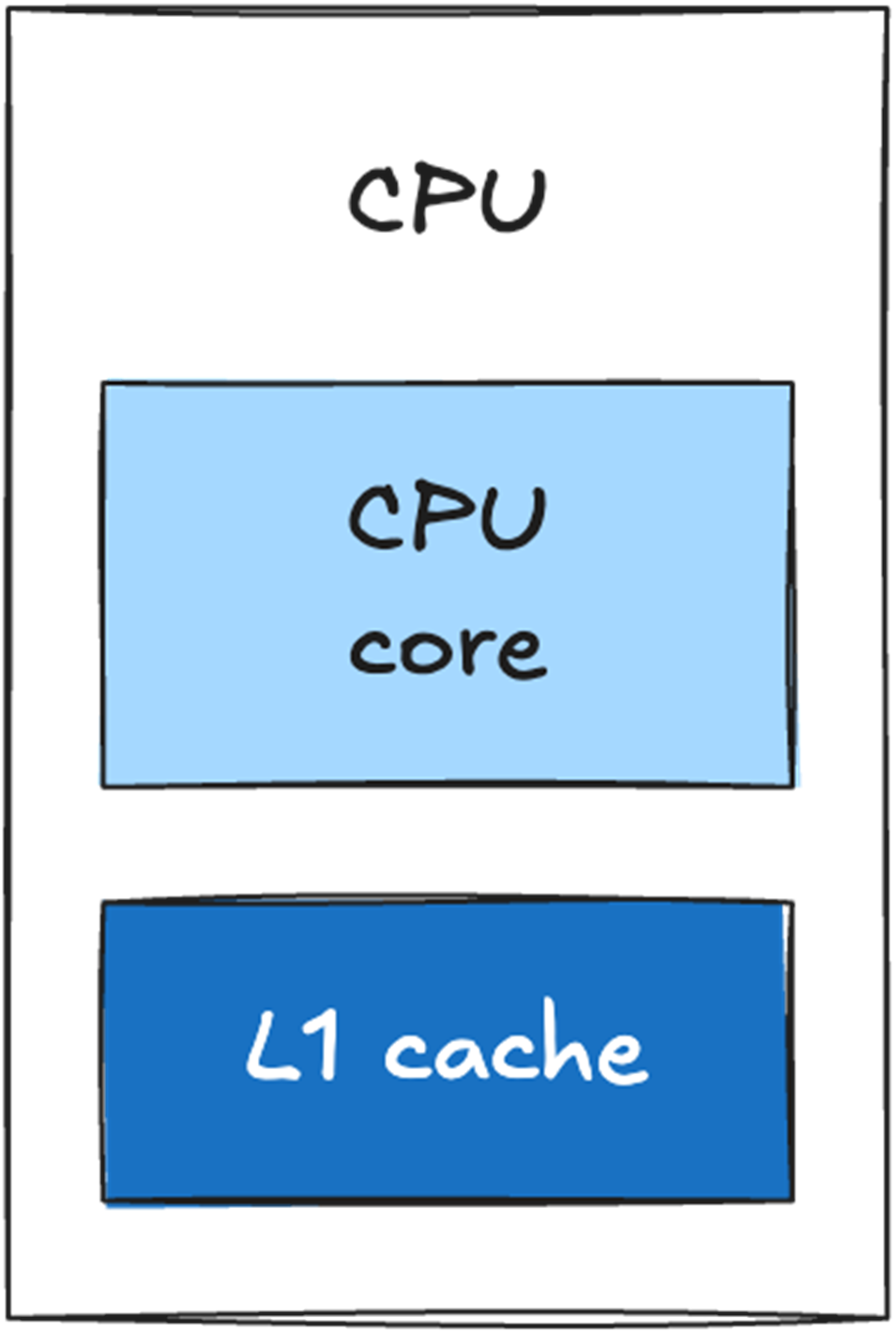
The cache sits directly on the CPU die and is physically small. Retrieving data from the cache is significantly faster than retrieving data from main memory.
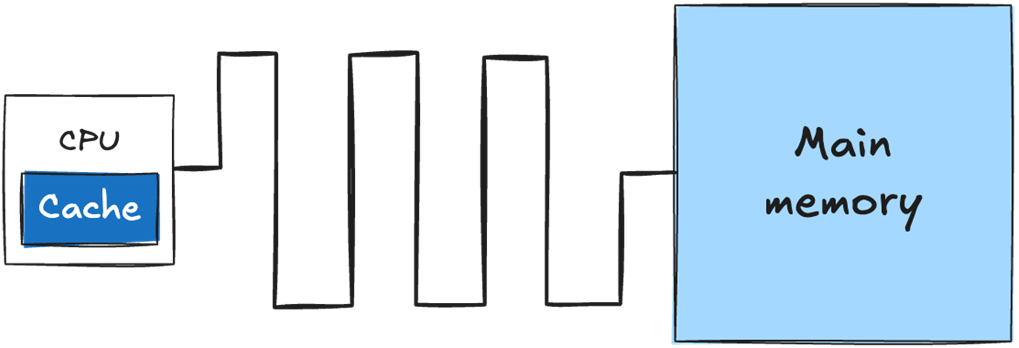
A single-core CPU with an L1 cache directly on the CPU die.
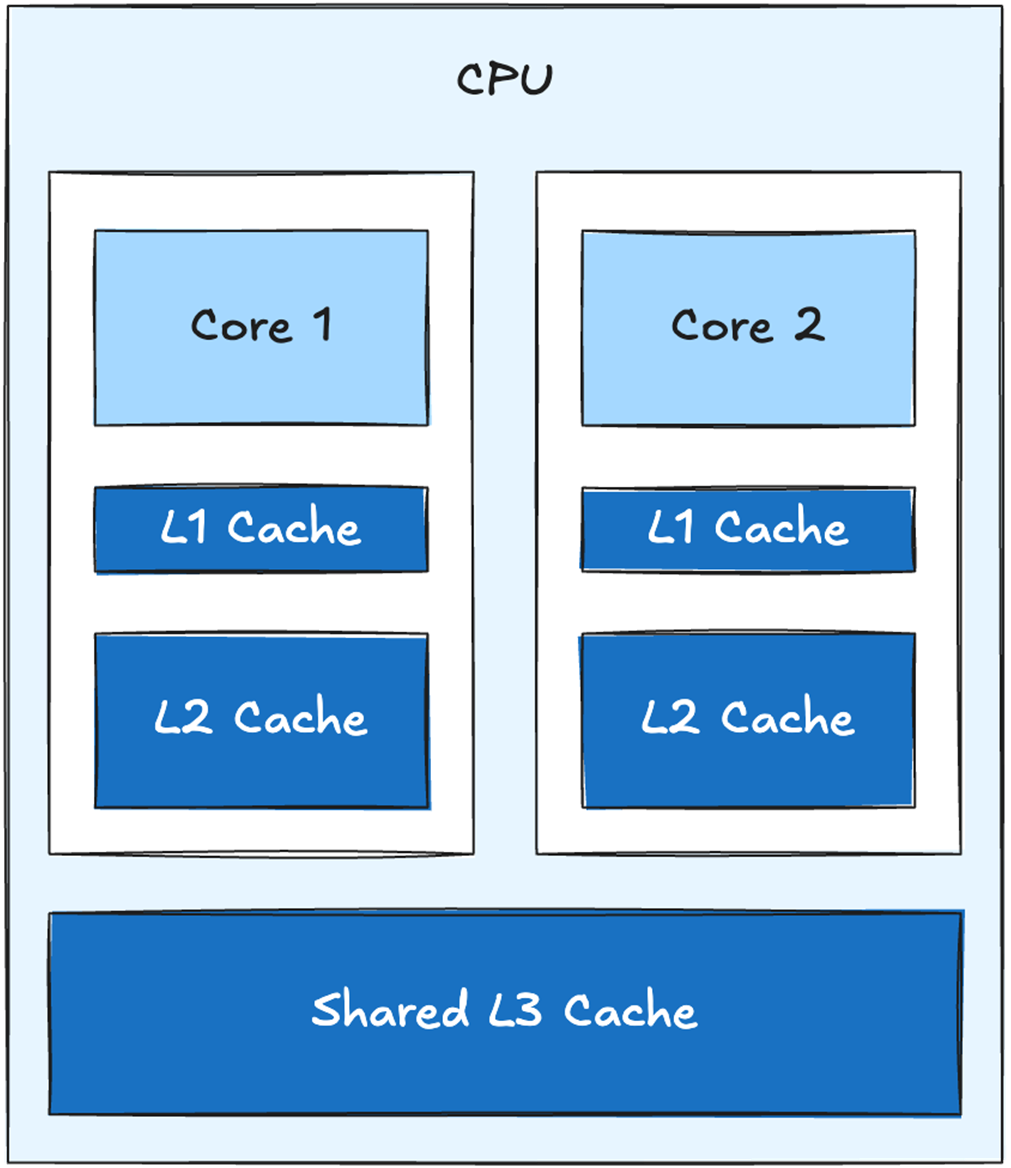
One possible cache arrangement for a 2-core CPU with a shared L3 cache.
Simplified example of how the CPU can access data in a system with three cache levels. If the data is not found in L1, the request continues to L2, then L3, and finally main memory. This example shows one possible cache-fill path; the exact behavior depends on the processor.
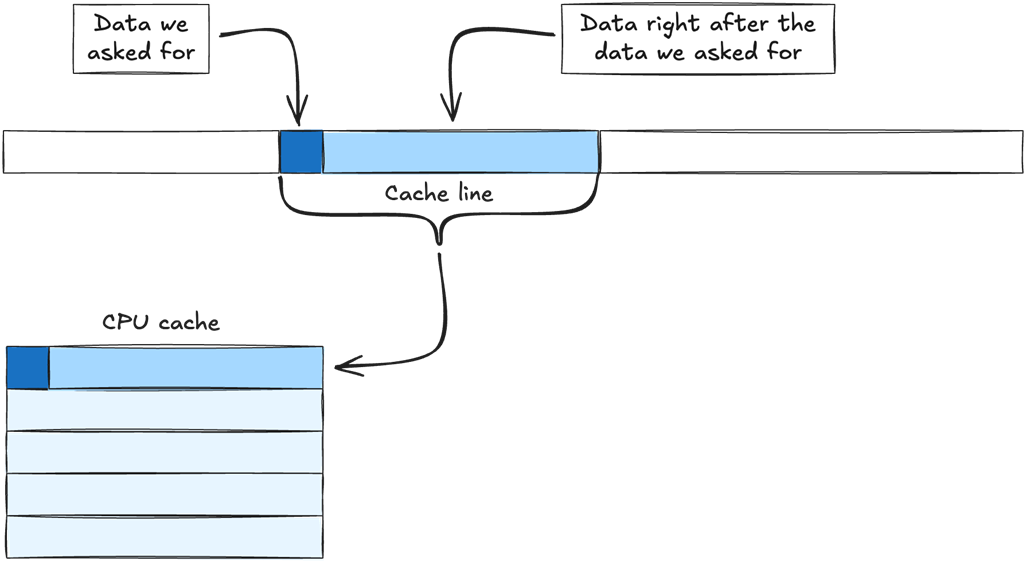
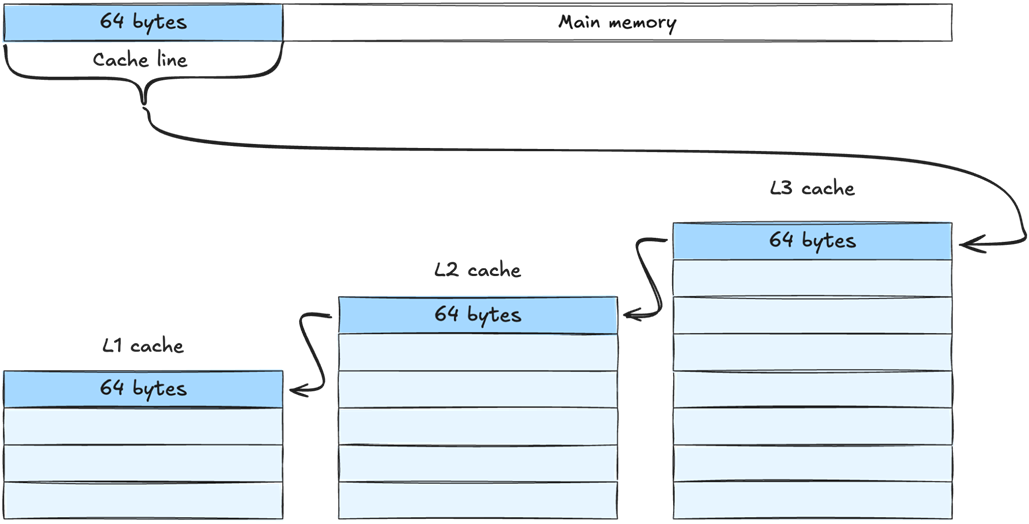
Data is retrieved from main memory in chunks called cache lines. When we ask for data that is not already cached, the CPU retrieves the cache line containing that data. Because the cache line also contains nearby data, the CPU brings those values into the cache at the same time.
Simplified example of a cache line moving from main memory toward the CPU through a three-level cache hierarchy. The exact path and which cache levels retain a copy depend on the processor.
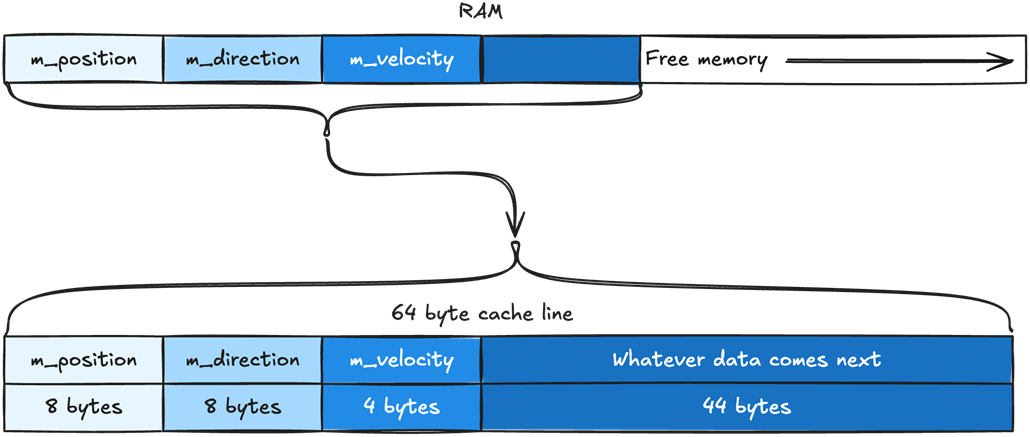
The most likely memory layout for the member variables of our Enemy object. The position data is placed first, then direction, then velocity. The same order they are defined in the Enemy class. They are packed together in memory without any space between them. Note that the exact physical layout is controlled by the runtime and can vary.

Our cache line will include m_position, m_direction, m_velocity, and whatever data comes right after them. Our cache line is 64 bytes. The variables m_position and m_direction are of type Vector2, which takes 8 bytes. The variable m_velocity is a float, which takes 4 bytes. That means we have 44 bytes leftover, which are automatically filled with whatever data comes after m_velocity.
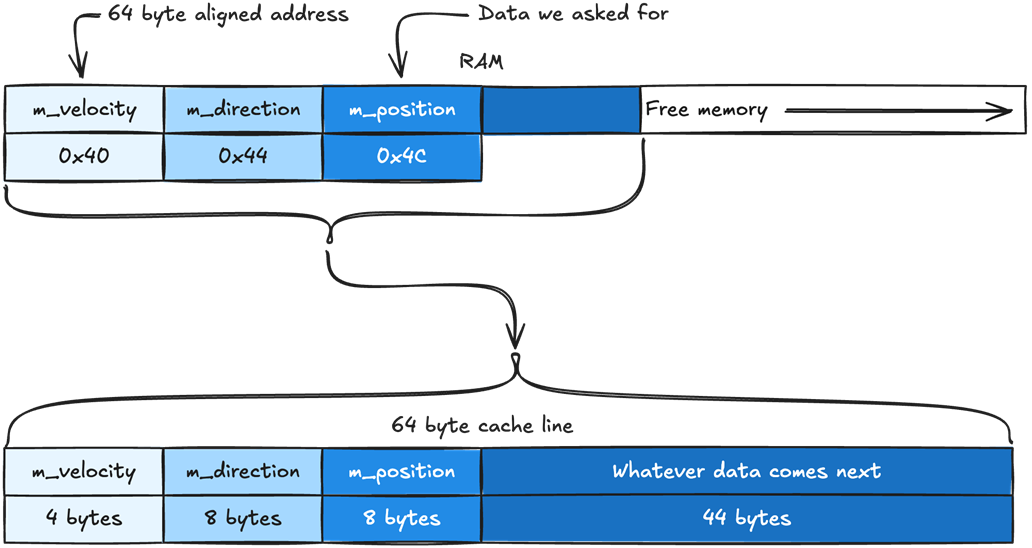
Cache lines cover fixed, aligned ranges of memory. With a 64-byte cache line, an address at 0x4C belongs to the cache line beginning at the 64-byte-aligned address 0x40. In this example, m_position, m_direction, and m_velocity all fall within that same cache line.
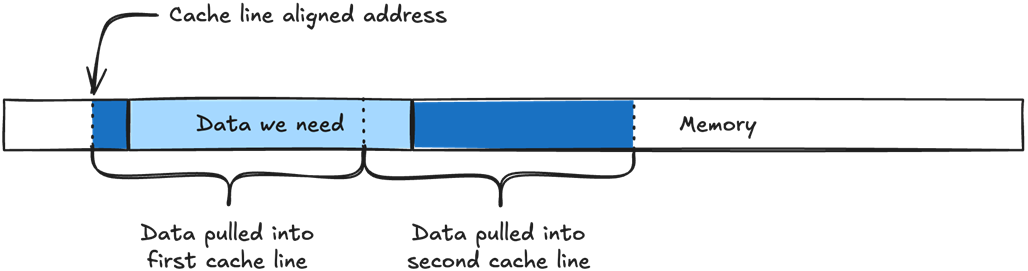
If the data we need does not align with the cache line size, it will need to be split into two cache lines instead of one.
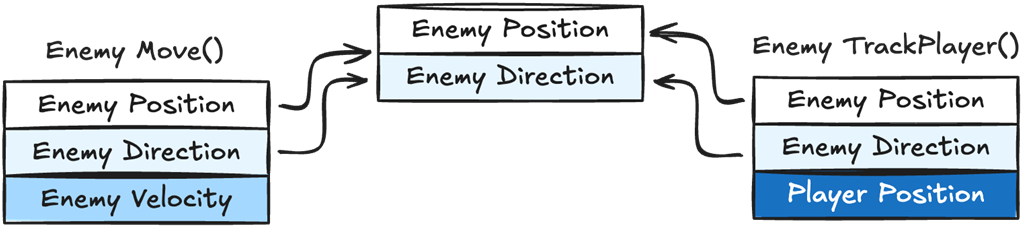
Both Move() and TrackPlayer() need enemy position and direction, but each function also needs different data: enemy velocity for Move() and player position for TrackPlayer(). As more functions require different combinations of data, a single object layout cannot maintain the ideal data set for every access pattern.
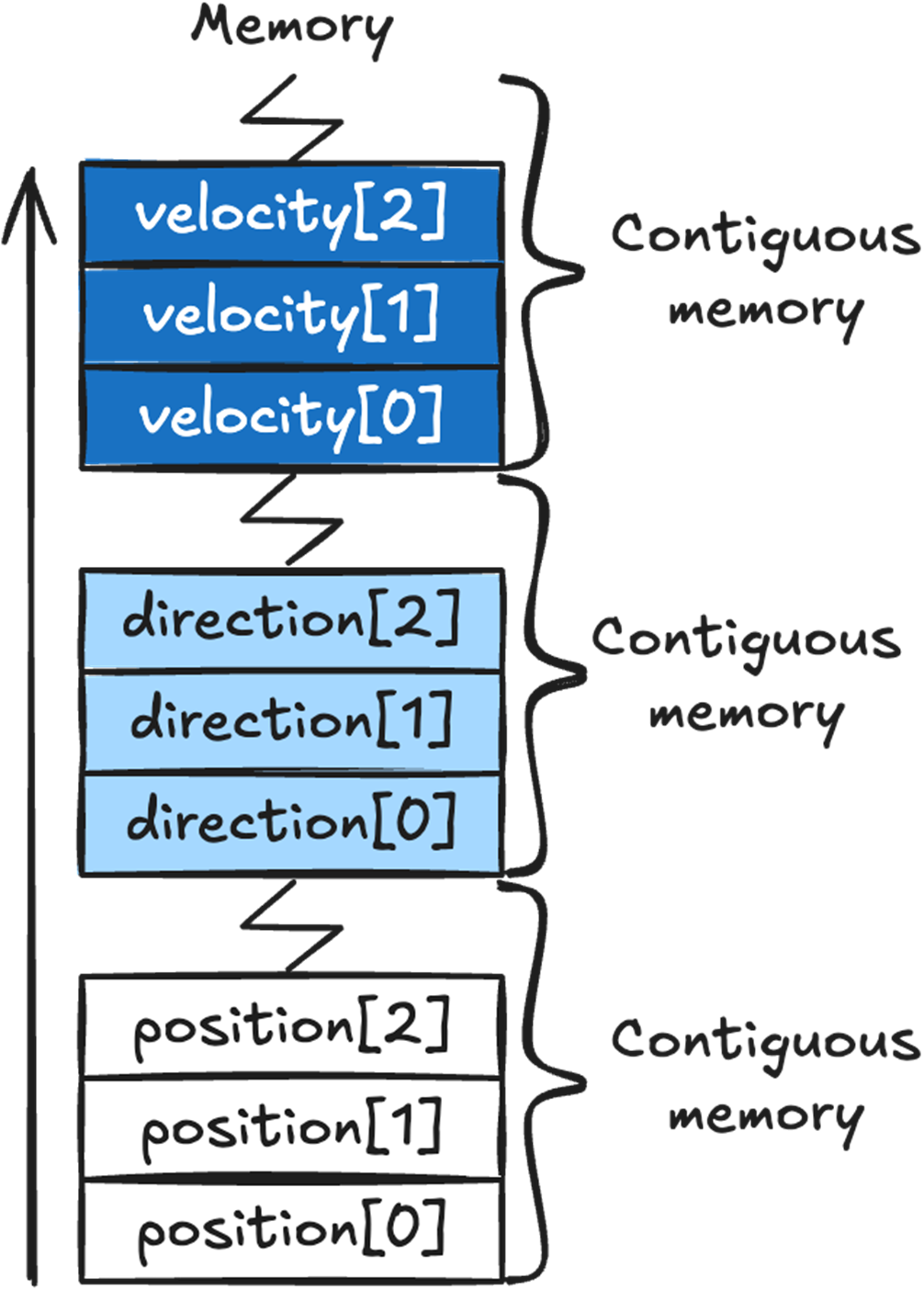
Arrays automatically place their data in contiguous memory. All the position array data will be in a single contiguous chunk of memory, as will direction and velocity’s data.
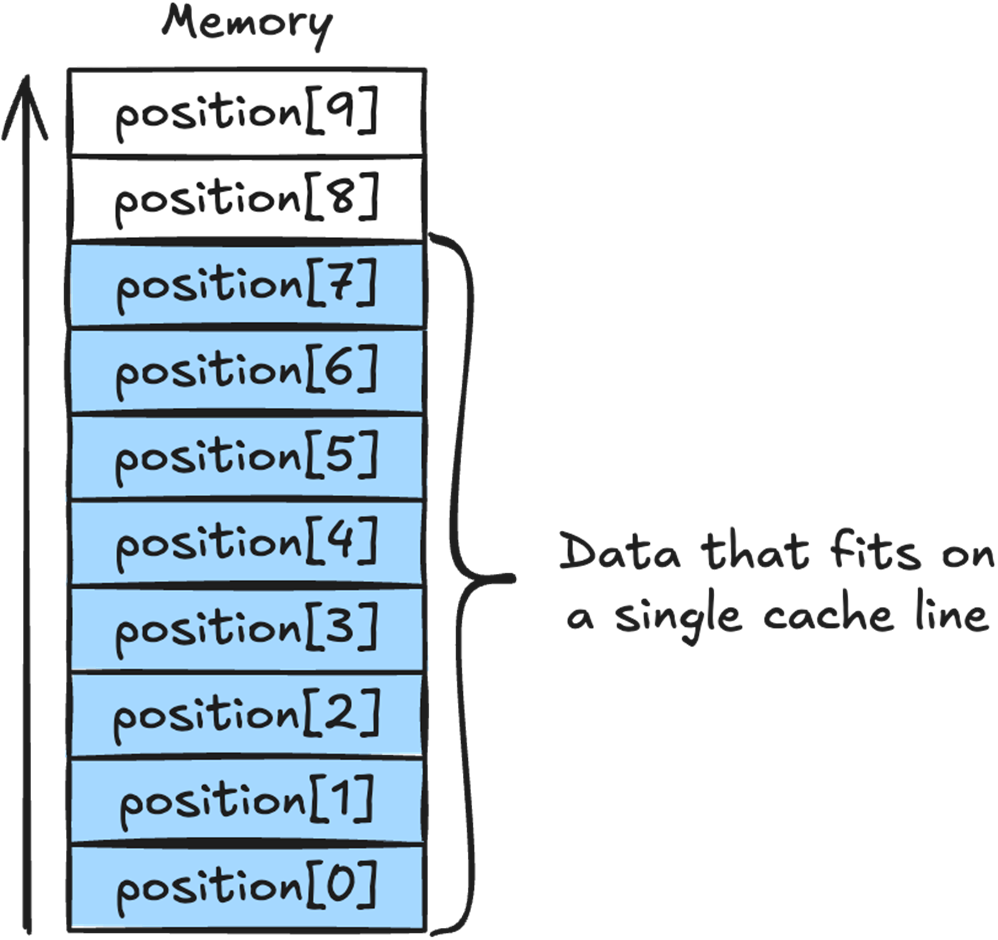
We can see how the position array sits in memory, and how the array elements 0 to 7 all fit in a single 64 byte cache line.
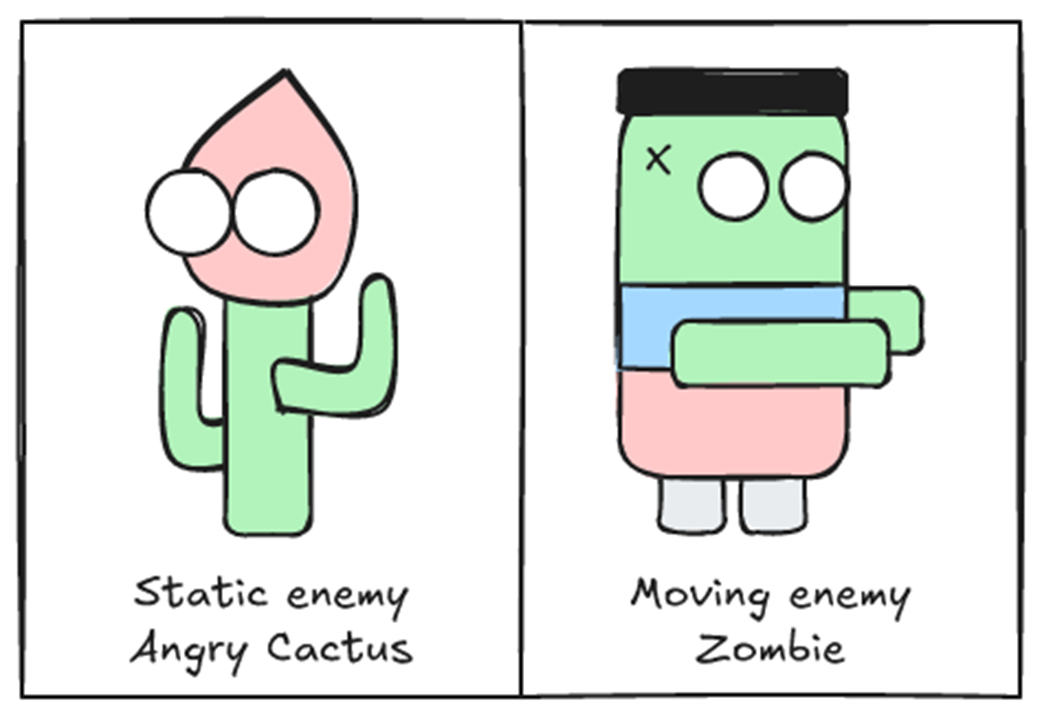
The two existing enemies in our game, the Angry Cactus, which is a static enemy, and the Zombie, which is a moving enemy.
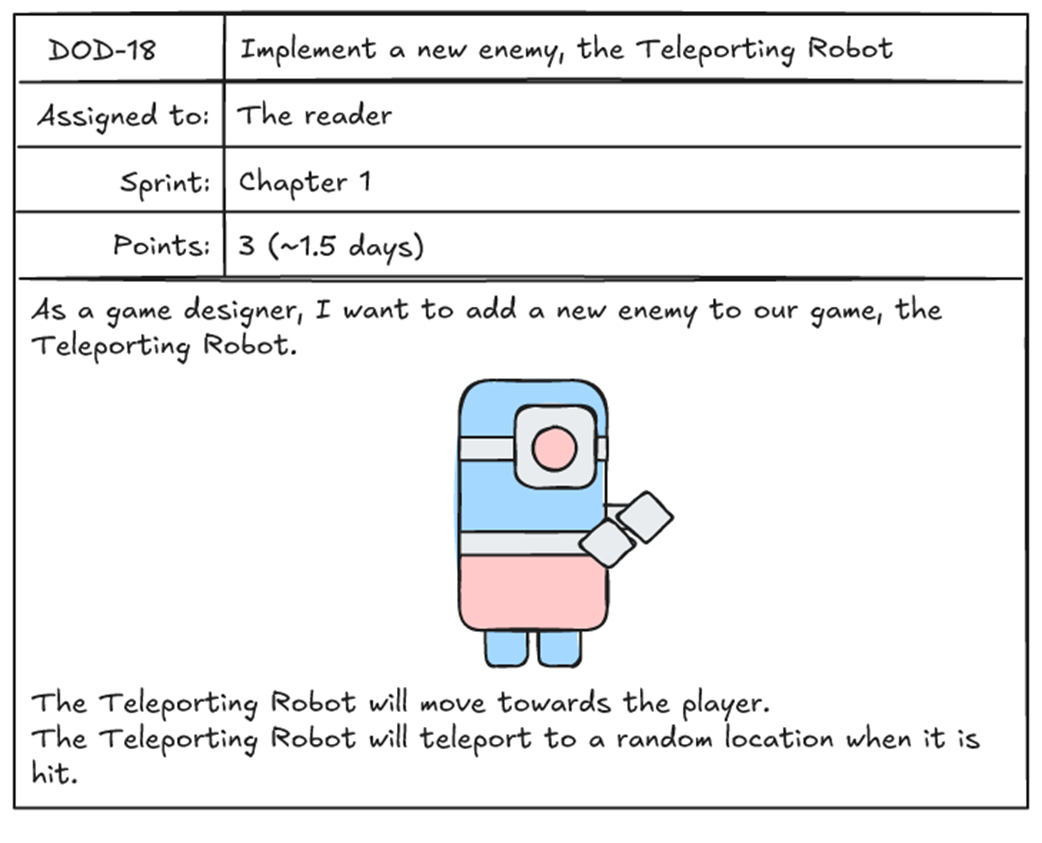
Task to implement a new enemy, the Teleporting Robot.
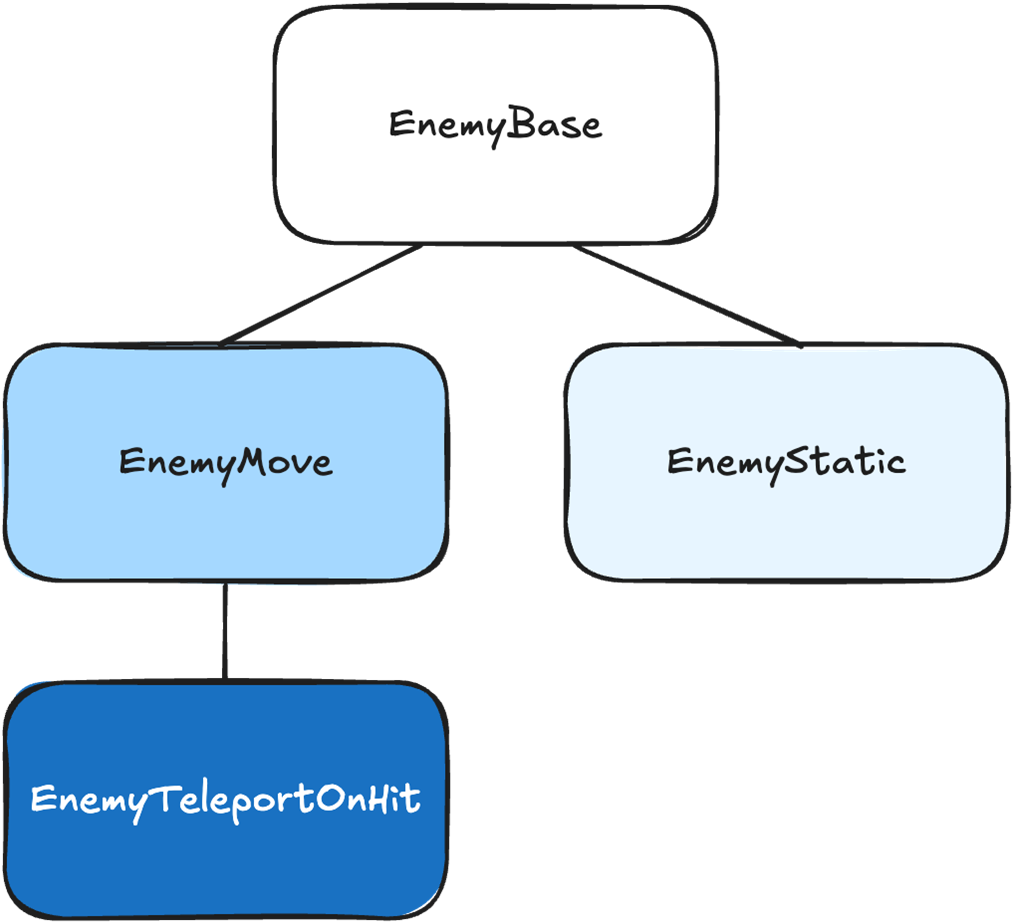
Our game’s enemy inheritance tree, with EnemyTeleportOnHit inheriting from EnemyMove.
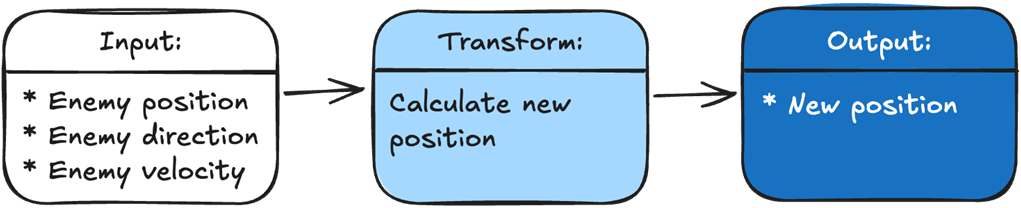
Every function in our game takes in some input data, then transforms it into output data.

The Move() function’s input is the enemy position, direction, and velocity. The transformation calculates the new position. The output is the new position.
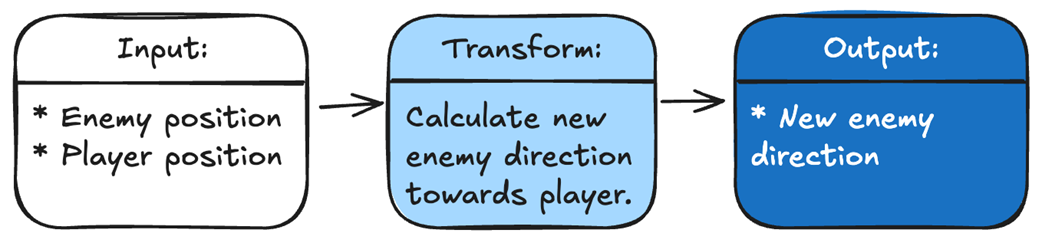
To make our enemy track the player, we just add a function that sets the enemy’s direction toward the player. Our input is the enemy position and the player position. The transformation is calculating a new direction for the enemy. The output is the new direction.
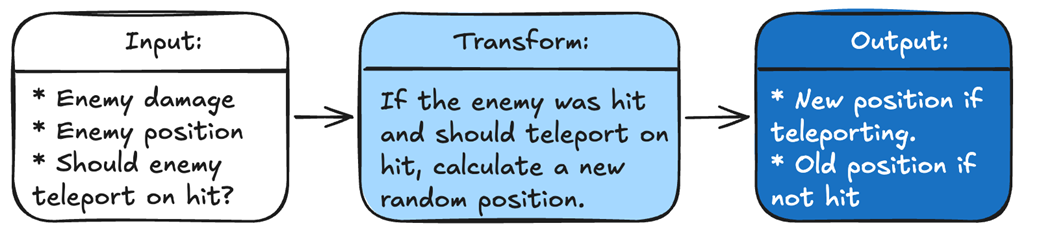
To add our new Teleporting Robot, we just add a function that teleports the enemy to a new location if it is hit. Our input is the enemy position, the damage the enemy received (if any), and whether it should teleport if hit. The transformation calculates a new position if the enemy is hit. The output is either the new position if the hit succeeds, or the old position if the hit fails.
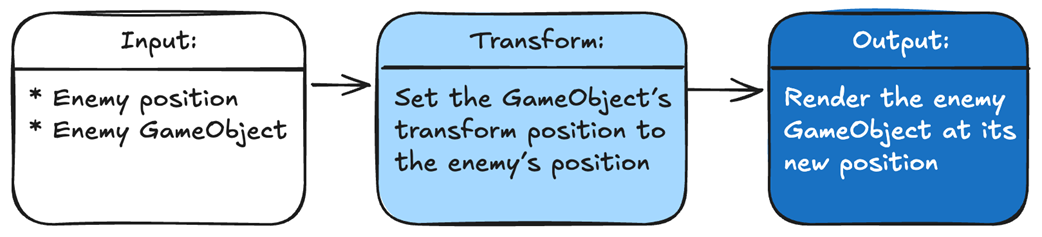
To show an enemy in the correct position, we pass in the enemy’s GameObject and its position. We transform our data by setting the GameObject’s transform position to the enemy’s position. Unity then renders our GameObject in the correct position.
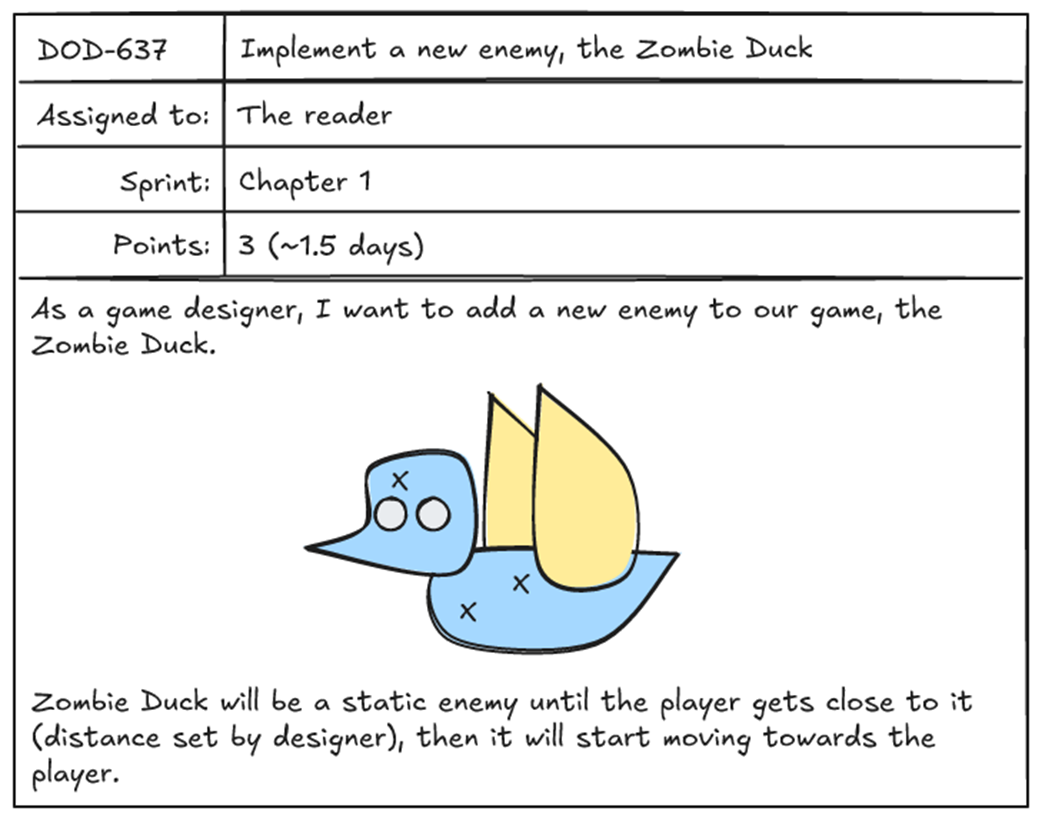
Task to implement a new enemy, the Zombie Duck.
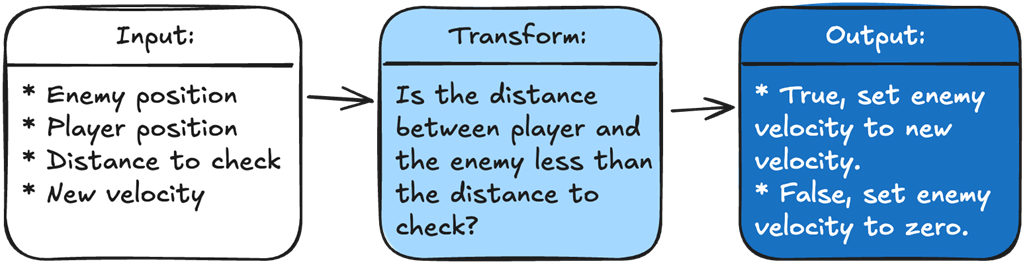
To determine what velocity we should set our enemy, we are going to take in four variables: the enemy position, the player position, the distance we need to check against, and the new enemy velocity. Our logic calculates the distance between the player and the enemy and checks it against the input distance. The output is the enemy's new velocity based on the result.
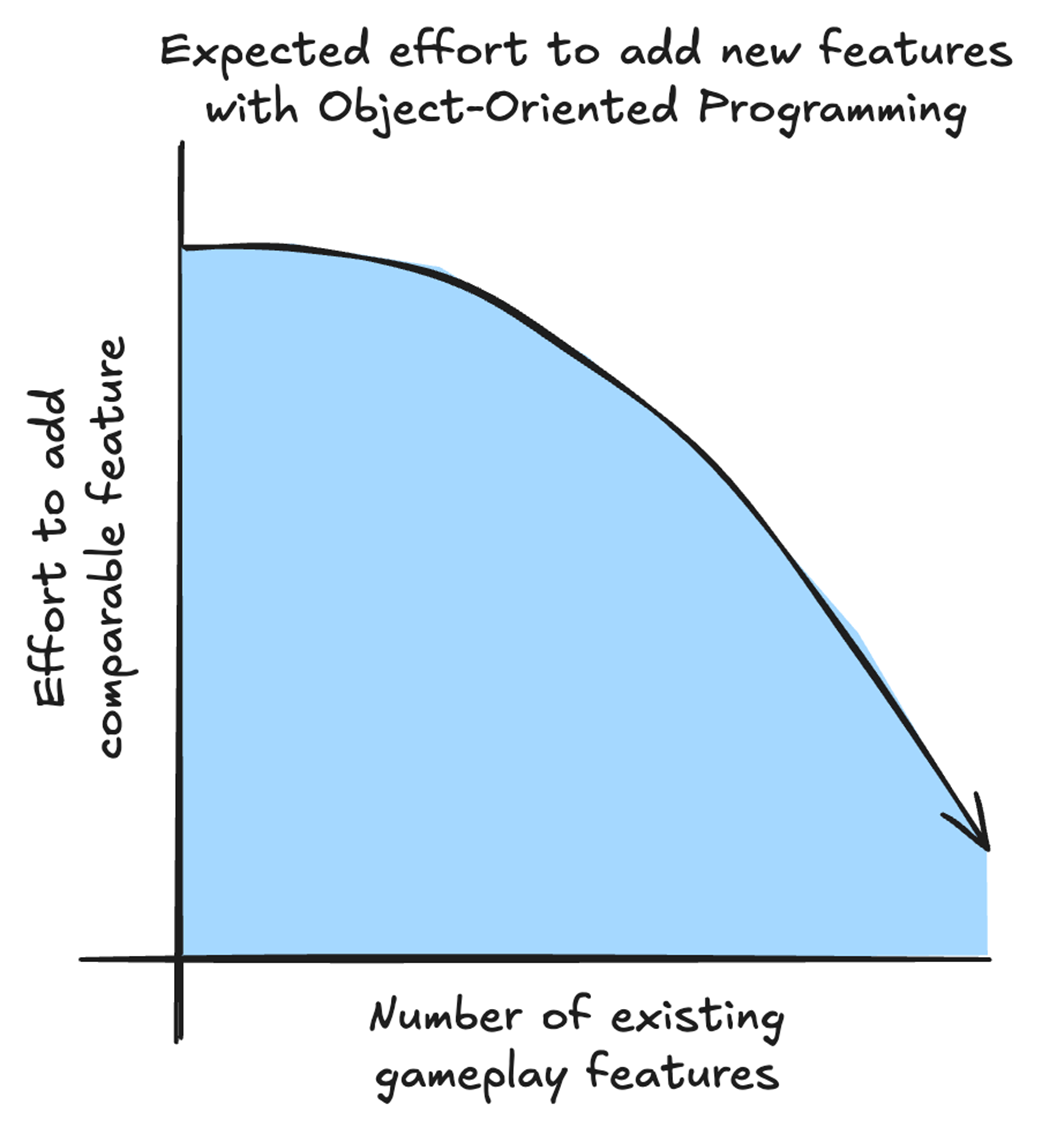
In the ideal object-oriented architecture, the first features carry the upfront cost of creating reusable classes, components, and systems. As the project grows, later features can reuse more of that architecture, reducing the effort required to add comparable features. This is a conceptual illustration, not measured data.
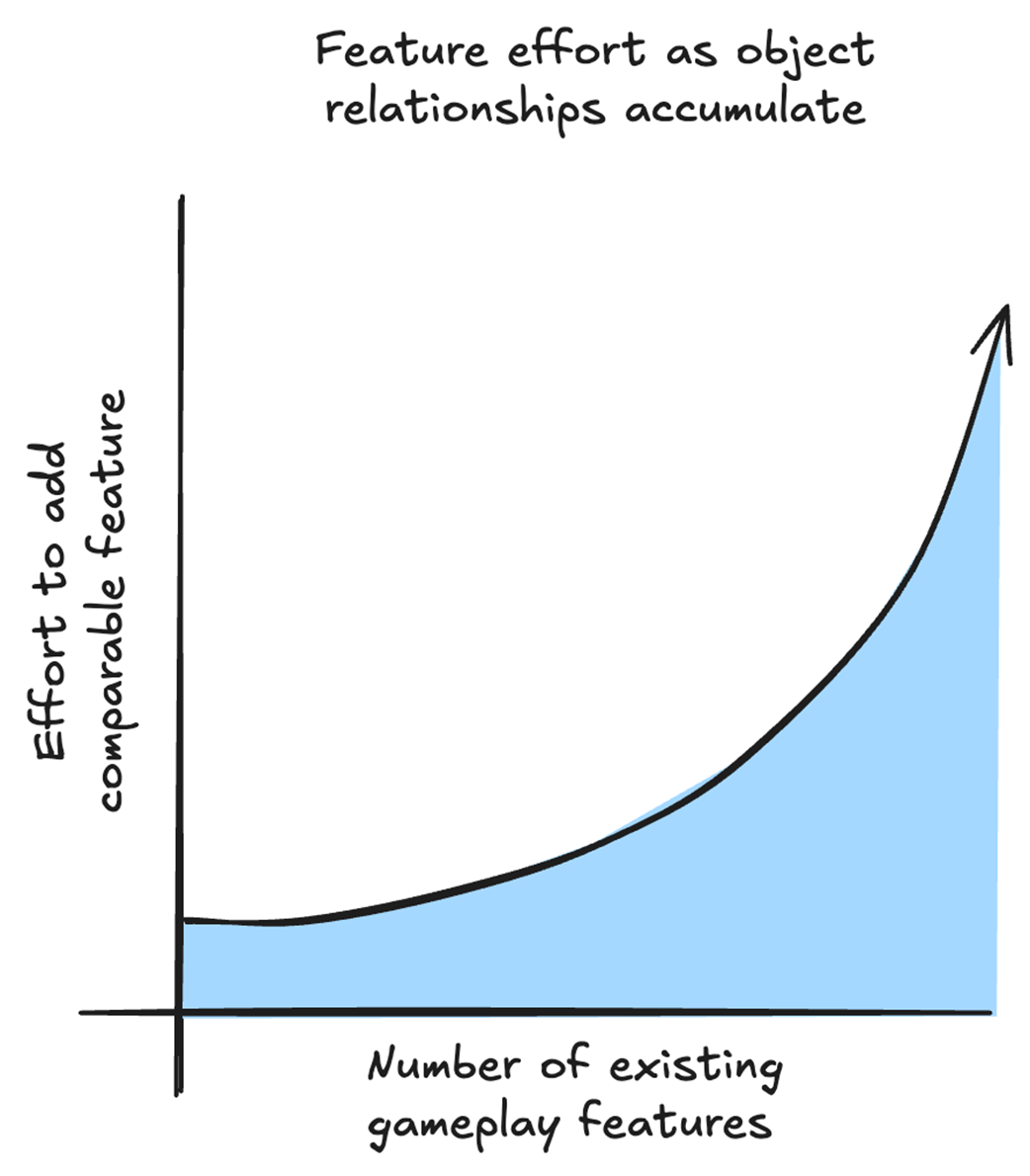
As object and component relationships accumulate, a new feature may require understanding and coordinating more existing code. This can increase the architectural effort required to add later features of similar scope. This is a conceptual illustration, not measured data.
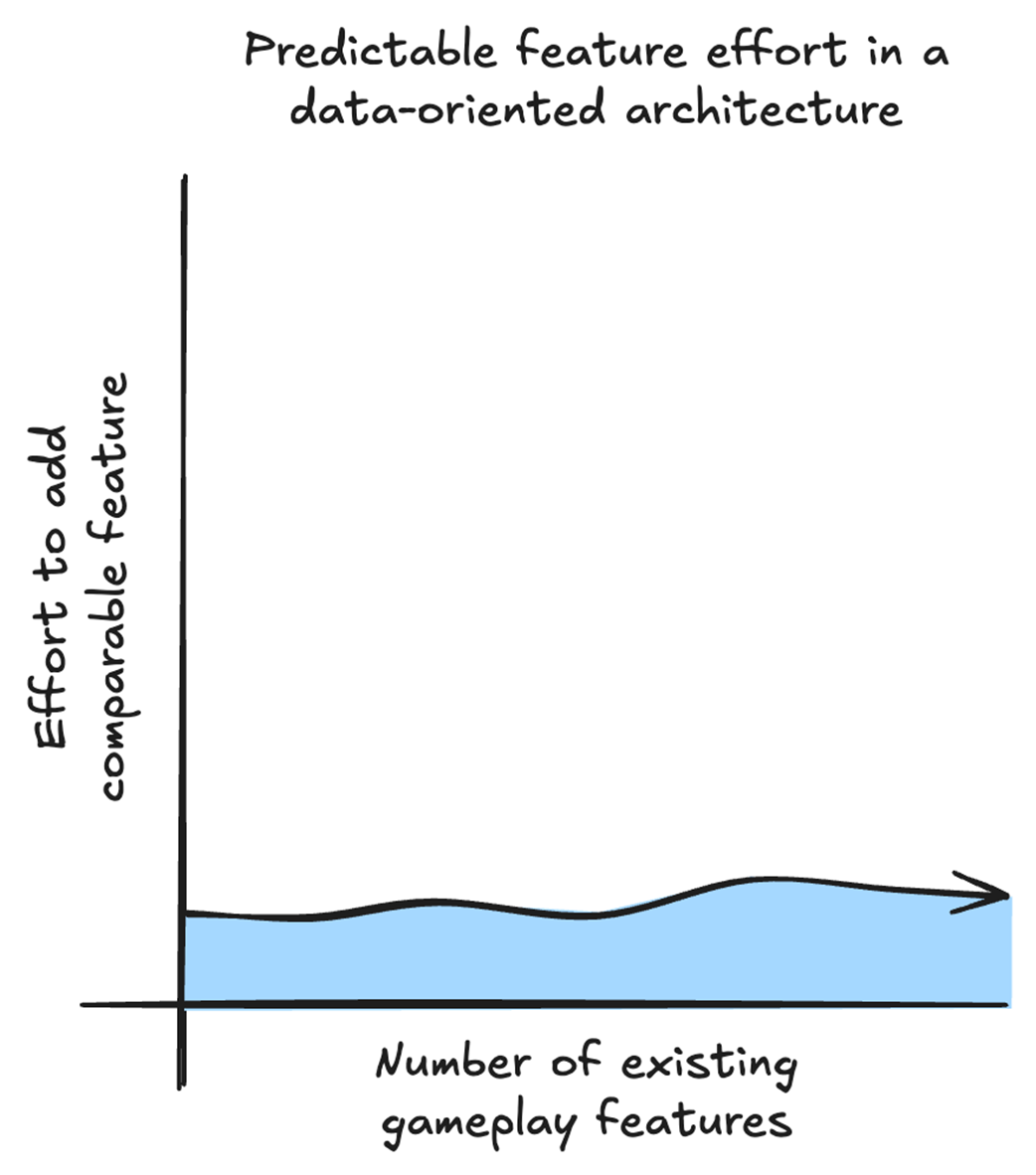
In a data-oriented architecture, the core effort required to add comparable features can remain relatively consistent because each feature is expressed through explicit data and transformations. Project-wide integration and testing can still add cost as the game grows. This is a conceptual illustration, not measured data.
Summary
- With Data-Oriented Design we get a performance boost by structuring our data to take advantage of the CPU cache.
- Your target CPU may have multiple levels of cache, but the first level, called the L1 cache, is the fastest.
- The L1 cache is the fastest because it is small and is placed directly on the CPU die.
- Retrieving data from the L1 cache can be up to 50 times faster than retrieving it from main memory.
- When the CPU retrieves data from memory, it also retrieves nearby data in a block called a cache line.
- Practicing data locality by keeping data that is processed together close in memory helps each cache line bring more of the data our logic needs into the L1 cache.
- Placing our data in arrays makes it easy to practice data locality.
- With Data-Oriented Design we can reduce the code complexity created by relationships and dependencies between gameplay systems by separating data from logic and making those dependencies explicit.
- Every function in our game takes input and transforms it into the output needed. The output can be anything from how many coins we have to showing enemies on screen.
- Instead of thinking about objects and their relationships, we think about what data our logic needs for input and what data our logic needs to output.
- With Data-Oriented Design, we can also improve our game's extensibility by always solving problems through data. This makes it easy to add new features and modify existing ones.
- As our game grows in complexity, we can continue approaching new gameplay features by identifying the data they need and the logic that transforms it. This keeps development time more predictable because adding a feature doesn't require fitting it into an increasingly complex network of object relationships.
- Entity Component System (ECS) is a design pattern sometimes used to implement Data-Oriented Design (DOD). Not all ECS implementations are DOD, and we don’t need ECS to implement DOD.
- Unity DOTS is a collection of tools that can be built on top of a DOD architecture, but DOD does not require DOTS.
FAQ
What is Data-Oriented Design (DOD) in Unity game development?
Data-Oriented Design is an approach to structuring game code around how data flows and is transformed, rather than around object relationships. It focuses on storing related runtime data together, separating data from logic, and writing systems that process many items efficiently.
Why can DOD improve game performance?
DOD improves performance by organizing data so the CPU can access it more efficiently. When related data is stored close together in memory, the CPU spends less time waiting on memory access and more time doing calculations.
What is the main performance bottleneck DOD helps solve?
The main bottleneck is often memory access, not the calculation itself. Modern CPUs are very fast at computation, but they can be slowed down by waiting for data to arrive from memory.
What does “separating data from logic” mean?
It means storing runtime data separately from the functions that operate on it. Instead of putting behavior inside objects, DOD uses functions that take the needed data as input, transform it, and produce output.
How does DOD reduce code complexity?
DOD makes data requirements and dependencies explicit. Rather than tracing behavior through many interconnected objects, you can see exactly what data a system reads, writes, and transforms, which makes code easier to understand and maintain.
What is data locality?
Data locality means grouping together the data that is used together. This increases the chance that the CPU can fetch all needed values in a single cache line, reducing cache misses and improving speed.
What is the difference between a cache hit and a cache miss?
A cache hit happens when the CPU finds the needed data in cache. A cache miss happens when the data is not in cache and must be fetched from slower memory, which takes longer.
What kind of gameplay systems benefit most from DOD?
DOD is most valuable for systems that process large amounts of similar data frequently, such as enemy movement, projectile simulation, crowds, and other per-frame gameplay updates.
Do I need Unity DOTS or ECS to use DOD?
No. DOD can be implemented without DOTS or ECS. The core ideas can be used with simple arrays and functions, and DOTS tools like Burst, Jobs, and ECS are optional additions that can build on top of those ideas.
What are the tradeoffs of using DOD?
DOD can make small features feel less self-contained, and arrays or indices require careful ownership and validation. It also often leads to a hybrid approach in Unity, using GameObjects and MonoBehaviours for presentation while using data-oriented structures for performance-critical gameplay systems.

 High Performance Unity Game Development ebook for free
