This chapter opens with a friendly, “you can do it” invitation to start building iOS apps. It explains what an app is—software created for a purpose—and notes that most people mean mobile apps when they use the term. You’re encouraged to think like a maker: good apps are purposeful and pleasant to use, with clear visuals, simple and readable screens, quick responses, and reliable behavior. To get there, you’ll learn programming—writing step-by-step instructions (code) that tell a computer exactly what to do—so you can offload complex calculations and repetitive work to machines while you focus on creativity.
You’re introduced to Swift, Apple’s modern language for iOS, watchOS, tvOS, and macOS. Swift aims to be concise and readable, with an English-like feel that reduces errors, and Playgrounds let you try code and see results instantly. While Swift is the main tool, the chapter notes that advanced apps sometimes use Objective-C and Apple’s Cocoa frameworks for tasks like graphics, animation, audio/video, data, and networking. You also get a practical roadmap for turning an idea into an app: prototype, test, fix bugs, iterate, and—when ready—submit to the App Store, improving based on feedback and persevering until it’s accepted.
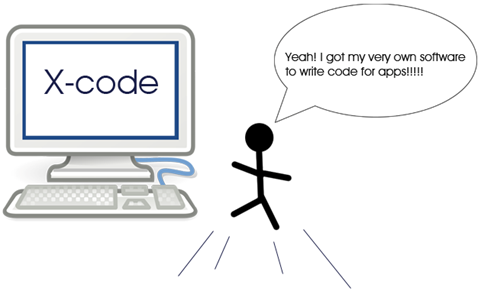
Finally, you prep your toolbox. You’ll need a Mac that can run Xcode; an iPhone or iPad is optional because Xcode includes a simulator. The chapter walks you through installing Xcode, opening it for the first time, and creating a Swift Playground. A paid Apple Developer account is optional for learning, but required to publish on the App Store. You end by writing your first line of Swift—using print to display “Hello Swift Apps!”—and seeing immediate feedback in the Playground, setting you up to build your first real iOS app next.
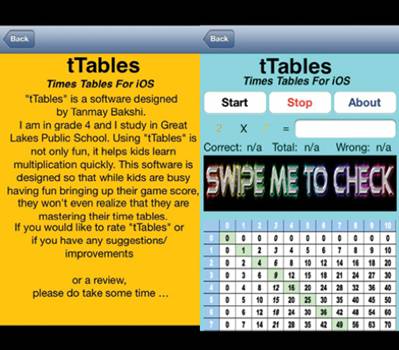
Screenshots from my first app on the App store
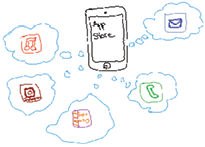
Think of an idea! Apps for everyone!
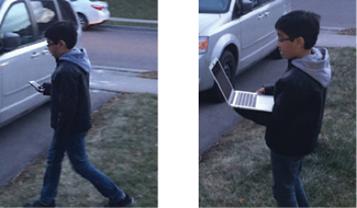
Walking with a mobile device and walking with a laptop.
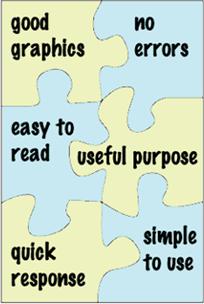
All of these app pieces are necessary!
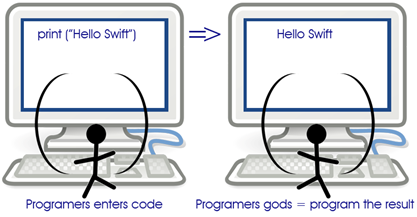
: The programming process
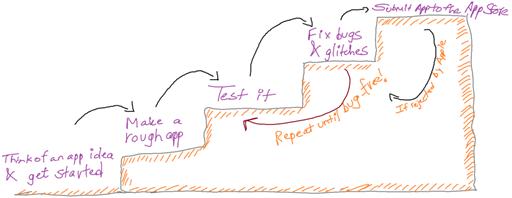
: The steps to creating an app.
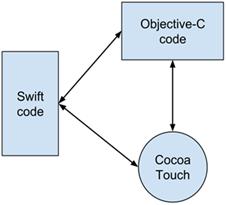
: We’ll mostly work with Swift, but we need a little Objective-C and Cocoa to make our apps better.
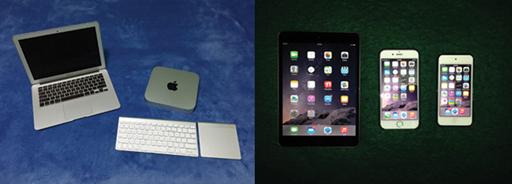
MacBook Air and Mac mini are just a couple of options for developing your apps (left); iPad, iPhone and iPod touch are testing options (right)
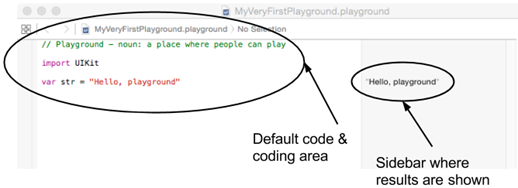
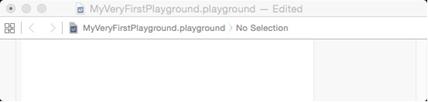
The default playground.
The playground after you’ve deleted the text.
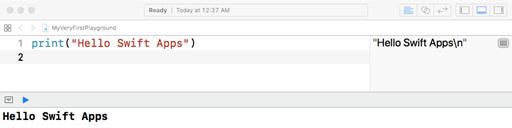
After you’ve typed your first code, the screen will look like this.
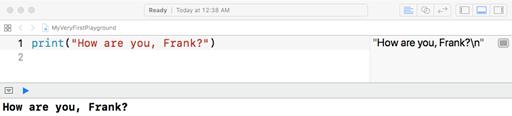
See how the text changed in the sidebar?
Check your app knowledge!
Try these:
What would you type if you want to display: “Good morning Swift” in the playground?
What will be displayed if you type print(“5+4”)?
What will be displayed if you type print(5+4)?
What qualities should your app have to be a good app, Why?
FAQ
What is an app?An app (short for application) is a program created for a specific purpose—such as to entertain, teach, inform, or solve a problem—often designed to run on mobile devices.What are the key pieces of a good app?Strong visuals, simple and uncluttered design, readable text with good contrast, fast responses, a clear useful purpose, and reliable behavior with no errors.What does programming mean?Programming is writing step-by-step instructions (code) that a computer follows to do a task. Think of it like giving very precise directions; computers excel at calculations and repetitive work.How do I turn an idea into an App Store app?Start with an idea, build a simple version, test it, fix bugs and polish, repeat testing and fixing, submit to the App Store, address any feedback if rejected, and persevere until it’s accepted.What is Swift?Swift is Apple’s modern programming language for iOS, macOS, watchOS, and tvOS. It was announced in 2014 to replace Objective-C with a safer, more efficient, and more modern approach, and it’s open source.What’s special about Swift for beginners?Swift code is concise and English-like (less to type and remember), reducing bugs. Apple and the community improve it continuously, and Playgrounds let you test code instantly as you learn.Can Swift do everything on its own?No. For some advanced features, developers mix in Objective-C and use Apple’s Cocoa frameworks for tasks like audio/video, graphics/animation, data, and networking. You’ll only need a little of this early on.What is Xcode and how do I install it?Xcode is Apple’s free development app for building Swift projects. Install it from the Mac App Store (requires macOS High Sierra 10.13.4 or later, an Apple ID, and admin access). On first launch, accept the license and enable Developer Mode if prompted.What hardware and software do I need to get started?A Mac running macOS High Sierra (10.13.4)+ with at least 6 GB free space and Xcode installed. An iPhone or iPad is optional; you can test with the iOS Simulator that comes with Xcode. Beginners often start with iPhone-sized apps.What is the Xcode Playground and how do I write my first line of code?A Playground is an interactive space where Swift runs line by line and shows results instantly. Try typing: print("Hello Swift Apps!") to see output in the results area/console—great for learning and quick testing.
pro $24.99 per month
access to all Manning books, MEAPs, liveVideos, liveProjects, and audiobooks!


 Hello Swift! ebook for free
