8 Building a CRUD app with Streamlit
The text introduces CRUD—Create, Read, Update, and Delete—as a core pattern behind many software applications, then uses a Streamlit project called Haiku Haven to demonstrate it end to end. Haiku Haven lets users create accounts, log in, write private haikus, view their own haikus, edit them, and delete them. The app is designed around common web-app architecture: a Streamlit frontend, backend service classes for business logic, and a relational database for persistent storage.
A major focus is setting up PostgreSQL and using SQL to model and manipulate application data. The app stores users and haikus in separate tables, with usernames acting as primary keys for users and haiku IDs identifying individual poems; the haikus table references users through a foreign key. The text walks through essential SQL operations, including creating tables, inserting records, selecting rows, updating data, and deleting rows. It then shows how to connect Streamlit to PostgreSQL using st.connection, SQLAlchemy, and a reusable Database class that executes parameterized queries, commits writes, rolls back failed transactions, and keeps connection details in Streamlit secrets.
The application is then expanded into a multi-page Streamlit app with signup, login, home, and logout flows. User-related logic is organized into a User dataclass and UserService, with passwords stored securely using bcrypt hashes rather than plain text. Haiku-related logic is handled by a Haiku dataclass and HaikuService, while a coordinating Hub object exposes services to the frontend through session state. The completed app uses dialogs, buttons, dynamic navigation, session-state authentication, and reruns to support creating, listing, editing, and deleting haikus, before being prepared for deployment with a managed PostgreSQL database and Streamlit Community Cloud secrets.
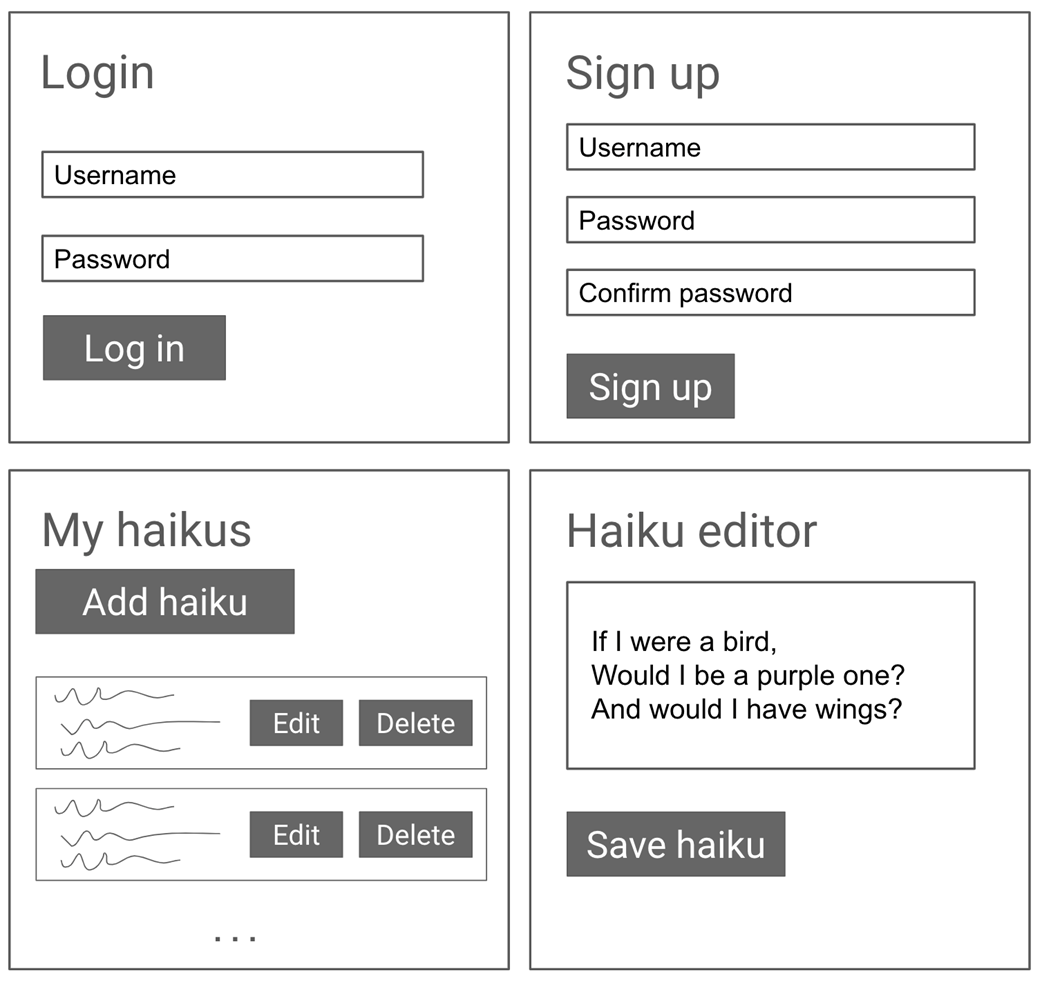
Rough sketches of the pages we want in Haiku Haven
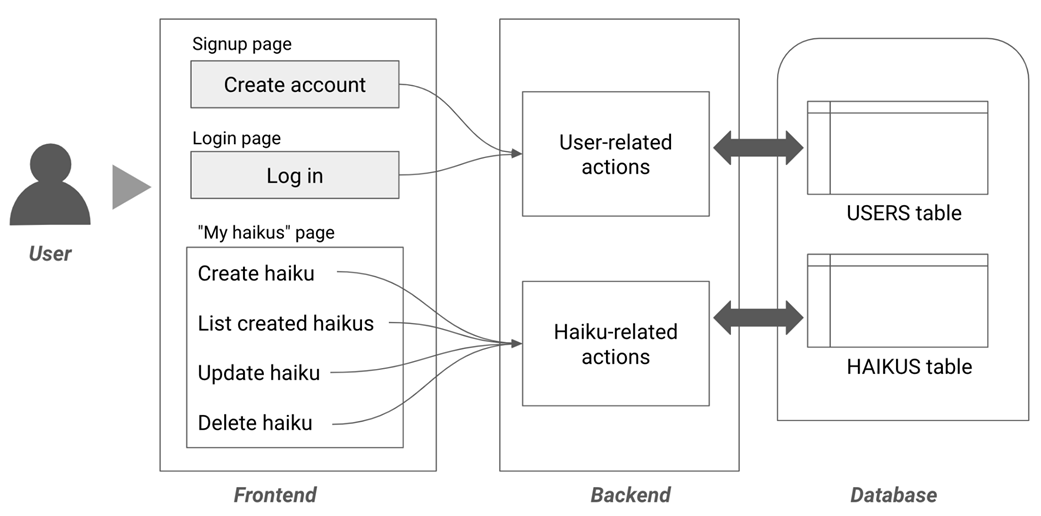
Design for our app showing a frontend, backend, and database.
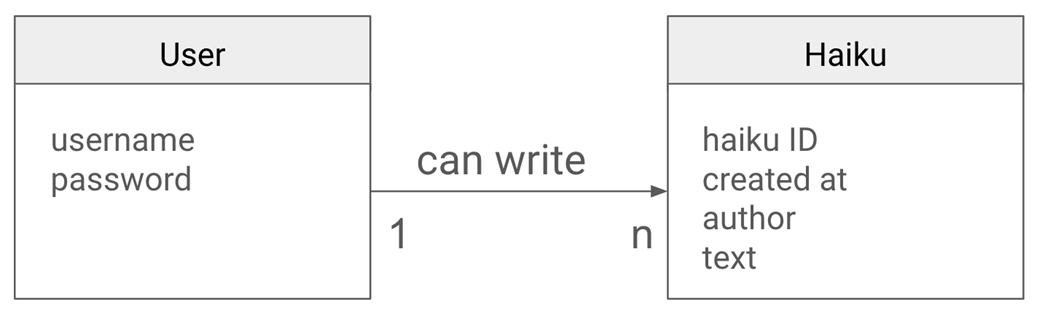
Entity-Relationship (ER) diagram showing the User and Haiku entities.
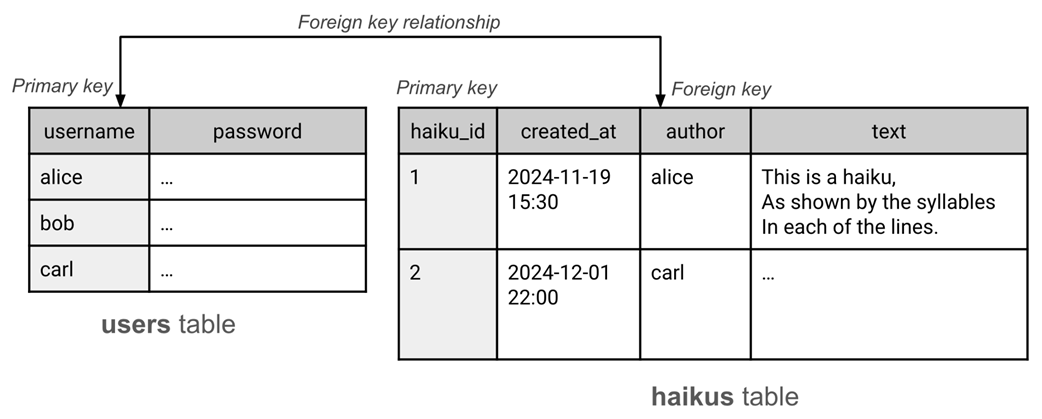
Database schema with a foreign key relationship between the users and haikus tables.
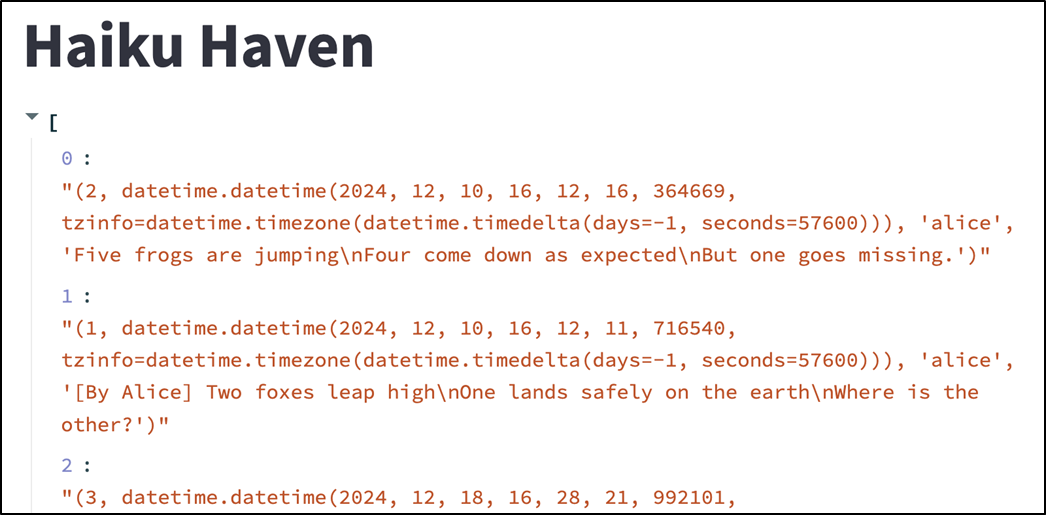
The contents of the haiku table as read by executing a SELECT query using the Database class and displayed using st.write (see chapter_08/in_progress_01 in the GitHub repo for the full code).
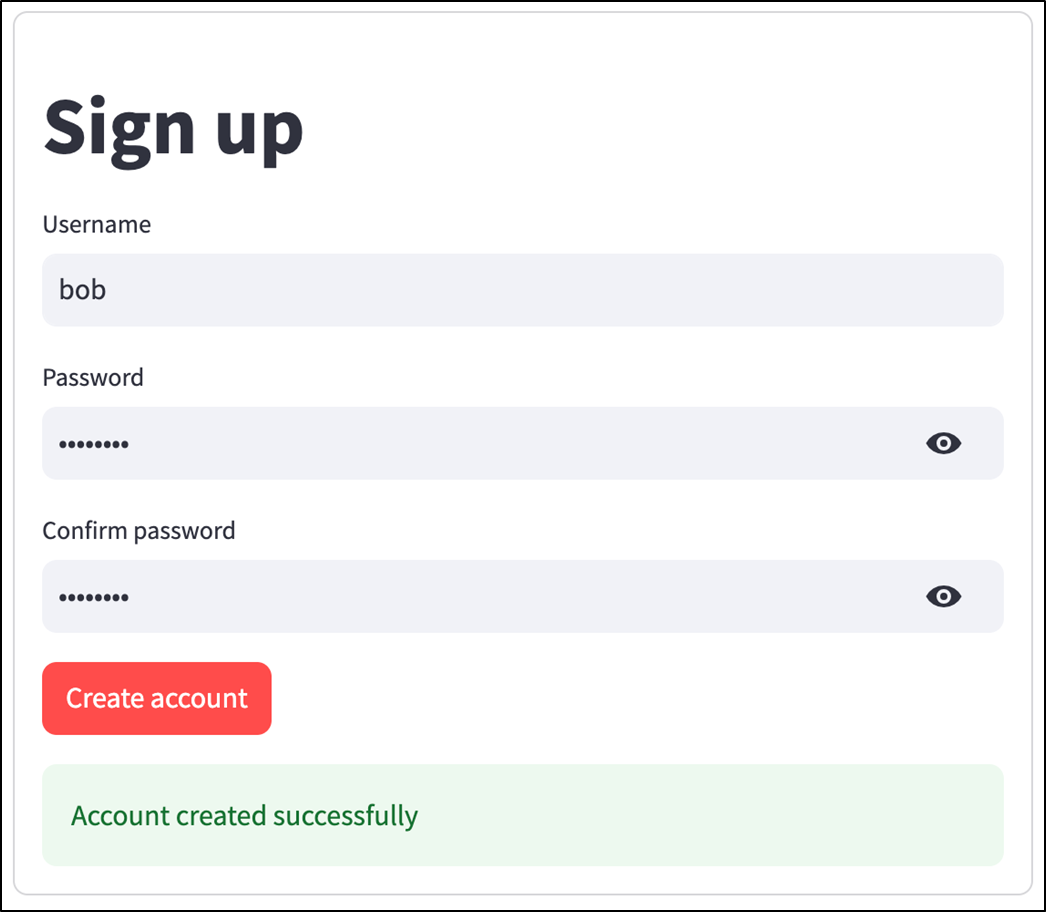
Haiku Haven's signup page (see chapter_08/in_progress_02 in the GitHub repo for the full code).
Haiku Haven's login page (see chapter_08/in_progress_03 in the GitHub repo for the full code).
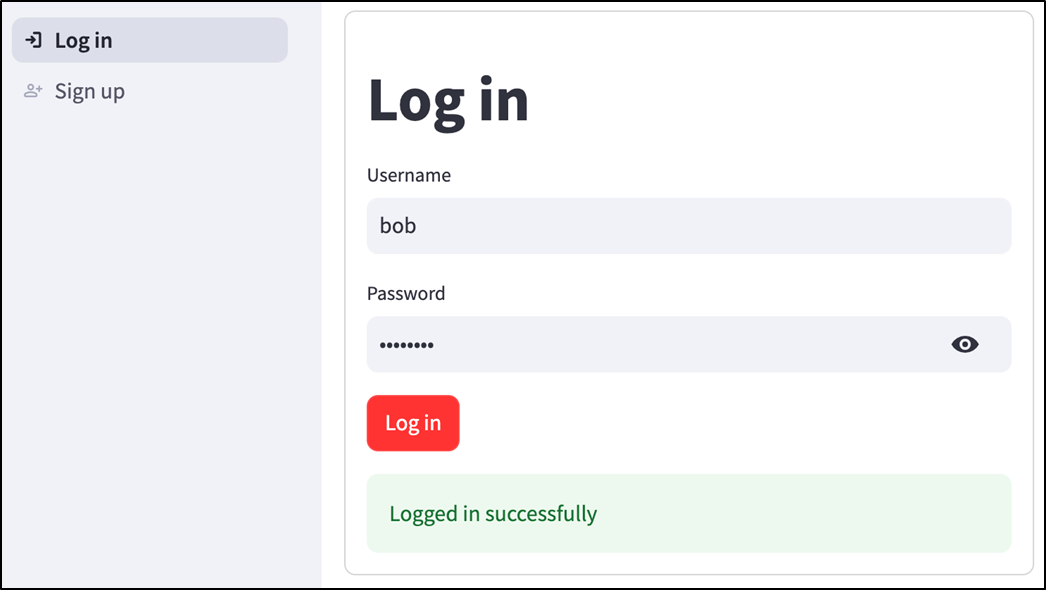
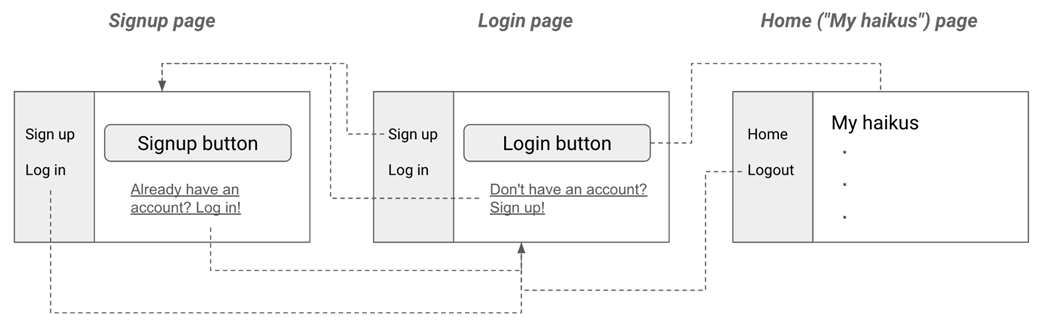
Diagram showing the connections between pages through redirection and page links.
The logged-in page with different options in the navigation bar (see chapter_08/in_progress_04 in the GitHub repo for the full code).

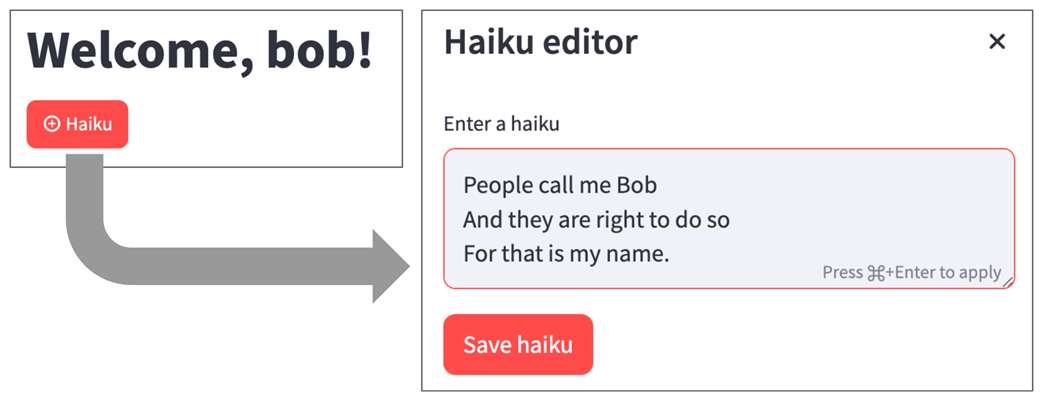
Creating a haiku (see chapter_08/in_progress_05 in the GitHub repo for the full code).
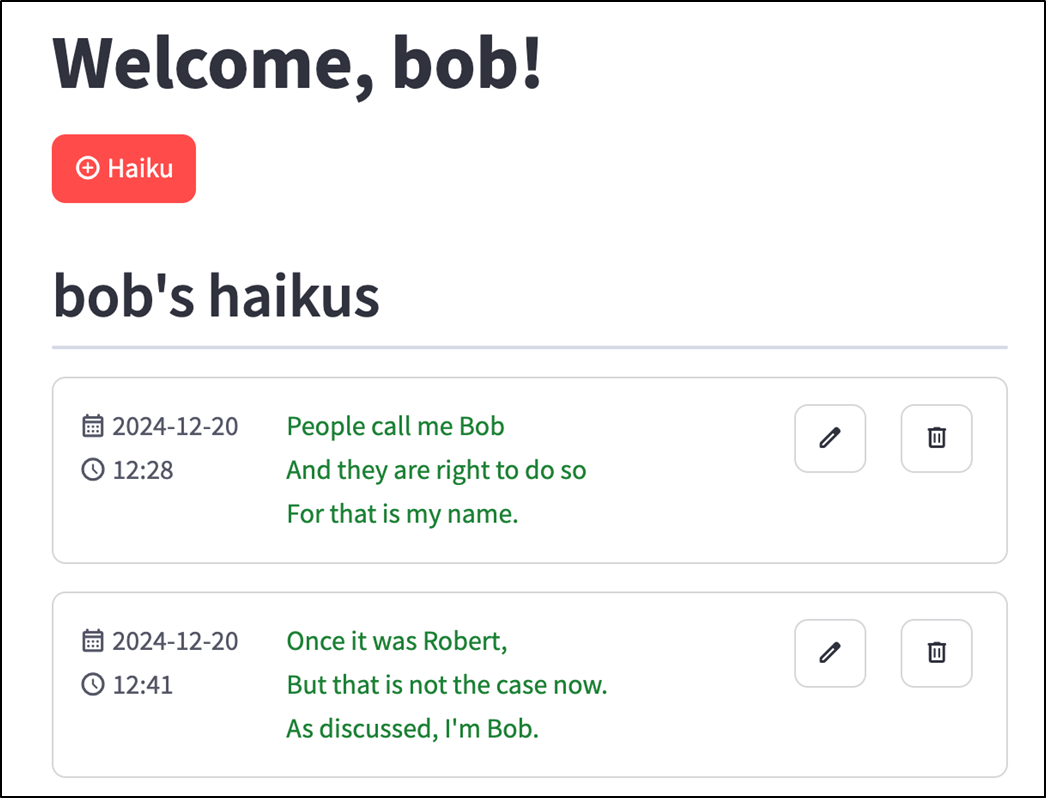
Listing created haikus (see chapter_08/in_progress_07 in the GitHub repo for the full code).
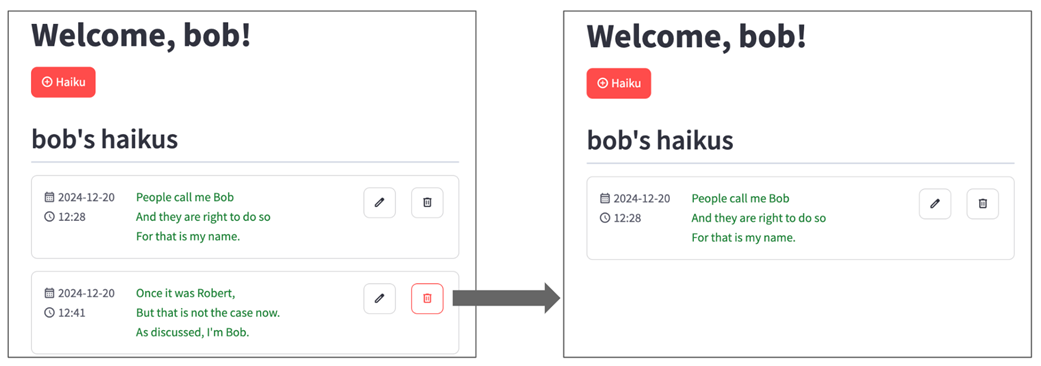
Deleting a haiku (see chapter_08/in_progress_08 in the GitHub repo for the full code).
Summary
- CRUD stands for Create-Read-Update-Delete, the four fundamental operations that most apps perform.
- Relational databases like PostgreSQL organize data in tables with rows and columns according to a schema.
- Designing the data model for an application involves identifying the entities, defining their relationships, listing their attributes, and converting these into a schema, often assisted by an Entity-Relationship (ER) diagram.
- SQL (Structured Query Language) supports commands for creating tables (CREATE TABLE), inserting rows (INSERT INTO), reading data (SELECT..FROM), updating rows (UPDATE..SET), deleting rows (DELETE FROM), and dropping tables (DROP TABLE).
- st.connection is a Streamlit feature that makes it easy to establish a connection to a data source like PostgreSQL.
- Never store passwords in plain text; instead, hash them using a library like bcrypt and store the hashed version. To authenticate, hash the given password and compare with the stored hash.
- st.Page objects correspond to individual pages in multi-page apps in Streamlit.
- st.navigation is used to create a navigation bar and specify the pages in an app.
- st.page_link creates links between pages in a multi-page app.
- When deploying to production, you need to set up your database server separately, potentially using a managed service like Neon for PostgreSQL.
FAQ
What does CRUD mean, and why is it important in web apps?
CRUD stands for Create, Read, Update, and Delete. These are the four core operations used by many applications to manage data. In Haiku Haven, users create haikus, read their saved haikus, update existing haikus, and delete haikus they no longer want.
What is Haiku Haven?
Haiku Haven is the chapter’s example CRUD app built with Streamlit. It lets users create an account, log in, write haikus, view their haikus, edit them, and delete them. The app demonstrates common web app patterns such as authentication, persistent storage, backend services, and a multi-page frontend.
Why does Haiku Haven need a database?
Haiku Haven needs persistent storage so users do not lose their accounts or haikus when they close the browser or restart the app. The chapter uses a relational database, PostgreSQL, to store user and haiku data outside the Streamlit app itself.
What database schema is used for Haiku Haven?
Haiku Haven uses two main tables: users and haikus. The users table stores usernames and password hashes. The haikus table stores each haiku’s ID, creation timestamp, author, and text. The author column in haikus is a foreign key that references the username column in users.
What is the relationship between users and haikus?
The relationship is one-to-many: one user can write many haikus, but each haiku belongs to only one user. This relationship is represented in the database by storing the author’s username in the author column of the haikus table.
How does the Streamlit app connect to PostgreSQL?
The app uses Streamlit’s st.connection feature with SQLAlchemy and psycopg2-binary. A custom Database class wraps the connection and provides an execute_query(query, params, write=False) method for running SQL queries. Connection details are stored securely in .streamlit/secrets.toml.
Why are SQL query parameters used instead of string concatenation?
Parameterized SQL queries help prevent SQL injection. Instead of building SQL by directly concatenating user input, the app uses placeholders such as :username and passes values separately through a params dictionary. This keeps query structure separate from user-provided data.
How are passwords stored securely in Haiku Haven?
Passwords are not stored as plain text. Instead, the app uses bcrypt to create a password hash. When a user logs in, the entered password is hashed and compared with the stored hash. This means that even if someone accesses the database, they cannot directly read users’ actual passwords.
How is the Streamlit app organized into multiple pages?
The app uses Streamlit’s multi-page features: st.Page, st.navigation, and page.run(). Pages such as login, signup, home, and logout are defined separately, while main.py acts as the router. The available navigation options change depending on whether the user is logged in.
How are haikus created, displayed, edited, and deleted?
Haiku operations are handled by a backend HaikuService class. It defines methods such as create_haiku, get_haikus_by_author, update_haiku, and delete_haiku. The frontend uses a haiku editor dialog for creating and editing haikus, displays each haiku with its creation date and text, and provides edit and delete buttons for each saved haiku.

 Build Python Web Apps with Streamlit ebook for free
