10 RAG and Agentic apps with LangGraph and Streamlit
This chapter builds a progressively more capable customer support chatbot named Nibby for the fictional stationery retailer Note n’ Nib. The goal is to move beyond simple LLM calls and create an AI app that can hold a natural conversation, stay focused on customer support, answer questions using private company knowledge, and take limited real-world actions such as tracking or canceling orders. Streamlit provides the chat-style frontend, while LangChain and LangGraph provide the backend structure for managing LLM calls, state, multi-step workflows, retrieval, and tool use.
The app begins as a basic one-message chatbot, then evolves into a multi-turn conversational system by using LangGraph state and memory checkpoints. The text explains how LangGraph models applications as graphs made of nodes, edges, and shared state, with each node transforming the state before passing it along. The bot is wrapped in backend classes for cleaner organization, connected to Streamlit’s chat elements for input and message display, and guided with a system prompt so it refuses irrelevant requests. The frontend is also updated to show the full conversation history instead of only the latest exchange.
The second half adds retrieval-augmented generation and agentic behavior. RAG is introduced as a way to retrieve only the most relevant pieces of a private knowledge base instead of stuffing all company information into every prompt; this is implemented with embeddings, document chunking, Pinecone as a vector database, and retrieval nodes that augment the system message with relevant support articles. Finally, the chatbot becomes an agent by binding order-related tools to the LLM and adding a LangGraph tool node with conditional routing, allowing the model to decide when to call functions, process their results, ask for missing information, and respond to the user. By the end, Nibby can answer grounded support questions, escalate when it lacks enough information, and perform simple service actions through external tools.
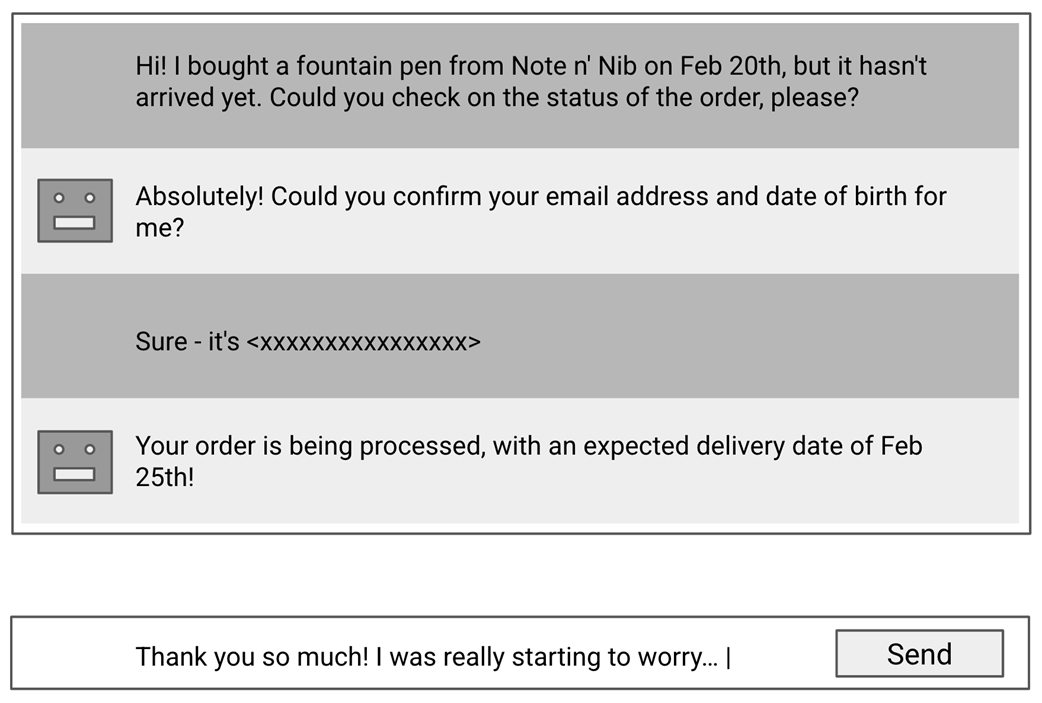
UI sketch for Nibby, our customer support chatbot.
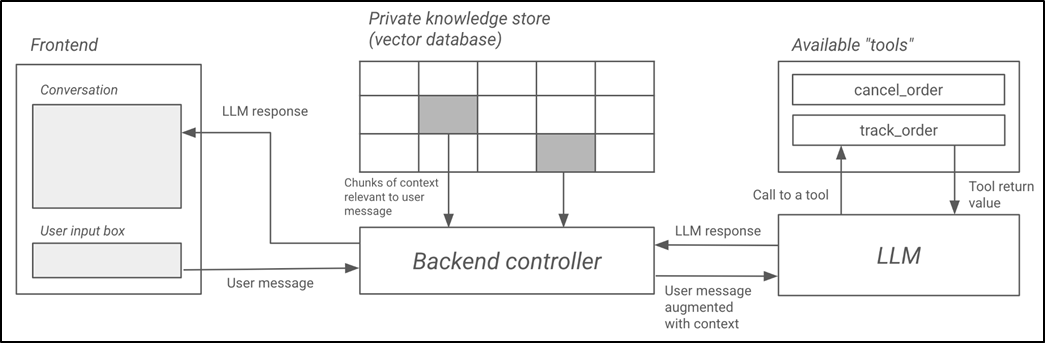
Overall design for Nibby.
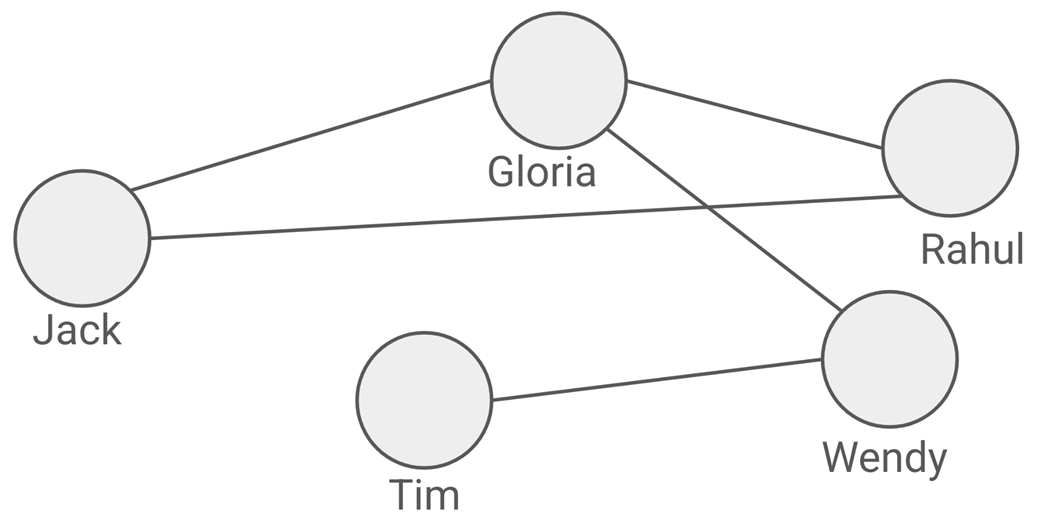
Using a graph to model friend relationships in a social network
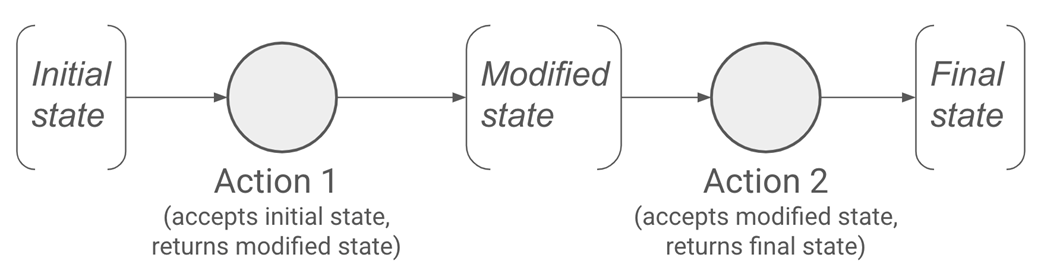
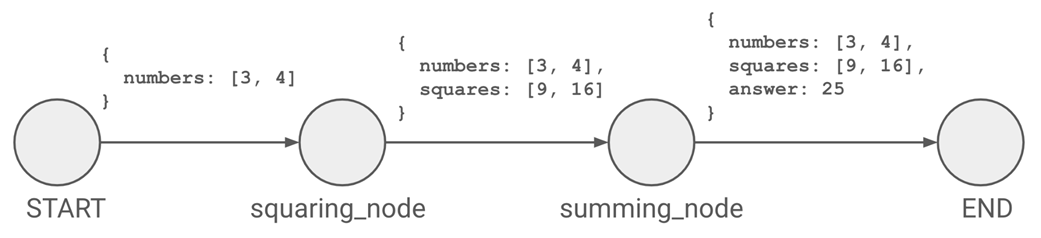
In LangGraph, nodes take in the graph state and modify it.
A graph in LangGraph that computes the sum of squares of numbers.
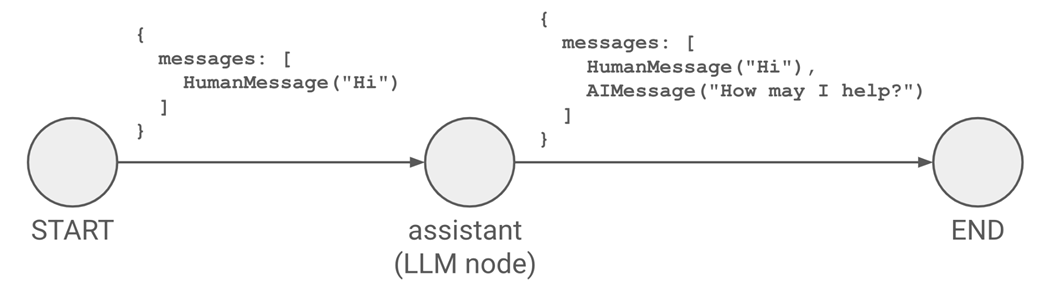
A basic single-node (apart from START and END) graph.
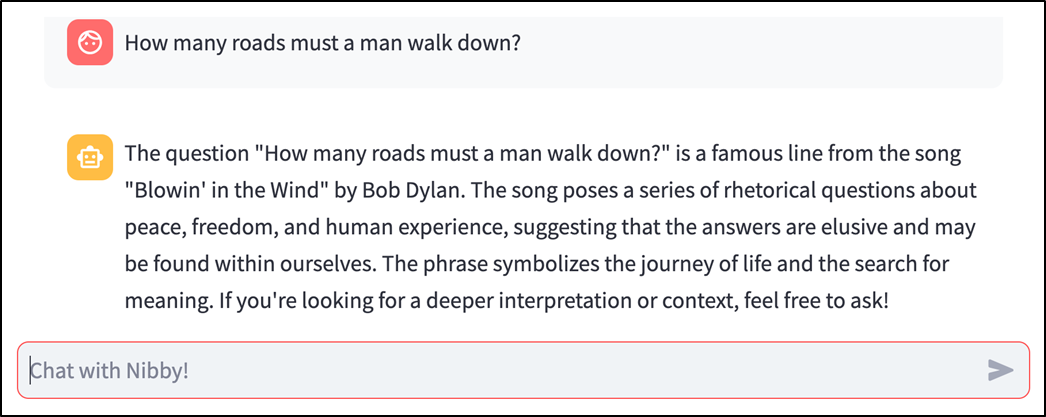
A single-prompt-single-response chatbot in Streamlit (see chapter_10/in_progress_01 in the GitHub repo for the full code).
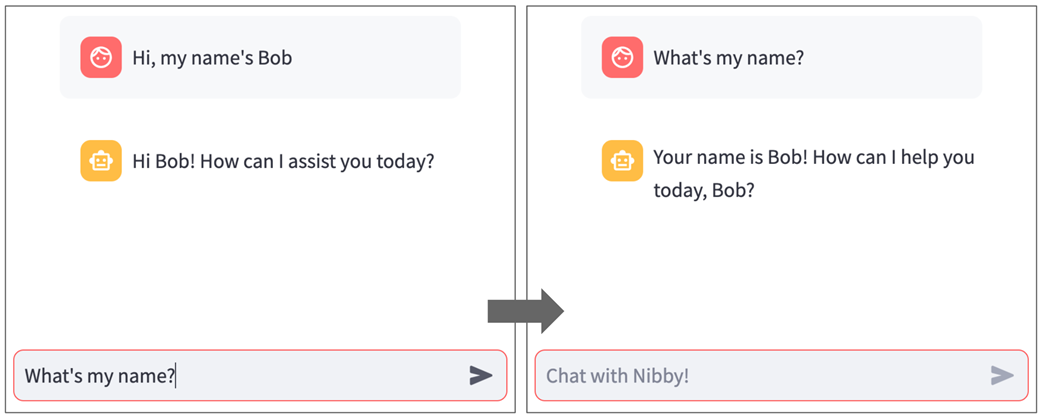
Our chatbot doesn't remember the information we gave it.
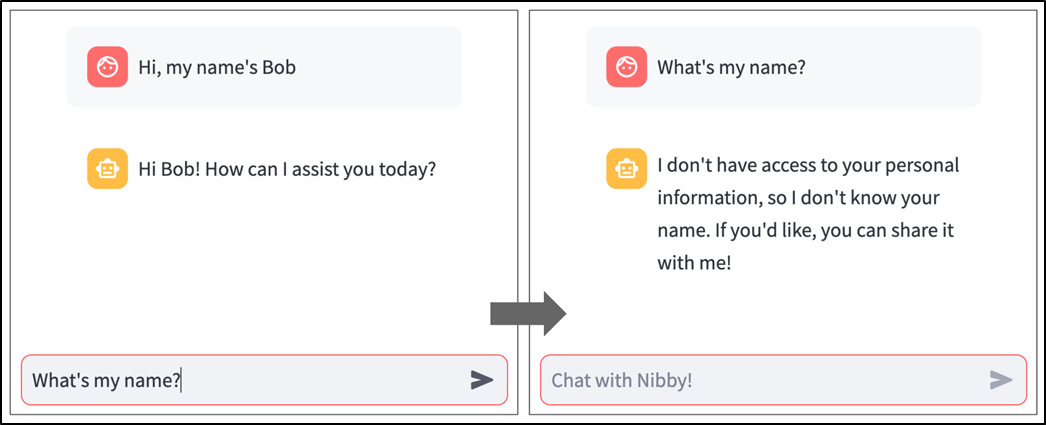
Nibby now remembers information we told it earlier in the conversation (see chapter_10/in_progress_02 in the GitHub repo for the full code).
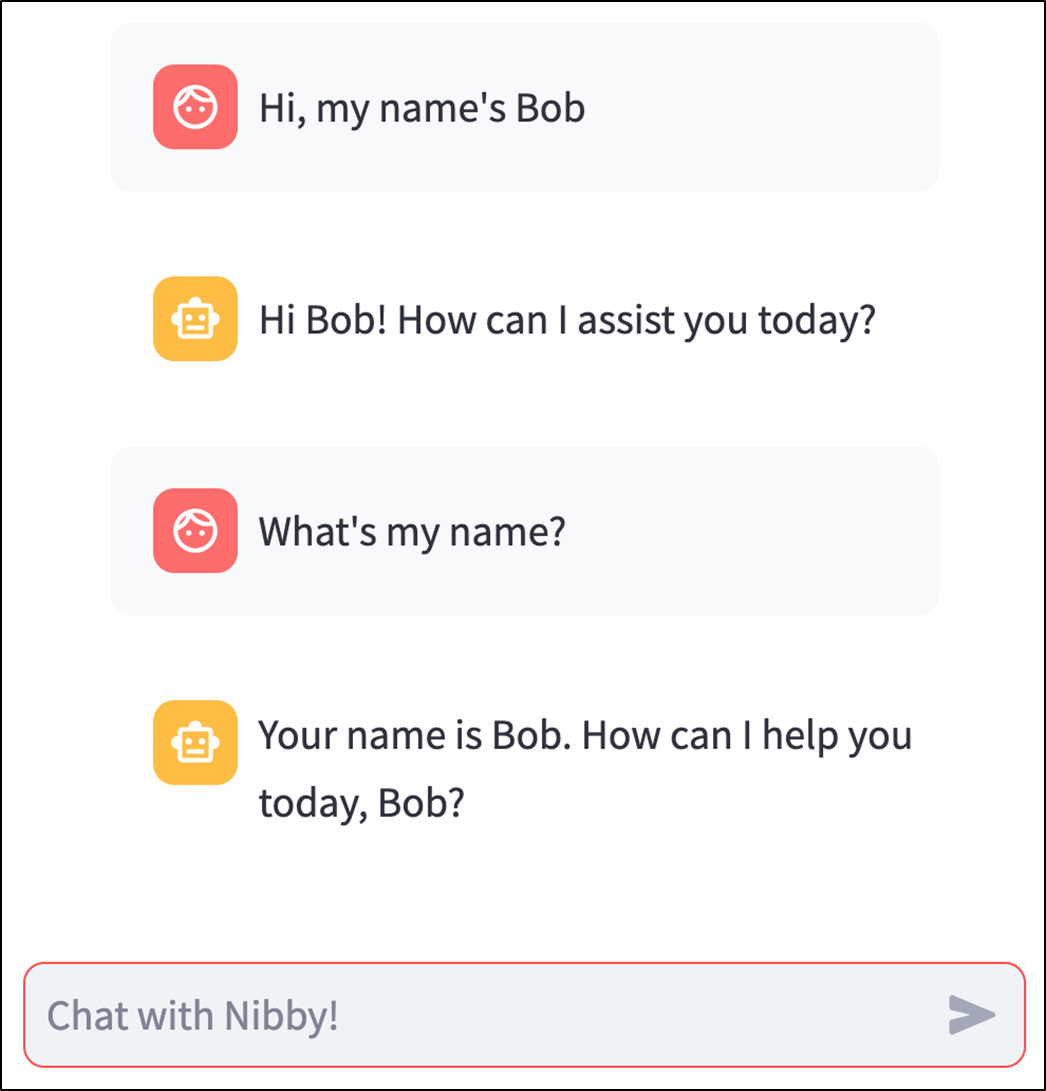
Our frontend now displays the full conversation history (see chapter_10/in_progress_03 in the GitHub repo for the full code).
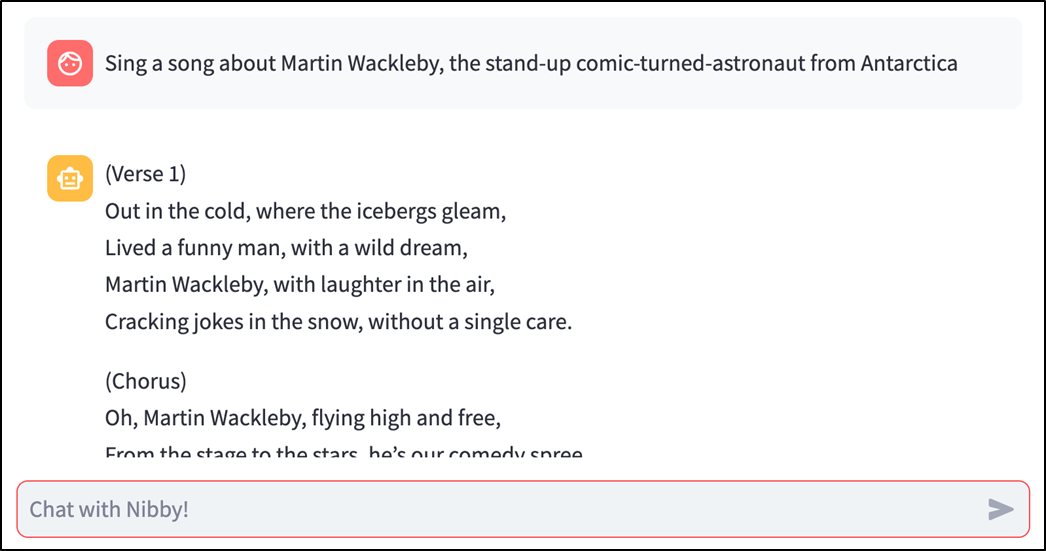
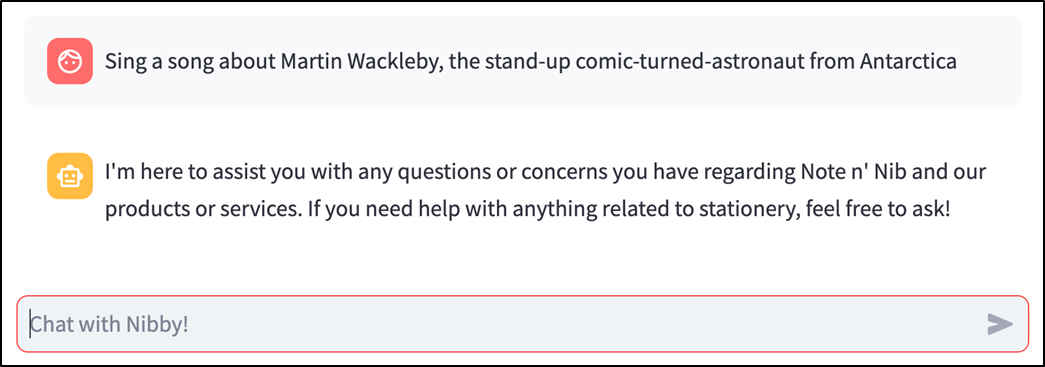
Nibby entertains frivolous requests, potentially costing us money.
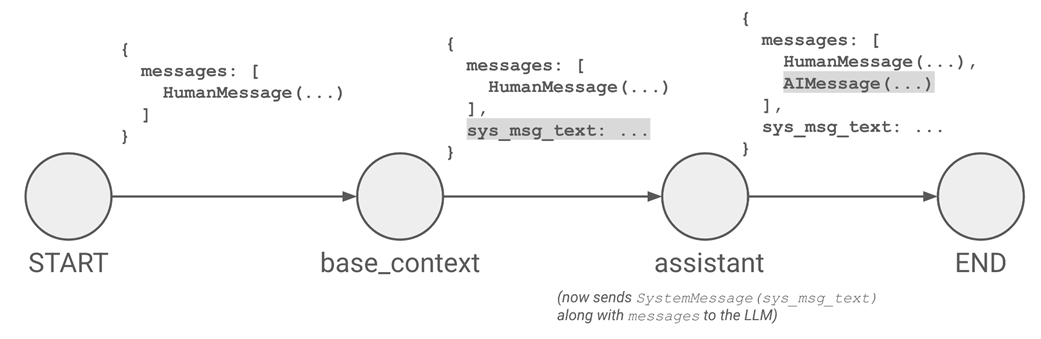
Adding a base context node in our graph.
Nibby now refuses to entertain frivolous requests (see chapter_10/in_progress_04 in the GitHub repo for the full code).
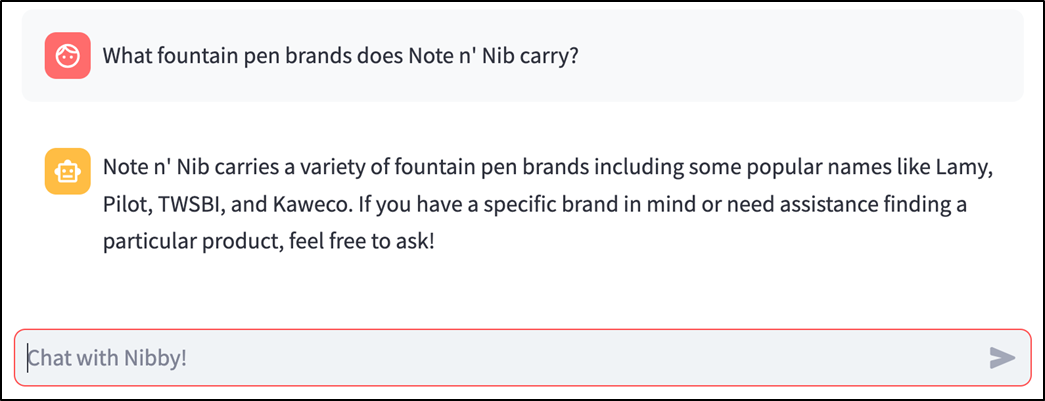
Nibby makes up information when it doesn't know the answer.
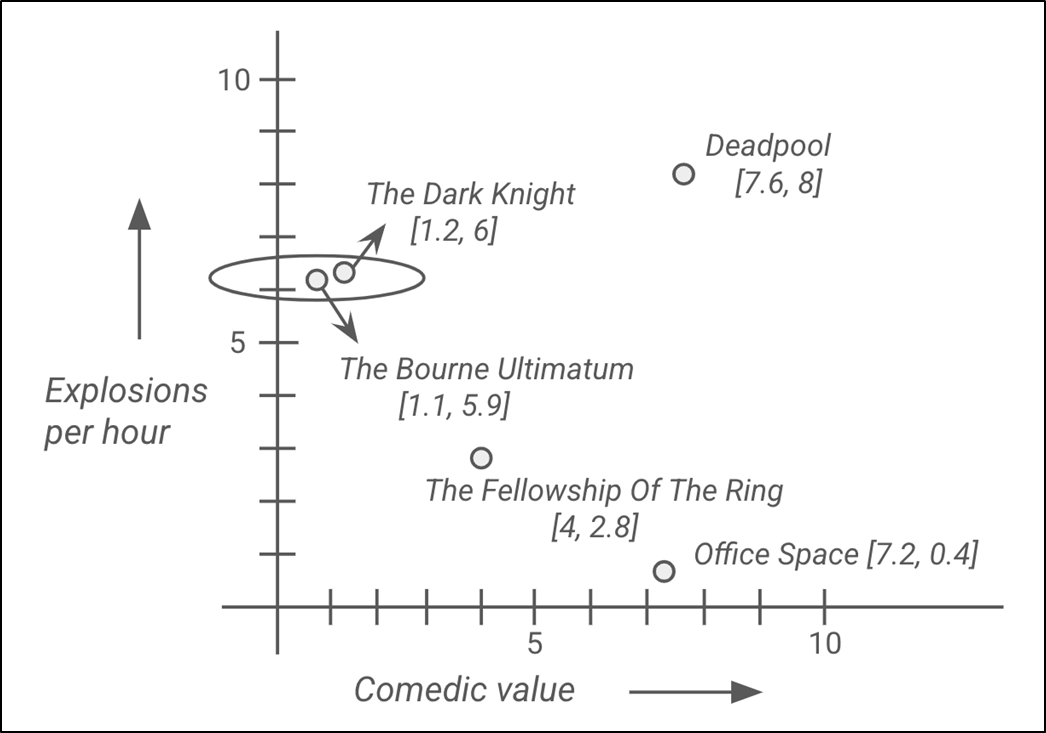
Converting movies into vectors and plotting them on a chart.
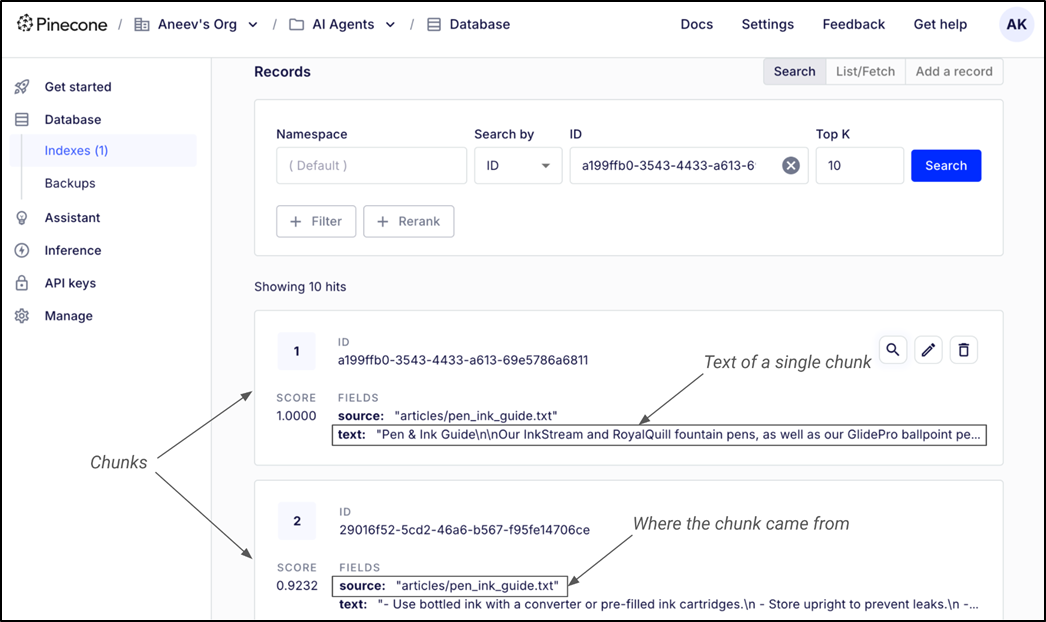
You can see the chunks in your index on the Pinecone website.
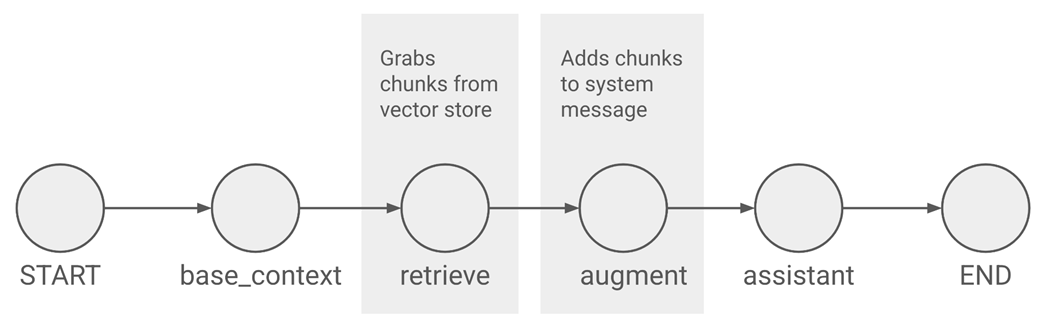
Our graph now has retrieve and augment nodes for RAG.
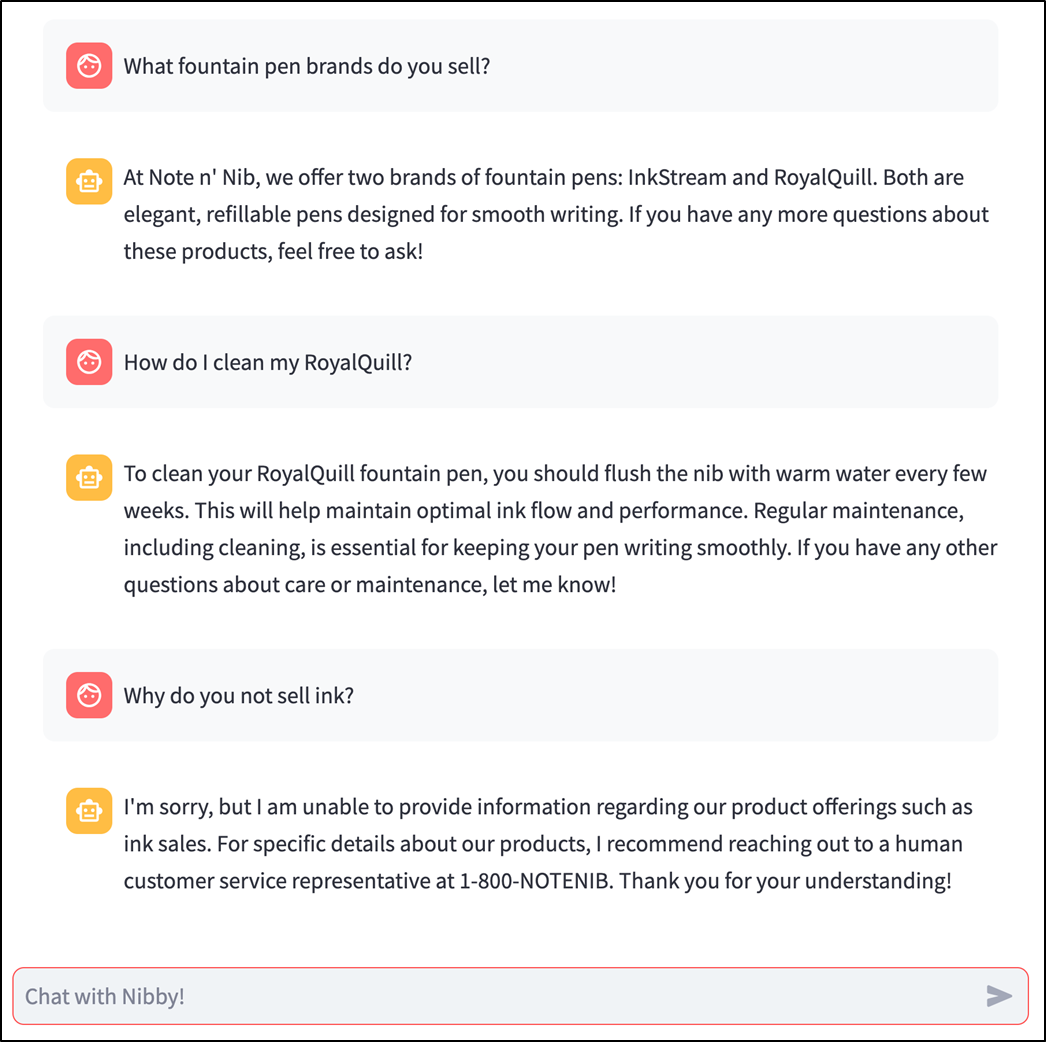
Nibby can now access and use information from our knowledge base (see chapter_10/in_progress_05 in the GitHub repo for the full code).
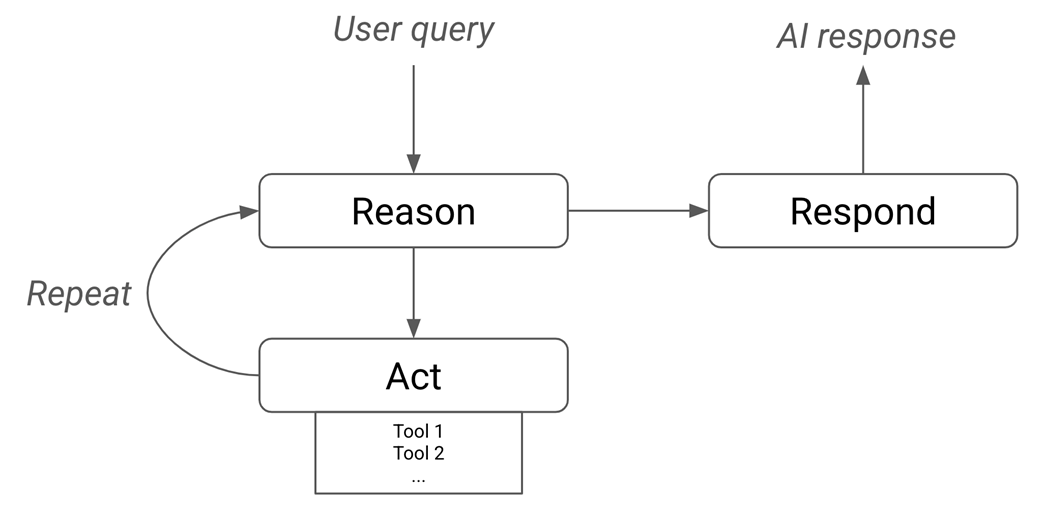
The ReAct framework.
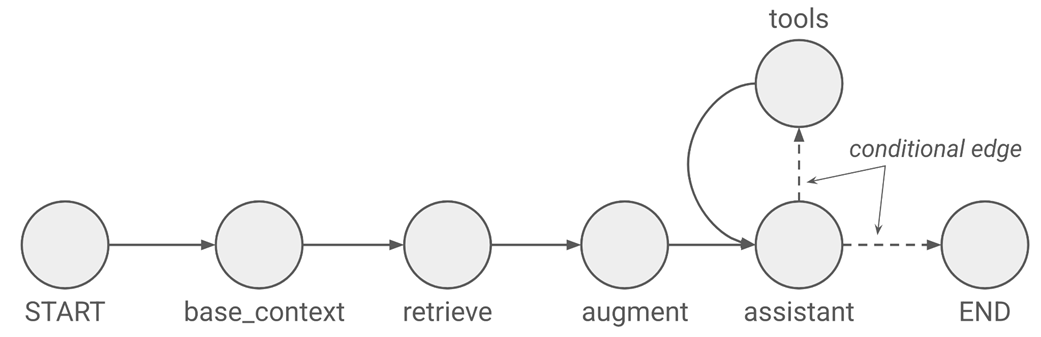
Our graph now has a tools node and a conditional edge
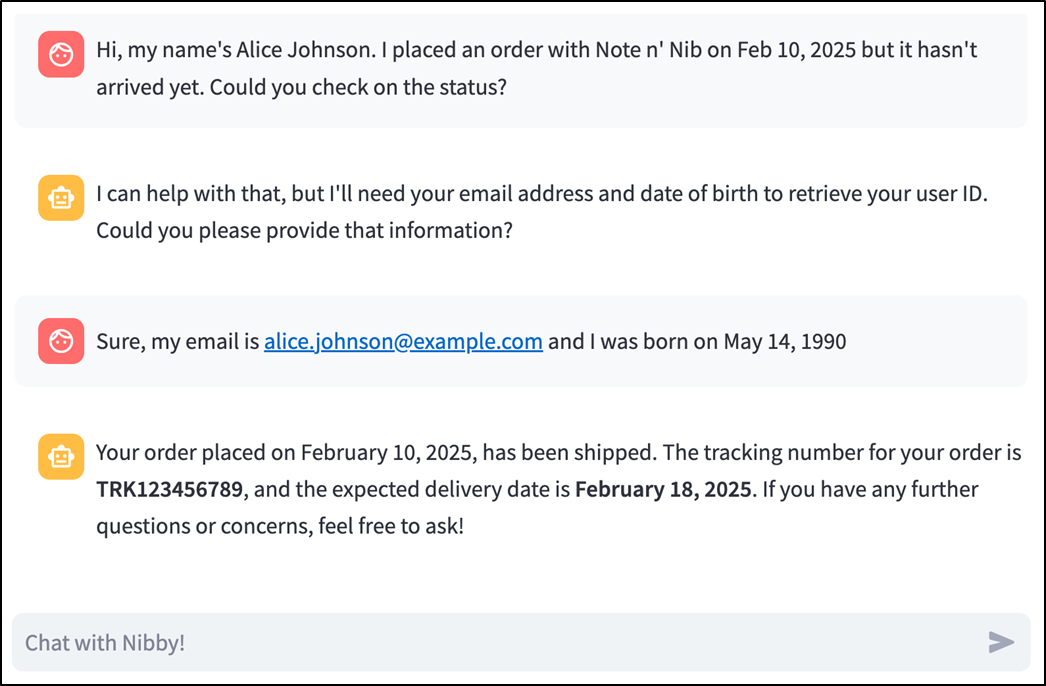
Nibby can handle real-world actions like tracking and canceling orders (see chapter_10/in_progress_06 in the GitHub repo for the full code).
Summary
- Real-world AI applications require advanced capabilities, such as knowledge retrieval and action execution.
- LangGraph structures AI workflows as graphs; nodes represent steps in the AI process, and edges define the flow between them.
- Each node in LangGraph takes in the graph state and modifies it.
- st.chat_input renders a textbox where users can type messages.
- st.chat_message displays human and AI messages appropriately.
- LangGraph uses checkpointers to persist information across multiple graph executions.
- It's important to instruct the LLM explicitly to stay on-topic and ignore irrelevant requests; the system message is a good place for this.
- Embeddings involve converting an object, such as a piece of text, into a list of numbers called vectors to find relevant content using similarity search.
- Retrieval Augmented Generation (RAG) is a technique for providing custom knowledge to a pre-trained LLM by retrieving chunks of context relevant to the user query from a vector database like Pinecone.
- A tool is simply a well-documented function that an LLM can choose to call in response to a user query.
- An agentic app—or simply an agent—can use tools to interact with the real world.
- LangGraph makes it extremely easy to write agentic apps through its ToolNode and tools_condition abstractions.
FAQ
What is Nibby, and what customer support tasks is it designed to handle?
Nibby is a Streamlit-based customer support chatbot for Note n' Nib, a fictional online stationery retailer. It is designed to hold human-like conversations, answer questions using a custom knowledge base, track orders, cancel orders, and redirect customers to a human support agent when it cannot confidently fulfill a request.
Why does the chapter use LangGraph and LangChain instead of calling the OpenAI API directly?
Direct LLM calls work well for simple prompt-response apps, but Nibby needs a more advanced workflow: conversation memory, retrieval from a private knowledge base, tool use, and branching logic. LangChain provides building blocks for LLMs, prompts, messages, tools, embeddings, and vector stores. LangGraph structures these pieces as a graph of nodes and edges, making it easier to build multi-step and agentic AI applications.
What are nodes, edges, and state in a LangGraph application?
In LangGraph, an application is modeled as a graph. A node is a Python function that performs one step of work, such as calling an LLM, retrieving documents, or executing a tool. An edge defines which node runs after another node. The state is a shared dictionary-like object containing values such as the conversation messages, system prompt text, or retrieved documents. Each node reads the current state and returns updates to it.
How does the first one-node chatbot graph work?
The initial chatbot graph contains a single real node called something like assistant, plus LangGraph’s built-in START and END nodes. The graph state contains a messages list. The assistant node sends those messages to an LLM using llm.invoke(), receives an AI response, appends that response to the message history, and returns the updated state.
How does Streamlit make it easy to build a chatbot frontend?
Streamlit provides native chat elements. st.chat_input() creates a message input box pinned to the bottom of the app and returns a value only when the user sends the message. st.chat_message() displays messages in styled chat bubbles with user or AI avatars. The chapter uses these elements to show user messages, call bot.chat(), and display Nibby’s responses.
How does Nibby remember earlier messages in a conversation?
Nibby uses LangGraph checkpointing. Specifically, the chapter adds a MemorySaver checkpointer when compiling the graph and passes a configuration containing a thread_id when invoking it. This lets LangGraph persist the graph state for that conversation thread, so later user messages are appended to the previous message history instead of starting from an empty state each time.
Why does the chapter add a system prompt to Nibby?
The system prompt gives Nibby its role and boundaries. It tells the LLM that it is a customer support agent for Note n' Nib and that it must refuse unrelated requests. This prevents the bot from wasting tokens on frivolous tasks, such as singing songs, solving unrelated problems, or writing essays, and keeps it focused on customer support.
What is Retrieval Augmented Generation, or RAG?
Retrieval Augmented Generation is a technique for giving an LLM access to relevant private information at response time. Instead of putting an entire knowledge base into every prompt, the app retrieves only the chunks relevant to the user’s question, adds those chunks to the prompt, and asks the LLM to generate an answer using that context. In Nibby, RAG helps the bot answer questions about Note n' Nib products and policies without hallucinating.
How do embeddings and Pinecone support RAG in the chapter?
The chapter converts support articles into embeddings, which are numeric vectors representing the meaning of text. These embeddings are stored in Pinecone, a vector database. When a user asks a question, the app embeds or searches against the query and uses similarity search to retrieve the most relevant document chunks. Pinecone is configured with an OpenAI embedding model such as text-embedding-3-small, 1536 dimensions, and cosine similarity.
How does Nibby become an agent that can take actions?
Nibby becomes agentic by giving the LLM access to tools and adding tool execution to the LangGraph workflow. The chapter defines tools such as retrieve_user_id, get_order_id, get_order_status, and cancel_order. These tools are bound to the LLM with bind_tools(). LangGraph’s ToolNode executes tool calls, while tools_condition routes execution either to the tools node or to END. This creates a ReAct-style loop where the model reasons, acts by calling tools, observes the result, and then responds or continues working.

 Build Python Web Apps with Streamlit ebook for free
