8 CLIP: a model to measure the similarity between image and text
Modern text-to-image systems rely on a bridge between language and vision that can score how well an image matches a description. This chapter introduces CLIP, a multimodal model that aligns captions and images in a shared latent space so their similarity can be measured directly. While CLIP does not generate images, it is foundational for the overall pipeline: first as an evaluator that retrieves or ranks images by a prompt, and later as a guide that helps generative models produce outputs that reflect the intent of the text.
Concretely, the chapter builds a CLIP variant using two encoders—a DistilBERT text encoder and a ResNet50 image encoder—followed by projection heads that map both modalities into 256-dimensional embeddings. Trained with contrastive learning on Flickr 8k image–caption pairs, the objective pulls together matching pairs and pushes apart mismatches. Key implementation details include tokenization with attention masks, standardized image preprocessing, freezing pretrained backbones to keep training lightweight, temperature-scaled similarity matrices, soft targets derived from intra-modal similarities, and a symmetric cross-entropy loss computed in both text-to-image and image-to-text directions.
Once trained, the model supports text-to-image selection: embed a prompt, compare it to cached image embeddings with cosine or dot-product similarity, and return the top matches. The chapter demonstrates this retrieval on Flickr 8k and then repeats the workflow with a pretrained OpenAI CLIP model (e.g., ViT-B/32) to show the gains from large-scale pretraining. It concludes by previewing how the same similarity signal is later used to condition and guide diffusion models, integrating CLIP’s alignment capability into end-to-end text-to-image generation.
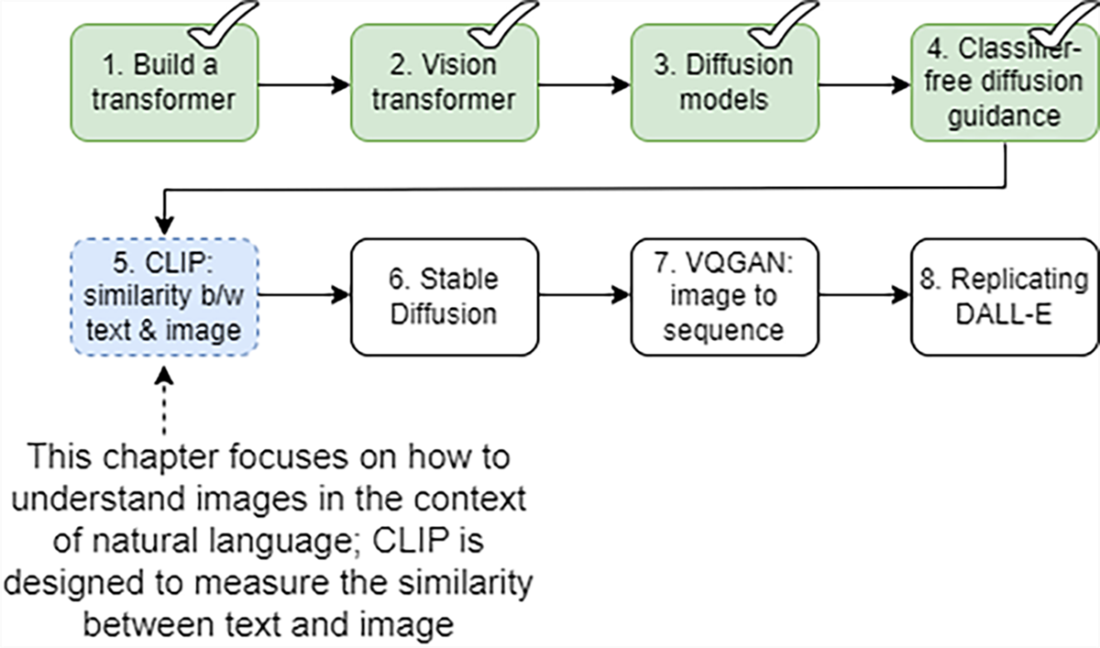
Eight steps for building a text-to-image generator from scratch. In this chapter, you’ll focus on step 5: enabling the model to understand images in the context of natural language. By mastering this step, you’ll equip your models with the ability to align and compare images and texts, a capability that is foundational for all subsequent text-to-image generation methods.
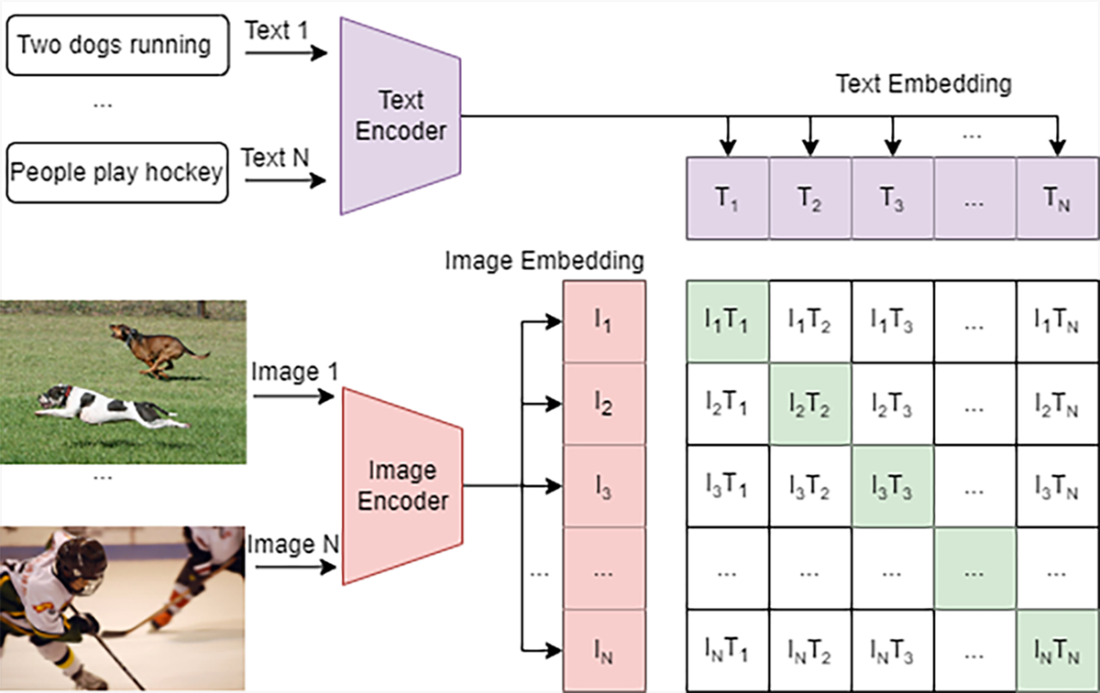
How the CLIP model is trained. We collect a large-scale dataset of text-image pairs as the training dataset. The text encoder in the CLIP model compresses each description into a text embedding, and the image encoder in the CLIP model converts the corresponding image into an image embedding of the same dimension (say, both embeddings are 256-value vectors). During training, a batch of N text–image pairs are transformed into N text embeddings and N image embeddings. Using a contrastive learning approach, the CLIP model maximizes the similarity between embeddings of matching pairs (the diagonal values in the figure) while minimizing the similarity between nonmatching pairs (the off-diagonal values).
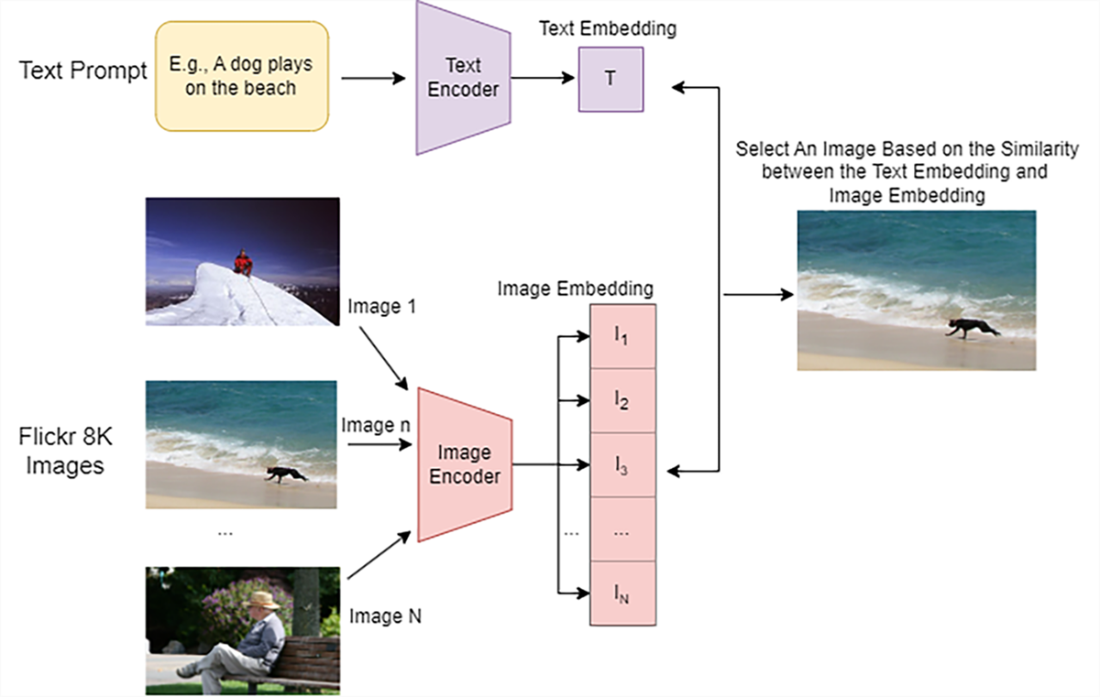
How to select an image from the Flickr 8k dataset using the trained CLIP model based on a text prompt. First, the text encoder in the CLIP model converts the prompt (e.g., “A dog plays on the beach” as shown at the top left) into a text embedding. Next, the image encoder processes every image in the dataset to generate N image embeddings. The similarity between the text embedding and each image embedding is then computed. Finally, the images are sorted by their similarity scores, and the one with the highest score is chosen as the match.
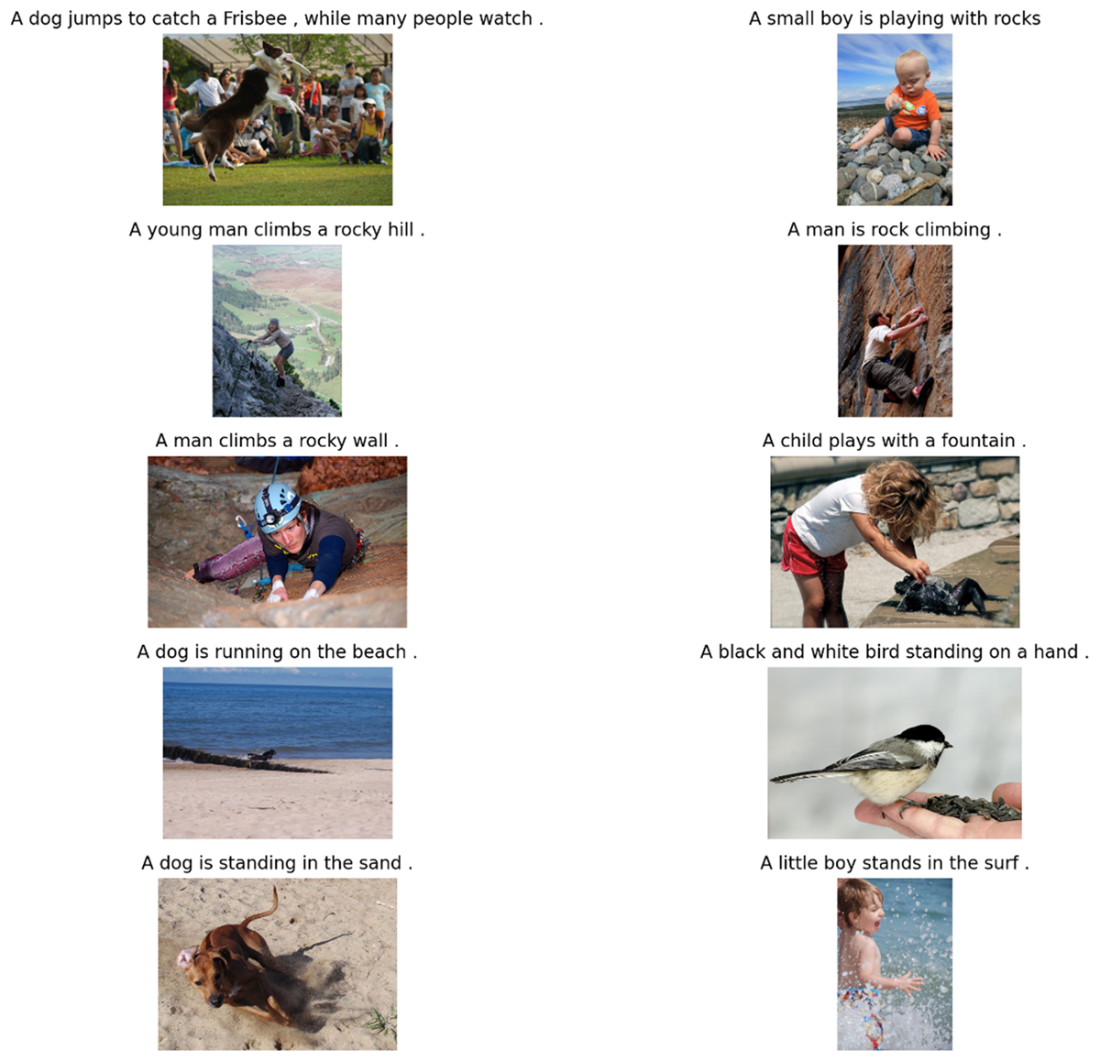
Ten image-caption pairs from the Flickr 8k dataset. We select ten images and place the shortest caption on top of each image.
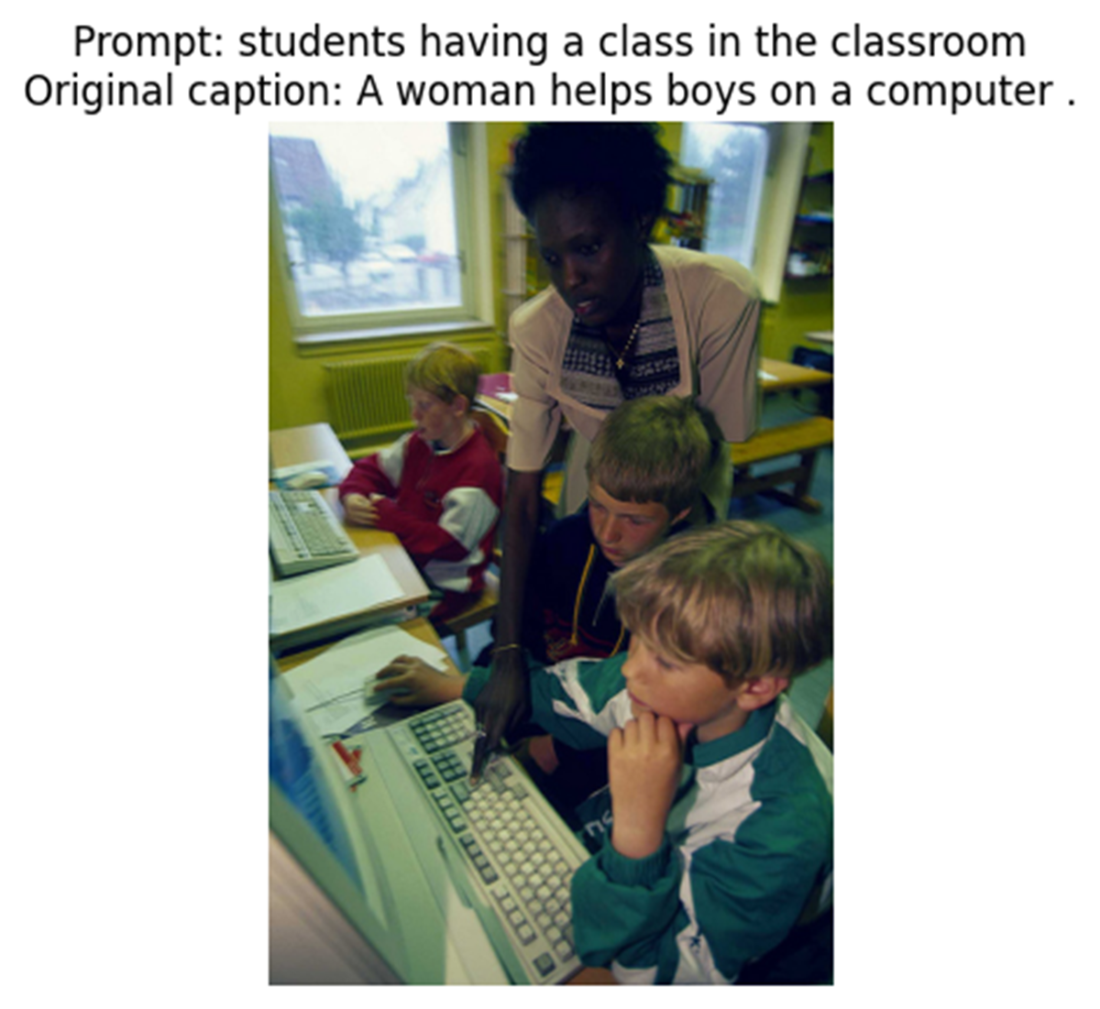
Selecting an image from the Flickr 8k dataset using the trained CLIP model. The prompt used to select the image is “students having a class in the classroom.” The original caption of the image is “A woman helps boys on a computer.”
Five matched images based on the prompt "people eating at the restaurant" using the pretrained OpenAI CLIP model.

Summary
- The contrastive language-image pretraining (CLIP) model is designed to understand and interpret images in the context of natural language. The model consists of a text encoder and an image encoder. The text encoder compresses the text description into a text embedding. The image encoder converts the corresponding image into an image embedding of the same dimension. During training, a batch of N text-image pairs are converted to N text embeddings and N image embeddings. CLIP uses a contrastive learning approach to maximize the similarity between paired embeddings while minimizing the similarity between embeddings from non-matching text-image pairs.
- When creating a CLIP model from scratch, we can use the pretrained DistilBERT model to encode image captions. DistileBERT adds CLS and SEP tokens to the beginning and end of each caption. The text embedding of a caption is created by extracting the embedding from the CLS token at the very last layer of the DistileBERT model. The CLS token is trained to capture the overall meaning of the entire caption. It acts as a learned summary, aggregating contextual information from all other tokens through self-attention.
- When training the CLIP model, we compute two cross-entropy losses: one where the correct image should stand out among all images for a given text (text-to-image matching), and another where the correct text should be distinguished from all texts for a given image (image-to-text matching). Averaging these two losses creates a symmetric objective that ensures both the text encoder and image encoder are equally optimized to produce aligned, comparable representations.
- A trained CLIP model can measure the cosine similarity between a text description and any given image. This has many practical applications in computer vision tasks such as image generation and image classification.
- One application of the CLIP model is image selection. We can use the trained CLIP model to select an image from a large dataset (say, Flickr 8k) that best matches a text description.

 Build a Text-to-Image Generator (from Scratch) ebook for free
