7 Finetuning to Follow Instructions
This chapter shifts from building and pretraining a text-completion LLM to adapting it to reliably follow human instructions. It introduces supervised instruction finetuning on a compact dataset of instruction–response pairs, emphasizing prompt design and choosing a consistent format (here, the Alpaca style) so the model learns to produce responses in a predictable structure. The data is split into training, validation, and test sets, and the chapter motivates why instruction finetuning is essential for practical assistants and chatbots that must execute tasks like editing, converting styles, or answering direct queries.
The implementation centers on preparing data the model can learn from efficiently. Entries are formatted into prompt–response text, tokenized, and organized into batches with a custom collate function that pads per batch (using the end-of-text token) to minimize unnecessary padding. Targets are created by shifting inputs by one position, and padding is masked with an ignore index so it does not influence the loss; optionally, instruction tokens can be masked as well. With these pieces in place, PyTorch data loaders provide shuffled, device-ready batches for training.
For finetuning, a pretrained GPT-2 medium model is loaded to ensure sufficient capacity. A quick baseline shows poor instruction following before training; after two epochs with AdamW, training and validation losses drop and responses improve noticeably. The chapter then demonstrates how to extract test-set generations, store them, and score them automatically using a local evaluator LLM (Llama 3 via Ollama), yielding an average score a bit above 50 on a 0–100 scale. It closes with guidance on improving results—tuning hyperparameters, scaling data or model size, experimenting with prompt styles, and considering follow-up steps such as preference tuning—rounding out a complete, from-scratch workflow for instruction finetuning.
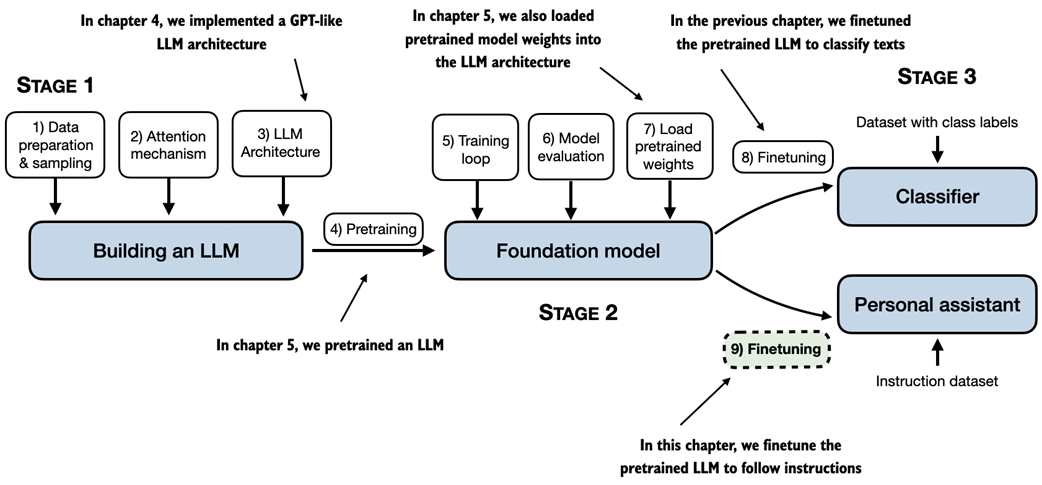
A mental model of the three main stages of coding an LLM, pretraining the LLM on a general text dataset, and finetuning it. This chapter focuses on finetuning a pretrained LLM to follow human instructions.
This figure shows examples of instructions that are processed by an LLM to generate desired responses.
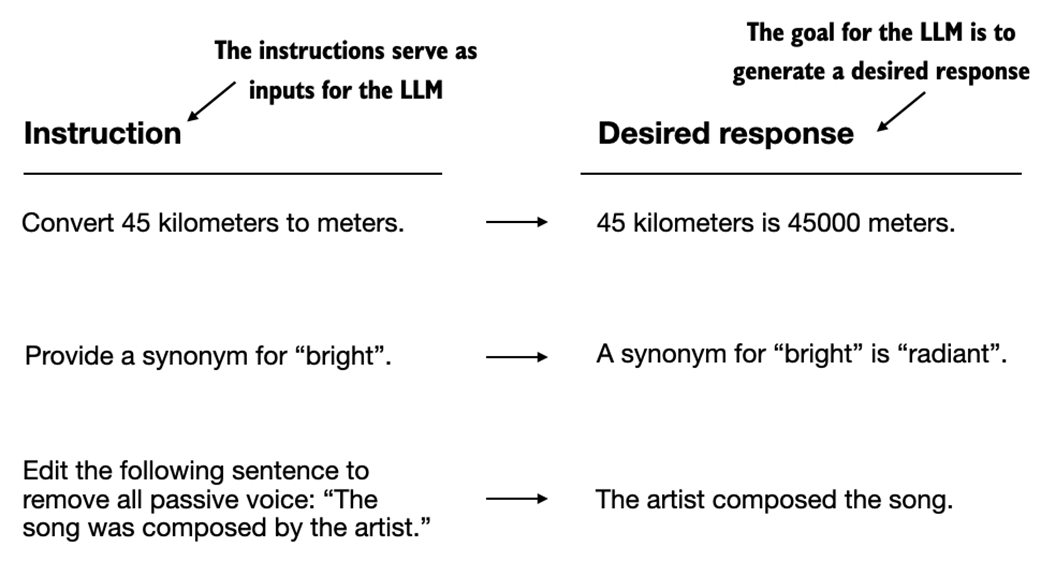
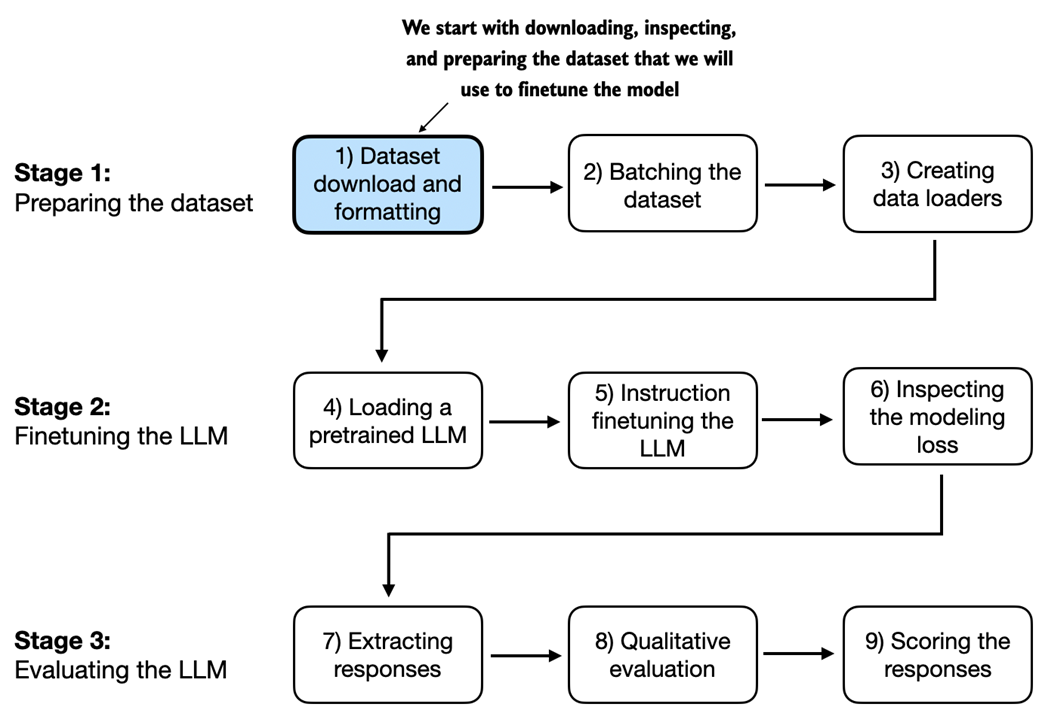
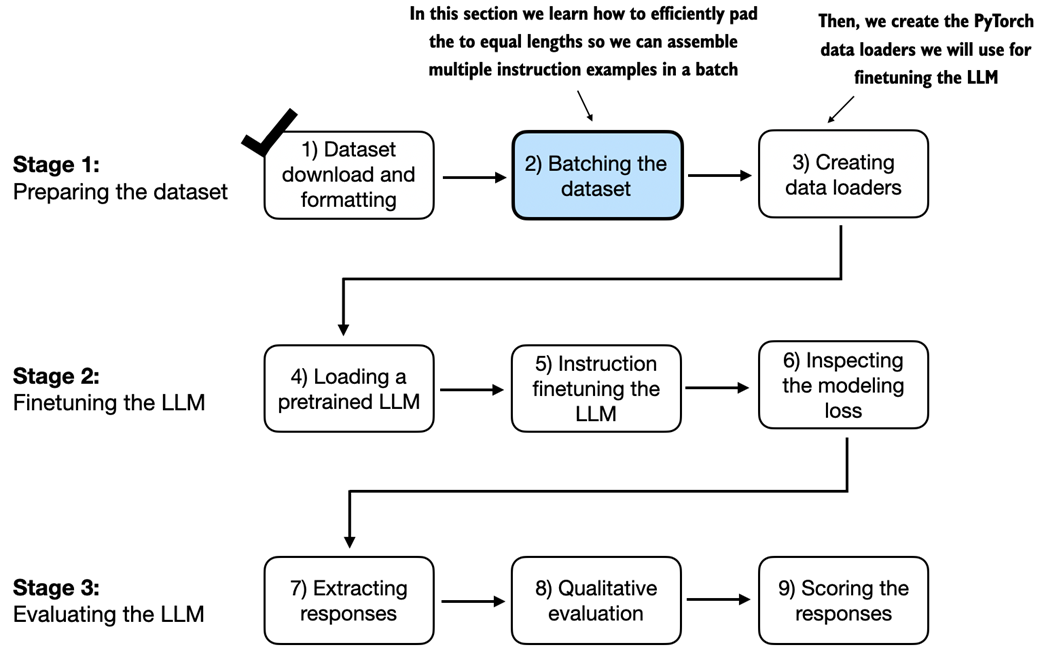
Illustration of the three-stage process for instruction finetuning the LLM in this chapter. Stage 1 involves dataset preparation. Stage 2 focuses on model setup and finetuning. Stage 3 covers the evaluation of the model.
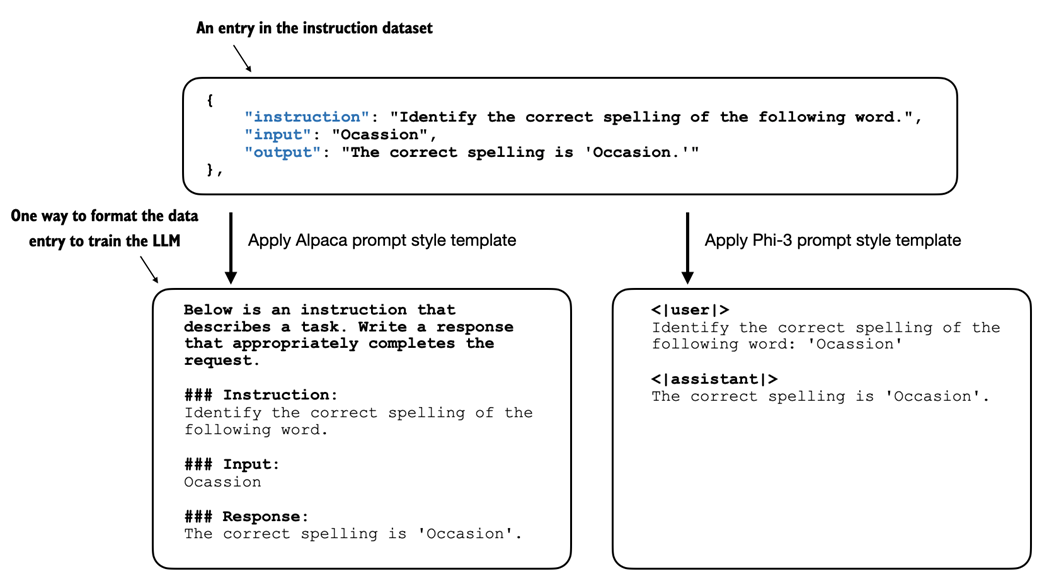
Comparison of prompt styles for instruction finetuning in LLMs. The Alpaca style (left) uses a structured format with defined sections for instruction, input, and response, while the Phi-3 style (right) employs a simpler format with designated <|user|> and <|assistant|> tokens.
After downloading the dataset and implementing text formatting utility function in the previous section, this section focuses on assembling the training batches.
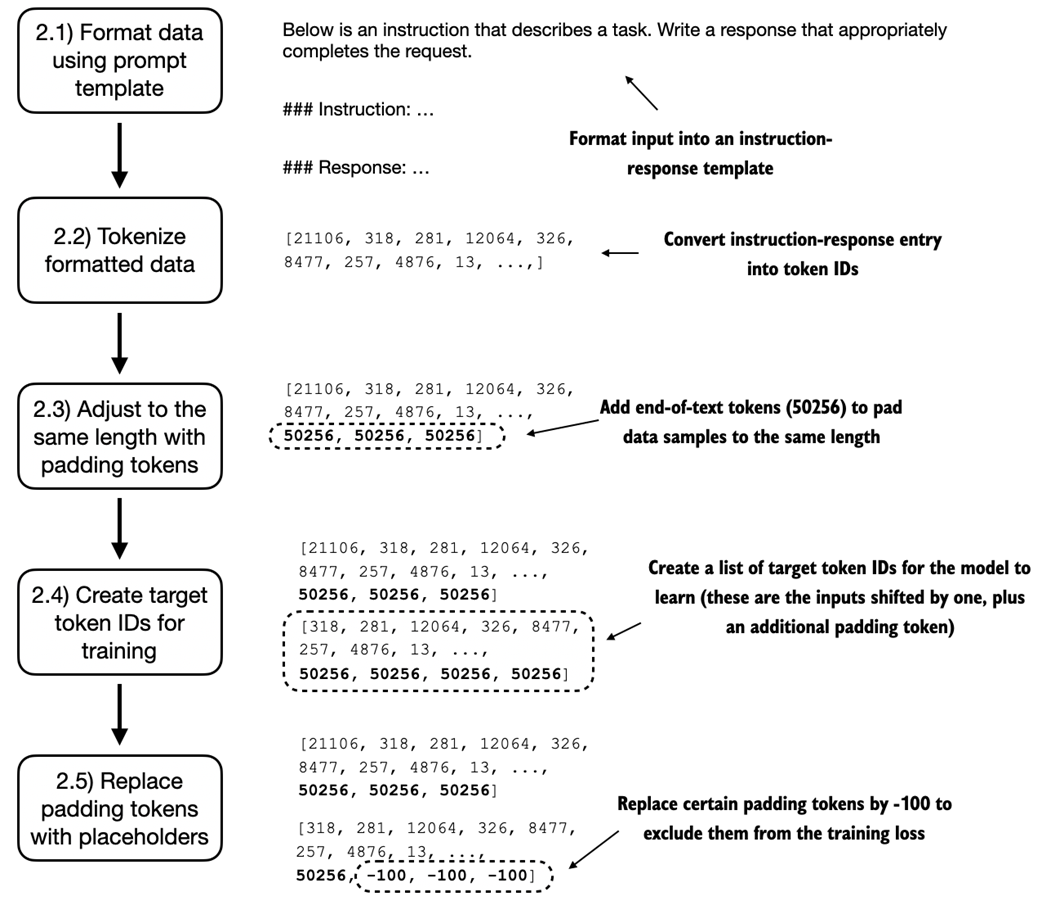
An illustration of the five substeps involved in implementing the batching process: applying the prompt template defined in the previous section, using tokenization from previous chapters, adding padding tokens, creating target token IDs, and replacing -100 placeholder tokens to mask padding tokens in the loss function.
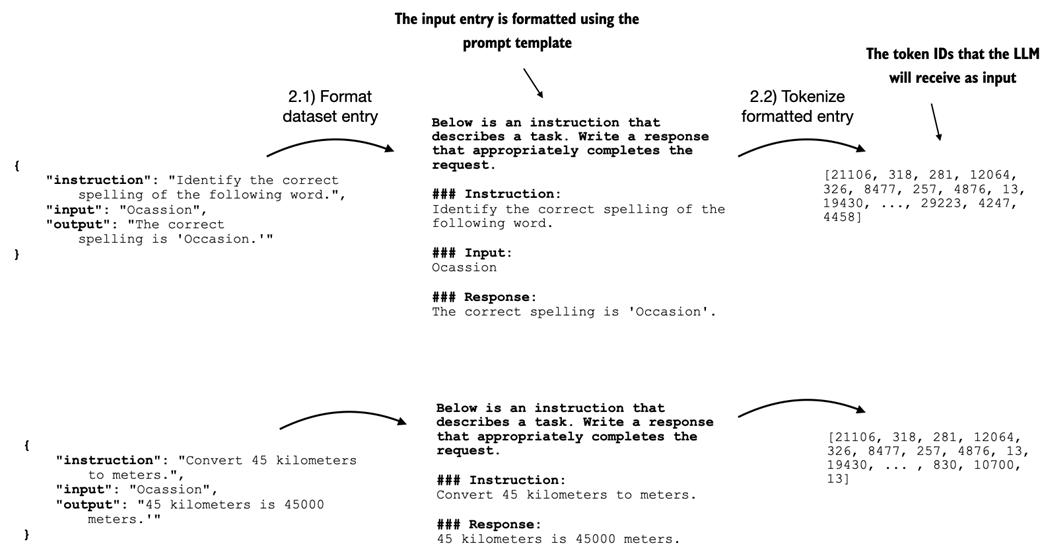
This diagram shows how entries are first formatted using a specific prompt template and then tokenized, resulting in a sequence of token IDs that the model can process.
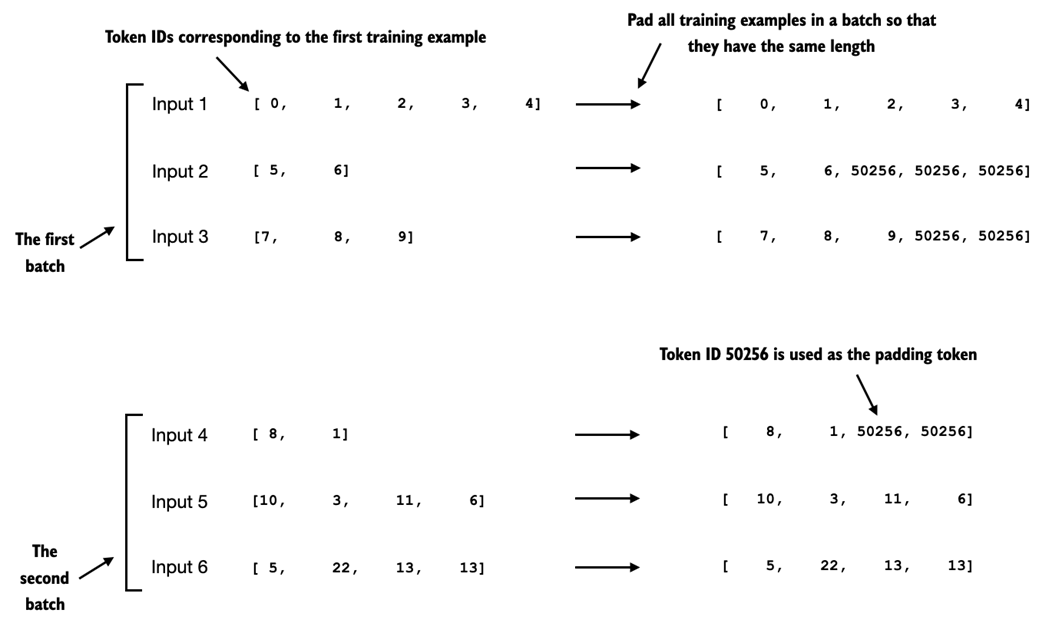
This figure showed the padding of training examples in batches using token ID 50256 to ensure uniform length within each batch. Each batch may have different lengths, as shown by the first and second batches in this figure.
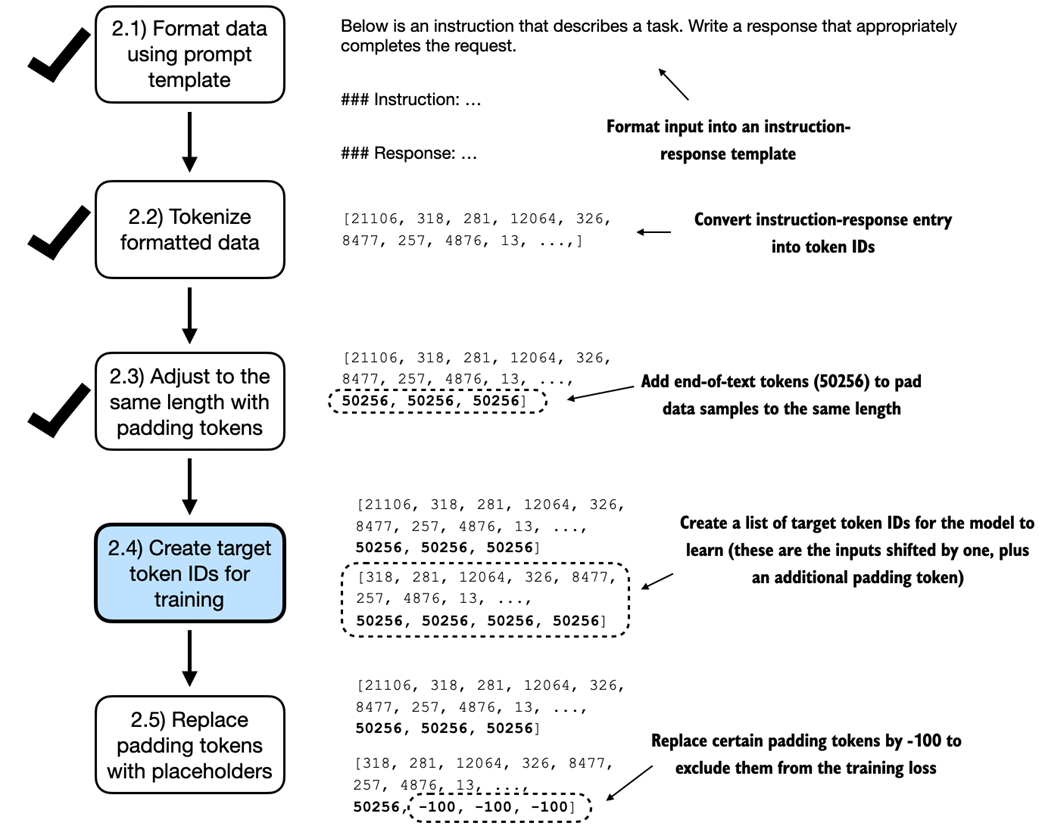
An illustration of the five substeps involved in implementing the batching process. We are now focusing on step 2.4, the creation of target token IDs. This step is essential as it enables the model to learn and predict the tokens it needs to generate.
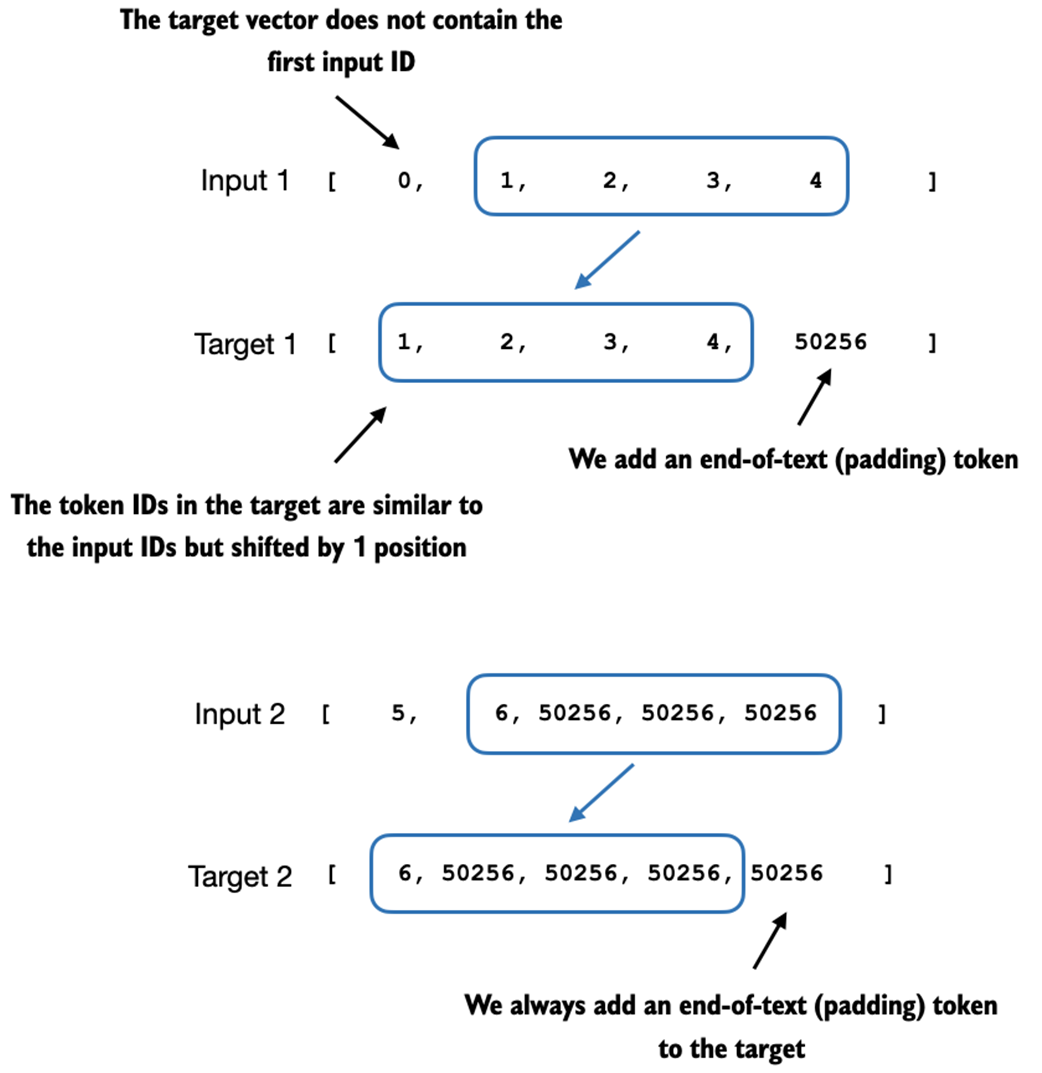
This figure illustrates the input and target token alignment used in the instruction finetuning process of an LLM. For each input sequence, the corresponding target sequence is created by shifting the token IDs one position to the right, omitting the first token of the input, and appending an end-of-text token.
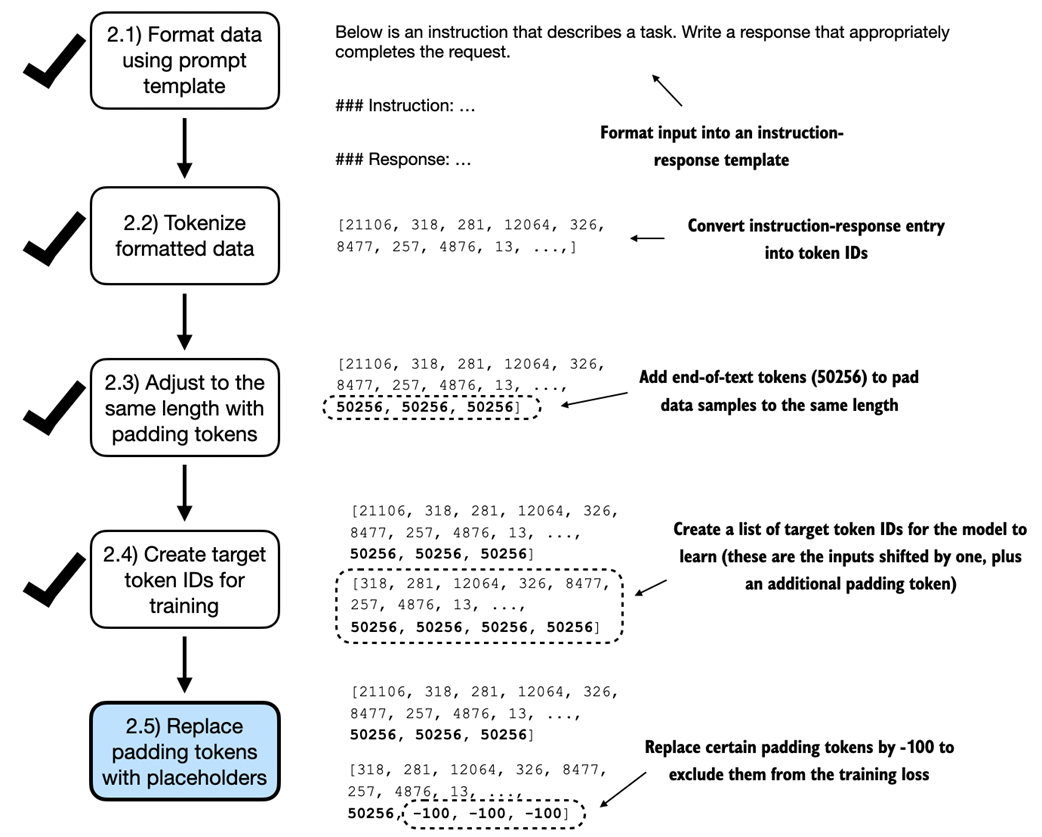
This figure illustrates step 2.5 in the token replacement process we apply to the data batches. After creating the target sequence by shifting token IDs one position to the right and appending an end-of-text token, step 2.5 focuses on replacing end-of-text padding tokens with a placeholder value (-100).
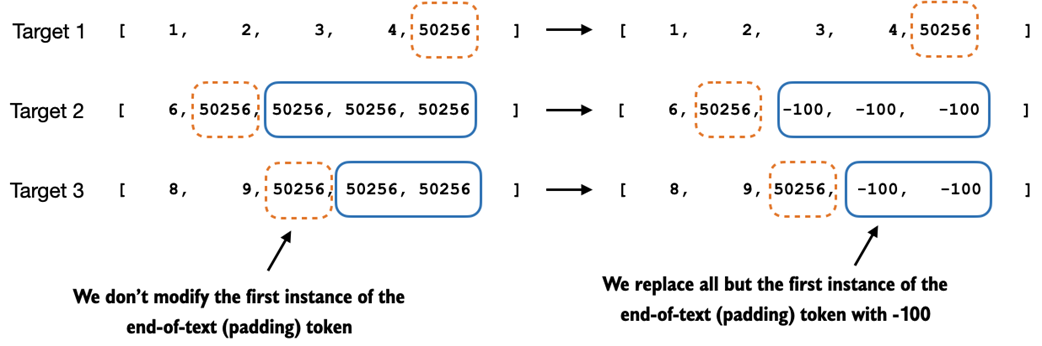
This figure illustrates step 2.4 in the token replacement process in the target batch for the training data preparation. It shows the replacement of all but the first instance of the end-of-text token, which we use as padding, with the placeholder value -100, while keeping the initial end-of-text token in each target sequence.
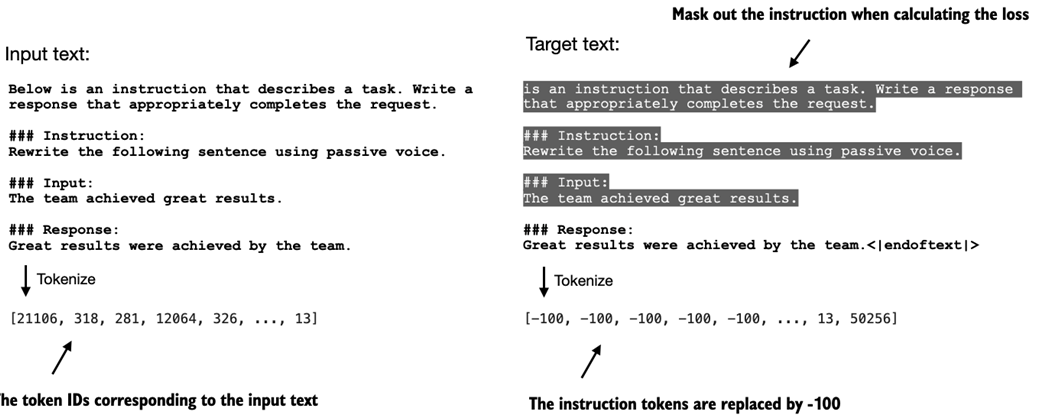
The left side shows the formatted input text we tokenize and then feed to the LLM during training. The right side shows the target text we prepare for the LLM where we can optionally mask out the instruction section, which means replacing the corresponding token IDs with the -100 ignore_index value.
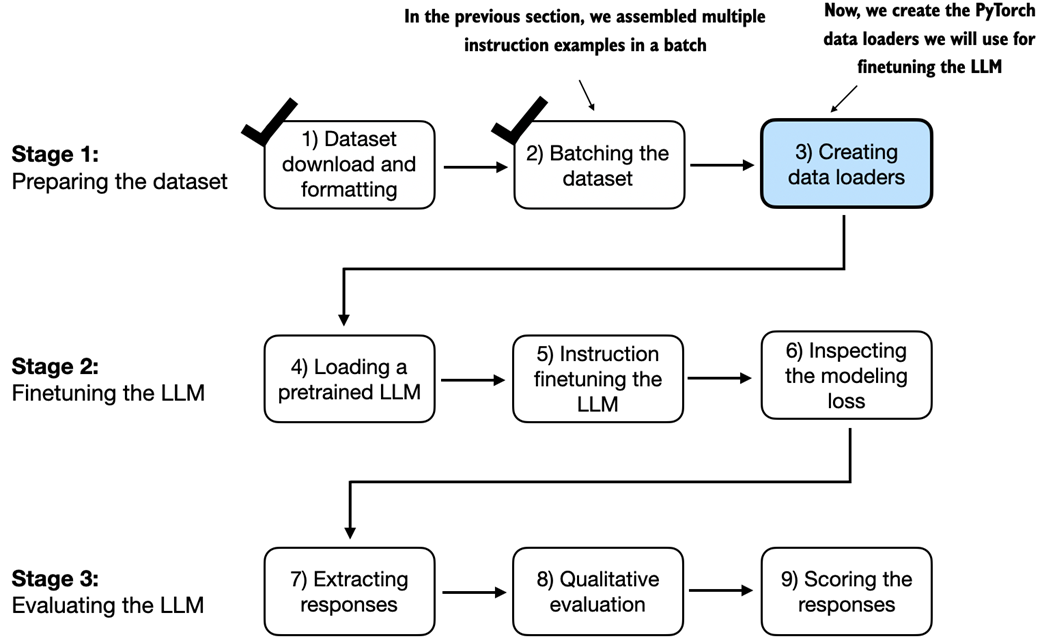
In previous sections, we prepared the dataset and implemented a custom collate function for batching the instruction dataset. In this section, we create and apply the data loaders to the training, validation, and test sets that we need for the LLM instruction finetuning and evaluation.
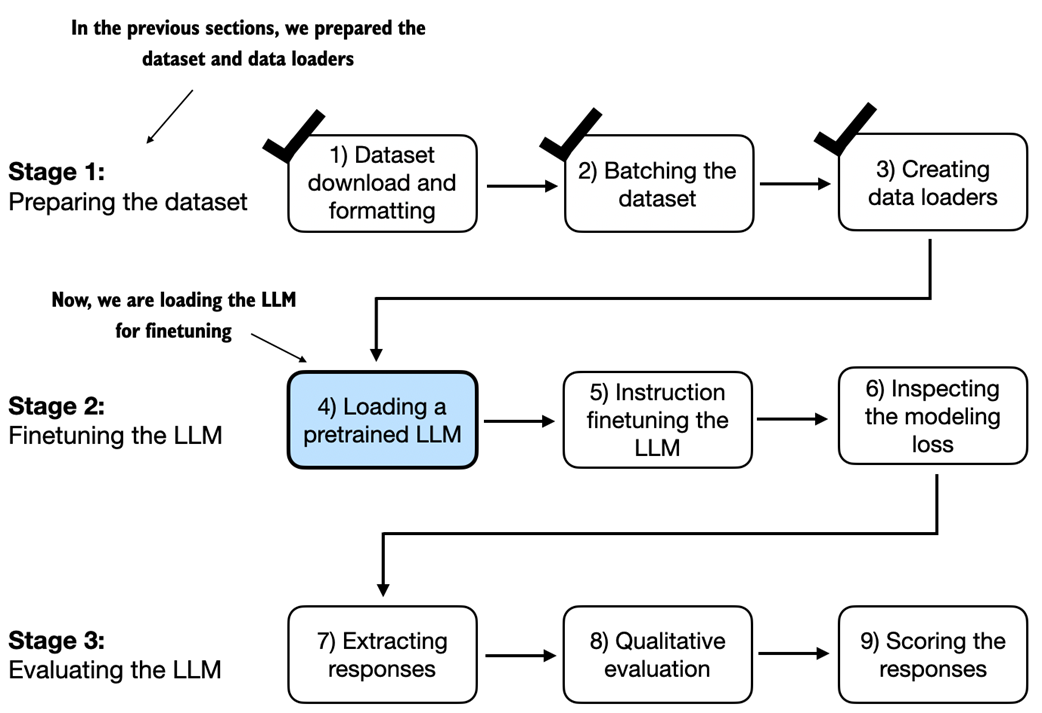
After the dataset preparation, the process of finetuning an LLM for instruction-following begins with loading a pretrained LLM, which serves as the foundation for subsequent training. This pretrained model, having already learned general language patterns and knowledge from vast amounts of text data, is then adapted for instruction following through the finetuning process in the next section.
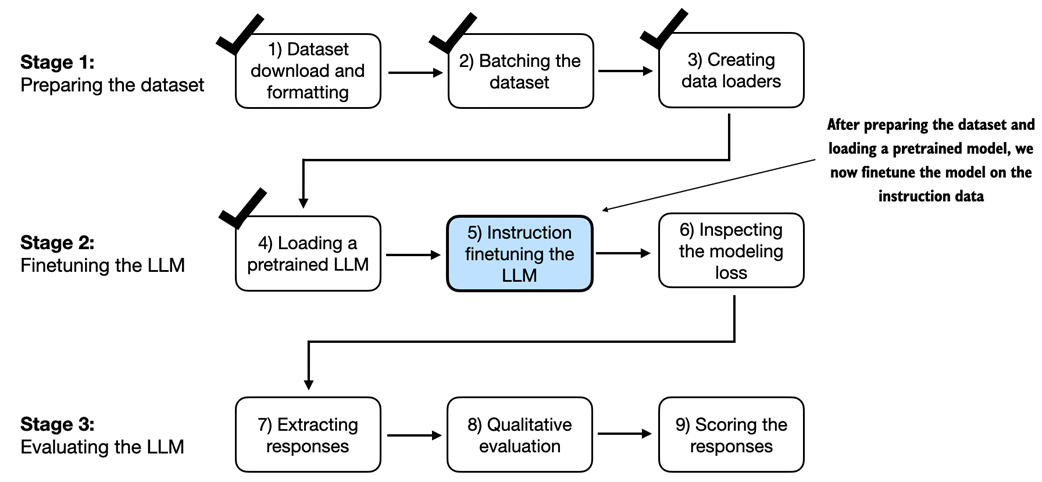
In step 5 of finetuning the LLM for instruction-following, we train the pretrained model loaded in the previous section on the instruction dataset prepared earlier in this chapter.
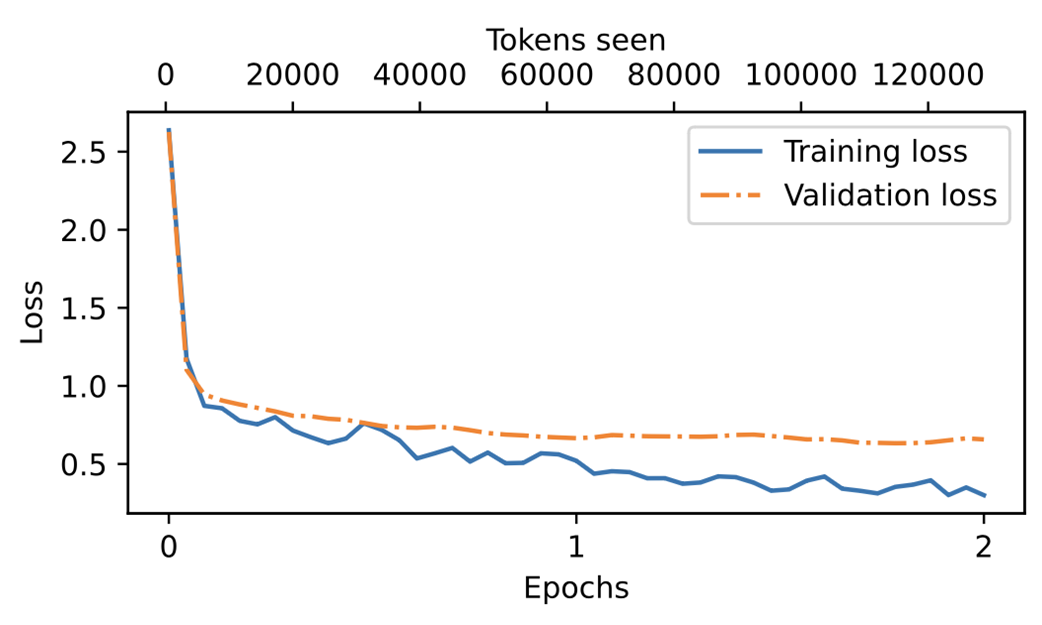
A plot showing the training and validation loss trends over two epochs. The solid line represents the training loss, showing a sharp decrease before stabilizing, while the dotted line represents the validation loss, which follows a similar pattern.
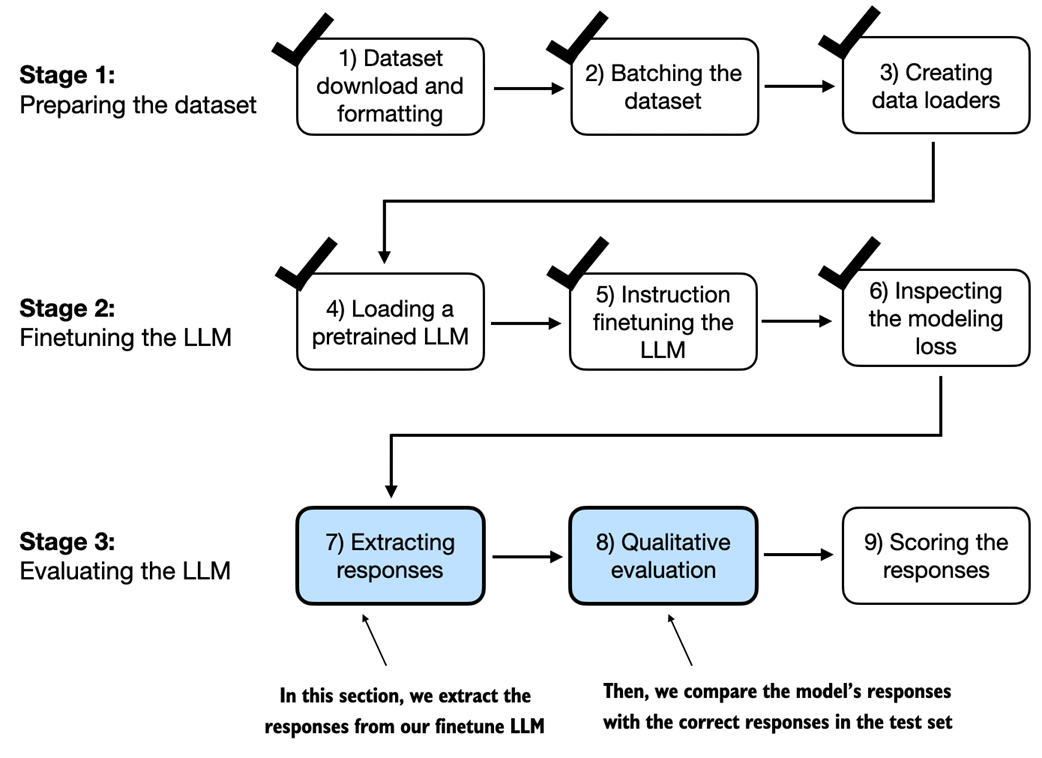
This section is focused on extracting and collecting the model responses on the held-out test dataset for further analysis. The next section covers model evaluation to quantify the performance of the instruction-finetuned LLM.
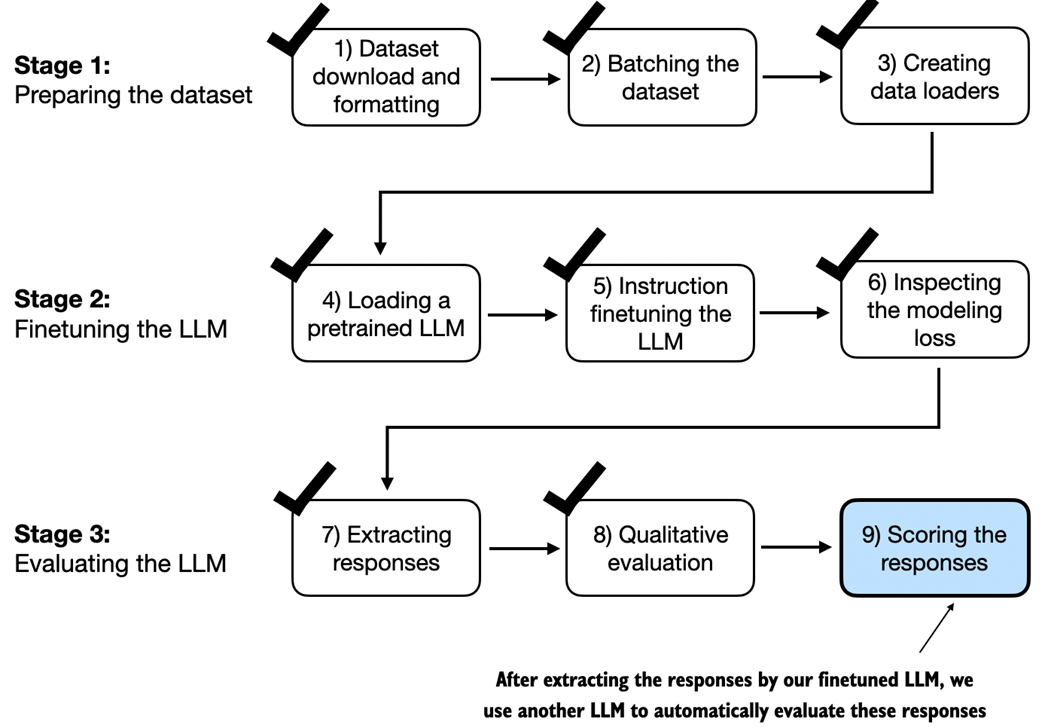
In this last step of the instruction finetuning pipeline, we implement a method to quantify the performance of the finetuned model by scoring the responses it generated for the test.
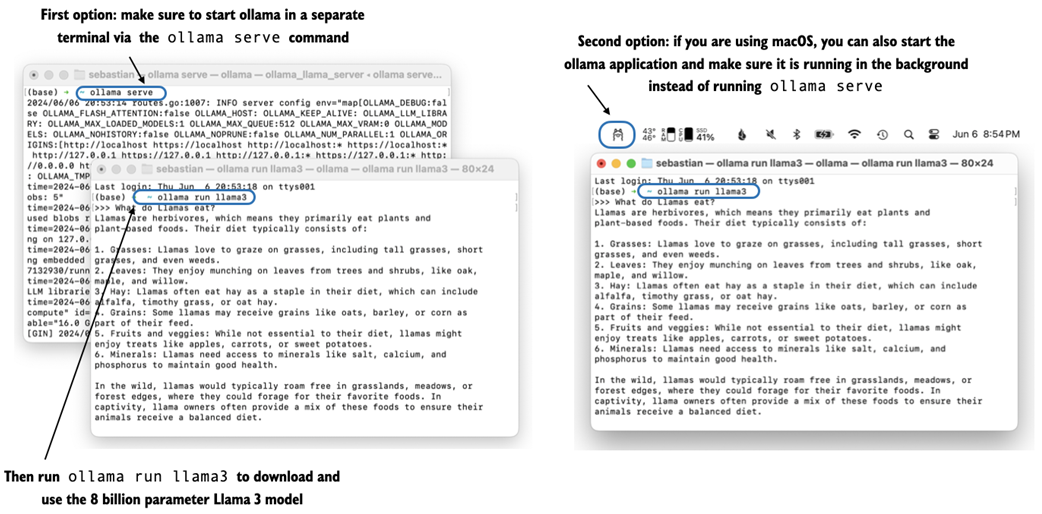
Two options for running Ollama. The left panel illustrates starting Ollama using ollama serve. The right panel shows a second option in macOS, running the Ollama application in the background instead of using the ollama serve command to start the application.
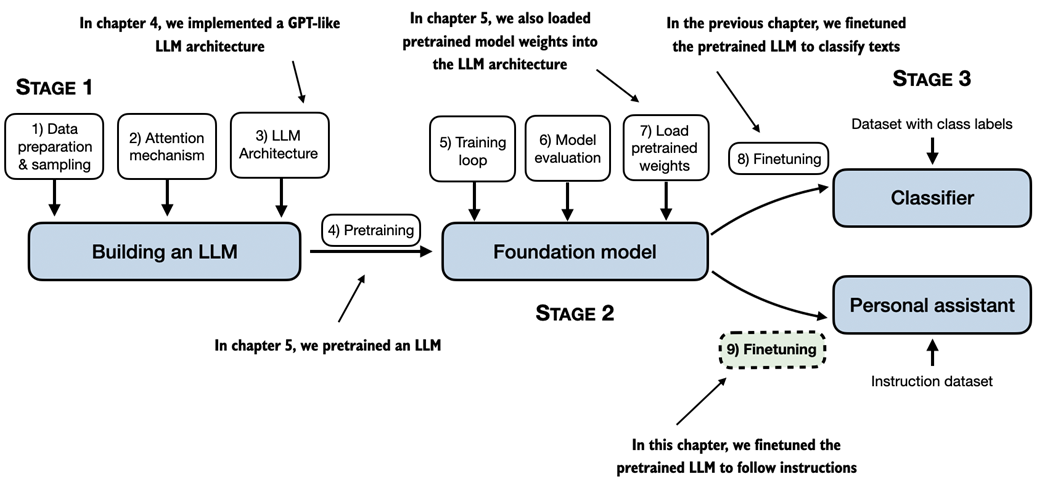
An overview of the different stages of implementing, pretraining, and finetuning an LLM covered in this book.
Summary
- The instruction finetuning process adapts a pretrained LLM to follow human instructions and generate desired responses.
- Preparing the dataset involves downloading an instruction-response dataset, formatting the entries, and splitting it into train, validation and test sets.
- Training batches are constructed using a custom collate function that pads sequences, creates target token IDs, and masks padding tokens.
- We load a pretrained GPT-2 medium model with 355M parameters to serve as the starting point for instruction finetuning.
- The pretrained model is finetuned on the instruction dataset using a training loop similar to pretraining.
- Evaluation involves extracting model responses on a test set and scoring them, e.g. using another LLM.
- The Ollama application with an 8B parameter Llama model can be used to automatically score the finetuned model's responses on the test set, providing an average score to quantify performance.

 Build a Large Language Model (From Scratch) ebook for free
