5 Pretraining on Unlabeled Data
This chapter shifts from building a GPT-style architecture to actually pretraining it on unlabeled text. It begins by setting up text generation and, crucially, introducing numerical evaluation so training can be guided by measurable objectives. Cross-entropy loss (and its companion metric, perplexity) is used to quantify next-token prediction quality on both training and validation splits prepared from tokenized text, providing a practical yardstick for progress and a foundation for later optimization.
With evaluation in place, the chapter implements a compact yet complete PyTorch training workflow: batching, forward and loss computation, backpropagation, and weight updates with AdamW. Utility routines compute average losses over data loaders, periodically assess train/validation performance, and print sample generations to monitor qualitative gains. Because the educational dataset is intentionally small, the chapter discusses overfitting and demonstrates decoding controls—temperature scaling and top-k sampling—to trade off determinism and diversity, reduce verbatim memorization, and produce more varied outputs via a refined text generation function.
Finally, the chapter covers persistence and reuse. It shows how to save and reload model parameters and optimizer state for continued training, then loads publicly released GPT-2 weights into the custom GPT implementation by aligning configurations and carefully mapping parameters to corresponding layers. Successful loading is validated through coherent text generation, providing a stronger starting point for future tasks such as finetuning for classification and instruction following in subsequent chapters.
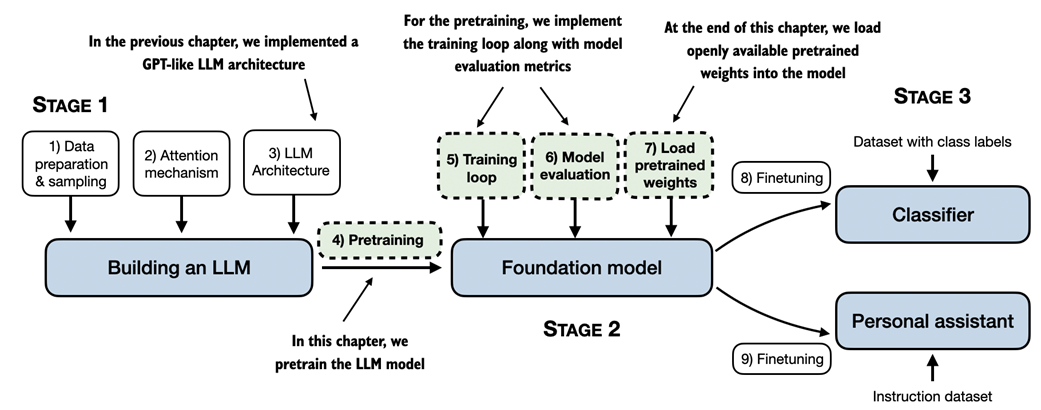
A mental model of the three main stages of coding an LLM, pretraining the LLM on a general text dataset and finetuning it on a labeled dataset. This chapter focuses on pretraining the LLM, which includes implementing the training code, evaluating the performance, and saving and loading model weights.
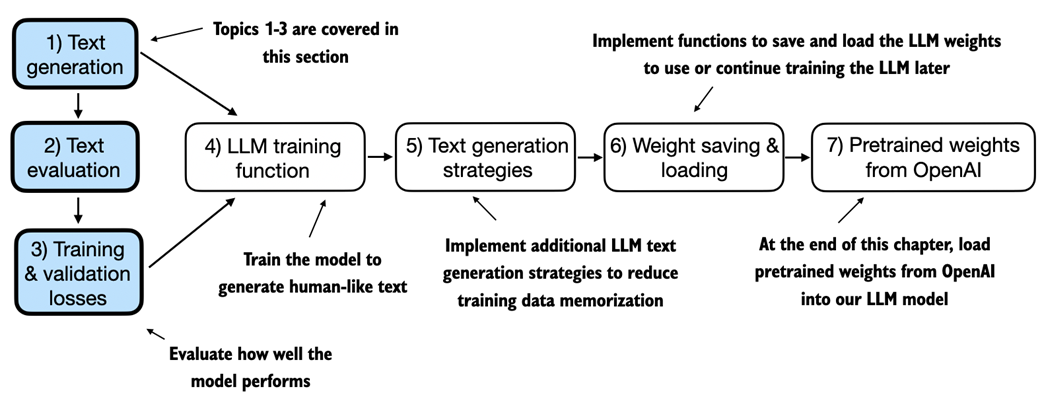
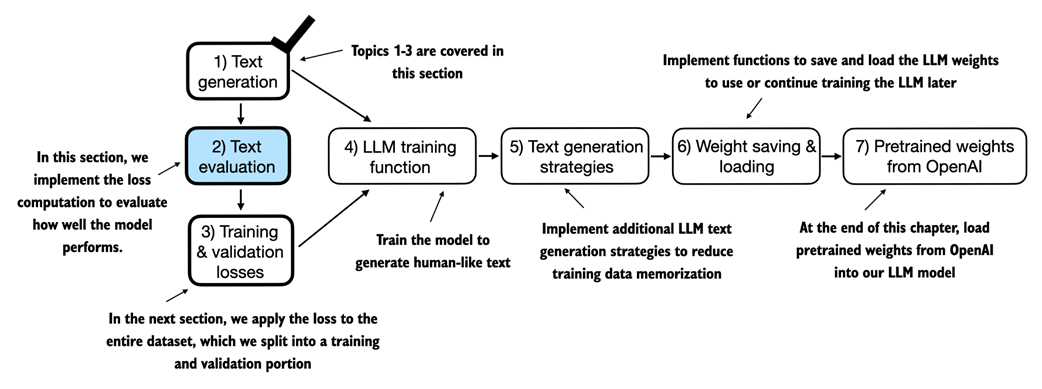
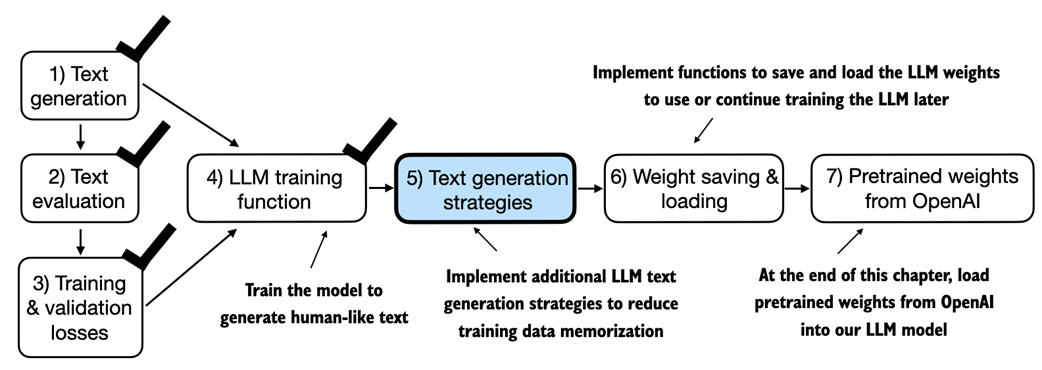
An overview of the topics covered in this chapter. We begin by recapping the text generation from the previous chapter and implementing basic model evaluation techniques that we can use during the pretraining stage.
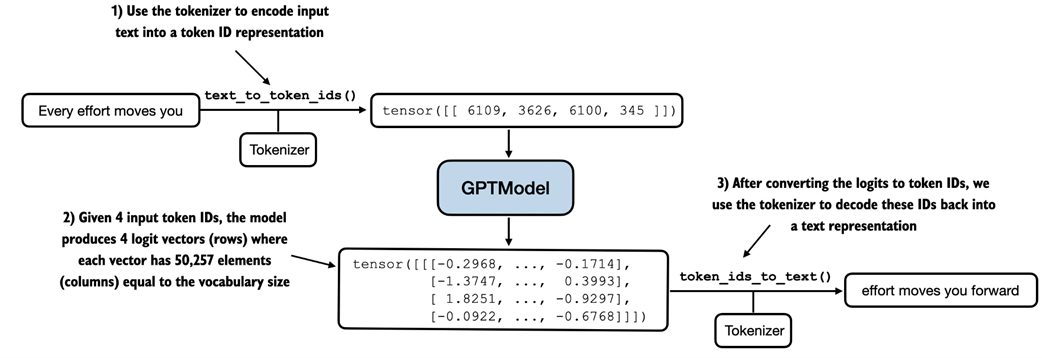
Generating text involves encoding text into token IDs that the LLM processes into logit vectors. The logit vectors are then converted back into token IDs, detokenized into a text representation.
For each of the 3 input tokens, shown on the left, we compute a vector containing probability scores corresponding to each token in the vocabulary. The index position of the highest probability score in each vector represents the most likely next token ID. These token IDs associated with the highest probability scores are selected and mapped back into a text that represents the text generated by the model.
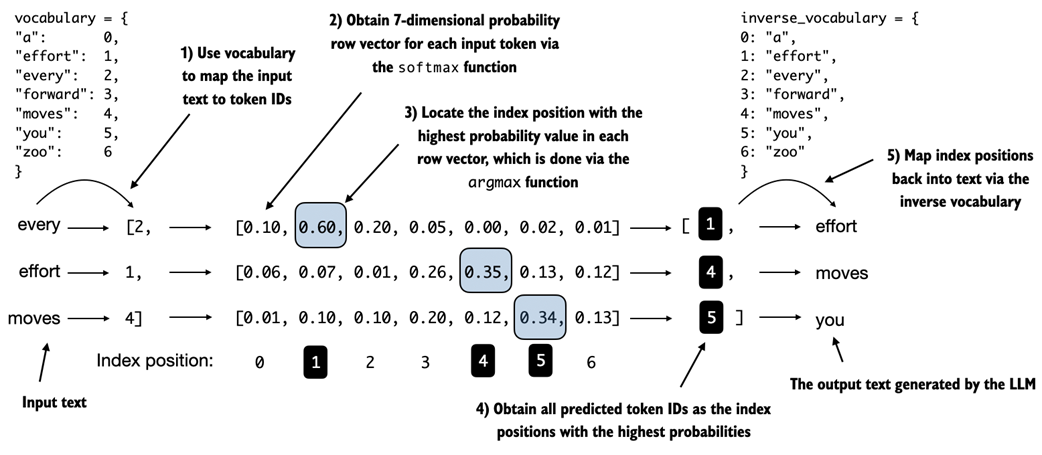
We now implement the text evaluation function in the remainder of this section. In the next section, we apply this evaluation function to the entire dataset we use for model training.
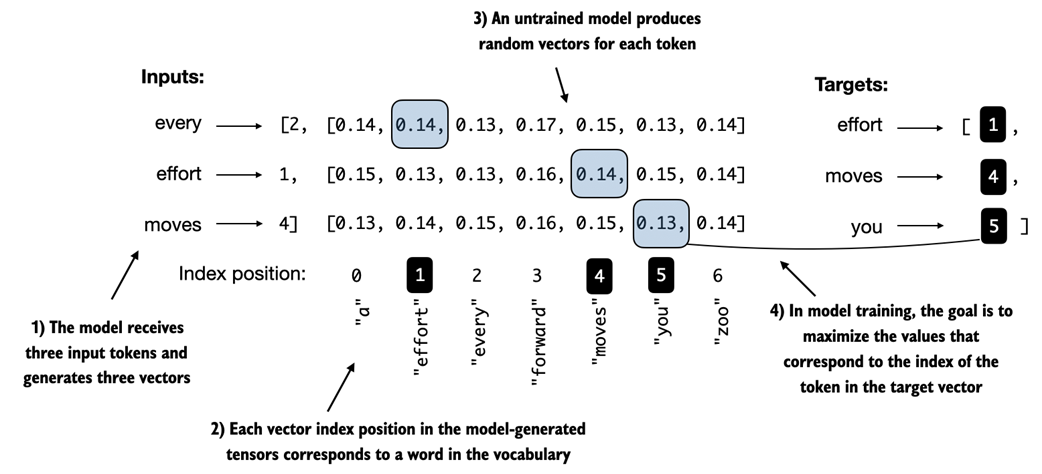
Before training, the model produces random next-token probability vectors. The goal of model training is to ensure that the probability values corresponding to the highlighted target token IDs are maximized.
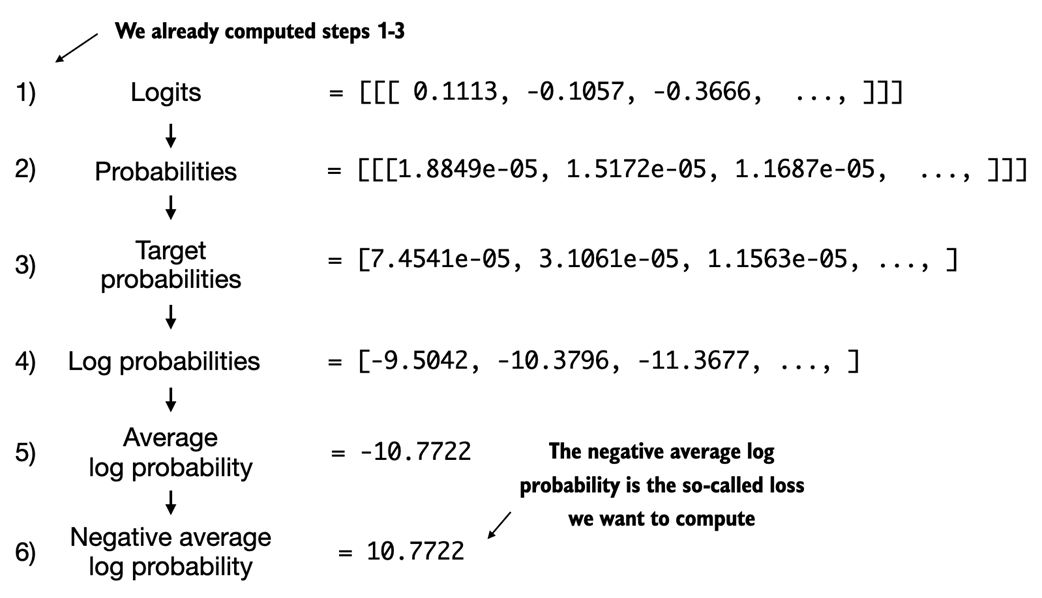
Calculating the loss involves several steps. Steps 1 to 3 calculate the token probabilities corresponding to the target tensors. These probabilities are then transformed via a logarithm and averaged in steps 4-6.
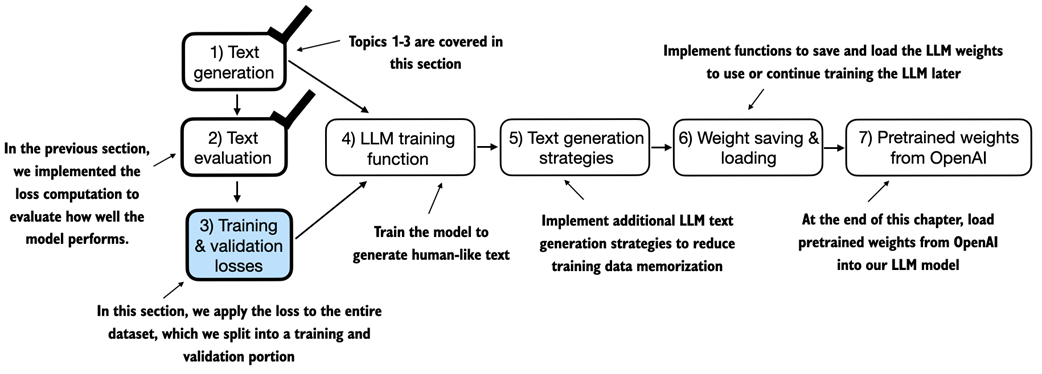
After computing the cross entropy loss in the previous section, we now apply this loss computation to the entire text dataset that we will use for model training.
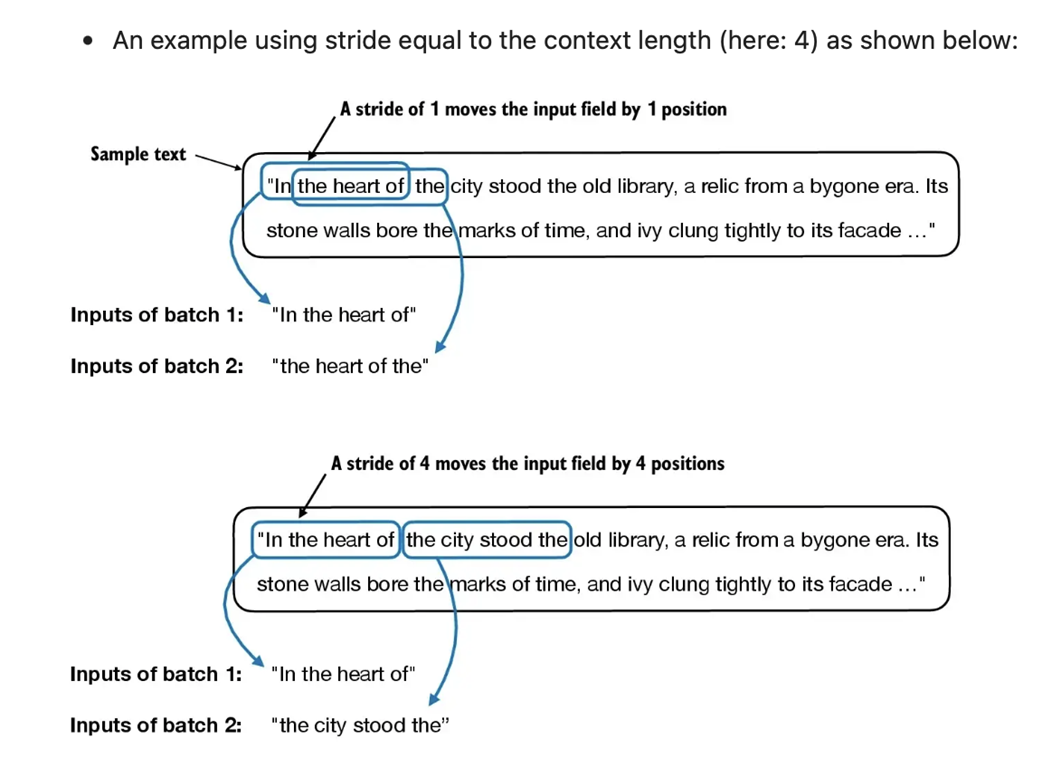
When preparing the data loaders, we split the input text into training and validation set portions. Then, we tokenize the text (only shown for the training set portion for simplicity) and divide the tokenized text into chunks of a user-specified length (here 6). Finally, we shuffle the rows and organize the chunked text into batches (here, batch size 2), which we can use for model training.
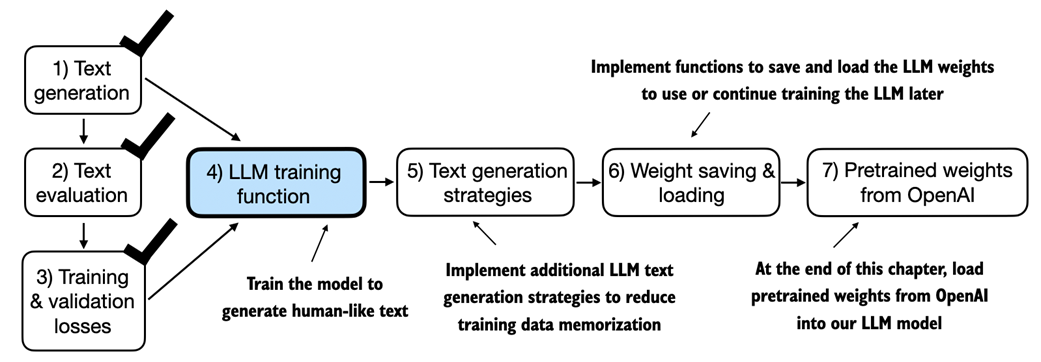
We have recapped the text generation process and implemented basic model evaluation techniques to compute the training and validation set losses. Next, we will go to the training functions and pretrain the LLM.
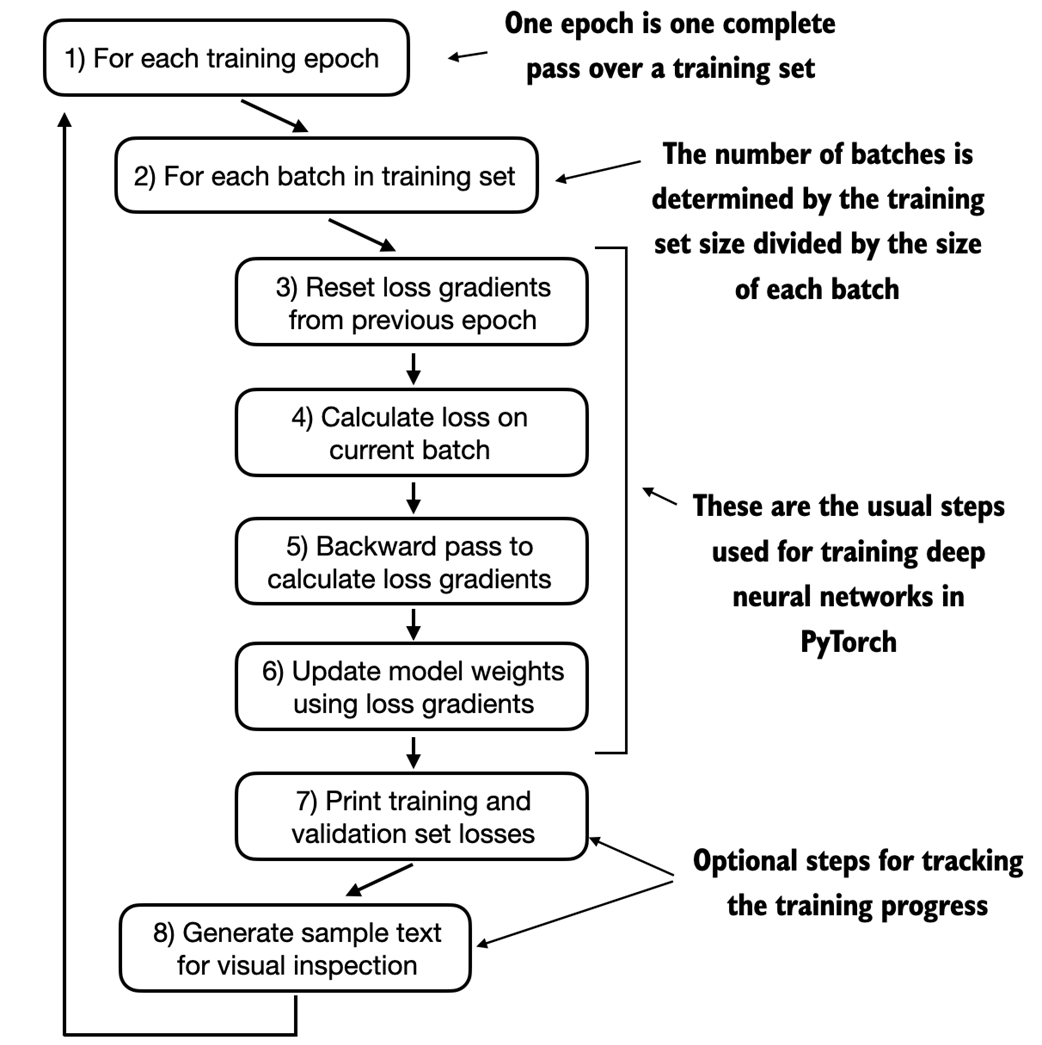
A typical training loop for training deep neural networks in PyTorch consists of several steps, iterating over the batches in the training set for several epochs. In each loop, we calculate the loss for each training set batch to determine loss gradients, which we use to update the model weights so that the training set loss is minimized.
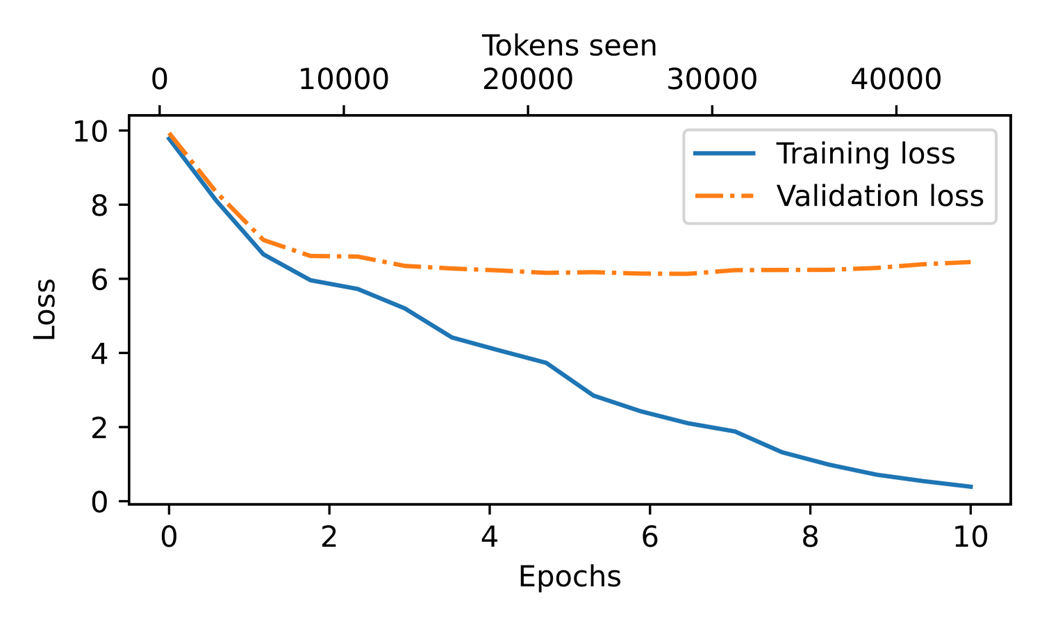
At the beginning of the training, we observe that both the training and validation set losses sharply decrease, which is a sign that the model is learning. However, the training set loss continues to decrease past the second epoch, whereas the validation loss stagnates. This is a sign that the model is still learning, but it's overfitting to the training set past epoch 2.
Our model can generate coherent text after implementing the training function. However, it often memorizes passages from the training set verbatim. The following section covers strategies to generate more diverse output texts.
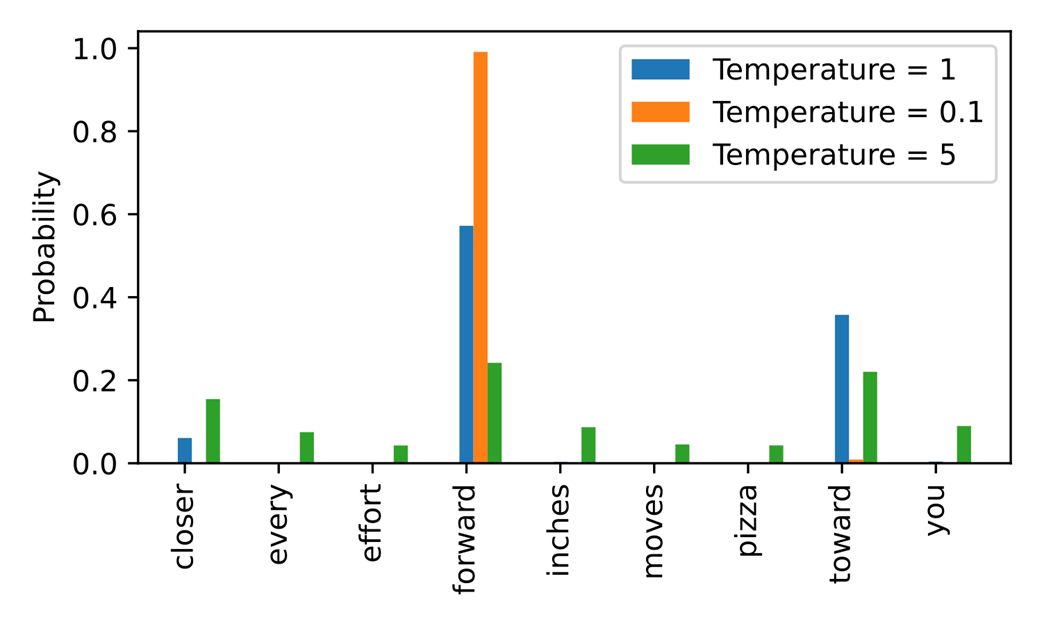
A temperature of 1 represents the unscaled probability scores for each token in the vocabulary. Decreasing the temperature to 0.1 sharpens the distribution, so the most likely token (here "forward") will have an even higher probability score. Vice versa, increasing the temperature to 5 makes the distribution more uniform.
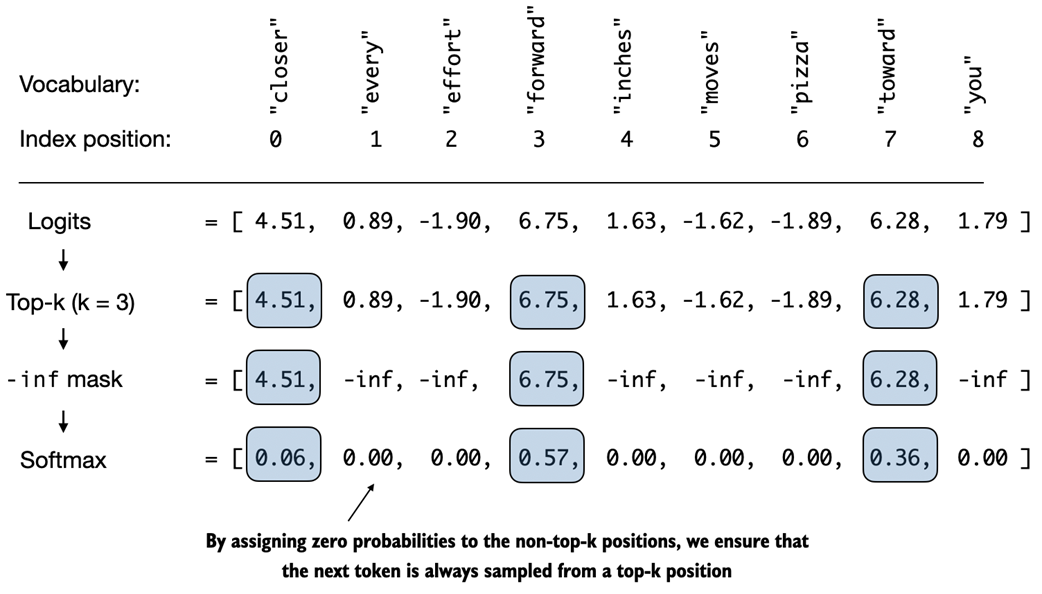
Using top-k sampling with k=3, we focus on the 3 tokens associated with the highest logits and mask out all other tokens with negative infinity (-inf) before applying the softmax function. This results in a probability distribution with a probability value 0 assigned to all non-top-k tokens.
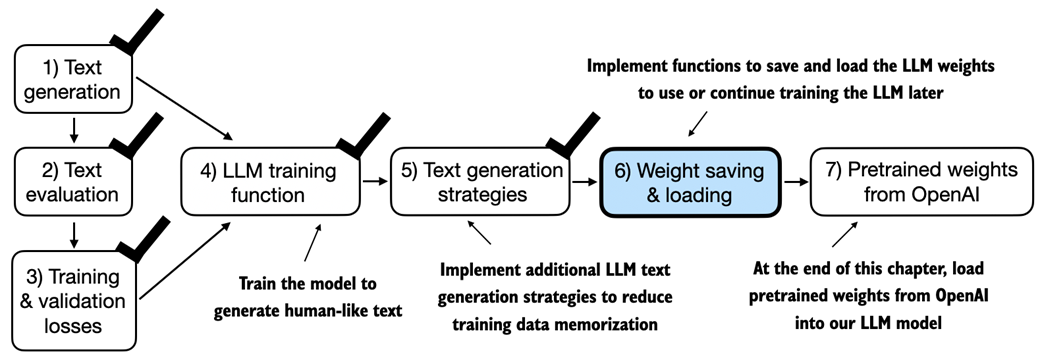
After training and inspecting the model, it is often helpful to save the model so that we can use or continue training it later, which is the topic of this section before we load the pretrained model weights from OpenAI in the final section of this chapter.
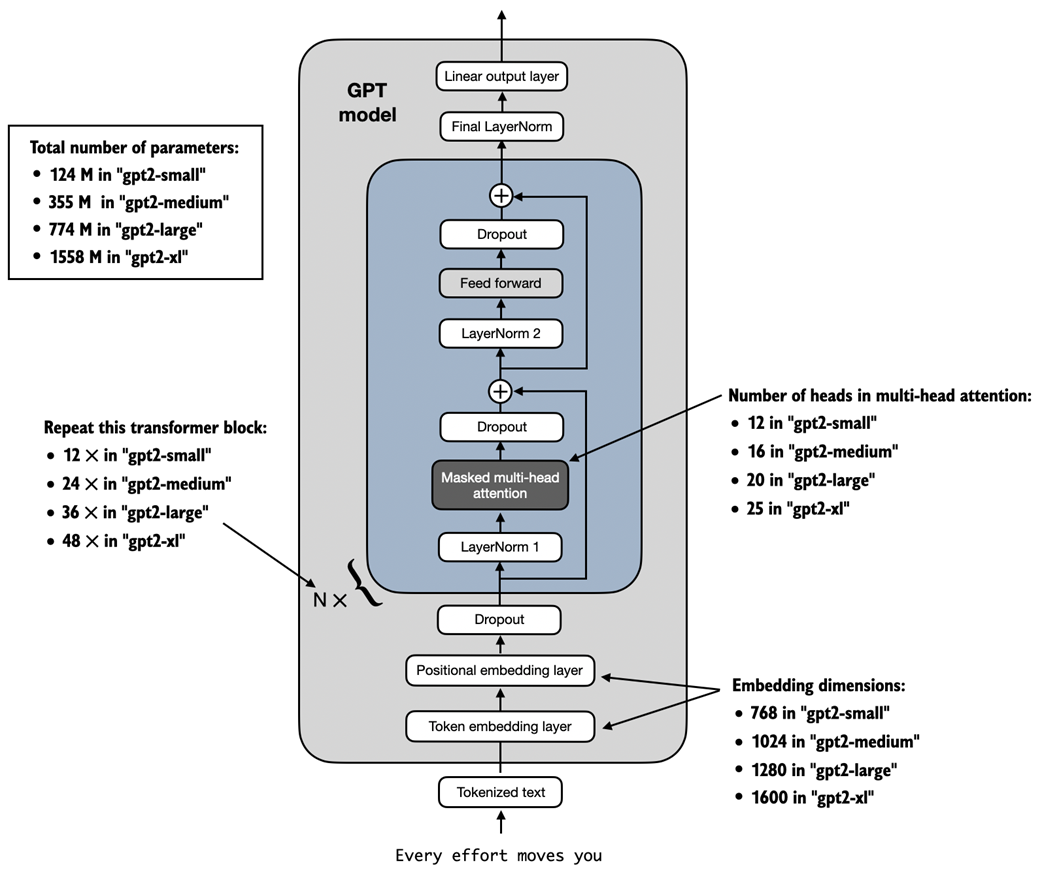
GPT-2 LLMs come in several different model sizes, ranging from 124 million to 1,558 million parameters. The core architecture is the same, with the only difference being the embedding sizes and the number of times individual components like the attention heads and transformer blocks are repeated.
Summary
- When LLMs generate text, they output one token at a time.
- By default, the next token is generated by converting the model outputs into probability scores and selecting the token from the vocabulary that corresponds to the highest probability score, which is known as "greedy decoding."
- Using probabilistic sampling and temperature scaling, we can influence the diversity and coherence of the generated text.
- Training and validation set losses can be used to gauge the quality of text generated by LLM during training.
- Pretraining an LLM involves changing its weights to minimize the training loss.
- The training loop for LLMs itself is a standard procedure in deep learning, using a conventional cross entropy loss and AdamW optimizer.
- Pretraining an LLM on a large text corpus is time- and resource-intensive so we can load openly available weights from OpenAI as an alternative to pretraining the model on a large dataset ourselves.

 Build a Large Language Model (From Scratch) ebook for free
