8 Dynamic linking: the implementation
This chapter walks through a practical implementation of dynamic linking for WebAssembly built with Emscripten, focusing on a single-page application that shares validation logic across multiple views. The central idea is to extract common validation into a reusable main module while placing page-specific checks in side modules that are linked at runtime. Using Emscripten’s dynamicLibraries capability, the application links only the side module needed for the currently displayed view, enabling code reuse and reducing initial load time.
To realize this structure, the original validation code is refactored into a main module (validate_core) and two side modules (validate_product and validate_order). Functions that must be callable across modules are exported and kept alive, while the main module is compiled with dead code elimination enabled (MAIN_MODULE=2) to keep the binary lean. The chapter shows how to identify exactly which standard C library symbols are required (for example, strlen and atoi) and explicitly include them via EXPORTED_FUNCTIONS, add helper runtime methods as needed, and merge a small JavaScript shim (UpdateHostAboutError) with --js-library. The build also uses MODULARIZE=1 so the Module object is created on demand rather than globally, and it clarifies the one-main, many-sides rule of Emscripten’s dynamic linking.
On the SPA side, the UI toggles between Product Entry and Place Order views while instantiating separate Emscripten Module instances, each configured to link a different side module via the dynamicLibraries array. JavaScript calls into WebAssembly with ccall, passes strings directly, and manages integer arrays by allocating memory with _malloc, writing to HEAP32, and freeing with _free. The result is an efficient, modular setup: common validation (such as “value provided” and “ID in array”) lives in the main module, while page-specific functions (like ValidateProduct and ValidateQuantity) live in their respective side modules. This approach reduces download size, defers work until needed, and cleanly composes WebAssembly modules in a browser-based SPA.
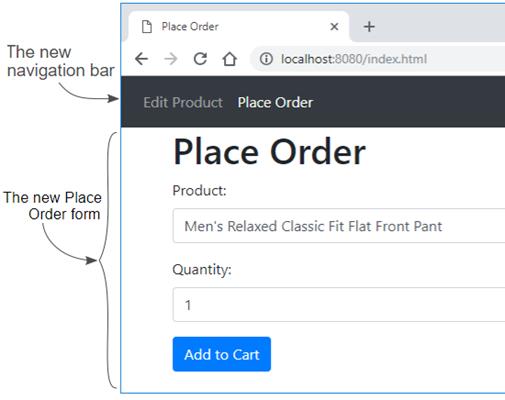
The new Place Order form
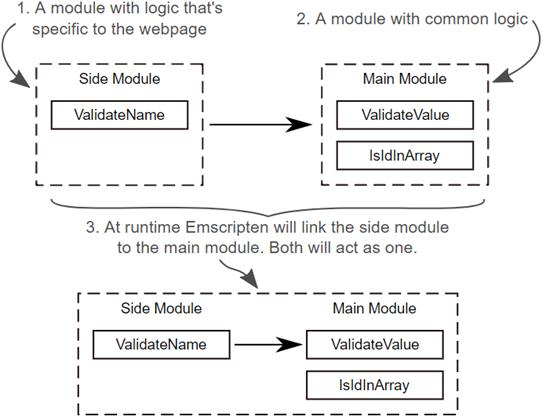
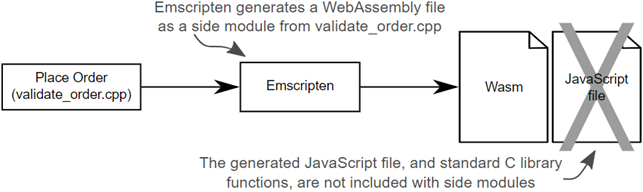
At runtime, the logic that is specific to the page (the side module) will be linked to the common logic (the main module). As far as the code is concerned, the two modules will be acting as one.
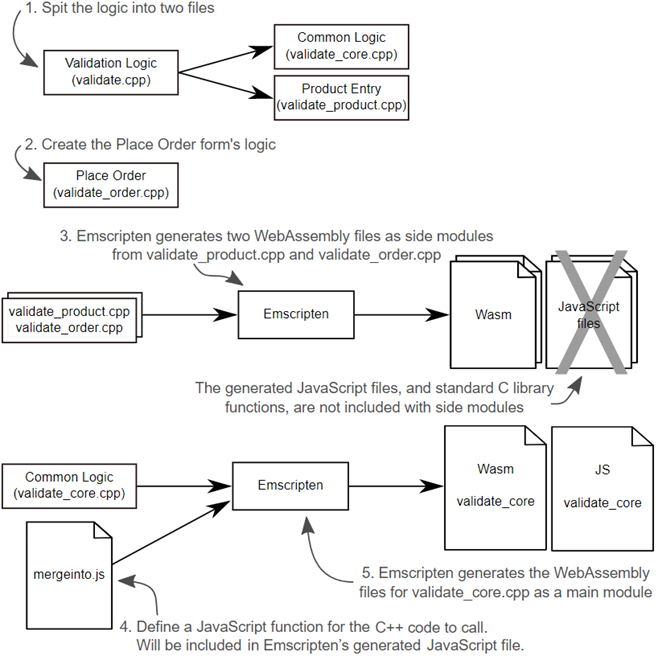
The steps needed to adjust the C++ logic and generate the WebAssembly modules
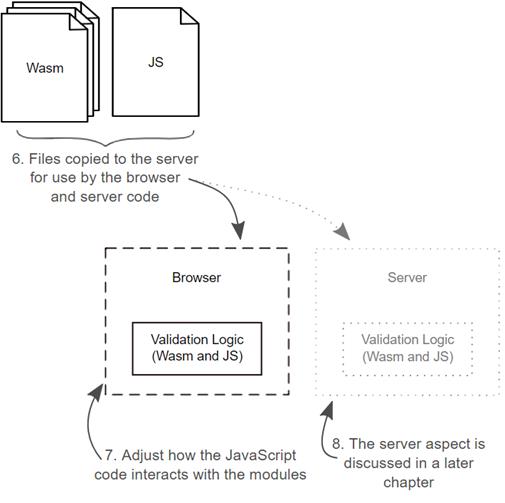
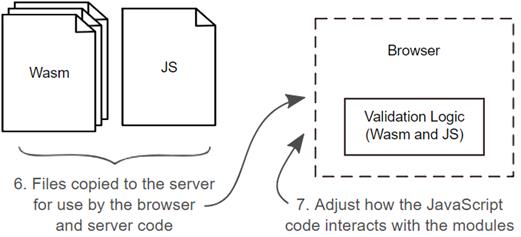
The steps needed to adjust the HTML to now have a Place Order form. Then the adjustment of the JavaScript code to implement dynamic linking of the WebAssembly modules in a browser and by the server-side code. The Server aspect, Node.js, is discussed in a later chapter.
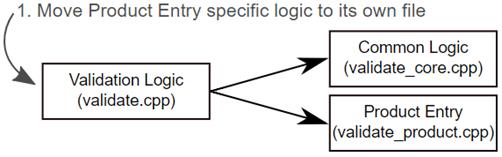
The first step of the process is to move the Product Entry page’s specific logic to its own file
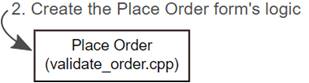
The second step of the process is to create the logic for the Place Order form
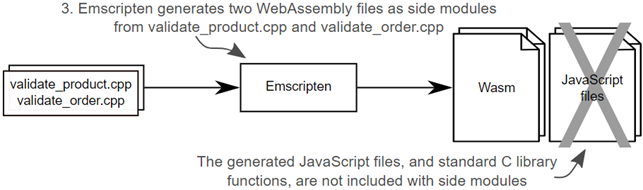
The next part of the process is to use Emscripten to compile the C++ files into WebAssembly modules.
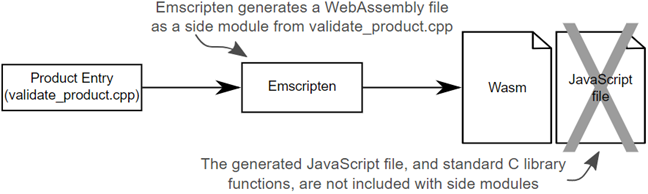
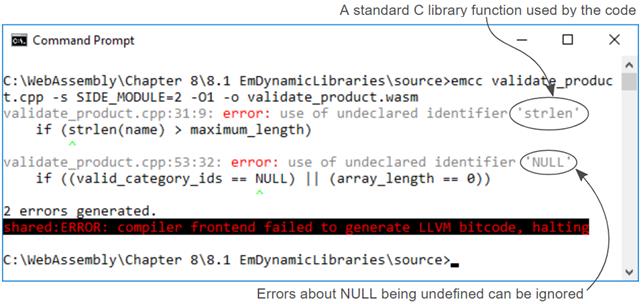
Emscripten used to generate the WebAssembly module for the Product Entry page’s validation
Emscripten throws an error about the strlen function and NULL not being defined.
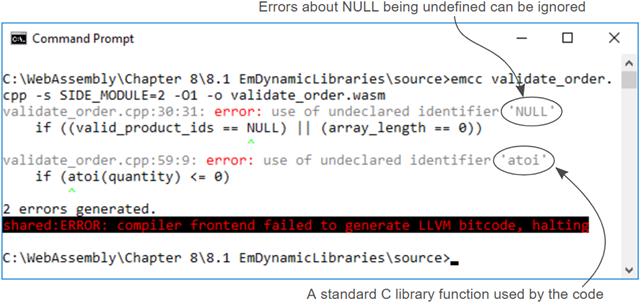
Emscripten used to generate the WebAssembly module for the Place Order form’s validation
Emscripten throws an error about the atoi function and NULL not being defined.
Define the JavaScript function that the C++ code will call if there’s an issue with the validation. The code in this file will be included in Emscripten’s generated JavaScript file.
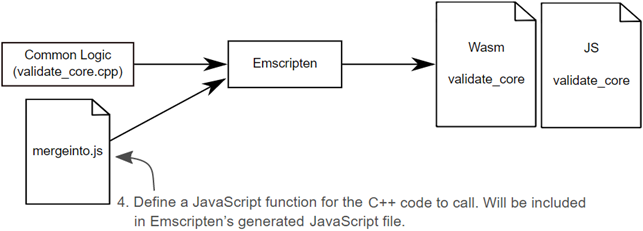
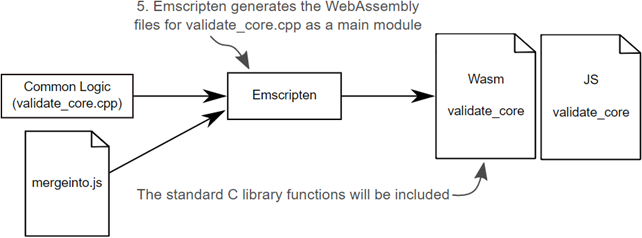
Use Emscripten to generate the WebAssembly main module from validate_core.cpp. Have Emscripten include the contents of the mergeinto.js file in its generated JavaScript file.
The next steps are to adjust the HTML to now have a Place Order form and then adjust the JavaScript code to implement dynamic linking of the WebAssembly modules in a browser.
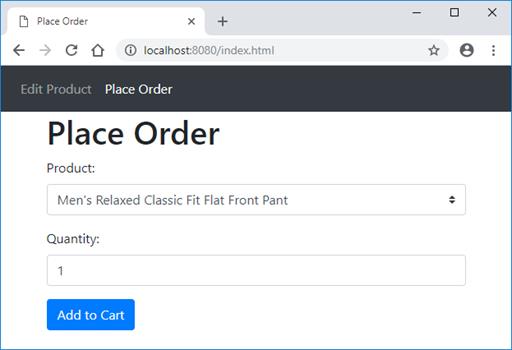
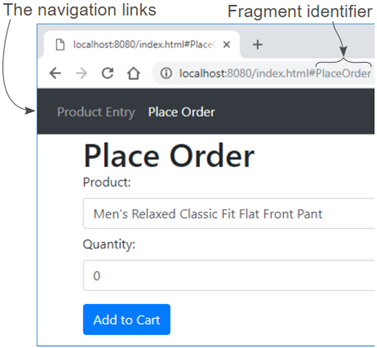
The new navigation bar and Place Order form’s controls that you will add to the webpage
The URL of your webpage with “PlaceOrder” as the fragment identifier
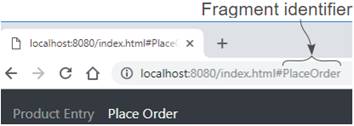
When you click the Place Order navigation link, the Place Order form’s controls are displayed and the fragment identifier is added to the address in the browser’s address box.
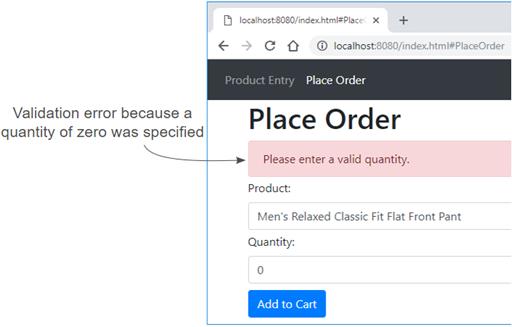
The new Place Order form’s validation error message when a quantity of zero is specified.
Summary
In this chapter you learned how to create a simple Single Page Application (SPA) that uses a fragment identifier in the URL to indicate which form should be displayed.
You also learned the following:
- It’s possible to create multiple instances of Emscripten’s JavaScript Module object if you specify the -s MODULARIZE=1 flag when compiling the main module.
- When a main module is compiled using the MODULARIZE flag, customizations for the Module object are passed as a JavaScript object to the Module’s constructor.
- Dead code elimination can be enabled for a main module by using the -s MAIN_MODULE=2 flag. Doing so, however, requires you to explicitly indicate which functions to keep alive for the side modules by using the command line array: EXPORTED_FUNCTIONS
- You can test to see which standard C library functions are in use by a side module by commenting out the header files and trying to compile the module. Emscripten will throw errors at the command line indicating which functions are undefined.

 WebAssembly in Action ebook for free
