7 Dynamic linking: the basics
This chapter introduces dynamic linking for WebAssembly as the runtime process of connecting multiple modules so that unresolved symbols in one module resolve to definitions in another. It explains why teams might adopt this approach: faster iteration by rebuilding only changed parts, code sharing (for example, a reusable engine linked by several apps), reduced initial download via on-demand loading, and better use of the browser cache. It also cautions about trade-offs, including more complex builds, extra network requests, additional instantiation work, and potential performance overhead (often 5–10% or more), especially when many cross-module calls occur—reinforcing the need to measure whether dynamic linking fits a given scenario.
The chapter clarifies Emscripten’s module roles: side modules and a main module. Side modules omit Emscripten’s generated JavaScript and standard C library, assuming they will link against a single main module at runtime; the main module includes the necessary runtime and libraries and can be linked with multiple side modules (note that “main module” is unrelated to the presence of a main() function). It outlines the relevant build flags (SIDE_MODULE and MAIN_MODULE) and shows how side modules rely on the main module’s facilities, including I/O. Practical considerations—such as placing a .wasm on Emscripten’s in-memory filesystem when needed—are highlighted to make dynamic linking work in the browser.
Three dynamic linking techniques are compared. With the C/C++ dlopen approach, you programmatically open a side module, use dlsym to acquire function pointers, and can even call functions that have name collisions with your own, because resolution is done via the side module’s handle. With the dynamicLibraries approach, you declare side modules in Module.dynamicLibraries so Emscripten downloads and links them automatically at startup; calls look like normal function calls, but name collisions resolve to the local function. Finally, the WebAssembly JavaScript API path gives full frontend control: fetch and instantiate modules manually, then wire one module’s exports as another’s imports. The choice hinges on where you want control—backend code (dlopen), tooling (dynamicLibraries), or frontend JavaScript (manual API)—balanced against performance, complexity, and deployment needs.
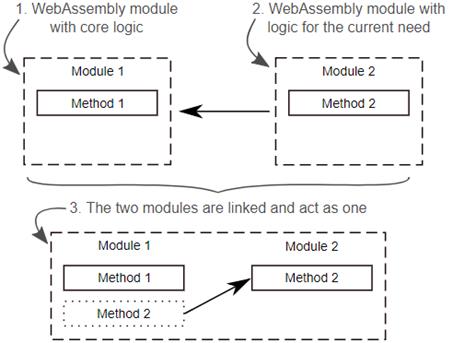
At runtime, the logic from one module (Module 2 in this case) is linked to another module (Module 1 in this case) allowing the two to communicate and act as one.
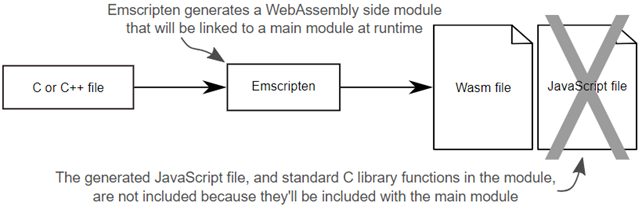
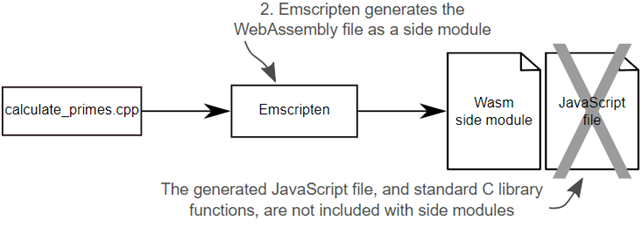
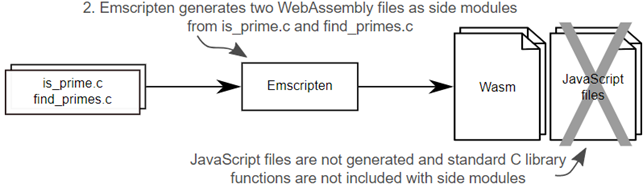
Using Emscripten to generate a WebAssembly module as a side module. No standard C library functions are included in the module and the Emscripten JavaScript file is not generated in this case.
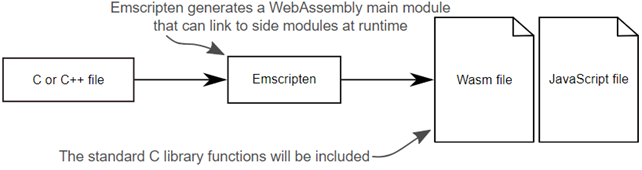
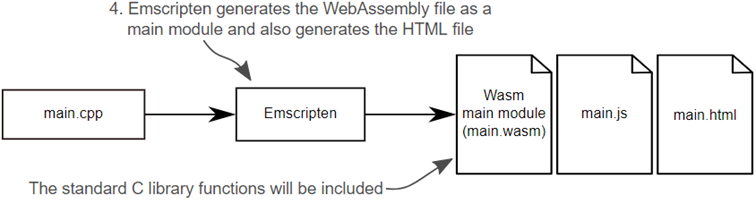
Using Emscripten to generate a WebAssembly module as a main module. The standard C library functions are included in the module and the Emscripten JavaScript file is also generated in this case.
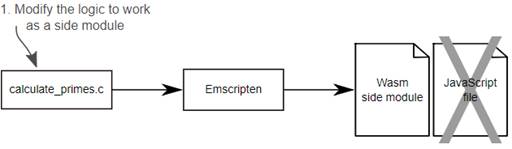
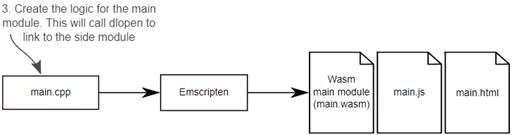
The steps to modify calculate_primes.cpp so that it can be compiled into a WebAssembly side module. Then the steps to create a WebAssembly main module that will link to the side module by calling the dlopen function.
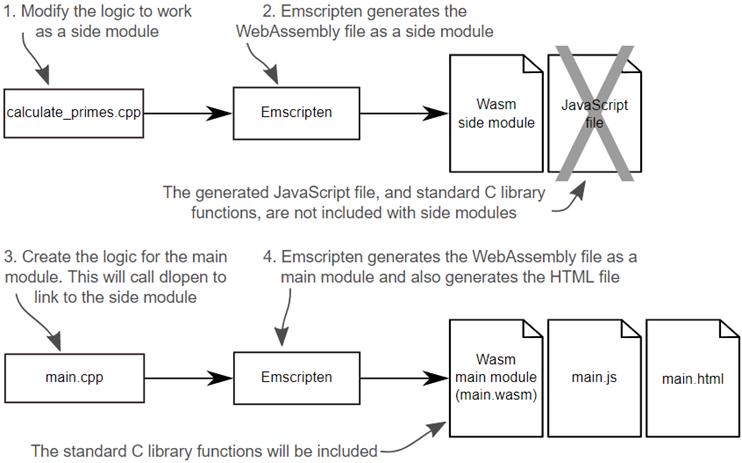
The first step in implementing dynamic linking using dlopen is to modify the calculate_primes.cpp file so that it can be compiled into a side module.
Use Emscripten to generate the WebAssembly file as a side module.
The third step of the process to implement dynamic linking using dlopen is to create the logic that will use dlopen to link to the side module.
The fourth step of the process to implement dynamic linking using dlopen is to use Emscripten to generate the WebAssembly module as a main module from the main.cpp file. In this case, you’ll also use Emscripten to generate the HTML file.
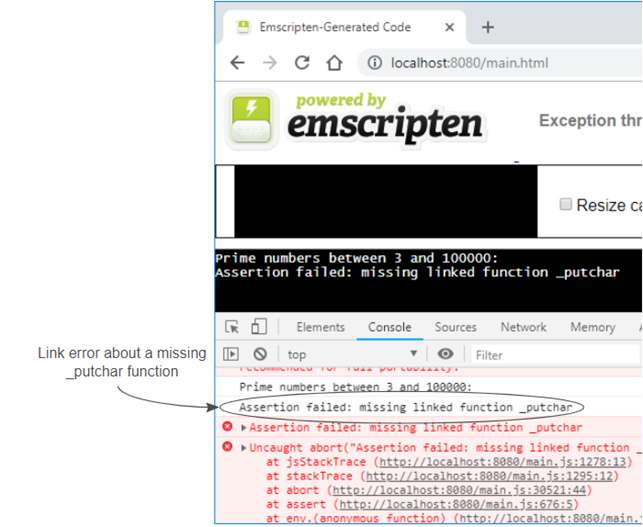
When the webpage is viewed, a link error is thrown about a missing _putchar function.
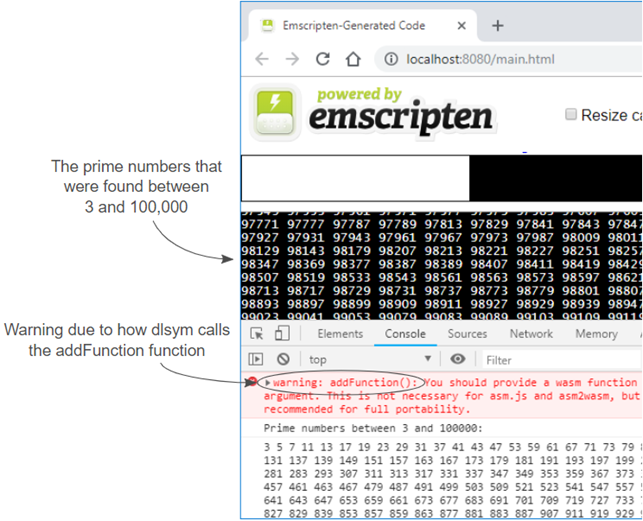
The prime numbers determined by the side module and displayed to the webpage using the printf function that’s part of the main module.
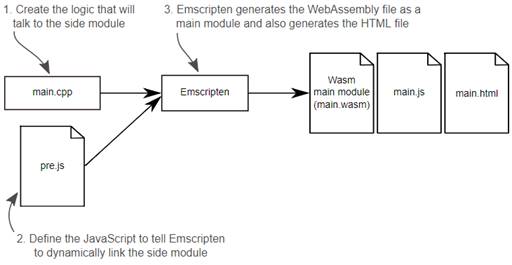
The steps to create the WebAssembly main module that will instruct Emscripten’s dynamicLibraries array about which side module you want it to dynamically link to.
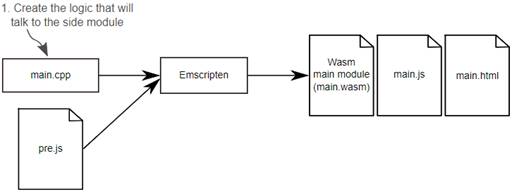
The first step toward implementing dynamic linking using dynamicLibraries is to create the main.cpp file.
Your second step when implementing dynamic linking using dynamicLibraries is to create the JavaScript code that will instruct Emscripten to link to your side module.
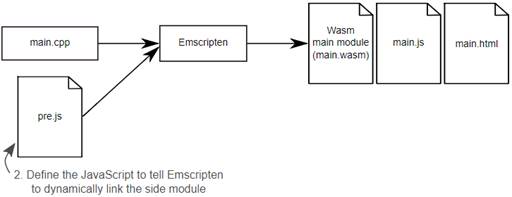
The last step of the process when implementing dynamic linking using dynamicLibraries is to have Emscripten generate the WebAssembly module.
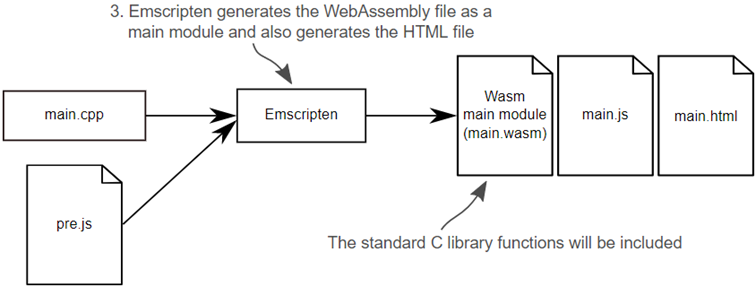
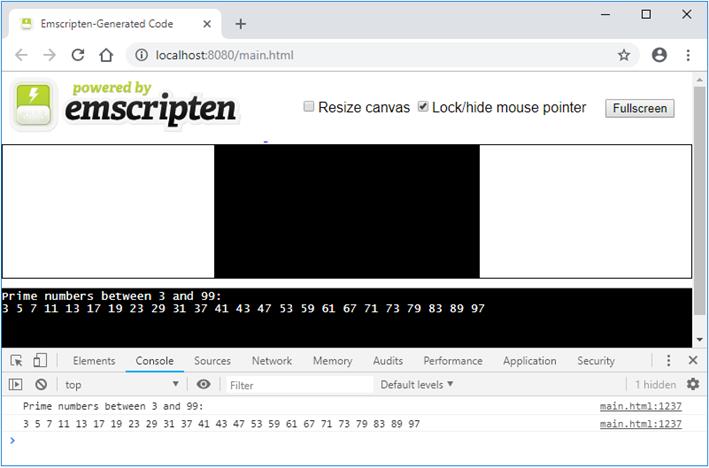
The prime numbers determined by the side module when both modules were linked together by using Emscripten’s dynamicLibraries array.
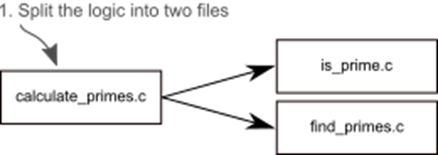
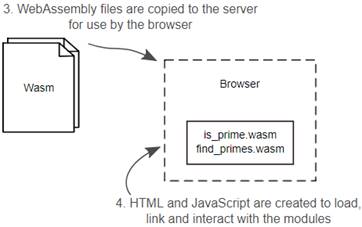
The steps to modify calculate_primes.c file so that it can be compiled into two WebAssembly side modules. The generated WebAssembly files are copied to the server and then the HTML and JavaScript files are created to load, link, and interact with the two WebAssembly modules.
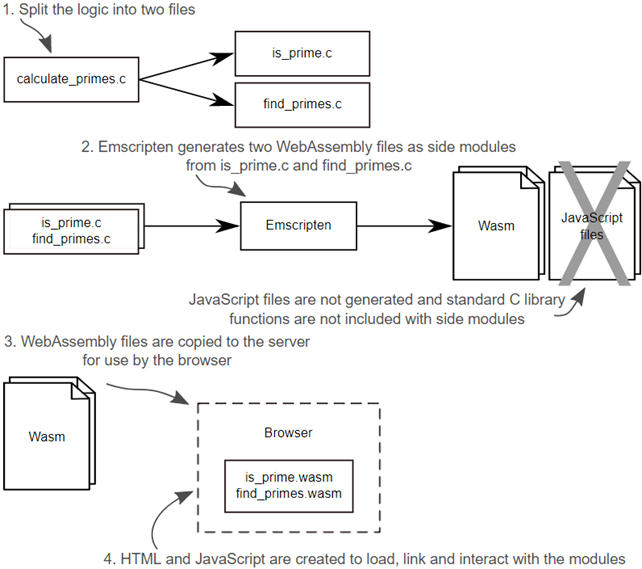
The first step toward implementing manual dynamic linking using the WebAssembly JavaScript API is modify the calculate_primes.c file so that its logic is now part of two files.
Step two is to use Emscripten to generate the WebAssembly side modules from your two files.
The final steps are to create the HTML and JavaScript files that will load, link, and interact with the WebAssembly modules.
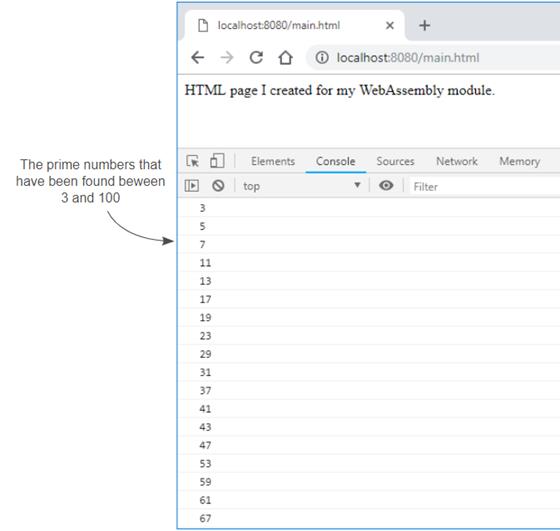
The prime numbers between 3 and 100 logged by the find_primes WebAssembly module
Summary
In this chapter, you learned the following:
- Like with most things, there are pros and cons to using dynamic linking. Before pursuing this approach, you should decide if the advantages outweigh the disadvantages for your application.
- Dynamic linking can be performed as needed by your WebAssembly’s code using the dlopen function.
- It’s possible to tell the Emscripten generated JavaScript that you want certain side modules linked to your main module. Emscripten will automatically link the modules together during instantiation.
- Through the use of the WebAssembly JavaScript API, it’s possible to manually download, instantiate, and link multiple side modules together.
- You can control the execution of Emscripten’s generated JavaScript by creating a Module object before Emscripten’s JavaScript file is included on the webpage. You can also adjust the Module object by including your own JavaScript in Emscripten’s generated JavaScript file by using the --pre-js command line flag when compiling the WebAssembly module.

 WebAssembly in Action ebook for free
