4 Reusing your C++ codebase
WebAssembly’s value isn’t just performance—it also enables code reuse across platforms. This chapter shows how an existing C++ validation library from a desktop Point of Sale system can be shared with a web front end (and later server-side code) so that business rules remain consistent everywhere. Using a simple product-entry page as a running example, it motivates doing immediate client-side validation for responsiveness and reduced server load, while still enforcing server-side checks for data integrity. The overall workflow is: adapt the C++ so it compiles under Emscripten, generate the WebAssembly and the required glue, and write JavaScript to invoke the module from the webpage.
The first path uses Emscripten’s standard C library and plumbing helpers to simplify integration. The code is adjusted with conditional compilation (__EMSCRIPTEN__) and extern "C" to avoid C++ name mangling, and functions intended for JavaScript are kept alive via EMSCRIPTEN_KEEPALIVE or exported lists. On the web side, Emscripten’s ccall and UTF8ToString make calling into the module straightforward, while manual memory management via Module._malloc and Module._free is used for strings that must outlive a single call. The example exposes two validation functions—ValidateName and ValidateCategory—demonstrating how to pass strings and arrays through the module’s linear memory (using views like HEAP32) and return error messages via buffers allocated in the module.
The second path compiles only a side module (no Emscripten JS glue), exposing the lower-level mechanics of the WebAssembly JavaScript API. Here, the code provides its own minimal versions of malloc, free, strlen, strcpy, and atoi, then is loaded with WebAssembly.instantiate and a supplied WebAssembly.Memory. Interaction shifts to direct typed array views (Uint8Array/Int32Array) for copying strings and arrays into and out of linear memory, with helper functions to encode/decode UTF-8 and calls routed through moduleExports functions (prefixed with underscores). This approach clarifies what Emscripten’s helpers automate, highlights the trade-offs between convenience and control, and reinforces the core techniques for exporting functions and exchanging complex data via the module’s memory.
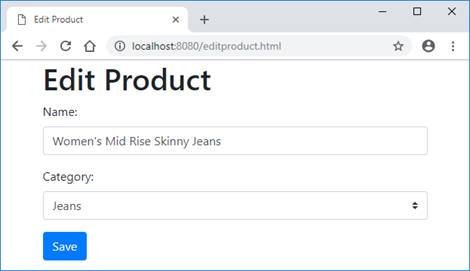
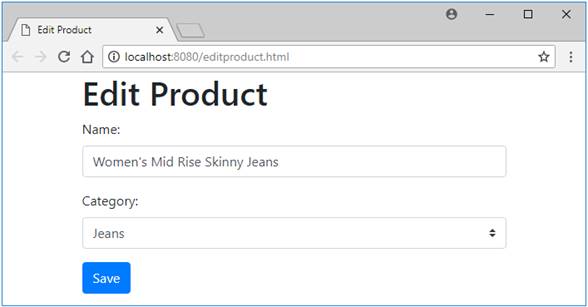
The Product Entry page that you’ll be building
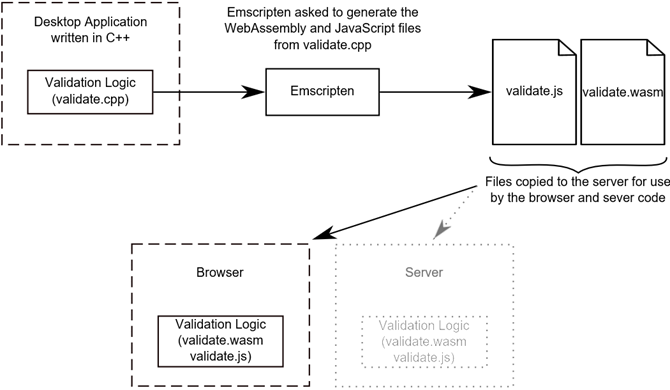
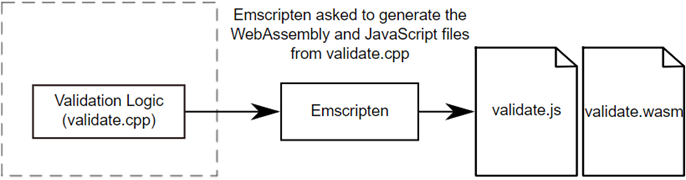
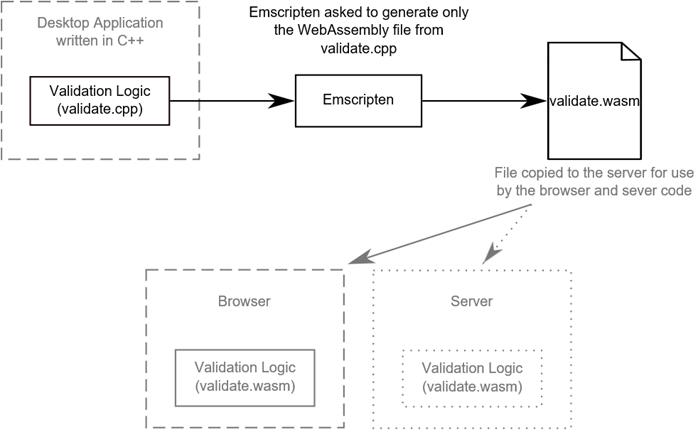
Flowchart showing the steps needed to turn the existing C++ logic into a WebAssembly module for use in a browser and by the server-side code. The Server aspect, Node.js, is discussed in a later chapter.
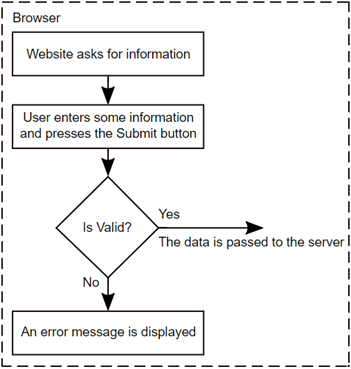
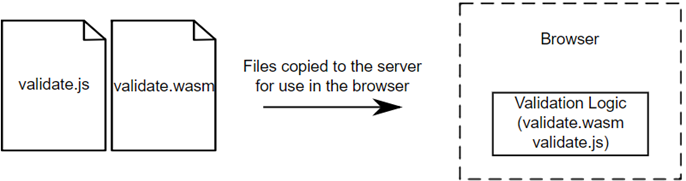
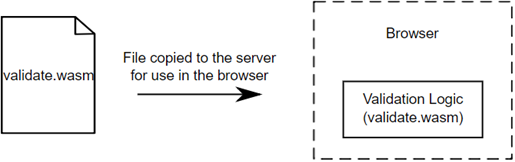
Flow chart diagram of how the validation will work in the browser
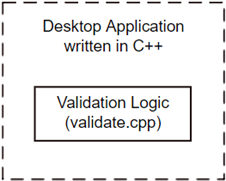
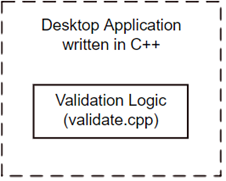
The first step of the process in reusing C++ code is to adjust the code so that it can be compiled by Emscripten.
The second step of the process in reusing C++ code is to ask Emscripten to generate both the WebAssembly and JavaScript files.
The Product Entry page that you’ll be building and validating
The third step of the process in reusing C++ code is to copy the generated files to where the HTML file is and build the JavaScript code to interact with the module.
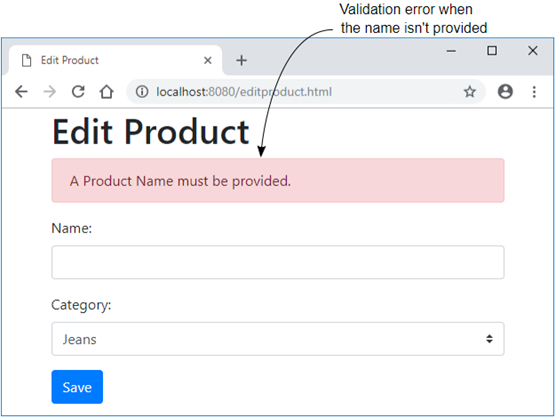
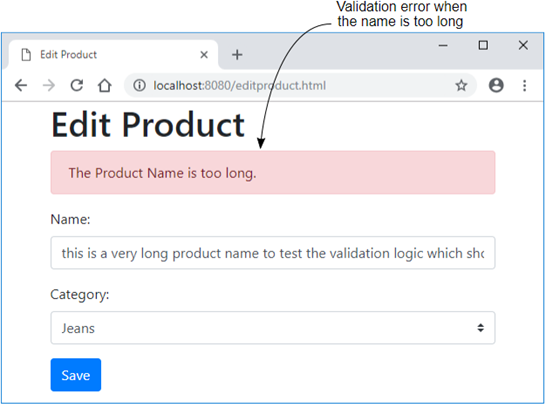
Product Entry page’s Name validation error
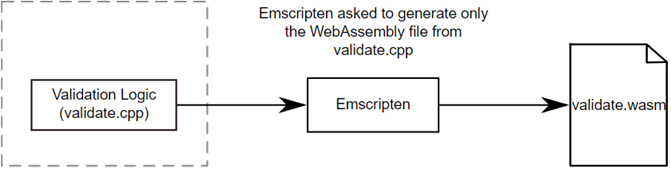
Steps where existing C++ logic is turned into WebAssembly for use by a website and the server-side code but without any generated Emscripten JavaScript code. The server aspect, Node.js, is discussed in a future chapter.
Your first step is to create your own versions of the standard C library functions that you need so that the code can be compiled by Emscripten.
The second step of the process is to ask Emscripten to generate only the WebAssembly file. Emscripten will not generate the JavaScript plumbing file in this case.
The third step of the process is to copy the generated file to where the HTML file is and build the JavaScript code to interact with the module.
Product Entry page’s Name validation error when the name entered is too long
Summary
In this chapter you dug into the code-reuse aspect of WebAssembly by creating a webpage that accepted user information that would need to be validated.
- By using the conditional compilation symbol __EMSCRIPTEN__, and placing functions within an extern "C" block, you can adjust existing code so that it can also be compiled by the Emscripten compiler. This allows a single C or C++ codebase, that might be part of a desktop application for example, to now also be available for use in a web browser or in Node.js.
- By including the EMSCRIPTEN_KEEPALIVE declaration with a function, you can have the function automatically added to Emscripten’s list of functions that it will make visible to the JavaScript code. By using this declaration, you don’t need to include the function in the command line’s EXPORTED_FUNCTIONS array when compiling the module.
- You can talk to the module’s functions by using the ccall Emscripten helper function.
- To pass anything other than an integer or float between the module and JavaScript code requires interactions with the module’s memory. The Emscripten generated JavaScript code provides a number of functions that help with using the module’s memory.
FAQ
What changes are needed to make an existing C++ codebase compile with Emscripten?
Common adjustments include:
- Guard Emscripten-only includes with the
__EMSCRIPTEN__symbol (for example, include<emscripten.h>only when compiling with Emscripten). - Wrap functions you’ll call from JavaScript in an
extern "C"block to prevent C++ name mangling. - Export those functions (via
EMSCRIPTEN_KEEPALIVEor the-s EXPORTED_FUNCTIONSlink flag). - Prefer C++-style headers (for example,
<cstdlib>,<cstring>) over deprecated C headers.
How do I export WebAssembly functions so they’re callable from JavaScript?
You have two main options:
- Add
EMSCRIPTEN_KEEPALIVEto the functions (typically conditionally under__EMSCRIPTEN__), which auto-includes them in the export list. - List functions explicitly with the build flag
-s EXPORTED_FUNCTIONS=['_ValidateName','_ValidateCategory'](note the leading underscore in symbol names).
In both cases, place the function declarations in an extern "C" block so the exported symbol names are predictable.
What does extern "C" do and why is it required here?
In C++, function names are “mangled” to encode parameter types. extern "C" tells the compiler to use C linkage (no mangling) for the wrapped declarations. This ensures the WebAssembly exports have stable, known names that JavaScript can call.
How do I call a C/C++ function from JavaScript using Emscripten’s ccall?
Use Module.ccall(name, returnType, argTypes, args). For example, calling ValidateName(char*, int, char*) looks like:
name:'ValidateName'returnType:'number'(it returns anint)argTypes:['string','number','number'](a temporary input string, anint, and a pointer passed as a number)args: the actual values, e.g.[name, MAXIMUM_NAME_LENGTH, errorBufferPtr]
What’s the right way to pass strings and get error messages back from a module?
Two patterns:
- Input-only strings: let
ccallconvert JS strings automatically by using the'string'type. - Output via a buffer: allocate space in module memory with
Module._malloc(size), pass the pointer (as a'number'arg), read the result withModule.UTF8ToString(ptr), then free withModule._free(ptr).
How do I pass an array of integers to a WebAssembly function?
Allocate and copy into linear memory:
- Compute bytes:
length * Module.HEAP32.BYTES_PER_ELEMENT. - Allocate with
Module._malloc(bytes), save the returned pointer. - Copy values with
Module.HEAP32.set(jsArray, ptr / Module.HEAP32.BYTES_PER_ELEMENT). - Pass the pointer to the function and free it afterward.
Why validate data in the browser if the server will validate anyway?
Client-side validation improves UX and scalability:
- Responsiveness: users far from the server avoid round trips for obvious errors.
- Efficiency: fewer invalid submissions reach the server, reducing load.
Server-side validation is still mandatory for correctness and security.
What’s the difference between building “with Emscripten plumbing” and “without”?
With plumbing (recommended for production):
- Includes standard C library if needed and helper APIs like
ccall,UTF8ToString,_malloc/_free. - Produces
.jsand.wasmfiles; you interact via the generatedModuleobject.
Without plumbing (side module):
- Generates only
.wasm; you use the WebAssembly JS API directly. - You manage memory and type views yourself (for example,
WebAssembly.Memory,Uint8Array,Int32Array), and call exports viainstance.exports.
What compile commands are used in the chapter’s two approaches?
With plumbing (and specific runtime helpers included):
emcc validate.cpp -o validate.js -s EXTRA_EXPORTED_RUNTIME_METHODS=['ccall','UTF8ToString']
Side module (no plumbing):
emcc side_module_system_functions.cpp validate.cpp -s SIDE_MODULE=2 -O1 -o validate.wasm
How do I work with a side module (no plumbing) from JavaScript?
Basic steps:
- Create memory:
const memory = new WebAssembly.Memory({ initial: 256 }); - Instantiate:
WebAssembly.instantiateStreaming(fetch('validate.wasm'), { env: { __memory_base: 0, memory }}). - Keep
instance.exports(for example,moduleExports) to call functions like_ValidateName,_create_buffer,_free_buffer. - Read/write memory via typed arrays:
new Uint8Array(memory.buffer)for bytes/strings,new Int32Array(memory.buffer)for 32-bit integers. UseTextEncoder/TextDecoderor manual loops for UTF-8 strings.

 WebAssembly in Action ebook for free
