3 Creating your first WebAssembly module
This chapter introduces the practical path from C/C++ to WebAssembly using the Emscripten toolchain. It explains how Emscripten leverages LLVM and Clang to turn source code into LLVM IR and then into compact .wasm bytecode that browsers validate and JIT/AOT compile to native machine code. You learn what a WebAssembly “module” is, how its optional sections (including a start function) work, the linear memory model, and the four core numeric types available. The chapter highlights WebAssembly’s strengths—portability, fast startup, predictable performance, and small binaries—while noting trade-offs such as no direct DOM/Web API access and when simple logic may be better left in JavaScript.
The chapter then walks through three production-ready ways to build with Emscripten, each suited to different goals. You can generate HTML + JavaScript “plumbing” + .wasm for quick learning and prototyping; generate JavaScript plumbing + .wasm and drop the script into your own page (typical for production); or emit only a .wasm file for maximum control, minimal footprint, or dynamic linking scenarios. A worked example computes prime numbers, showing how emcc compiles code, how printf output is routed (to an Emscripten page or the browser console), and how standard library usage affects what goes in your module. For the minimal path, you compile a “side module” with flags like -s SIDE_MODULE=2, -O1, and explicitly list exports with -s EXPORTED_FUNCTIONS, understanding the implications for memory management if you pass anything beyond integers/floats.
Finally, you learn to load modules manually with the WebAssembly JavaScript API. Using Promises and arrow functions, you fetch the .wasm and instantiate it via WebAssembly.instantiateStreaming (preferred) or WebAssembly.instantiate (fallback), provide required imports through an importObject (for example env, __memory_base, and optionally a WebAssembly.Memory instance), and call exported functions from result.instance.exports. The chapter closes with feature detection techniques that go beyond checking for the global WebAssembly object, including testing module compilation/instantiation and detecting newer APIs like instantiateStreaming, so your application can select the best loading path supported by the user’s environment.
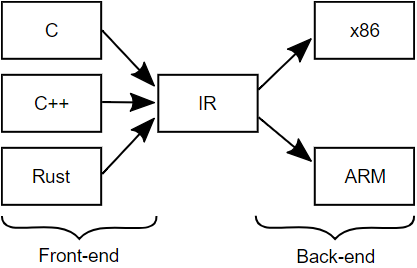
Compiler front-end and back-end diagram.
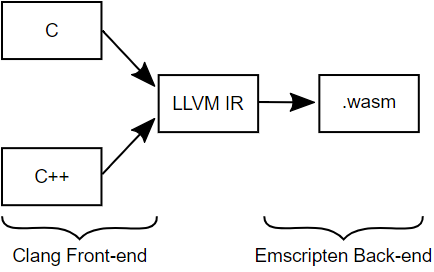
Compiler front-end with LLVM IR diagram
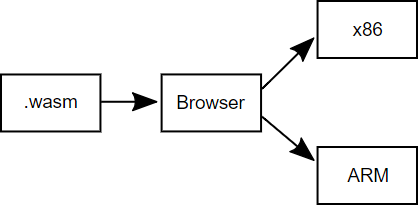
The WebAssembly file is loaded into a browser and compiled to machine code diagram
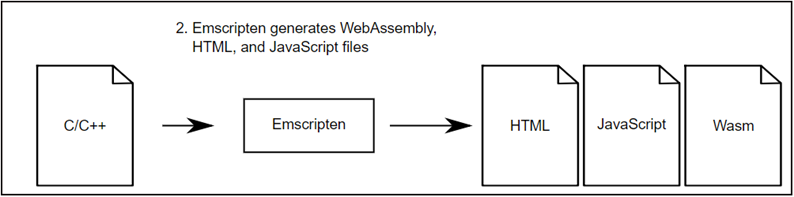
Emscripten generating the WebAssembly, JavaScript, and HTML file
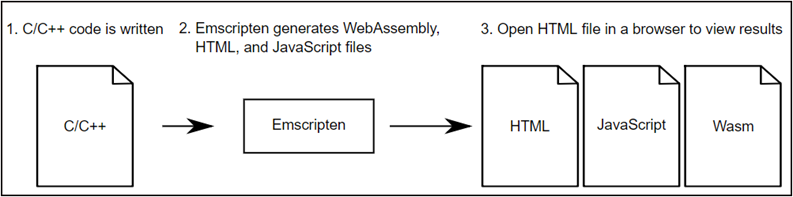
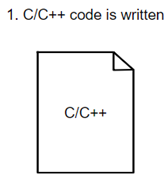
C or C++ code is written
Emscripten is asked to compile the C code into a WebAssembly file, to generate the JavaScript plumbing file and HTML file
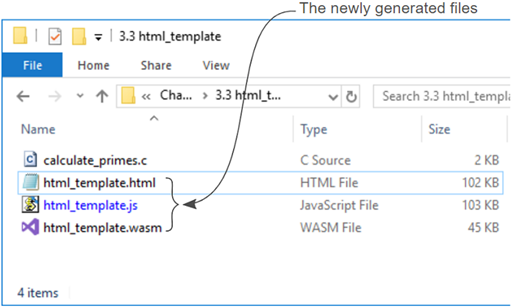
The newly generated HTML, JavaScript and WebAssembly files
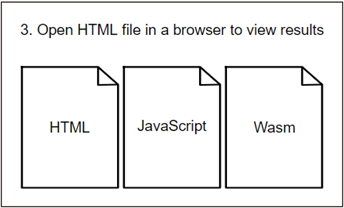
Now you can open the HTML file in a web browser to view the results
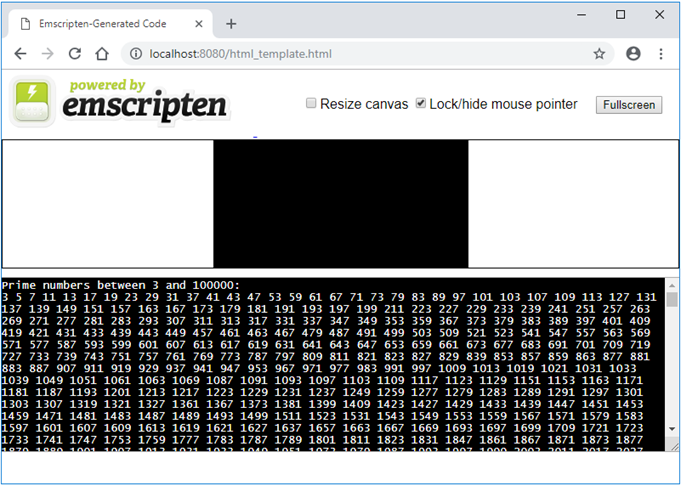
The HTML page running in Google Chrome
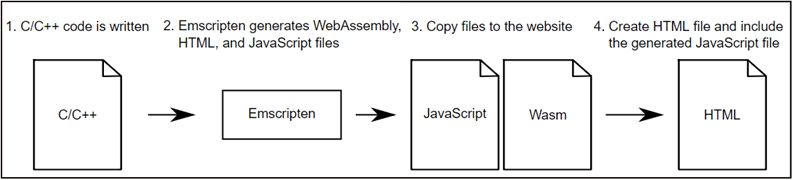
Emscripten is asked to generate the WebAssembly and JavaScript plumbing files. You then create the HTML file and include a reference to the generated JavaScript file
C or C++ code is written
Emscripten is asked to compile the C code into a WebAssembly file and to generate the JavaScript plumbing file
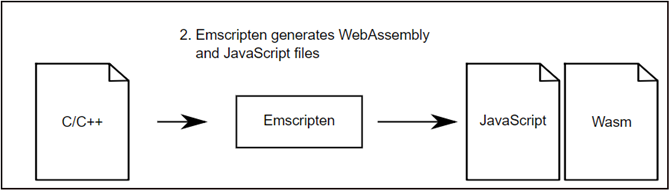
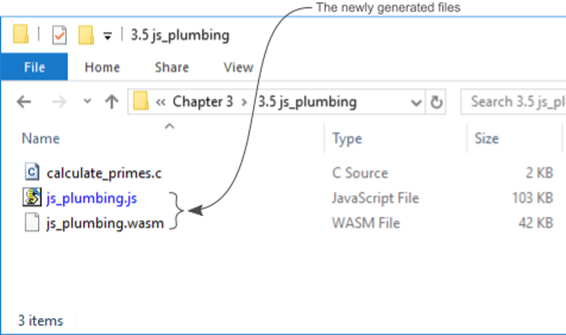
The newly generated JavaScript and WebAssembly files
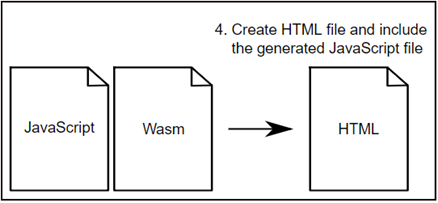
An HTML file is modified, or a new one is created, to reference the generated JavaScript file
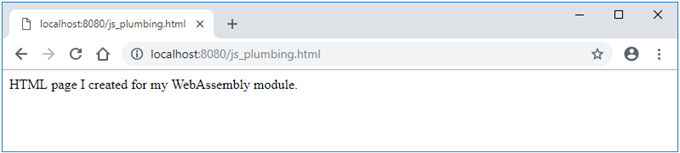
The HTML page that you created running in Google Chrome
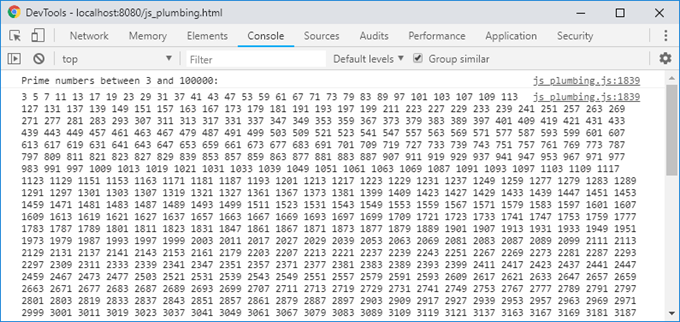
The console window in Google Chrome’s developer tools showing the list of prime numbers
Emscripten being requested to generate only the WebAssembly file. The necessary HTML and JavaScript code is then created to download and instantiate the module.
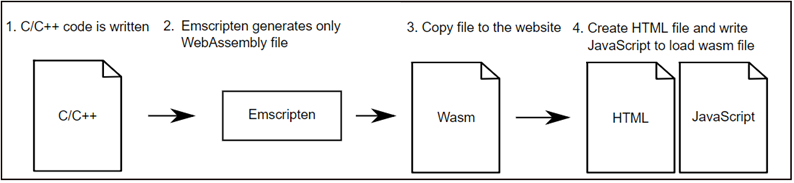
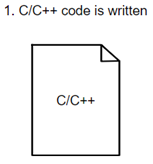
C or C++ code is written
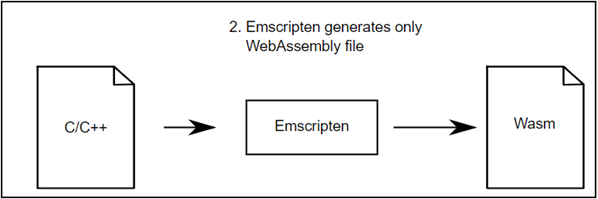
Have Emscripten generate only the WebAssembly file
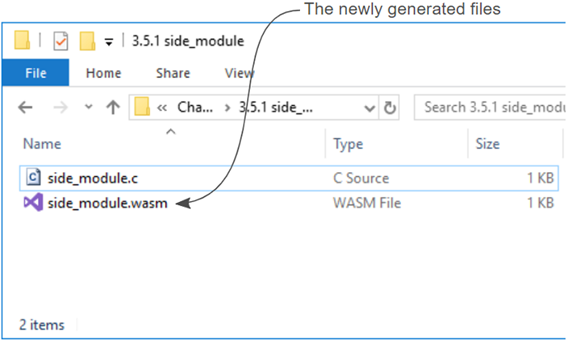
The newly generated WebAssembly file
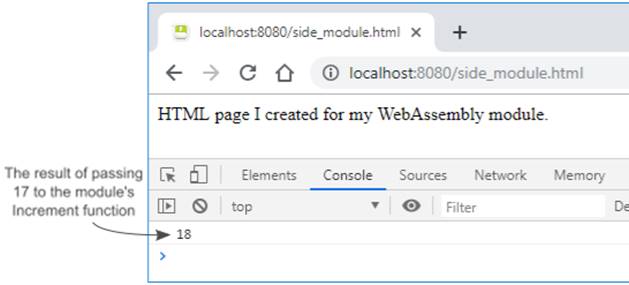
The HTML page that you created showing the result of the call to the module’s Increment function when passing in the value of 17.
Summary
As you saw in this chapter, the Emscripten toolkit uses the LLVM compiler toolchain to convert C or C++ code into an LLVM Intermediate Representation (IR). Emscripten then converts the LLVM IR into WebAssembly bytecode. WebAssembly supported browsers load the WebAssembly file and, if everything checks out, the bytecode gets compiled the rest of the way into the machine code of the device.
The Emscripten toolkit gives you flexibility depending on your needs allowing you to create modules in several different ways.
- You can create a module but also have the HTML and JavaScript files generated for you. This is a very useful approach when someone wants to learn about creating WebAssembly modules before having to learn about the HTML and JavaScript side of things. It’s also a useful approach when you need to test something quickly and not have to create the HTML and JavaScript as well.
- You can create a module and also have the JavaScript file generated for you. Here you are responsible for creating your own HMTL file. This gives you the flexibility to either create a new custom HTML page or simply add the generated JavaScript file reference to an existing webpage. This would be the typical method used for production code.
- Finally, you can create only the module. Here you are responsible for creating your own HTML file as well as the JavaScript needed to download and instantiate the module. This approach can be very useful in learning the details surrounding the WebAssembly JavaScript API.
FAQ
What is Emscripten and how does it produce WebAssembly?
Emscripten uses Clang as a front end to compile C/C++ to LLVM IR, then converts the IR to WebAssembly bytecode (.wasm). In practice, you run the emcc compiler from a console, and it emits the module plus optional helper files.Which output options can Emscripten generate, and when should I use each?
- HTML template + JS plumbing + .wasm: great for learning, quick prototyping, and verifying logic.- JS plumbing + .wasm: common for production; you write/own the HTML and just include the generated JS which loads the module.
- Only .wasm: minimal “side module” for manual loading or dynamic linking; you write the loader JS yourself.
How do I compile a C file to a WebAssembly module with an HTML template?
Run:emcc calculate_primes.c -o html_template.htmlThis emits
html_template.html, html_template.js, and html_template.wasm. Open the HTML via a local web server so the browser can fetch the .wasm. Emscripten’s template routes printf output to the page and the browser console.How do I compile to a .wasm plus a JS “plumbing” loader and include it in my own page?
Run:emcc calculate_primes.c -o js_plumbing.jsThis emits
js_plumbing.js and js_plumbing.wasm. In your HTML, add: <script src="js_plumbing.js"></script>The JS auto-downloads, compiles, and instantiates the module. By default,
printf output appears in the browser’s developer console.How do I build a minimal side module (.wasm only) and load it manually?
1) Compile as a side module and export functions:emcc side_module.c -s SIDE_MODULE=2 -O1 -s EXPORTED_FUNCTIONS=['_Increment'] -o side_module.wasm- Use at least
-O1 to strip unused imports that would cause link errors.2) Load it with the WebAssembly JS API (example):
const importObject = { env: { __memory_base: 0 } }; WebAssembly.instantiateStreaming(fetch('side_module.wasm'), importObject).then(r => { console.log(r.instance.exports._Increment(17)); });When should I use WebAssembly.instantiateStreaming vs. instantiate, and how do I feature-detect?
instantiateStreaming compiles while downloading (faster). Fallback to instantiate if unavailable.Detect:
if (typeof WebAssembly.instantiateStreaming === 'function') { /* use it */ } else { /* fallback */ }Fallback pattern: fetch →
response.arrayBuffer() → WebAssembly.instantiate(bytes, imports).How do I export C/C++ functions so JavaScript can call them?
Pass names (with a leading underscore) to-s EXPORTED_FUNCTIONS. Example:-s EXPORTED_FUNCTIONS=['_Increment']Multiple functions:
-s "EXPORTED_FUNCTIONS=['_Increment','_Decrement']" (quotes avoid shell parsing issues). In JS, call via result.instance.exports._Increment(...).Which data types does WebAssembly support, and how are booleans/strings handled?
Supported value types: 32-bit int, 64-bit int, 32-bit float, 64-bit float. Booleans are typically i32 (0 = false, non-zero = true). Strings and complex data must live in linear memory and be marshaled by host JS or helper code (Emscripten provides helpers when using its runtime).How does WebAssembly memory work, and how do I provide/import memory from JavaScript?
Modules use linear memory in pages of 64 KiB. The host creates and passes memory vianew WebAssembly.Memory({initial: n, maximum: m}) in importObject.env.memory when the module imports memory. Modules cannot allocate/resize host memory directly; the host controls it.How can I detect if WebAssembly is supported at all?
Do more than a simple typeof check; try compiling/instantiating a tiny module inside a try/catch:function isWasmSupported(){ try { if (typeof WebAssembly !== 'object') return false; const m = new WebAssembly.Module(new Uint8Array([0,97,115,109,1,0,0,0])); return m instanceof WebAssembly.Module && (new WebAssembly.Instance(m)) instanceof WebAssembly.Instance; } catch(e){ return false; } }
 WebAssembly in Action ebook for free
