12 Debugging
This chapter introduces practical strategies for debugging WebAssembly modules in today’s still-maturing tooling landscape. It advocates an iterative workflow—making small changes, compiling, and testing frequently—and demonstrates the approach by extending a browser-based card‑matching game to track and display a “tries” counter. Along the way, it shows how to reason about problems that arise at compile time, link time, and runtime, and how to combine adjustments to both the WebAssembly text format and JavaScript glue code to isolate and fix issues.
The chapter surveys core techniques: enabling verbose Emscripten output (via debug modes) to surface compiler diagnostics; emitting varying levels of debug information with -g flags (including .wast output to inspect imports/exports and linking); using console logging from C/C++ or imported JavaScript to trace execution; and stepping through WebAssembly in browser developer tools. It explains the strengths and limitations of current source‑map support, and contrasts Chrome and Firefox debuggers: function and global indices vs. names, where stack values and globals are visible, and how to set breakpoints and step instructions. Typical failure modes are highlighted, such as type mismatches from outdated import signatures and LinkErrors caused by missing imports in the JavaScript import object.
Through a guided example, the chapter implements the tries feature: updating HTML, extending the JavaScript generateCards function, creating a mutable global for tries in the text format, passing it across the module boundary, resetting it at level start, and exposing an updateTriesTotal import to refresh the UI after the second card is selected. It then debugs two intentional errors—first a compile‑time mismatch due to a missing parameter in an imported function signature, and then a runtime LinkError from an absent import mapping—before using the browser debugger to trace a logic bug where tries incremented by 10 instead of 1 (fixing an i32.const value). Finally, it passes the tries count to the summary screen by updating both the import signature and call site, and closes with exercises and guidance on continuing improvements in WebAssembly and related tooling.
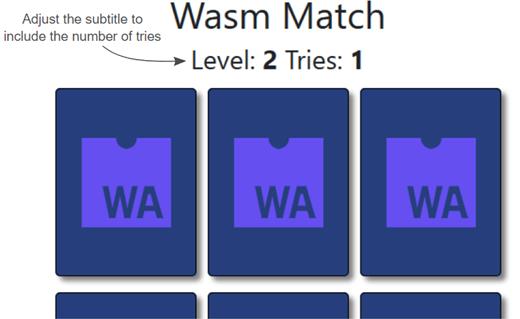
Level 2 of the card-matching game with the subtitle adjusted to include the number of tries.
The high-level steps that will be used to adjust the game to include the number of tries
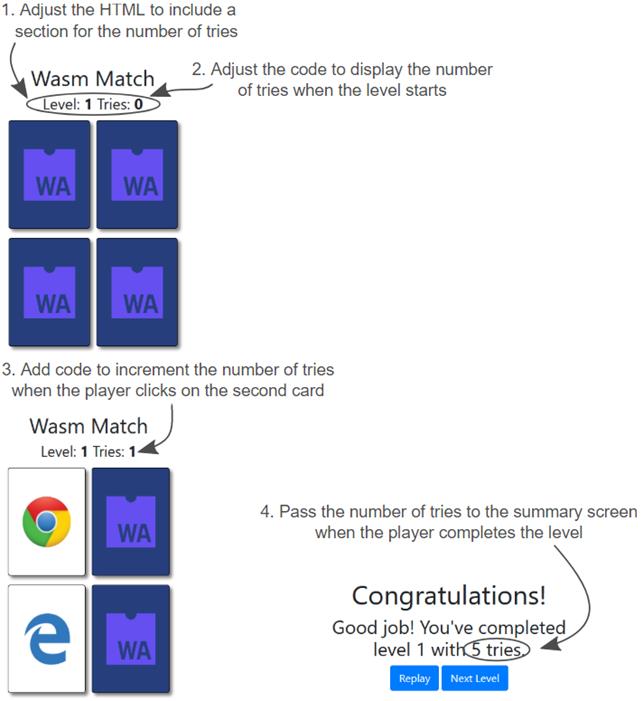
Adjust the JavaScript and text format code to display the number of tries when the level starts.
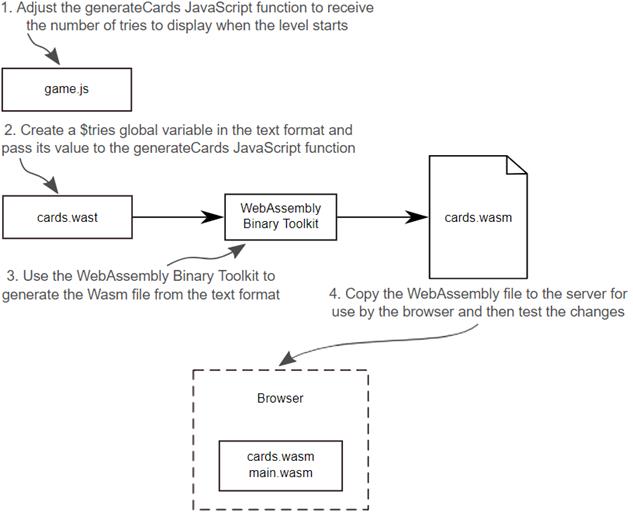
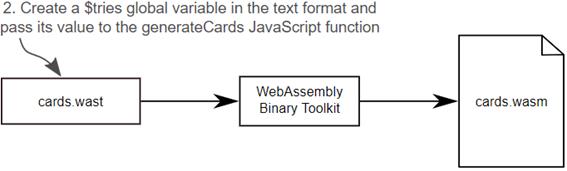
Create the $tries global variable in the text format code and pass the value to the generateCards JavaScript function.
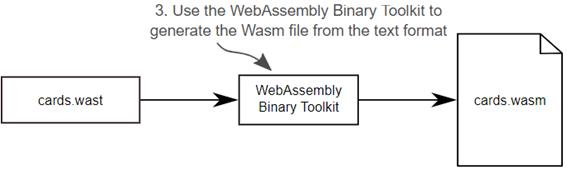
Use the WebAssembly Binary Toolkit to generate the cards.wasm file from the text format.
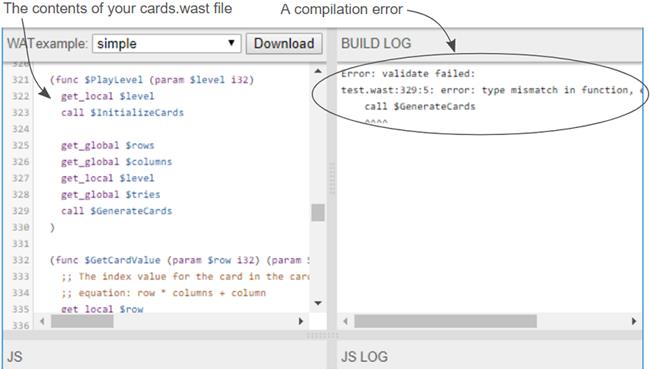
A compilation error with the contents of the cards.wast file.
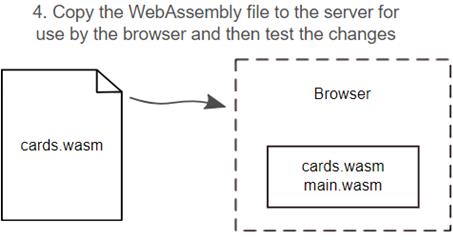
Copy the cards.wasm file for use by the browser and then test your changes.
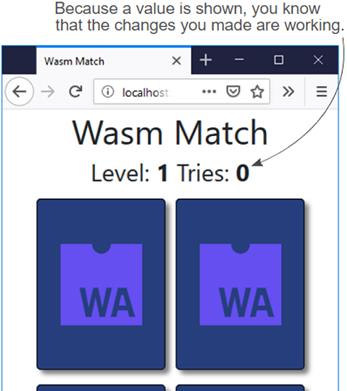
The changes you made are working because a value of 0 is shown next to the Tries label.
Add code to increment the number of tries when the player clicks on the second card.
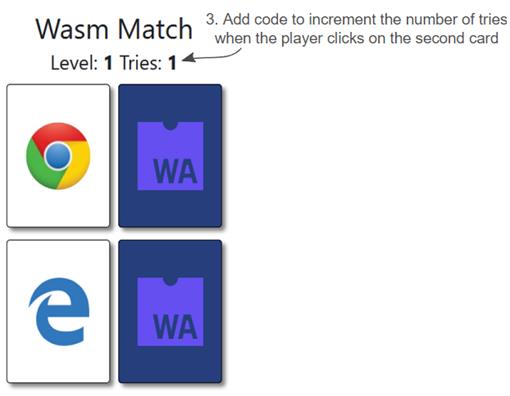
Increment the number of tries value when the player clicks on the second card.
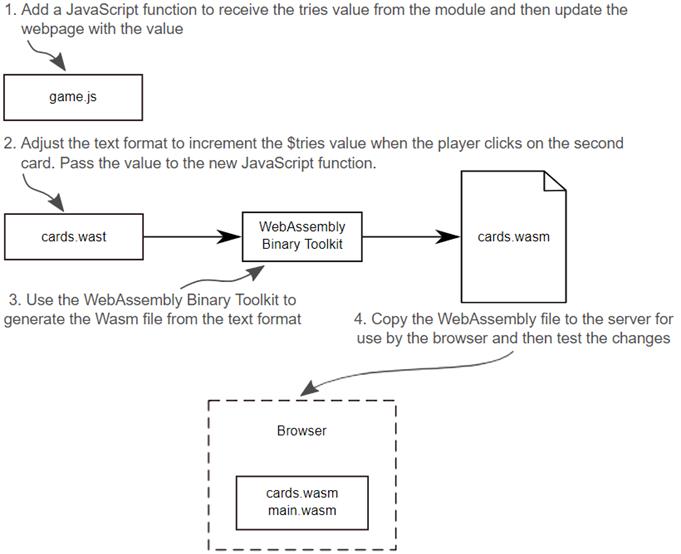
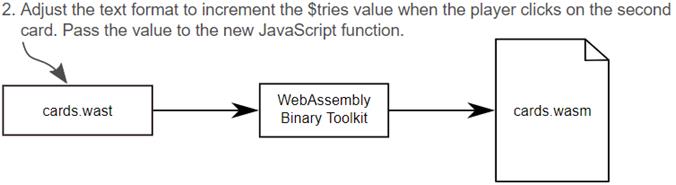
Adjust the text format to increment the $tries value when the player clicks on the second card. Then you’ll pass the value to the new JavaScript function.
Use the WebAssembly Binary Toolkit to generate the WebAssembly file from the text format.
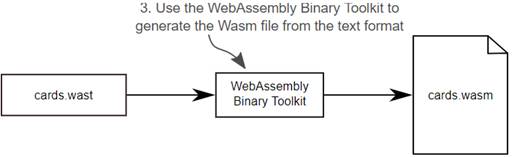
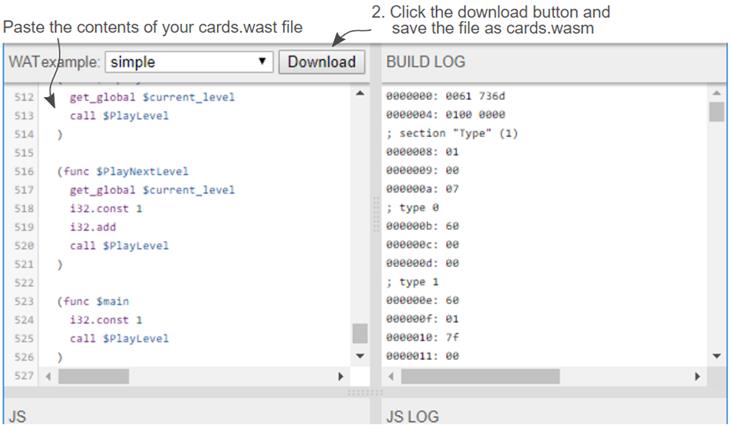
Paste the contents of your cards.wast file into the top-left pane of the tool and then download the WebAssembly file naming it cards.wasm.
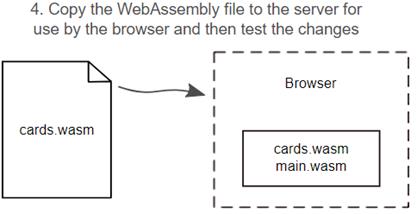
Copy the cards.wasm file to the server for use by the browser and then test your changes.
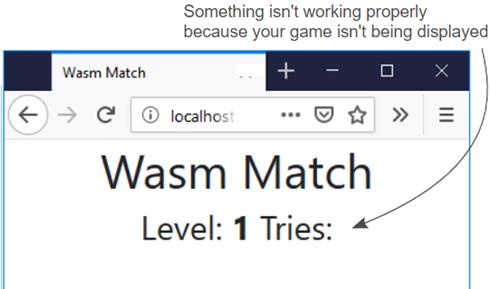
Something isn’t working properly because the game isn’t being displayed.
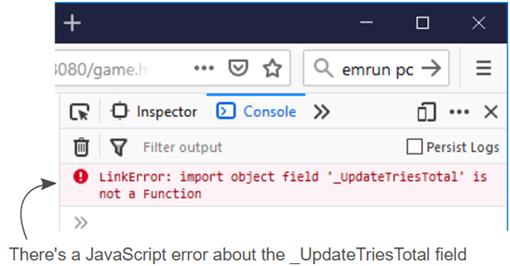
A JavaScript error is logged about the _UpdateTriesTotal field.
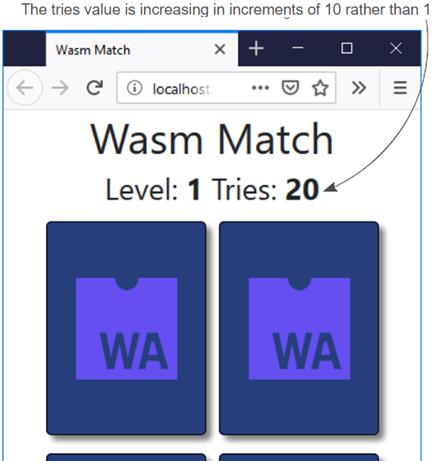
The tries value is increasing in increments of 10 rather than 1.
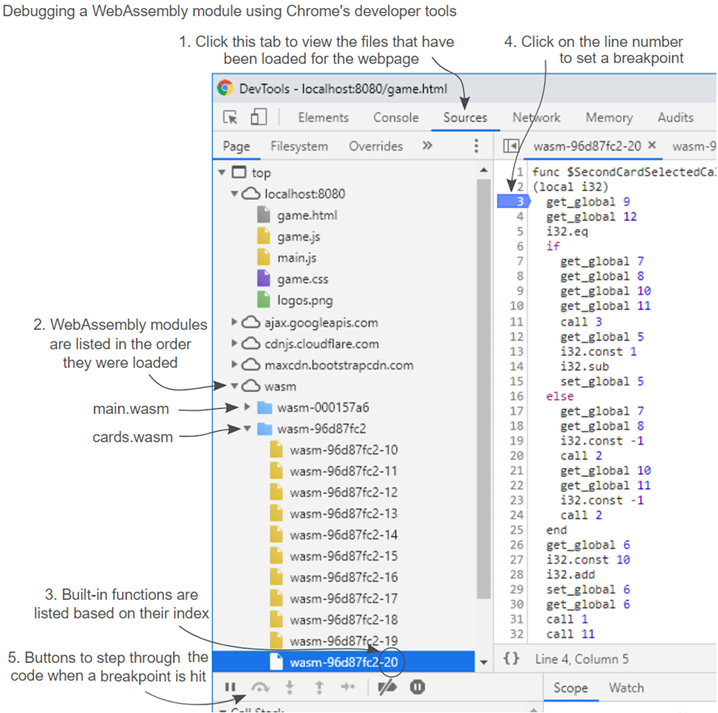
The areas of Chrome’s developer tools for debugging a WebAssembly module
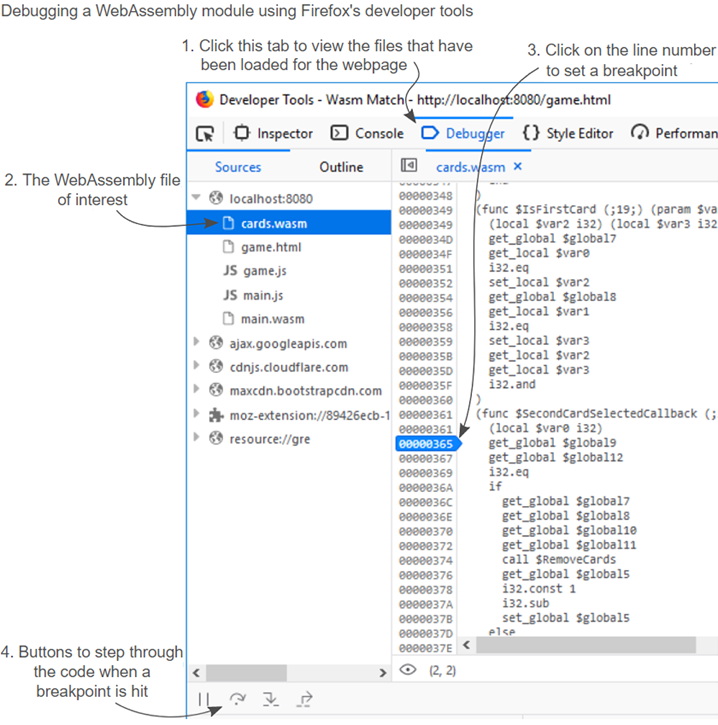
The areas of Firefox’s developer tools for debugging a WebAssembly module
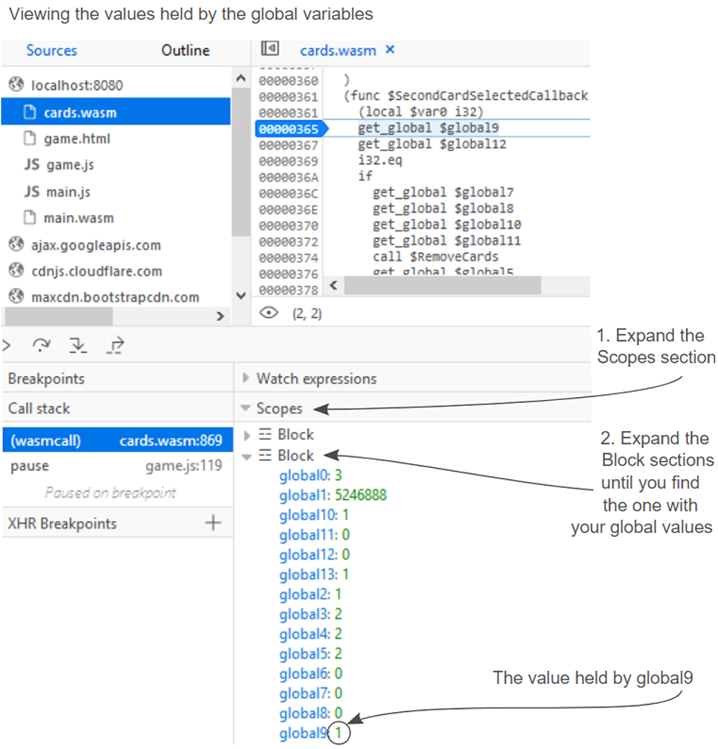
The Scopes section in Firefox showing the global variables in this function’s scope
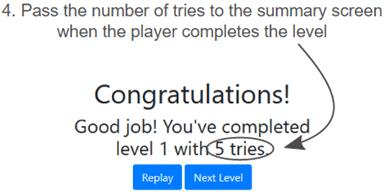
The number of tries will be passed to the summary screen when the player completes the level
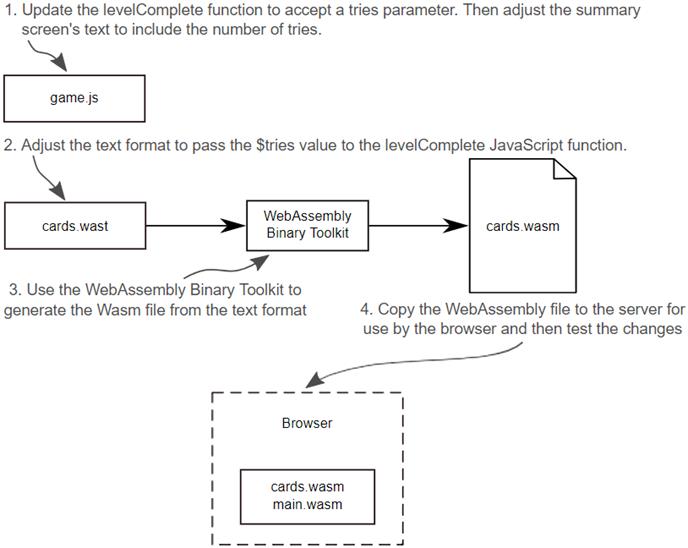
The steps to include the number of tries in the summary screen’s congratulatory message.
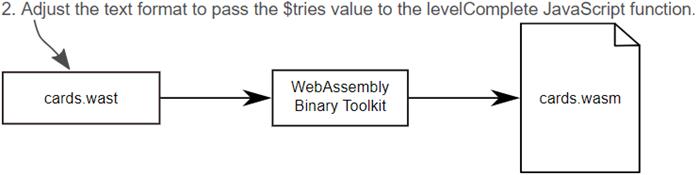
Pass the $tries value to the levelComplete JavaScript function.
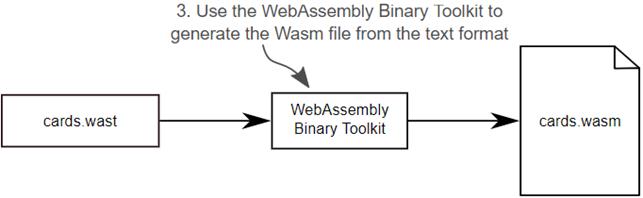
Use the WebAssembly Binary Toolkit to generate the Wasm file from the text format.
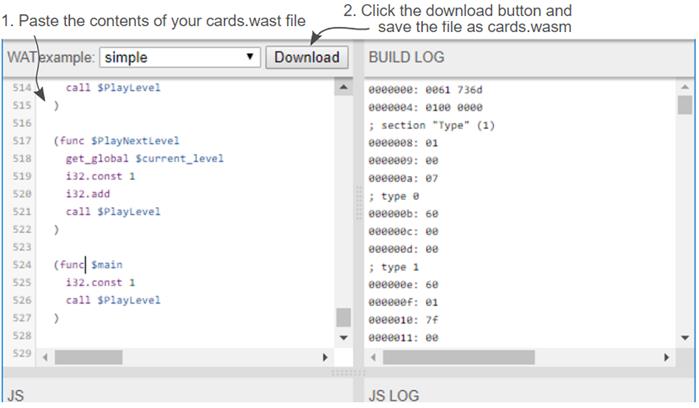
Paste the contents of your cards.wast file into the top-left pane and then download the WebAssembly file. Give the downloaded file the name cards.wasm.
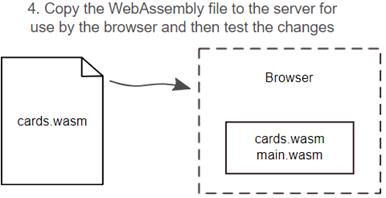
Copy the cards.wasm file to the server for use by the browser and then test your changes.
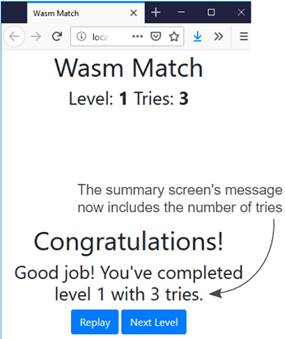
The summary screen with the number of tries included.
Summary
In this chapter, you learned the following:
- Emscripten offers the EMCC_DEBUG environment variable and the -v flag to control debug mode. When enabled, debug mode causes logs and intermedia files to be output.
- Emscripten also has several -g flags for progressively more debug information in the compiled output. In addition to the increased debug information, Emscripten also outputs a text format equivalent version (.wast) of the generated binary file that can be helpful in tracking down issues.
- Logging information to the browser’s console is one way to debug what’s happening in your module.
- The -g4 flag can be used to instruct Emscripten to generate source maps so that your C or C++ code can be viewed in the browser. At the time of this book’s writing, this feature still needs some work in the browsers.
- In some browsers you can view the text format version of the binary file that was loaded. You can set breakpoints, step through the code and, depending on the browser either view the variable’s value or view the values that are on the stack.
- At the moment browser debugging features are not uniform across browsers so you may need to switch between browsers based on your debugging needs.

 WebAssembly in Action ebook for free
