11 WebAssembly text format
This chapter introduces WebAssembly’s human-readable text format as a companion to its compact binary form, emphasizing openness, easy inspection, and debugging in the browser. It explains the s-expression based syntax, value types (i32, i64, f32, f64), stack-machine execution model, variable access, comments, and how text nodes map to the binary “Known sections” (type, import, func, table, memory, global, export, start, elem, data). Practical guidance includes naming with $ identifiers, when import nodes must appear, defining function signatures in the type section, and loading strings and other bytes via the data section.
Using these fundamentals, the chapter builds the core of a card-matching game entirely in the text format. The module imports UI-facing functions from JavaScript (_GenerateCards, _FlipCard, _RemoveCards, _LevelComplete, _Pause) and system helpers from an Emscripten-generated side module (shared memory, random number seeding and generation, malloc/free). It defines globals to track level state and selected cards, exports entry points for user interactions, and sets a start function to bootstrap play. The game logic is implemented with functions such as $InitializeRowsAndColumns (level layout), $ResetSelectedCardValues, $InitializeCards (allocates, populates, and shuffles), $PopulateArray, $GetMemoryLocationFromIndex, $ShuffleArray (Fisher–Yates), $PlayLevel, $GetCardValue, $CardSelected (handles clicks and pausing), $IsFirstCard, and $SecondCardSelectedCallback (resolves matches, updates remaining pairs, frees memory when done). A data segment places the callback name string in memory so JavaScript can invoke it after a timed pause.
After authoring the module in text form, the chapter compiles it to a .wasm file with a WebAssembly Binary Toolkit tool, then creates a small Emscripten C++ module exporting the RNG helpers (with malloc/free provided automatically). In the browser, JavaScript manually links both modules by sharing memory and wiring the import objects, then provides the UI and “glue” functions: generating the card grid, flipping cards, removing matches, showing the level-complete summary, pausing to reveal the second card, and relaying clicks to the exported Wasm functions. The result is a complete workflow: write WAT, compile to Wasm, pair it with an Emscripten side module, and integrate everything in HTML/CSS/JS to deliver a playable multi-level matching game, with exercises that extend level layouts.
The developer tools in Firefox, with a breakpoint placed in the _ValidateName function of the WebAssembly module that you built in chapter 4, section 4.1

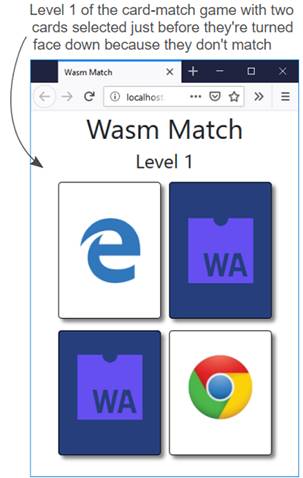
Level 1 of the card-matching game showing two cards clicked before they turn face down because they’re not a match.
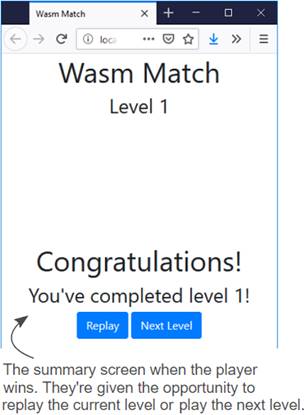
The summary screen when the player wins. The player is given the opportunity to replay the current level or play the next level.
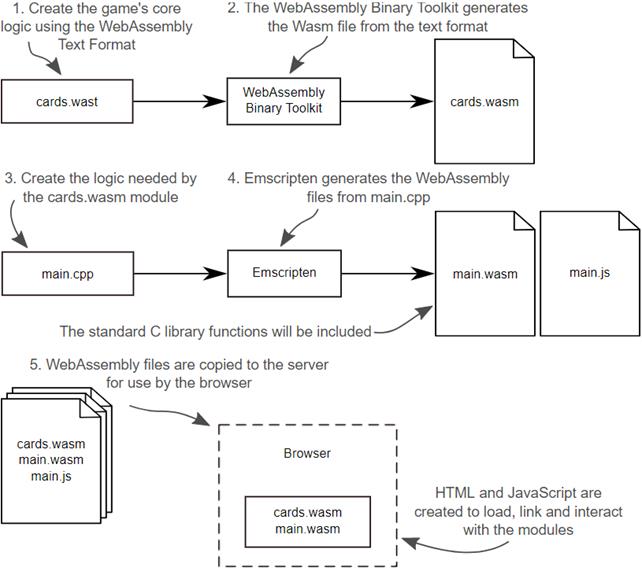
The steps needed to build the game
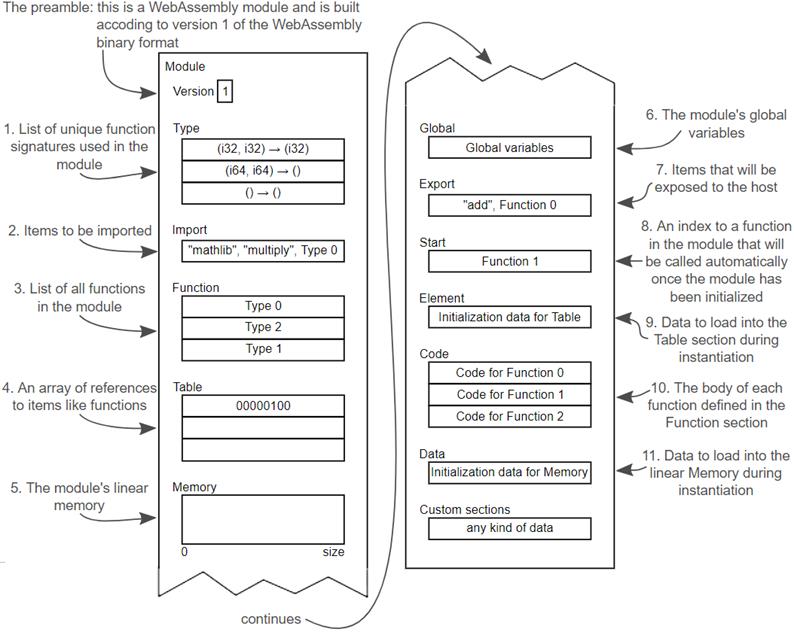
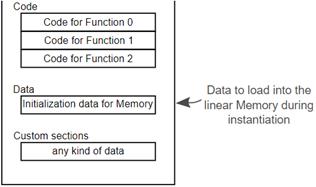
Representation of the basic structure of the WebAssembly binary bytecode highlighting the Known and Custom sections
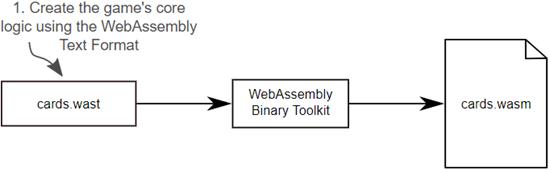
Creating the game’s core logic using the WebAssembly text format
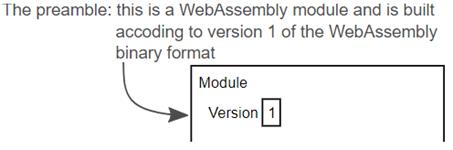
The module node is the equivalent of the binary format’s preamble section. The version will be specified by the tool used to create the binary format file.
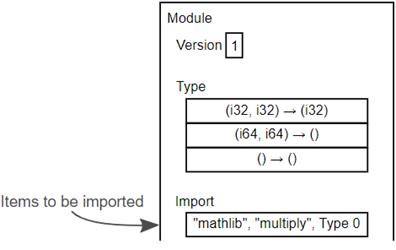
The Import Known section declares all of the items to be imported into the module.
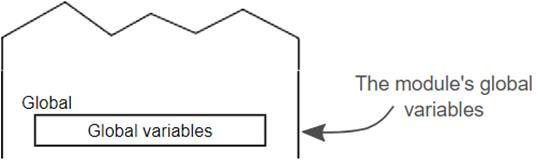
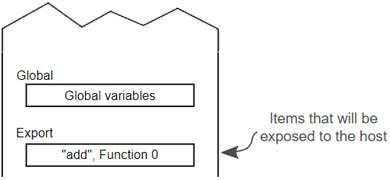
The Global Known section declares the module’s built-in global variables.
The Export Known section lists all items in the module that the host environment can access.
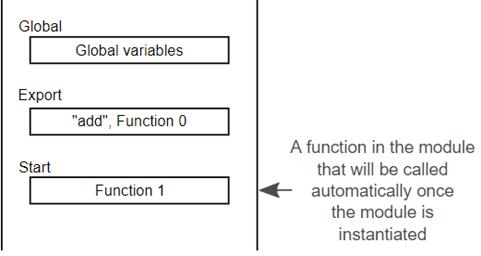
The Start Known section specifies the function that’s to be called after the module is instantiated.
The Function and Code Known sections in the binary format
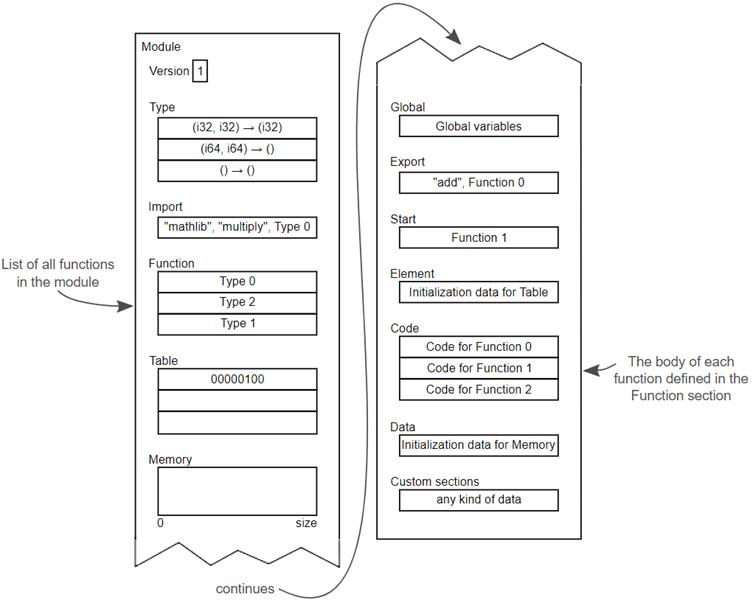
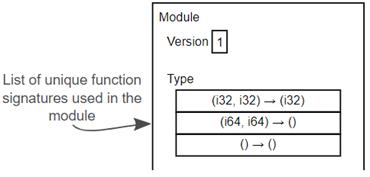
The Type Known section declares a list of all unique function signatures that will be used in the module, including those that will be imported.
The Data Known section declares the data to load into the module’s linear memory during instantiation.
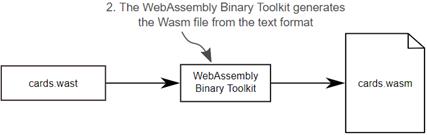
Generating a Wasm file from the WebAssembly text format
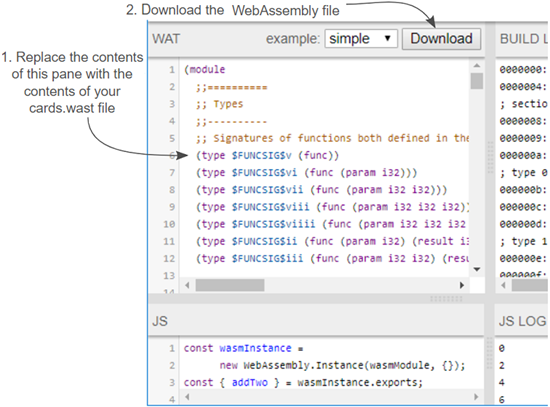
Replace the contents of the top-left pane with the contents of your cards.wast file. Then download the WebAssembly file.
Creating the C++ file containing the logic needed your cards.wasm module
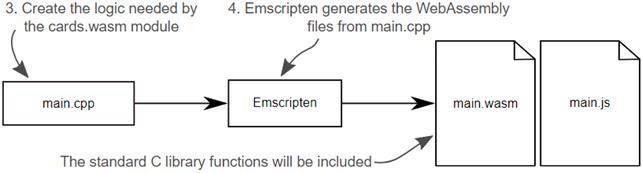
Creating the C++ file containing the logic needed your cards.wasm module
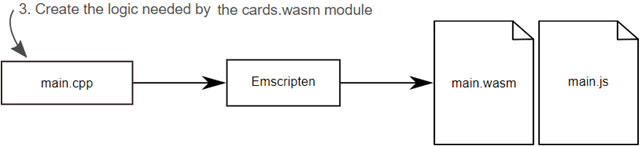
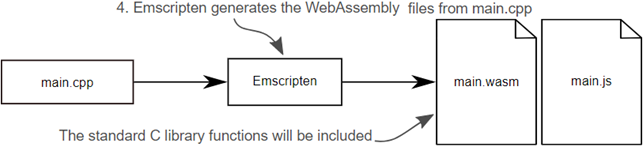
Using Emscripten to generate a WebAssembly module from main.cpp
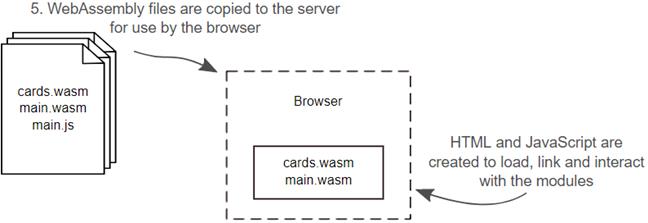
Copying the generated files to the server for use by the browser. Then you’ll create the HTML and JavaScript files needed for the webpage to interact with the modules.
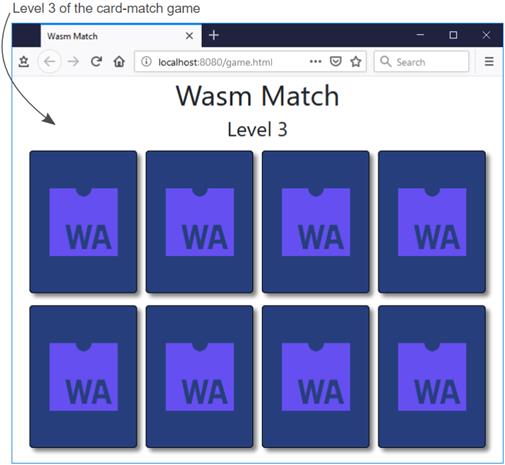
Level 3 of the card-matching game.
Summary
In this chapter, you learned the following:
- There is a text equivalent of the WebAssembly binary format called the WebAssembly text format. This allows you to see and work with a module using human readable text rather than having to work with the binary format directly.
- The text format allows a browser user to inspect a WebAssembly module in much the same way they would inspect the JavaScript of a webpage
- The text format is not intended to be written by hand but it’s possible to do so using tools like the WebAssembly Binary Toolkit
- The text format uses s-expressions to represent the elements of the module in a simple way. The root element is the module s-expression and all other s-expressions are children of this node
- There are s-expressions that correspond to the binary format’s Known sections. Only the import node’s position matters and, if included, needs to appear before the table, memory, global, and func nodes. Also, the Function and Code Known sections in the binary format are represented by a single func s-expression in the text format.
- The four value types supported by WebAssembly are represented in the text format as i32 (32-bit integer), i64 (64-bit integer), f32 (32-bit float) and f64 (64-bit float)
- To make working with the four types of data easier, the text format has an object for each type with that types name (i32.add for example).
- The code in a function acts as a stack machine where values are pushed onto and popped off the stack. The code within a function can be written using either the stack machine format or the s-expression format. Browsers display a function’s code using the stack machine format.
- If a function doesn’t return a value, the stack must be empty when the function exits. Otherwise, an item of that type must be on the stack when the function exits.
- You can reference items by their index or variable name
- The parameters of a function are considered local variables and their indexes are before any local variables defined in the function. Also, local variables must be defined before anything else in the function.
- At the moment, browsers display the get and set instructions for local and global variables in the format set_local or get_global. The WebAssembly specification was changed and the new format is local.set or global.get but the way you make the calls remains the same as the original format.

 WebAssembly in Action ebook for free
