10 WebAssembly modules in Node.js
This chapter explains how to use WebAssembly modules from Node.js and highlights the close parallels with browser usage alongside key differences, such as the lack of a user interface and the need to validate data on the server. It emphasizes the benefits of reusing the same C++ logic across desktop, browser, and server environments to improve consistency, reduce bugs, and boost productivity. Readers are encouraged to verify behavior on the Node.js versions they intend to support.
When using Emscripten-built modules, the generated JavaScript handles loading and instantiation and can be pulled into Node.js with require. The Module object returned by require exposes the helpers (_malloc, _free, UTF8ToString) and an onRuntimeInitialized hook signals readiness. Browser-oriented code adapts easily for Node.js by removing UI concerns and writing results and errors to the console. Calling from WebAssembly into JavaScript in Node.js requires care because require scopes code; functions that must be visible to the generated code can be attached to the global object, though the recommended approach for Node.js is to use function pointers passed in by the host. These patterns are illustrated with server-side validation examples that reuse the same business logic used in the browser.
The chapter also shows how to skip Emscripten’s JavaScript and work directly with the WebAssembly JavaScript API in Node.js: read .wasm bytes with the fs module, create an importObject (env, memory, and optionally a table), and instantiate with WebAssembly.instantiate, then call exports. Practical adjustments include using util.TextEncoder for string encoding and wiring imported callbacks for direct calls or function-pointer-based callbacks from the module back to JavaScript. Across both approaches, the guidance centers on keeping Node.js code self-contained, favoring function pointers for callbacks, and rigorously validating data on the server while reusing the same compiled module to keep behavior consistent across platforms.
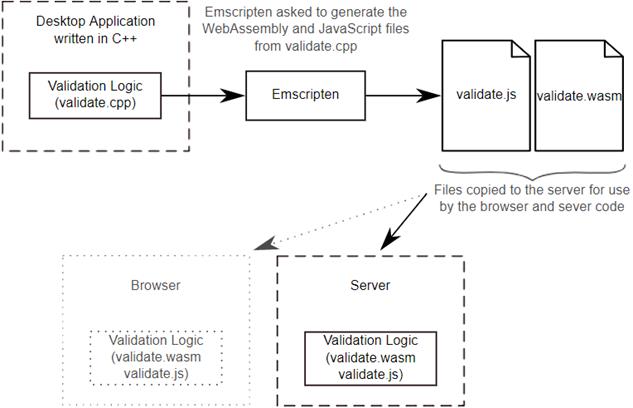
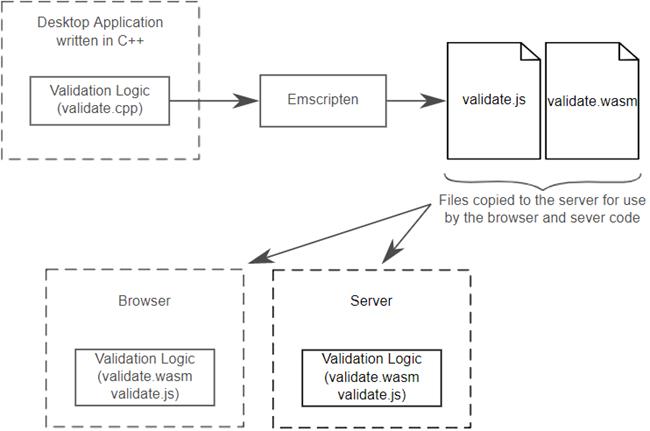
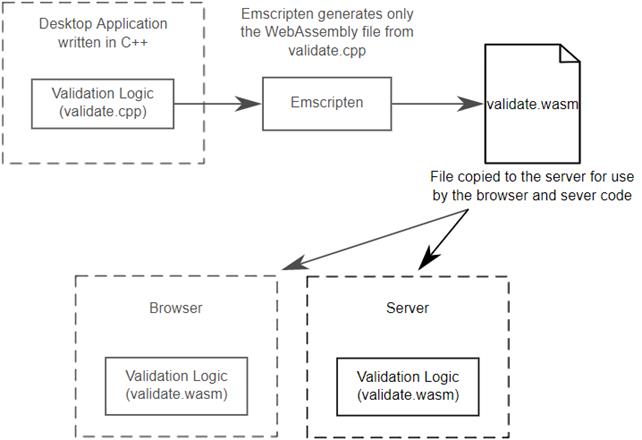
The steps to turn the existing C++ logic into a WebAssembly module for use by a browser and the server-side code. The server aspect is discussed in this chapter.
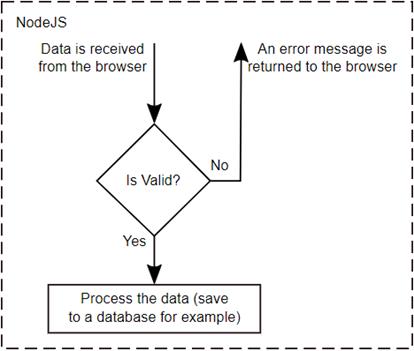
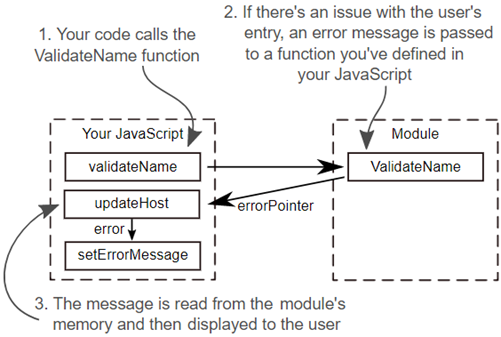
How the validation works in Node.js
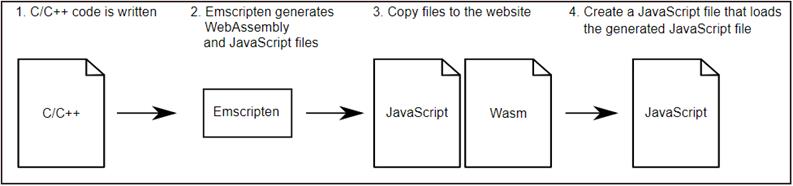
Emscripten is used to generate the WebAssembly and Emscripten JavaScript file. You then create a JavaScript file that loads the Emscripten generated JavaScript file which will in turn handle loading and instantiating the module for you.
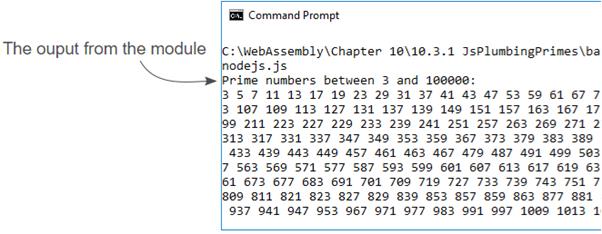
The console output from the WebAssembly module in Node.js
The final step of the process in reusing the C++ code is the Server aspect which is Node.js in this case. You’ll copy the generated WebAssembly files to where your Node.js files are and then build the JavaScript code to interact with the module.
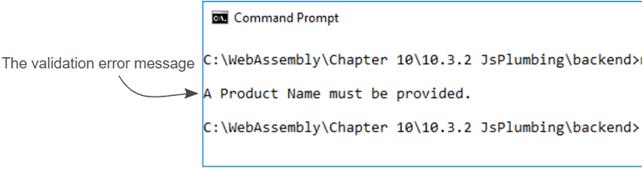
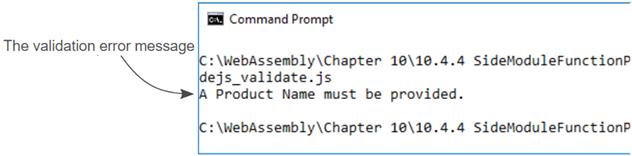
The Product Name validation error in Node.js
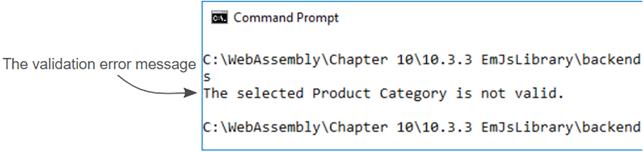
The product category validation error in Node.js
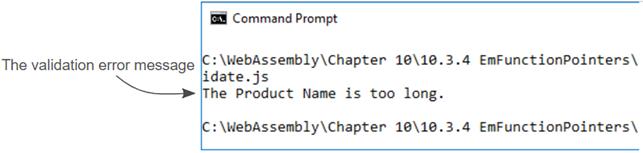
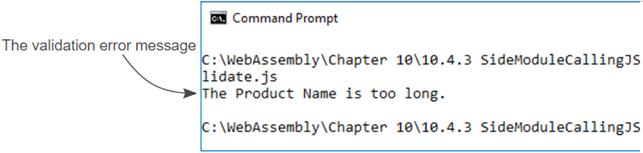
The Product name being too long validation error in Node.js
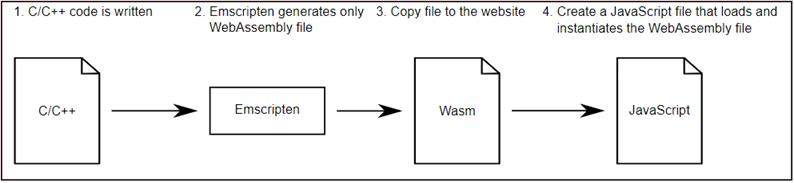
Using Emscripten to generate only the WebAssembly file. You’ll then create the JavaScript to load and instantiate the module using the WebAssembly JavaScript API.
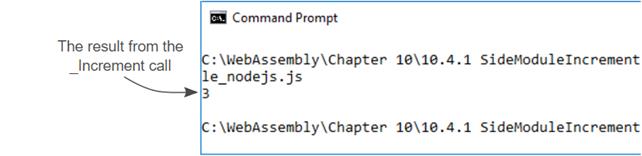
The console output from your call to the module’s Increment function in Node.js
The final step of the process is to copy the generated WebAssembly file to where your Node.js files are and build the JavaScript code to interact with the module.
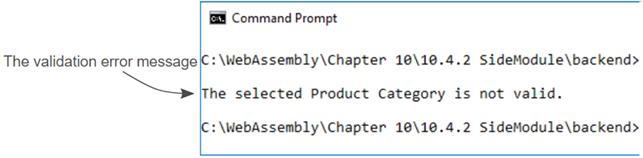
The Product Category validation error in Node.js
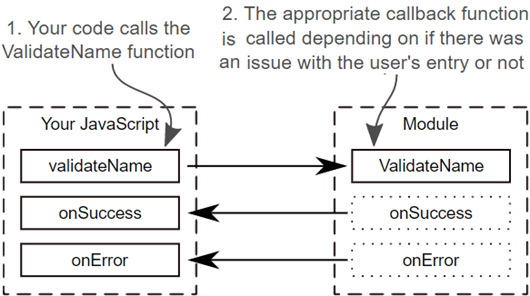
How the callback logic will work when not using Emscripten’s generated JavaScript code
The validation message for the Product name being too long from Node.js
A module that has imported the onSuccess and onError JavaScript functions at instantiation. When the ValidateName module function calls either function, it’s calling into the JavaScript code.
The Product Name validation error in Node.js
Summary
- WebAssembly modules in Node.js is possible and the JavaScript needed is quite similar to what you used when working in a web browser.
- Modules that include the Emscripten JavaScript code can load and instantiate themselves when you load the JavaScript in using the require function. Unlike in the browser, however, there are no global Emscripten helper functions available. All functions within the Emscripten-generated JavaScript file need to be accessed through the return object from the require function.
- Node.js doesn’t support the WebAssembly.instantiateStreaming function. Instead, you need to use the WebAssembly.instantiate function. If you’re writing a single JavaScript file to use a WebAssembly module in both a web browser and in Node.js then the feature detection that learned about in chapter 3, section 3.6, would be needed.
- When loading a WebAssembly file manually in Node.js, you don’t use the fetch method because the WebAssembly file is on the same machine as the JavaScript code that’s being executed. Instead, you read in the WebAssembly file’s bytes from the file system and then pass the bytes to the WebAssembly.instantiate function.
- Due to scope issues between the code that calls the require function and the generated Emscripten JavaScript, if you add custom JavaScript to Emscripten’s JavaScript file, it should be self-contained and not try to call into the parent code.
FAQ
How do I load an Emscripten-built WebAssembly module in Node.js?
Use Node’s require to load the Emscripten-generated JavaScript. For simple “run on load” modules:require('./module.js'). If you need to call exports or helpers, capture the return value: const Module = require('./module.js'). Emscripten detects it’s running in Node and loads the .wasm automatically.How do I know when the Emscripten module is ready to use in Node?
Listen for the runtime-ready callback:Module.onRuntimeInitialized = function () { /* safe to call into the module */ }. Instantiation is asynchronous in both browsers and Node.Where are Emscripten helper functions (like malloc/free) in Node?
In Node, Emscripten helpers live on the returnedModule object (not the global scope). Call them as Module._malloc, Module._free, Module.UTF8ToString, etc. In browsers, some helpers may also be globally available.Why is “module calling parent JavaScript” tricky with Emscripten JS in Node?
Node’srequire wraps each file in its own scope, so code inside the Emscripten-generated file can’t see functions defined in the parent file. Workarounds: attach callbacks to global (for example, global.setErrorMessage = ...), or preferably avoid this pattern and use function pointers/callback imports instead.When should I use JavaScript function pointers from a WebAssembly module?
Use function pointers when you want flexible, per-call callbacks (for example,OnSuccess/OnError) or when you want the module to call directly into JavaScript without relying on parent scope. Import the callbacks (or their indices) during instantiation and have the module invoke them as needed.How do I load a .wasm in Node without Emscripten’s JS (using the WebAssembly API)?
- Read bytes from disk:fs.readFile('module.wasm', (err, bytes) => { ... })- Create
importObject (for example, { env: { __memory_base: 0, memory: new WebAssembly.Memory({initial: 256}) } })- Instantiate:
WebAssembly.instantiate(bytes, importObject).then(r => r.instance.exports...)How do I pass strings between Node and a non-Emscripten WebAssembly module?
Use aTextEncoder to write UTF-8 bytes plus a null terminator into the module’s memory. In Node, TextEncoder comes from util: const util = require('util'), then new util.TextEncoder().encode(value + '\0'). Copy into module_memory.buffer and pass the pointer to the module.How can a WebAssembly module call back into my Node.js code without Emscripten JS?
Provide JavaScript functions as imports in theimportObject (for example, env._UpdateHostAboutError = (ptr) => { ... }). The module calls these imported functions directly, and you can read any data (like strings) from the shared memory.What are the key differences between using WebAssembly in a browser vs Node.js?
- No DOM/UI in Node; useconsole.log instead of updating elements- Scope differs: Node’s
require creates module scope; browser often uses global scope- Loading: browser typically uses
fetch/instantiateStreaming; Node reads bytes via fs.readFile and uses WebAssembly.instantiate- Always test on the Node versions you plan to support

 WebAssembly in Action ebook for free
