3 Making your component reuseable
This chapter explains how to make Web Components truly reusable by designing clear configuration surfaces and keeping components focused. It walks through a concrete example—a simple 3D search results component—showing how to wrap an HTTP request, render results, and style the output while keeping the component granular (display-only) so it can be composed with other UI pieces. The goal is to turn hard-coded behavior into flexible behavior that adapts via configuration, then apply the same ideas to an interactive slider component.
The chapter compares two complementary configuration approaches: component properties via getters/setters and HTML attributes. It shows how setters can trigger logic (like doSearch) while attributes enable declarative setup and avoid timing issues, then introduces attributeChangedCallback plus observedAttributes to react efficiently to changes (with attention to lowercase attribute names). Practical attribute utilities—hasAttribute, getAttribute, setAttribute—are used to add options like thumbheight and backgroundcolor, and to further generalize the component with baseuri and format for different endpoints. A small input field demonstrates how external UI can drive live updates by changing attributes.
Finally, it outlines best practices: avoid using attributes for rich, nested data; prefer property/attribute reflection so both HTML authors and JS consumers have a consistent API; and beware re-entrancy loops when syncing attributes and properties—treating attributes as the source of truth is a safe pattern. The slider is then upgraded with observedAttributes, attributeChangedCallback, and reflected getters/setters (value, backgroundcolor), plus event handling for dragging, so attribute updates and user interaction stay in sync. The chapter closes by noting the importance of encapsulating styling and structure to make the component shareable and maintainable.
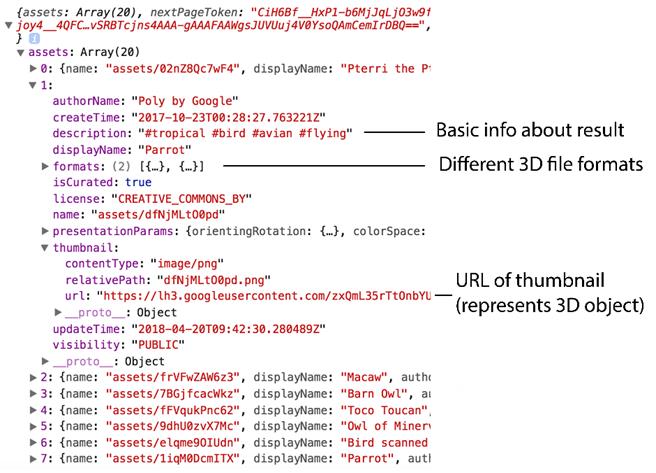
Our HTTP response from Google Poly featuring assets and asset details
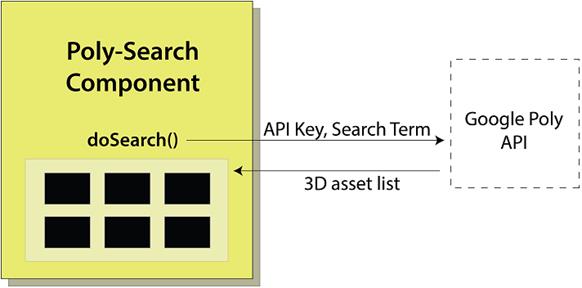
Our custom poly-search Web Component calling out to the Google Poly API with an API key and the search term "parrot." We get back a list of assets and thumbnails to display (next).
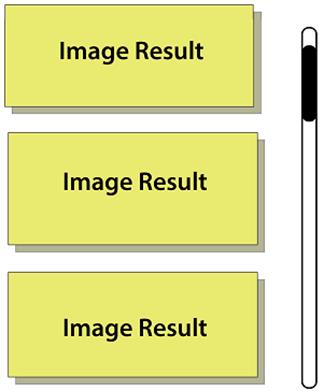
Our image results from poly.google.com before styling. They just flow down the page and force scrolling to see more than a few, because they are too large.
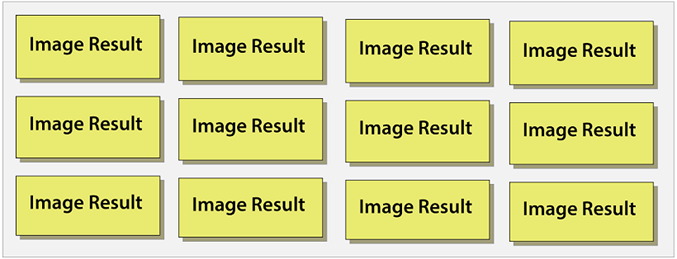
Our nicely styled and centered image grid. Images are smaller, have a nice gap between them, and are set against a subtle, off-white background with a gray border.
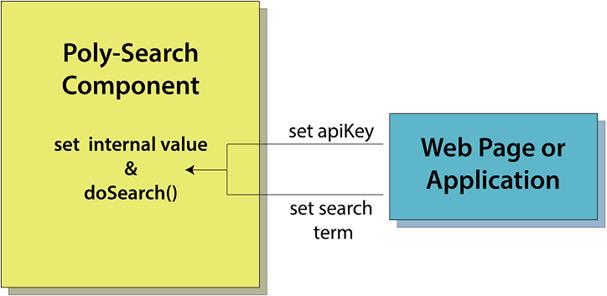
Using setters on our component from outside-in lets us perform logic and set a value, but also keep the component API simple.
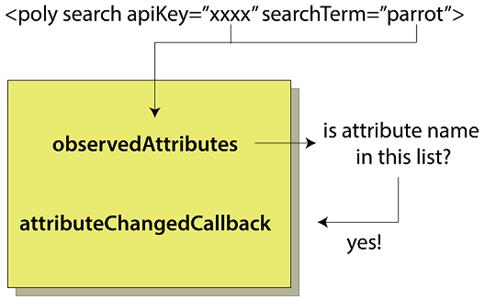
Before an attributeChangedCallback is fired inside your component as a result of an attribute change on your component's markup, that attribute name must be in the observedAttributes list.
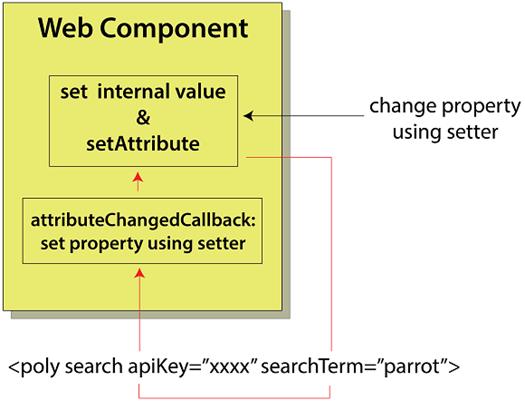
Re-entrancy is a bad way to implement property/attribute reflection. Setting the attribute when your getter is used causes an attributeChangedCallback to be fired, which can then set the property again, continuing on in an infinite loop.
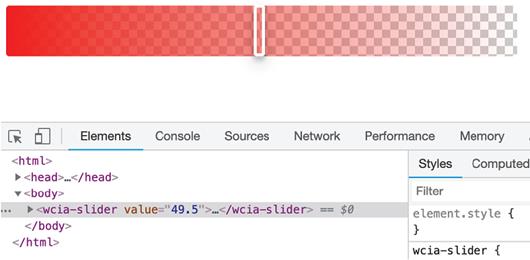
The slider component so far

Using the slider component and watching the value attribute update in the dev tools
Summary
In this chapter, we've expanded our Custom Element API methods repertoire to both connectedCallback and attributeChangedCallback. In the next chapter, we'll talk through the rest of the Web Component lifecycle in depth and compare it to similar component lifecycles on both the web and beyond.
Also in this chapter, you learned
- How to use attributes to call an endpoint for a search service, with ideas on which attributes need to be watched and which don't, including how to actually watch the attributes in practice using the Web Components API
- What reflection is and how it can make your component more robust, such that it can be used through its tag as well as through a custom JS API, and how to avoid the problem of re-entrancy
- Strategies for when to use attributes versus a custom API and when to use both for a better developer experience for your component’s consumers

 Web Components in Action ebook for free
