2 Your first Web Component
This chapter introduces Web Components by grounding the reader in how the DOM’s inheritance model works and why HTMLElement is the base for most elements you use. It explains the naming rules that make a custom element valid (you must include a dash, and a namespace is encouraged) and shows how to define one with customElements.define while safely avoiding redefinition collisions via customElements.get. You also see the constraints of today’s implementations (autonomous custom elements must extend HTMLElement) and get a first look at lifecycle methods like connectedCallback, capped with practical notes on current browser support and the role of polyfills and transpilation for older environments.
With the foundations set, the chapter walks you through building a minimal but working custom element—a slider—by extending HTMLElement. You learn to use connectedCallback as the entry point, leverage the element instance as scope via this (style, querySelector, events), and inject structure with innerHTML before migrating styling to CSS. Along the way, you parameterize behavior with attributes (for example, background color and value), demonstrate event wiring directly on the element, and see how to progressively refine from quick inline styles to cleaner, component-targeted CSS.
To make the concepts immediately useful, the chapter culminates in a simple photo carousel component. You define a clear external API (title, author, photos), set up state (_photoIndex, _photos) in connectedCallback, render the component’s markup, and implement a showPhoto method that updates the image via background styles. CSS handles layout (flexbox, sizing, positioning) and button placement, while click handlers cycle through photos with bounds wrapping. The chapter closes by outlining next steps—packaging as a module, adding customization options, adopting Shadow DOM and template literals for better encapsulation—and reiterating how to keep things robust across browsers with polyfills and modern build tooling.
A not-so-scientific example of inheritance in the animal kingdom
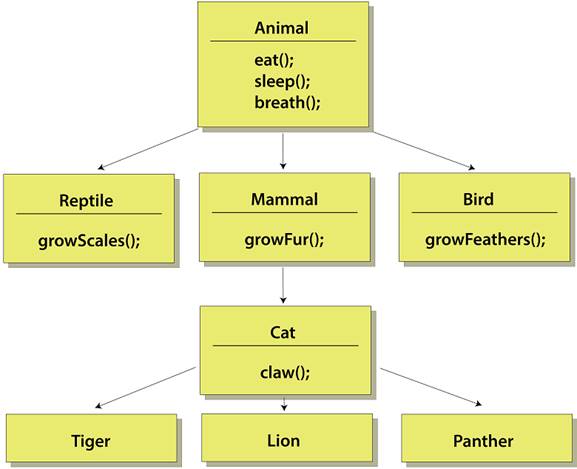
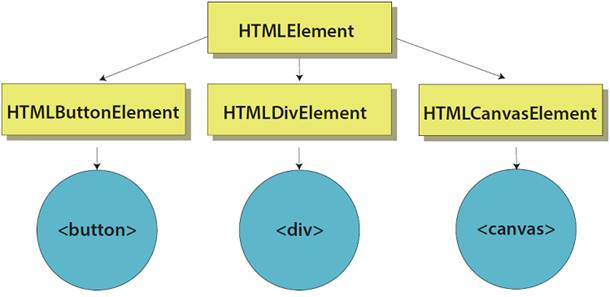
While there are a large number of classes that inherit from HTMLElement, here are three that produce common DOM elements that we use all the time, with the actual tags we write in our HTML.
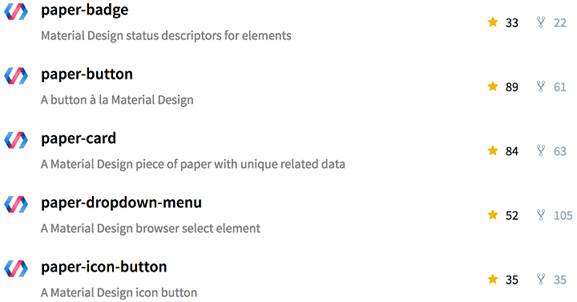
A small sampling of Google's Paper Elements. Note that these related UI Web Components have the prefix “paper.” Google also uses the prefix “iron” for core elements and “neon” for animation-related elements.
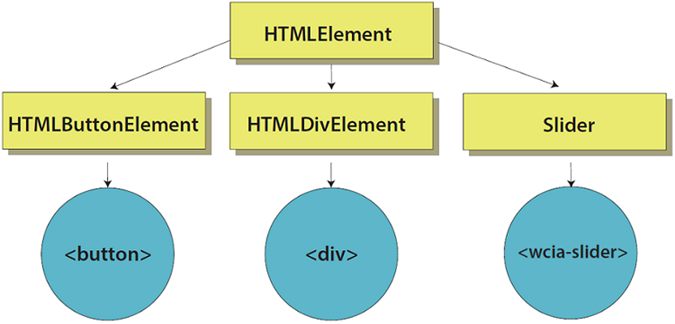
Our HTMLElement inheritance diagram modified to include your own custom elements at the same level as the native ones
The native slider provided by the input element

Our new transparency slider component

Slider (now blue with the thumb further to the right) affected by value and color attributes

Styled slider using CSS

Result of the next demo, where we create a photo carousel

Running our simple HTML page from a web server
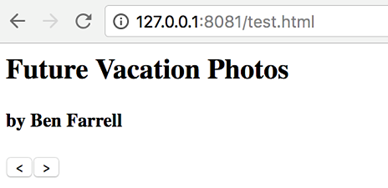
Our carousel component so far, with title, author, and next/back buttons
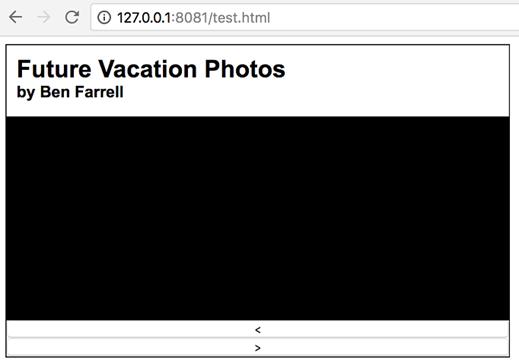
Progress so far after adding CSS to style
Progress so far to include showing the current image
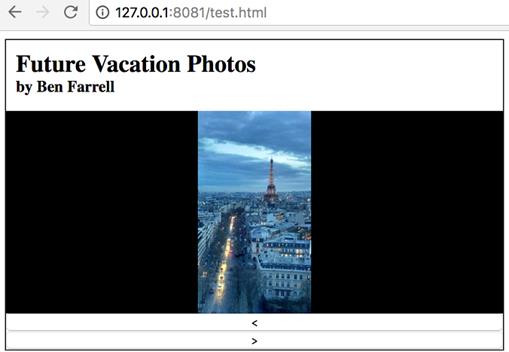
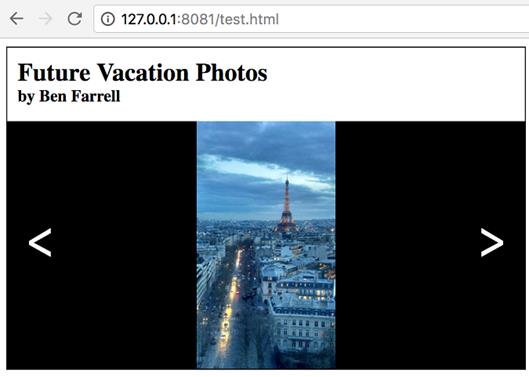
The finished photo carousel component
Summary
In this chapter and throughout the book, we'll be using the Custom Elements v1 specification. Don't worry, this is the latest and greatest, and I doubt the basics will change for years to come. I mention this because v1 is fairly recent, and searching for info about Web Components might tell you that to create a custom element, you'd use
Just know that Web Components, in general have gone through a recent change and are now more solidified in their v1 specification. For more details on this point, and specifically what's changed, refer to chapter 4, which details the component lifecycle.
In this chapter, you learned
- How tags we use every day in basic web development are derived from HTMLElement (even if we never knew it!)
- Rules for naming and using your custom element on the page (which are required), as well as standard practices (which you aren't required to follow) for naming your element with a namespace
- A small taste of the Web Components API with connectedCallback
- Adding onto, or customizing, HTMLElement by using a common object-oriented programming technique called inheritance and creating some samples that use our new custom element
FAQ
What is HTMLElement and why does it matter for Web Components?
Most HTML elements inherit from a common base class called HTMLElement. Specific element classes like HTMLDivElement, HTMLButtonElement, and HTMLSpanElement all extend HTMLElement. This shared inheritance is what lets your custom elements also behave like “real” DOM elements. You can see an element’s constructor in the console withdocument.createElement('div').constructor, which returns HTMLDivElement.Why must custom element names contain a dash (hyphen)?
The dash distinguishes custom elements from native ones. Names without a dash are treated as invalid and become HTMLUnknownElement, which you can’t extend or enhance. For example:document.createElement('randomElement').constructor → HTMLUnknownElement, but document.createElement('random-element').constructor → HTMLElement.How do I define a custom element and avoid duplicate-definition errors?
Register it with the Custom Elements registry:customElements.define('my-tag', class extends HTMLElement {});. Calling define twice with the same name throws an error. Guard against this by checking first: if (!customElements.get('my-tag')) { customElements.define('my-tag', MyClass); }.Can I extend built-in elements like HTMLButtonElement for my component?
At the time referenced in this chapter, autonomous custom elements must extend HTMLElement. Extending other built-ins (for example,class X extends HTMLButtonElement) isn’t supported across browsers and will throw an error like “Illegal constructor: autonomous custom elements must extend HTMLElement.”What lifecycle method runs when my element is added to the DOM?
connectedCallback() fires when the element is inserted into the document. It’s a good place to set innerHTML, attach event listeners, read attributes with getAttribute, apply styles via this.style, and kick off any initial render logic.How do I add content, styles, and interactivity inside a custom element?
- Set markup:this.innerHTML = '...'- Style the host:
this.style.width = '500px'- Access children within the element’s scope:
this.querySelector('.thumb')- Add events:
this.addEventListener('click', handler) or on inner elements: this.querySelector('button').addEventListener('click', ...). The this keyword refers to the element instance inside your class methods.How do I pass data into a custom element?
Use attributes and read them in your class withthis.getAttribute('name'). Example: <wcia-slider backgroundcolor="#0000ff" value="180"></wcia-slider>, then inside connectedCallback() use this.getAttribute('backgroundcolor') and this.getAttribute('value') to drive rendering or behavior.Do I need a web server to test my component locally?
Yes, for loading separate assets (images, CSS, JS) reliably you should use a local server. A quick option is Node’s http-server: install withnpm install -g http-server, then run http-server in your project folder and open the shown URL in your browser.How can I build the photo carousel demo from this chapter?
- Defineclass PhotoCarousel extends HTMLElement and register it as wcia-photo-carousel.- Parse the
photos attribute into an array: this._photos = this.getAttribute('photos').split(','); track this._photoIndex.- Render structure in
connectedCallback() (title, author, image container, back/forward buttons).- Implement
showPhoto() to set backgroundImage of the container to the current URL.- Wire button clicks to increment/decrement the index and loop around.
- Add CSS so images fit (e.g.,
background-size: contain) and position the navigation buttons.What’s the browser support story and how do I support older browsers?
Custom elements are supported in Chrome, Firefox, and Safari; Edge support was in progress at the chapter’s time. For IE (and other non-supporting environments), include a polyfill such as@webcomponents/custom-elements (install via npm install @webcomponents/custom-elements or use the minified script) and load it with <script src="path/to/custom-elements.min.js"></script>. Older browsers may also require transpiling ES2015+ features (like classes) down to ES5.
 Web Components in Action ebook for free
