9 Profiling memory-related issues
This chapter explains why memory is as critical as CPU for application health and performance, emphasizing that inefficient allocation can slow an app, amplify garbage collection overhead, and even cause crashes. It frames memory management as responsible resource citizenship and builds on earlier CPU-focused practices by turning attention to allocation behavior. With a brief reminder to understand how Java allocates and uses memory, the chapter sets the goal: quickly detect abnormal memory usage and trace it back to concrete causes in code.
The first investigative tool is sampling. Using VisualVM, you observe memory consumption at a high level, then sample allocations to see which types occupy the most space. The chapter recommends sorting by memory used and by number of live objects to distinguish between two common patterns: an excessive count of instances versus a few very large ones. It advises focusing on application-domain classes rather than primitives, strings, or arrays, which often surface as noise. A demonstrative endpoint that creates one million Product objects shows how sampling highlights the dominant types and helps you decide where to look next.
When sampling isn’t enough to reveal the root cause, the chapter moves to profiling (instrumentation) to pinpoint exactly where objects are allocated. You scope profiling narrowly—by class or package expression—to minimize overhead and gather actionable details such as live instances, total allocations, and GC generations. Crucially, the profiler can expand stack traces to show the call sites responsible for allocations, enabling targeted fixes. Because profiling is heavier, the guidance is to sample first, then profile only the suspect area; and when runtime constraints or crashes prevent profiling, the chapter tees up heap dumps as a snapshot-based alternative for postmortem analysis.

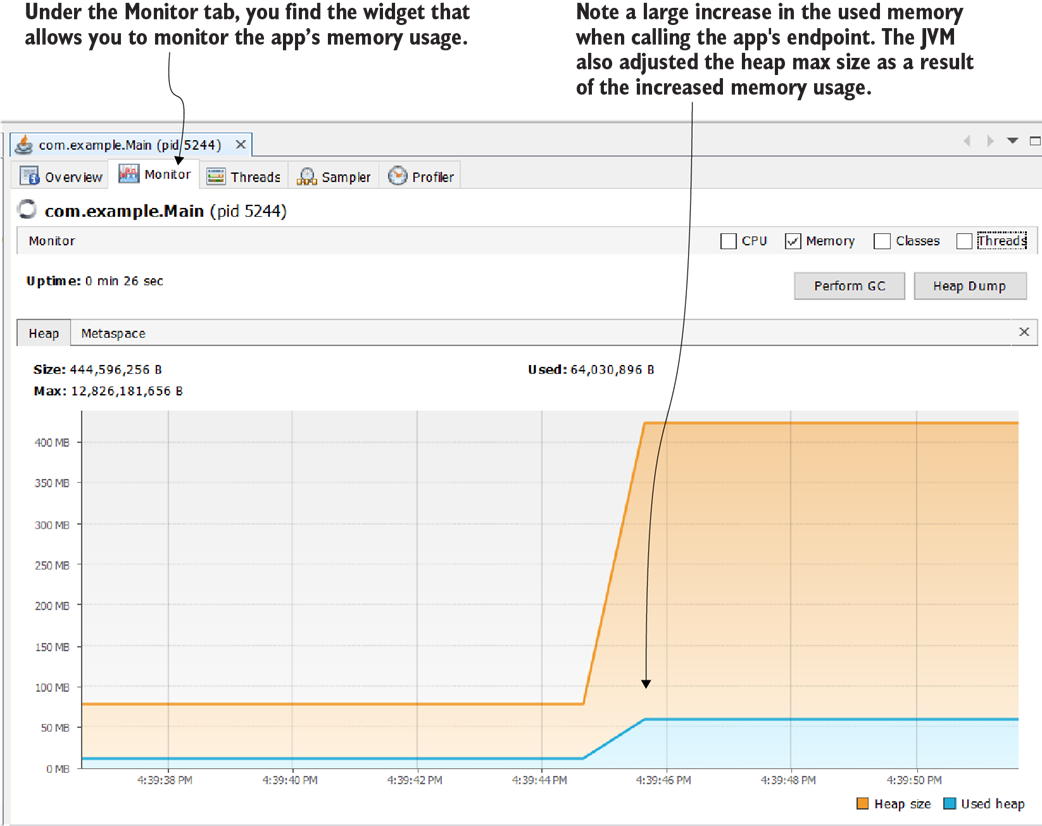
The memory widget in the Monitor tab in VisualVM helps you to identify if the app spends more memory than usual at any given time. Often, widgets in the Monitor tab, such as CPU and memory consumption, give us clues on how to continue our investigation. When we see that the app consumes an abnormal amount of memory, we may decide to continue with memory profiling the execution.
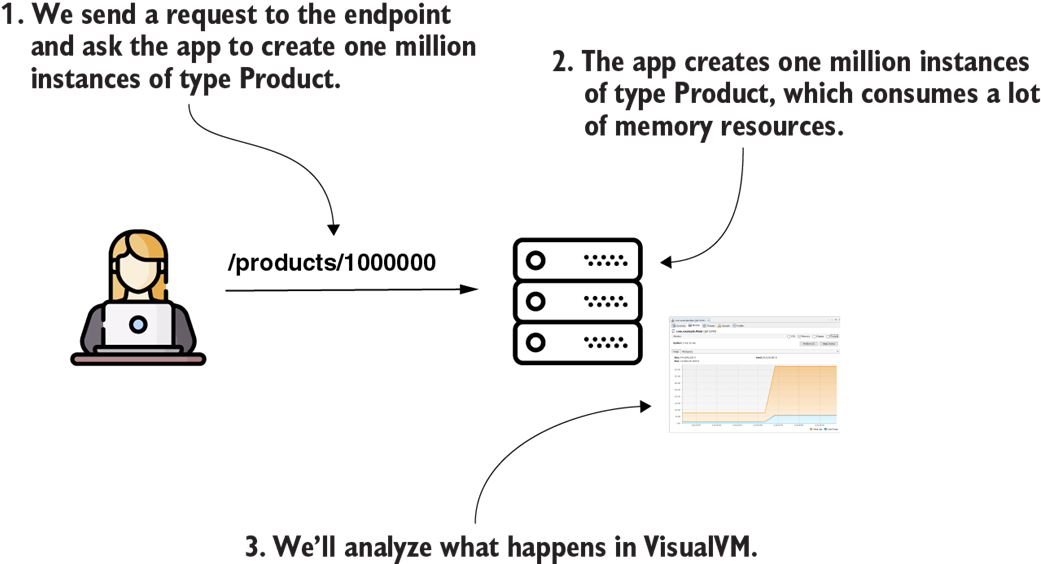
When we call the endpoint exposed by the provided project da-ch10-ex1, the app creates a large number of instances that consume a considerable part of the app’s memory. We’ll analyze this scenario using a profiler.

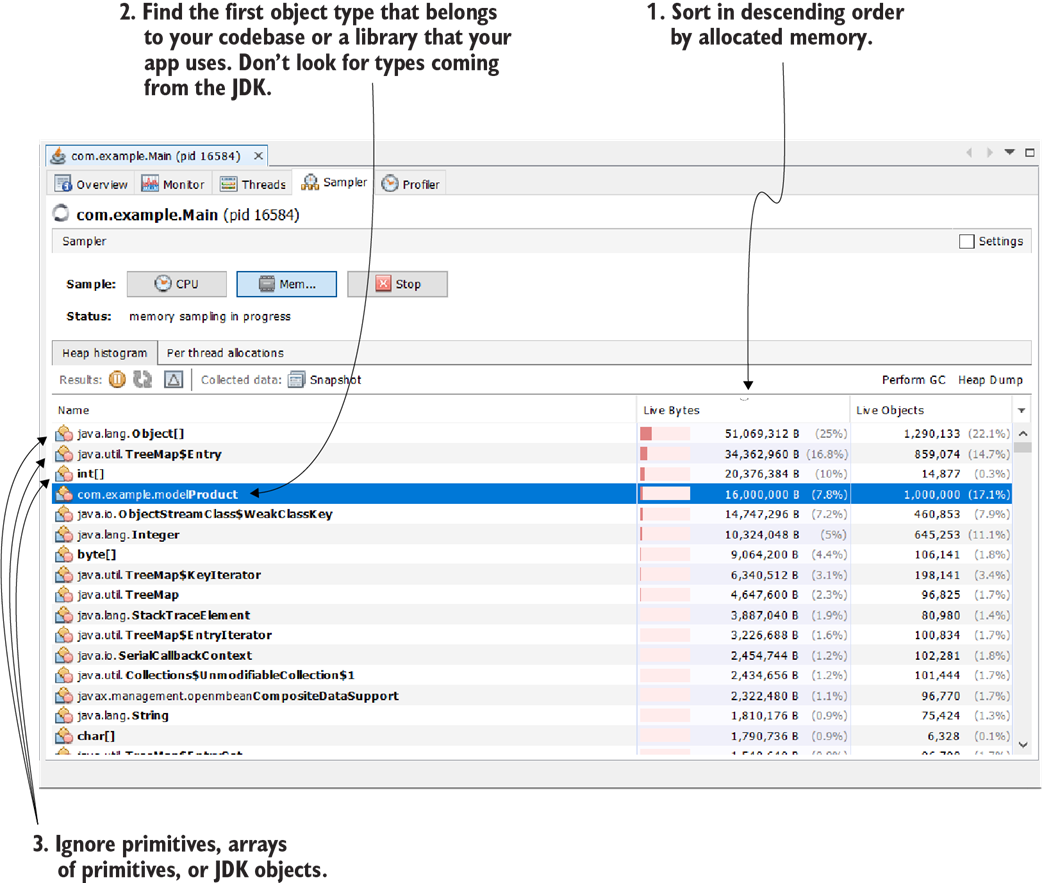
We sort the sampled results in descending order by memory occupied. This way, we can see which objects consume most of the memory. We don’t usually look for primitives, strings, and arrays of strings or JDK objects in general. We are mostly interested in finding the object, directly related to our codebase, that is causing the problem. In this case, the Product type (which is part of our codebase) occupies a large part of the memory.

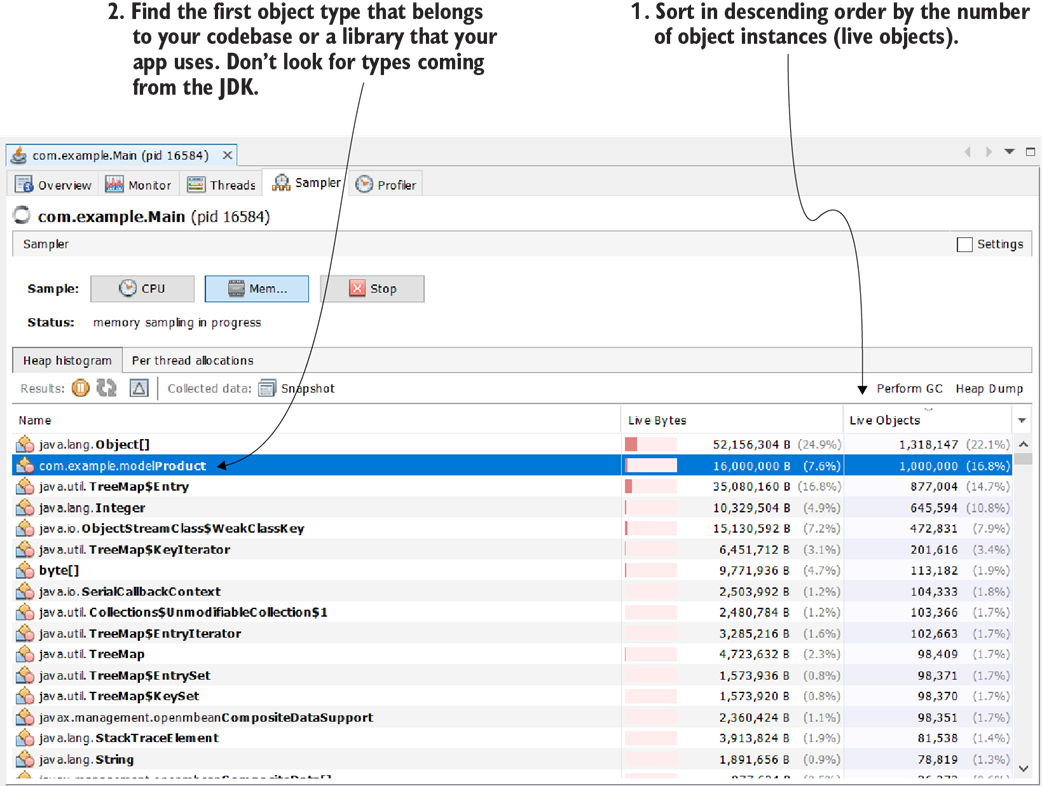
We can sort the sampled results by the number of instances (live objects). This gives us clues on whether some capability creates a large number of objects that are negatively affecting the memory allocation.
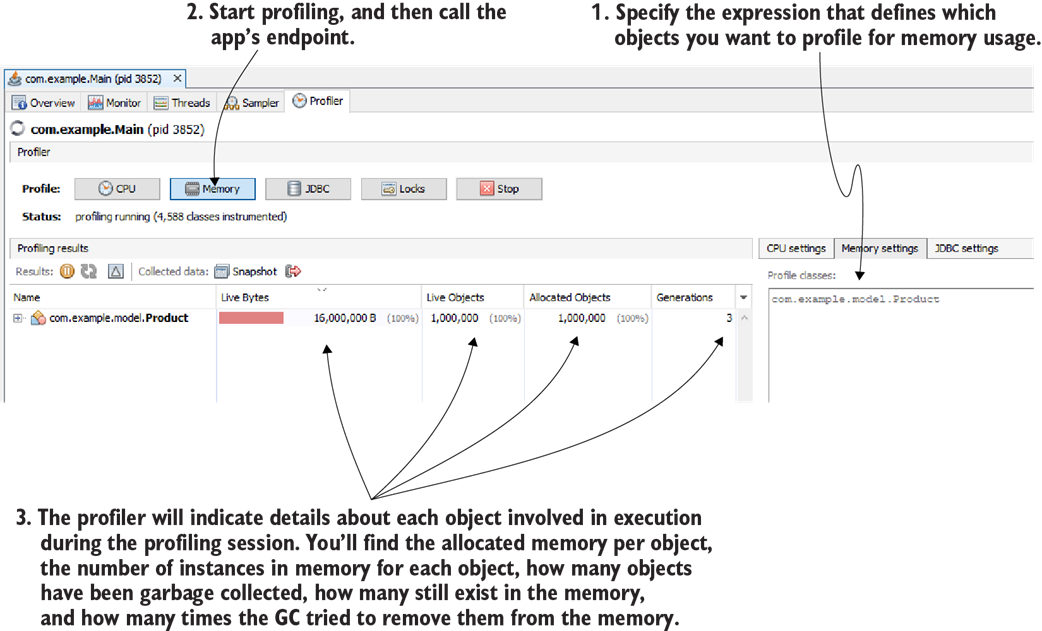
To profile for memory allocation, first specify which packages or classes you want to profile, and then start the profiling by pressing the Memory button. The profiler will give you relevant details about the profile types, including used memory, number of instances, the total number of allocated objects, and the number of GC generations.

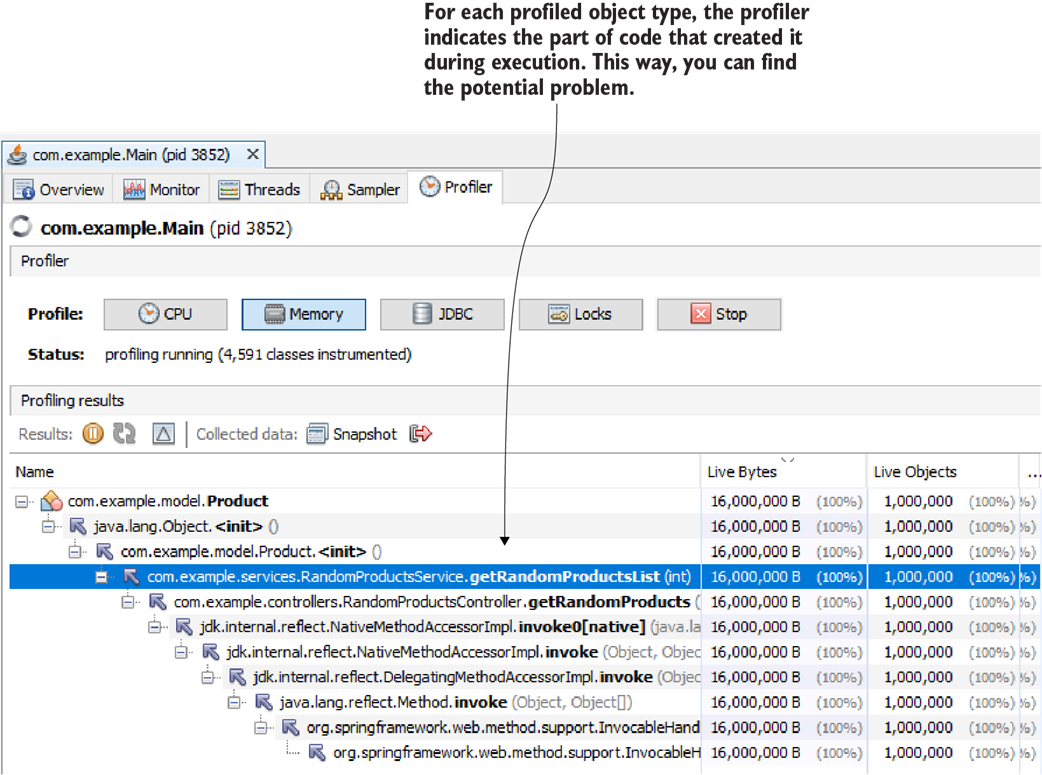
The profiler shows the stack trace of the code that created the instances of each of the profiled types. This way, you can easily identify what part of the app created the problematic instances.
Summary
- An application that doesn’t manage memory efficiently can suffer from serious performance issues. Optimizing how data is allocated and released ensures stability and responsiveness.
- A profiling tool allows you to monitor memory usage in real-time. This helps identify inefficient allocations and areas that need optimization.
- If object instances continue to accumulate without being dereferenced, the GC will be unable to free memory. Eventually, the heap fills up, leading to an OutOfMemoryError and application failure.
- Understanding and managing heap memory efficiently prevents performance degradation. With the right tools and techniques, you can keep your application running smoothly and avoid critical memory issues.

 Troubleshooting Java, Second Edition ebook for free
