4 Making the most of logs: Auditing an app’s behavior
Logs are an application’s historical record: they capture what happened, when, and where, so you can later reconstruct behavior and investigate issues. The chapter frames logging as an audit trail akin to ship logs or chess notation and stresses designing logs intentionally so they’re useful later. Well-structured entries include timestamps, severity, and the component (and application) that produced them, which is especially important when messages are aggregated in centralized observability stacks. Different log types (debug, info, warnings, errors, security) serve different purposes, and their value depends on clarity and context, not volume.
As a troubleshooting tool, logs excel at examining past execution, building timelines, and finding first clues before switching to other techniques. They surface exceptions and stack traces (which reveal call paths), help measure execution time for suspicious code paths, and are particularly valuable in multithreaded systems where intrusive tools like debuggers can alter behavior. The chapter highlights pitfalls and practices around time, advising consistent formats and time zones to correlate distributed events, and recommends logging thread names when concurrency matters. It also shows how AI assistants—within IDEs or chat-based—can summarize massive logs, cluster related failures, and suggest next steps, accelerating post-mortems and day-to-day diagnostics.
Implementing logging well involves choosing suitable persistence (often NoSQL-backed stacks like ELK or platforms like Splunk for performance and search; files are legacy; relational databases suit regulated domains where losing entries isn’t acceptable), applying severity levels (error, warn, info, debug) per the “log severity pyramid,” and using frameworks (Log4j, Logback, Java Logging) with configurable loggers, appenders, and formatters so behavior can change without recompilation. The chapter closes with cautions: protect security and privacy (never log secrets, tokens, or personal data), guard performance (avoid excessive or per-iteration logging, be mindful of slow sinks or networks, enable fine-grained logs only when needed), and preserve maintainability (favor concise, high-signal messages, keep methods small, and consider aspects or similar mechanisms to log method boundaries without cluttering business logic).
Sailors store events in logs that they can use to determine their route or analyze the crew’s response to a given event. In the same way, apps store log messages so that developers can later analyze a potential issue or discover breaches in the app.

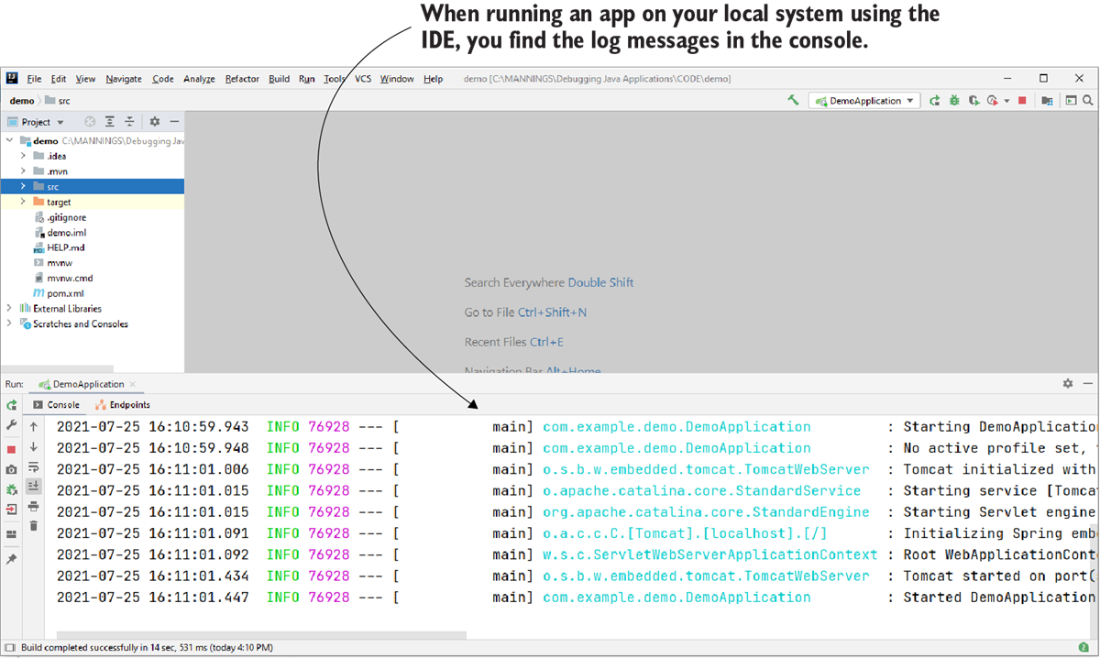
IDE log console. All IDEs have a log console. While logging messages in the console is useful when running the app locally, real-world apps also store logs that are needed to understand how the app behaved at a given time.
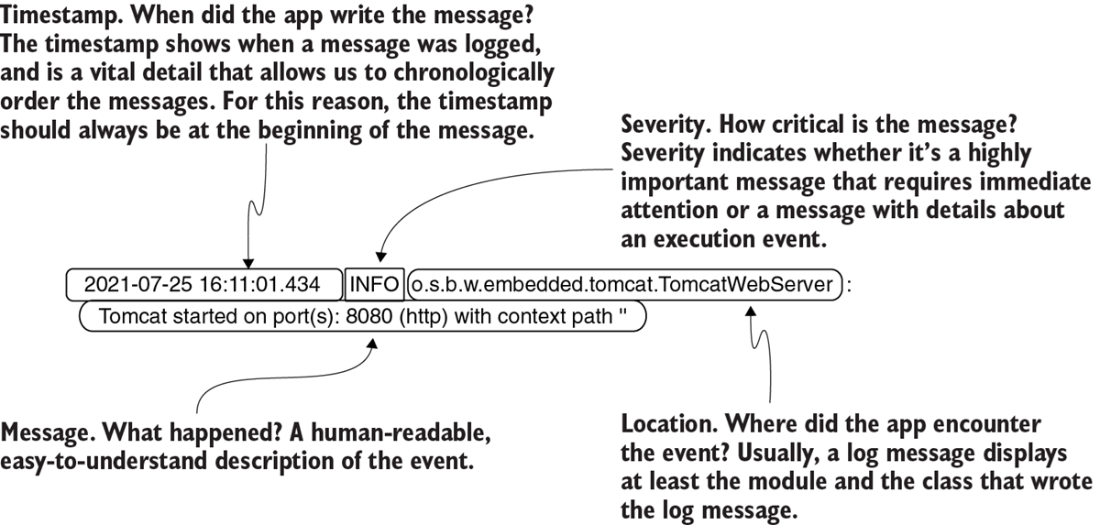
The anatomy of a well-formatted log message. In addition to describing a situation or an event, a log message should also contain several other relevant details: the timestamp of when the app logged the message, the event's severity, and where the message was written. Using the details in these logs allows you to more easily investigate a problem.
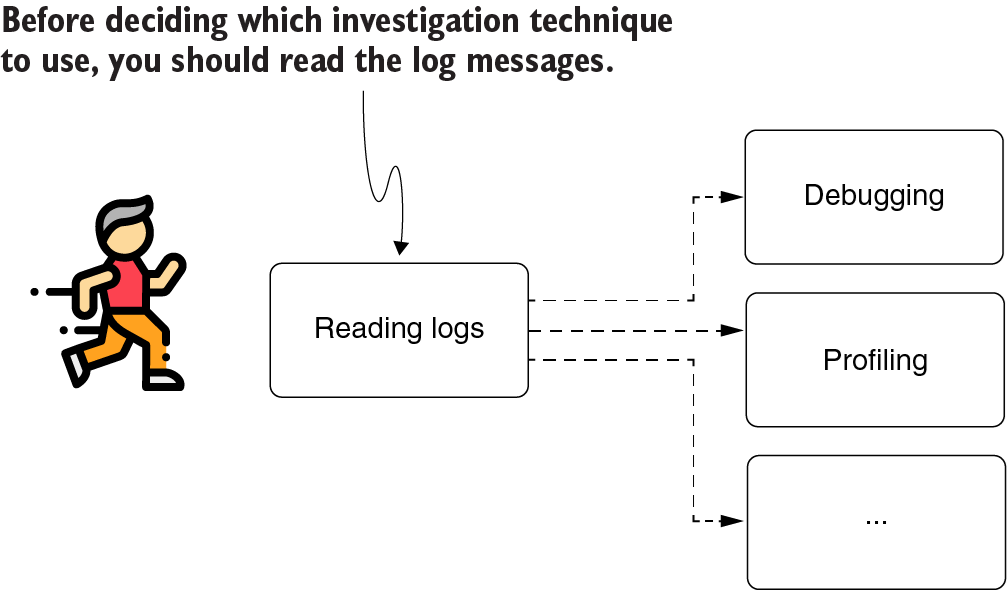
Whenever you investigate an issue, the first thing you should always do is read the app’s logs. In many cases, the log messages give you a starting point or offer valuable hints on what you should do next to solve the problem.
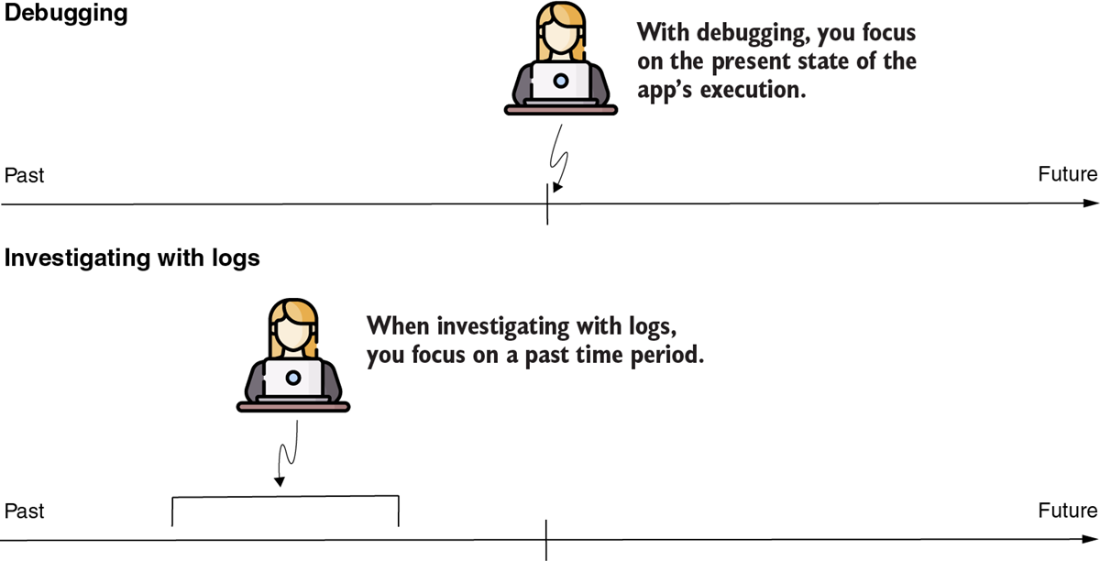
When investigating an issue with the debugger, you focus on the present. When you use log messages, you focus on a given period in the past. This difference can help you to decide which to use.
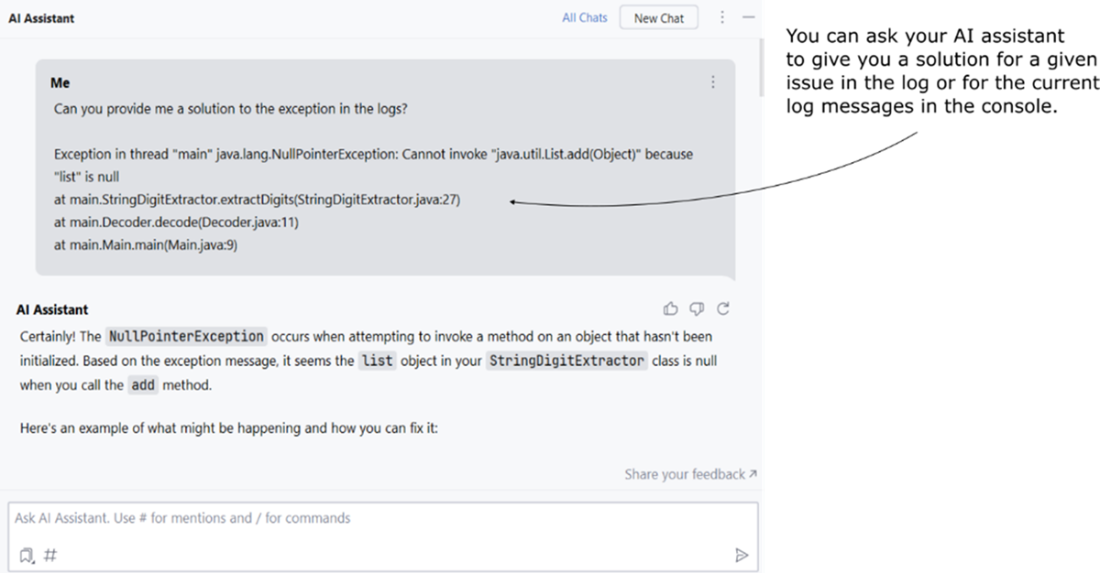
When you encounter an exception or a console message that isn't immediately clear, you can quickly ask your AI companion for a concise analysis.
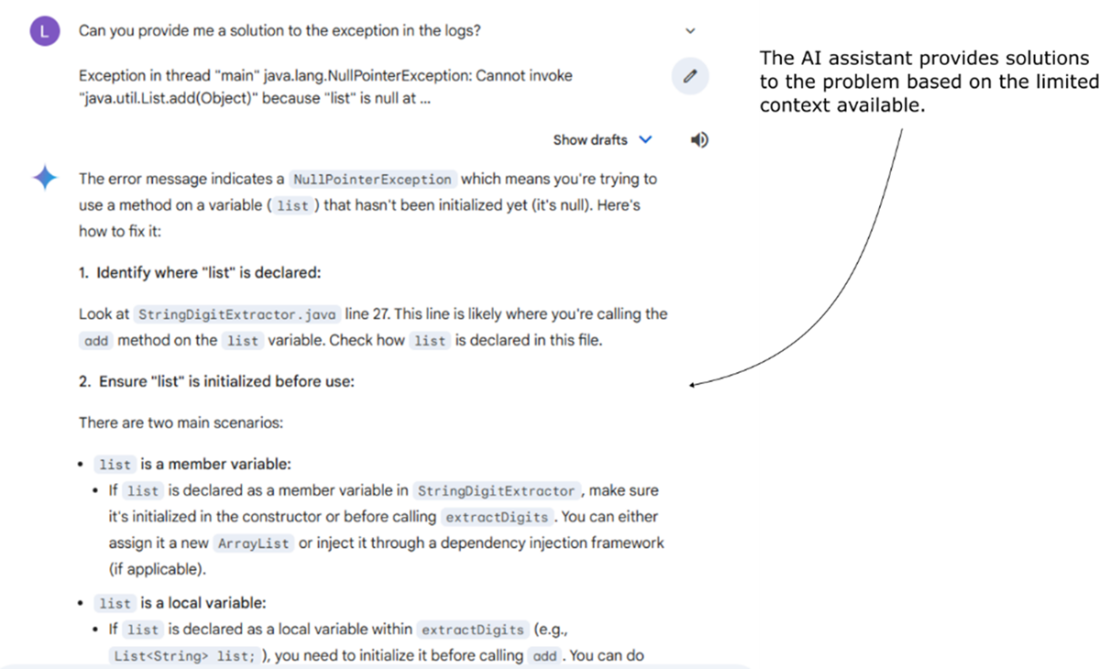
When an IDE-integrated AI companion isn't an option, you can use a chat-based AI. Even without complete context, a chat-based AI can still provide useful suggestions to help you continue your investigation.
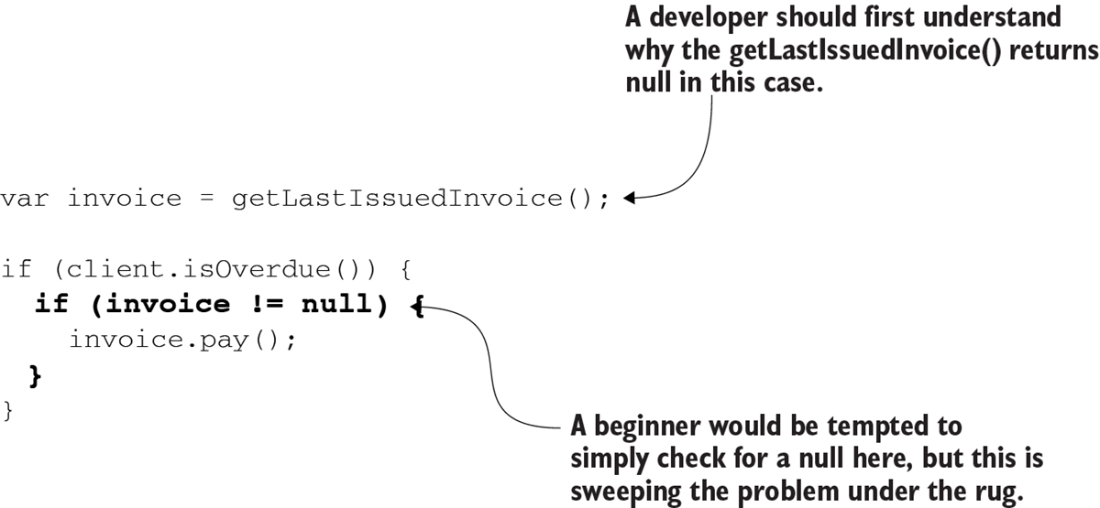
A NullPointerException indicates the app execution encountered a behavior that was called without the behaving instance. But that doesn’t mean that the line that produced the exception is also the cause of the problem. The exception could be a consequence of the root cause. You should always look for the root cause instead of locally treating a problem.
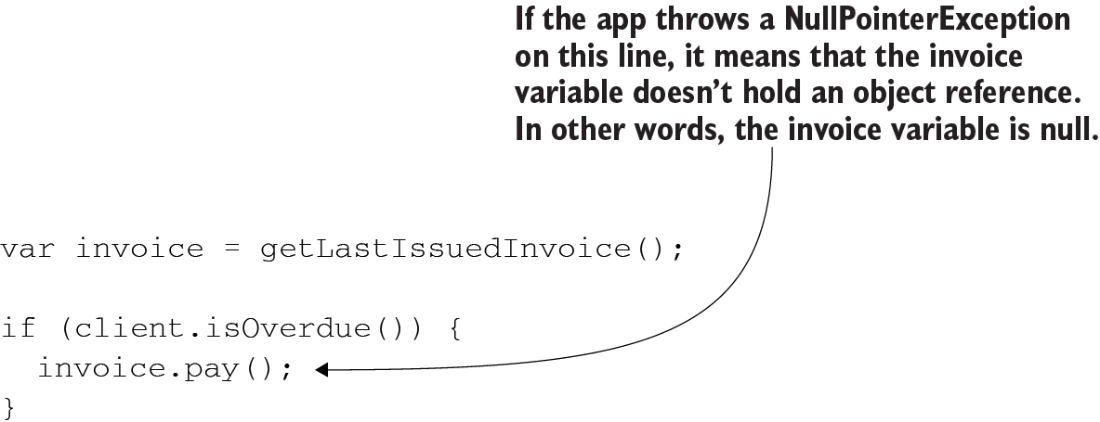
Locally solving the problem is in many cases equivalent to sweeping it under the rug. If the root cause remains, more issues can appear later. Remember that an exception in the logs doesn’t necessarily indicate the root cause.
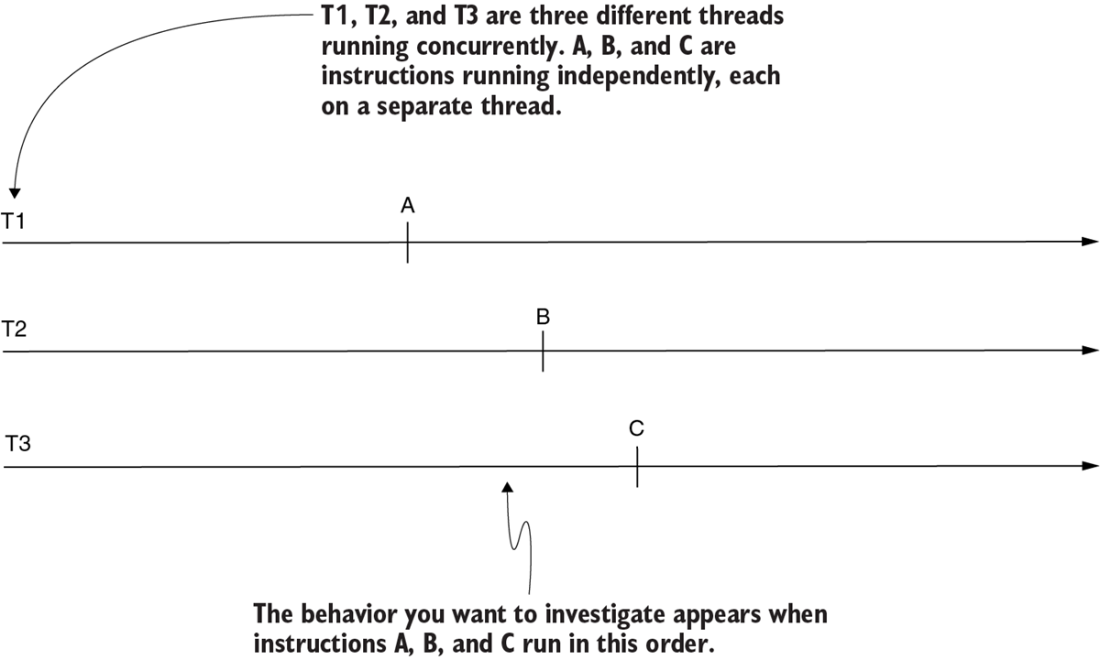
A multithreaded architecture. An app with the capability to use multiple threads running concurrently to process data is a multithreaded app. Unless explicitly synchronized, instructions running on independent threads (A, B, and C) can run in any order.
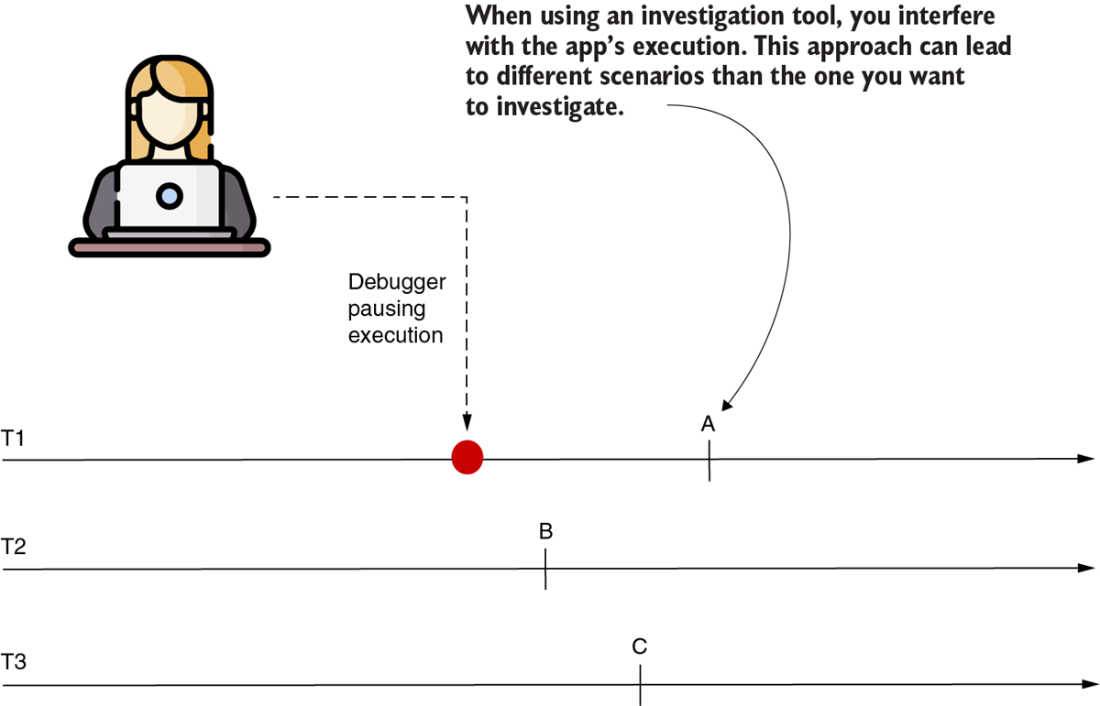
Using a tool such as a debugger or a profiler interferes with the execution, making some (or all) threads slower. Because of this, the execution often changes, and some instructions may execute in a different order than the scenario you wanted to investigate. In such a case, the tool is no longer useful since you can’t research the behavior you're interested in.

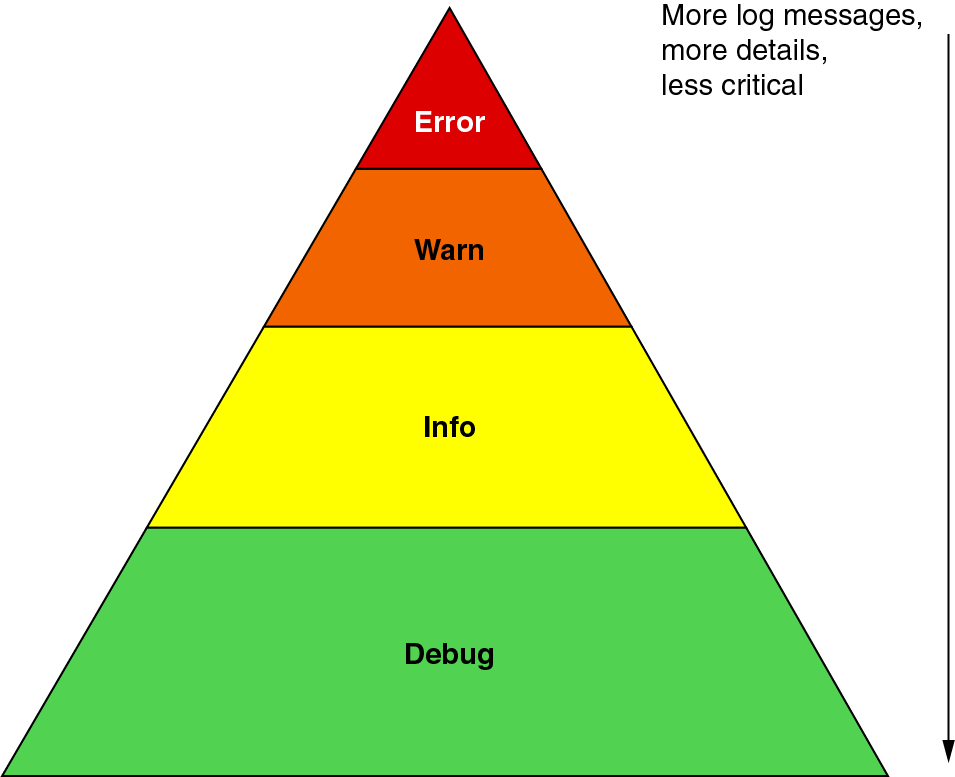
The log severity pyramid. On the top are the critical log messages that usually require immediate attention. The bottom represents the log messages that provide details you’ll rarely need. From the top to the bottom, the log messages become less essential but greater in number. Usually, the debug-level messages are disabled by default, and the developer can choose to enable them if their investigation requires fine-grained details about the app’s execution.
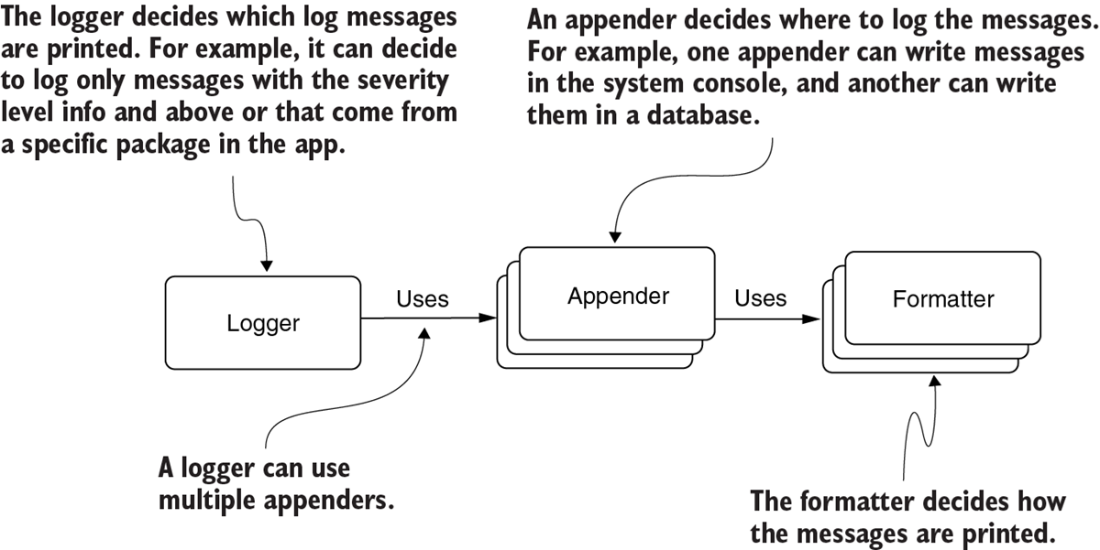
The relationship between the appender, logger, and formatter. A logger uses one or more appenders. The logger decides what to write (e.g., only log messages printed by objects in the package). The logger gives the messages to be written to one or more appenders. Each appender then implements a certain way to store the messages. The appender uses formatters to shape the messages before storing them.
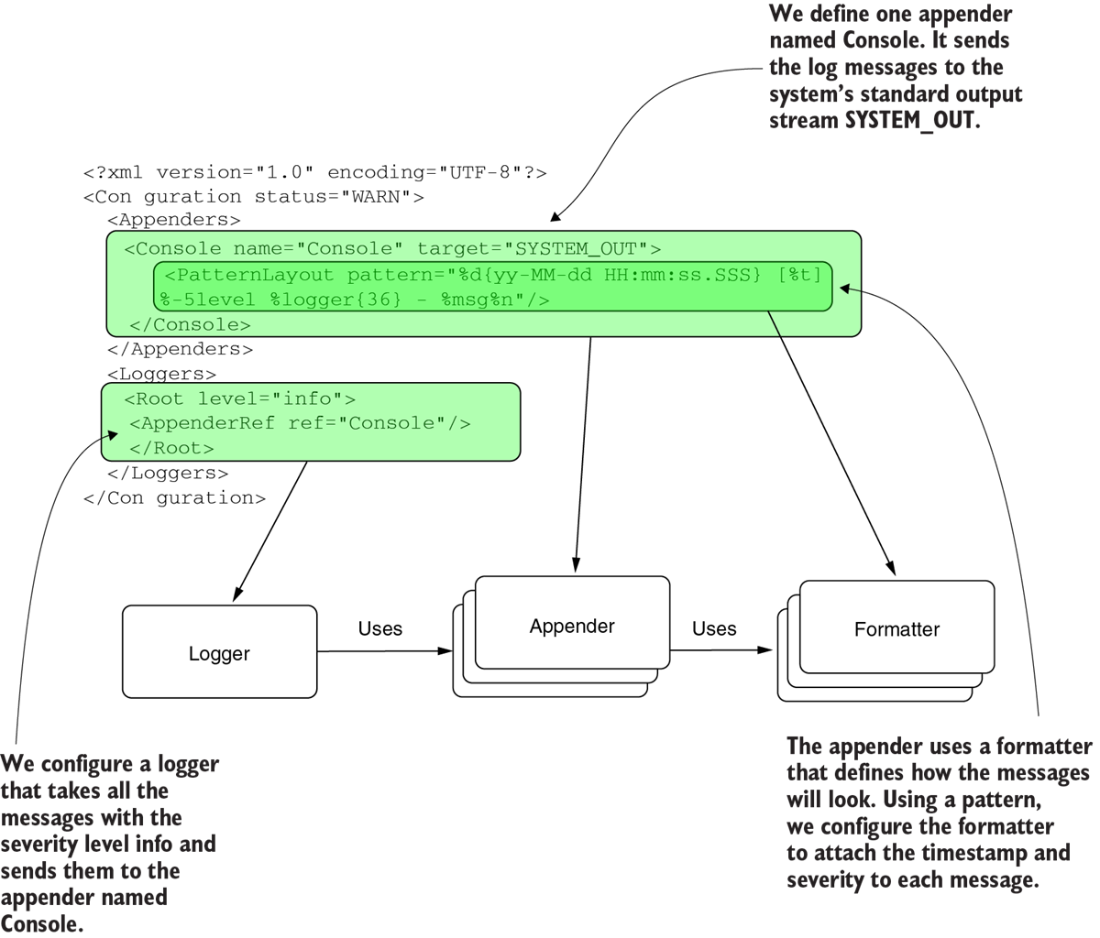
The components in configuration. The logger Root takes all the log messages with severity level info that the app writes. The logger sends the messages to the appender named Console. The appender Console is configured to send the messages to the system terminal. It uses a formatter to attach the timestamp and the severity level to the message before writing it.
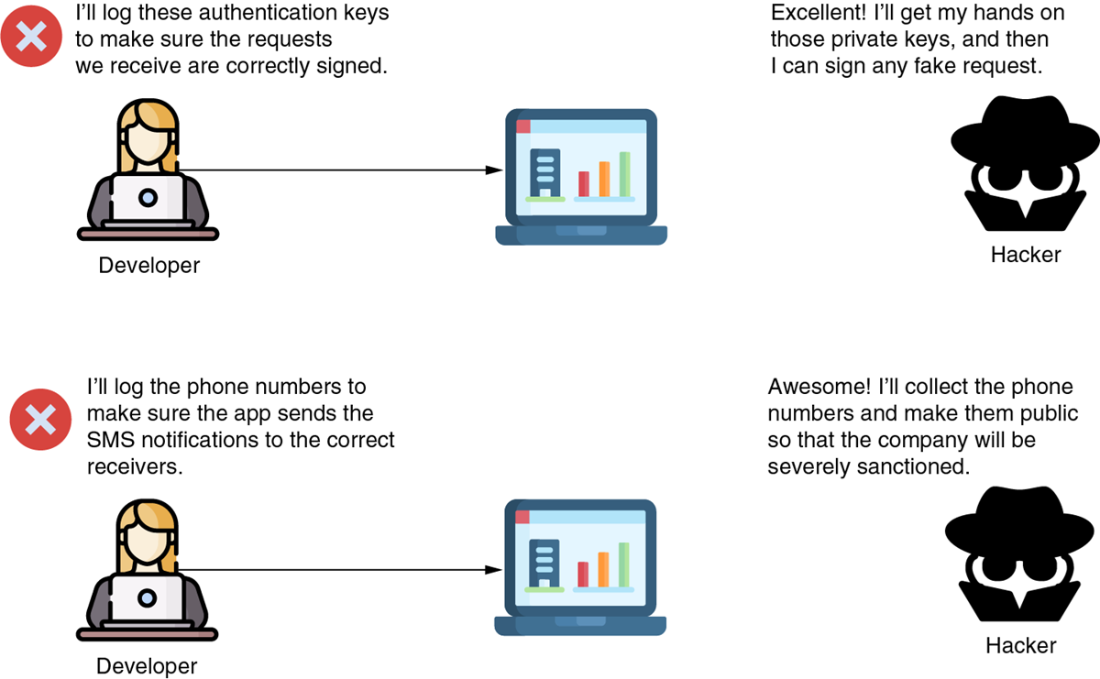
Small details can cause big problems. Developers sometimes consider an app’s logging capability harmless by default and disregard the problems logging can introduce. Logging, however, like all the other software capabilities, deals with the data and, wrongly implemented, can affect the app’s functionality and maintainability.

Log messages should not contain secret or private details. No one working on the app or the infrastructure where the app is deployed should access such data. Exposing sensitive details in logs can help a malicious person (hacker) to find easier ways to break the system or create security-related problems.
Summary
- Always check the app’s logs when you start investigating any issue. The logs may indicate what’s wrong or at least give you a starting point for your investigation.
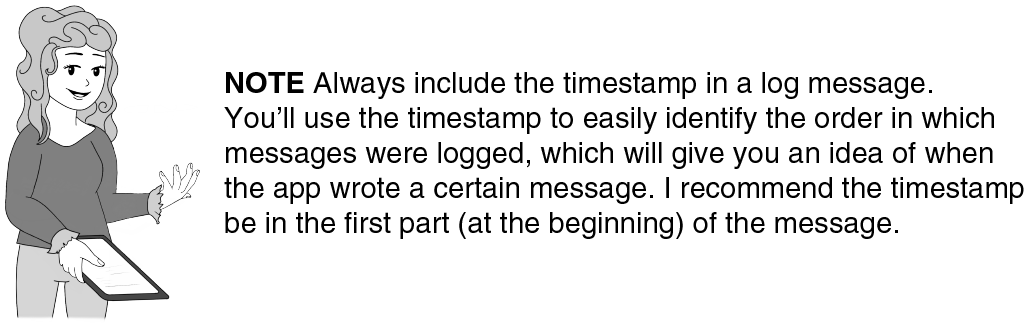
- All log messages should include a timestamp. Remember that in most cases a system doesn’t guarantee the order in which the logs are stored. The timestamp will help you to order the log messages chronologically.
- AI assistants can be highly effective for analyzing large volumes of log messages, making the investigation process more efficient and reducing the amount of data you need to manually sift through.
- IDE-integrated AI companions, like GitHub Copilot or IntelliJ IDEA AI Assistant, can provide comprehensive assistance by having access to the codebase and IDE console, helping to solve issues faster.
- If an IDE-integrated AI isn't available, a chat-based AI (such as ChatGPT or Gemini) can still be helpful in identifying potential root causes by providing incremental context and insights into complex logs.
- An exception in the logs is not necessarily the root of the problem. It could be a consequence of a problem. Research what caused the exception before treating it locally.
- You can use exception stack traces to figure out what called a given method. In large, messy, and difficult-to-understand codebases, this approach can be very helpful and save you time.
- Never write sensitive details (e.g., passwords, private keys, or personal details) in a log message. Logging passwords or private keys introduces security vulnerabilities since anyone with access to the logs can see and use them. Writing personal details such as names, addresses, or phone numbers also may not comply with various government regulations.

 Troubleshooting Java, Second Edition ebook for free
