Appendix E. Memory management in Java apps
This appendix introduces how the JVM organizes and manages memory in Java applications and why this matters for troubleshooting. Memory is finite, and poor handling leads to slower startups, higher costs, degraded throughput, and even process termination via OutOfMemoryError. The discussion centers on the three main regions involved in allocation and execution: per-thread stacks for local data, the shared heap for object instances, and the metaspace for type metadata. With just enough detail to support diagnosis elsewhere in the book, it sets expectations about common symptoms and where to look for root causes.
The stack is private to each thread and holds method parameters and locally declared variables in stack frames created when a block or method begins and removed when it ends—last in, first out. This predictable lifecycle makes stack memory self-cleaning under normal execution. Problems arise when the stack’s fixed size is exceeded, most commonly through runaway recursion or excessive call depth, resulting in StackOverflowError that halts only the offending thread and leaves a telltale stack trace. Although stack references typically don’t cause leaks, stalled execution (for example, a deadlock) can keep frames alive longer than intended, temporarily retaining references to heap objects.
The heap is shared by all threads and stores object instances and their fields; it is therefore both the most contested resource and the most frequent source of memory issues. The garbage collector reclaims objects only when they are no longer reachable, so lingering references—such as entries accumulated in long-lived collections or objects held by static fields—can create memory leaks. Because all threads allocate from the same heap, the first thread that cannot allocate may report an OutOfMemoryError even if another thread caused the leak. Finally, the metaspace holds class and type metadata; while less commonly a bottleneck, it can also be exhausted under certain conditions, producing its own OutOfMemoryError.
Figure E.1 An app’s memory is a limited resource. There’s no magical solution that allows us to allocate infinite memory to an app. When building apps, we need to treat memory consumption with consideration and avoid spending it for no reason. Apps may sometimes have memory issues. If a certain capability uses too much memory, it can cause performance problems or even a complete failure. You need to be ready to find the causes of such issues and solve them properly.
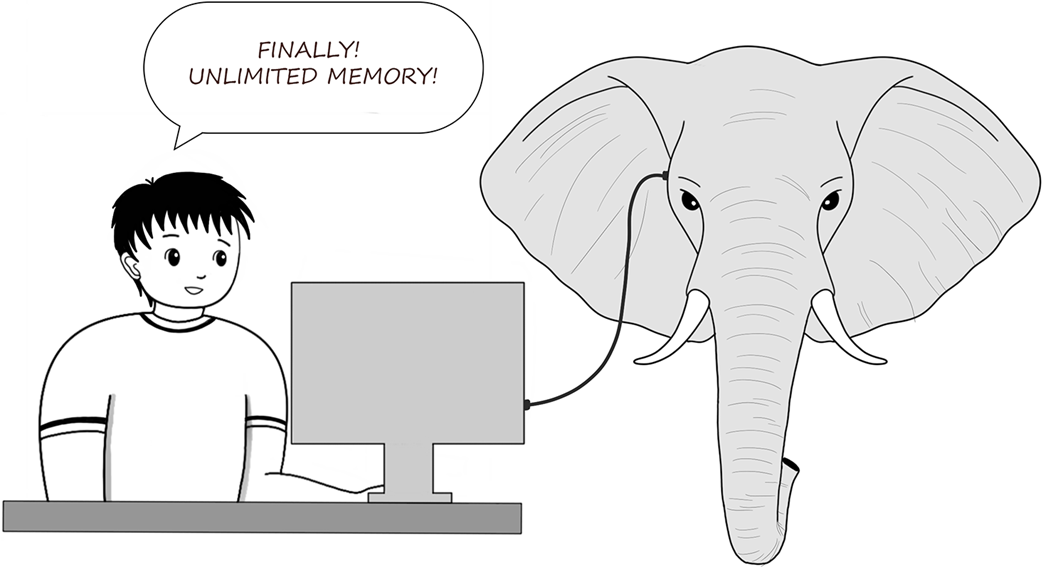
Figure E.2 T1, T2, and T3 are all threads of a Java app. All these threads use the same heap. The heap is a memory location where the app stores object instances’ data. However, each thread uses its own memory location, called a stack, to store data locally declared

Figure E.3 The app reserves the locally declared variables in the thread’s stack and the data defining an object instance in the heap. A variable in one thread’s stack may refer to an object in the heap. In this example, variable x, holding value 10, and variable c, holding the reference to the Cat instance, are part of the thread’s stack.
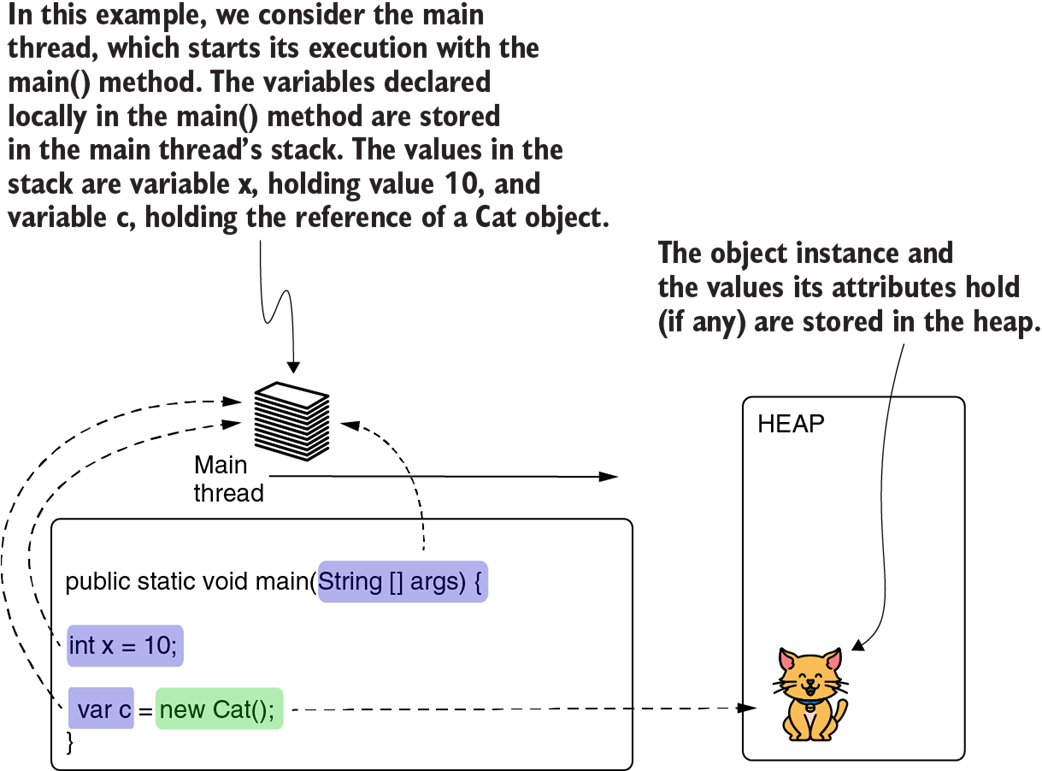
Figure E.4 Adding and removing values from a stack. The stack is an ordered collection working on the LIFO principle. When you add a value to the stack it becomes the top layer—the only one you can remove.
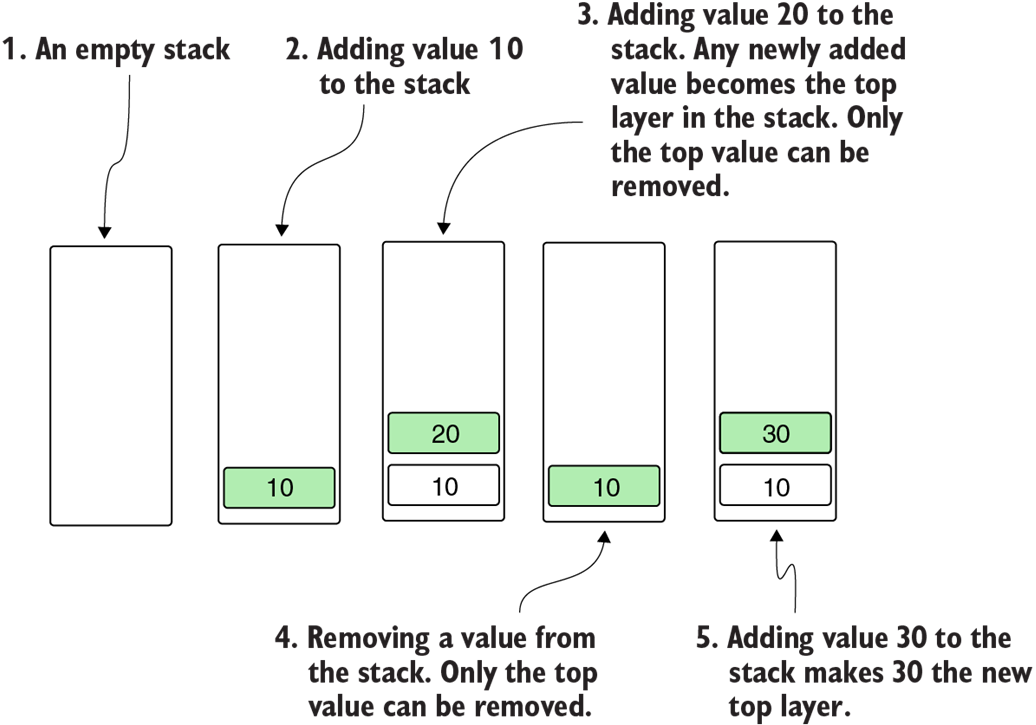
Figure E.5 When the execution reaches the start of a block of code, a new layer is created in the thread’s stack. All the variables the block of code defines are stored in this new layer. The layer is removed when the block of code ends. This way, we know that the values in this part of the memory are released when they’re no longer needed. Besides variable x, the args parameter is also part of the stack in this case. I have simply taken it out to allow you focus on the local declared variables.
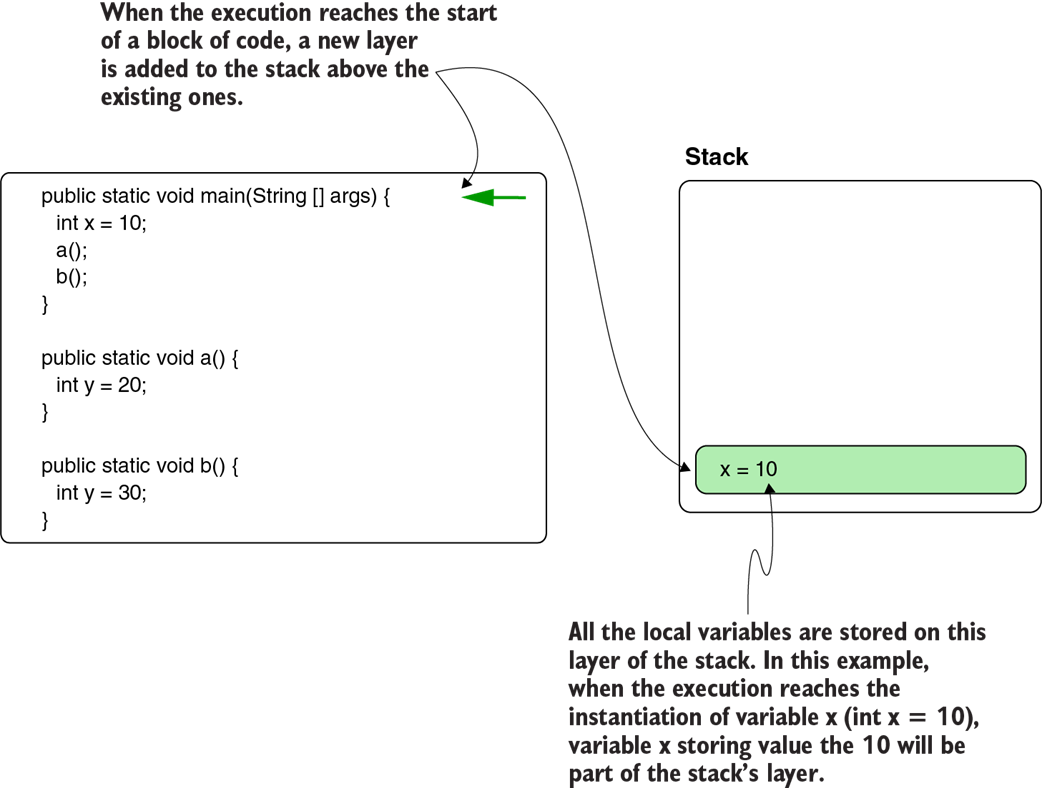
Figure E.6 Another block of code can be called from one in execution. In this case, method main() calls method a(). Since main() didn’t finish, its layer is still part of the stack. Method a() creates its own layer where the local values it defines are stored. Method names you see in the stack on the right side of they layers are simply to illustrate which method created which layer.
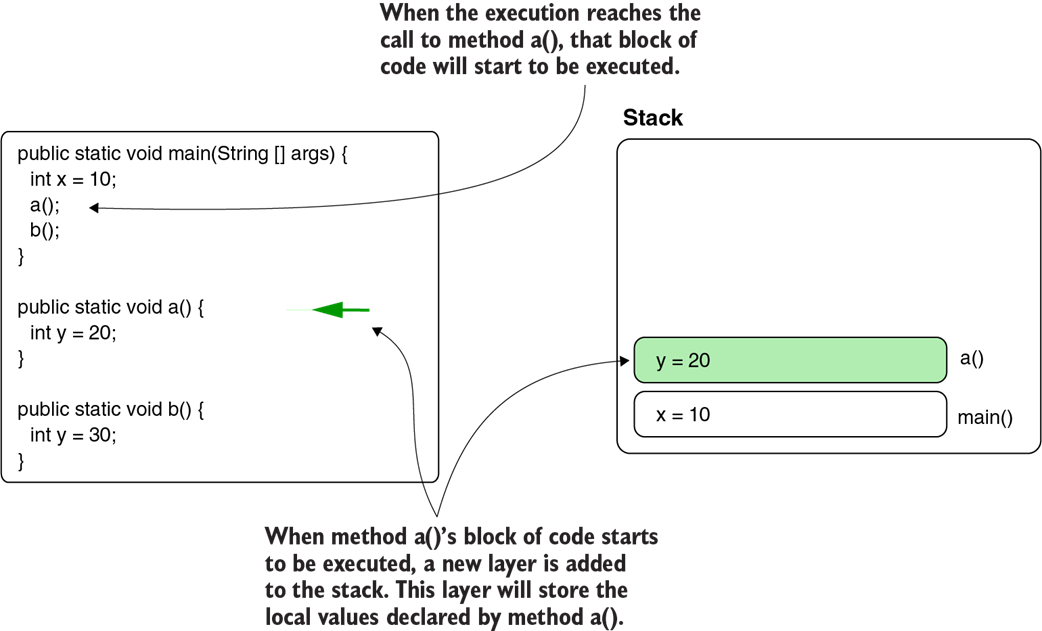
Figure E.7 When the execution reaches the end of a block of code, the stack layer opened for that block is removed with all the data it contains. In this case, when method a() returns, its stack layer is removed. This way, we make sure the unneeded data is removed from the memory.
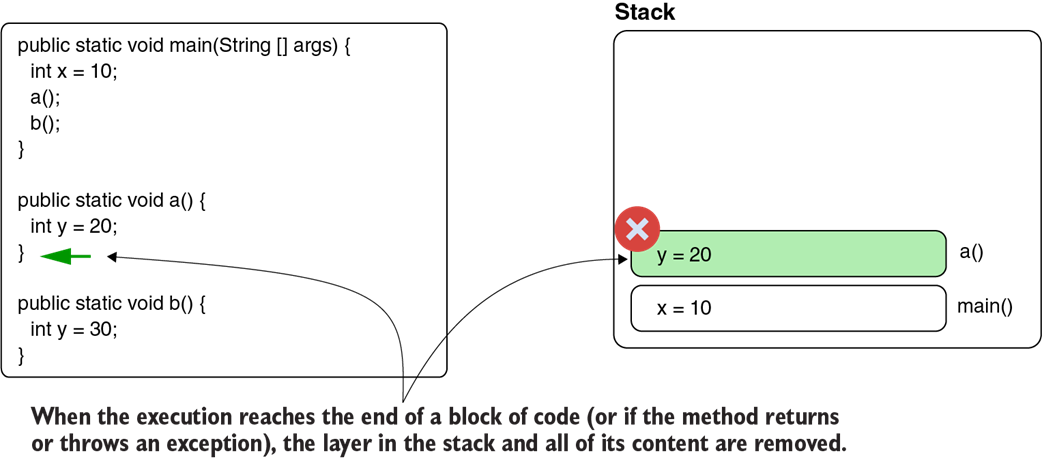
Figure E.8 Just like with method a(), when method b() is called and the execution reaches the start of its block of code, a new layer is added to the stack. The method can use this layer to store local data until the method returns and the layer is removed.
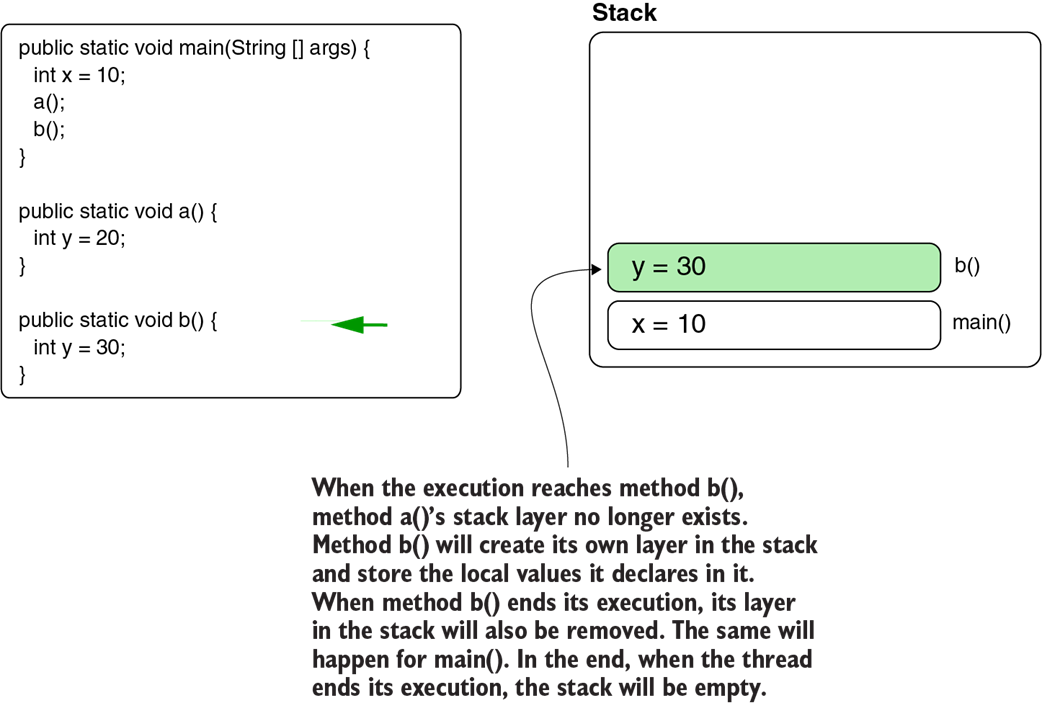
Figure E.9 Every new execution of a method creates a new layer in the stack. In case of a recursion, a method may fill the stack if it’s called too many times. When the stack gets full, the app throws a StackOverflowError, and the current thread stops.
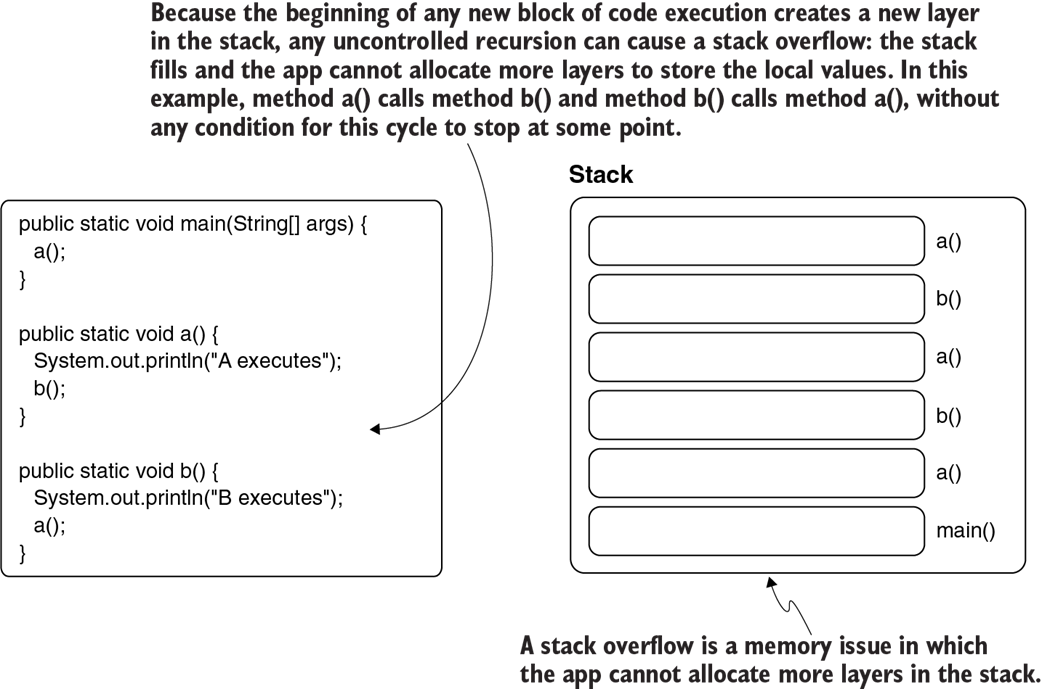
Figure E.10 The stack trace caused by a StackOverflowError. Usually, a StackOverflowError is easy to identify. The stack trace shows a method calling itself repeatedly or a group of methods that call each other, as in this example. You can go directly to these methods to figure out how they started infinitely calling each other.
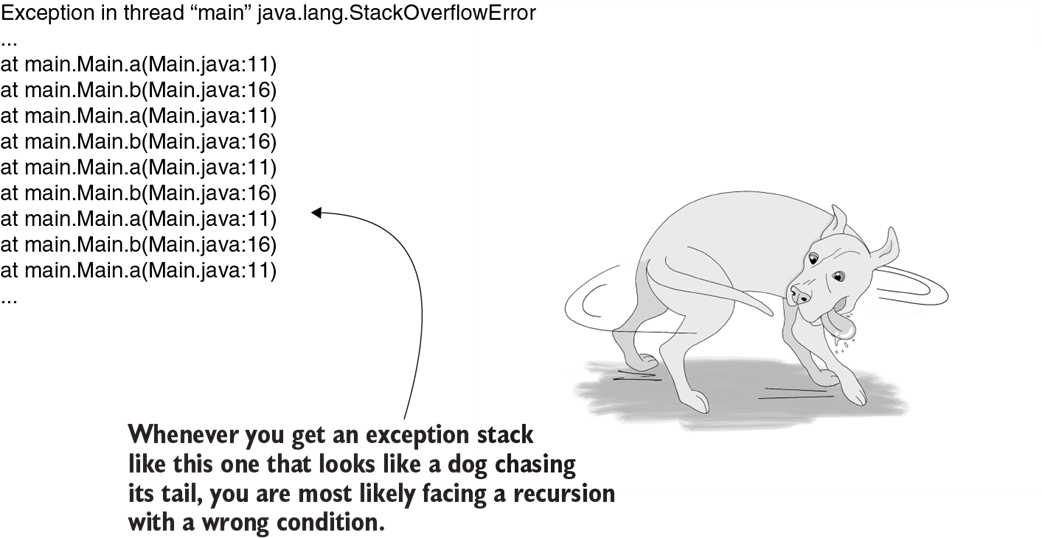
Figure E.11 All threads use the same heap location. If one of the threads has an issue that causes the heap to become full (memory leak), another thread may signal the problem. This scenario happens quite often because the problem will be reported by the first thread unable to store data in the heap. Because any thread can signal the problem and it’s not necessarily the one causing the problem, heap-related issues are more challenging to solve.
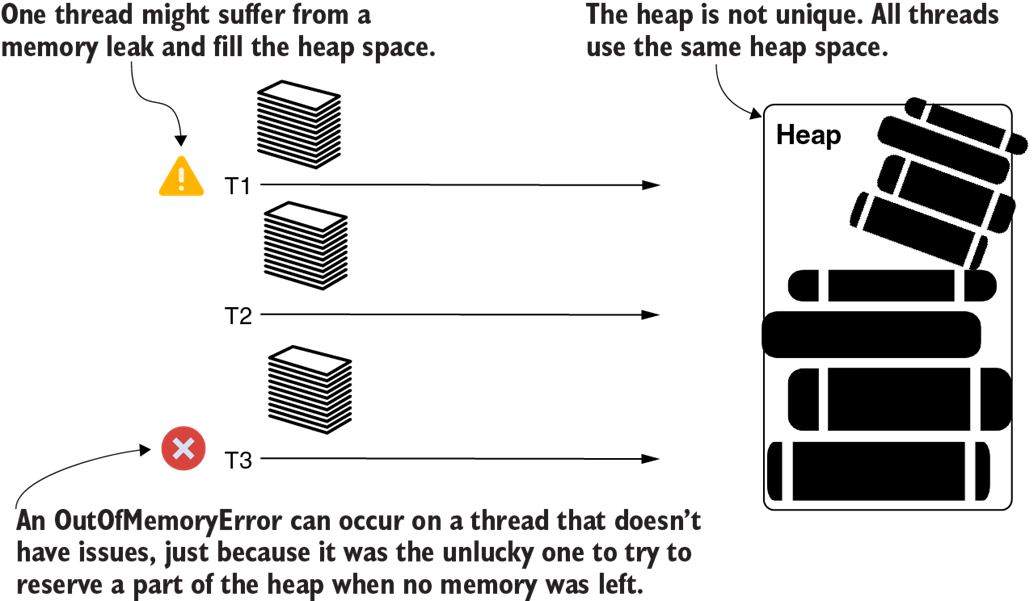
Figure E.12 Any object in the heap can keep references to other objects in the heap. The GC can remove an object only when no reference to it exists.
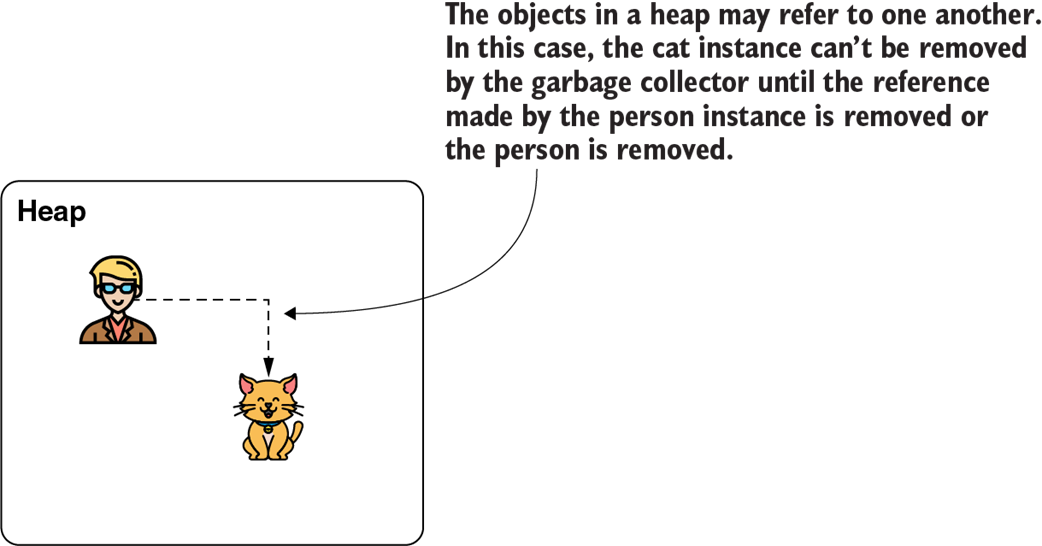
Figure E.13 A variable in the stack can also refer to an instance in the heap, which cannot be removed until all its references are gone (including the ones in the stack).
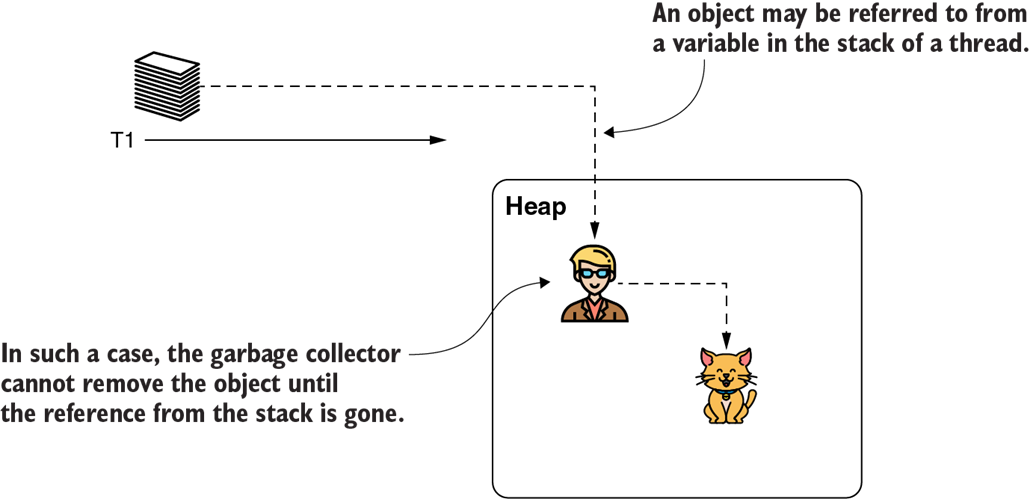
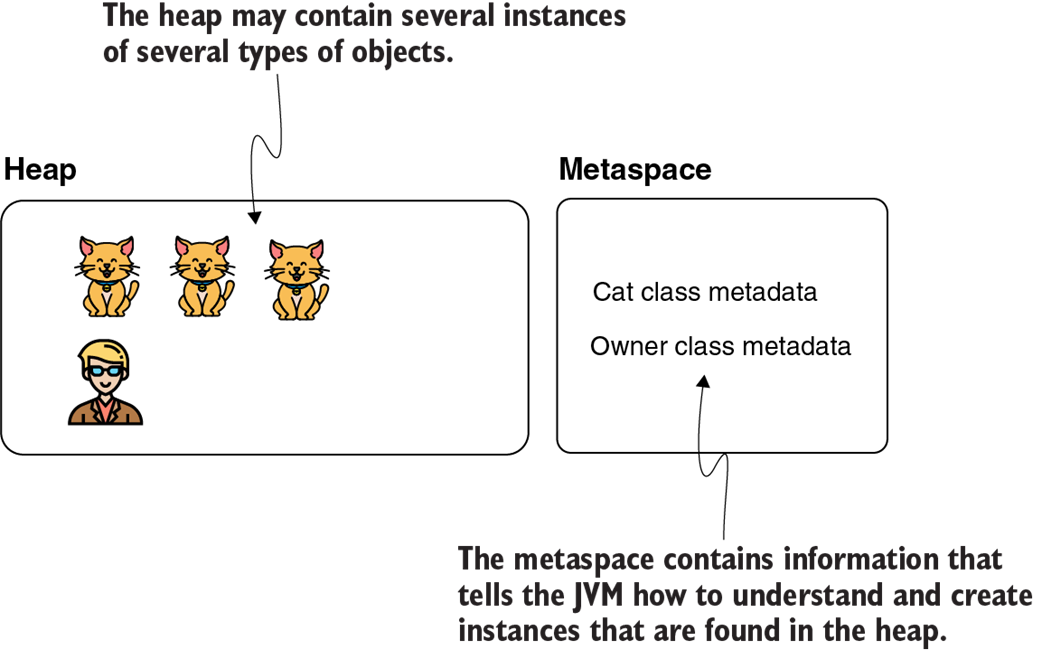
Figure E.14 The metaspace is a memory location where the app stores the data types’ descriptors. It holds the blueprints used to define the instances stored in the heap.

 Troubleshooting Java, Second Edition ebook for free
