10 AI user experience: Designing for uncertainty
AI-driven products force a shift in UX from deterministic, predictable interfaces to experiences defined by uncertainty, variability, and occasional failure. Because models can misinterpret inputs, hallucinate, or produce different outputs for the same prompt, designers must acknowledge users’ fear of unpredictability and intentionally design for transparency, trust calibration, and graceful recovery. The upside is substantial: AI can make experiences fluid and highly personalized through conversational and generative interfaces that adapt content, layout, and functionality to user context. The chapter advocates iterative, discovery-led development and uses a sustainability-reporting MVP to illustrate how to navigate this new terrain across discovery, interface design, and ongoing improvement.
Discovery centers on pinpointing AI opportunities where value, feasibility, and desirability intersect—favoring tasks with high payoff, realistic accuracy, and user appetite for automation. Teams should assess time saved versus opportunity cost, AI’s “unfair advantages,” model readiness, required human oversight, and users’ psychological readiness (AI literacy, resistance, confidence, desire for control). Concepts should be validated early with realistic prototypes that simulate probabilistic behavior and common error modes to shape accurate mental models. In the interface, patterns that reduce risk and increase efficacy include: clearly signaling when AI is at work; explaining capabilities and limits; guiding correct usage with prompts, templates, and tokens; calibrating trust with caveats, confidence and uncertainty indicators, source transparency, and footprints; empowering control through model/data choices, inline edits, and safe interrupts; and proactively managing failure by defining error types, catching issues, supporting user feedback, and providing recovery paths. Intentional friction and verification steps can further counter overreliance.
After launch, progress depends on robust feedback loops and co-creation. Products should capture implicit feedback (usage, edits, clicks) and solicit explicit feedback (ratings, structured forms, qualitative comments) at moments that align with users’ workflow, then route it to both UX refinement and model improvement. To sustain participation, make feedback effortless, incentivize with recognition or rewards, and communicate the tangible impact and cadence of updates—turning power users into design partners and reinforcing engagement. Looking ahead, the chapter highlights the rise of generative UIs that personalize not only content but also interface structure and controls in real time. Teams should adopt these patterns incrementally, measure outcomes with clear metrics, and keep iterating to balance usefulness, user control, trust, and safety.
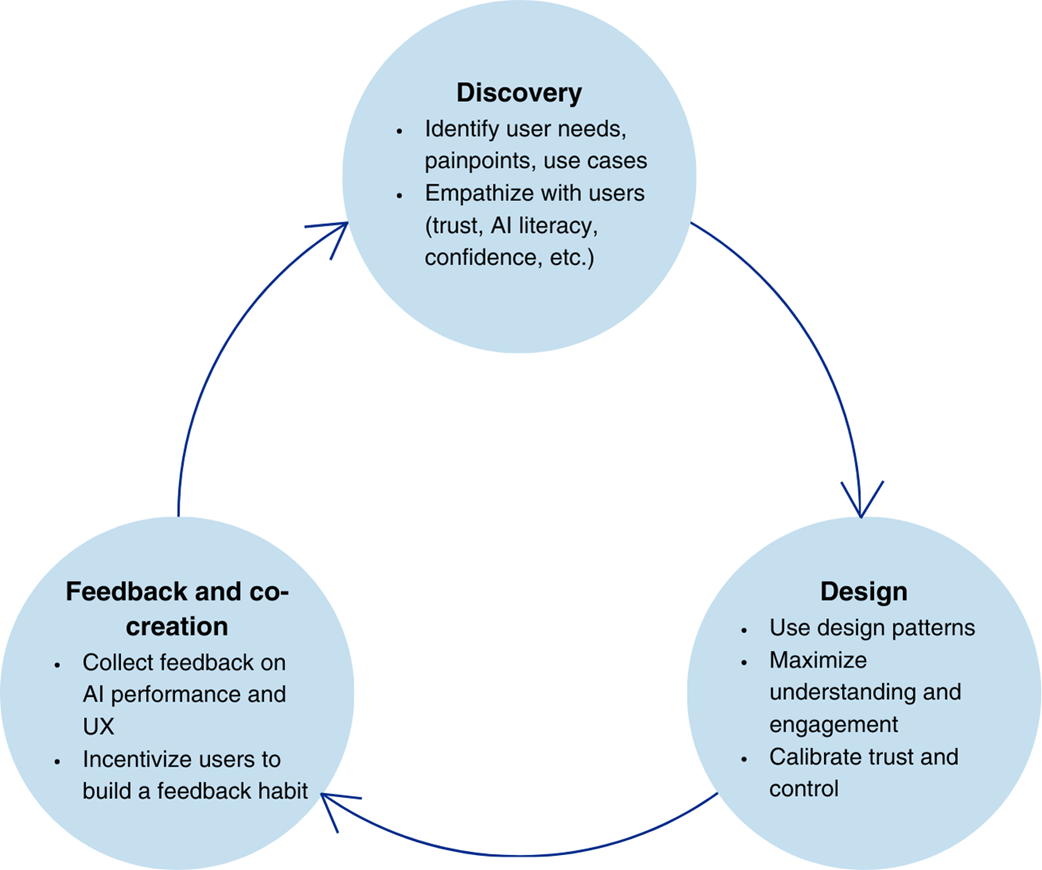
A simplified process of UX design for AI products
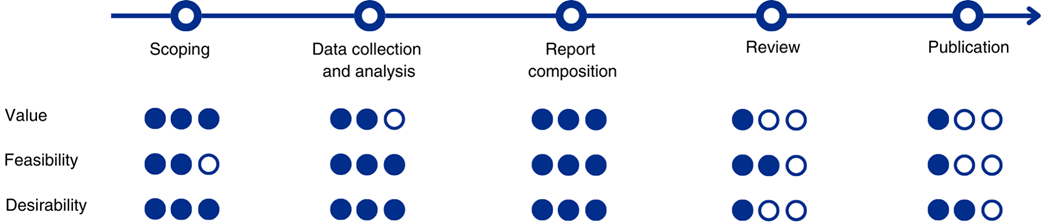
A user journey for sustainability reporting

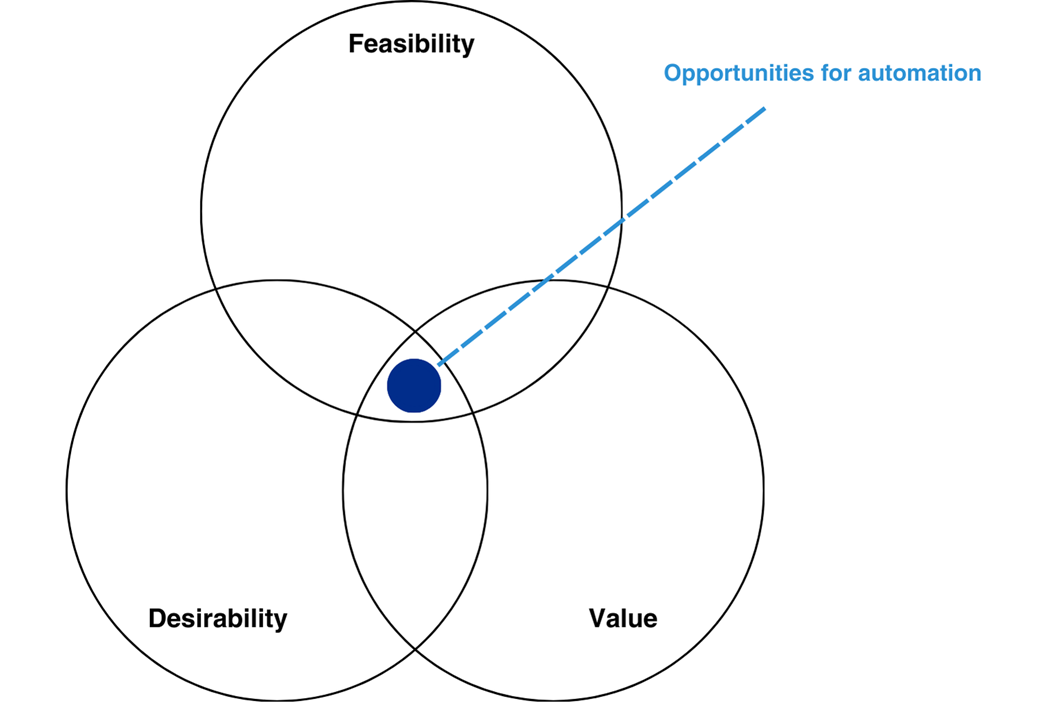
Look for automation potentials at the intersection of objective value, feasibility, and subjective desirability.
The AI opportunity assessment matrix allows you to prioritize the available opportunities
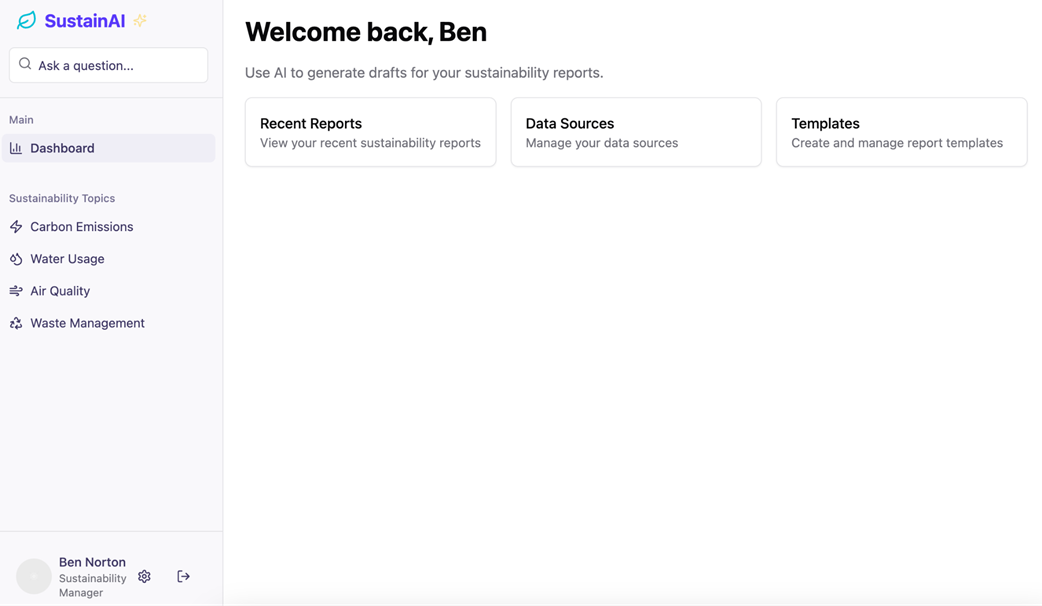
The user journey starts with a clean, minimalistic dashboard.
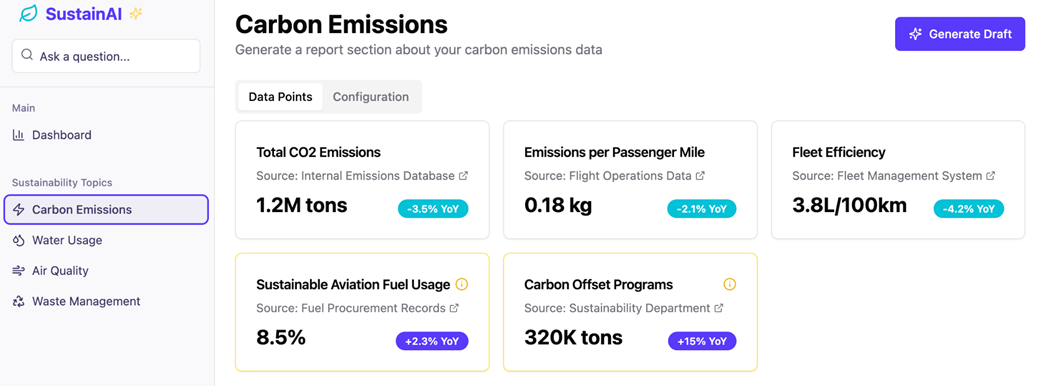
Upon selecting a topic, users can see the related datapoints.
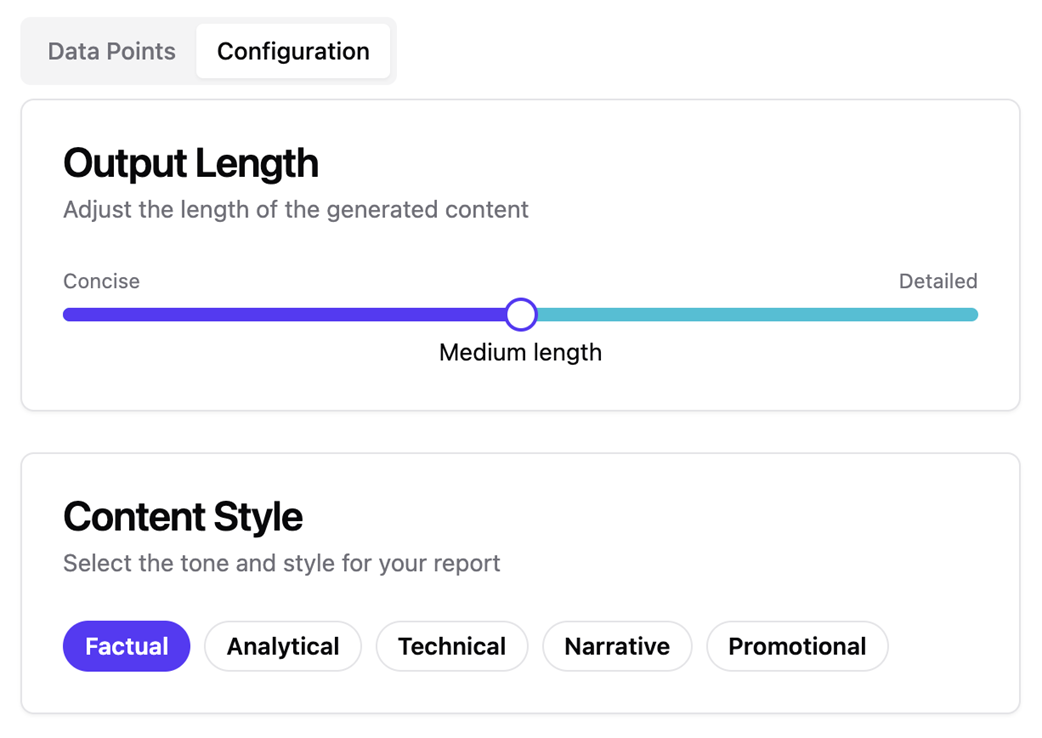
Before generating a draft, users can configure its length and the desired style.
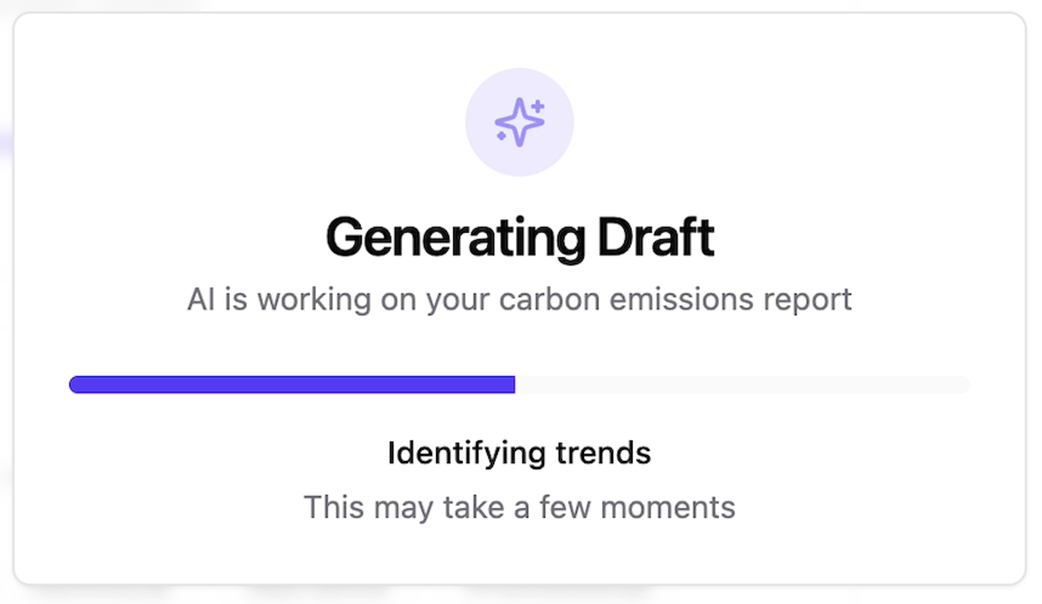
AI generation takes time, which can be used to educate the user and provide transparency into what it is doing.
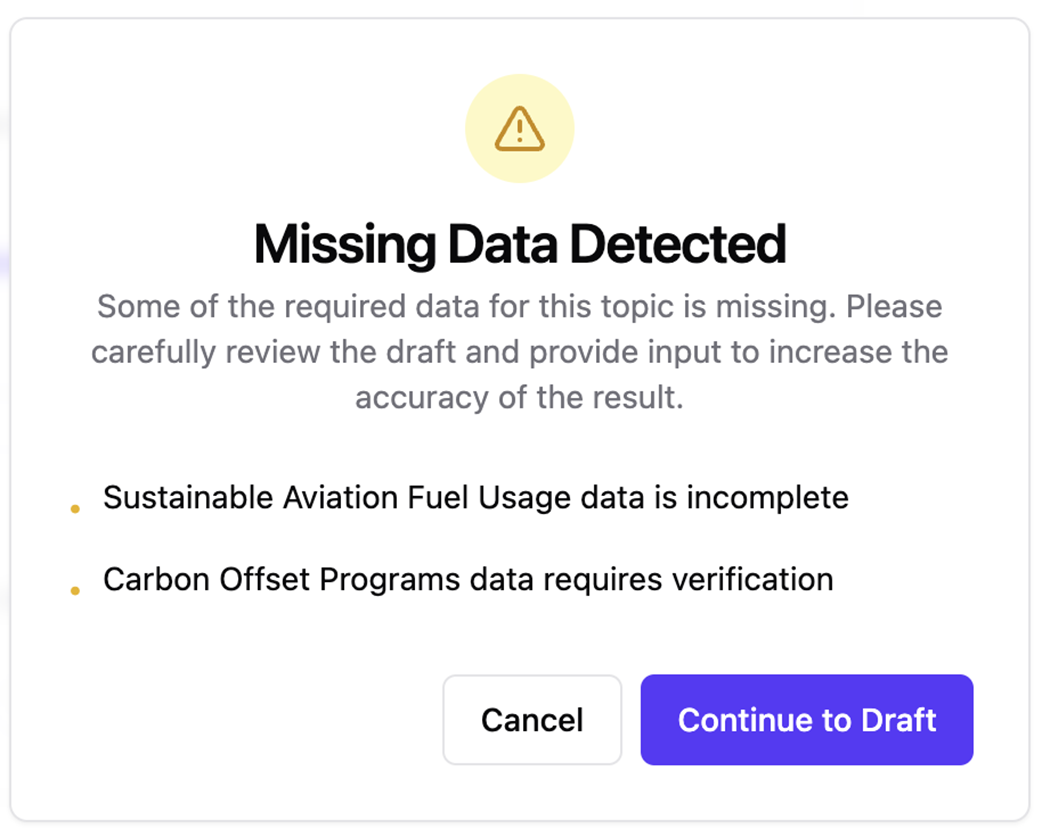
The interface alerts the user about missing data that can affect the output quality.
The draft of the report section is provided together with confidence scores; lower scores indicate statements and passages that should be verified by the user.
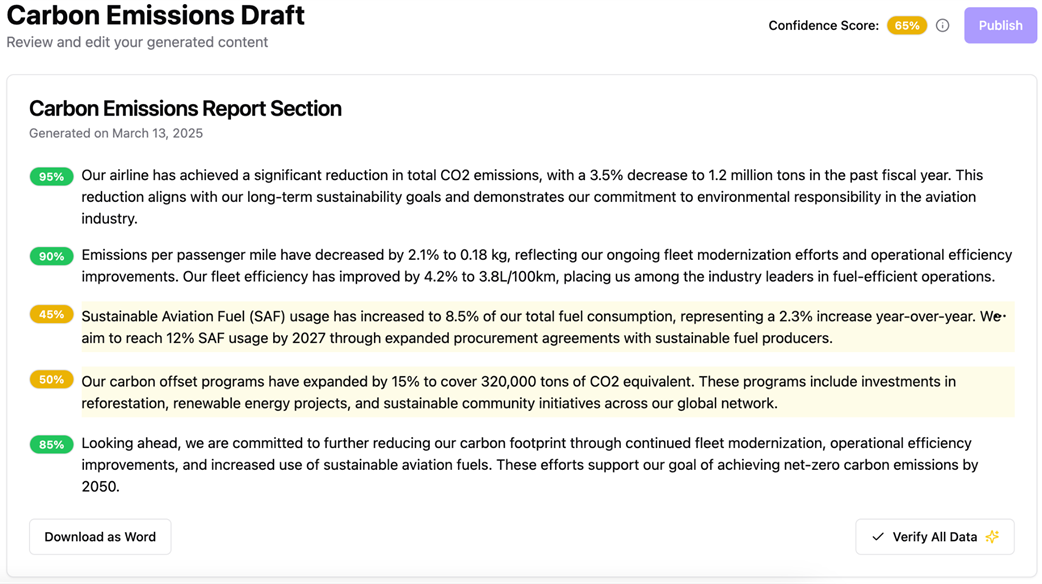
Low confidence scores are backed by explanations which guide the editing process.

Multiple editing options are available to increase the confidence.

The draft can be published once it has a sufficient confidence score.

Examples of AI signifiers
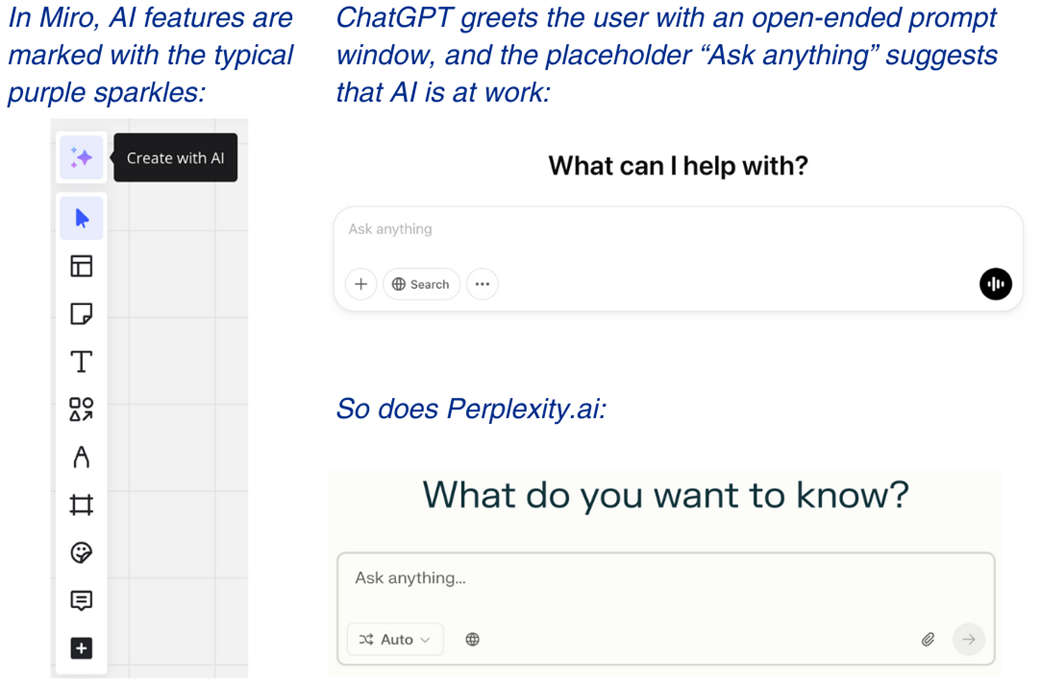
Notion’s Nosy not only signals AI, but also accompanies and adapts to its activities.

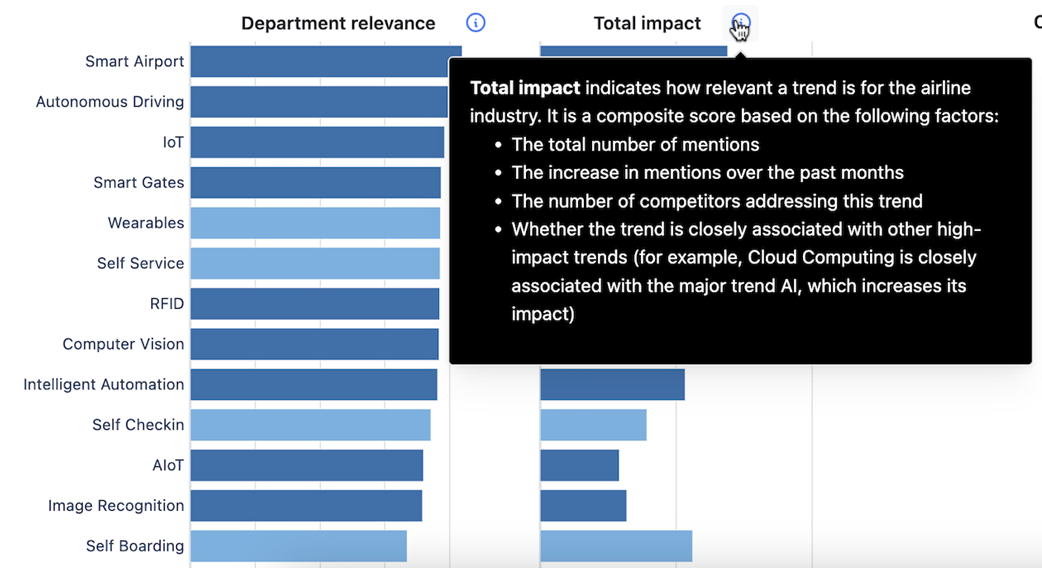
For data visualizations and predictive AI features, use interactive elements like tooltips to explain scores and values.
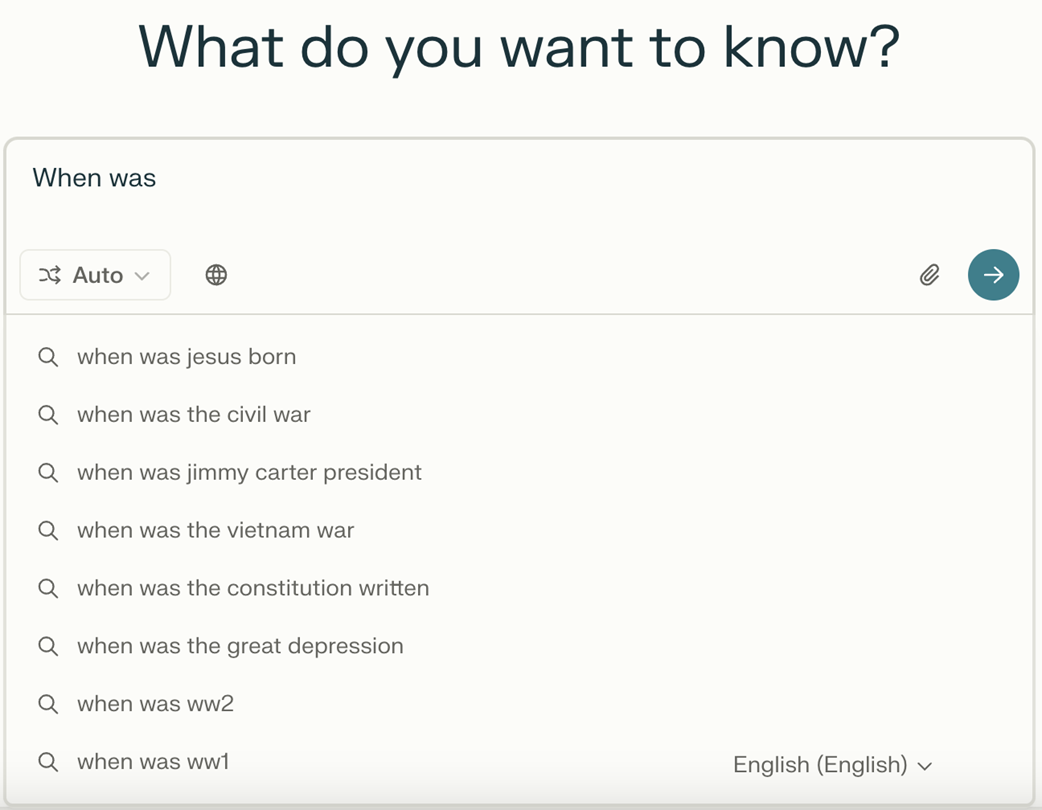
Perplexity.ai provides dynamic prompt suggestions - a pattern from familiar search engines like Google.
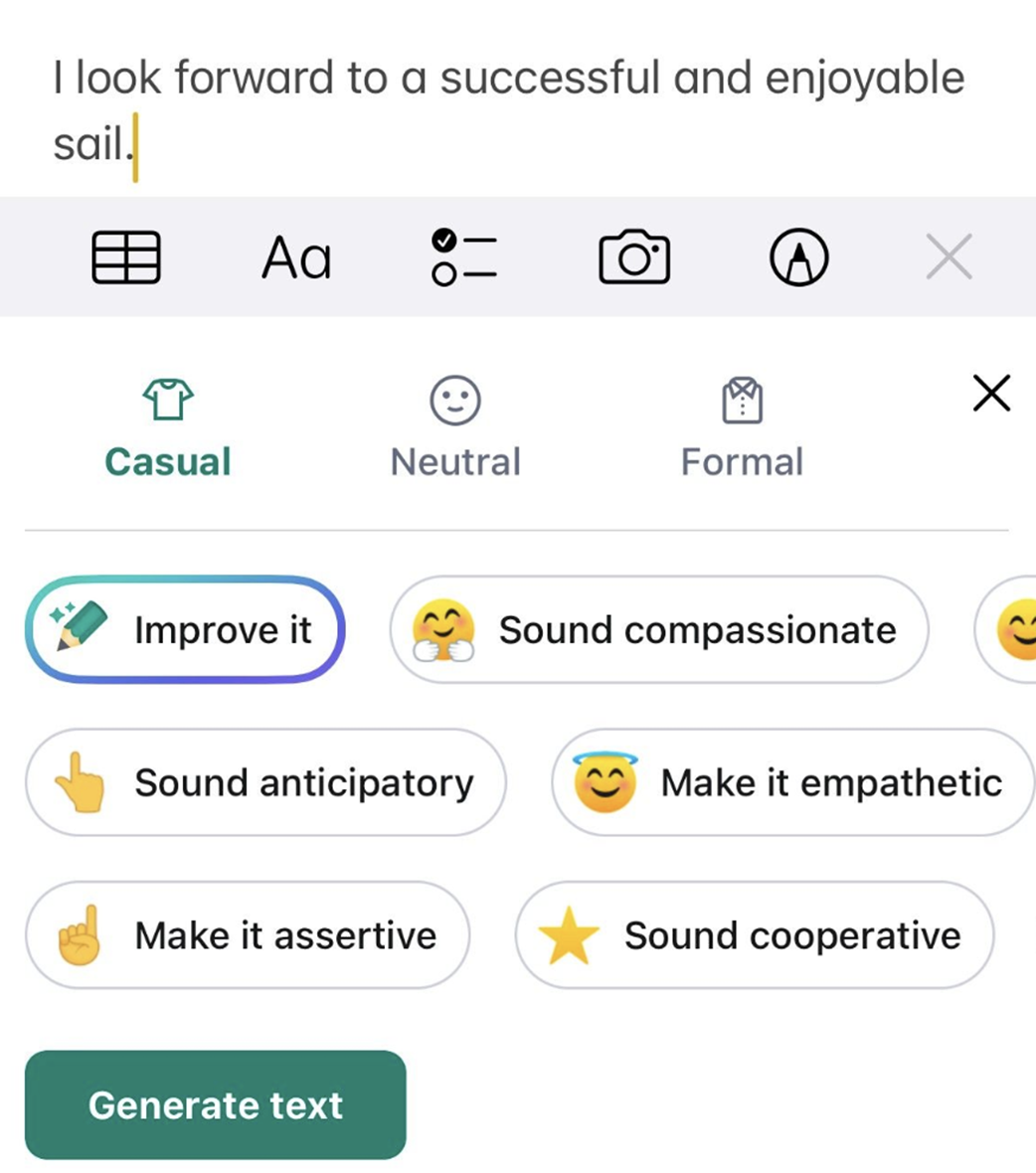
Grammarly offers a collection of simple, intuitive tags for calibrating the style of its output.
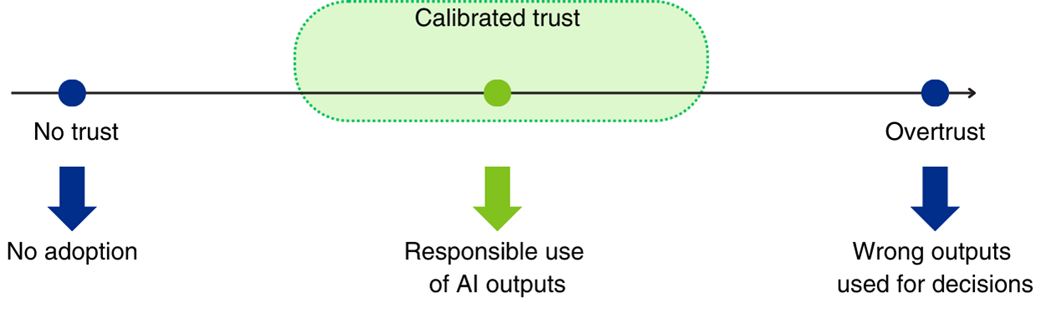
On the trust continuum, aim for calibrated trust
In conversational interfaces, providing a general, up-front alert encourages verification by the user.

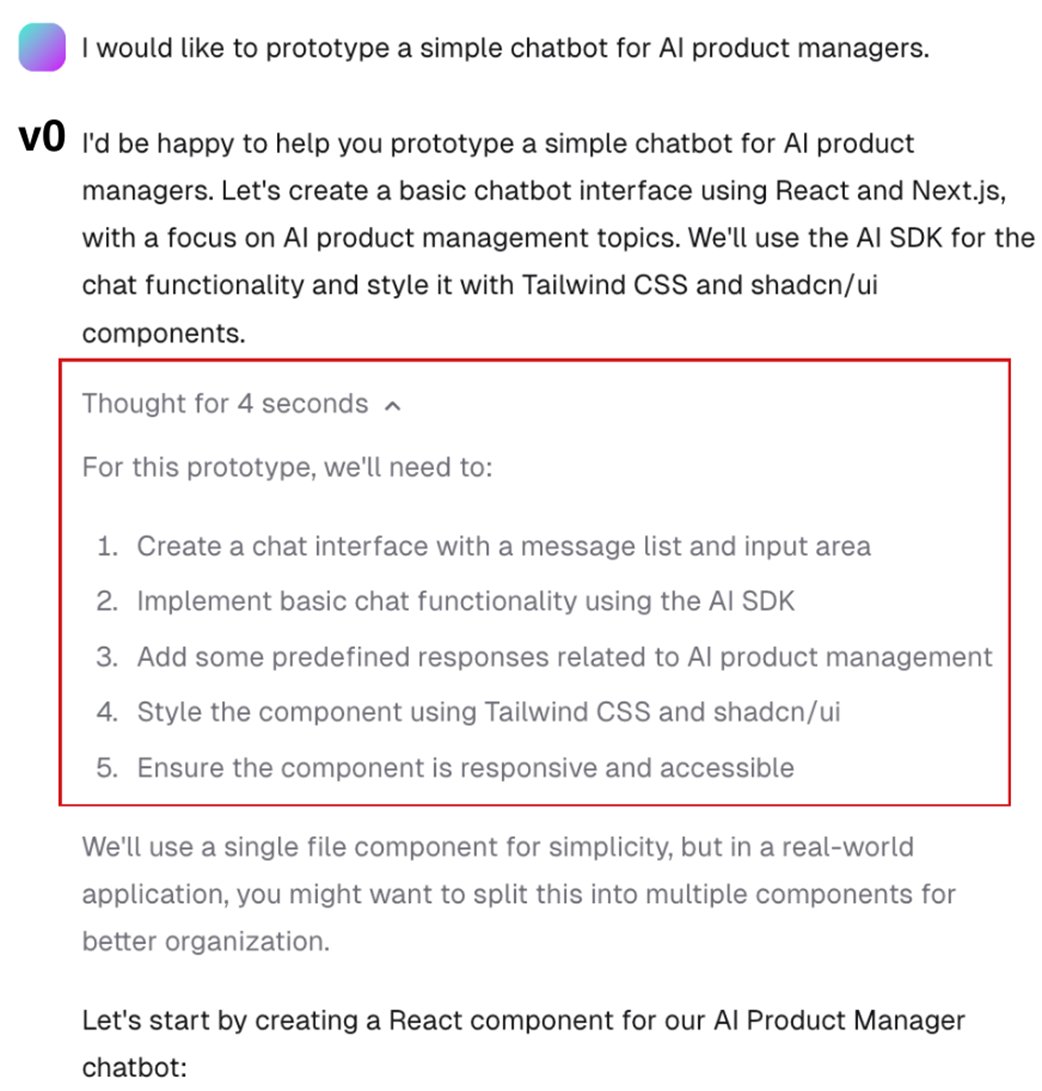
Vercel’s v0.dev discloses its chain-of-thought, i.e., the model's thinking process so that the user can revert to problematic steps in a follow-up.
Providing transparency into the original sources is a core strategic differentiator for Perplexity.ai. Other AI systems, especially RAG setups, can also benefit from this UX pattern.

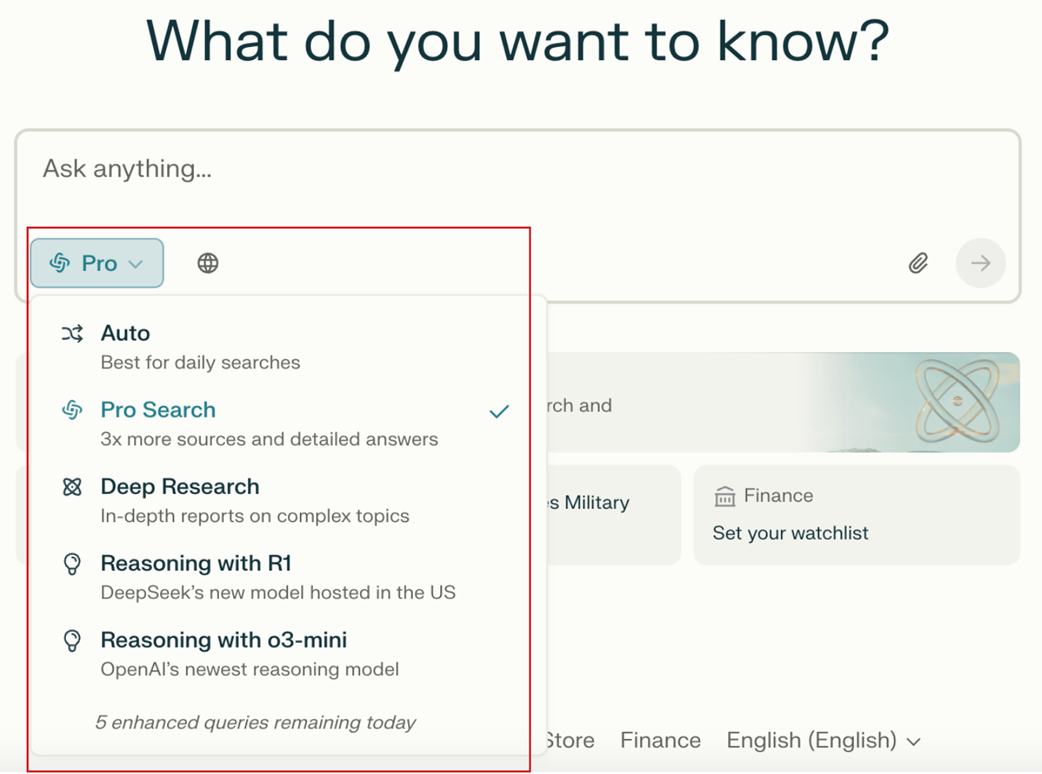
The “Pro” version in Perplexity.ai allows you to select between different AI models and architectures.
ChatGPT allows users to attach files to their prompt.

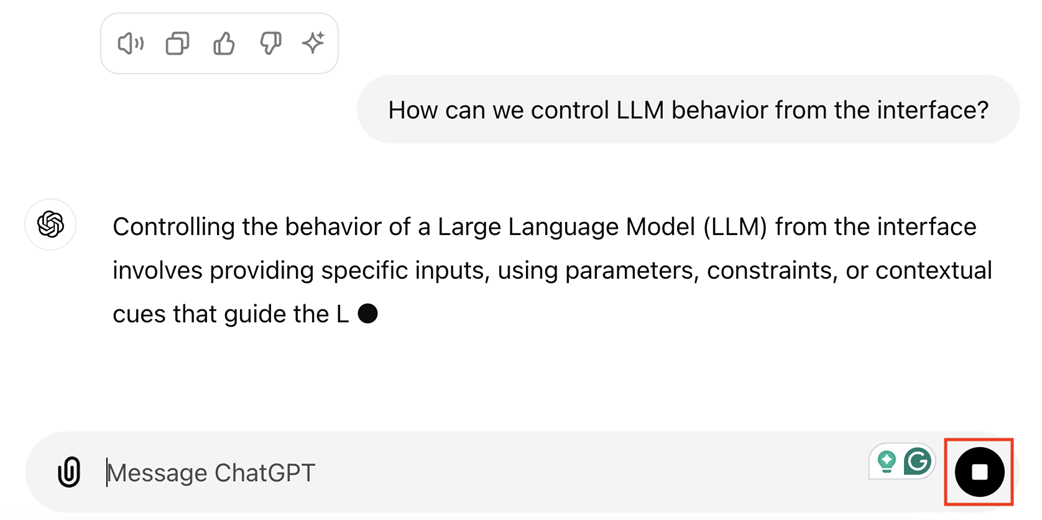
By stopping the generation, users can save time and cost when the AI gets off-track.
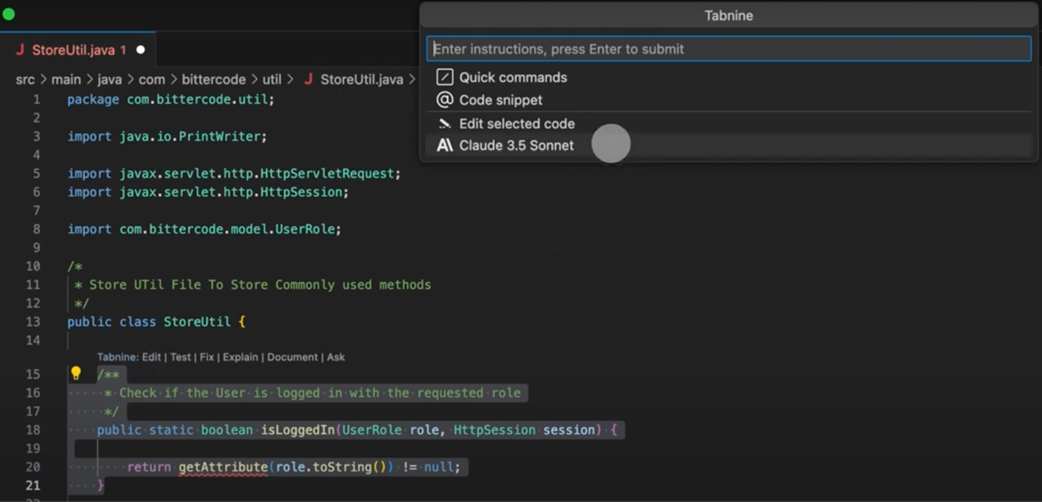
Tabnine, an AI coding assistant, provides inline actions to address specific code sections.
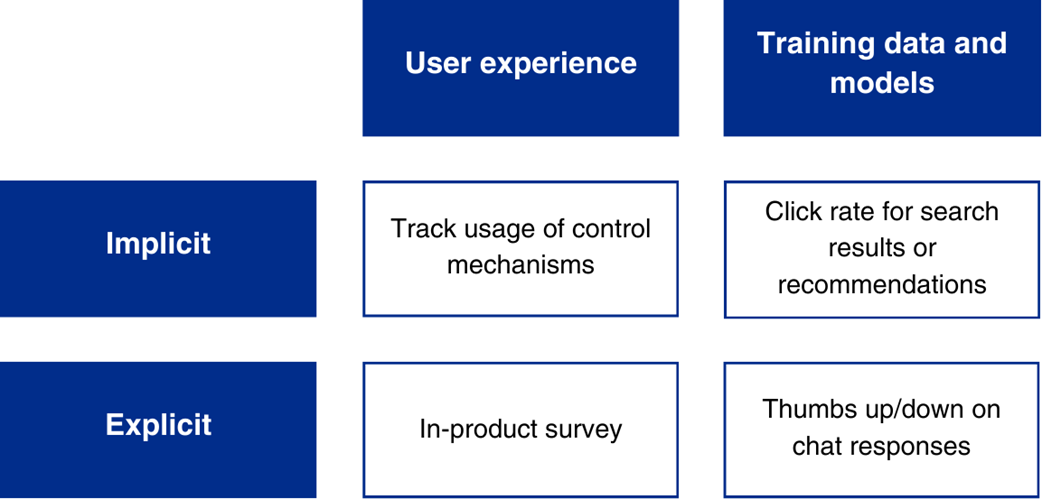
Examples of in-product feedback collection
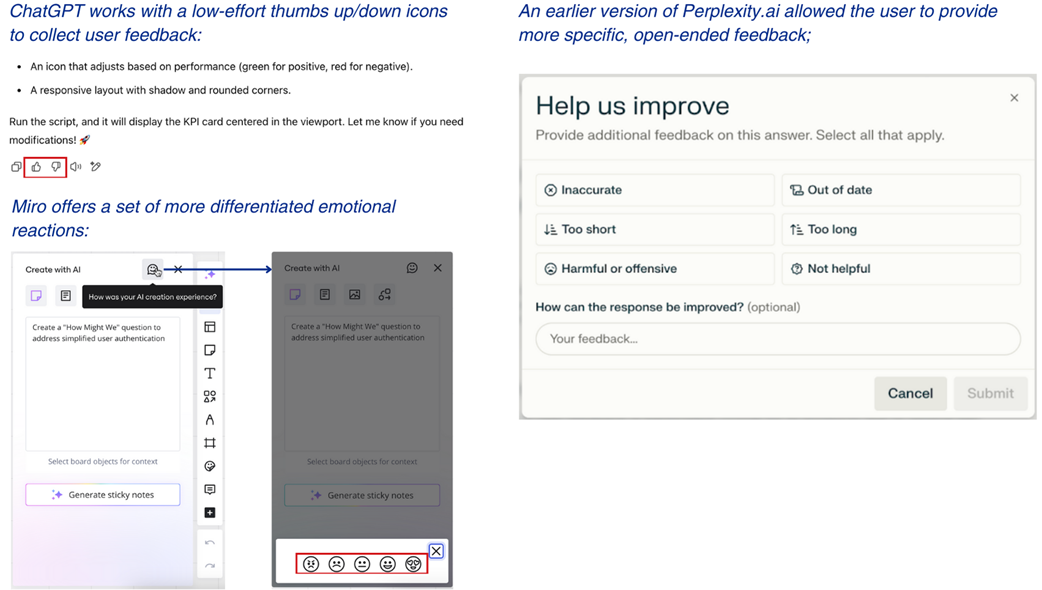
Different granularities of feedback collection (examples from Miro, ChatGPT, and Perplexity.ai)
Summary
- The UX design process for AI products is highly iterative and adaptive, requiring continuous user feedback to enhance engagement and product adoption.
- Defining clear use cases is crucial; these should focus on tasks that provide measurable impacts and opportunities for AI augmentation or automation.
- Understanding user attitudes towards AI, including their trust and experience levels, is essential for designing effective user interfaces and experiences.
- Validating AI prototypes involves simulating AI's probabilistic nature and potential failures to gauge user responses and error tolerance.
- The user interface should signal when AI processes information, providing transparency and enhancing user awareness of AI functionalities.
- Trust indicators, such as confidence scores, help users calibrate their trust in AI outputs and maintain a critical approach to the information provided.
- Users should be empowered to modify or reject AI outputs, promoting a sense of control and responsibility over the AI's contributions.
- Once an AI product goes online, you should continuously collect user feedback to reveal situations and behaviors your team didn’t anticipate during development.
- Feedback can be implicit or explicit, reflecting both the overall user experience and the performance of your AI.
- By uncovering and reinforcing your users' intrinsic or extrinsic motivations, you can pull them into a continuous loop of feedback and co-creation, allowing you to align your product with user needs.
FAQ
Why does AI UX require designing for uncertainty?
AI systems accept open-ended inputs and produce probabilistic outputs that can vary between runs. They can make mistakes (e.g., hallucinations or misinterpretations), which creates user anxiety. Designing for uncertainty means proactively setting expectations, making system behavior transparent, building calibrated trust, and giving users clear ways to review, correct, and proceed—while also leveraging AI’s upside: fluid, personalized, and adaptive experiences.
How do I decide what to automate vs. augment with AI?
- Value: Time saved, opportunity costs, frequency, and where AI has an “unfair advantage.”
- Feasibility: Off-the-shelf vs. custom models, expected accuracy, and required human oversight.
- Desirability: User comfort, perceived loss of control/status, and willingness to delegate.
- Prioritize quick wins that are high-value, feasible now, and welcomed by users.
What user traits should I research before designing an AI experience?
- AI literacy and prior experience (incl. anthropomorphism tendencies).
- Responsible use and trust calibration habits.
- Task confidence and rigor in checking AI outputs.
- AI resistance (e.g., job loss fears, algorithmic aversion).
- Desired level of control vs. automation and ability to handle it.
- Motivation to co-create and provide feedback.
How can I validate AI design concepts early and realistically?
- Prototype with an “AI vibe”: simulate realistic outputs, including intentional errors.
- Use Wizard-of-Oz to mimic probabilistic behavior before building models.
- Test mental models: do users understand what the AI did and what they should do next?
- Favor qualitative research to capture variance across users and sessions.
- Ship early “bad versions” internally to speed learning and iteration.
What core guidelines should I follow for AI UX?
- Signal AI is at work.
- Explain AI functionality, limits, and data use.
- Facilitate correct usage with prompts, templates, and tokens.
- Build and calibrate trust with indicators and transparency.
- Empower users with meaningful control.
- Manage uncertainty and failure with clear recovery paths.
- Offer real-time personalization where it adds value.
How do I signal and explain AI behavior without overwhelming users?
- Signal: Use clear AI signifiers, nudges, and recognizable inputs (e.g., “Ask anything”).
- Onboarding: Message what it is, how it helps, current limits, how it improves, and how users can help.
- In-context explanations: Tooltips, progressive disclosure, confidence notes during generation.
- Documentation: Central, transparent references for power users, auditors, and buyers.
- Everboarding: Re-explain when features and performance meaningfully change.
How can I calibrate trust and prevent overreliance on AI?
- Caveats: General and context-specific warnings to trigger verification.
- Confidence indicators: Global and granular scores, shown only when useful.
- Uncertainty cues: Highlight low-confidence claims and suggest verification actions.
- Footprints: Expose reasoning steps or workflow; enable reprompting at weak steps.
- Sources/citations: Link to evidence, especially for RAG-like setups.
- Constructive friction (CFFs): Self-critiques, challenge questions, mandatory reviews, brief delays.
What controls should I offer users—and when?
- Before generation: Model selection, data source control (incl. “use only my sources”), adjustable settings.
- During generation: Ability to stop/cancel when off-track to save time/cost.
- After generation: Inline edits, selective regeneration, suggested actions, and optional variants.
- Operationalize: Save histories for exploration; consider tiering advanced controls in pricing.
How should I plan for and handle AI failures in the UI?
- Define failure modes for your AI type (predictive, generative, agentic).
- Assess which errors users will notice and their tolerance in each context.
- Prepare users: Share accuracy expectations and common failure patterns.
- Catch issues: Apply backend guardrails and validations before users see them.
- Close the loop: Offer feedback channels, set expectations on impact/timelines, and show recovery paths (edit input, redo steps, or roll back).
How do I collect and activate user feedback to improve the AI and UX?
- Implicit feedback: Log usage, edits, clicks; structure it for actionability.
- Explicit feedback: Thumbs, scales, tags, and short forms captured at the right moment.
- Model improvement: Use labels/ratings to fine-tune and evaluate models.
- Activation: Make feedback effortless, incentivize (recognition, variable rewards, tiered access), and build community.
- Communicate impact: Acknowledge, share timelines, and notify when changes ship.

 The Art of AI Product Development ebook for free
