Chapter 8. Test-driving Swing
Working with Swing changes the usual TDD conversation because a graphical user interface is judged not only by behavior, but also by usability and appearance. The chapter frames Swing testing around three broad concerns: internal plumbing and utility logic, rendering and layout, and interaction. The first category is treated much like ordinary Java code and should be test-driven normally; the second is usually better verified visually rather than through brittle pixel-by-pixel assertions; and the third, which covers user gestures and widget-to-widget coordination, is the most important behavioral area to automate.
To make Swing code easier to test, the chapter emphasizes keeping the view layer thin by pushing logic out of widgets and into presenter-like structures. It presents classic Model-View-Presenter and two closely related variations, Supervising Controller and Passive View, as practical ways to separate responsibilities. In these designs, the presenter handles user input and model updates, while the view is reduced to either displaying model state or merely relaying gestures and displaying instructions, which makes both sides much easier to unit test.
The chapter then turns to the tools needed when testing actual Swing components cannot be avoided. It compares Jemmy and Abbot as ways to find widgets in a component hierarchy, simulate keyboard and mouse actions, and verify what the UI displays without exposing internals through public accessors. Finally, it demonstrates test-driving a small plot-map component step by step: adding controls, drawing custom graphics, and reacting to mouse clicks that remove plotted points. The example shows that even visually rich Swing code can be developed incrementally and tested effectively when the problem is broken into small, focused behaviors.
The MVC triad and its relationships. The controller acts on the model based on input from the view, the model worries about domain logic unaware of any details of the view or the controller, and the view registers with the model for change notifications and renders the data it obtains from the model.
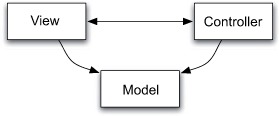
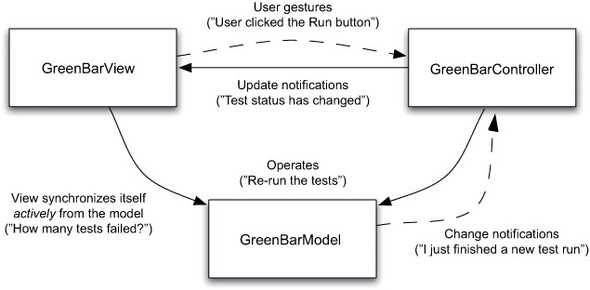
Diagram showing the interactions between the Supervising Controller MVP-triplet for a green bar user interface
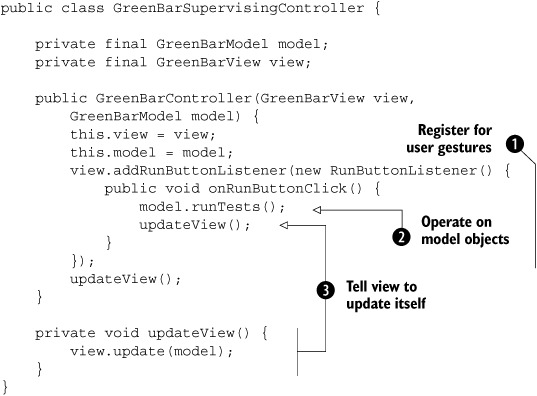
Listing 8.1. The presenter implemented in a Supervising Controller style
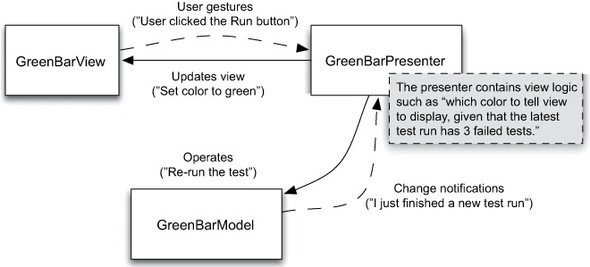
Passive View (or The Humble Dialog Box) makes the view as thin as possible, encapsulating as much view logic as possible into the presenter.
Listing 8.2. The presenter implemented in a Passive View style
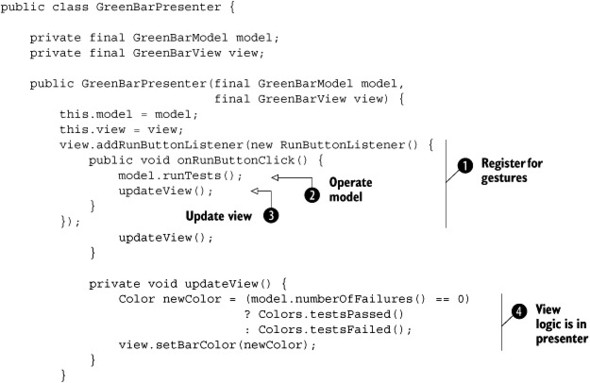
Listing 8.3. How to verify that the view works?
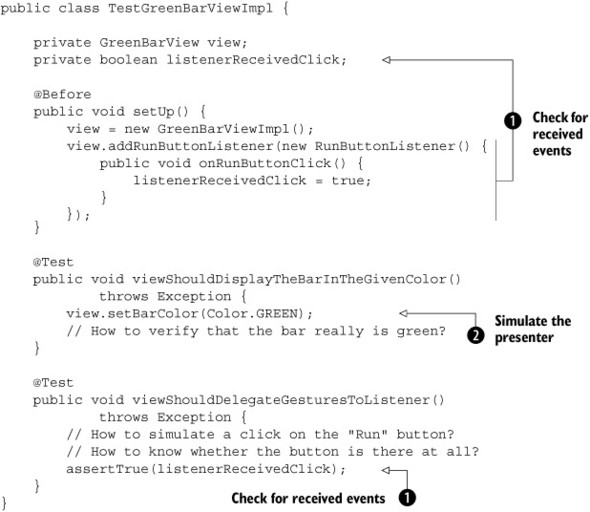
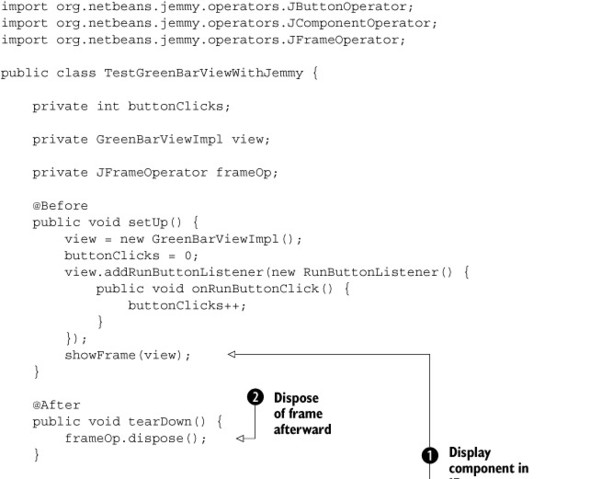
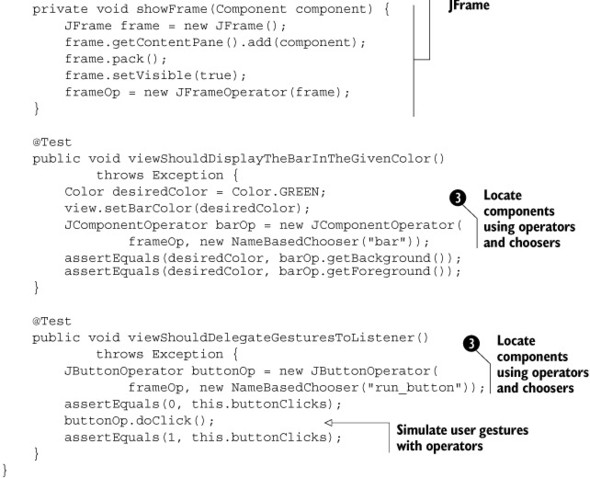
Listing 8.4. View tests implemented with Jemmy
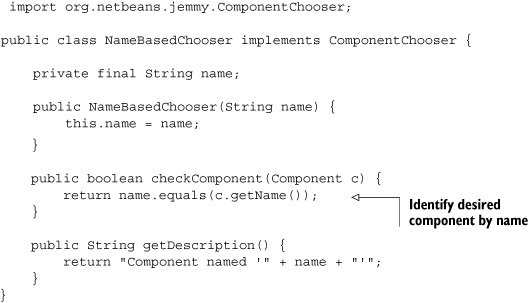
Listing 8.5. Custom name-based ComponentChooser implementation for Jemmy
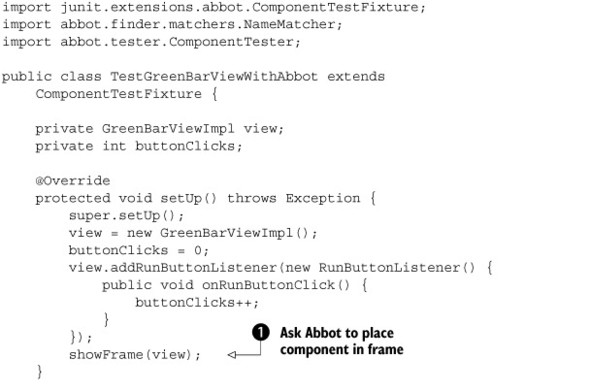
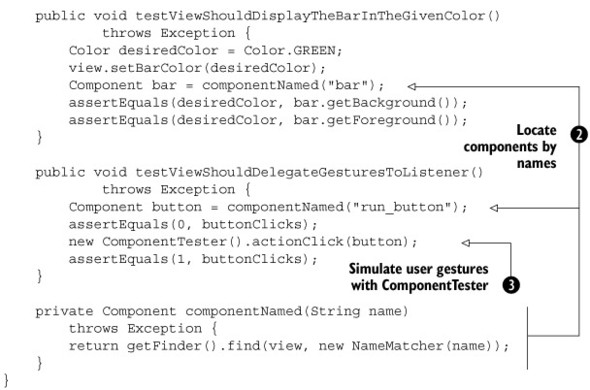
Listing 8.6. View tests implemented with Abbot
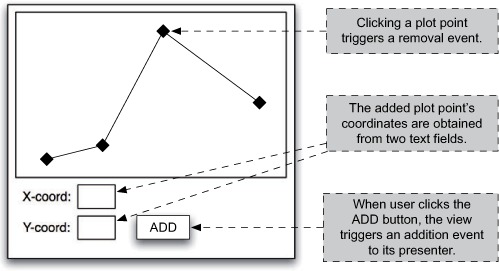
UI design sketch for the plot map component explaining the desired responses to user gestures
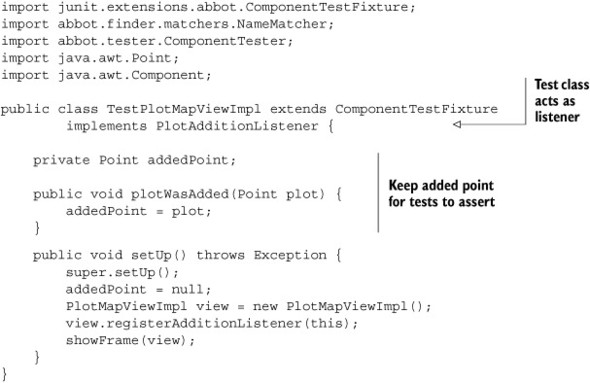
Listing 8.8. Plumbing for a test operating the view implementation
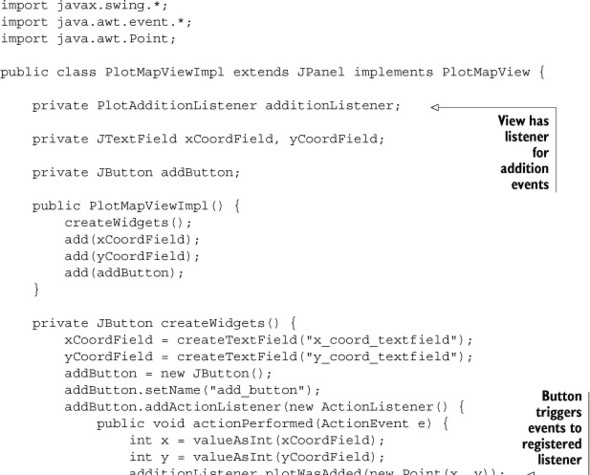
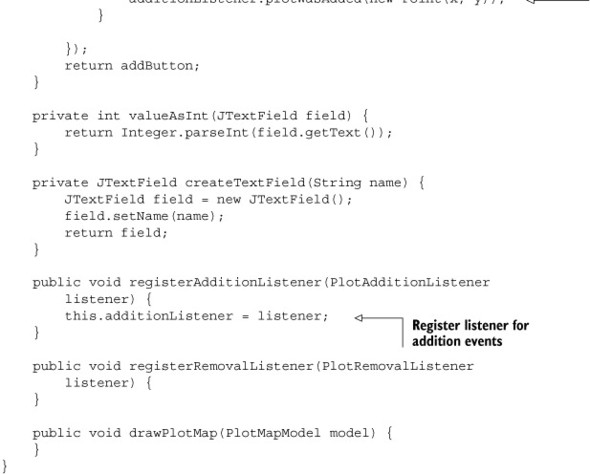
Listing 8.11. View implementation for passing our first test
Listing 8.12. Testing for the view delegating drawing to a PlotMapCanvas
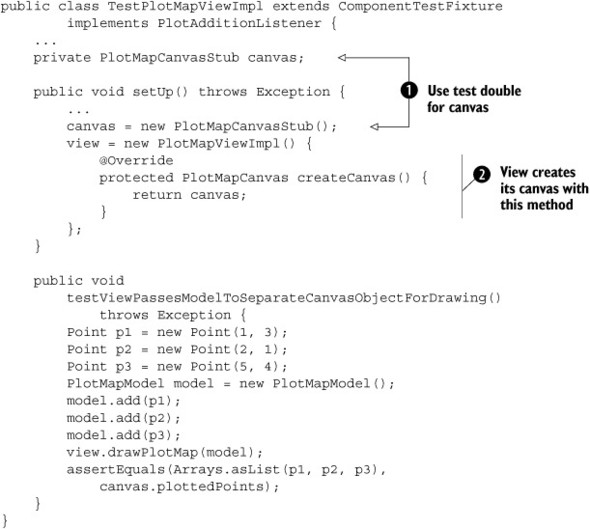
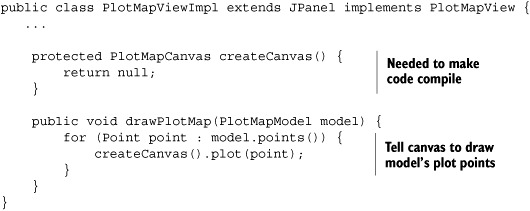
Listing 8.14. Making view pass model to a separate canvas for drawing
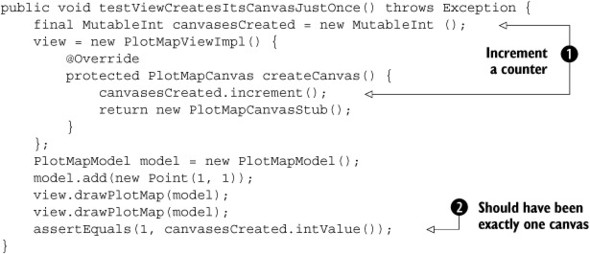
Listing 8.15. Explicitly specifying that a view should create exactly one canvas
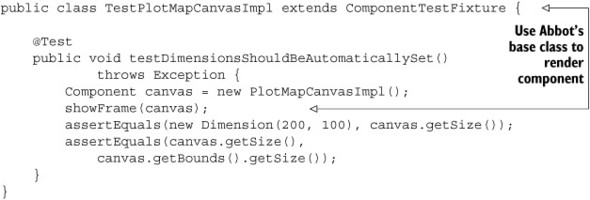
Listing 8.18. Comparing size and bounds
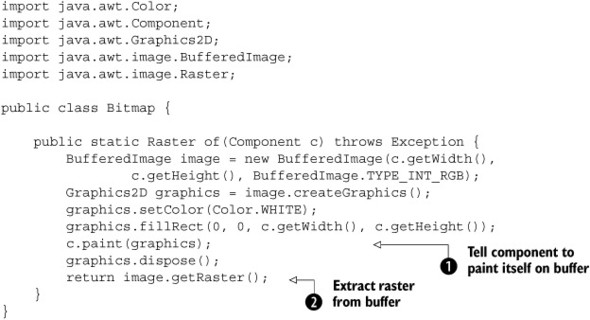
Listing 8.21. Utility class for capturing a bitmap of a Swing component
Listing 8.22. Test for the canvas drawing the right stuff
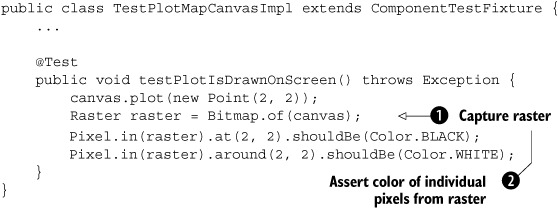
Listing 8.23. Rudimentary implementation of drawing custom graphics
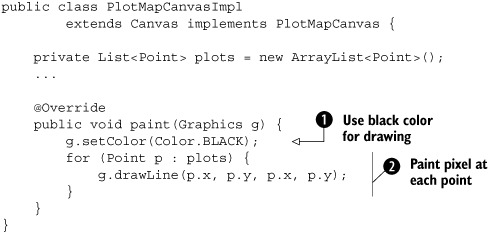
Listing 8.24. Test for plot points getting connected
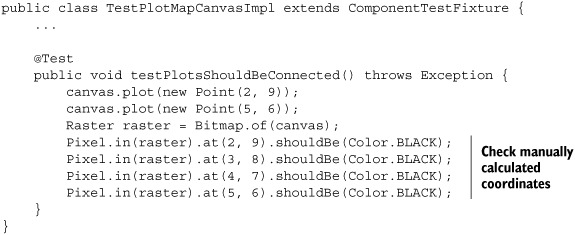
Listing 8.25. Drawing lines between plots
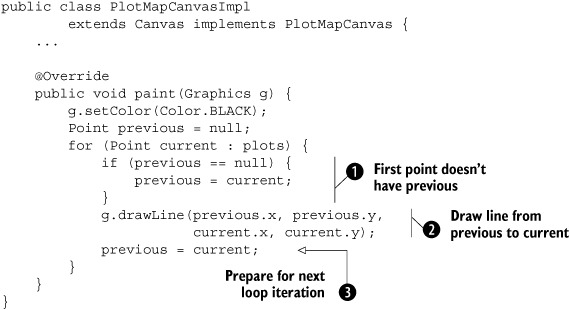
Listing 8.26. Test handling of user gestures
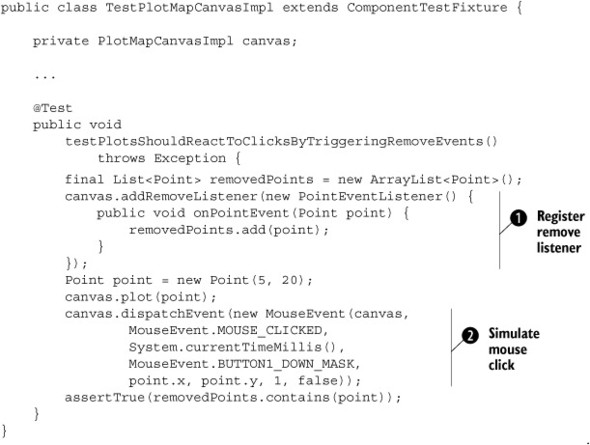
Listing 8.28. Testing for only certain mouse clicks triggering remove events
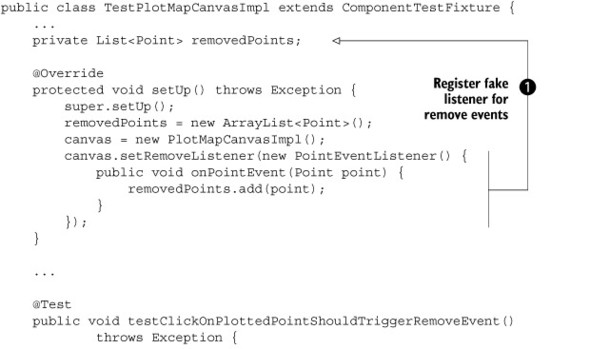
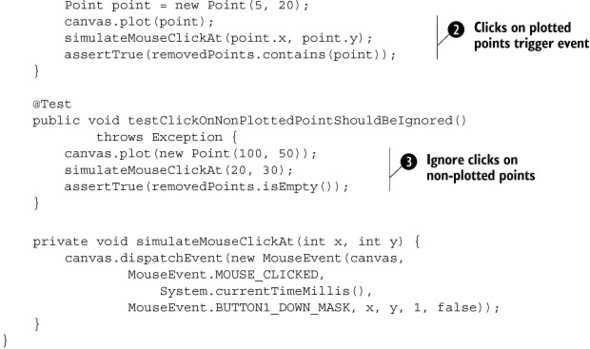
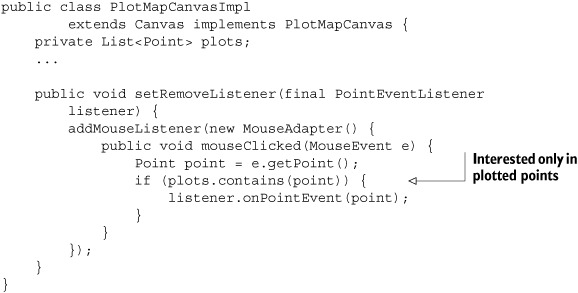
Listing 8.29. Comparing the source of the mouse click before triggering events

 Test Driven ebook for free
