Chapter 11. Strategies for implementing acceptance tests
The chapter explains that acceptance tests should verify the essential fulfillment of user stories, not every detail of the system. The right level of testing depends on the story itself, the amount of expected change around the interface, and the technology in use. When a requirement is mainly about logic or rules, it is often better to test that logic directly; when the story is about user-facing behavior, end-to-end testing through the real interface may be the best fit.
It then compares several implementation strategies. End-to-end tests are the most natural and representative of real use, but they are often slower and more brittle because they depend on the UI. Crawling under the skin reduces that pain by testing through abstract UI concepts, service layers, or internal APIs instead of concrete widgets. In some cases, tests can go even deeper and exercise internals directly, or use stubs and testing backdoors to isolate irrelevant components, improve speed, or make hard-to-reach behavior observable.
The chapter also shows how technology changes the choice of strategy across different kinds of systems such as libraries, distributed systems, console apps, GUI apps, and web applications. Web and GUI systems often make UI-based testing more complex, while libraries and machine-to-machine interfaces are usually easier to automate. Finally, it offers practical advice for keeping acceptance suites maintainable: organize tests to reduce setup, minimize persistence costs, avoid brittle dependencies, simplify test cases with better abstractions, and manage test data carefully through a single, version-controlled, and preferably generated dataset.
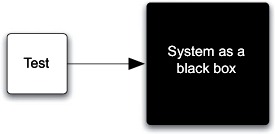
End-to-end test scenario with the test accessing the system through its external interface, knowing nothing about the system’s internals
We often face a trade-off between running the full suite of tests that provide a high level of certainty and running fewer tests that provide less feedback (certainty) but do it faster.

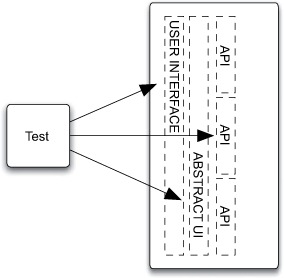
Test operating against an internal API or an abstract UI in addition to or instead of the real UI
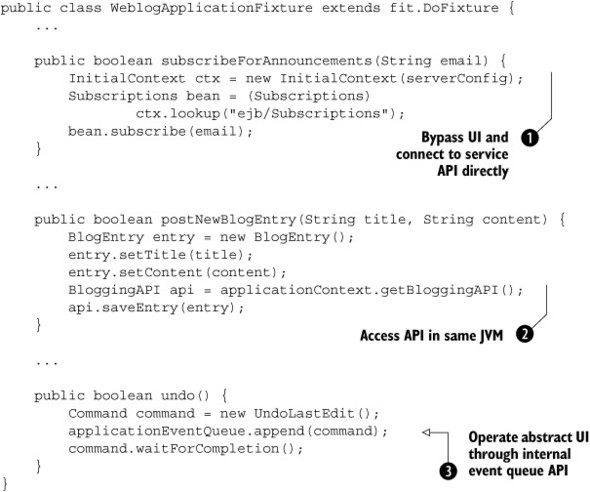
Listing 11.2. Examples of different styles of crawling under the system’s skin
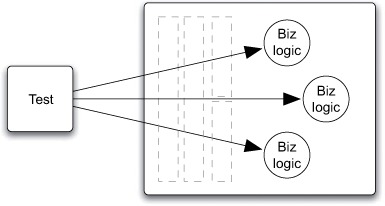
Acceptance tests can also access a system’s business logic directly, bypassing any external interface or API.
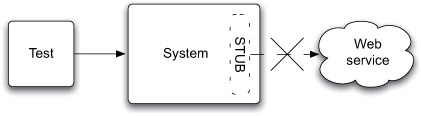
Testing a system with a less relevant component replaced with a testing-friendly, fast-executing stub
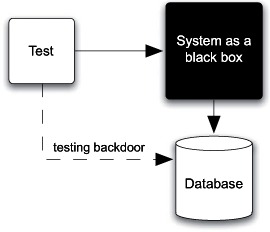
Making use of a testing backdoor in our acceptance tests
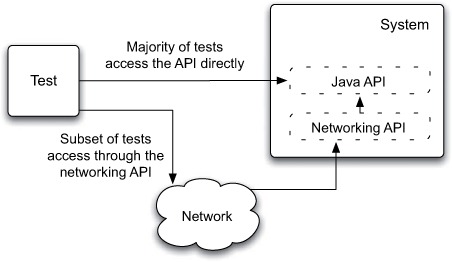
Networking is slow compared to direct access to a Java API, which suggests that we should consider implementing most of our acceptance for a “faceless” system against internal APIs and let a smaller subset of tests verify that the networking API processes incoming data correctly and renders the system’s response properly back to the wire.
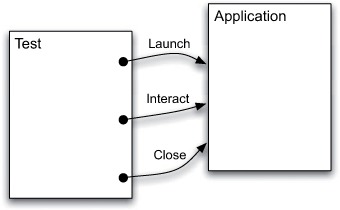
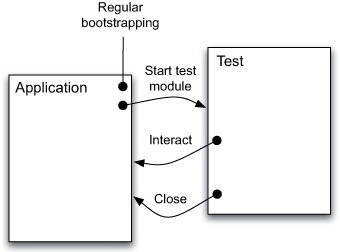
Application is started from the test
Tests are embedded into the application through a plug-in mechanism.
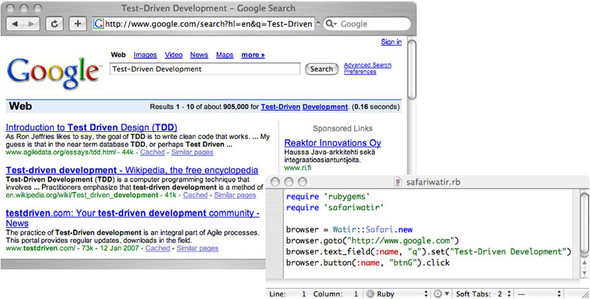
A Ruby script controlling a Safari web browser on Mac OS X using the SafariWatir library
Tests without side effects can be executed one after another without running the full setup in between each test. Tests with side effects can then be executed as usual, with the setup before each individual test.

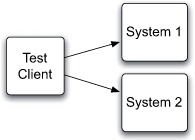
Single test client load-balancing test cases between multiple target systems
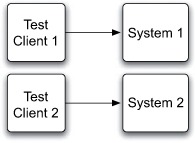
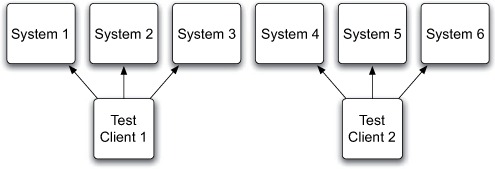
Multiple test clients executing their subset of tests against their dedicated target system
Multiple test clients load-balancing test cases between multiple target systems
With ordered, dependent tests, we can perform a common setup just once in the beginning of the test suite. However, each test case may have assumptions about the side effects of earlier tests.

Test suite with dependencies between tests has test failures. Without analyzing test logs and wielding psychic powers, it’s impossible to say which of the four failing tests are failing for a legitimate reason and which are failing because a dependent test failed.

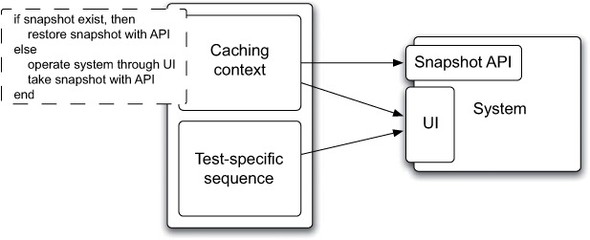
A caching context object not only knows how to operate the system into the correct state but also takes a snapshot of the system state after reaching the desired context. The snapshot can be used in later tests using the same caching context to restore the state quickly without redoing the full sequence of steps.

 Test Driven ebook for free
