5 The Terraform Plan
This chapter explains how Terraform is more than a language: it is an engine that turns configuration into real infrastructure through a plan-and-apply cycle. At the core is Terraform’s Resource Graph, a directed acyclic graph (DAG) of dependencies that determines safe ordering and parallelism of actions. Understanding this graph—resources, provider configuration nodes, and meta nodes—helps you predict behavior, spot errors, and reason about execution. Modules are a code organization feature but dissolve into graph nodes at runtime, so resources from dependent modules may be created whenever their dependencies allow. Visualizing the graph with tooling can clarify relationships and reveal issues like cycles.
The plan phase compares the intended graph to current state to produce an execution plan. You can run default, destroy, or refresh-only plans; save them for later application; and inspect them in human-readable form or as JSON. The chapter highlights safe ways to force recreation (-replace) and discourages legacy or dangerous workflows (taint, terraform refresh, skipping refresh). Resource targeting is positioned as a last-resort debugging aid, not a normal practice. It also details how inputs shape plans: variables can be provided interactively, via -var flags, var-files (*.tfvars, *.auto.tfvars, and JSON variants), or environment variables, with a clear precedence order. Because inputs can leak through histories or repositories, the chapter recommends using CI/CD secret stores or external secret managers, and, when possible, passing references instead of secret values.
The apply phase executes the plan, either from a saved file or directly, with cautions around auto-approval and the destructive destroy workflow. Operational options include tuning parallelism (often for debugging), respecting state locking (disable only for speculative plans), and using JSON output or compact formatting. Common pitfalls are addressed with practical remedies: circular dependencies (break cycles or refactor), cascading changes that “force replacement” (review lifecycle and minimize unnecessary dependencies), hidden dependencies that require explicit depends_on, persistent “drift” from provider normalization quirks (match API-returned shapes and report issues), and limitations on using computed values to drive count/for_each (compute from inputs instead). The chapter closes with guidance for rare failed state updates—use refresh-only applies, imports, or careful cleanup—and a preview of deeper state management practices in the next chapter.
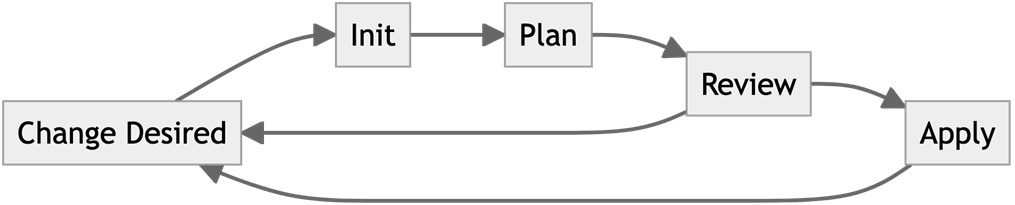
The Terraform Development Flow
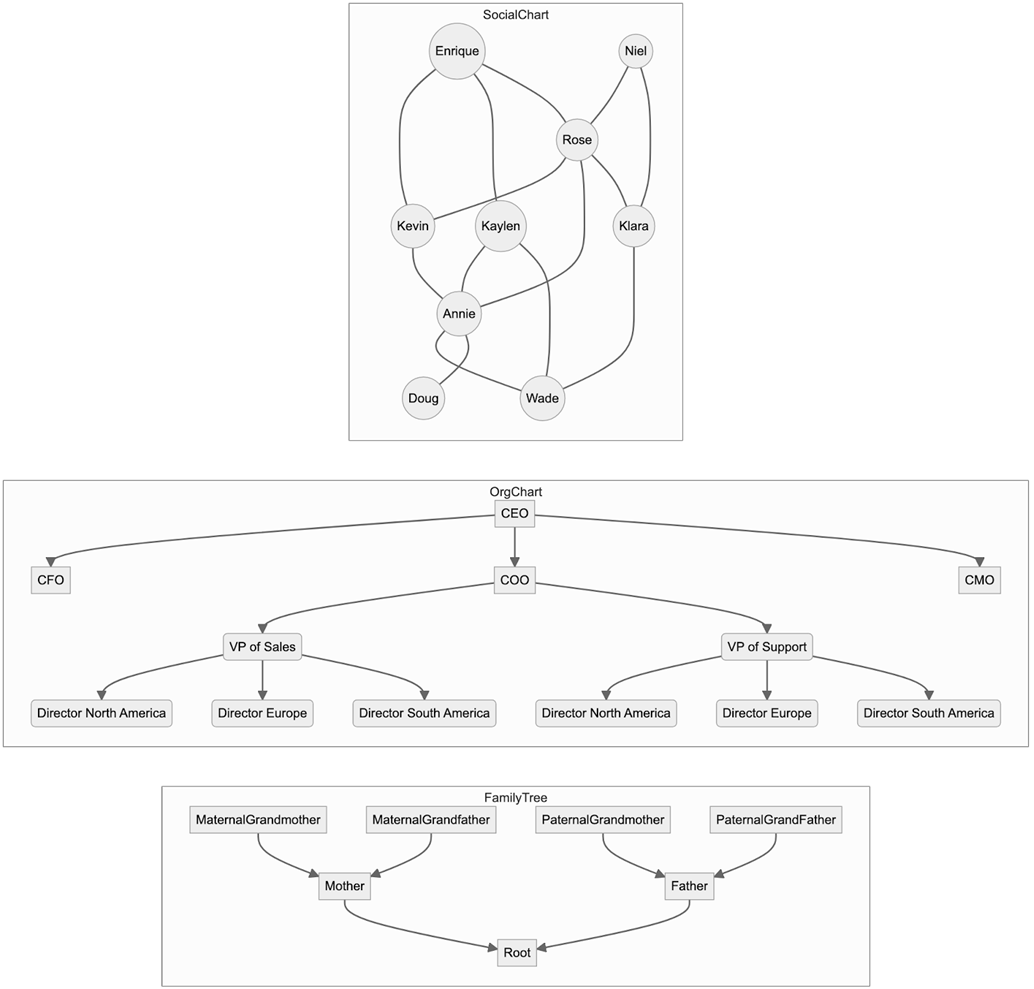
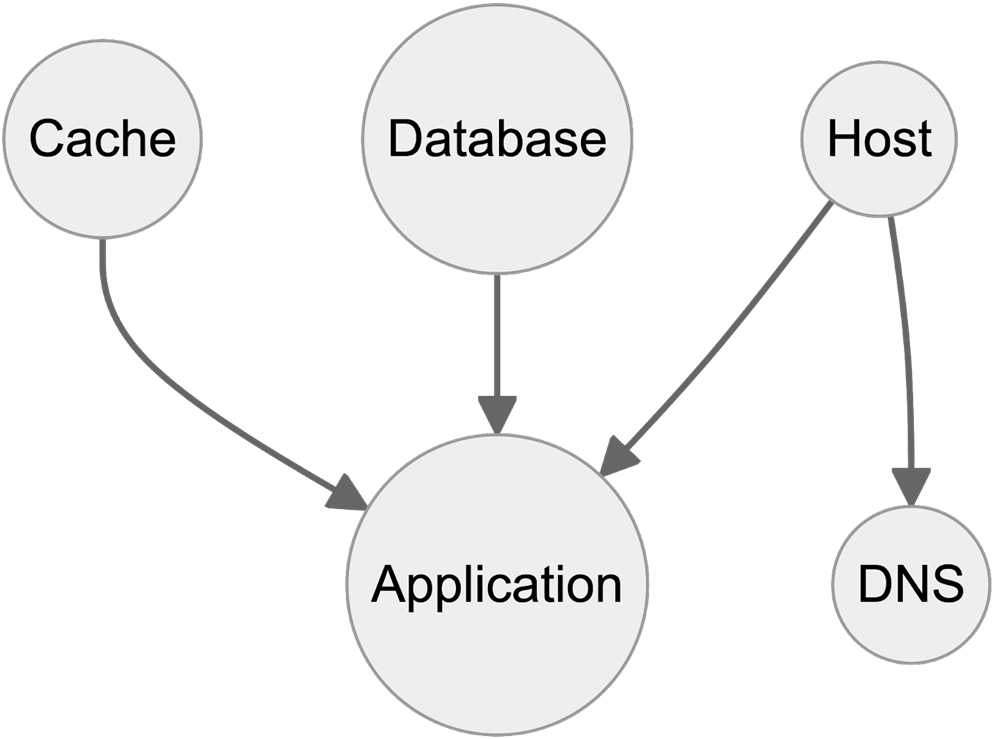
Examples of real world graphs.
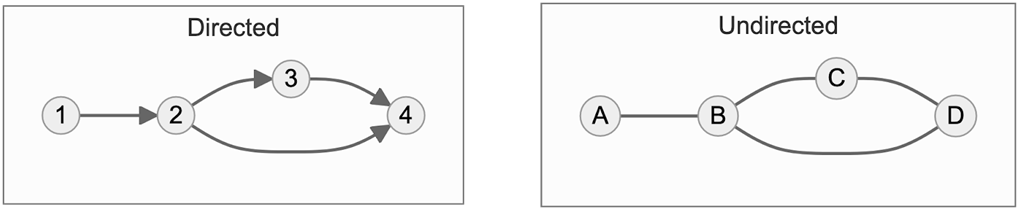
For a graph to be Directed, the connections between nodes should have a direction- one should point to the other.
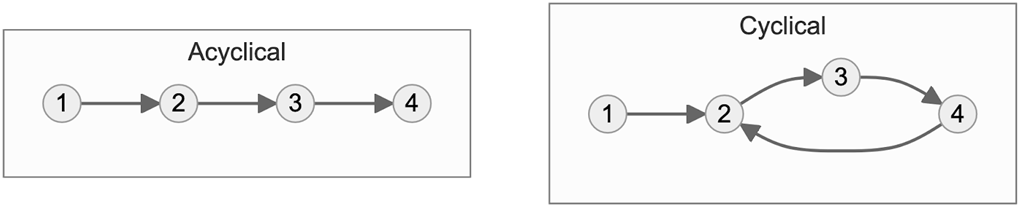
An Acyclic graph is one where the graphs have no circles between them.
The Declarative Language Graph from Chapter 1
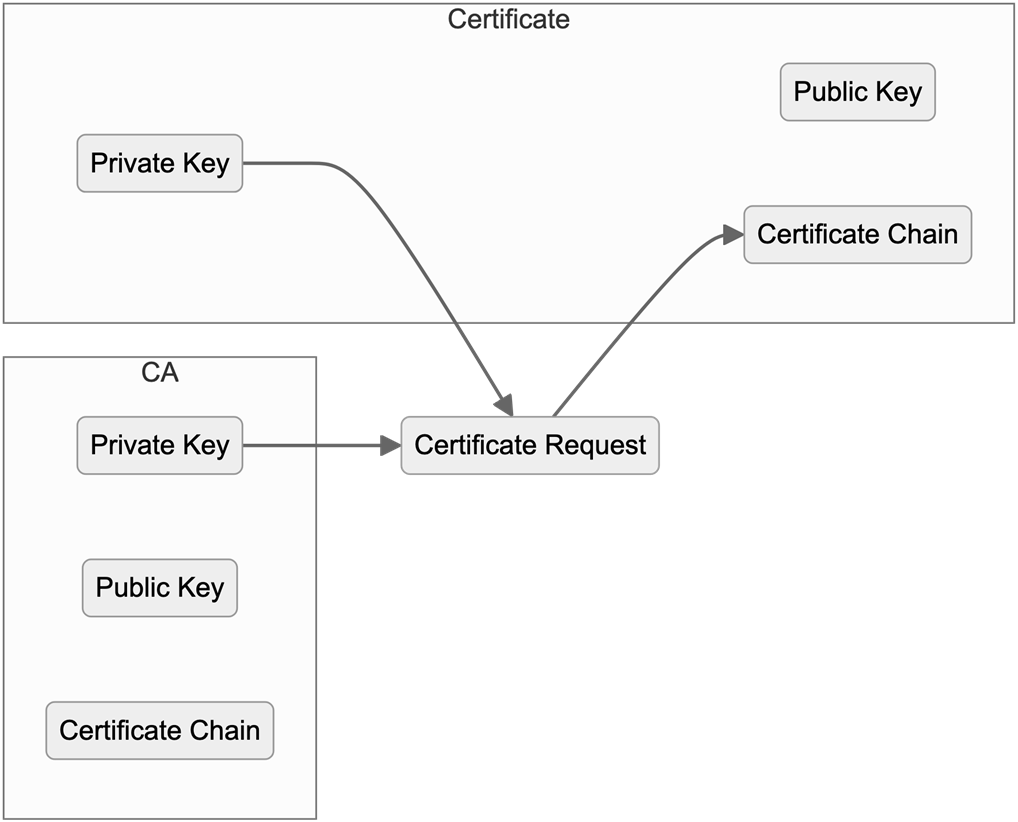
The Components of Generating Certificates
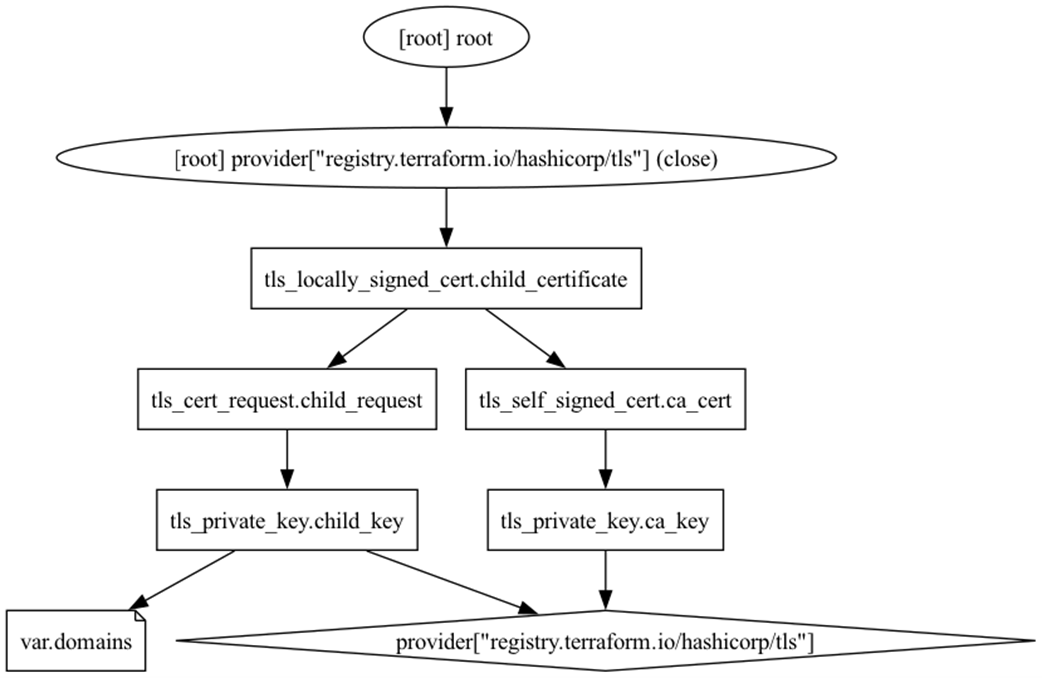
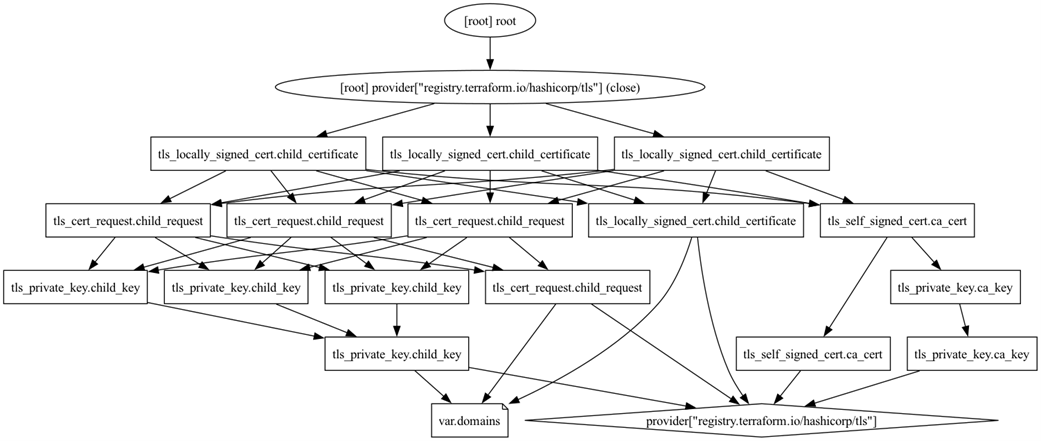
A Terraform Graph in plan mode of the TLS Module from 5.1.3
A Terraform Graph in apply mode after Terraform v1.7.0
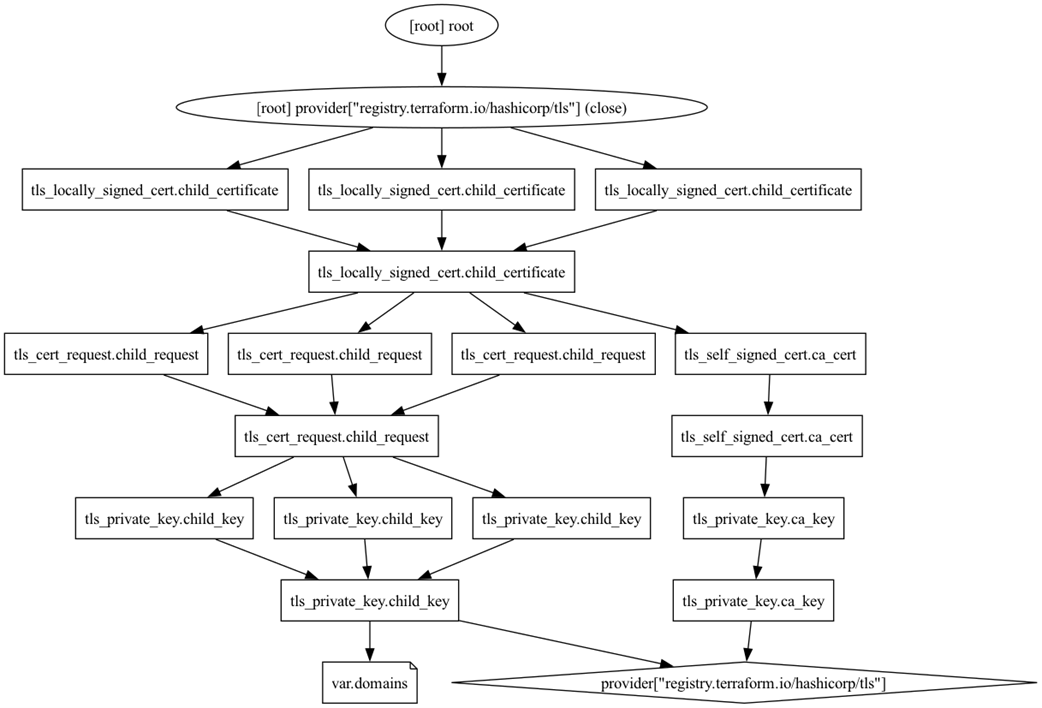
A Terraform Graph in apply mode using Terraform before v1.7.0
Circular Dependencies

Summary
- Graphs are a data structure used to represent relationships between nodes.
- Terraform uses Graphs to represent the systems defined with it.
- Terraform also uses Graphs to represent Terraform plans.
- The terraform graph command can be used to visualize Terraform configurations and plans.
- The terraform plan command creates plans and can be run with a variety of modes and options.
- The terraform apply command runs plans, either passed in as a saved plan file or by running its own plan.
- While being extremely powerful, Terraform’s use of DAGs presents some pitfalls and potential error types.
FAQ
What is a Directed Acyclic Graph (DAG) and how does Terraform use it?
Terraform builds a Resource Graph that is a Directed Acyclic Graph (DAG): nodes represent things Terraform manages (resources, provider configuration nodes, and resource meta nodes) and directed edges represent dependencies between them. “Directed” means dependencies have an order; “Acyclic” means there are no loops. Terraform uses this graph to determine safe creation, update, and deletion order. If a cycle is introduced, Terraform errors because the plan can’t be ordered.How can I visualize Terraform’s dependency graph?
Useterraform graph and pipe its DOT output to GraphViz:
- Save DOT: terraform graph > graph.dot
- SVG: terraform graph | dot -Tsvg > graph.svg
- PNG: terraform graph | dot -Tpng > graph.png
Modes via -type: plan, plan-refresh-only, plan-destroy, apply. Apply graphs are generated from a saved plan (e.g., terraform plan -out create.tfplan, then terraform graph -type=apply -plan=create.tfplan). Graphs are great for debugging dependencies and sharing architecture.Why don’t modules appear as nodes in the graph, and why can resources in “later” modules run first?
Modules are a code-organization concept; Terraform’s execution engine flattens module boundaries and only adds resources (and provider configs/meta nodes) to the graph. If a resource in Module B has no dependency on a resource in Module A, Terraform may create the Module B resource first. Order is dictated by actual resource dependencies, not module layout.What planning modes exist and when should I use each?
- Default: the normal plan that proposes all changes needed to match configuration. - Destroy (-destroy): plans to tear down everything tracked by this configuration.
- Refresh-only (-refresh-only): updates state to match real infrastructure without changing resources.
Notes:
- Plans include a refresh phase; skipping refresh (-refresh=false) is risky because the plan may be based on stale data.
- The standalone terraform refresh command is deprecated and unsafe (changes state without review). Prefer terraform apply -refresh-only to preview and approve state updates.How do I force a specific resource to be recreated, and how is that different from “taint”?
Useterraform plan -replace 'RESOURCE_ADDRESS' (repeat the flag for multiple resources). Review the plan because replacements can cascade to dependents. The old terraform taint is deprecated and risky since it mutates state immediately without an audited plan. Prefer -replace so you can see all repercussions before applying.Should I use resource targeting (-target)?
Only as a last-resort debugging tool. -target restricts planning/apply to specified resources and their dependencies, but it’s an anti-pattern to depend on it for normal operation. If you need it regularly, your project likely needs refactoring (or splitting) so the graph can be resolved holistically.What are the recommended ways to pass input variables, and which values take precedence?
Ways to set root module inputs: - Interactive prompts (disable in automation with-input=false)
- Command line: -var and -var-file (HCL: *.tfvars, JSON: *.tfvars.json; auto-loaded files: terraform.tfvars(.json) and *.auto.tfvars(.json))
- Environment variables: TF_VAR_name
Precedence (highest first):
1) -var / -var-file (last flag wins)
2) *.auto.tfvars(.json) (lexical order)
3) terraform.tfvars.json
4) terraform.tfvars
5) TF_VAR_* environment variables
6) Interactive prompt (if enabled) or error when -input=false
Tip: Prefer variable files for repeatability and review; -var is brittle for complex types.How should I handle secrets in inputs?
Avoid putting secrets in source-controlled*.tfvars or shell history via -var. Safer patterns:
- Use your CI/CD or Terraform automation platform’s secret store (masked/secure variables, typically injected as environment variables).
- Store only secret “paths” in inputs and fetch values from a secrets manager (e.g., Vault, AWS Secrets Manager, GCP Secret Manager, Azure Key Vault) using data sources or via downstream orchestration. This keeps sensitive values out of Terraform state and logs where possible.How do I diagnose and fix circular or hidden dependencies?
- Circular dependencies: DAGs can’t contain cycles. Use the error’s resource list to locate the loop, then break it: - Replace resource-to-resource attribute coupling with locals or variables when possible. - Re-think design so resources don’t mutually depend on each other. - Hidden dependencies: when a real-world dependency lacks a code link, Terraform may create in the wrong order. Add explicitdepends_on to express the prerequisite (e.g., ensure an Internet Gateway exists before NAT Gateways). Balance explicit dependencies with avoiding unnecessary coupling.Why does Terraform keep planning changes or fail when using count/for_each?
Two common causes:
- Eternal drift: Providers/API translations can return values in a different form (e.g., 45 vs 45.0, case changes, list ordering), making Terraform think changes are needed every run. Work around by matching input to provider/API output (normalize case/order/types) and file provider bugs if needed.
- Computed values in iterators: count and for_each must be known at plan time; you can’t derive them from attributes that only exist after resources are created (IDs, IPs, etc.). Refactor to base iterators on inputs/locals or reorder logic so the iterator doesn’t depend on computed values. As a last resort (not recommended), staged/targeted runs can bootstrap prerequisites, but this increases complexity.
If state didn’t update after a successful change, run a refresh-only apply to sync updates; for missing creations, import the resources or delete them and re-apply.
 Terraform in Depth ebook for free
