2 The Spring context: Defining beans
In this chapter, the Spring context is presented as the central place where Spring keeps the object instances it is meant to manage. Those managed instances are called beans, and the key idea is that not every object in an application must be placed in the context, only the ones Spring should know about so it can apply its features to them. The chapter builds this idea gradually with simple examples, showing that once an object is added to the context, Spring can create, manage, and provide it when needed.
The chapter first explains the declarative approach for defining beans with a configuration class and the @Bean annotation. A configuration class marked with @Configuration tells Spring how to set up the context, and each @Bean method returns an object that Spring registers under the method’s name. This approach gives full control over object creation and allows multiple beans of the same type, with bean names used to distinguish them when needed. The chapter also notes that a bean can be marked as primary so Spring uses it by default when several candidates of the same type exist.
Next, the chapter introduces stereotype annotations, especially @Component, as a shorter way to create beans for classes owned by the application. Instead of writing factory methods, Spring scans specified packages with @ComponentScan, creates the annotated classes automatically, and adds them to the context. This approach is simpler and less verbose, but it offers less direct control over instantiation and is generally limited to classes you can annotate yourself. Finally, the chapter presents programmatic bean registration with registerBean(), which is useful when bean creation must depend on runtime conditions or custom logic, and it closes by comparing the three approaches and emphasizing that each has its place depending on the scenario.
To start, we create an object instance and the empty Spring context.
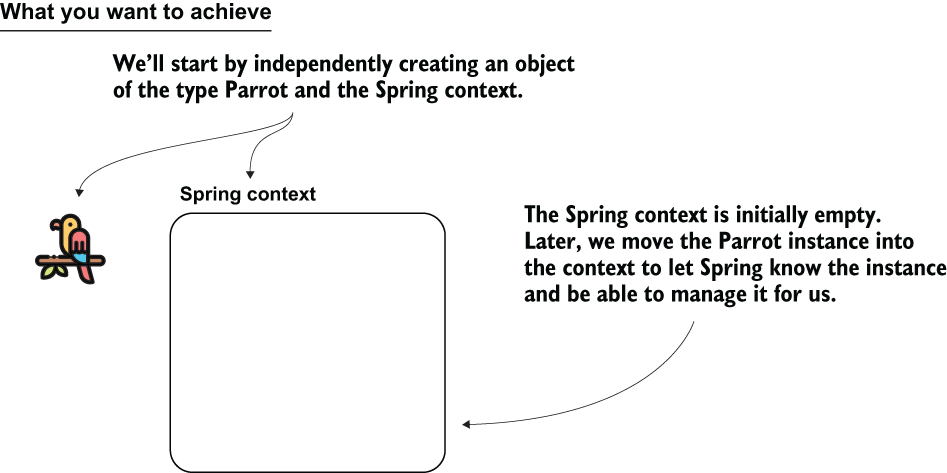
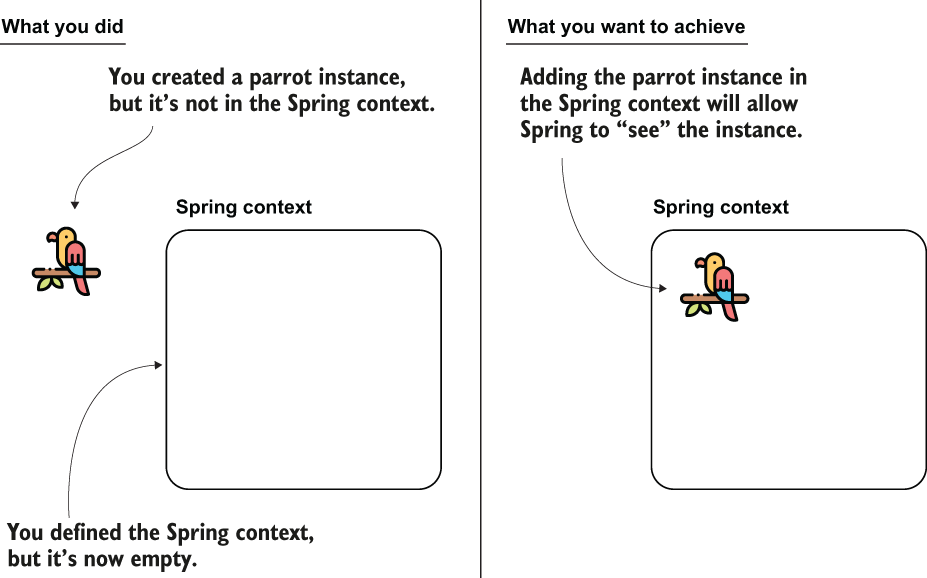
You created the Spring context instance and a Parrot instance. Now, you want to create a Parrot instance inside the Spring context to make Spring aware of this instance.
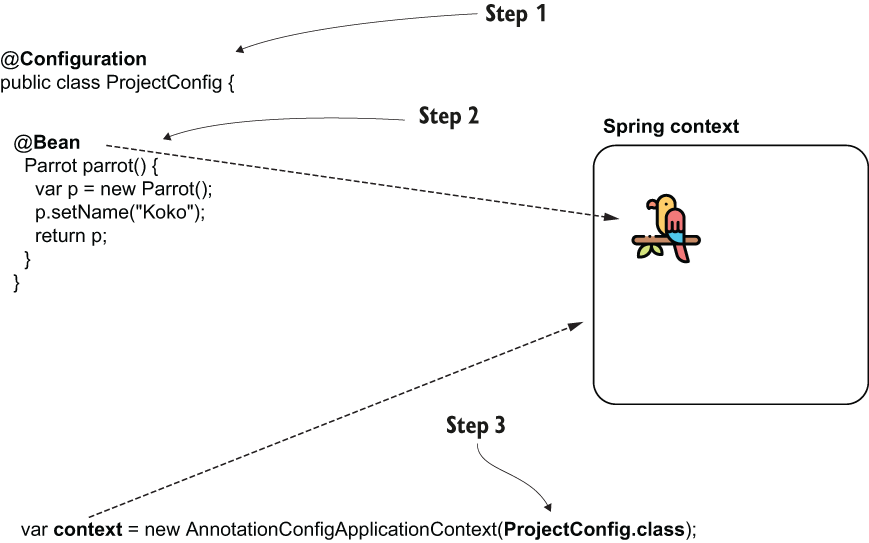
Steps for adding the bean to the context using the @Bean annotation. By creating the instance in the Spring context, you make the framework aware of the object, enabling it to manage the instance.
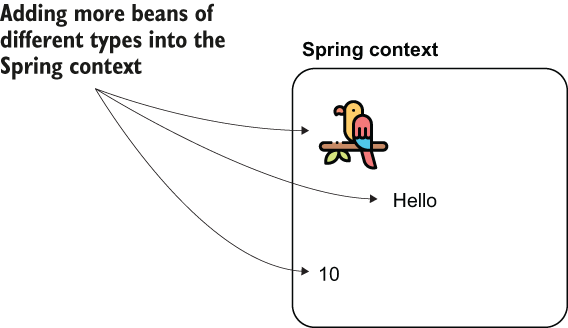
You can add any object to the Spring context to make Spring aware of it.
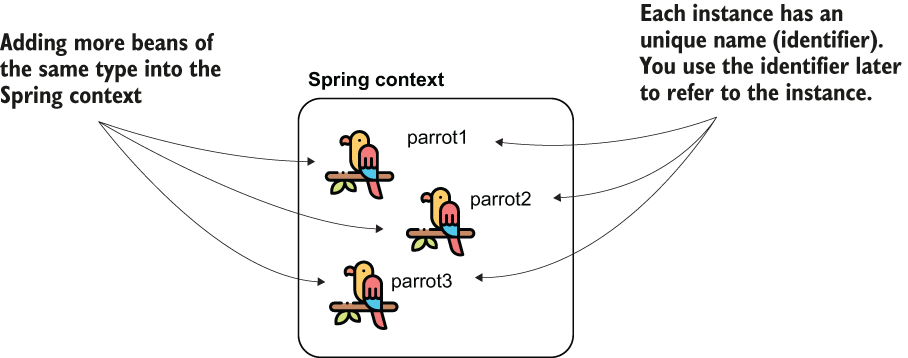
You can add more beans of the same type to the Spring context by using multiple methods annotated with @Bean. Each instance will have a unique identifier. To refer to them afterward, you’ll need to use the beans’ identifiers.
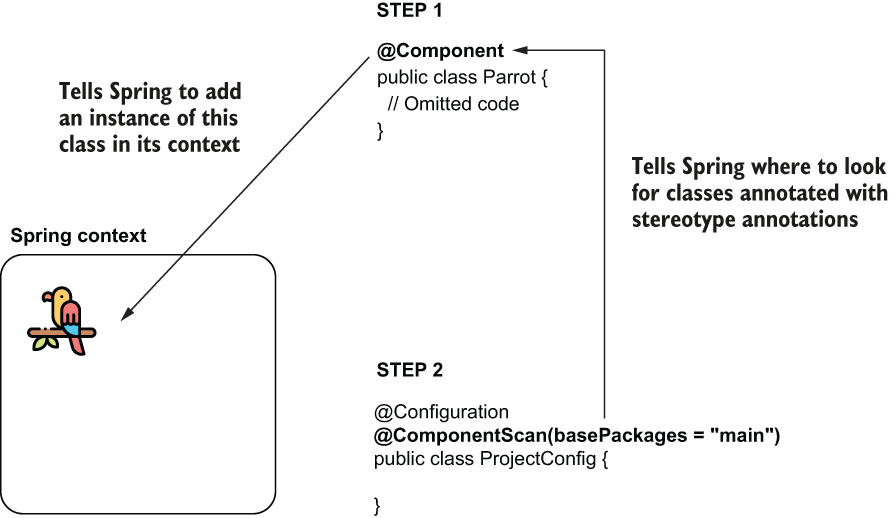
When using stereotype annotations, consider two steps. First, use the stereotype annotation (@Component) to annotate the class for which you want Spring to add a bean to its context. Second, use the @ComponentScan annotation to tell Spring where to look for classes annotated with stereotype annotations.
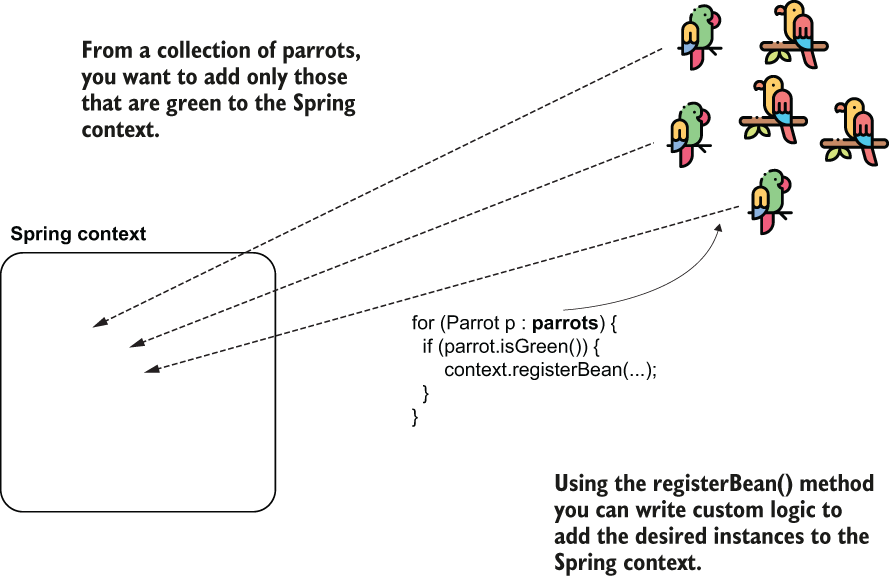
Using the registerBean() method to add specific object instances to the Spring context
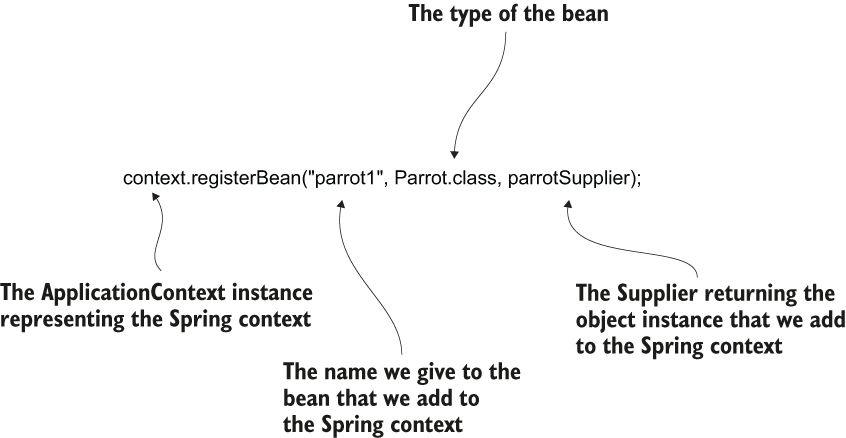
Calling the registerBean() method to add a bean to the Spring context programmatically
Summary
- The Spring context (IoC container) manages the objects integrated with Spring features such as dependency injection, transactions, security, and testing. These managed objects are called beans.
- Beans can be added to the Spring context in three main ways: using @Bean, using stereotype annotations such as @Component, or programmatically with registerBean().
- The @Bean approach offers full control over object creation and is useful for third-party classes or advanced configurations. Stereotype annotations are preferred for most application classes because they reduce boilerplate code.
- When multiple beans of the same type exist, Spring requires additional information, such as a bean name or the @Primary annotation, to determine which bean to use.
- Bean lifecycle callbacks such as @PostConstruct allow you to customize initialization logic after Spring creates the object.
- Defining and managing beans correctly is fundamental because higher-level Spring features rely on the Spring context and its managed objects.

 Spring Start Here, Second Edition ebook for free
